BIT-DataLab/Edit-Banana — a data project — sits at 5.5k GitHub stars in the Data space. Edit Banana: A framework for converting statistical formats into editable.
Snapshot summary built from the project's own GitHub metadata — there's no written TopGit review yet. The page will update automatically when a full review is published.
WHY NO REVIEW YET
TopGit writes full reviews for the most-starred, most-requested repositories. This page is a snapshot until then — see the READ ME tab for the original README in full.
Universal Content Re-Editor: Make the Uneditable, Editable
Break free from static formats. Our platform empowers you to transform fixed content into fully manipulatable assets.
Powered by SAM 3 and multimodal large models, it enables high-fidelity reconstruction that preserves the original diagram details and logical relationships.
Try It Now!
👆 Click above or https://www.editbanana.net/ to try Edit Banana online! Upload an image to get editable DrawIO (XML) in seconds.
[!WARNING]
Please note: Our GitHub repository currently trails behind our web-based service. For the most up-to-date features and performance, we recommend using our web platform.
💬 Join WeChat Group
Welcome to join our WeChat group to discuss and exchange ideas! Scan the QR code below to join:
Scan to join the Edit Banana community
[!TIP]
If the QR code has expired, please submit an Issue to request an updated one.
👨🏫 Leader
Guoren Wang
Professor · Doctoral Supervisor
Database SystemsUncertain Data ManagementMultimedia Data ManagementDistributed Query Processing
Homepage →
Ye Yuan
Professor · Doctoral Supervisor
Big Data ManagementGraph Data ManagementSpatio-temporal DataDistributed Computing
Homepage →
Chengliang Chai
Associate Professor · Doctoral Supervisor
Data-centric AILarge Language ModelsData LakesDatabase Systems
Homepage →
📮 Contact Us
For academic cooperation, technical docking, commercial licensing, project customization and other business inquiries, please contact us via email:
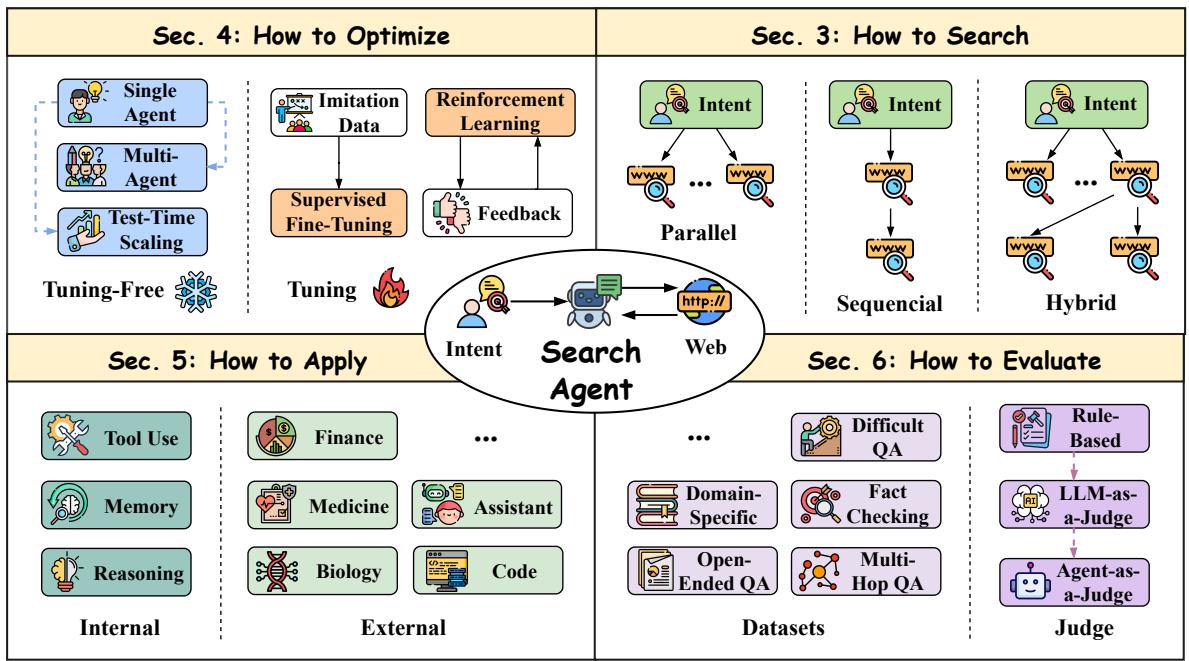
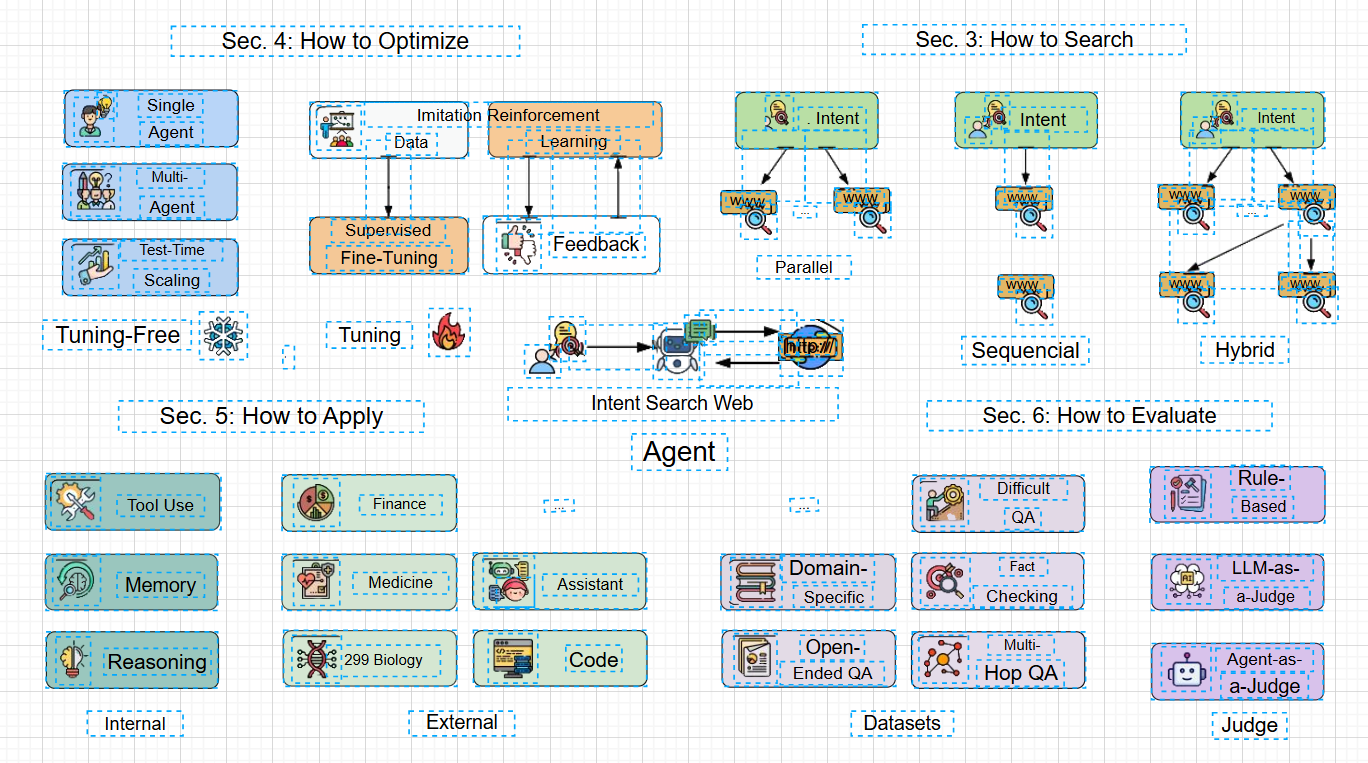
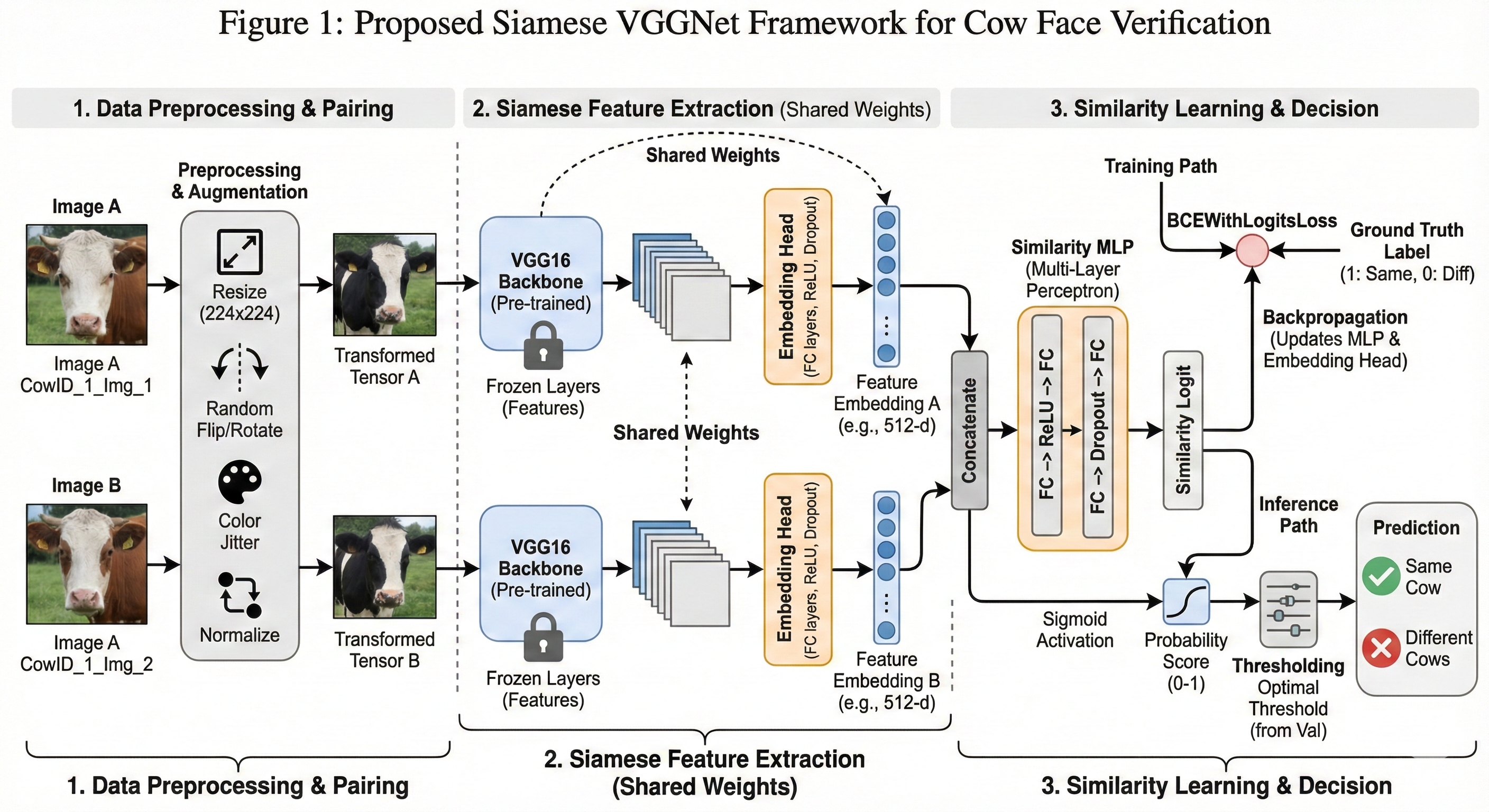
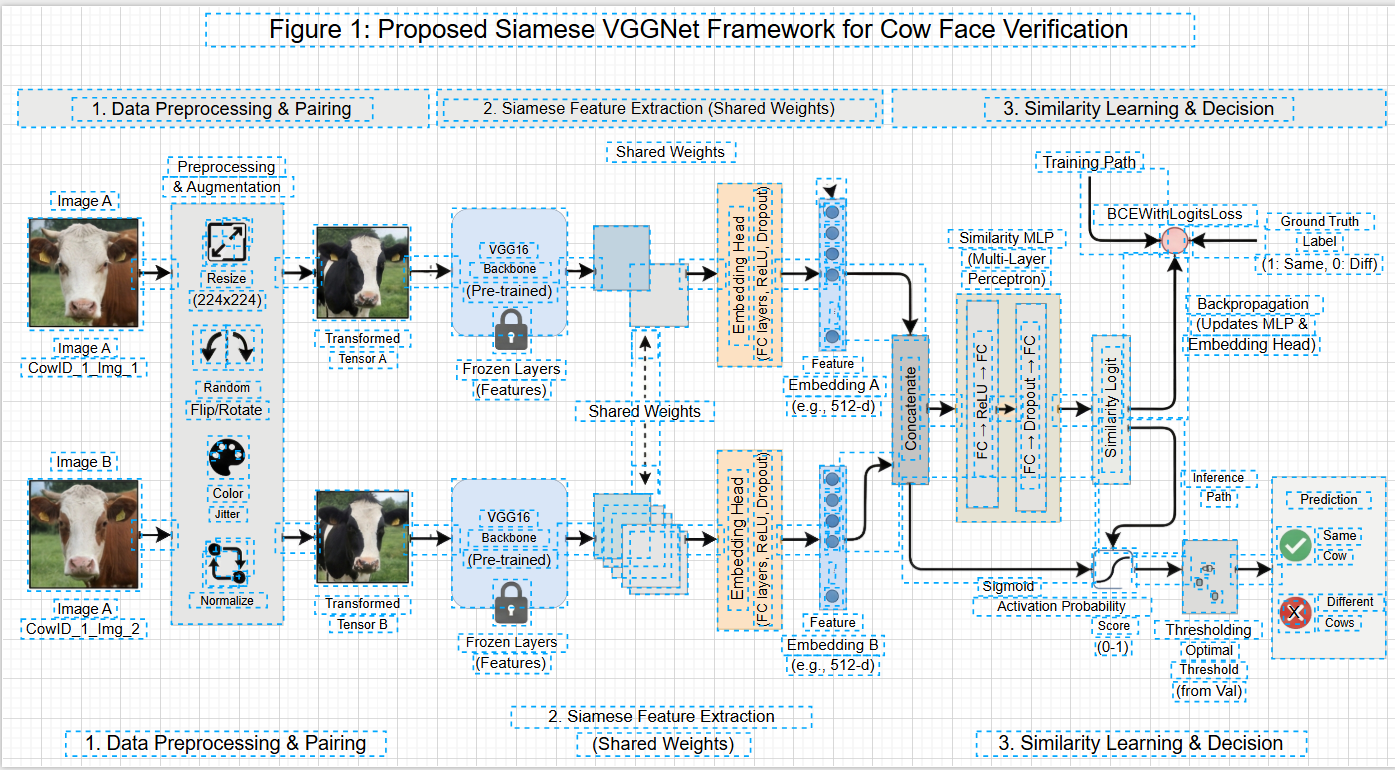
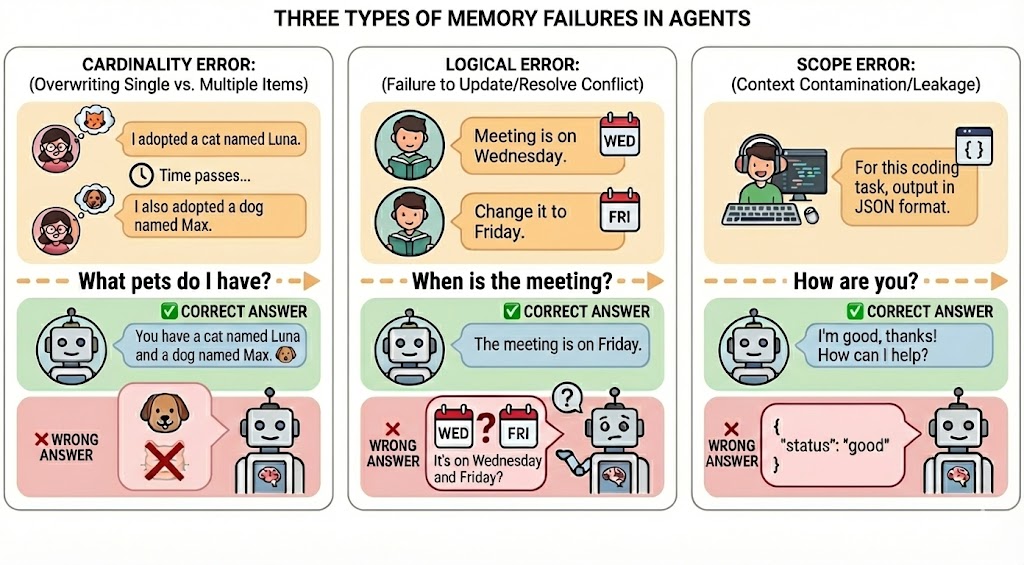
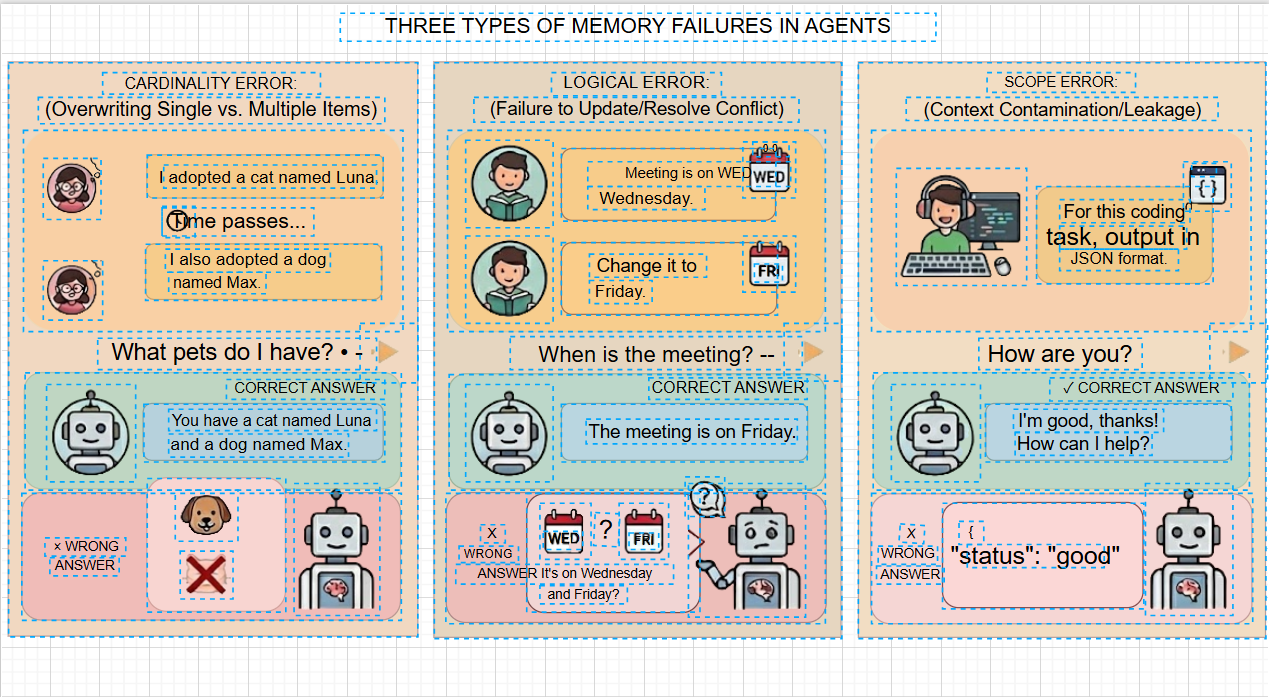
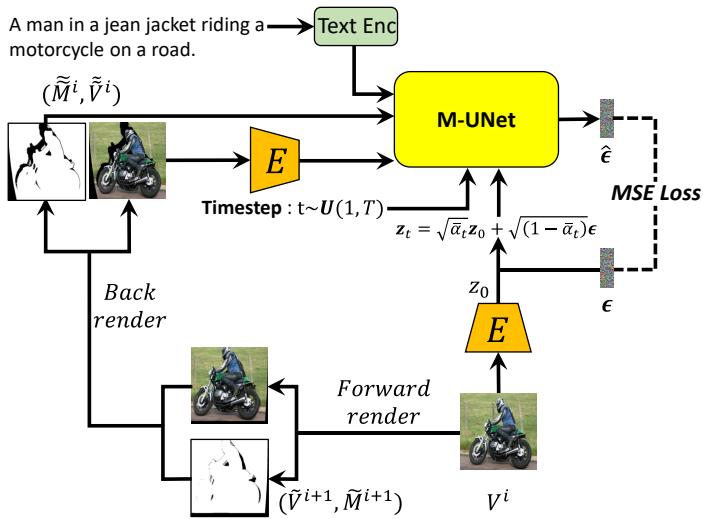
To demonstrate the high-fidelity conversion effect, we provides one-to-one comparisons between 4 scenarios of "original static formats" and "editable reconstruction results". All elements can be individually dragged, styled, and modified.
Scenario 1: Figures to DrawIO
🔒 Original Static Diagram (Input · Non-editable)
🔓 DrawIO Reconstruction Result (Output · Fully Editable)
Example 1: Basic Flowchart
✨ Editable Flowchart
Example 2: Multi-level Architecture
✨ Editable Architecture
Example 3: Technical Schematic
✨ Editable Schematic
Example 4: Scientific Formula
✨ Editable Formula
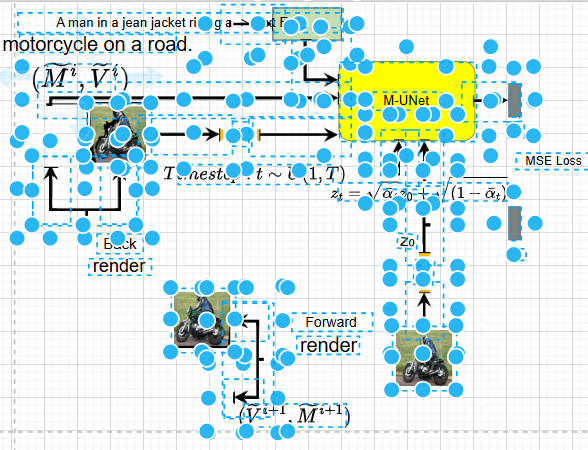
Scenario 2: Human in the Loop Modification
✨ Manual repair
✨ Save locally
[!NOTE]
✨ Conversion Highlights:
Preserves the layout logic, color matching, and element hierarchy of the original diagram.
1:1 restoration of shape stroke/fill and arrow styles (dashed lines/thickness).
Accurate text recognition, supporting direct subsequent editing and format adjustment.
All elements are independently selectable, supporting native DrawIO template replacement and layout optimization.
🚀 Key Features
Advanced Segmentation: Using our fine-tuned SAM 3 (Segment Anything Model 3) for segmentation of diagram elements.
Fixed Multi-Round VLM Scanning: An extraction process guided by Multimodal LLMs.
Text Recognition:
Local OCR for text localization; easy to install, runs offline.
Pix2Text for mathematical formula recognition and LaTeX conversion .
Crop-Guided Strategy: Extracts text/formula regions and sends high-res crops to the formula engine.
User System:
Registration: New users receive 10 free credits.
Credit System: Pay-per-use model prevents resource abuse.
Multi-User Concurrency: Built-in support for concurrent user sessions using a Global Lock mechanism for thread-safe GPU access and an LRU Cache (Least Recently Used) to persist image embeddings across requests, ensuring high performance and stability.
🛠️ Architecture Pipeline
Input: Image (PNG/JPG/BMP/TIFF/WebP).
Segmentation (SAM3): Using our fine-tuned SAM3 mask decoder.
Text Extraction (Parallel):
Local OCR (Tesseract) detects text bounding boxes.
High-res crops of text/formula regions are sent to Pix2Text for LaTeX conversion.
DrawIO XML Generation: Merging spatial data from SAM3 and text OCR results.
📂 Project Structure
Click to expand project structure
Edit-Banana/
├── config/               # Configuration files (copy config.yaml.example → config.yaml)
├── flowchart_text/       # OCR & Text Extraction Module (standalone entry)
│   ├── src/
│   └── main.py             # OCR-only entry point
├── input/                # [Manual] Input images directory
├── models/               # [Manual] Model weights (SAM3) and optional BPE vocab
├── output/               # [Manual] Results directory
├── sam3/                 # SAM3 library (see Installation: install from facebookresearch/sam3)
├── sam3_service/         # SAM3 HTTP service (optional, for multi-process deployment)
├── scripts/              # Setup and utility scripts
│   ├── setup_sam3.sh       # Install SAM3 lib and copy BPE to models/
│   ├── setup_rmbg.py       # Download RMBG model from ModelScope
│   └── merge_xml.py        # XML merge utilities
├── main.py               # CLI entry (modular pipeline)
├── server_pa.py          # FastAPI backend server
└── requirements.txt      # Python dependencies
📦 Installation & Setup
Follow these core phases to set up the project locally.
Phase 1: Environment & Base Setup
Configure your base environment and directory structure.
PaddleOCR (Alternative/Better for mixed text): Use paddlepaddle==3.2.2 (avoiding 3.3.0 bug).
pip install paddlepaddle==3.2.2 paddleocr.
Formula (Pix2Text):
pip install pix2text onnxruntime-gpu.
Background Removal (RMBG): pip install onnxruntime modelscope then run python scripts/setup_rmbg.py.
Phase 3: Configuration & Troubleshooting
1. Final Configuration
Copy the example config and adjust the asset paths:
cp config/config.yaml.example config/config.yaml
Edit config.yaml to ensure sam3.checkpoint_path and sam3.bpe_path match your models/ locations.
🛠️ Before First Run Checklist & Troubleshooting - Click to expand
Checklist:
Config files copied and model paths set in config.yaml
SAM3 weights (sam3.pt) and BPE vocab placed under models/
Extracted SAM3 library via scripts/setup_sam3.sh
Tesseract or PaddleOCR installed
Common Issues:
"no kernel image is available...": GPU arch mismatch. Upgrade PyTorch or set sam3.device: "cpu".
"Model file not found at ...rmbg/...": RMBG is optional. Enable by downloading via script.
"PaddleOCR inference failed...": Use paddlepaddle==3.2.2 or fallback to Tesseract.
🔤 Usage
Command Line Interface (CLI)
Supports image files (PNG, JPG, BMP, TIFF, WebP). To process a single image:
python main.py -i input/test_diagram.png
The output XML will be saved in the output/ directory. For batch processing, put images in input/ and run python main.py without -i.
Run and test locally
One-time setup
git clone https://github.com/BIT-DataLab/Edit-Banana.git && cd Edit-Banana
python3 -m venv .venv && source .venv/bin/activate   # Linux/macOS; Windows: .venv\Scripts\activate
pip install torch torchvision --index-url https://download.pytorch.org/whl/cu118   # or CPU build
pip install -r requirements.txt
sudo apt install tesseract-ocr tesseract-ocr-chi-sim   # OCR (or equivalent on your OS)
Install the SAM3 library and download model weights + BPE. Then:
mkdir -p input output
cp config/config.yaml.example config/config.yaml
# Edit config/config.yaml: set sam3.checkpoint_path and sam3.bpe_path to your models/ paths
Test with CLI
# Put a diagram image in input/, e.g. input/test.png
python main.py -i input/test.png
# Output appears under output/<image_stem>/ (DrawIO XML and intermediates)
Optional: test the web API
python server_pa.py
# In another terminal:
curl -X POST http://localhost:8000/convert -F "file=@input/test.png"
# Or open http://localhost:8000/docs and use the /convert endpoint with a file upload
⚙️ Configuration
Customize the pipeline behavior in config/config.yaml:
How active is development on BIT-DataLab/Edit-Banana?
The most recent commit recorded on BIT-DataLab/Edit-Banana was 5 days ago, based on the GitHub push timestamp. The repository has 359 forks — one of the better signals of community interest.
How does BIT-DataLab/Edit-Banana compare to other Data projects?
BIT-DataLab/Edit-Banana is tracked by TopGit in the Data category, with 5.5k GitHub stars and written in Python. Browse the Data topic page on TopGit to compare it against similar projects by stars and activity.
How many stars does BIT-DataLab/Edit-Banana have?
BIT-DataLab/Edit-Banana has 5.5k GitHub stars — refresh the page for the live number, or check github.com/BIT-DataLab/Edit-Banana. TopGit mirrors GitHub's count but does not claim minute-by-minute accuracy.
Is BIT-DataLab/Edit-Banana open source?
Yes — BIT-DataLab/Edit-Banana ships under the AGPL-3.0 license, which makes its source code freely readable (and, depending on license terms, forkable and reusable). Source: github.com/BIT-DataLab/Edit-Banana.
What is BIT-DataLab/Edit-Banana?
BIT-DataLab/Edit-Banana (BIT-DataLab/Edit-Banana) is a Python project on GitHub. From the project's own README: Edit Banana: A framework for converting statistical formats into editable.
Where do I read more about BIT-DataLab/Edit-Banana?
This TopGit page is a snapshot — the READ ME tab shows the project's own README content (links stripped, images preserved). The GitHub repository at github.com/BIT-DataLab/Edit-Banana is the definitive source.
Read full README in the tab above.
Want a second opinion on Edit-Banana?
Ask an AI that can read this page — one click and you get its take on Edit-Banana.
 /Edit-Banana