Indexed by TopGit from live GitHub metadata: blacksmithgu/obsidian-dataview has 9.3k stars, written primarily in TypeScript. A data index and query language over Markdown files, for https://obsidian.md/.
Snapshot summary built from the project's own GitHub metadata — there's no written TopGit review yet. The page will update automatically when a full review is published.
WHY NO REVIEW YET
TopGit writes full reviews for the most-starred, most-requested repositories. This page is a snapshot until then — see the READ ME tab for the original README in full.
Treat your Obsidian Vault as a database which you can query from. Provides a JavaScript API and
pipeline-based query language for filtering, sorting, and extracting data from Markdown pages. See the Examples section
below for some quick examples, or the full reference for all the details.
Examples
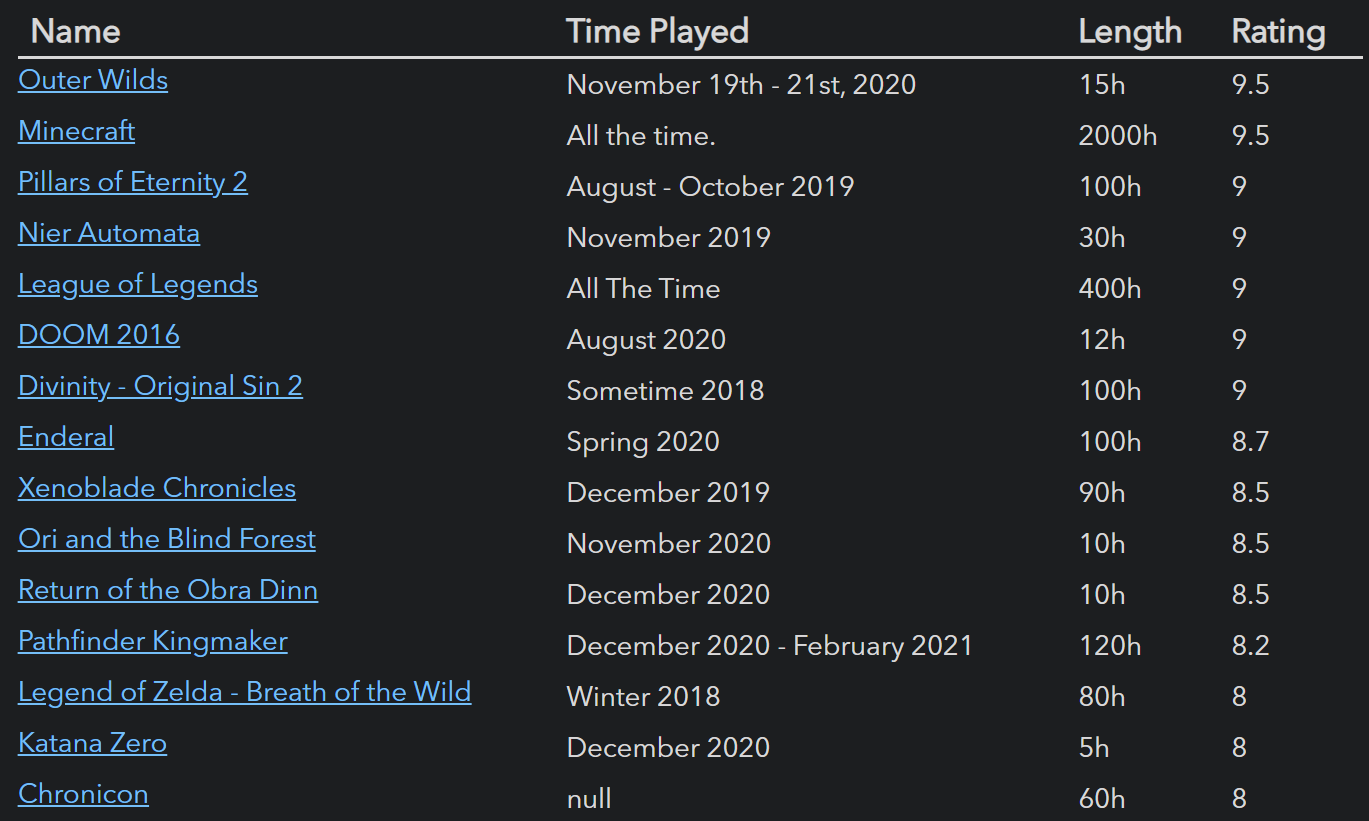
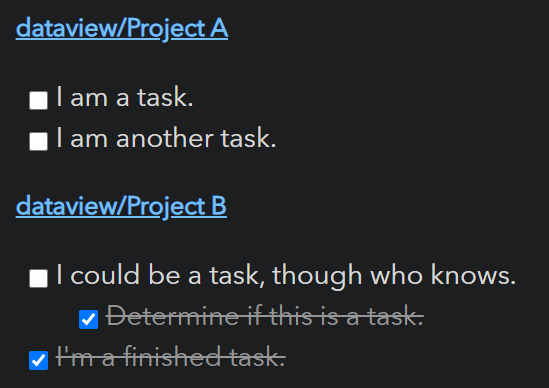
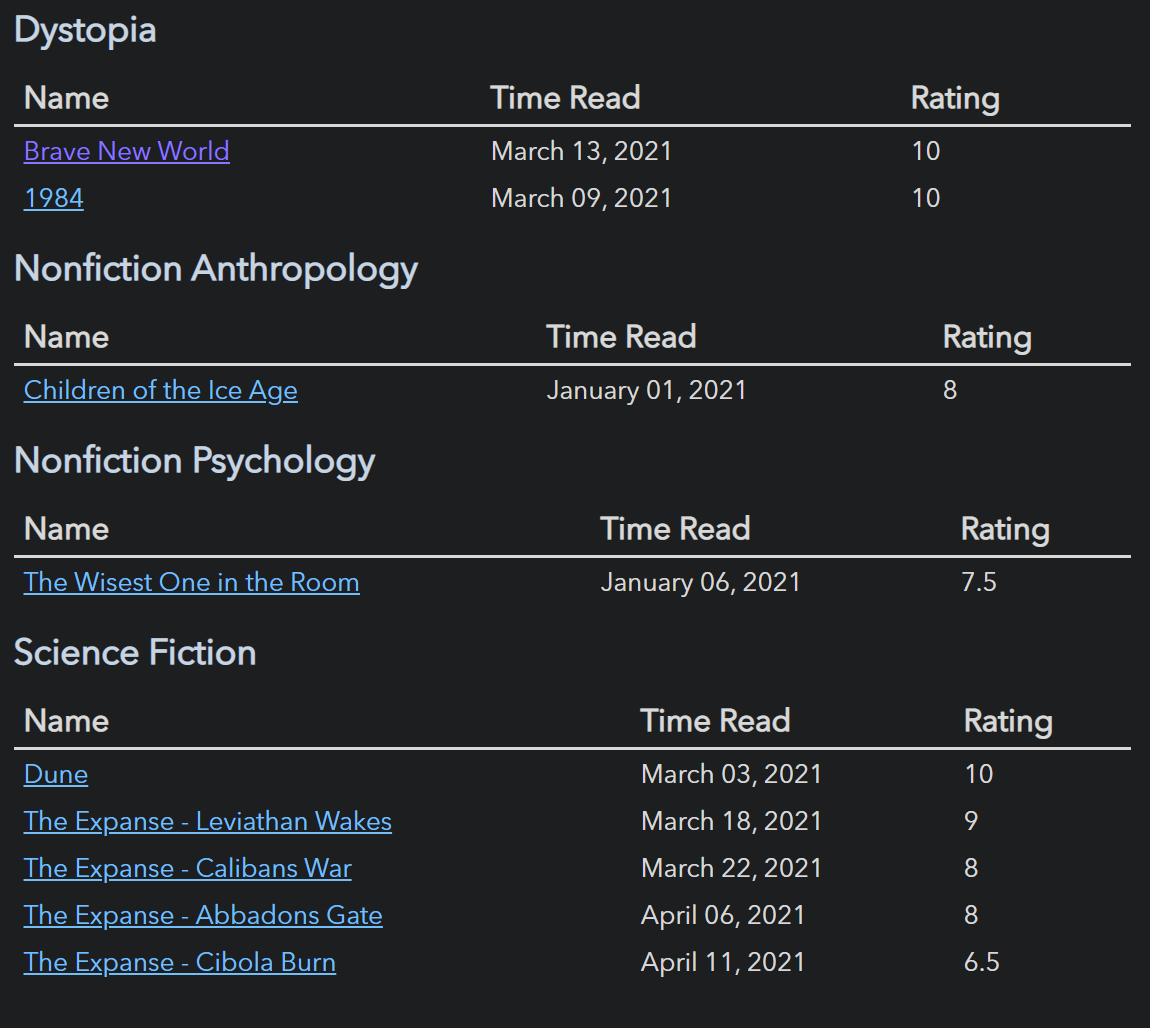
Show all games in the game folder, sorted by rating, with some metadata:
For a full description of all features, instructions, and examples, see the reference. For a more brief outline, let us examine the two major aspects of Dataview: data and querying.
Data
Dataview generates data from your vault by pulling
information from Markdown frontmatter and Inline fields.
Markdown frontmatter is arbitrary YAML enclosed by --- at the top of a markdown document which can store metadata
about that document.
Inline fields are a Dataview feature which allow you to write metadata directly inline in your markdown document via
Key:: Value syntax.
# Markdown Page

Basic Field:: Value
**Bold Field**:: Nice!
You can also write [field:: inline fields]; multiple [field2:: on the same line].
If you want to hide the (field3:: key), you can do that too.
Querying
Once you've annotated documents and the like with metadata, you can then query it using any of Dataview's four query
modes:
Dataview Query Language (DQL): A pipeline-based, vaguely SQL-looking expression language which can support basic
use cases. See the documentation for details.
```dataview
TABLE file.name AS "File", rating AS "Rating" FROM #book
```
Inline Expressions: DQL expressions which you can embed directly inside markdown and which will be evaluated in
preview mode. See the documentation for
allowable queries.
We are on page `= this.file.name`.
DataviewJS: A high-powered JavaScript API which gives full access to the Dataview index and some convenient
rendering utilities. Highly recommended if you know JavaScript, since this is far more powerful than the query
language. Check the documentation for more details.
Inline JS Expressions: The JavaScript equivalent to inline expressions, which allow you to execute arbitrary JS
inline:
This page was last modified at `$= dv.current().file.mtime`.
JavaScript Queries: Security Note
JavaScript queries are very powerful, but they run at the same level of access as any other Obsidian plugin. This means
they can potentially rewrite, create, or delete files, as well as make network calls. You should generally write
JavaScript queries yourself or use scripts that you understand or that come from reputable sources. Regular Dataview
queries are sandboxed and cannot make negative changes to your vault (in exchange for being much more limited).
Contributing
Contributions via bug reports, bug fixes, documentation, and general improvements are always welcome. For more major
feature work, make an issue about the feature idea / reach out to me so we can judge feasibility and how best to
implement it.
Local Development
The codebase is written in TypeScript and uses rollup / node for compilation; for a first time set up, all you
should need to do is pull, install, and build:
foo@bar:~$ git clone [email protected]:blacksmithgu/obsidian-dataview.git
foo@bar:~$ cd obsidian-dataview
foo@bar:~/obsidian-dataview$ npm install
foo@bar:~/obsidian-dataview$ npm run dev
This will install libraries, build dataview, and deploy it to test-vault, which you can then open in Obsidian. This
will also put rollup in watch mode, so any changes to the code will be re-compiled and the test vault will automatically
reload itself.
Preparing for creating pull requests
If you plan on doing pull request, we would also recommend to do the following in advance of creating the pull request:
foo@bar:~$ npm run dev
foo@bar:~$ npm run check-format
foo@bar:~$ npm run format
foo@bar:~$ npm run test
The third step of npm run format is only needed if the format check reports some issue.
Installing to Other Vaults
If you want to dogfood dataview in your real vault, you can build and install manually. Dataview is predominantly a
read-only store, so this should be safe, but watch out if you are adjusting functionality that performs file edits!
foo@bar:~/obsidian-dataview$ npm run build
foo@bar:~/obsidian-dataview$ ./scripts/install-built path/to/your/vault
Building Documentation
We use MkDocs for documentation (found in docs/). You'll need to have python and pip to run it locally:
This will start a local web server rendering the documentation in docs/docs, which will live-reload on change.
Documentation changes are automatically pushed to blacksmithgu.github.io/obsidian-dataview once they are merged
to the main branch.
Using Dataview Types In Your Own Plugin
Dataview publishes TypeScript typings for all of its APIs onto NPM (as blacksmithgu/obsidian-dataview). For
instructions on how to set up development using Dataview, see setup instructions.
Support
Have you found the Dataview plugin helpful, and want to support it? I accept donations which go towards future
development efforts. I generally do not accept payment for bug bounties/feature requests, as financial incentives add
stress/expectations which I want to avoid for a hobby project!
Yes — blacksmithgu/obsidian-dataview ships under the MIT license, which makes its source code freely readable (and, depending on license terms, forkable and reusable). Source: github.com/blacksmithgu/obsidian-dataview.
What else is in the Frontend space?
blacksmithgu/obsidian-dataview is tracked by TopGit under the Frontend category, alongside 4 GitHub-tagged topics. Trending and Topics pages list peer repositories of comparable stars and language.
What is blacksmithgu/obsidian-dataview?
blacksmithgu/obsidian-dataview (blacksmithgu/obsidian-dataview) is a TypeScript project on GitHub. From the project's own README: A data index and query language over Markdown files, for https://obsidian.md/.
What license does blacksmithgu/obsidian-dataview use?
blacksmithgu/obsidian-dataview is released under the MIT license. Always verify the LICENSE file directly on GitHub for the authoritative terms — license strings can be edited out of sync with a project's actual stance.
Where can I see blacksmithgu/obsidian-dataview in action?
The project maintains a homepage at https://blacksmithgu.github.io/obsidian-dataview/. The README tab on this page also usually contains screenshots and a quickstart.
Where do I read more about blacksmithgu/obsidian-dataview?
This TopGit page is a snapshot — the READ ME tab shows the project's own README content (links stripped, images preserved). The GitHub repository at github.com/blacksmithgu/obsidian-dataview is the definitive source.
Why is blacksmithgu/obsidian-dataview categorized under Frontend?
TopGit places blacksmithgu/obsidian-dataview in the Frontend category based on its GitHub topics and description (tagged: "obsidian-md", "obsidian-plugin", "query-language"). Categories are assigned from real repository metadata, not editorial guesswork.
Read full README in the tab above.
Is obsidian-dataview worth your time?
ChatGPT, Claude and Perplexity can all read this page. Ask one of them what it makes of obsidian-dataview.
 /obsidian-dataview