
Real-Time Voice Cloning: An SV2TTS Voice Cloning Toolbox
 /Real-Time-Voice-Cloning
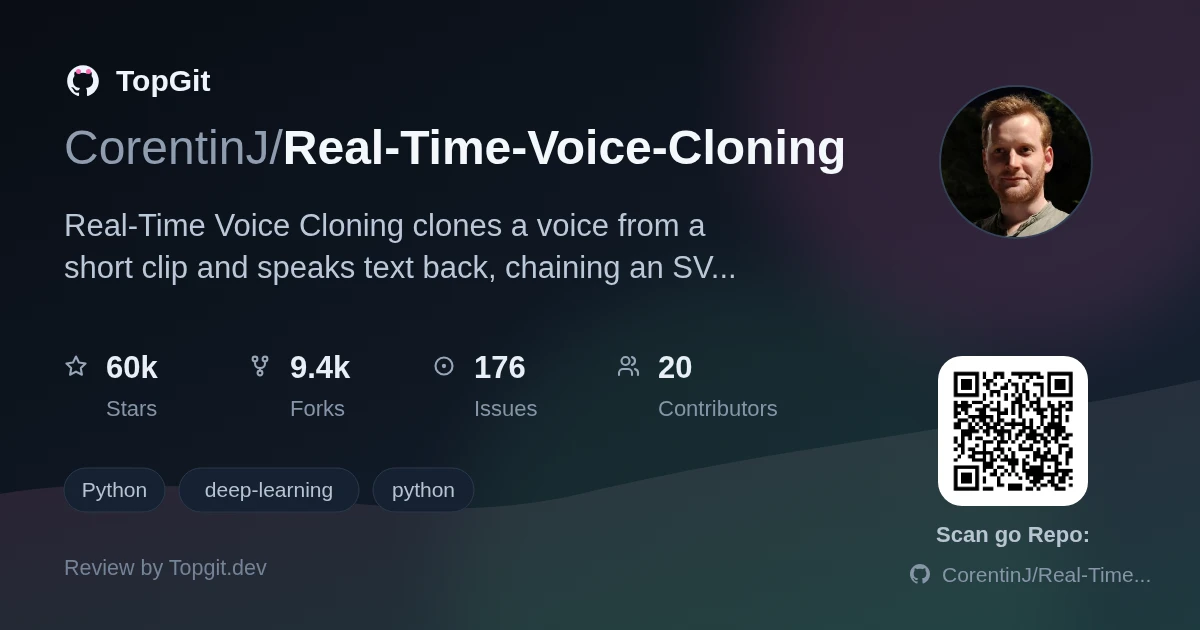
Real-Time Voice Cloning is CorentinJ's implementation of SV2TTS, and it still does the demo it was built for: clone a voice from a few seconds of audio and read back arbitrary text. The catch is age — the README itself points newcomers toward Chatterbox for current-quality audio. Treat it as a working SV2TTS reference, not something to ship a product on.
What is Real-Time Voice Cloning?
Real-Time Voice Cloning is an open-source implementation of SV2TTS — a technique that applies transfer learning from a speaker-verification model to multispeaker text-to-speech synthesis — built as CorentinJ's master's thesis. It chains three networks: a GE2E-loss speaker encoder turns a short reference clip into a voice embedding, a Tacotron-based synthesizer turns text plus that embedding into a mel spectrogram, and a WaveRNN vocoder renders it into audio in real time.
What the toolbox can do
- ✓Three-stage SV2TTS pipeline: GE2E speaker encoder, Tacotron synthesizer, WaveRNN vocoder, each documented against its own arXiv paper.
- ✓GUI toolbox (demo_toolbox.py) for recording or loading a reference clip, inspecting the embedding, and generating speech interactively.
- ✓Command-line entry point (demo_cli.py) for running a clone without the GUI.
- ✓Pretrained models download automatically on first run, with a Hugging Face fallback (CorentinJ/SV2TTS) if that fails.
- ✓Works out of the box with LibriSpeech/train-clean-100, plus other datasets documented in the project wiki for retraining a stage.
- ✓GPU and CPU install paths (`--extra cuda` / `--extra cpu`) managed through uv instead of manual CUDA wheel-matching.
Installing Real-Time Voice Cloning
Real-Time Voice Cloning supports both Windows and Linux. First install ffmpeg — the README calls it out as required for reading audio files, confirmed by running `ffmpeg` in a terminal. Next install uv, the Python package manager the project uses: on Windows that's `powershell -ExecutionPolicy ByPass -c "irm https://astral.sh/uv/install.ps1 | iex"`, on Linux it's `curl -LsSf https://astral.sh/uv/install.sh | sh` (or `pip install -U uv` on any platform). uv then builds a `.venv` automatically the first time you run the toolbox — there's no separate `pip install -r requirements.txt` step. If the automatic setup fails, the README's fallback is opening an issue on the repo.
Running the GUI toolbox or CLI
Once uv is installed, launch the GUI with `uv run --extra cuda demo_toolbox.py` if you have an NVIDIA GPU, or `uv run --extra cpu demo_toolbox.py` if you don't. Prefer scripting over clicking? `demo_cli.py` takes the same `--extra cuda`/`--extra cpu` flags and skips the GUI entirely. Pretrained models download themselves the first time either command runs, so a fresh clone can go from `uv run` to a cloned voice without a separate model-download step. Record your own reference clips inside the toolbox, or point it at a LibriSpeech folder to test with public audio first.
Strengths
- ✓Three independently-documented stages (encoder/synthesizer/vocoder) map directly onto the SV2TTS paper, so you read the architecture off the code instead of reverse-engineering a black box.
- ✓Both a GUI (demo_toolbox.py) and a CLI (demo_cli.py) ship in the same repo, using the identical pretrained weights.
- ✓uv-based install with `--extra cuda`/`--extra cpu` removes the usual PyTorch-version guesswork.
- ✓The README's papers-implemented table tells you exactly which arXiv paper backs each network.
Known limitations and caveats
- △The README itself says the repo "has quickly gotten old" and that paid SaaS voice-cloning tools now beat its audio quality — the maintainer isn't claiming it leads the field anymore.
- △License isn't stated in the facts available here, so check before using cloned voices commercially.
- △Training your own encoder/synthesizer/vocoder from scratch needs a dataset like LibriSpeech and real GPU time — the toolbox alone only covers inference with the pretrained weights.
- △Windows and Linux are the two supported platforms; macOS isn't mentioned in the setup instructions.
Modern alternatives worth considering
Frequently asked questions
Installing Real-Time Voice Cloning on Windows starts with ffmpeg for reading audio files, confirmed by running `ffmpeg` in a terminal. Next, install uv via `powershell -ExecutionPolicy ByPass -c "irm https://astral.sh/uv/install.ps1 | iex"`. From there, `uv run --extra cuda demo_toolbox.py` (or `--extra cpu` without an NVIDIA GPU) builds the Python environment automatically and launches the GUI.
Real-Time Voice Cloning does support a CPU-only path. Swap `--extra cuda` for `--extra cpu` when launching either the GUI (`uv run --extra cpu demo_toolbox.py`) or the CLI (`uv run --extra cpu demo_cli.py`), and uv installs the matching CPU build of the dependencies instead of a CUDA one — no GPU required.
Real-Time Voice Cloning ships pretrained weights for its three networks: a GE2E-loss speaker encoder, a Tacotron-based synthesizer, and a WaveRNN vocoder. These download automatically the first time you run the toolbox or CLI; if that fails, the README's fallback is downloading them manually from the CorentinJ/SV2TTS repo on Hugging Face.
SV2TTS applies transfer learning from a speaker-verification model to text-to-speech, splitting voice cloning into three independent stages instead of one end-to-end model: a speaker encoder builds a voice embedding from a short reference clip, then a synthesizer and vocoder use that embedding — not the raw audio — to generate new speech.
Real-Time Voice Cloning's own README flags itself as dated, noting that many paid SaaS tools now produce better audio quality and pointing readers toward Chatterbox for a project closer to current voice-cloning research. Treat this repo as a working SV2TTS reference implementation rather than an actively evolving production tool.
Real-Time Voice Cloning doesn't spell out a fixed list of accepted audio formats in its documentation — it only requires ffmpeg to be installed for reading audio files, which implies ffmpeg's supported formats apply. The exact formats the toolbox's file picker accepts aren't clearly documented in the repo.
The problem it solves
Reading the SV2TTS paper gives you the theory — a speaker encoder, a synthesizer, a vocoder trained separately and then chained — but not how those pieces fit together in working code with real checkpoints. Real-Time Voice Cloning closes that gap: the author's own thesis implementation, with the encoder and vocoder trained from scratch and the synthesizer adapted from Tacotron, packaged as a toolbox you can run today instead of reconstructing from equations.
Best use cases
- •Studying how SV2TTS chains a GE2E speaker encoder, Tacotron synthesizer, and WaveRNN vocoder, with runnable code next to each paper.
- •Prototyping a voice-cloning demo for a course project or portfolio piece where research-grade audio is acceptable.
- •Generating narration in a specific reference voice for small, non-commercial experiments via the CLI.
- •Testing GE2E-style speaker embeddings against your own recorded clips in the GUI toolbox.
Who should try it — and who should skip
Try this if you're studying SV2TTS, GE2E loss, or Tacotron/WaveRNN and want runnable code next to the papers, or prototyping a voice-cloning demo where research-grade audio is good enough. Skip it if you need production audio quality today — the README itself points you to Chatterbox or a paid SaaS API — or if you don't want to manage GPU drivers and a Python environment just to hear one cloned sentence.
Related repositories
Want a second opinion on Real-Time-Voice-Cloning?
Ask an AI that can read this page — one click and you get its take on Real-Time-Voice-Cloning.