Denys Dovhan’s dotfiles
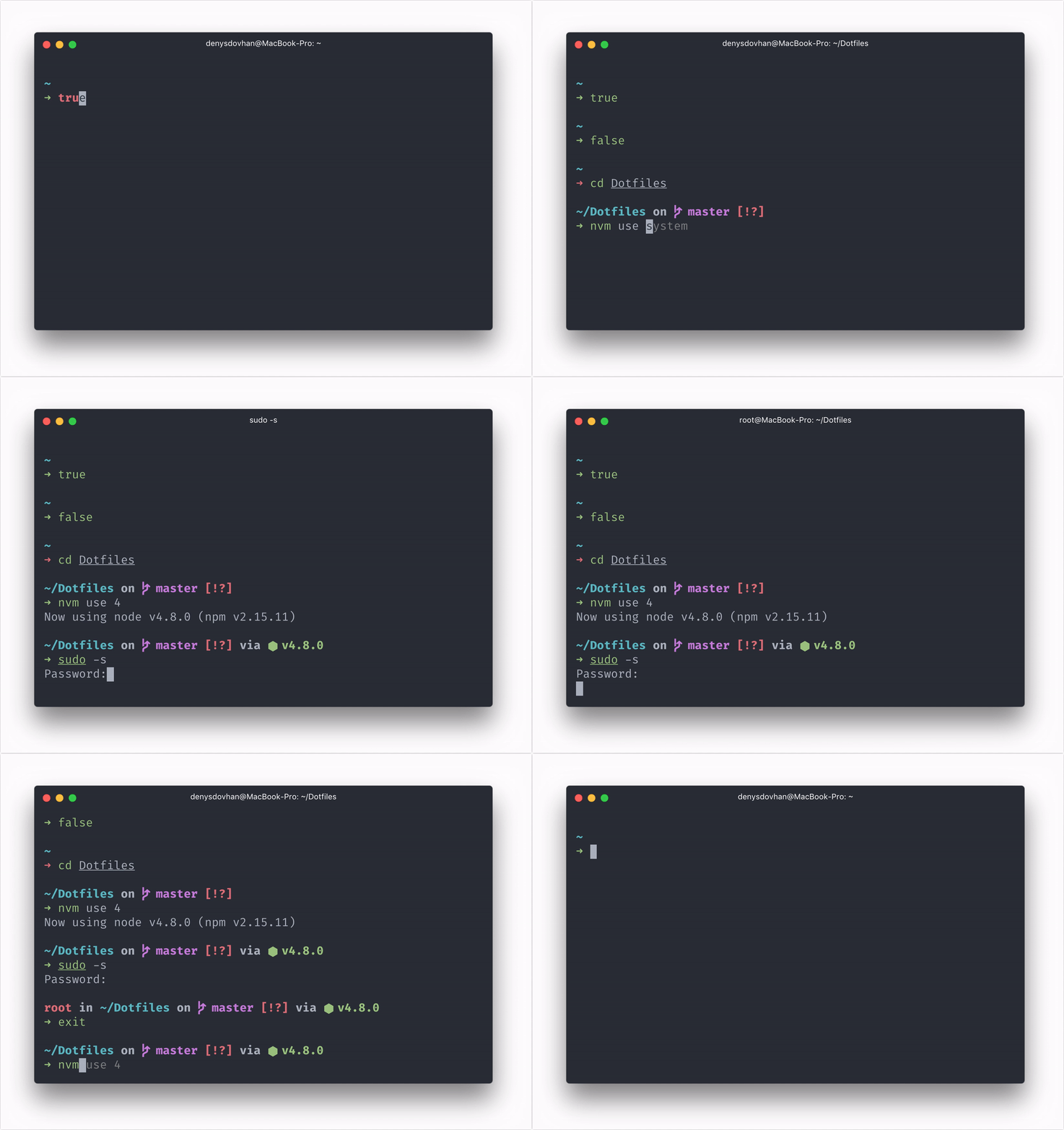
There are tons of useful things in here:
- The usefulness of Oh My ZSH! is already built–in.
- Spaceship as a prompt.
- Fish-like autosuggestion in Zsh.
- Syntax highlighting of commands while they are typed.
- Automatically closing and deleting of quotes and brackets when you type them.
- Browser-like substring search for history.
- zgen for dependency management.
- Lots of useful aliases.
- Modern CLI tools like
eza (smarter ls), bat (smarter cat), zoxide (smarter cd).
- Git config, global
.gitignore file and aliases.
- Homebrew bundle for bootstrapping a macOS workstation.
- A lot of useful bins.
update script for updating dotfiles, Zsh plugins, brew, and apt packages.
Missing feature? Fork this repo and make it better.
Installation
Dotfiles are installed by running one of the following commands in your terminal, just copy one of the following commands and execute in the terminal:
Tell Git who you are using these commands:
git config -f ~/.gitlocal user.email "[email protected]"
git config -f ~/.gitlocal user.name "Name Lastname"
Clone dotfiles repo:
# Clone dotfiles repo
git clone https://github.com/denysdovhan/dotfiles.git $HOME/.dotfiles

# Go to the dotfiles directory
cd $HOME/.dotfiles

# Install dotfiles
./install
./install also links agents/AGENTS.md into supported agent config directories when those directories already exist (~/.codex, ~/.cursor, ~/.config/agents, ~/.config/github-copilot, and ~/.config/opencode).
Updating
Use single command to get the latest updates:
update
This command refreshes sudo, pulls the latest dotfiles, reruns ./install --except shell, updates zgen and Zsh plugins, and updates brew when available.
Under the hood
Note: You may put your custom settings into ~/.zshlocal.
Projects tree
I suggest you to organize project folder as follows:
~/Projects
├── Forks       # for GitHub fork
├── Job         # for job projects
├── Playground  # for short-term experiments
└── Repos       # for long-term projects
Aliases
Aliases are going to make your work fast and enjoyable. See code in $DOTFILES/lib/aliases.zsh. Here is what's included:
- Aliases from Oh-My-Zsh. See Oh-My-Zsh Cheatsheet for more.
- Easier navigation
.. → cd ..... → cd ../...... → cd ../../....... → cd ../../../..~ → cd ~- → cd -
- Folders shortcuts
dl → cd ~/Downloadsdt → cd ~/Desktoppj → cd ~/Projectspjr → cd ~/Projects/Repospjf → cd ~/Projects/Forkspjj → cd ~/Projects/Jobpjl → cd ~/Projects/Playground
- Commands Shortcuts
e → $EDITOR+x → chmod +xx+ → chmod +xreload → reload ~/.zshrcclr → clear
- Open
open <FILE> — open file from terminal.o <FILE> — open file from terminal.oo — open current folder.term — open iTerm.
- Misc
update — get updates (Runs $DOTFILES/scripts/update.sh).bootstrap — run machine bootstrap (Runs $DOTFILES/scripts/bootstrap.sh).dotfiles — jump quickly into dotfiles folder.myip — my local IP address.password — generate random password, copies it into clipboard and outputs it to terminal.path — print $PATH in readable view.getpage — download web page with all assets.get — download file with original filename.git-root — jump to the current repo root.help — use tldr when available.lg — open lazygit when available.
Depending on installed tools, ls uses eza, cat uses bat, cd uses zoxide, and rm uses trash.
Oh-My-Zsh plugins
These OMZ plugins are included:
brew — Homebrew completions and helpers.git — git aliases and functions.history-substring-search — browser-like history search.npm — provides completion as well as adding many useful aliases.yarn — the same as for npm, but for yarnnvm — auto-sourcing nvm.fnm — fnm integration.pyenv — pyenv integration.gh — GitHub CLI aliases and completions.sudo — [Esc] [Esc] to re-run previous command with sudo.ssh-agent — automatically starts ssh-agent to set up and load whichever credentials you want for ssh connections.gpg-agent — enables gpg-agent if it is not running.docker and docker-compose — Docker helpers.fzf, direnv, bun, deno, and more.- More are listed in
.zshrc (it's hard to keep the list updated).
Bin
Dotfiles also include some functions that will make your life easier. See code in bin/.
emptytrash — empty the Trash on all mounted volumes and the main HDD.git-cleanup — removes old Git branches and does other cleanup.git-fork — add remote upstream.git-upstream — sync branch with upstream.gz — get gzipped file sizen — runs given command using binary in node_modules/.bin of the current project.nyan — print nyan cat.password — generate a random password and copy it to the clipboard.
Git
Note: Add your git user data and custom settings to ~/.gitlocal.
Configuration
- UI color is
auto.
- Default branch is
main.
- Diff colors are:
white bold for meta information;cyan bold for frag;red bold for old lines;green bold for new lines.
- Default editor is Vim instead of Vi.
push.default set as current.pull.rebase set to true.push.autoSetupRemote set to true.rerere enabled for conflict resolution reuse.- Automatic replacement
git://github.com/, gh:, github: addresses as [email protected]: for GitHub.
- Automatic replacement
git://gist.github.com/, gst:, gist: addresses as [email protected]: for Gists.
- User custom settings gets from a
~/.gitlocal file.
Git Aliases
git a → git add — patch mode for specified files.git ua → git reset HEAD — unstage files.git b → git branch — list, create, or delete branches.git c → git commit — record changes to the repository.git m → git merge — merge branches.git mc → git merge --continue — continue merge after resolving conflicts.git co → git checkout — checkout a branch or paths to the working tree.git cb → git checkout -b — create and checkout branch.git sw → git switch — switch branches.git swc → git switch -c — create and switch branch.git ap → git add -p — add file contents to the index.git ca → git commit -a — commit with automatically stage files that have been modified and deleted.git cm → git commit -m — commit with commit message.git cam → git commit -am — add all files and commit with message.git s → git status -sb — short status with current branch.git main — go to main branch and pull from remote.git master — go to master branch and pull from remote.git develop — go to develop branch and pull from remote.git remain — fetch latest main and merge it into the current branch.git remaster — fetch latest master and merge it into the current branch.git git — do not complain about git git.git l — commits log with pretty single line format.git ll — log with list of changed files for each commit.git ignore — ignore files: append file to .gitignore.git this — initialize, add all files and commit.git amend — amend last commit.git redo — amend last commit with its original message.git undo → reset --mixed HEAD^ — reset index changes, but not the working tree.git discard → checkout -- — discard changes.git contrib — list of contributors and how many commits each person has.git today — see how many lines of code you have written today.git sync — pull and push changes from/to remote.git lazy — open lazygit.git-root — go to repo root.git-cleanup [--force] — removes old Git branches.git-fork <original-author> — add remote upstream.git-upstream [branch] — sync branch with upstream (defaults to master).
Resources
Resources that I used to make these dotfiles better:
- GitHub ❤ ~/
- Mathias’s dotfiles
License
MIT © Denys Dovhan
