ASP.NET Core Web Framework: Cross-Platform .NET Apps
 /aspnetcore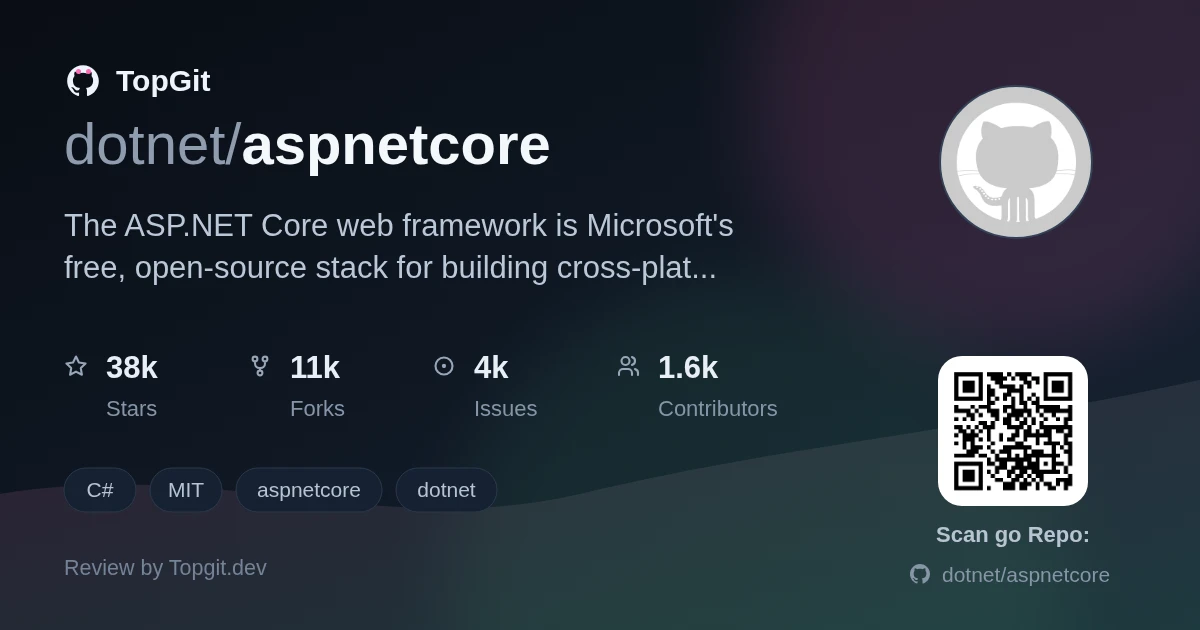
Reach for ASP.NET Core if your team already writes C#, or you want a first-party, cross-platform web framework with static typing and one runtime behind your APIs, server-rendered UI, and mobile backends. Skip it if you'd rather stay in a single scripting language, or you don't want to track Microsoft's yearly .NET release cadence and LTS support windows.
Microsoft's Cross-Platform Web Framework
ASP.NET Core is a free, open-source, cross-platform web framework from Microsoft for building cloud-based web apps, HTTP APIs, IoT apps, and mobile backends. It's MIT-licensed, governed by the .NET Foundation, and runs on the .NET runtime, so it shares C#, the base class libraries, and tooling with the rest of the .NET ecosystem. The README describes it as modular components with minimal overhead, meaning you compose the framework rather than inherit a fixed monolith.
One Typed Framework Instead of Stack-Hopping
Most teams pick a web stack and then live with its trade-offs for years: a scripting language that's fast to start but loose at scale, or a heavier typed framework that's disciplined but ties you to one OS or vendor. The ASP.NET Core web framework exists to give the .NET/C# world a single, typed, cross-platform way to build web apps and APIs that deploy to the cloud or on-premises without switching languages between the browser backend, an IoT service, and a mobile API.
Modular Components Across Windows, macOS, Linux
- ✓Cross-platform by design — the same app builds and runs on Windows, macOS, and Linux
- ✓Modular components with minimal overhead (per the README), so you add only the pieces an app needs
- ✓One framework for several workloads: web apps, HTTP APIs, IoT apps, and mobile backends
- ✓Runs on the .NET runtime, sharing C#, the base libraries, and tooling with the wider .NET stack
- ✓Cloud or on-premises deployment, with a Windows Hosting Bundle and IIS module (the ASP.NET Core Module) for IIS hosting
- ✓MIT-licensed and .NET Foundation-governed, with public daily/nightly builds of the shared framework
From Web APIs to IoT to Mobile Backends
- •Building cloud-hosted web applications and internet-facing sites in C#
- •Serving HTTP APIs and backends for mobile apps
- •Standing up IoT app services (called out in the README)
- •Running on-premises, line-of-business web apps behind IIS on Windows
- •Server-rendered UI using the related Razor tooling and syntax
38k Stars and a Public Development Cadence
It's one of the larger web-framework repos on GitHub, and it's a first-party Microsoft project rather than a community side effort, so the momentum is steady rather than a spike. The repo runs an open cadence: a public roadmap, a weekly community standup streamed on YouTube, daily builds of the shared framework, and 'help wanted' / 'good first issue' labels that keep outside contributions flowing. The current daily builds target.NET 11, so active development is public and ongoing.
Getting the .NET SDK
ASP.NET Core isn't a package you drop into an empty project — it ships as part of the .NET SDK. The README says to install the SDK ("if you're unsure what you need, then install the SDK; it has everything except the IIS plugin") and follow the Getting Started guide at learn.microsoft.com/aspnet/core/getting-started. For Windows IIS hosting you also install the separate Hosting Bundle, which includes the shared framework, the .NET runtime, and the ASP.NET Core Module. The repo also publishes daily builds of the shared framework if you want to test unreleased versions.
Scaffolding Your First App with dotnet CLI
Once the .NET SDK is installed, you use its `dotnet` CLI to scaffold and run an app, then follow the Getting Started guide for a first project. The README doesn't inline command examples — it points to learn.microsoft.com/aspnet/core and the .NET homepage for released versions and tutorials. If you want to build the framework itself from source (rather than just use it), the repo documents that separately in docs/BuildFromSource.md, which is a much heavier setup than consuming the SDK.
Why Teams Standardize on ASP.NET Core
- ✓Genuinely cross-platform: one C# codebase runs on Windows, macOS, and Linux
- ✓First-party Microsoft project under the .NET Foundation, MIT-licensed, with a large repo (38k+ stars, 10.8k+ forks)
- ✓Modular composition with minimal overhead instead of a fixed monolithic stack (per the README)
- ✓Open development: public roadmap, weekly community standup, daily builds, and labeled good-first-issues
- ✓Sits in a full ecosystem — Entity Framework Core for data access and Razor for view syntax are maintained alongside it
The Cost of Committing to .NET
- △Committing to it means committing to the .NET runtime and C# toolchain; it's not a fit if you want to stay in one scripting language across the stack
- △The framework surface is large — MVC, Razor, minimal APIs, SignalR, and more — so there's real learning curve and version-specific guidance to sort through
- △Major .NET versions ship yearly and bring breaking changes, so you track the release cadence and LTS-vs-STS support windows to avoid getting stranded on an unsupported version
- △Windows IIS hosting needs the separate Hosting Bundle and ASP.NET Core Module; deployment is more involved than shipping a single self-contained binary
- △The repo is a large build-from-source monorepo; building or contributing to the framework locally (docs/BuildFromSource.md) is heavyweight compared with just installing the SDK
Spring Boot, Express/NestJS, Django, Rails
Who Should Build on ASP.NET Core
Teams already writing C#/.NET, or ones that want a typed, first-party-supported web framework that runs the same across Windows, macOS, and Linux for APIs, web UI, and mobile backends. It's a weaker fit if you want a lightweight single-language micro-stack, prefer to avoid the Microsoft/.NET ecosystem, or don't want to keep pace with a yearly major-version release cadence.
ASP.NET Core Questions, Answered
ASP.NET Core is Microsoft's free, open-source, cross-platform web framework for building cloud-based web apps, HTTP APIs, IoT apps, and mobile backends in C# on the .NET runtime. It's MIT-licensed and governed by the .NET Foundation.
Yes. The repository is open source under the MIT license and is a .NET Foundation project, so you can use, inspect, and contribute to it. The framework ships as part of the free .NET SDK.
Yes. It's cross-platform by design — the README states you can develop and run ASP.NET Core apps on Windows, macOS, and Linux, since it runs on the cross-platform .NET runtime.
The README lists web apps, IoT apps, and mobile backends. In practice that covers cloud-hosted sites, HTTP APIs, on-premises line-of-business apps, and server-rendered UI via Razor.
Install the .NET SDK, which includes ASP.NET Core, then follow the Getting Started guide at learn.microsoft.com/aspnet/core. For Windows IIS hosting, also install the separate Hosting Bundle.
Related repositories
Want a second opinion on aspnetcore?
Ask an AI that can read this page — one click and you get its take on aspnetcore.