ElemeFE/page-skeleton-webpack-plugin is an automation-focused project on GitHub with 2.8k stars, written primarily in JavaScript. Webpack plugin to generate the skeleton page automatically
Snapshot summary built from the project's own GitHub metadata — there's no written TopGit review yet. The page will update automatically when a full review is published.
WHY NO REVIEW YET
TopGit writes full reviews for the most-starred, most-requested repositories. This page is a snapshot until then — see the READ ME tab for the original README in full.
A Webpack plugin helps you build better JavaScript application
Blog
|
中文
|
Features
|
Examples
|
Install
|
Basic Use
|
Documents
|
Contribution
Features
Page Skeleton is a webpack plugin.The purpose of the plugin is to generate the corresponding skeleton screen page according to different route pages in your project, and to pack the skeleton screen page into the corresponding static route page through webpack.
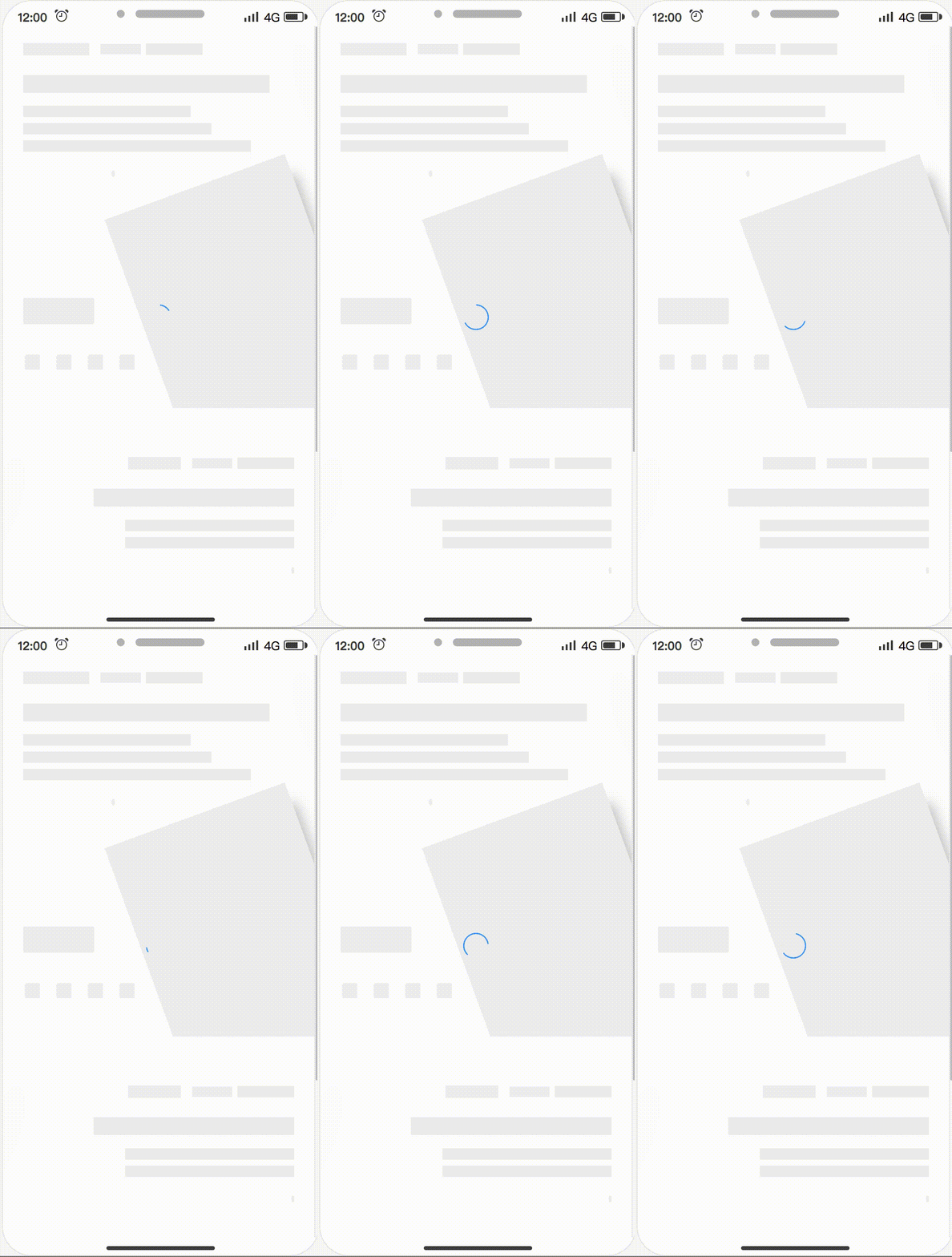
Support multiple loading animations
Preview on mobile
Support multiple routes
Can be customized, and also directly modify the skeleton page source code in the preview page
Almost zero configuration available
Loading animations
Spin
Shine
Chiaroscuro
speed up play
Examples
All examples are in the examples folder.
sale
Installation
Use npm to install this plugin, and you also need to install html-webpack-plugin.
After installing the plug-in according to the above tutorial, you need to configure the plugin so that the plugin can run normally. The plugin will perform different operations depending on the environment of the node. When NODE_ENV === 'development', the plug-in can perform operations for generating and writing skeleton pages.
const HtmlWebpackPlugin = require('html-webpack-plugin')
const { SkeletonPlugin } = require('page-skeleton-webpack-plugin')
const path = require('path')
const webpackConfig = {
  entry: 'index.js',
  output: {
    path: __dirname + '/dist',
    filename: 'index.bundle.js'
  },
  plugin: [
    new HtmlWebpackPlugin({
       // Your HtmlWebpackPlugin config
    }),
    new SkeletonPlugin({
        pathname: path.resolve(__dirname, `${customPath}`), // the path to store shell file
        staticDir: path.resolve(__dirname, './dist'), // the same as the `output.path`
        routes: ['/', '/search'], // Which routes you want to generate skeleton screen
    })
  ]
}
:notebook_with_decorative_cover:Since the plugin selects different operations based on the process.env.NODE_ENV environment variable, so you need to configurate environment variables in the scripts option in the package.json file as follows:
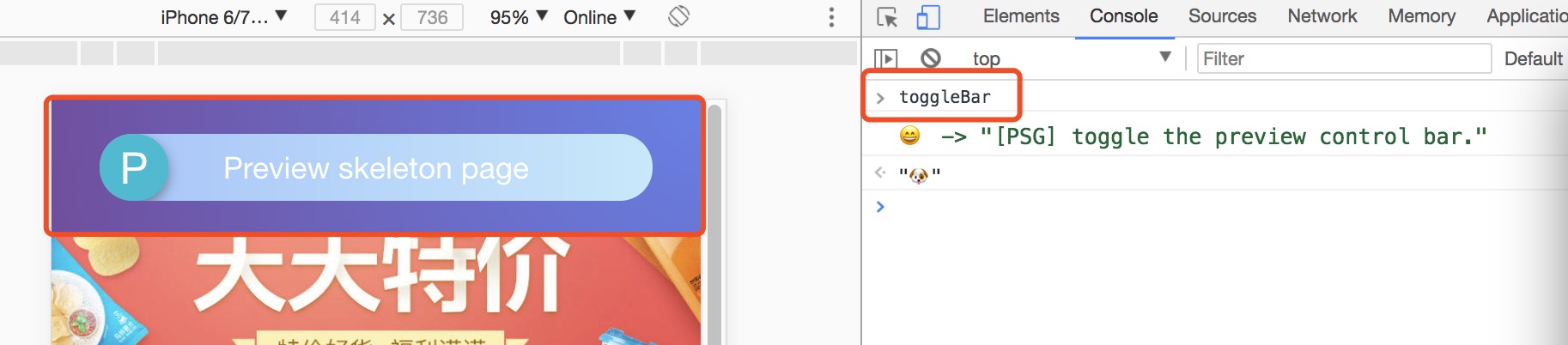
In the development page, use CtrlOrCmd + enter to call out the plugin interactive interface, or enter the toggleBar callout interface in the browser's JavaScript console.
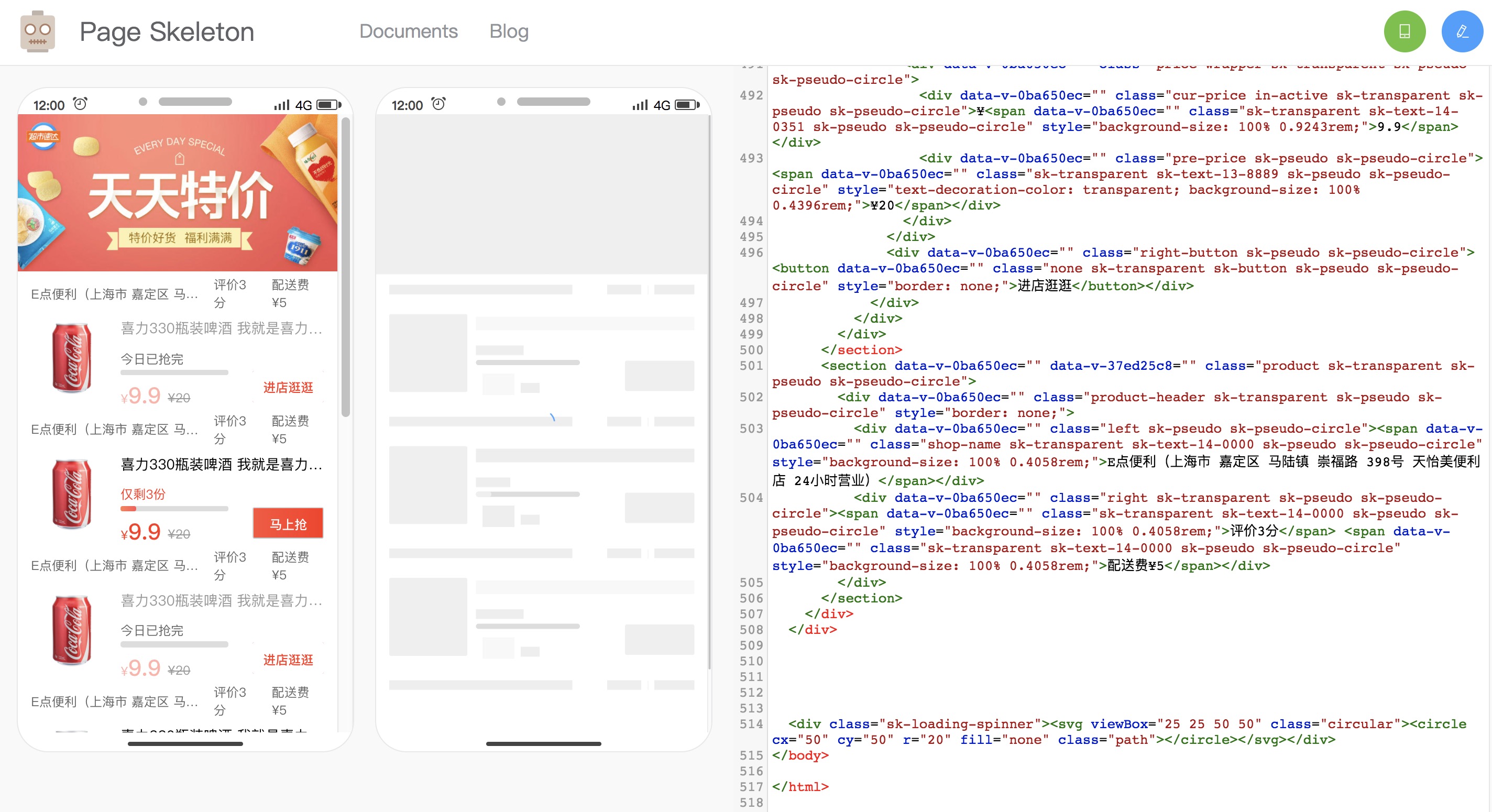
Click the button in the interactive interface to preview the skeleton page. This process may take about 20s. After the plugin is ready for the skeleton page, it will automatically open the preview page through the browser, as shown below.
Scan the QR code in the preview page to preview the skeleton page on the mobile phone. You can directly edit the source code on the preview page. Write the skeleton page into the shell.html file by clicking the Write button in the upper right corner.
Re-package the application with webpack. When the page is restarted, you can see the application's skeleton structure before getting the data.
Documents
Server Options
Option
Type
Required?
Default
Description
pathname
String
Yes
None
Where the shell.html file shoud be output.
staticDir
String
Yes
None
Path to output static route page
routes
Array
Yes
None
Route in routes will generate static route with skeleton screen, please refer to sale
Port
String
No
8989
The port of Page Skeleton server
debug
Boolean
No
true
Whether debug mode is enabled or not, when debug is true, the output of the headless Chromium console will be output on the terminal.
minify
false or Object
No
See defaults
The plug-in will uglify the generated shell.html file by default. You can pass html-minifier configuration parameters to mimify shell.html. When configured to false , the generated shell.html file is not uglified and the shell.html file is formatted.
logLevel
String
No
info
Which type of messages you want to print in terminal, the optional values are info, warn and default value is info.
quiet
Boolean
No
false
Whether to print messages on the terminal, when set to true, no messages are printed.
noInfo
Boolean
No
false
When the value is true, plugin will not print info message.
logTime
Boolean
No
true
Print formatted time before the message.
Skeleton Page Options
Option
Type
Required
Default
Description
loading
String
No
spin
Animations of skeleton page, enumerated values:spinchiaroscuroshine
text
Object
No
See defaults
The configuration object can be configured with a color field that determines the color of the text block in the skeleton page. The color value supports hexadecimal, RGB, and so on.
image
Object
No
See defaults
This configuration accepts 3 properties, color, shape, and shapeOpposite. Color and shape are used to determine the color and shape of the image block in the skeleton page. The color value supports hexadecimal and RGB. The shape supports two enumeration values, circle and rect. The shapeOpposite field takes an array. Each element in the array is a DOM selector. It is used to select the DOM element. The shape of the selected DOM will be opposite to the configured shape. For example, if the configuration is rect, the image block in the shapeOpposite will be In the skeleton page is displayed as a circle shape (circular), how to configure can refer to the default configuration at the end of this section.
button
Object
No
See defaults
This configuration accepts two fields, color and excludes. Color is used to determine the color of the button block in the skeleton page. excludes accepts an array. The elements in the array are DOM selectors used to select elements. The elements in the array will not be considered button blocks.
svg
Object
No
See defaults
This configuration accepts 3 fields, color, shape, and shapeOpposite. Color and shape are used to determine the color and shape of the svg block in the skeleton page. The color value supports hexadecimal and RGB, and also supports the transparent enumeration value. After setting to transparent, the svg block will be a transparent block. Shapes support two enumeration values, circle and rect. The shapeOpposite field accepts an array. Each element in the array is a DOM selector for selecting the DOM element. The shape of the selected DOM will be the opposite of the configured shape shape. For example, if the configuration is rect then the svg block in the shapeOpposite will be In the skeleton page is displayed as a circle shape (circular).
pseudo
Object
No
See defaults
This configuration accepts two fields, color and shape. Color is used to determine the color of the skeletal page that is treated as a pseudo-element block, and shape is used to set the shape of the pseudo-element block, accepting two enum values: circle and rect.
excludes
Array
No
[]
If you have an element that does not require skeleton processing, write the element's CSS selector in the array.
remove
Array
No
[]
If you have elements that need to be removed from the DOM are configured with a CSS selector that will be removed in DOM tree.
hide
Array
No
[]
Don't want to remove it, but hide the element by setting its transparency to 0 and config element's CSS selector in the array.
grayBlock
Array
No
[]
The elements in the array are CSS selectors. The selected element will be processed by the plug-in into a color block. The color of the color block is the same as the color of the button block. Internal elements will no longer be specially treated and text will be hidden.
cssUnit
String
No
rem
The enum values it accepts are rem, vw, vh, vmin, vmax.
decimal
Number
No
4
Config the decimal of the css value in the skeleton page (shell.html). The default value is 4.
Puppeteer Options
Options
Type
Required?
Default
Description
device
String
No
iPhone 6 Plus
Used to set which mobile device simulator to generate the skeleton page. Refer to puppeteer for configuration.
defer
Number
No
5000
Puppeteer starts the headless Chrome browser. The delay after opening the page is mainly to ensure that the page is fully loaded and the unit is ms.
The project is under active development. If you have any questions, please submit your issues. Please refer to the issue template to submit the issue. If you are fixing a bug in the issues, please discuss it in the issue before submit the PR. If it is a new feature, submit a feature-related issue first before submit the PR.
There are three main development folders in the project:
client: Used to communicate between development projects and plugin server.
preview: The code of the preview page.
src: plugin server code.
script: script to generate the skeleton page.
Special thanks to @Yasujizr who designed the banner of Page Skeleton.
Does ElemeFE/page-skeleton-webpack-plugin have a project website?
No homepage URL was recorded for ElemeFE/page-skeleton-webpack-plugin in TopGit's last sync. The README tab above frequently contains screenshots and demo links, or check the repository description on GitHub.
How active is development on ElemeFE/page-skeleton-webpack-plugin?
The most recent commit recorded on ElemeFE/page-skeleton-webpack-plugin was 6.5 years ago, based on the GitHub push timestamp. The repository has 387 forks — one of the better signals of community interest.
How many stars does ElemeFE/page-skeleton-webpack-plugin have?
ElemeFE/page-skeleton-webpack-plugin has 2.8k GitHub stars — refresh the page for the live number, or check github.com/ElemeFE/page-skeleton-webpack-plugin. TopGit mirrors GitHub's count but does not claim minute-by-minute accuracy.
What language is ElemeFE/page-skeleton-webpack-plugin written in?
ElemeFE/page-skeleton-webpack-plugin is written primarily in JavaScript. GitHub's language field is based on the largest share of bytes in the default branch.
What license does ElemeFE/page-skeleton-webpack-plugin use?
ElemeFE/page-skeleton-webpack-plugin is released under the MIT license. Always verify the LICENSE file directly on GitHub for the authoritative terms — license strings can be edited out of sync with a project's actual stance.
What topics is ElemeFE/page-skeleton-webpack-plugin associated with?
GitHub's repository topics for ElemeFE/page-skeleton-webpack-plugin: "page-skeleton", "puppeteer", "webpack-plugin". TopGit's editorial category is Automation.
Where do I read more about ElemeFE/page-skeleton-webpack-plugin?
This TopGit page is a snapshot — the READ ME tab shows the project's own README content (links stripped, images preserved). The GitHub repository at github.com/ElemeFE/page-skeleton-webpack-plugin is the definitive source.
Read full README in the tab above.
Is page-skeleton-webpack-plugin worth your time?
ChatGPT, Claude and Perplexity can all read this page. Ask one of them what it makes of page-skeleton-webpack-plugin.
 /page-skeleton-webpack-plugin