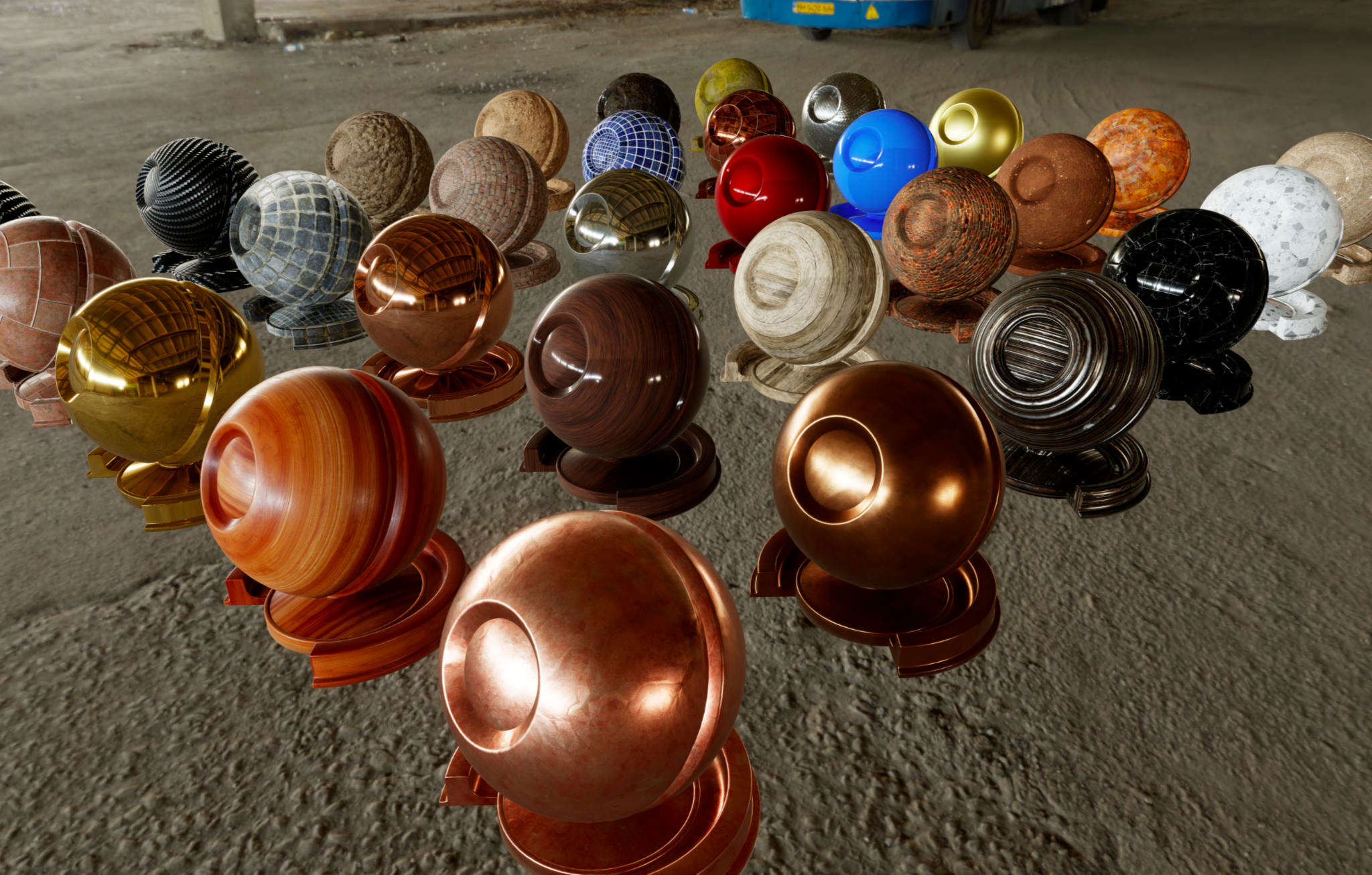
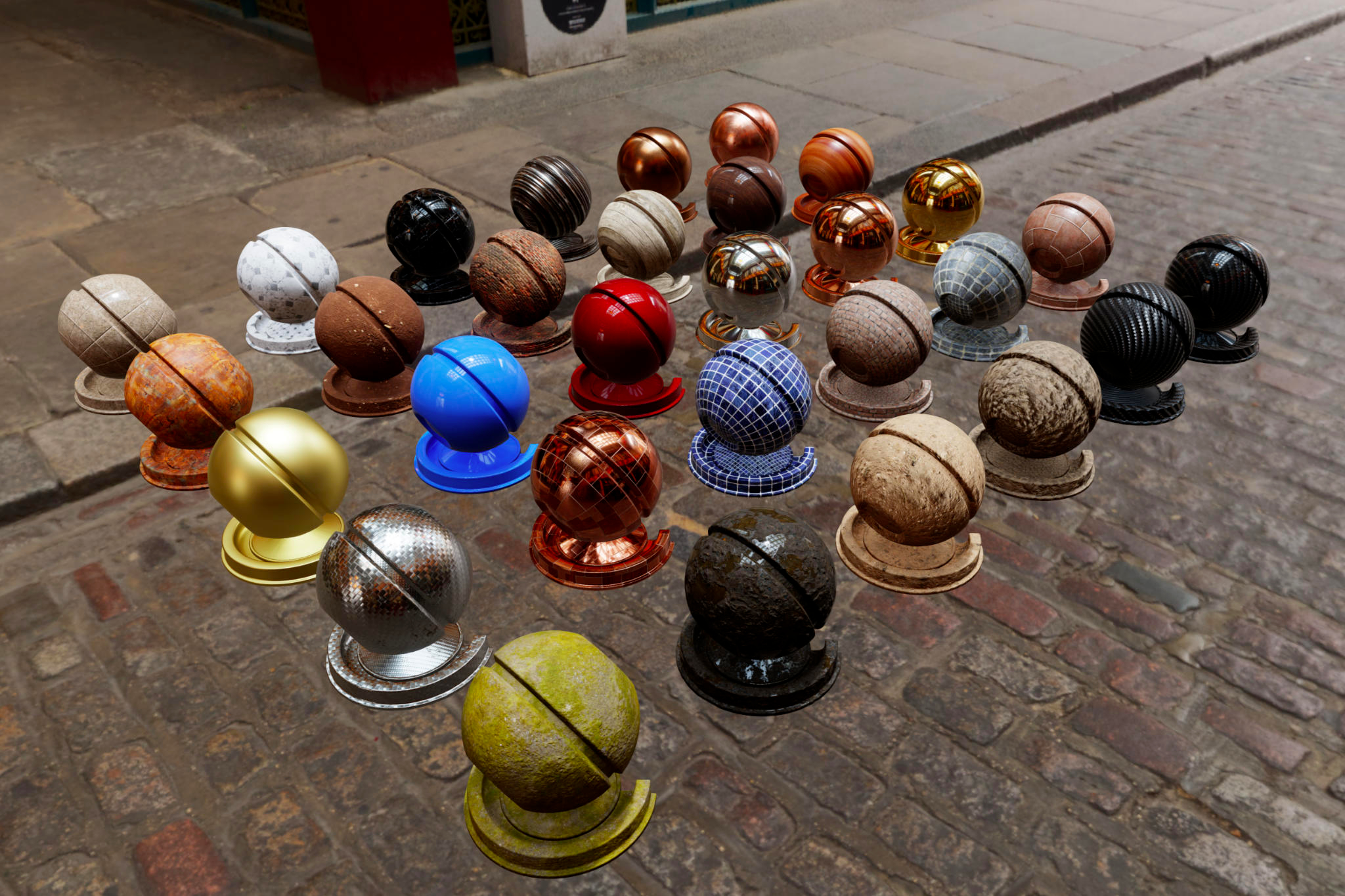
A mobile-focused entry in TopGit's GitHub warehouse: google/filament, 20.4k stars, Mobile, C++. Filament is a real-time physically based rendering engine for Android, iOS, Windows, Linux, macOS, and WebGL2
Snapshot summary built from the project's own GitHub metadata — there's no written TopGit review yet. The page will update automatically when a full review is published.
WHY NO REVIEW YET
TopGit writes full reviews for the most-starred, most-requested repositories. This page is a snapshot until then — see the READ ME tab for the original README in full.
Filament is a real-time physically based rendering engine for Android, iOS, Linux, macOS, Windows,
and WASM. It is designed to be as small as possible and as efficient as possible on Android.
Download
Download Filament releases to access stable builds.
Filament release archives contains host-side tools that are required to generate assets.
Make sure you always use tools from the same release as the runtime library. This is particularly
important for matc (material compiler).
If you'd rather build Filament yourself, please refer to our build manual.
Android
Android projects can simply declare Filament libraries as Maven dependencies:
Here are all the libraries available in the group com.google.android.filament:
Artifact
Description
The Filament rendering engine itself.
Debug version of filament-android.
A glTF 2.0 loader for Filament, depends on filament-android.
KTX loading, Kotlin math, and camera utilities, depends on gltfio-android.
A runtime material builder/compiler. This library is large but contains a full shader compiler/validator/optimizer and supports both OpenGL and Vulkan.
iOS
iOS projects can use CocoaPods to install the latest release:
pod 'Filament', '~> 1.75.0'
Documentation
Filament, an in-depth explanation of
real-time physically based rendering, the graphics capabilities and implementation of Filament.
This document explains the math and reasoning behind most of our decisions. This document is a
good introduction to PBR for graphics programmers.
Materials, the full reference
documentation for our material system. This document explains our different material models, how
to use the material compiler matc and how to write custom materials.
Material Properties, a reference
sheet for the standard material model.
Examples
Features
APIs
Native C++ API for Android, iOS, Linux, macOS and Windows
Java/JNI API for Android
JavaScript API
Backends
OpenGL 4.1+ for Linux, macOS and Windows
OpenGL ES 3.0+ for Android and iOS
Metal for macOS and iOS
Vulkan 1.0 for Android, Linux, macOS, and Windows
WebGPU for Android, Linux, macOS, and Windows
WebGL 2.0 for all browsers supporting it
Rendering
Clustered forward renderer
Cook-Torrance microfacet specular BRDF
Lambertian diffuse BRDF
Custom lighting/surface shading
HDR/linear lighting
Metallic workflow
Clear coat
Anisotropic lighting
Approximated translucent (subsurface) materials
Cloth/fabric/sheen shading
Normal mapping & ambient occlusion mapping
Image-based lighting
Physically-based camera (shutter speed, sensitivity and aperture)
Physical light units
Point lights, spot lights, and directional light
Specular anti-aliasing
Point, spot, and directional light shadows
Cascaded shadows
EVSM, PCSS, DPCF, or PCF shadows
Colored penumbra
Transparent shadows
Contact shadows
Screen-space ambient occlusion
Screen-space reflections
Screen-space refraction
Global fog
Dynamic resolution (with support for AMD FidelityFX FSR)
Post processing
HDR bloom
Depth of field bokeh
Multiple tone mappers: GT7, PBR Neutral, AgX, generic (customizable), ACES, filmic, etc.
Color and tone management: luminance scaling, gamut mapping
Color grading: exposure, night adaptation, white balance, channel mixer,
shadows/mid-tones/highlights, ASC CDL, contrast, saturation, etc.
TAA, FXAA, MSAA
Screen-space lens flares
glTF 2.0
Encodings
Embeded
Binary
Primitive Types
Points
Lines
Line Loop
Line Strip
Triangles
Triangle Strip
Triangle Fan
Animation
Transform animation
Linear interpolation
Morph animation
Sparse accessor
Skin animation
Joint animation
Extensions
KHR_draco_mesh_compression
KHR_lights_punctual
KHR_materials_clearcoat
KHR_materials_dispersion
KHR_materials_emissive_strength
KHR_materials_ior
KHR_materials_pbrSpecularGlossiness
KHR_materials_sheen
KHR_materials_specular
KHR_materials_transmission
KHR_materials_unlit
KHR_materials_variants
KHR_materials_volume
KHR_mesh_quantization
KHR_texture_basisu
KHR_texture_transform
EXT_meshopt_compression
Rendering with Filament
Native Linux, macOS and Windows
You must create an Engine, a Renderer and a SwapChain. The SwapChain is created from a
native window pointer (an NSView on macOS or a HWND on Windows for instance):
To learn more about materials and matc, please refer to the
materials documentation.
To render, simply pass the View to the Renderer:
// beginFrame() returns false if we need to skip a frame
if (renderer->beginFrame(swapChain)) {
    // for each View
    renderer->render(view);
    renderer->endFrame();
}
For complete examples of Linux, macOS and Windows Filament applications, look at the source files
in the samples/ directory. These samples are all based on libs/filamentapp/ which contains the
code that creates a native window with SDL2 and initializes the Filament engine, renderer and views.
For more information on how to prepare environment maps for image-based lighting please refer to
BUILDING.md.
Android
See android/samples for examples of how to use Filament on Android.
You must always first initialize Filament by calling Filament.init().
Rendering with Filament on Android is similar to rendering from native code (the APIs are largely
the same across languages). You can render into a Surface by passing a Surface to the
createSwapChain method. This allows you to render to a SurfaceTexture, a TextureView or
a SurfaceView. To make things easier we provide an Android specific API called UiHelper in the
package com.google.android.filament.android. All you need to do is set a render callback on the
helper and attach your SurfaceView or TextureView to it. You are still responsible for
creating the swap chain in the onNativeWindowChanged() callback.
iOS
Filament is supported on iOS 11.0 and above. See ios/samples for examples of using Filament on
iOS.
Filament on iOS is largely the same as native rendering with C++. A CAEAGLLayer or CAMetalLayer
is passed to the createSwapChain method. Filament for iOS supports both Metal (preferred) and
OpenGL ES.
Assets
To get started you can use the textures and environment maps found respectively in
third_party/textures and third_party/environments. These assets are under CC0 license. Please
refer to their respective URL.txt files to know more about the original authors.
Environments must be pre-processed using
cmgen or
using the libiblprefilter library.
How to make contributions
Please read and follow the steps in CONTRIBUTING.md. Make sure you are
familiar with the code style.
Directory structure
This repository not only contains the core Filament engine, but also its supporting libraries
and tools.
android: Android libraries and projects
filamat-android: Filament material generation library (AAR) for Android
filament-android: Filament library (AAR) for Android
filament-utils-android: Extra utilities (KTX loader, math types, etc.)
gltfio-android: Filament glTF loading library (AAR) for Android
samples: Android-specific Filament samples
art: Source for various artworks (logos, PDF manuals, etc.)
assets: 3D assets to use with sample applications
build: CMake build scripts
docs: Documentation
math: Mathematica notebooks used to explore BRDFs, equations, etc.
How does google/filament compare to other Mobile projects?
google/filament is tracked by TopGit in the Mobile category, with 20.4k GitHub stars and written in C++. Browse the Mobile topic page on TopGit to compare it against similar projects by stars and activity.
How many stars does google/filament have?
google/filament has 20.4k GitHub stars — refresh the page for the live number, or check github.com/google/filament. TopGit mirrors GitHub's count but does not claim minute-by-minute accuracy.
Is google/filament open source?
Yes — google/filament ships under the Apache-2.0 license, which makes its source code freely readable (and, depending on license terms, forkable and reusable). Source: github.com/google/filament.
What else is in the Mobile space?
google/filament is tracked by TopGit under the Mobile category, alongside 13 GitHub-tagged topics. Trending and Topics pages list peer repositories of comparable stars and language.
What is google/filament?
google/filament (google/filament) is a C++ project on GitHub. From the project's own README: Filament is a real-time physically based rendering engine for Android, iOS, Windows, Linux, macOS, and WebGL2
Where can I see google/filament in action?
The project maintains a homepage at https://google.github.io/filament/. The README tab on this page also usually contains screenshots and a quickstart.
Where do I read more about google/filament?
This TopGit page is a snapshot — the READ ME tab shows the project's own README content (links stripped, images preserved). The GitHub repository at github.com/google/filament is the definitive source.
Read full README in the tab above.
Want a second opinion on filament?
Ask an AI that can read this page — one click and you get its take on filament.
 /filament