On GitHub, hacksider/Deep-Live-Cam has picked up 96.7k stars, Image Tools, Python. real time face swap and one-click video deepfake with only a single image
Snapshot summary built from the project's own GitHub metadata — there's no written TopGit review yet. The page will update automatically when a full review is published.
WHY NO REVIEW YET
TopGit writes full reviews for the most-starred, most-requested repositories. This page is a snapshot until then — see the READ ME tab for the original README in full.
Real-time face swap and video deepfake with a single click and only a single image.
Disclaimer
This deepfake software is designed to be a productive tool for the AI-generated media industry. It can assist artists in animating custom characters, creating engaging content, and even using models for clothing design.
We are aware of the potential for unethical applications and are committed to preventative measures. A built-in check prevents the program from processing inappropriate media (nudity, graphic content, sensitive material like war footage, etc.). We will continue to develop this project responsibly, adhering to the law and ethics. We may shut down the project or add watermarks if legally required.
Ethical Use: Users are expected to use this software responsibly and legally. If using a real person's face, obtain their consent and clearly label any output as a deepfake when sharing online.
Content Restrictions: The software includes built-in checks to prevent processing inappropriate media, such as nudity, graphic content, or sensitive material.
Legal Compliance: We adhere to all relevant laws and ethical guidelines. If legally required, we may shut down the project or add watermarks to the output.
User Responsibility: We are not responsible for end-user actions. Users must ensure their use of the software aligns with ethical standards and legal requirements.
By using this software, you agree to these terms and commit to using it in a manner that respects the rights and dignity of others.
Users are expected to use this software responsibly and legally. If using a real person's face, obtain their consent and clearly label any output as a deepfake when sharing online. We are not responsible for end-user actions.
Pre-built Deep-Live-Cam 2.7.5 Ultimate!
Windows • Mac Silicon • CPU • NVIDIA • AMD
Builds optimized for your hardware.
Ultimate includes 30+ exclusive features, performance optimizations, and priority support We only have a single official website which is https://deeplivecam.net . Please be careful on where you download other versions of this application aside from that website and this github repo.
Perfect if you want the fastest setup with zero manual installation, pre-configured dependencies, and optimized builds for every supported platform.
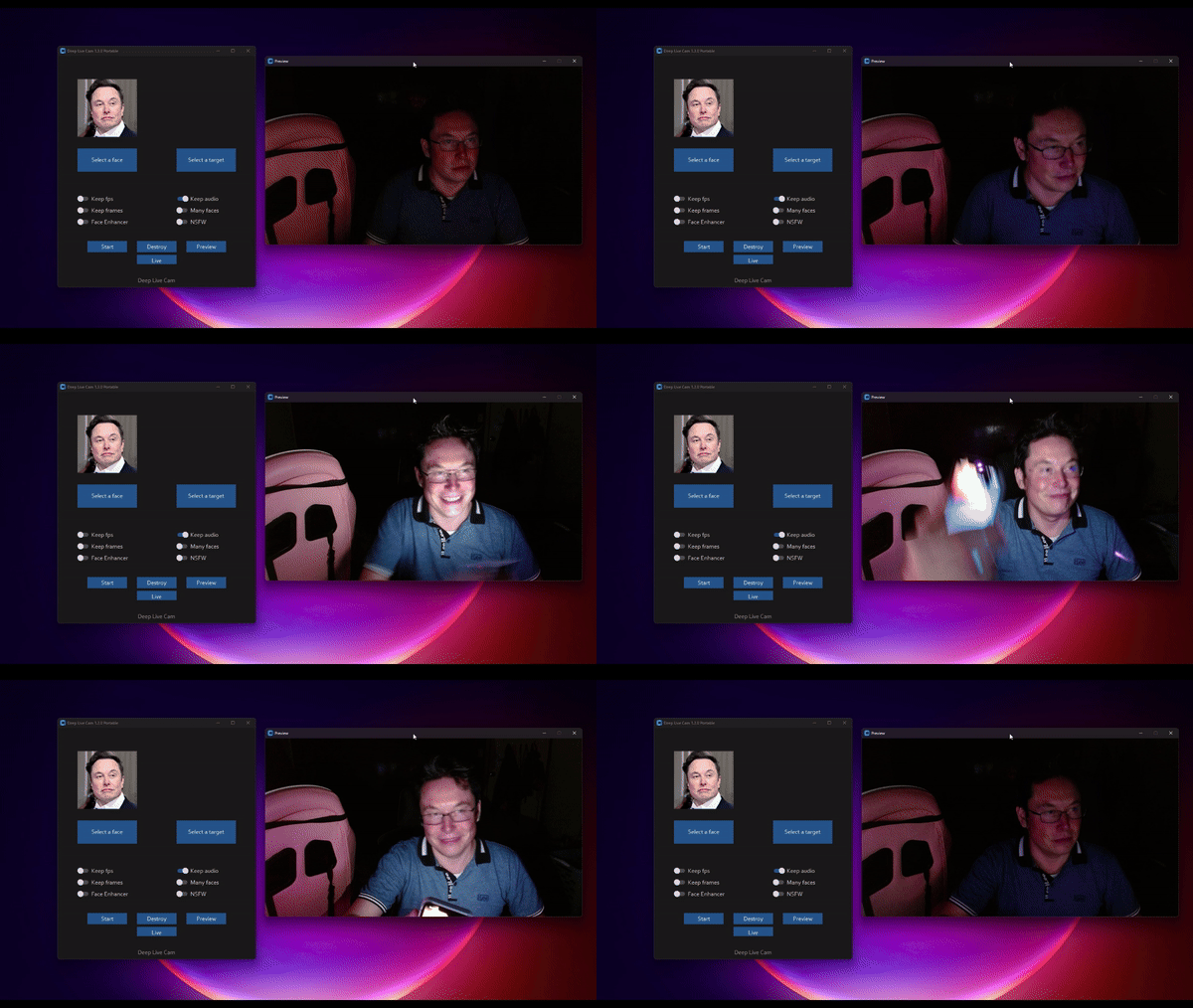
TLDR; Live Deepfake in just 3 Clicks
Select a face
Select which camera to use
Press live!
Features & Uses - Everything is in real-time
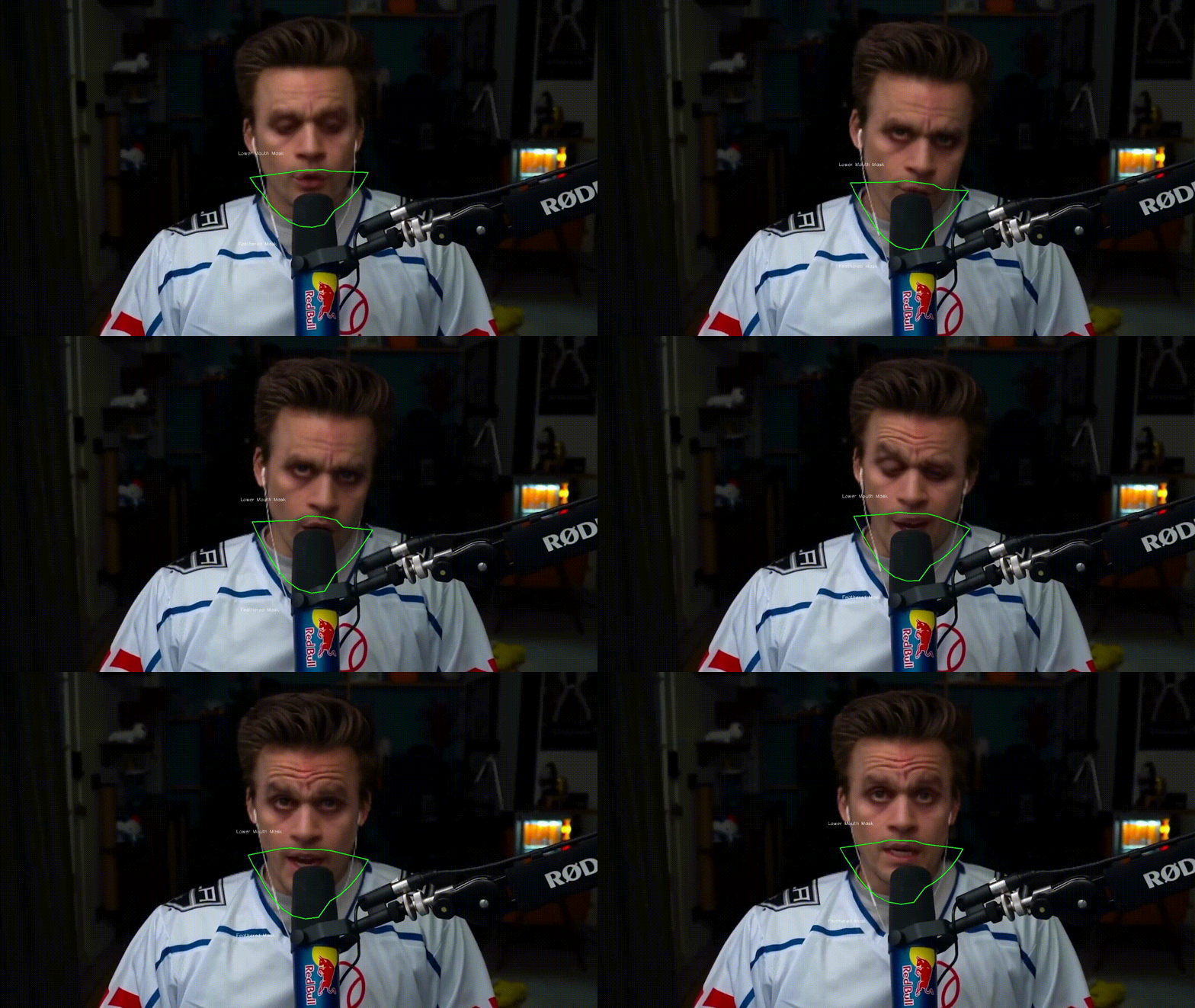
Mouth Mask
Retain your original mouth for accurate movement using Mouth Mask
Face Mapping
Use different faces on multiple subjects simultaneously
Your Movie, Your Face
Watch movies with any face in real-time
Live Show
Run Live shows and performances
Memes
Create Your Most Viral Meme Yet
Created using Many Faces feature in Deep-Live-Cam
Omegle
Surprise people on Omegle
Installation (Manual)
Please be aware that the installation requires technical skills and is not for beginners. Consider downloading the quickstart version.
Click to see the process
Installation
This is more likely to work on your computer but will be slower as it utilizes the CPU.
1. Set up Your Platform
Python (3.14 recommended; 3.11-3.14 supported)
pip
git
ffmpeg - iex (irm ffmpeg.tc.ht)
Visual Studio 2022 Runtimes (Windows)
2. Clone the Repository
git clone --depth 1 https://github.com/hacksider/Deep-Live-Cam.git
cd Deep-Live-Cam
Apple Silicon (M1 through M5) specific installation:
Make sure you've completed the macOS setup above using Python 3.14.
No extra install step is needed — requirements.txt pulls the official
onnxruntime build, whose macOS wheels ship the CoreML execution provider.
If you previously installed the unmaintained onnxruntime-silicon fork,
remove it first, as it shadows the real package:
Note:onnxruntime-openvino newer than 1.21.0 must be installed together with openvino, and the two versions must correspond one-to-one. The supported pairings are:
See the OpenVINO Execution Provider requirements for the full version-mapping details.
Usage:
python run.py --execution-provider openvino
Usage
1. Image/Video Mode
Execute python run.py.
Choose a source face image and a target image/video.
Click "Start".
The output will be saved in a directory named after the target video.
2. Webcam Mode
Execute python run.py.
Select a source face image.
Click "Live".
Wait for the preview to appear (10-30 seconds).
Use a screen capture tool like OBS to stream.
To change the face, select a new source image.
Download all models in this huggingface link
Download models here
Command Line Arguments (Unmaintained)
options:
  -h, --help                                               show this help message and exit
  -s SOURCE_PATH, --source SOURCE_PATH                     select a source image
  -t TARGET_PATH, --target TARGET_PATH                     select a target image or video
  -o OUTPUT_PATH, --output OUTPUT_PATH                     select output file or directory
  --frame-processor FRAME_PROCESSOR [FRAME_PROCESSOR ...]  frame processors (choices: face_swapper, face_enhancer, ...)
  --keep-fps                                               keep original fps
  --keep-audio                                             keep original audio
  --keep-frames                                            keep temporary frames
  --many-faces                                             process every face
  --map-faces                                              map source target faces
  --mouth-mask                                             mask the mouth region
  --video-encoder {libx264,libx265,libvpx-vp9}             adjust output video encoder
  --video-quality [0-51]                                   adjust output video quality
  --live-mirror                                            the live camera display as you see it in the front-facing camera frame
  --live-resizable                                         the live camera frame is resizable
  --max-memory MAX_MEMORY                                  maximum amount of RAM in GB
  --execution-provider {cpu} [{cpu} ...]                   available execution provider (choices: cpu, ...)
  --execution-threads EXECUTION_THREADS                    number of execution threads
  -v, --version                                            show program's version number and exit
Looking for a CLI mode? Using the -s/--source argument will make the run program in cli mode.
Press
Ars Technica - "Deep-Live-Cam goes viral, allowing anyone to become a digital doppelganger"
Yahoo! - "OK, this viral AI live stream software is truly terrifying"
CNN Brasil - "AI can clone faces on webcam; understand how it works"
Bloomberg Technoz - "Get to know Deep Live Cam technology, it can be used as a tool for deception."
TrendMicro - "AI vs AI: DeepFakes and eKYC"
PetaPixel - "Deepfake AI Tool Lets You Become Anyone in a Video Call With Single Photo"
SomeOrdinaryGamers - "That's Crazy, Oh God. That's Fucking Freaky Dude... That's So Wild Dude"
IShowSpeed - "Alright look look look, now look chat, we can do any face we want to look like chat"
TechLinked (Linus Tech Tips) - "They do a pretty good job matching poses, expression and even the lighting"
IShowSpeed - "What the F**! Why do I look like Vinny Jr? I look exactly like Vinny Jr!? No, this shit is crazy! Bro This is F*** Crazy!"*
Credits
ffmpeg: for making video-related operations easy
Henry: One of the major contributor in this repo
deepinsight: for their insightface project which provided a well-made library and models. Please be reminded that the use of the model is for non-commercial research purposes only.
havok2-htwo: for sharing the code for webcam
GosuDRM: for the open version of roop
pereiraroland26: Multiple faces support
vic4key: For supporting/contributing to this project
kier007: for improving the user experience
qitianai: for multi-lingual support
laurigates: Decoupling stuffs to make everything faster!
maxwbuckley: For making the effort to optimize this for mac!
and all developers behind libraries used in this project.
Footnote: Please be informed that the base author of the code is s0md3v
All the wonderful users who helped make this project go viral by starring the repo ❤️
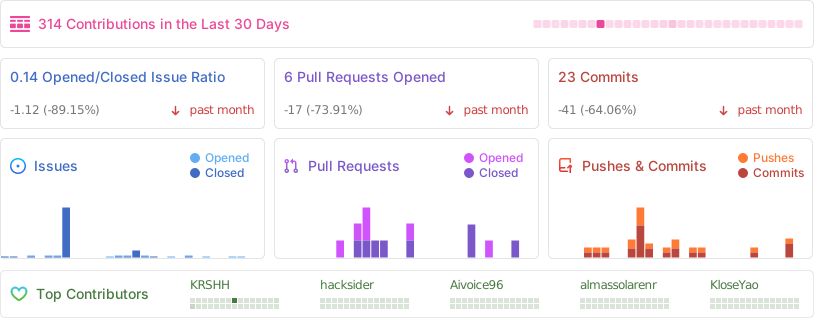
How active is development on hacksider/Deep-Live-Cam?
The most recent commit recorded on hacksider/Deep-Live-Cam was 7 days ago, based on the GitHub push timestamp. The repository has 14.1k forks — one of the better signals of community interest.
How does hacksider/Deep-Live-Cam compare to other Image Tools projects?
hacksider/Deep-Live-Cam is tracked by TopGit in the Image Tools category, with 96.7k GitHub stars and written in Python. Browse the Image Tools topic page on TopGit to compare it against similar projects by stars and activity.
How many stars does hacksider/Deep-Live-Cam have?
hacksider/Deep-Live-Cam has 96.7k GitHub stars — refresh the page for the live number, or check github.com/hacksider/Deep-Live-Cam. TopGit mirrors GitHub's count but does not claim minute-by-minute accuracy.
Is hacksider/Deep-Live-Cam open source?
Yes — hacksider/Deep-Live-Cam ships under the AGPL-3.0 license, which makes its source code freely readable (and, depending on license terms, forkable and reusable). Source: github.com/hacksider/Deep-Live-Cam.
What is hacksider/Deep-Live-Cam?
hacksider/Deep-Live-Cam (hacksider/Deep-Live-Cam) is a Python project on GitHub. From the project's own README: real time face swap and one-click video deepfake with only a single image
Where do I read more about hacksider/Deep-Live-Cam?
This TopGit page is a snapshot — the READ ME tab shows the project's own README content (links stripped, images preserved). The GitHub repository at github.com/hacksider/Deep-Live-Cam is the definitive source.
Read full README in the tab above.
Curious whether Deep-Live-Cam is right for you?
Let ChatGPT, Claude, or Perplexity look into it — click below and see what AI actually says about Deep-Live-Cam.
 /Deep-Live-Cam