helmetjs/helmet

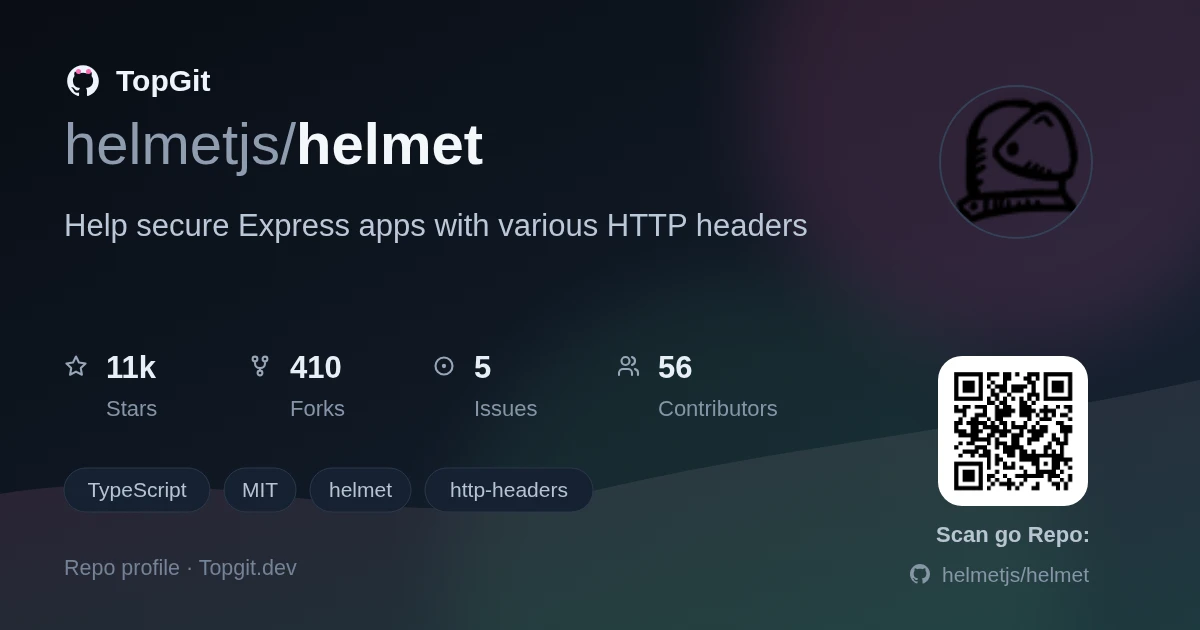
helmetjs/helmet — a frontend project — sits at 10.7k GitHub stars in the Frontend space. Help secure Express apps with various HTTP headers
Snapshot summary built from the project's own GitHub metadata — there's no written TopGit review yet. The page will update automatically when a full review is published.
TopGit writes full reviews for the most-starred, most-requested repositories. This page is a snapshot until then — see the READ ME tab for the original README in full.
Snapshot
Top contributors
Show top contributors
Helmet
Helmet helps secure Node/Express apps. It sets HTTP response headers such as Content-Security-Policy and Strict-Transport-Security. It aims to be quick to integrate and be low maintenance afterward.
Quick start
import helmet from "helmet";

const app = express();

app.use(helmet());
This will set 13 HTTP response headers in your app.
See the docs for more info, including the FAQ.
Configuration
Each header can be disabled. To disable a header:
// Disable the Content-Security-Policy and X-Download-Options headers
app.use(
  helmet({
    contentSecurityPolicy: false,
    xDownloadOptions: false,
  }),
);
To configure a header, pass header-specific options:
// Configure the Content-Security-Policy header.
app.use(
  helmet({
    contentSecurityPolicy: {
      directives: {
        "script-src": ["'self'", "example.com"],
      },
    },
  }),
);
HTTP header reference
Content-Security-Policy
Default (formatted for readability):
Content-Security-Policy:
  default-src 'self'
  base-uri 'self'
  font-src 'self' https: data:
  form-action 'self'
  frame-ancestors 'self'
  img-src 'self' data:
  object-src 'none'
  script-src 'self'
  script-src-attr 'none'
  style-src 'self' https: 'unsafe-inline'
  upgrade-insecure-requests
The Content-Security-Policy header mitigates a large number of attacks, such as cross-site scripting. See MDN's introductory article on Content Security Policy.
This header is powerful but likely requires some configuration for your specific app.
To configure this header, pass an object with a nested directives object. Each key is a directive name in camel case (such as defaultSrc) or kebab case (such as default-src). Each value is an array (or other iterable) of strings or functions for that directive. If a function appears in the array, it will be called with the request and response objects.
// Sets all of the defaults, but overrides `script-src`
// and disables the default `style-src`.
app.use(
  helmet({
    contentSecurityPolicy: {
      directives: {
        "script-src": ["'self'", "example.com"],
        "style-src": null,
      },
    },
  }),
);
// Sets the `script-src` directive to
// "'self' 'nonce-e33cc...'"
// (or similar)
app.use((req, res, next) => {
  res.locals.cspNonce = crypto.randomBytes(32).toString("hex");
  next();
});
app.use(
  helmet({
    contentSecurityPolicy: {
      directives: {
        scriptSrc: ["'self'", (req, res) => `'nonce-${res.locals.cspNonce}'`],
      },
    },
  }),
);
These directives are merged into a default policy, which you can disable by setting useDefaults to false.
// Sets "Content-Security-Policy: default-src 'self';
// script-src 'self' example.com;object-src 'none';
// upgrade-insecure-requests"
app.use(
  helmet({
    contentSecurityPolicy: {
      useDefaults: false,
      directives: {
        defaultSrc: ["'self'"],
        scriptSrc: ["'self'", "example.com"],
        objectSrc: ["'none'"],
        upgradeInsecureRequests: [],
      },
    },
  }),
);
You can get the default directives object with helmet.contentSecurityPolicy.getDefaultDirectives(). Here is the default policy (formatted for readability):
default-src 'self';
base-uri 'self';
font-src 'self' https: data:;
form-action 'self';
frame-ancestors 'self';
img-src 'self' data:;
object-src 'none';
script-src 'self';
script-src-attr 'none';
style-src 'self' https: 'unsafe-inline';
upgrade-insecure-requests
The default-src directive can be explicitly disabled by setting its value to helmet.contentSecurityPolicy.dangerouslyDisableDefaultSrc, but this is not recommended.
You can set the Content-Security-Policy-Report-Only instead:
// Sets the Content-Security-Policy-Report-Only header
app.use(
  helmet({
    contentSecurityPolicy: {
      directives: {/* ... */},
      reportOnly: true,
    },
  }),
);
upgrade-insecure-requests, a directive that causes browsers to upgrade HTTP to HTTPS, is set by default. You may wish to avoid this in development, as you may not be developing with HTTPS. Notably, Safari will upgrade http://localhost to https://localhost, which can cause problems. To work around this, you may wish to disable the upgrade-insecure-requests directive in development. For example:
const isDevelopment = app.get("env") === "development";

app.use(
  helmet({
    contentSecurityPolicy: {
      directives: {
        // Disable upgrade-insecure-requests in development.
        "upgrade-insecure-requests": isDevelopment ? null : [],
      },
    },
  }),
);
Helmet performs very little validation on your CSP. You should rely on CSP checkers like CSP Evaluator instead.
To disable the Content-Security-Policy header:
app.use(
  helmet({
    contentSecurityPolicy: false,
  }),
);
You can use this as standalone middleware with app.use(helmet.contentSecurityPolicy()).
Cross-Origin-Embedder-Policy
This header is not set by default.
The Cross-Origin-Embedder-Policy header helps control what resources can be loaded cross-origin. See MDN's article on this header for more.
// Helmet does not set Cross-Origin-Embedder-Policy
// by default.
app.use(helmet());

// Sets "Cross-Origin-Embedder-Policy: require-corp"
app.use(helmet({ crossOriginEmbedderPolicy: true }));

// Sets "Cross-Origin-Embedder-Policy: credentialless"
app.use(helmet({ crossOriginEmbedderPolicy: { policy: "credentialless" } }));
You can use this as standalone middleware with app.use(helmet.crossOriginEmbedderPolicy()).
Cross-Origin-Opener-Policy
Default:
Cross-Origin-Opener-Policy: same-origin
The Cross-Origin-Opener-Policy header helps process-isolate your page. For more, see MDN's article on this header.
// Sets "Cross-Origin-Opener-Policy: same-origin"
app.use(helmet());

// Sets "Cross-Origin-Opener-Policy: same-origin-allow-popups"
app.use(
  helmet({
    crossOriginOpenerPolicy: { policy: "same-origin-allow-popups" },
  }),
);
To disable the Cross-Origin-Opener-Policy header:
app.use(
  helmet({
    crossOriginOpenerPolicy: false,
  }),
);
You can use this as standalone middleware with app.use(helmet.crossOriginOpenerPolicy()).
Cross-Origin-Resource-Policy
Default:
Cross-Origin-Resource-Policy: same-origin
The Cross-Origin-Resource-Policy header blocks others from loading your resources cross-origin in some cases. For more, see "Consider deploying Cross-Origin Resource Policy" and MDN's article on this header.
// Sets "Cross-Origin-Resource-Policy: same-origin"
app.use(helmet());

// Sets "Cross-Origin-Resource-Policy: same-site"
app.use(helmet({ crossOriginResourcePolicy: { policy: "same-site" } }));
To disable the Cross-Origin-Resource-Policy header:
app.use(
  helmet({
    crossOriginResourcePolicy: false,
  }),
);
You can use this as standalone middleware with app.use(helmet.crossOriginResourcePolicy()).
Origin-Agent-Cluster
Default:
Origin-Agent-Cluster: ?1
The Origin-Agent-Cluster header provides a mechanism to allow web applications to isolate their origins from other processes. Read more about it in the spec.
This header takes no options and is set by default.
// Sets "Origin-Agent-Cluster: ?1"
app.use(helmet());
To disable the Origin-Agent-Cluster header:
app.use(
  helmet({
    originAgentCluster: false,
  }),
);
You can use this as standalone middleware with app.use(helmet.originAgentCluster()).
Referrer-Policy
Default:
Referrer-Policy: no-referrer
The Referrer-Policy header which controls what information is set in the Referer request header. See "Referer header: privacy and security concerns" and the header's documentation on MDN for more.
// Sets "Referrer-Policy: no-referrer"
app.use(helmet());
policy is a string or array of strings representing the policy. If passed as an array, it will be joined with commas, which is useful when setting a fallback policy. It defaults to no-referrer.
// Sets "Referrer-Policy: no-referrer"
app.use(
  helmet({
    referrerPolicy: {
      policy: "no-referrer",
    },
  }),
);

// Sets "Referrer-Policy: origin,unsafe-url"
app.use(
  helmet({
    referrerPolicy: {
      policy: ["origin", "unsafe-url"],
    },
  }),
);
To disable the Referrer-Policy header:
app.use(
  helmet({
    referrerPolicy: false,
  }),
);
You can use this as standalone middleware with app.use(helmet.referrerPolicy()).
Strict-Transport-Security
Default:
Strict-Transport-Security: max-age=31536000; includeSubDomains
The Strict-Transport-Security header tells browsers to prefer HTTPS instead of insecure HTTP. See the documentation on MDN for more.
// Sets "Strict-Transport-Security: max-age=31536000; includeSubDomains"
app.use(helmet());
maxAge is the number of seconds browsers should remember to prefer HTTPS. If passed a non-integer, the value is rounded down. It defaults to 365 days.
includeSubDomains is a boolean which dictates whether to include the includeSubDomains directive, which makes this policy extend to subdomains. It defaults to true.
preload is a boolean. If true, it adds the preload directive, expressing intent to add your HSTS policy to browsers. See the "Preloading Strict Transport Security" section on MDN for more. It defaults to false.
// Sets "Strict-Transport-Security: max-age=123456; includeSubDomains"
app.use(
  helmet({
    strictTransportSecurity: {
      maxAge: 123456,
    },
  }),
);

// Sets "Strict-Transport-Security: max-age=123456"
app.use(
  helmet({
    strictTransportSecurity: {
      maxAge: 123456,
      includeSubDomains: false,
    },
  }),
);

// Sets "Strict-Transport-Security: max-age=123456; includeSubDomains; preload"
app.use(
  helmet({
    strictTransportSecurity: {
      maxAge: 63072000,
      preload: true,
    },
  }),
);
To disable the Strict-Transport-Security header:
app.use(
  helmet({
    strictTransportSecurity: false,
  }),
);
You may wish to disable this header for local development, as it can make your browser force redirects from http://localhost to https://localhost, which may not be desirable if you develop multiple apps using localhost. See this issue for more discussion.
You can use this as standalone middleware with app.use(helmet.strictTransportSecurity()).
X-Content-Type-Options
Default:
X-Content-Type-Options: nosniff
The X-Content-Type-Options mitigates MIME type sniffing which can cause security issues. See documentation for this header on MDN for more.
This header takes no options and is set by default.
// Sets "X-Content-Type-Options: nosniff"
app.use(helmet());
To disable the X-Content-Type-Options header:
app.use(
  helmet({
    xContentTypeOptions: false,
  }),
);
You can use this as standalone middleware with app.use(helmet.xContentTypeOptions()).
X-DNS-Prefetch-Control
Default:
X-DNS-Prefetch-Control: off
The X-DNS-Prefetch-Control header helps control DNS prefetching, which can improve user privacy at the expense of performance. See documentation on MDN for more.
// Sets "X-DNS-Prefetch-Control: off"
app.use(helmet());
allow is a boolean dictating whether to enable DNS prefetching. It defaults to false.
Examples:
// Sets "X-DNS-Prefetch-Control: off"
app.use(
  helmet({
    xDnsPrefetchControl: { allow: false },
  }),
);

// Sets "X-DNS-Prefetch-Control: on"
app.use(
  helmet({
    xDnsPrefetchControl: { allow: true },
  }),
);
To disable the X-DNS-Prefetch-Control header and use the browser's default value:
app.use(
  helmet({
    xDnsPrefetchControl: false,
  }),
);
You can use this as standalone middleware with app.use(helmet.xDnsPrefetchControl()).
X-Download-Options
Default:
X-Download-Options: noopen
The X-Download-Options header is specific to Internet Explorer 8. It forces potentially-unsafe downloads to be saved, mitigating execution of HTML in your site's context. For more, see this old post on MSDN.
This header takes no options and is set by default.
// Sets "X-Download-Options: noopen"
app.use(helmet());
To disable the X-Download-Options header:
app.use(
  helmet({
    xDownloadOptions: false,
  }),
);
You can use this as standalone middleware with app.use(helmet.xDownloadOptions()).
X-Frame-Options
Default:
X-Frame-Options: SAMEORIGIN
The legacy X-Frame-Options header to help you mitigate clickjacking attacks. This header is superseded by the frame-ancestors Content Security Policy directive but is still useful on old browsers or if no CSP is used. For more, see the documentation on MDN.
// Sets "X-Frame-Options: SAMEORIGIN"
app.use(helmet());
action is a string that specifies which directive to use—either DENY or SAMEORIGIN. (A legacy directive, ALLOW-FROM, is not supported by Helmet. Read more here.) It defaults to SAMEORIGIN.
Examples:
// Sets "X-Frame-Options: DENY"
app.use(
  helmet({
    xFrameOptions: { action: "deny" },
  }),
);

// Sets "X-Frame-Options: SAMEORIGIN"
app.use(
  helmet({
    xFrameOptions: { action: "sameorigin" },
  }),
);
To disable the X-Frame-Options header:
app.use(
  helmet({
    xFrameOptions: false,
  }),
);
You can use this as standalone middleware with app.use(helmet.xFrameOptions()).
X-Permitted-Cross-Domain-Policies
Default:
X-Permitted-Cross-Domain-Policies: none
The X-Permitted-Cross-Domain-Policies header tells some clients (mostly Adobe products) your domain's policy for loading cross-domain content. See the description on OWASP for more.
// Sets "X-Permitted-Cross-Domain-Policies: none"
app.use(helmet());
permittedPolicies is a string that must be "none", "master-only", "by-content-type", or "all". It defaults to "none".
Examples:
// Sets "X-Permitted-Cross-Domain-Policies: none"
app.use(
  helmet({
    xPermittedCrossDomainPolicies: {
      permittedPolicies: "none",
    },
  }),
);

// Sets "X-Permitted-Cross-Domain-Policies: by-content-type"
app.use(
  helmet({
    xPermittedCrossDomainPolicies: {
      permittedPolicies: "by-content-type",
    },
  }),
);
To disable the X-Permitted-Cross-Domain-Policies header:
app.use(
  helmet({
    xPermittedCrossDomainPolicies: false,
  }),
);
You can use this as standalone middleware with app.use(helmet.xPermittedCrossDomainPolicies()).
X-Powered-By
Default: the X-Powered-By header, if present, is removed.
Helmet removes the X-Powered-By header, which is set by default in Express and some other frameworks. Removing the header offers very limited security benefits (see this discussion) and is mostly removed to save bandwidth, but may thwart simplistic attackers.
Note: Express has a built-in way to disable the X-Powered-By header, which you may wish to use instead.
The removal of this header takes no options. The header is removed by default.
To disable this behavior:
// Not required, but recommended for Express users:
app.disable("x-powered-by");

// Ask Helmet to ignore the X-Powered-By header.
app.use(
  helmet({
    xPoweredBy: false,
  }),
);
You can use this as standalone middleware with app.use(helmet.xPoweredBy()).
X-XSS-Protection
Default:
X-XSS-Protection: 0
Helmet disables browsers' buggy cross-site scripting filter by setting the legacy X-XSS-Protection header to 0. See discussion about disabling the header here and documentation on MDN.
This header takes no options and is set by default.
To disable the X-XSS-Protection header:
// This is not recommended.
app.use(
  helmet({
    xXssProtection: false,
  }),
);
You can use this as standalone middleware with app.use(helmet.xXssProtection()).
Related repositories
freeCodeCamp is a free, self-paced curriculum for learning to code, published as open source at freeCodeCamp/freeCodeCamp. It's a 501(c)(3) nonprofit funded by donor support, structured around six certifications in its Full-Stack Developer Curriculum, each gated by required projects instead of open-book quizzes. The repository also carries beta language certifications for developers, interview-prep resources, and the code that runs the live freecodecamp.org platform.
Vue 2, also known as Vue.js 2, is the earlier major version of the Vue JavaScript framework, hosted at vuejs/vue on GitHub under an MIT license. Per the repository's own README, Vue 2 hit End of Life on December 31, 2023, is no longer actively maintained, and the project now directs users toward vuejs/core (Vue 3) and an official migration guide, while leaving Vue 2 itself installable through CDNs, package managers, and GitHub.
Bootstrap is an open-source front-end framework maintained at twbs/bootstrap. It ships compiled and minified CSS and JavaScript for building responsive, mobile-first sites, is licensed under MIT, and the release referenced throughout the README's install instructions is v5.3.8. The project was created by Mark Otto and Jacob Thornton, and its documentation is built with Astro and hosted at getbootstrap.com.
Airbnb JavaScript Style Guide is a public reference of JavaScript coding conventions maintained in the airbnb/javascript GitHub repository, covering rules for types, references, objects, arrays, destructuring, strings, and functions, among other topics. Most guidelines cite a matching ESLint rule and show bad-versus-good code side by side, and the project also links companion guides for React and CSS-in-JavaScript.
Quick answers
Is helmetjs/helmet open source?
Yes — helmetjs/helmet ships under the MIT license, which makes its source code freely readable (and, depending on license terms, forkable and reusable). Source: github.com/helmetjs/helmet.
What else is in the Frontend space?
helmetjs/helmet is tracked by TopGit under the Frontend category, alongside 5 GitHub-tagged topics. Trending and Topics pages list peer repositories of comparable stars and language.
What is helmetjs/helmet?
helmetjs/helmet (helmetjs/helmet) is a TypeScript project on GitHub. From the project's own README: Help secure Express apps with various HTTP headers
What license does helmetjs/helmet use?
helmetjs/helmet is released under the MIT license. Always verify the LICENSE file directly on GitHub for the authoritative terms — license strings can be edited out of sync with a project's actual stance.
Where can I see helmetjs/helmet in action?
The project maintains a homepage at https://helmet.js.org/. The README tab on this page also usually contains screenshots and a quickstart.
Where do I read more about helmetjs/helmet?
This TopGit page is a snapshot — the READ ME tab shows the project's own README content (links stripped, images preserved). The GitHub repository at github.com/helmetjs/helmet is the definitive source.
Why is helmetjs/helmet categorized under Frontend?
TopGit places helmetjs/helmet in the Frontend category based on its GitHub topics and description (tagged: "helmet", "http-headers", "javascript"). Categories are assigned from real repository metadata, not editorial guesswork.
Read full README in the tab above.
Curious whether helmet is right for you?
Let ChatGPT, Claude, or Perplexity look into it — click below and see what AI actually says about helmet.