On GitHub, HKUDS/AutoAgent has picked up 9.8k stars, AI Tools, Python. "AutoAgent: Fully-Automated and Zero-Code LLM Agent Framework"
Snapshot summary built from the project's own GitHub metadata — there's no written TopGit review yet. The page will update automatically when a full review is published.
WHY NO REVIEW YET
TopGit writes full reviews for the most-starred, most-requested repositories. This page is a snapshot until then — see the READ ME tab for the original README in full.
Welcome to AutoAgent! AutoAgent is a Fully-Automated and highly Self-Developing framework that enables users to create and deploy LLM agents through Natural Language Alone.
✨Key Features of AutoAgent
💬 Natural Language-Driven Agent Building Automatically constructs and orchestrates collaborative agent systems purely through natural dialogue, eliminating the need for manual coding or technical configuration.
🚀 Zero-Code Framework Democratizes AI development by allowing anyone, regardless of coding experience, to create and customize their own agents, tools, and workflows using natural language alone.
⚡ Self-Managing Workflow Generation Dynamically creates, optimizes and adapts agent workflows based on high-level task descriptions, even when users cannot fully specify implementation details.
🔧 Intelligent Resource Orchestration Enables controlled code generation for creating tools, agents, and workflows through iterative self-improvement, supporting both single agent creation and multi-agent workflow generation.
🎯 Self-Play Agent Customization Enables controlled code generation for creating tools, agents, and workflows through iterative self-improvement, supporting both single agent creation and multi-agent workflow generation.
🚀 Unlock the Future of LLM Agents. Try 🔥AutoAgent🔥 Now!
Quick Overview of AutoAgent.
🔥 News
[2025, Feb 17]: 🎉🎉We've updated and released AutoAgent v0.2.0 (formerly known as MetaChain). Detailed changes include: 1) fix the bug of different LLM providers from issues; 2) add automatic installation of AutoAgent in the container environment according to issues; 3) add more easy-to-use commands for the CLI mode. 4) Rename the project to AutoAgent for better understanding.
[2025, Feb 10]: 🎉🎉We've released MetaChain!, including framework, evaluation codes and CLI mode! Check our paper for more details.
📑 Table of Contents
✨ Features
🔥 News
🔍 How to Use AutoAgent
1. user mode (Deep Research Agents)
2. agent editor (Agent Creation without Workflow)
3. workflow editor (Agent Creation with Workflow)
⚡ Quick Start
Installation
API Keys Setup
Start with CLI Mode
☑️ Todo List
🔬 How To Reproduce the Results in the Paper
📖 Documentation
🤝 Join the Community
🙏 Acknowledgements
🌟 Cite
🔍 How to Use AutoAgent
1. user mode (Deep Research Agents)
AutoAgent features a ready-to-use multi-agent system accessible through user mode on the start page. This system serves as a comprehensive AI research assistant designed for information retrieval, complex analytical tasks, and comprehensive report generation.
🚀 High Performance: Matches Deep Research using Claude 3.5 rather than OpenAI's o3 model.
🔄 Model Flexibility: Compatible with any LLM (including Deepseek-R1, Grok, Gemini, etc.)
💰 Cost-Effective: Open-source alternative to Deep Research's $200/month subscription
🎯 User-Friendly: Easy-to-deploy CLI interface for seamless interaction
📁 File Support: Handles file uploads for enhanced data interaction
🎥 Deep Research (aka User Mode)
2. agent editor (Agent Creation without Workflow)
The most distinctive feature of AutoAgent is its natural language customization capability. Unlike other agent frameworks, AutoAgent allows you to create tools, agents, and workflows using natural language alone. Simply choose agent editor or workflow editor mode to start your journey of building agents through conversations.
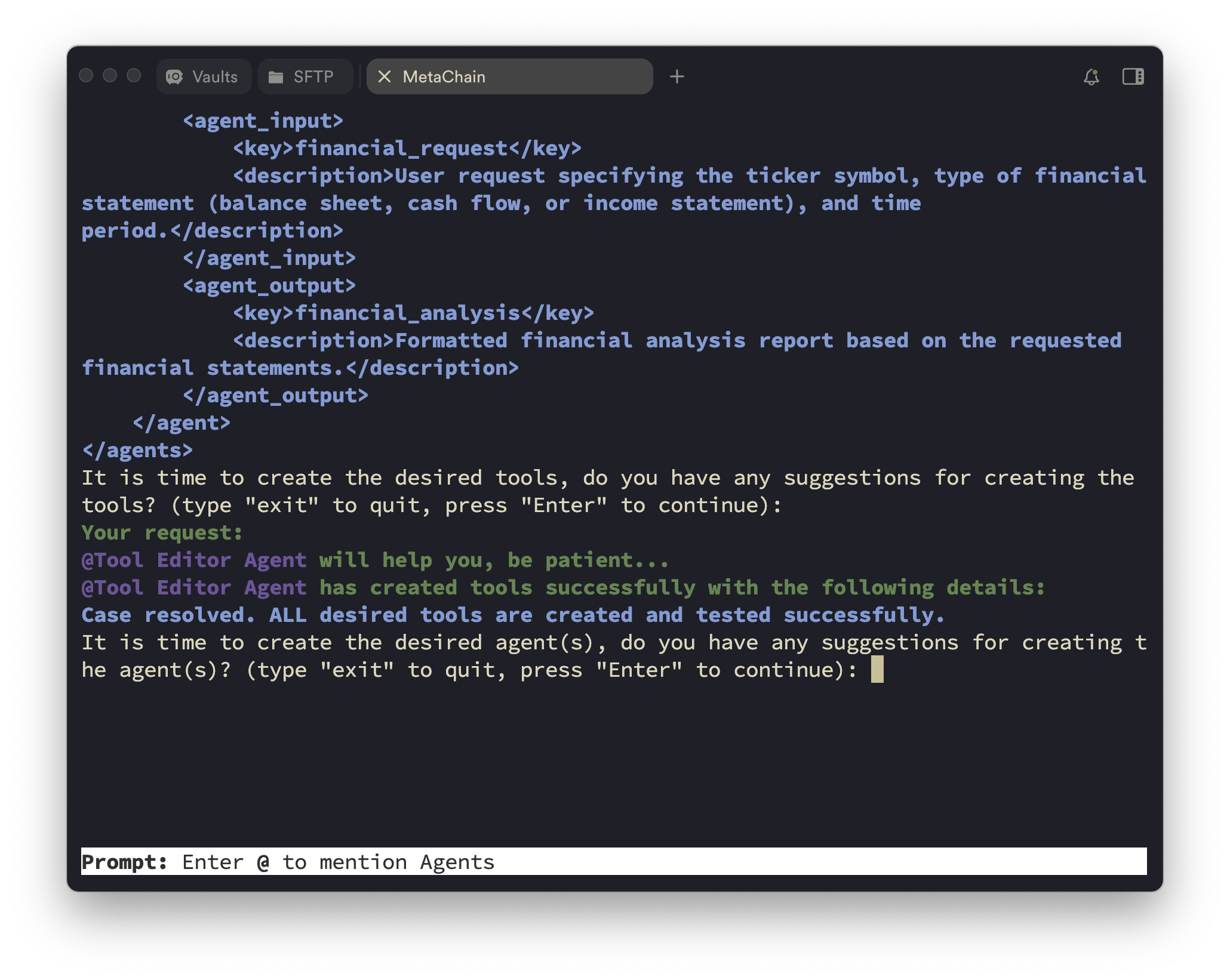
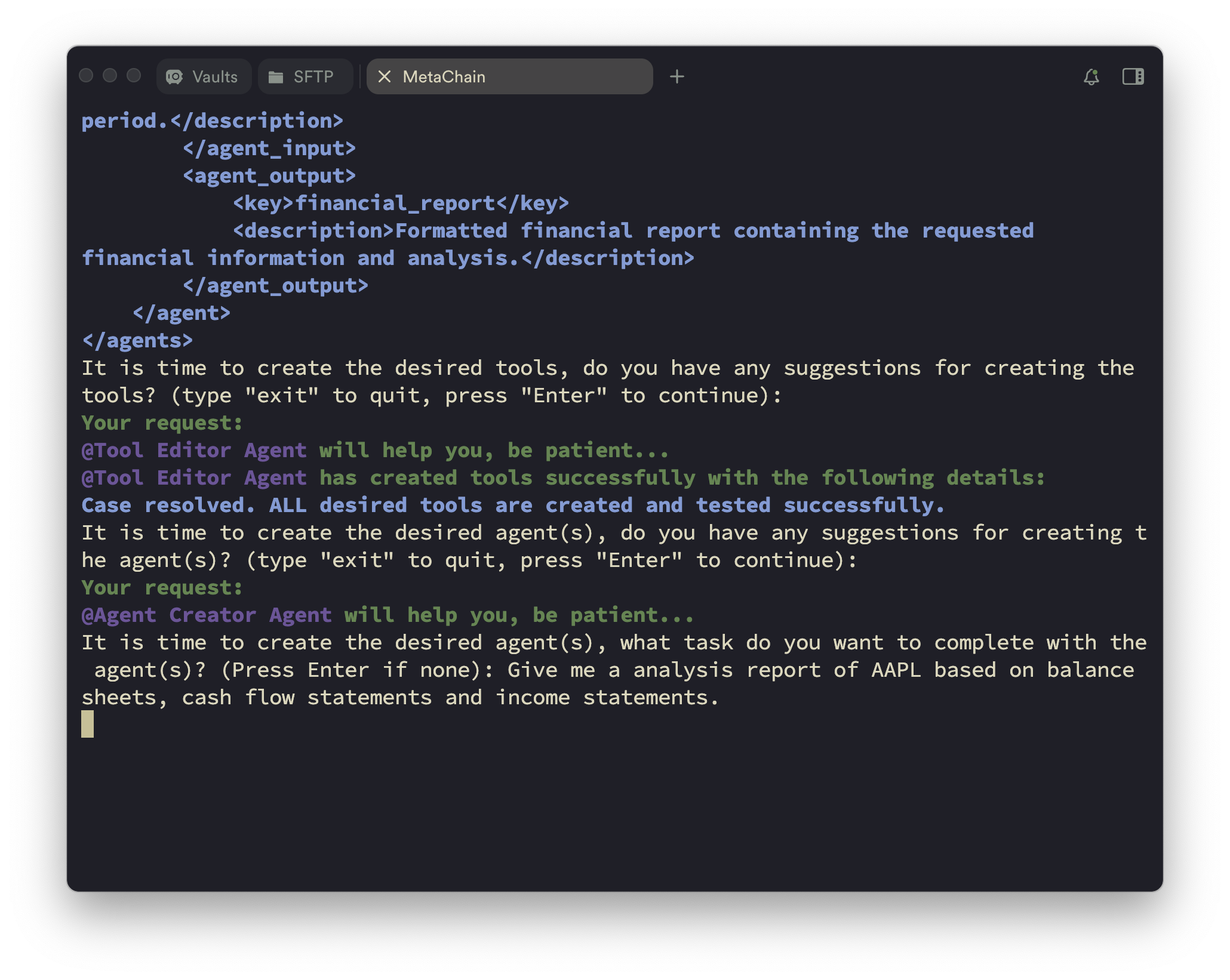
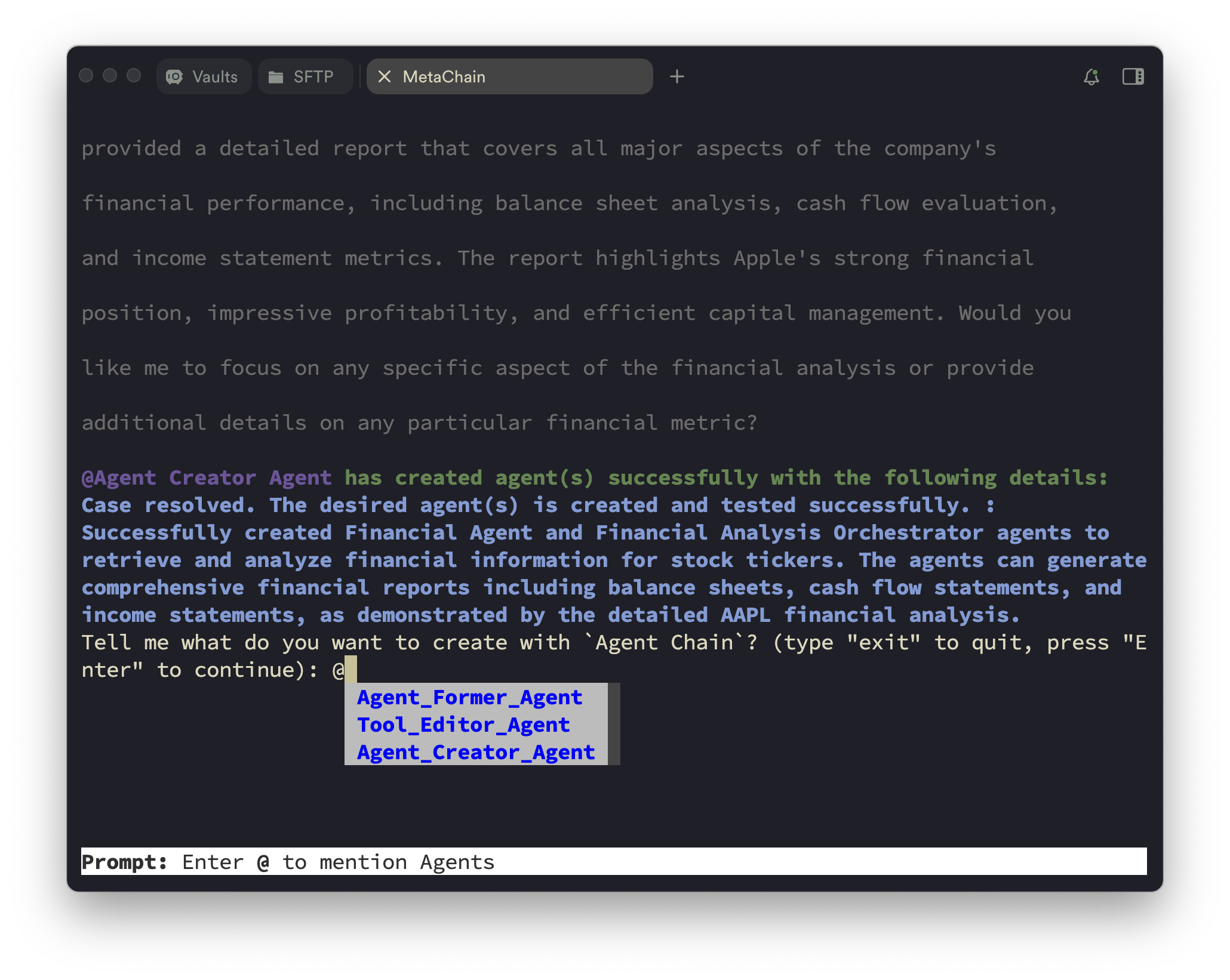
You can use agent editor as shown in the following figure.
Input what kind of agent you want to create.
Automated agent profiling.
Output the agent profiles.
Create the desired tools.
Input what do you want to complete with the agent. (Optional)
Create the desired agent(s) and go to the next step.
3. workflow editor (Agent Creation with Workflow)
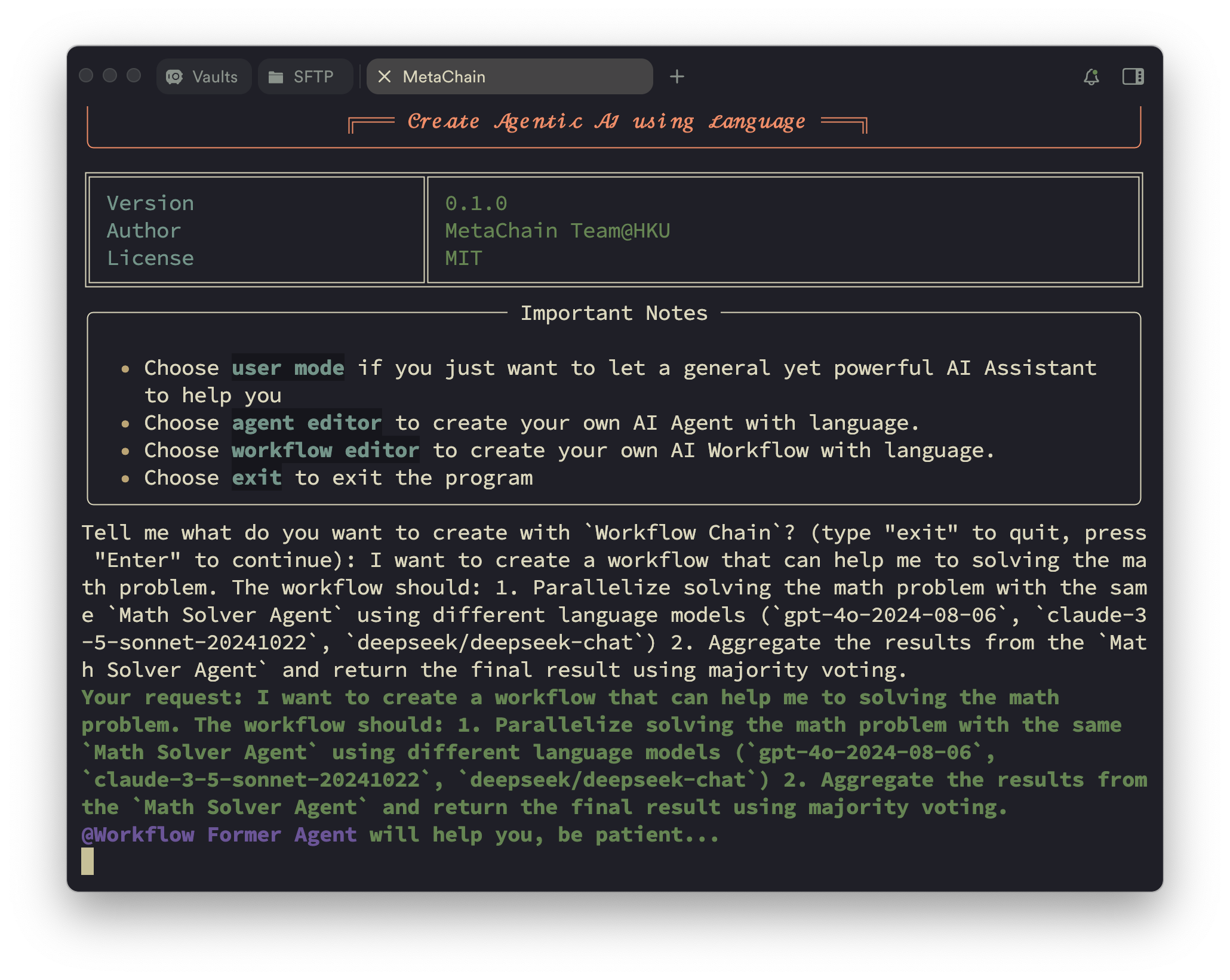
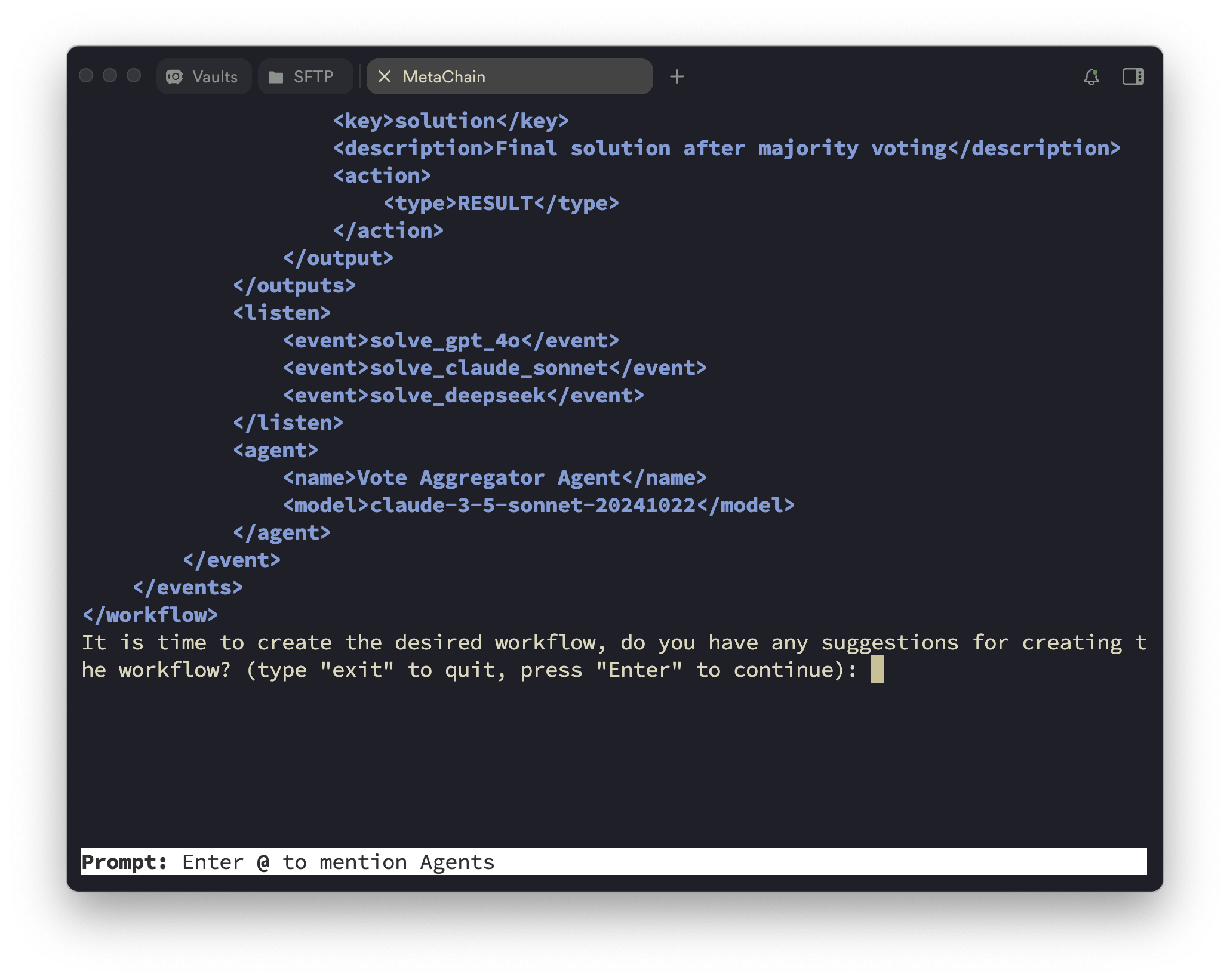
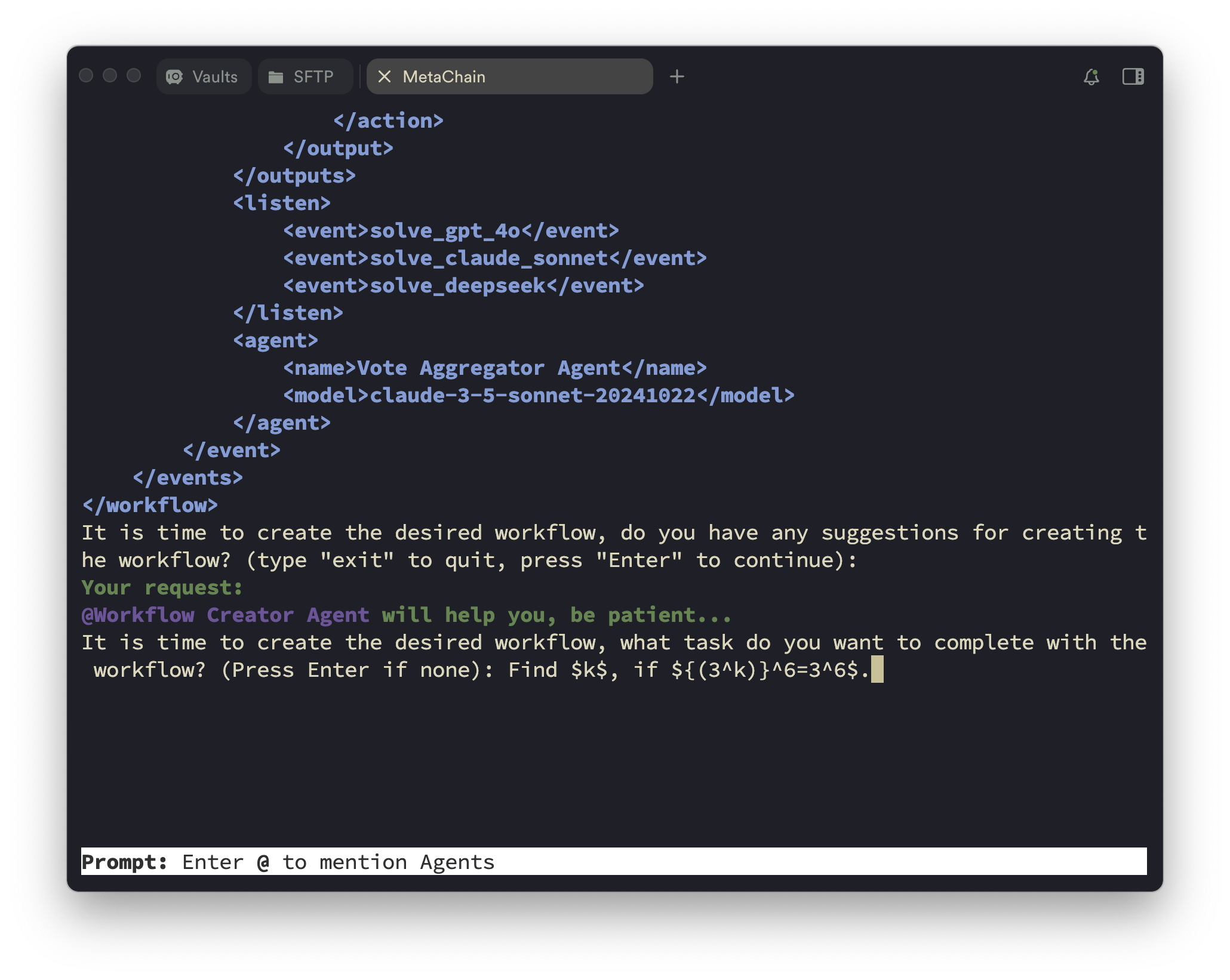
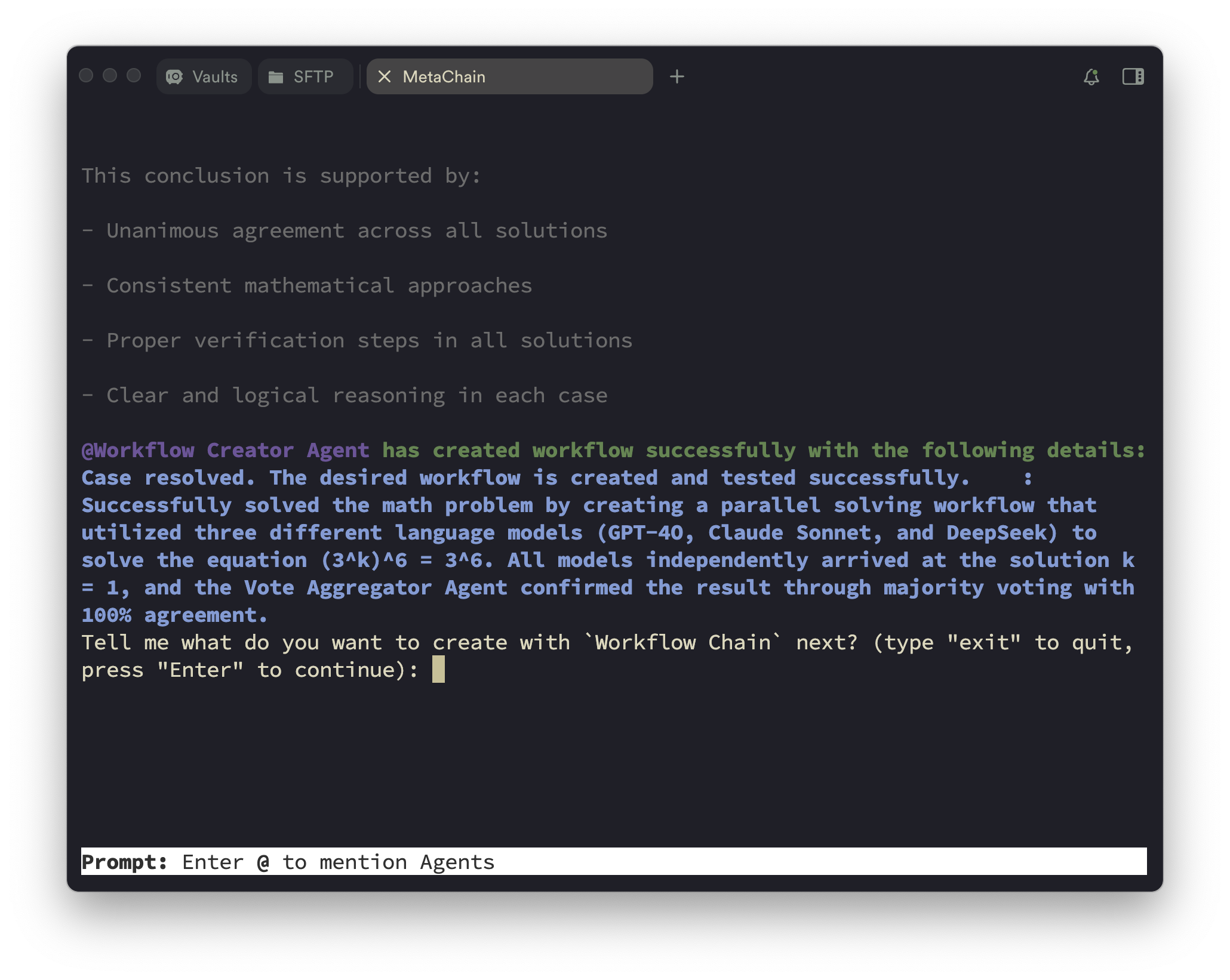
You can also create the agent workflows using natural language description with the workflow editor mode, as shown in the following figure. (Tips: this mode does not support tool creation temporarily.)
Input what kind of workflow you want to create.
Automated workflow profiling.
Output the workflow profiles.
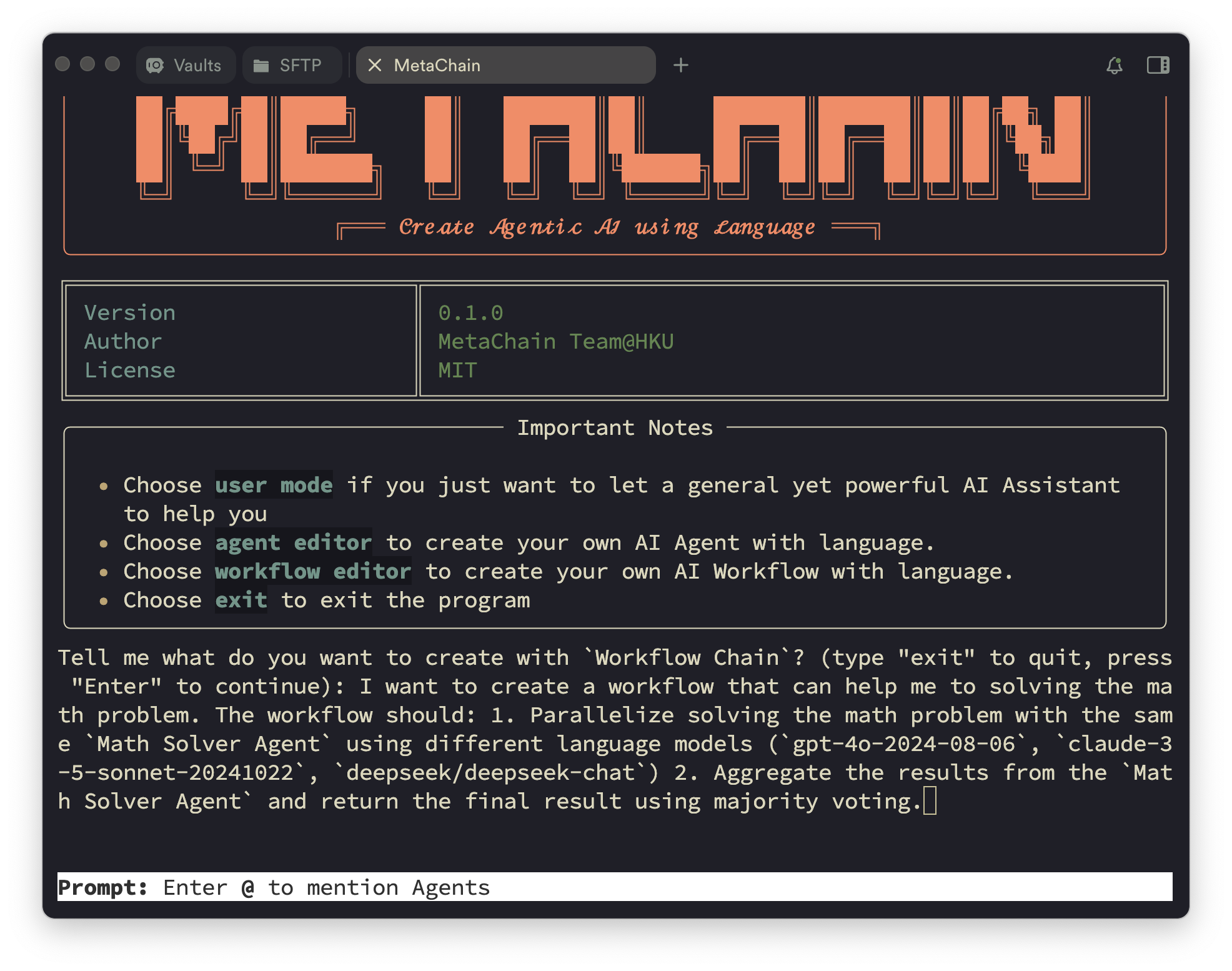
Input what do you want to complete with the workflow. (Optional)
Create the desired workflow(s) and go to the next step.
⚡ Quick Start
Installation
AutoAgent Installation
git clone https://github.com/HKUDS/AutoAgent.git
cd AutoAgent
pip install -e .
Docker Installation
We use Docker to containerize the agent-interactive environment. So please install Docker first. You don't need to manually pull the pre-built image, because we have let Auto-Deep-Research automatically pull the pre-built image based on your architecture of your machine.
API Keys Setup
Create an environment variable file, just like .env.template, and set the API keys for the LLMs you want to use. Not every LLM API Key is required, use what you need.
# Required Github Tokens of your own
GITHUB_AI_TOKEN=

# Optional API Keys
OPENAI_API_KEY=
DEEPSEEK_API_KEY=
ANTHROPIC_API_KEY=
GEMINI_API_KEY=
HUGGINGFACE_API_KEY=
GROQ_API_KEY=
XAI_API_KEY=
Start with CLI Mode
[🚨 News: ] We have updated a more easy-to-use command to start the CLI mode and fix the bug of different LLM providers from issues. You can follow the following steps to start the CLI mode with different LLM providers with much less configuration.
Command Options:
You can run auto main to start full part of AutoAgent, including user mode, agent editor and workflow editor. Btw, you can also run auto deep-research to start more lightweight user mode, just like the Auto-Deep-Research project. Some configuration of this command is shown below.
--container_name: Name of the Docker container (default: 'deepresearch')
--port: Port for the container (default: 12346)
COMPLETION_MODEL: Specify the LLM model to use, you should follow the name of Litellm to set the model name. (Default: claude-3-5-sonnet-20241022)
DEBUG: Enable debug mode for detailed logs (default: False)
API_BASE_URL: The base URL for the LLM provider (default: None)
FN_CALL: Enable function calling (default: None). Most of time, you could ignore this option because we have already set the default value based on the model name.
git_clone: Clone the AutoAgent repository to the local environment (only support with the auto main command, default: True)
test_pull_name: The name of the test pull. (only support with the auto main command, default: 'autoagent_mirror')
More details about git_clone and test_pull_name]
In the agent editor and workflow editor mode, we should clone a mirror of the AutoAgent repository to the local agent-interactive environment and let our AutoAgent automatically update the AutoAgent itself, such as creating new tools, agents and workflows. So if you want to use the agent editor and workflow editor mode, you should set the git_clone to True and set the test_pull_name to 'autoagent_mirror' or other branches.
auto main with different LLM Providers
Then I will show you how to use the full part of AutoAgent with the auto main command and different LLM providers. If you want to use the auto deep-research command, you can refer to the Auto-Deep-Research project for more details.
Anthropic
set the ANTHROPIC_API_KEY in the .env file.
ANTHROPIC_API_KEY=your_anthropic_api_key
run the following command to start Auto-Deep-Research.
auto main # default model is claude-3-5-sonnet-20241022
OpenAI
set the OPENAI_API_KEY in the .env file.
OPENAI_API_KEY=your_openai_api_key
run the following command to start Auto-Deep-Research.
COMPLETION_MODEL=gpt-4o auto main
Mistral
set the MISTRAL_API_KEY in the .env file.
MISTRAL_API_KEY=your_mistral_api_key
run the following command to start Auto-Deep-Research.
COMPLETION_MODEL=mistral/mistral-large-2407 auto main
Gemini - Google AI Studio
set the GEMINI_API_KEY in the .env file.
GEMINI_API_KEY=your_gemini_api_key
run the following command to start Auto-Deep-Research.
COMPLETION_MODEL=gemini/gemini-2.0-flash auto main
Huggingface
set the HUGGINGFACE_API_KEY in the .env file.
HUGGINGFACE_API_KEY=your_huggingface_api_key
run the following command to start Auto-Deep-Research.
COMPLETION_MODEL=huggingface/meta-llama/Llama-3.3-70B-Instruct auto main
Groq
set the GROQ_API_KEY in the .env file.
GROQ_API_KEY=your_groq_api_key
run the following command to start Auto-Deep-Research.
COMPLETION_MODEL=groq/deepseek-r1-distill-llama-70b auto main
run the following command to start Auto-Deep-Research.
COMPLETION_MODEL=openai/grok-2-latest API_BASE_URL=https://api.x.ai/v1 auto main
OpenRouter (e.g., DeepSeek-R1)
We recommend using OpenRouter as LLM provider of DeepSeek-R1 temporarily. Because official API of DeepSeek-R1 can not be used efficiently.
set the OPENROUTER_API_KEY in the .env file.
OPENROUTER_API_KEY=your_openrouter_api_key
run the following command to start Auto-Deep-Research.
COMPLETION_MODEL=openrouter/deepseek/deepseek-r1 auto main
DeepSeek
set the DEEPSEEK_API_KEY in the .env file.
DEEPSEEK_API_KEY=your_deepseek_api_key
run the following command to start Auto-Deep-Research.
COMPLETION_MODEL=deepseek/deepseek-chat auto main
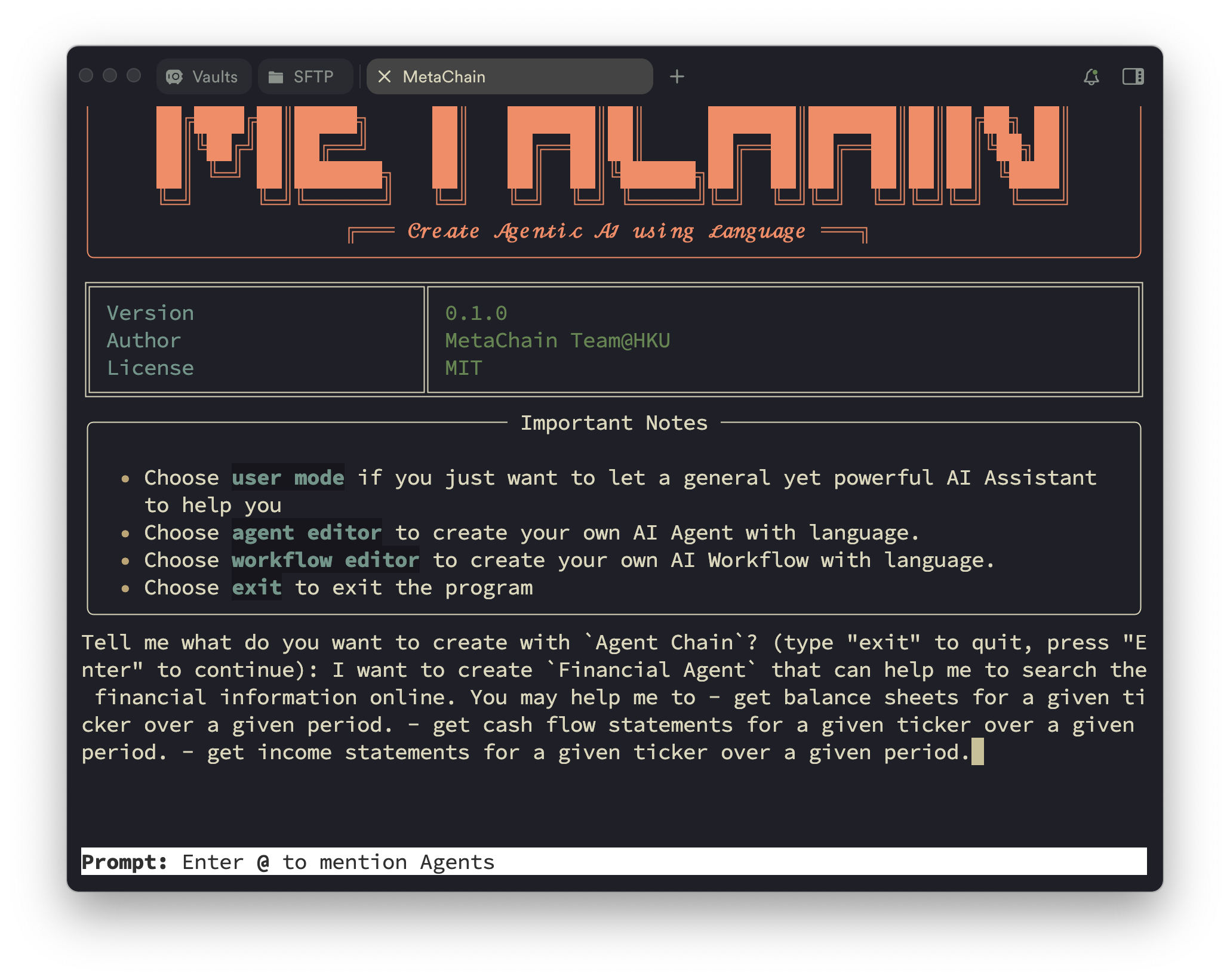
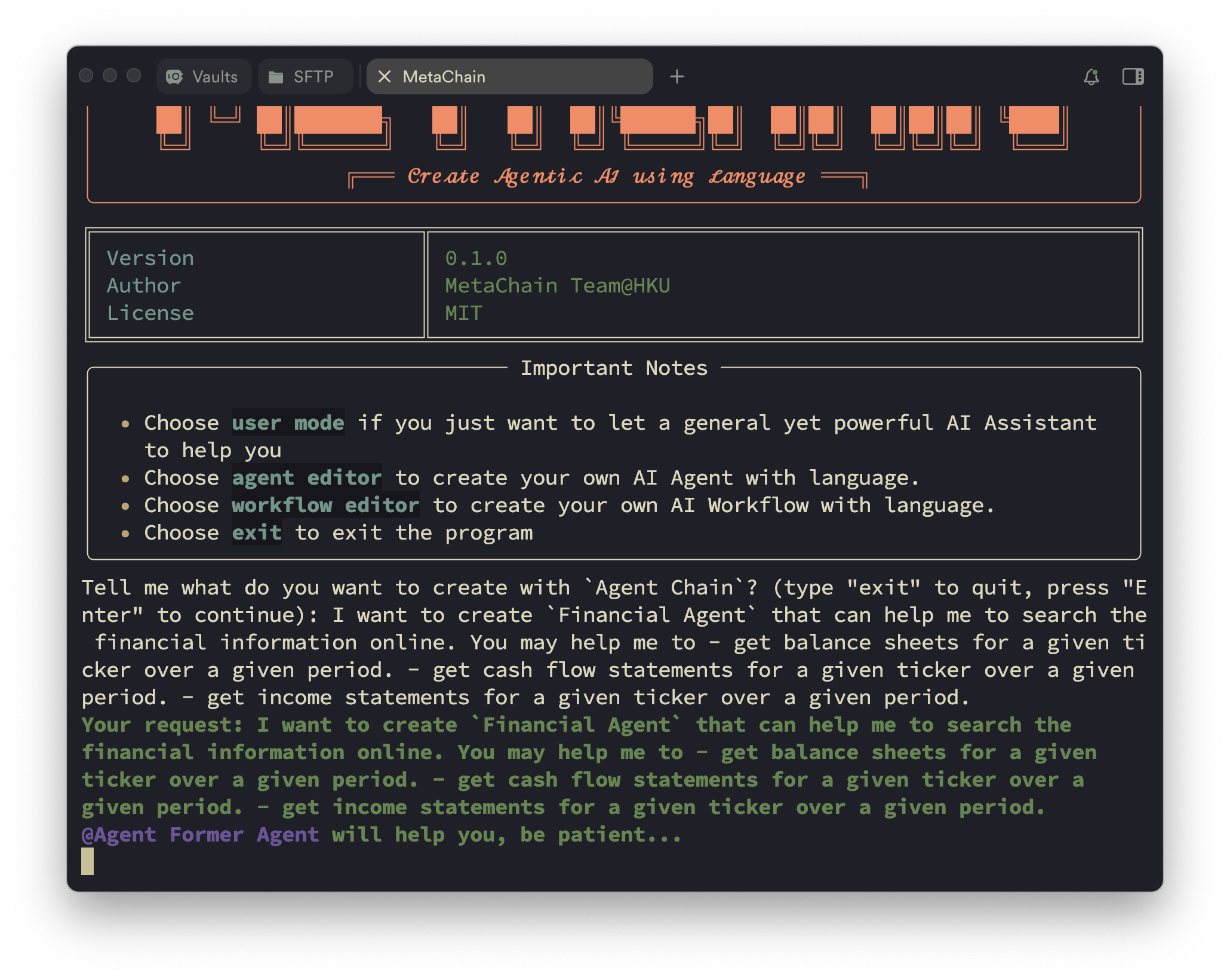
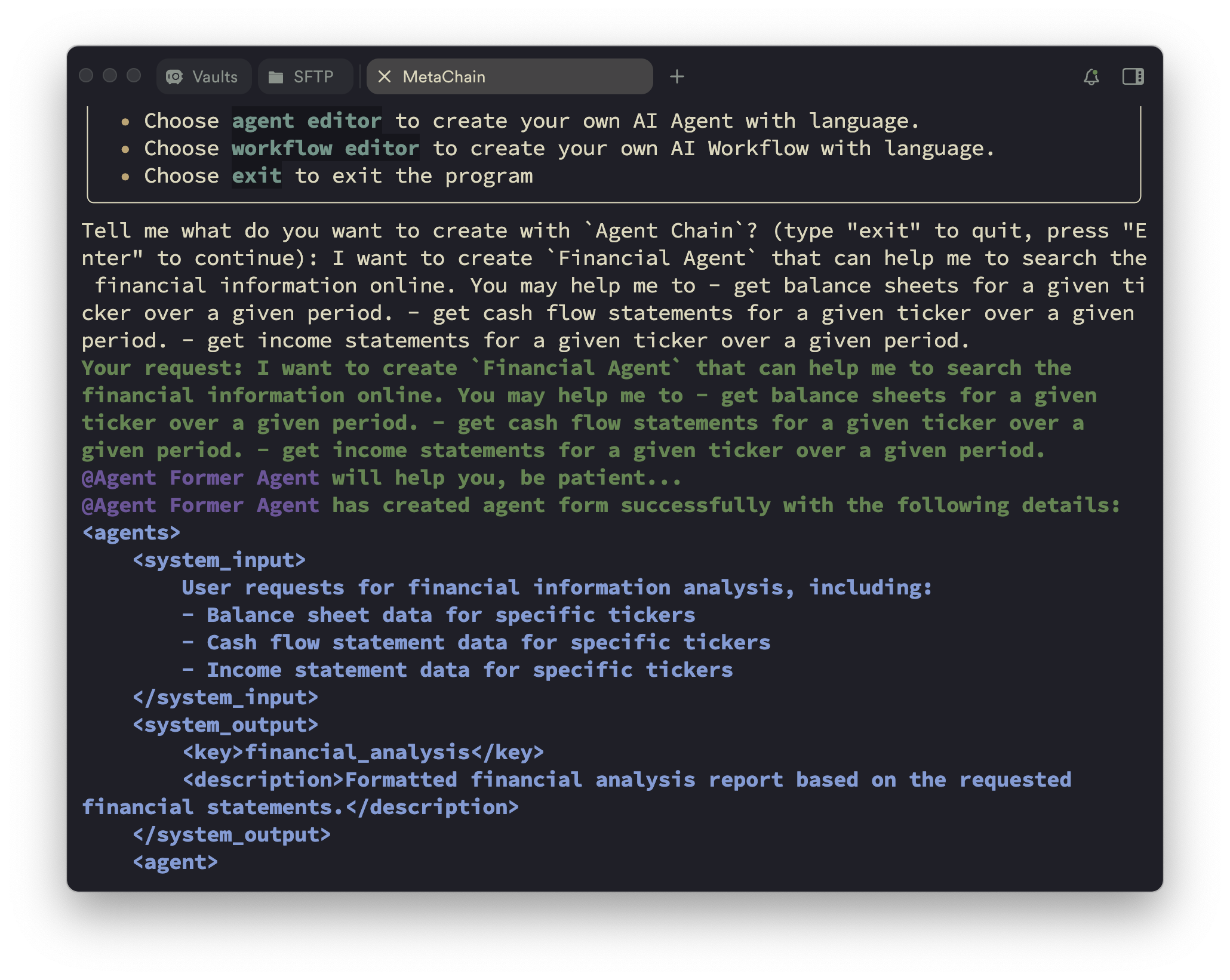
After the CLI mode is started, you can see the start page of AutoAgent:
Start Page of AutoAgent.
Tips
Import browser cookies to browser environment
You can import the browser cookies to the browser environment to let the agent better access some specific websites. For more details, please refer to the cookies folder.
Add your own API keys for third-party Tool Platforms
If you want to create tools from the third-party tool platforms, such as RapidAPI, you should subscribe tools from the platform and add your own API keys by running process_tool_docs.py.
python process_tool_docs.py
More features coming soon! 🚀 Web GUI interface under development.
☑️ Todo List
AutoAgent is continuously evolving! Here's what's coming:
📊 More Benchmarks: Expanding evaluations to SWE-bench, WebArena, and more
🖥️ GUI Agent: Supporting Computer-Use agents with GUI interaction
🔧 Tool Platforms: Integration with more platforms like Composio
🏗️ Code Sandboxes: Supporting additional environments like E2B
🎨 Web Interface: Developing comprehensive GUI for better user experience
Have ideas or suggestions? Feel free to open an issue! Stay tuned for more exciting updates! 🚀
🔬 How To Reproduce the Results in the Paper
GAIA Benchmark
For the GAIA benchmark, you can run the following command to run the inference.
cd path/to/AutoAgent && sh evaluation/gaia/scripts/run_infer.sh
For the evaluation, you can run the following command.
cd path/to/AutoAgent && python evaluation/gaia/get_score.py
Agentic-RAG
For the Agentic-RAG task, you can run the following command to run the inference.
Step1. Turn to this page and download it. Save them to your datapath.
Step2. Run the following command to run the inference.
cd path/to/AutoAgent && sh evaluation/multihoprag/scripts/run_rag.sh
Step3. The result will be saved in the evaluation/multihoprag/result.json.
📖 Documentation
A more detailed documentation is coming soon 🚀, and we will update in the Documentation page.
🤝 Join the Community
We want to build a community for AutoAgent, and we welcome everyone to join us. You can join our community by:
Join our Slack workspace - Here we talk about research, architecture, and future development.
Join our Discord server - This is a community-run server for general discussion, questions, and feedback.
Read or post Github Issues - Check out the issues we're working on, or add your own ideas.
Misc
🙏 Acknowledgements
Rome wasn't built in a day. AutoAgent stands on the shoulders of giants, and we are deeply grateful for the outstanding work that came before us. Our framework architecture draws inspiration from OpenAI Swarm, while our user mode's three-agent design benefits from Magentic-one's insights. We've also learned from OpenHands for documentation structure and many other excellent projects for agent-environment interaction design, among others. We express our sincere gratitude and respect to all these pioneering works that have been instrumental in shaping AutoAgent.
🌟 Cite
@misc{AutoAgent,
      title={{AutoAgent: A Fully-Automated and Zero-Code Framework for LLM Agents}},
      author={Jiabin Tang, Tianyu Fan, Chao Huang},
      year={2025},
      eprint={202502.05957},
      archivePrefix={arXiv},
      primaryClass={cs.AI},
      url={https://arxiv.org/abs/2502.05957},
}
Yes — HKUDS/AutoAgent ships under the MIT license, which makes its source code freely readable (and, depending on license terms, forkable and reusable). Source: github.com/HKUDS/AutoAgent.
What else is in the AI Tools space?
HKUDS/AutoAgent is tracked by TopGit under the AI Tools category, alongside 2 GitHub-tagged topics. Trending and Topics pages list peer repositories of comparable stars and language.
What is HKUDS/AutoAgent?
HKUDS/AutoAgent (HKUDS/AutoAgent) is a Python project on GitHub. From the project's own README: "AutoAgent: Fully-Automated and Zero-Code LLM Agent Framework"
What license does HKUDS/AutoAgent use?
HKUDS/AutoAgent is released under the MIT license. Always verify the LICENSE file directly on GitHub for the authoritative terms — license strings can be edited out of sync with a project's actual stance.
Where can I see HKUDS/AutoAgent in action?
The project maintains a homepage at https://arxiv.org/abs/2502.05957. The README tab on this page also usually contains screenshots and a quickstart.
Where do I read more about HKUDS/AutoAgent?
This TopGit page is a snapshot — the READ ME tab shows the project's own README content (links stripped, images preserved). The GitHub repository at github.com/HKUDS/AutoAgent is the definitive source.
Why is HKUDS/AutoAgent categorized under AI Tools?
TopGit places HKUDS/AutoAgent in the AI Tools category based on its GitHub topics and description (tagged: "agent", "llms"). Categories are assigned from real repository metadata, not editorial guesswork.
Read full README in the tab above.
Is AutoAgent worth your time?
ChatGPT, Claude and Perplexity can all read this page. Ask one of them what it makes of AutoAgent.

 /AutoAgent









 Quick Overview of AutoAgent.
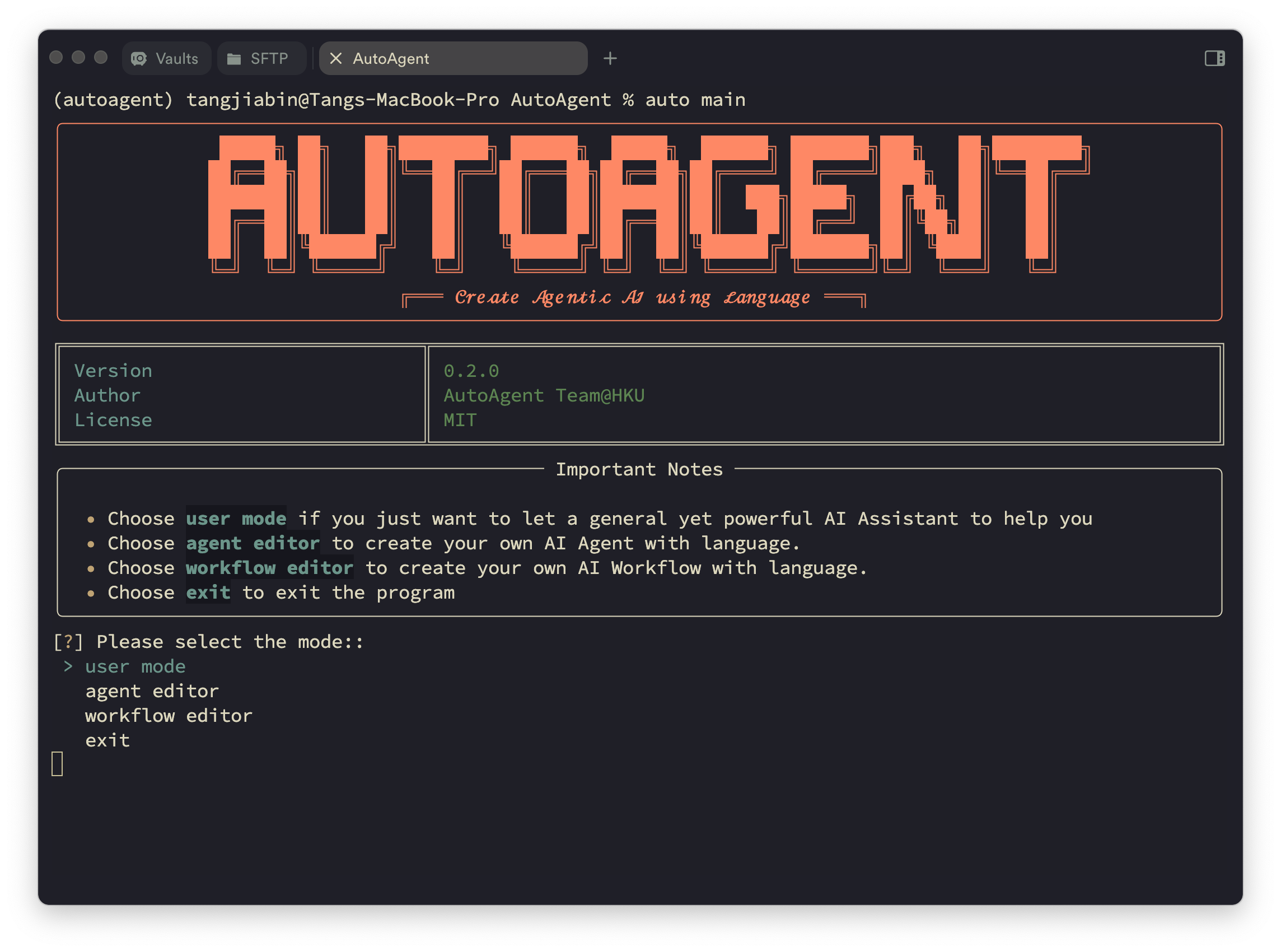 Start Page of AutoAgent.