A mobile-focused entry in TopGit's GitHub warehouse: home-assistant/Iconic, 1.6k stars, Mobile, Swift. :art: Auto-generated icon font library for iOS, watchOS and tvOS
Snapshot summary built from the project's own GitHub metadata — there's no written TopGit review yet. The page will update automatically when a full review is published.
WHY NO REVIEW YET
TopGit writes full reviews for the most-starred, most-requested repositories. This page is a snapshot until then — see the READ ME tab for the original README in full.
This library is no longer maintained due to underlying issues.
Iconic helps making icon fonts integration effortless on iOS, tvOS and watchOS. Its main component is in charge of auto-generating strongly typed Swift code with SwiftGen, compatible with Objective-C.
You will interact with an auto-generated class under the name of {FontName}Icon.swift, which is a light abstraction of the IconDrawable.swift protocol. For more information, have a look at how to install and how to use.
Give Iconic a test drive by simply doing pod try Iconic in your terminal, and pick the Samples.xcworkspace.
Why Icon Fonts?
Resolution independent: scale and tint without quality loss
Automatically scaled for different screen densities
Work with (way) less image files
Improve visual consistency
Platform agnostic
Add better UI accessibility
Simple to work with
Where can I find awesome icon fonts?
Check out the icon fonts available in this repo!
There are many open sourced icon fonts out there (most are available under the SIL Open Font License). They are designed for the web but they are still very useful for iOS.
You can ask your nearest friendly designer! Making an icon font isn't that hard, specially if you already have the vector assets.
You can read this article and give fontastic.me a shot.
Key Features
Easy installation over CocoaPods
Auto-generated enums and unicodes mapping, out of the font's PUA range
NSAttributedString and UIImage outputs
Supports TTF and OTF font files
Fonts are included and registered dynamically
Interface Builder support (iOS & tvOS only)
UIKit extensions for UIBarButtonItem, UITabBarItem and UIButton (iOS & tvOS only)
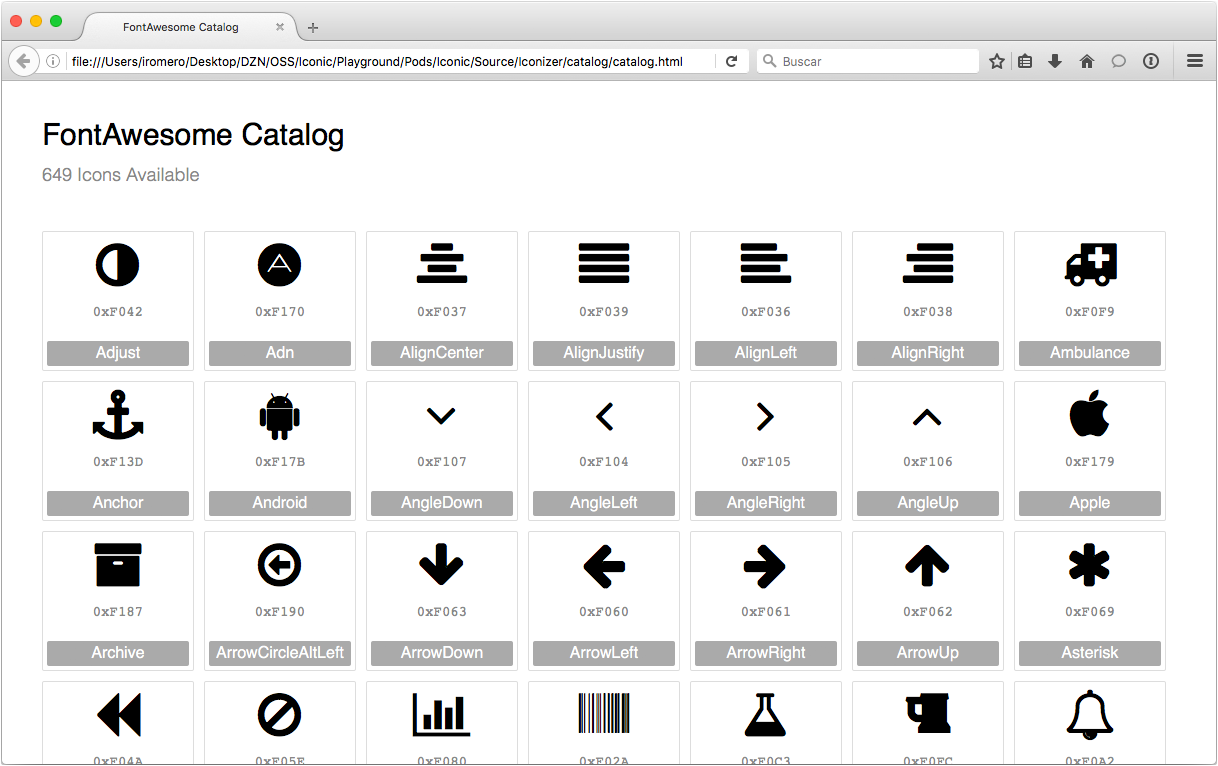
Auto-generated icon font html catalog
Compatible with Swift 3.0 and Objective-C
iOS 8 or later
tvOS 9 or later
watchOS 2 or later
Note: Some open sourced icon fonts don't include the names of each of their glyphs. This could result in a non-descriptive enums, which can make things less intuitive for you when using Iconic. If you create your own icon font, make sure to properly name each glyph.
Installation
Via CocoaPods
Start by defining Iconic on your Podfile. Because we use an environment variable on a non-traditional setup, you will need to do it the following way:
pod 'Iconic', :git => 'https://github.com/home-assistant/Iconic.git', :tag => '1.3'
To install Iconic with a custom icon font, you need to use the FONT_PATH environment variable:
FONT_PATH='/Users/WillFerrell/Desktop/super-duper-font.otf' pod install

FONT_PATH='/Users/WillFerrell/Desktop/super-duper-font.otf' pod update Iconic
If you simply call pod install, Iconic will be installed using its default font, FontAwesome.
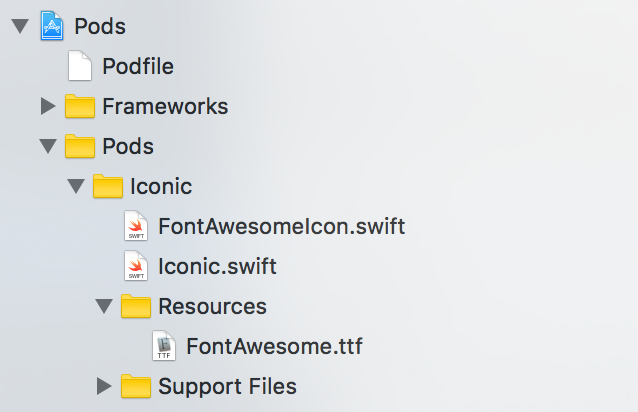
After the installation is complete, you should see 3 files: IconDrawable.swift, the auto-generated {FontName}Icon.swift and the font file added as a resource:
How to use
For complete documentation, visit Iconic's docs.
Import
Import the Iconic module:
Swift
import Iconic
Objective-C
@import Iconic;
Registering the icon font
Registration is required to activate Iconic. You shall do this once, when launching your application. Internally, the icon mapping is retrieved and kept in memory during the application's life term.
Iconic provides a convenient way to register the icon font:
Note: the method name may change depending of your icon font's name:
Swift
FontAwesomeIcon.register()
Objective-C
[Iconic registerFontAwesomeIcon];
Use as images
You can construct an UIImage instance out of a font's icon and tint it. This may be very convenient for integrating with existing UIKit controls which expect UIImage objects already.
Images are created using NSStringDraw APIs to render a UIImage out of an NSAttributedString.
Swift
let size = CGSize(width: 20, height: 20)

let icon = FontAwesomeIcon.HomeIcon
let image = icon.image(ofSize: size, color: .blue)
You may need to icons as text too, and simplify your layout work.
For example, instead of having an image and a label, you can combined it all in one single label:
Swift
let icon = FontAwesomeIcon.HomeIcon
let iconString = icon.attributedString(ofSize: 20, color: .blue)
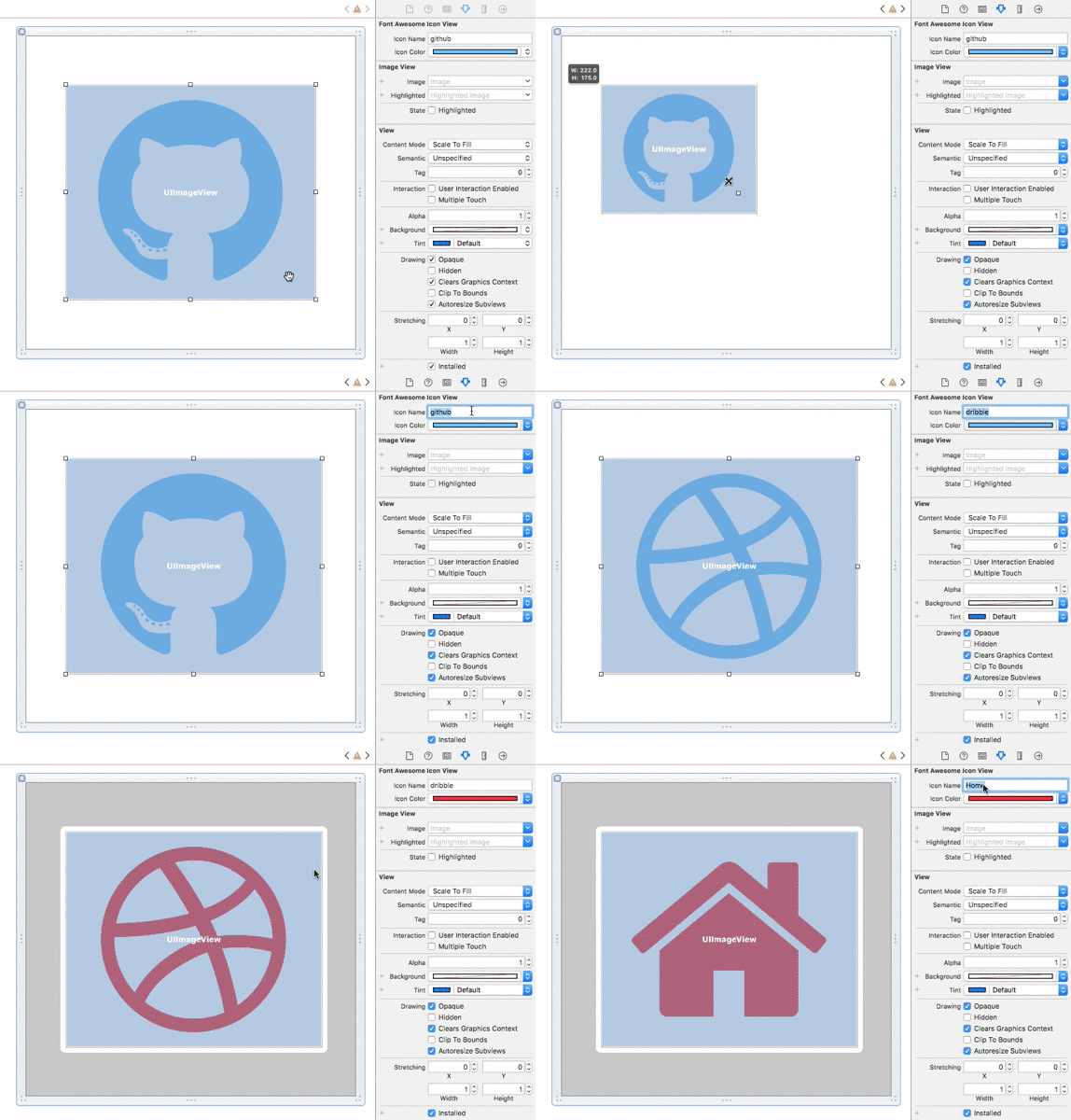
Iconic includes a UIImageView subclass under the name of {FontName}IconView.swift, conforming to @IBInspectable. This class allows IB integration with little effort:
Use the iconName attribute to set the icon on Interface Builder (use the icon font html catalog as reference for icon names).
Adjust the bounds of the view to see it dynamically adjust the icon size.
UIKit Extensions
UIKit extensions are also included, just to make your code look simpler:
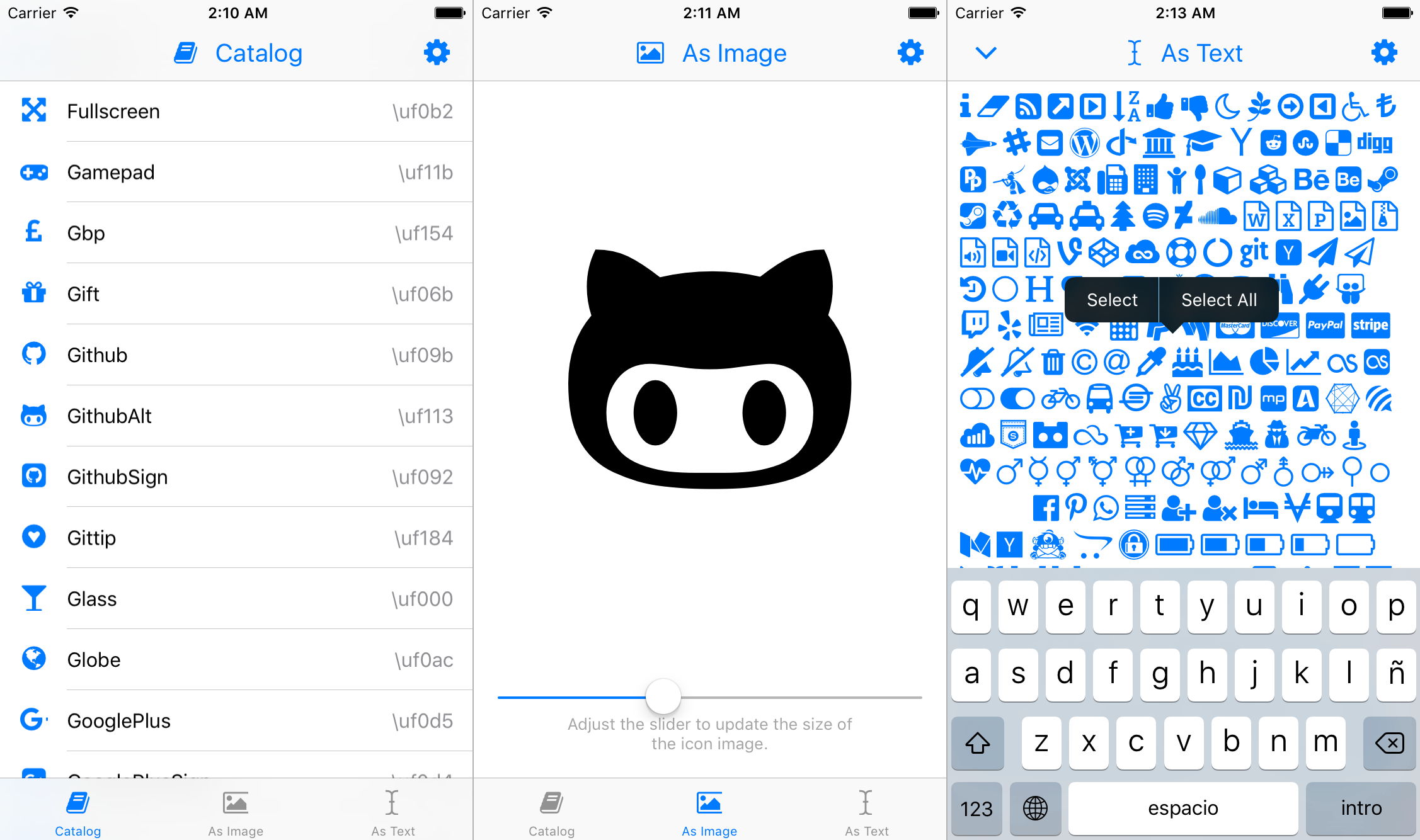
Check out the sample project, everything is demo'd there.
Give Iconic a test drive by simply doing pod try Iconic in your terminal, and pick the Samples.xcworkspace.
On the sample project, Iconic is installed as a development pod. Because of this, pod files are not versioned. Therefore, if you clone the repo manually, you will to install the pods yourself.
About watchOS support:
When running the watchOS example, you might get a "No such module CoreText" error. This is because the CoreText.framework is missing for the watchOS Simulator. Run the 'WatchSimulator-CoreText-Patch.sh' script located in this repository, to copy the CoreText header files from the WatchOS SDK. You will then be able to run the watchOS sample with no issues as well as running Iconic on your Watch apps in the simulator.
Icon Font Catalog
Besides the auto-generated Swift code, an icon font catalog will be added in Pods/Iconic/Source/Catalog. Use this as a visual reference about the icons and their names.
Note: if you are using Chrome as your default browser, you will need to restart it using the open -a 'Google Chrome' --args -allow-file-access-from-files in the command line to be able to open view the catalog. This is because the html's javascript loads a local json file and Chrome has built-in security features to disable it. You can also use any other web browser like Safari or Firefox to open the catalog html.
Icon Font Samples
This repository also includes a few open source and free icon fonts for you to try Iconic with:
FontAwesome by Dave Gandy
Dripicons by Amit Jakhu
open-iconic by Waybury
MaterialIcons by Google
Linearicons by Perxis
Acknowledgements
Iconic was originally developed by Ignacio Romero Zurbuchen. For more credits, please see AUTHORS.md.
License
This library is licensed under the Apache 2.0 license.
SwiftGen is licensed under the MIT License.
The Font Awesome font is licensed under the SIL OFL 1.1 License
Does home-assistant/Iconic have a project website?
No homepage URL was recorded for home-assistant/Iconic in TopGit's last sync. The README tab above frequently contains screenshots and demo links, or check the repository description on GitHub.
Is home-assistant/Iconic open source?
Yes — home-assistant/Iconic ships under the Apache-2.0 license, which makes its source code freely readable (and, depending on license terms, forkable and reusable). Source: github.com/home-assistant/Iconic.
What else is in the Mobile space?
home-assistant/Iconic is tracked by TopGit under the Mobile category, alongside 7 GitHub-tagged topics. Trending and Topics pages list peer repositories of comparable stars and language.
What is home-assistant/Iconic?
home-assistant/Iconic (home-assistant/Iconic) is a Swift project on GitHub. From the project's own README: :art: Auto-generated icon font library for iOS, watchOS and tvOS
What license does home-assistant/Iconic use?
home-assistant/Iconic is released under the Apache-2.0 license. Always verify the LICENSE file directly on GitHub for the authoritative terms — license strings can be edited out of sync with a project's actual stance.
Where do I read more about home-assistant/Iconic?
This TopGit page is a snapshot — the READ ME tab shows the project's own README content (links stripped, images preserved). The GitHub repository at github.com/home-assistant/Iconic is the definitive source.
Why is home-assistant/Iconic categorized under Mobile?
TopGit places home-assistant/Iconic in the Mobile category based on its GitHub topics and description (tagged: "code-generator", "icon-font", "interface-builder"). Categories are assigned from real repository metadata, not editorial guesswork.
Read full README in the tab above.
Want a second opinion on Iconic?
Ask an AI that can read this page — one click and you get its take on Iconic.
 /Iconic