hybridgroup/go-haystack — 1.5k★ on GitHub (Go). Track personal Bluetooth devices via Apple's "Find My" network using OpenHaystack and Macless-Haystack with tools written in Go/TinyGo. No Apple hardware required! Build your own beacon using Xiao-BLE, ESP32-C3/S3, & many other boards.
Snapshot summary built from the project's own GitHub metadata — there's no written TopGit review yet. The page will update automatically when a full review is published.
WHY NO REVIEW YET
TopGit writes full reviews for the most-starred, most-requested repositories. This page is a snapshot until then — see the READ ME tab for the original README in full.
Go Haystack lets you track personal Bluetooth devices via Apple's massive "Find My" network.
It uses OpenHaystack together with Macless-Haystack to help you setup a custom FindMy network with tools written in Go/TinyGo. No Apple hardware required!
Contents
Build Your Own Beacon
Linux Beacons
TinyScan
How to install
How to use
How to test
Keys
Testing
Firmware
TinyScan hardware
Build Your Own Beacon
This package provides firmware written using TinyGo and the TinyGo Bluetooth package.
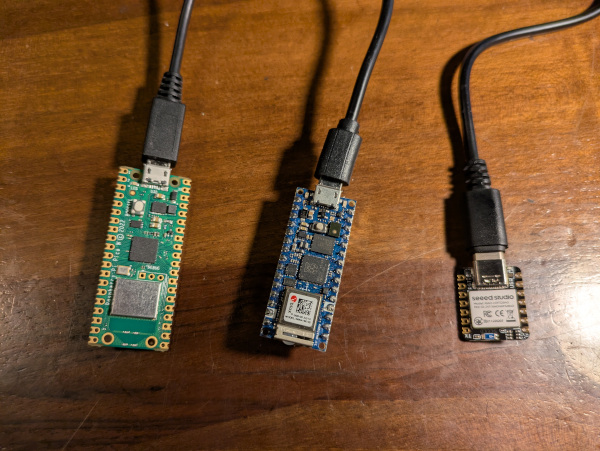
As a result, any of the following hardware devices should work:
Adafruit Bluefruit boards using nRF SoftDevice
BBC Microbit using nRF SoftDevice
Seeed Studio XIAO nRF52840
Other Nordic Semi SoftDevice boards
Boards using the NINA-FW with an ESP32 co-processor
Espressif ESP32-C3 and ESP32-S3 boards that use the radio in the chip, such as the Seeed XIAO ESP32C3 and the XIAO ESP32S3. The targets are xiao-esp32c3, xiao-esp32s3, esp32c3-supermini, esp32s3-supermini, esp32c3-generic, esp32s3-generic, qtpy-esp32c3 and m5stamp-c3. These boards need TinyGo 0.42 or later.
Boards such as the RP2040 Pico-W using the CYW43439 co-processor
The beacon code is located in this repository in the firmware directory.
Linux Beacons
You can also run the beacon code on any Linux that has Bluetooth hardware, such as a Raspberry Pi or other embedded system.
The beacon code is the same for embedded Linux as for microcontrollers, and is located in this repo in the firmware directory.
Give it the keys as one argument, separated by commas, and the time on each key as a
second argument:
cd firmware
go run . KEY1,KEY2,KEY3 5m
Use the advertisement keys from the .keys file of the device. See Keys.
TinyScan
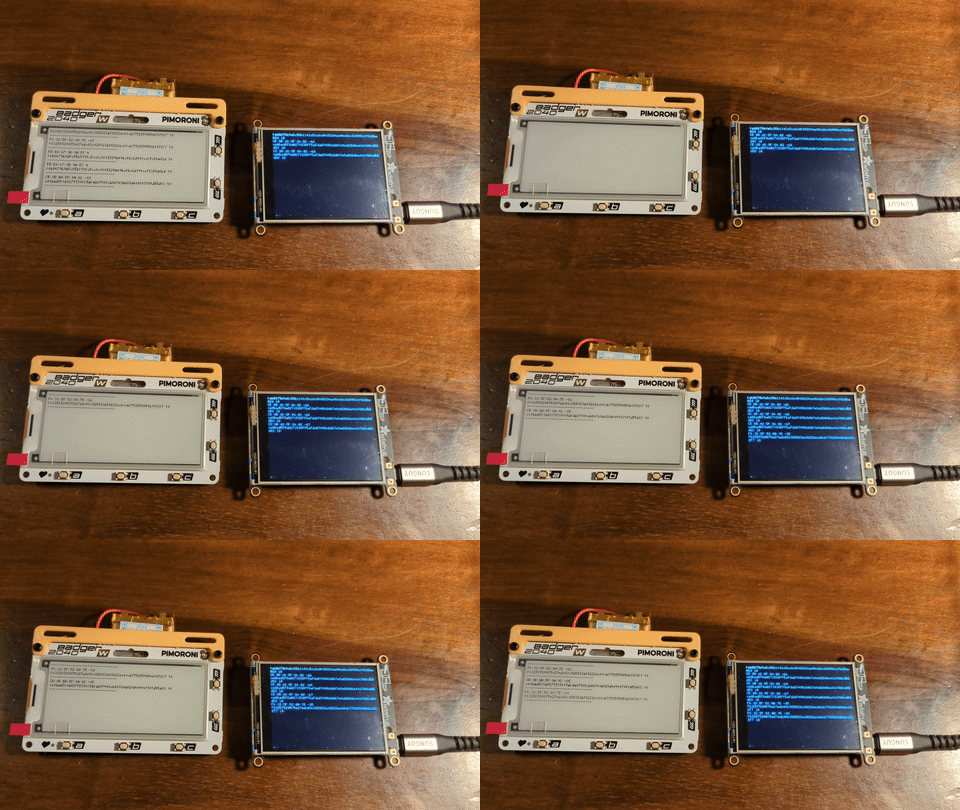
Go Haystack also includes TinyScan, a hardware scanner for local devices.
TinyScan runs on several different microcontrollers boards with Bluetooth and miniature displays, such as those made by Adafruit and Pimoroni
The TinyScan code is located in the tinyscan directory in this repository.
TinyScan can also show the names of your own devices. Flash it with the same device
names that you used with haystack keys, and it then shows the name of the device
with a * mark instead of the key:
haystack flashscan clue blackgopher redgopher
Add -onlymine to hide every beacon that is not one of your devices. See
TinyScan for more information.
How to install
Apple ID
You must have an Apple-ID with 2FA enabled. Only sms/text message as second factor is supported!
You will be asked for your Apple-ID, password and your 2FA. If you see serving at port 6176 over HTTP you have all set up correctly
Hit ctrl-C to exit the process once it has been configured.
Restart the macless-haystack server
docker restart macless-haystack
See https://github.com/dchristl/macless-haystack/blob/main/README.md#server-setup for the original instructions.
go-haystack
Install the go-haystack command line tool
go install github.com/hybridgroup/go-haystack/cmd/haystack@latest
How to use
Showing the version
haystack version
Returns the version of the tool, with the revision of the build if it has one:
haystack 0.2.0-dev (7180716)
Scanning for local devices
haystack scan
Should return any local devices within range:
$ haystack scan
CE:8B:AD:5F:8A:02 -53 ce8bad5f8a0271538ff5afda87498cb067e9a020d6e4167801d55d83 - battery full
FE:B0:67:9B:9A:5C -55 feb0679b9a5c55b1141c5cc6c8f65224ae9bc6bc2d998ccf5c56a02d - battery full
CE:8B:AD:5F:8A:02 -53 ce8bad5f8a0271538ff5afda87498cb067e9a020d6e4167801d55d83 - battery full
CE:8B:AD:5F:8A:02 -53 ce8bad5f8a0271538ff5afda87498cb067e9a020d6e4167801d55d83 - battery full
FE:B0:67:9B:9A:5C -56 feb0679b9a5c55b1141c5cc6c8f65224ae9bc6bc2d998ccf5c56a02d - battery full
CE:8B:AD:5F:8A:02 -53 ce8bad5f8a0271538ff5afda87498cb067e9a020d6e4167801d55d83 - battery full
FE:B0:67:9B:9A:5C -56 feb0679b9a5c55b1141c5cc6c8f65224ae9bc6bc2d998ccf5c56a02d - battery full
CE:8B:AD:5F:8A:02 -53 ce8bad5f8a0271538ff5afda87498cb067e9a020d6e4167801d55d83 - battery full
Adding a new device
Generate keys for a device
haystack keys DEVICENAME
The keys will be saved in a file named DEVICENAME.keys and the configuration file for Haystack will be saved in DEVICENAME.json. Replace "DEVICENAME" with whatever you want to name the actual device.
This makes a set of 12 keys, which the beacon uses in turn. Add -keys for a different
number. See Keys.
Flash the hardware with the TinyGo target and the name of your device.
For example:
haystack flash DEVICENAME nano-rp2040
This will use TinyGo to compile the firmware using your keys, and then flash it to the device. See https://tinygo.org/getting-started/overview/ for more information about TinyGo.
For a device on a battery, add -battery, which turns the serial port off. Add
-txpower to lower the radio transmit power, which saves more current but shortens
the range. On an ESP32-C3 or ESP32-S3 board, add -batterypin and -batterydivider to
read the battery. Add -batterytype for a cell that is not a LiPo, such as a CR2032, or
-batterythresholds for the voltages of any other cell. Add -rotate for a different
time on each key. All flags go before the subcommand. See Battery Powered Beacons and
Keys.
Upload the JSON file for that device to your running instance of macless-haystack using the web UI.
Point your web browser to https://dchristl.github.io/macless-haystack/ which is a single-page web application that only reads/writes local data. Click on the link for "Accessories", then on the "+" button. Choose the DEVICENAME.json file for your device.
That's it, your device is now setup.
Objects in your data may be closer than they appear
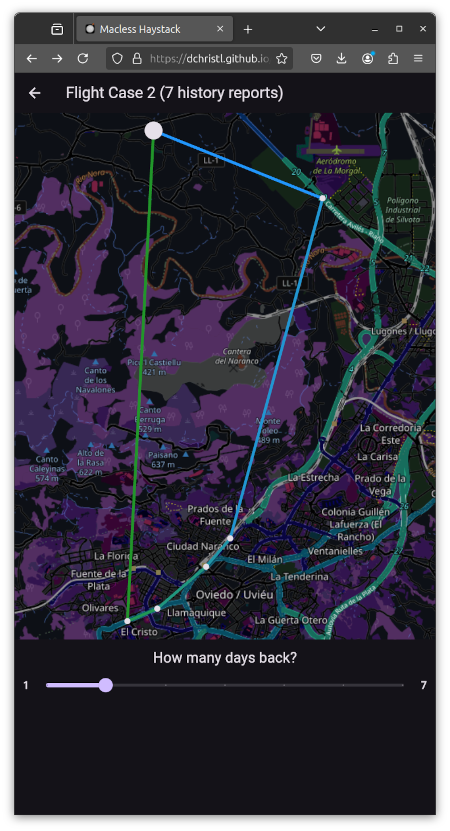
Eventually, if your device is in range of any iPhone, they will appear in your Macless-Haystack data in the web UI.
Note that it might take a while for the first data to show up.
Have fun, be good!
How to test
The unit tests run on the host, so they need no hardware:
go test ./...
See Testing for the microcontroller builds and for the tests on the
hardware.
Does hybridgroup/go-haystack have a project website?
No homepage URL was recorded for hybridgroup/go-haystack in TopGit's last sync. The README tab above frequently contains screenshots and demo links, or check the repository description on GitHub.
How active is development on hybridgroup/go-haystack?
The most recent commit recorded on hybridgroup/go-haystack was 1.2 years ago, based on the GitHub push timestamp. The repository has 49 forks — one of the better signals of community interest.
Is hybridgroup/go-haystack open source?
Yes — hybridgroup/go-haystack ships under the MIT license, which makes its source code freely readable (and, depending on license terms, forkable and reusable). Source: github.com/hybridgroup/go-haystack.
What license does hybridgroup/go-haystack use?
hybridgroup/go-haystack is released under the MIT license. Always verify the LICENSE file directly on GitHub for the authoritative terms — license strings can be edited out of sync with a project's actual stance.
What topics is hybridgroup/go-haystack associated with?
Where do I read more about hybridgroup/go-haystack?
This TopGit page is a snapshot — the READ ME tab shows the project's own README content (links stripped, images preserved). The GitHub repository at github.com/hybridgroup/go-haystack is the definitive source.
Read full README in the tab above.
Is go-haystack worth your time?
ChatGPT, Claude and Perplexity can all read this page. Ask one of them what it makes of go-haystack.
 /go-haystack