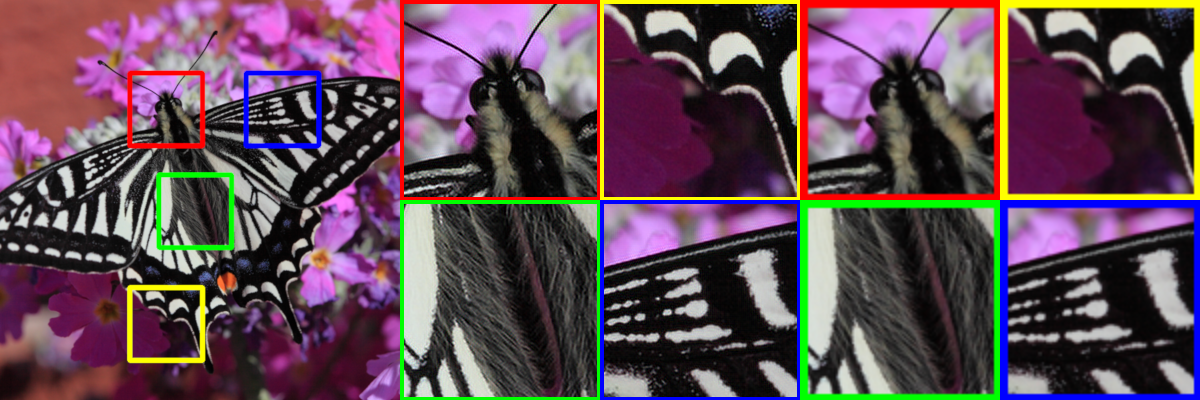
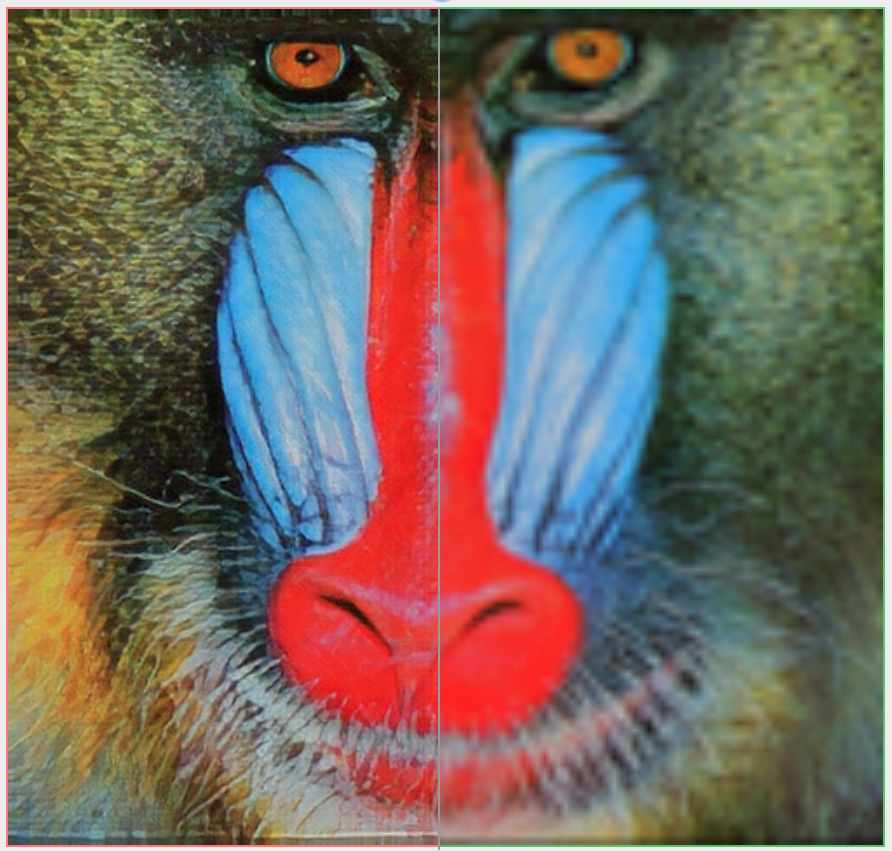
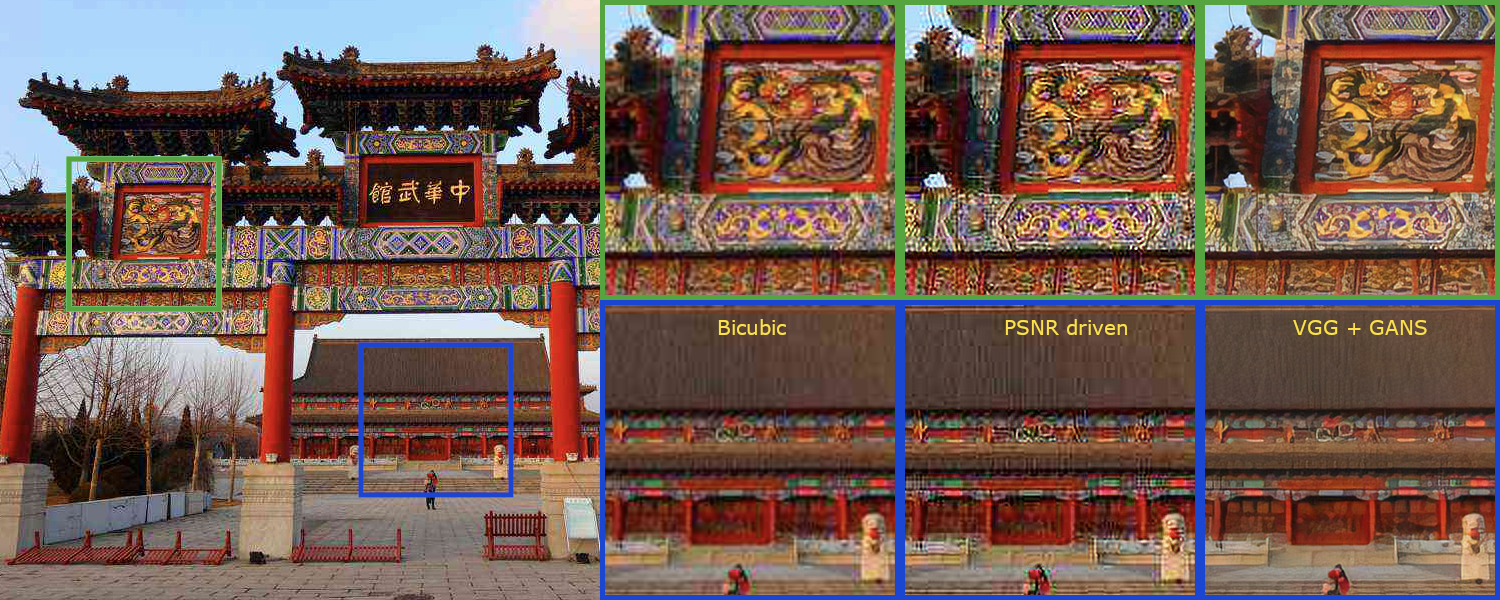
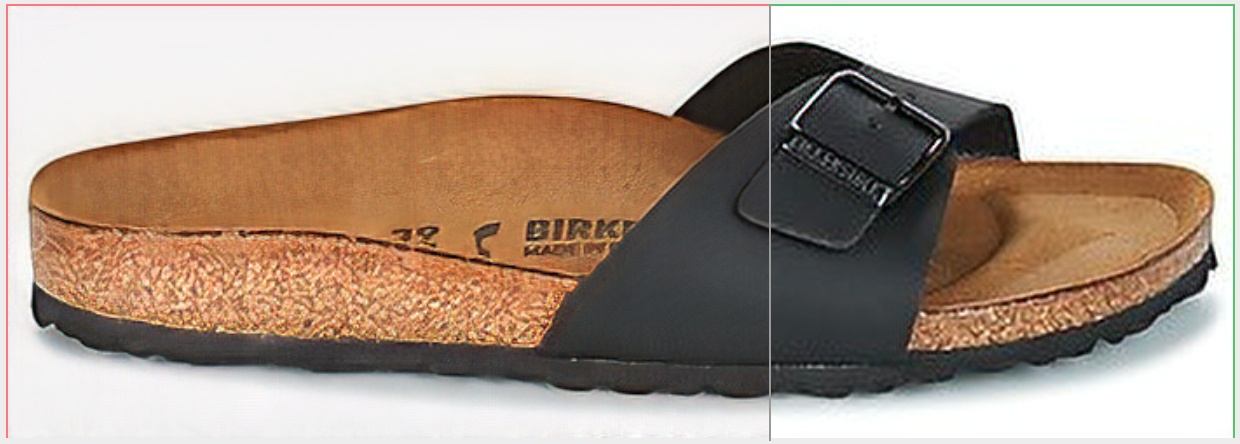
idealo/image-super-resolution is tracked by TopGit as an AI tool, with 4.8k stars on GitHub, written primarily in Python. 🔎 Super-scale your images and run experiments with Residual Dense and Adversarial Networks.
Snapshot summary built from the project's own GitHub metadata — there's no written TopGit review yet. The page will update automatically when a full review is published.
WHY NO REVIEW YET
TopGit writes full reviews for the most-starred, most-requested repositories. This page is a snapshot until then — see the READ ME tab for the original README in full.
The goal of this project is to upscale and improve the quality of low resolution images.
Since the code is no longer actively maintained, it will be archived on 2025-01-03.
This project contains Keras implementations of different Residual Dense Networks for Single Image Super-Resolution (ISR) as well as scripts to train these networks using content and adversarial loss components.
The implemented networks include:
The super-scaling Residual Dense Network described in Residual Dense Network for Image Super-Resolution (Zhang et al. 2018)
The super-scaling Residual in Residual Dense Network described in ESRGAN: Enhanced Super-Resolution Generative Adversarial Networks (Wang et al. 2018)
A multi-output version of the Keras VGG19 network for deep features extraction used in the perceptual loss
A custom discriminator network based on the one described in Photo-Realistic Single Image Super-Resolution Using a Generative Adversarial Network (SRGANS, Ledig et al. 2017)
Read the full documentation at: https://idealo.github.io/image-super-resolution/.
Docker scripts and Google Colab notebooks are available to carry training and prediction. Also, we provide scripts to facilitate training on the cloud with AWS and nvidia-docker with only a few commands.
ISR is compatible with Python 3.6 and is distributed under the Apache 2.0 license. We welcome any kind of contribution. If you wish to contribute, please see the Contribute section.
Contents
Pre-trained networks
Installation
Usage
Additional Information
Contribute
Citation
Maintainers
License
Troubleshooting
Training not delivering good/patchy results
When training your own model, start with only PSNR loss (50+ epochs, depending on the dataset) and only then introduce GANS and feature loss. This can be controlled by the loss weights argument.
This is just sample, you will need to tune these parameters.
You can read about how we trained these network weights in our Medium posts:
part 1: A deep learning based magnifying glass
part 2: Zoom in... enhance
RDN Pre-trained weights
The weights of the RDN network trained on the DIV2K dataset are available in weights/sample_weights/rdn-C6-D20-G64-G064-x2/PSNR-driven/rdn-C6-D20-G64-G064-x2_PSNR_epoch086.hdf5.
The model was trained using C=6, D=20, G=64, G0=64 as parameters (see architecture for details) for 86 epochs of 1000 batches of 8 32x32 augmented patches taken from LR images.
The artefact can cancelling weights obtained with a combination of different training sessions using different datasets and perceptual loss with VGG19 and GAN can be found at weights/sample_weights/rdn-C6-D20-G64-G064-x2/ArtefactCancelling/rdn-C6-D20-G64-G064-x2_ArtefactCancelling_epoch219.hdf5
We recommend using these weights only when cancelling compression artefacts is a desirable effect.
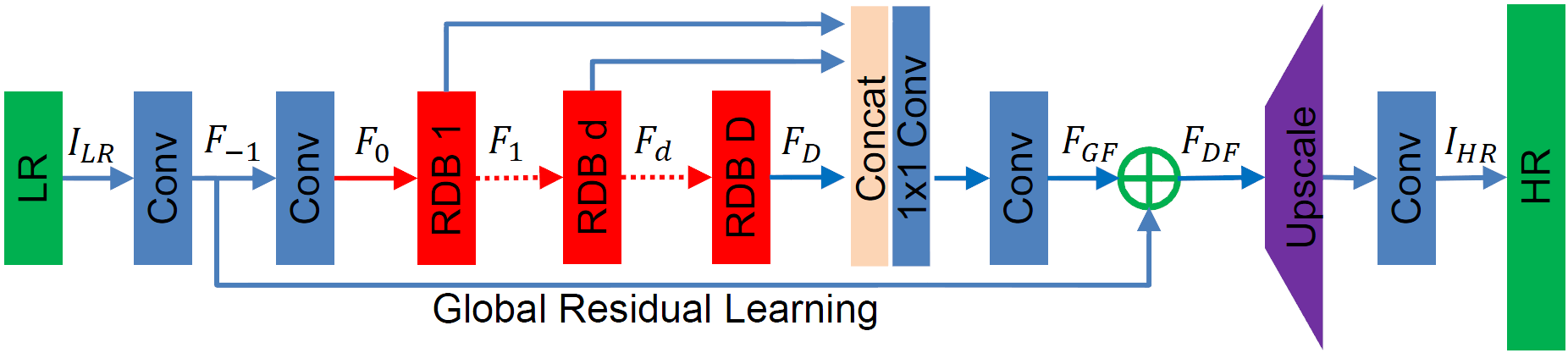
RDN Network architecture
The main parameters of the architecture structure are:
D - number of Residual Dense Blocks (RDB)
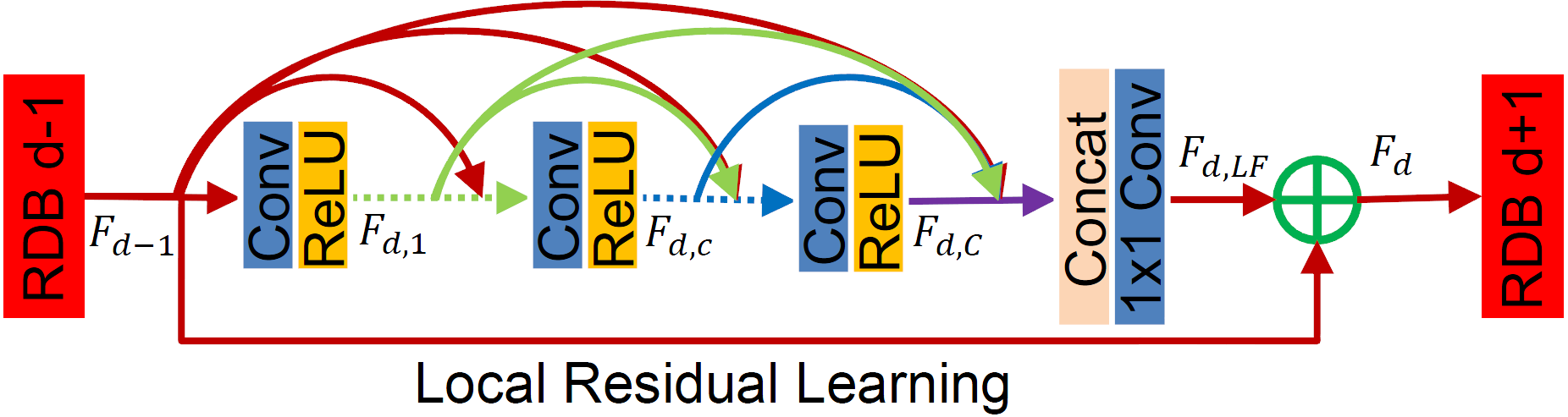
C - number of convolutional layers stacked inside a RDB
G - number of feature maps of each convolutional layers inside the RDBs
G0 - number of feature maps for convolutions outside of RDBs and of each RBD output
source: Residual Dense Network for Image Super-Resolution
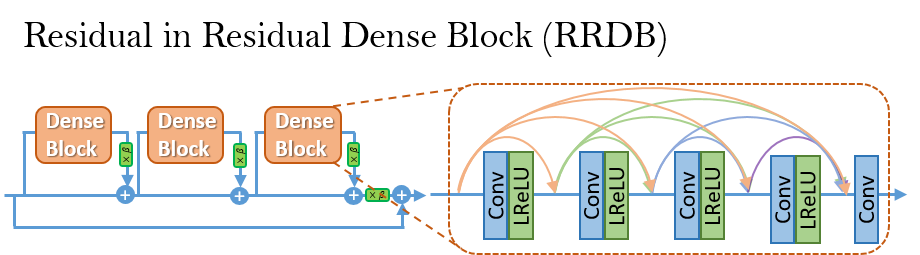
RRDN Network architecture
The main parameters of the architecture structure are:
T - number of Residual in Residual Dense Blocks (RRDB)
D - number of Residual Dense Blocks (RDB) insider each RRDB
C - number of convolutional layers stacked inside a RDB
G - number of feature maps of each convolutional layers inside the RDBs
G0 - number of feature maps for convolutions outside of RDBs and of each RBD output
We welcome all kinds of contributions, models trained on different datasets, new model architectures and/or hyperparameters combinations that improve the performance of the currently published model.
Will publish the performances of new models in this repository.
See the Contribution guide for more details.
Bump version
To bump up the version, use
bumpversion {part} setup.py
Citation
Please cite our work in your publications if it helps your research.
@misc{cardinale2018isr,
  title={ISR},
  author={Francesco Cardinale et al.},
  year={2018},
  howpublished={\url{https://github.com/idealo/image-super-resolution}},
}
How active is development on idealo/image-super-resolution?
The most recent commit recorded on idealo/image-super-resolution was 1.9 years ago, based on the GitHub push timestamp. The repository has 766 forks — one of the better signals of community interest.
Is idealo/image-super-resolution open source?
Yes — idealo/image-super-resolution ships under the Apache-2.0 license, which makes its source code freely readable (and, depending on license terms, forkable and reusable). Source: github.com/idealo/image-super-resolution.
What license does idealo/image-super-resolution use?
idealo/image-super-resolution is released under the Apache-2.0 license. Always verify the LICENSE file directly on GitHub for the authoritative terms — license strings can be edited out of sync with a project's actual stance.
What topics is idealo/image-super-resolution associated with?
GitHub's repository topics for idealo/image-super-resolution: "aws", "computer-vision", "convolutional-neural-networks", "deep-learning", "docker", "e-commerce", "idealo", "image-processing", "image-super-resolution", "keras", "machine-learning", "neural-network", "nvidia-docker", "super-resolution", "tensorflow". TopGit's editorial category is AI Tools.
Where can I see idealo/image-super-resolution in action?
The project maintains a homepage at https://idealo.github.io/image-super-resolution/. The README tab on this page also usually contains screenshots and a quickstart.
Where do I read more about idealo/image-super-resolution?
This TopGit page is a snapshot — the READ ME tab shows the project's own README content (links stripped, images preserved). The GitHub repository at github.com/idealo/image-super-resolution is the definitive source.
Read full README in the tab above.
Still deciding about image-super-resolution?
One click hands the question to an AI along with this page — see what it says about image-super-resolution.

 /image-super-resolution