As a backend project, ilya-zlobintsev/LACT has picked up 5.9k stars on GitHub (Rust). Linux GPU Configuration And Monitoring Tool
Snapshot summary built from the project's own GitHub metadata — there's no written TopGit review yet. The page will update automatically when a full review is published.
WHY NO REVIEW YET
TopGit writes full reviews for the most-starred, most-requested repositories. This page is a snapshot until then — see the READ ME tab for the original README in full.
Control your AMD, Nvidia or Intel GPU on a Linux
system.
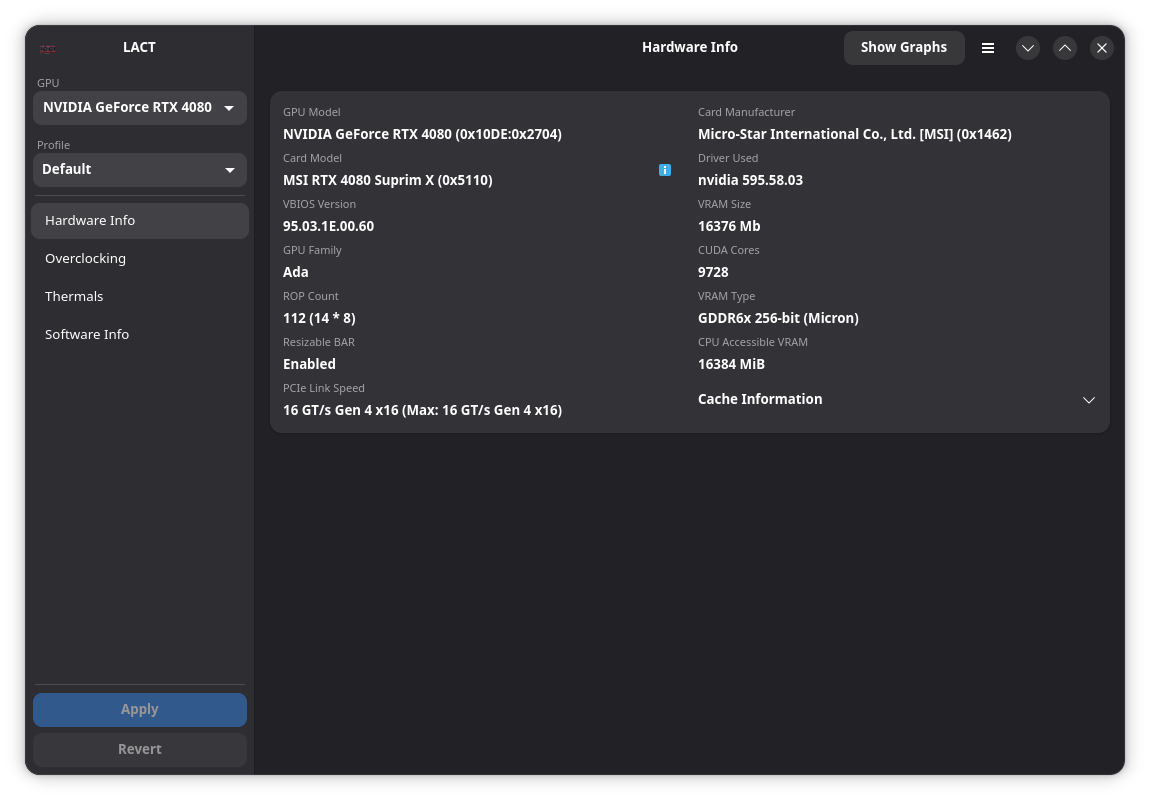
GPU info
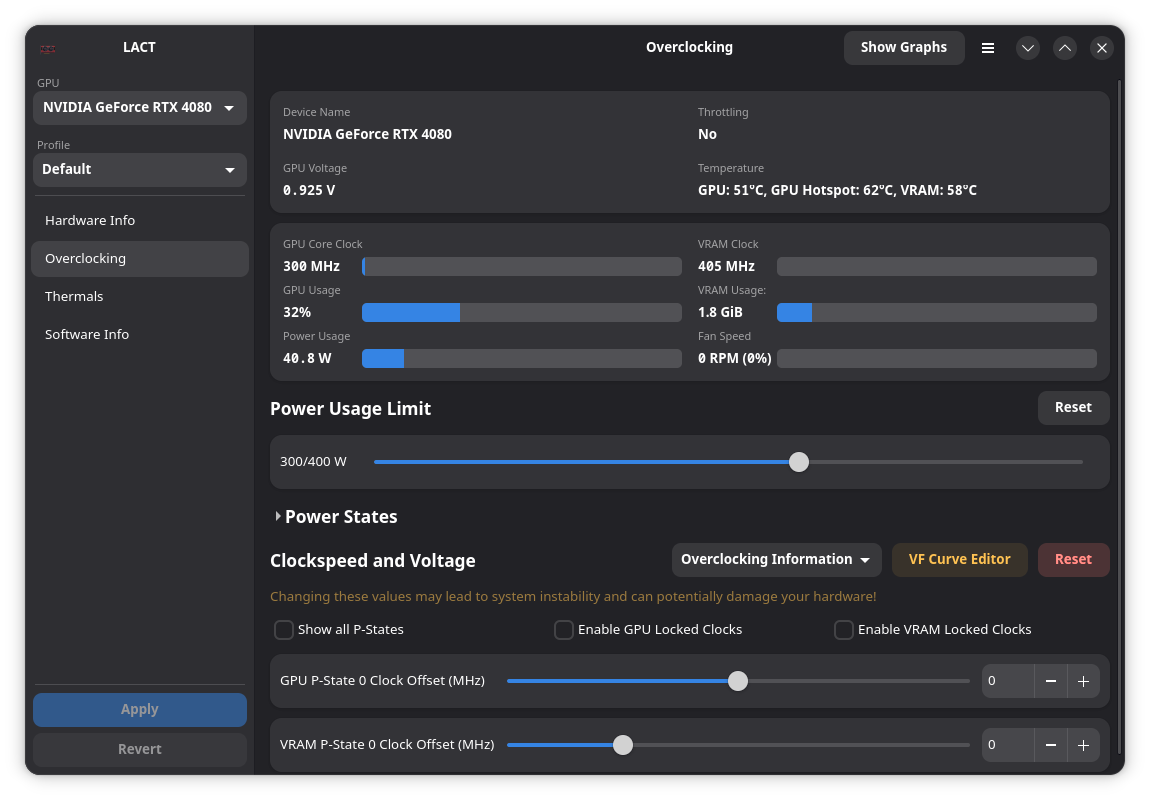
Overclocking
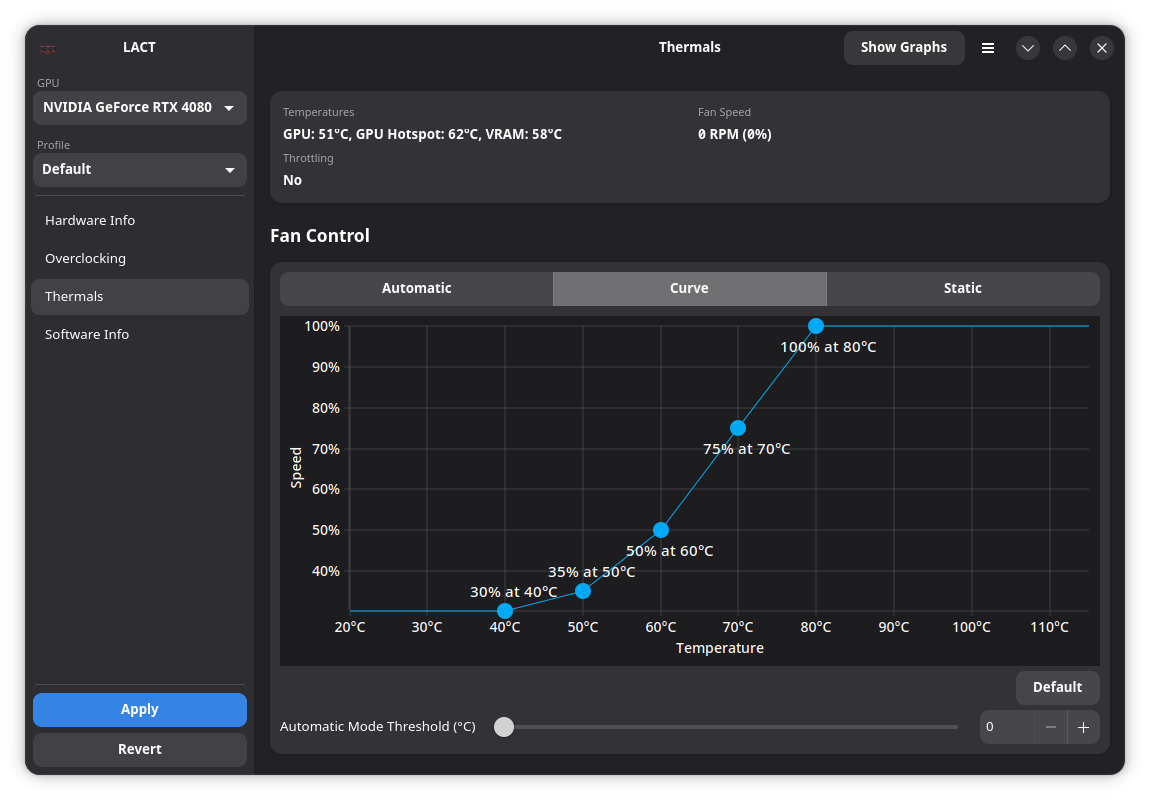
Fan control
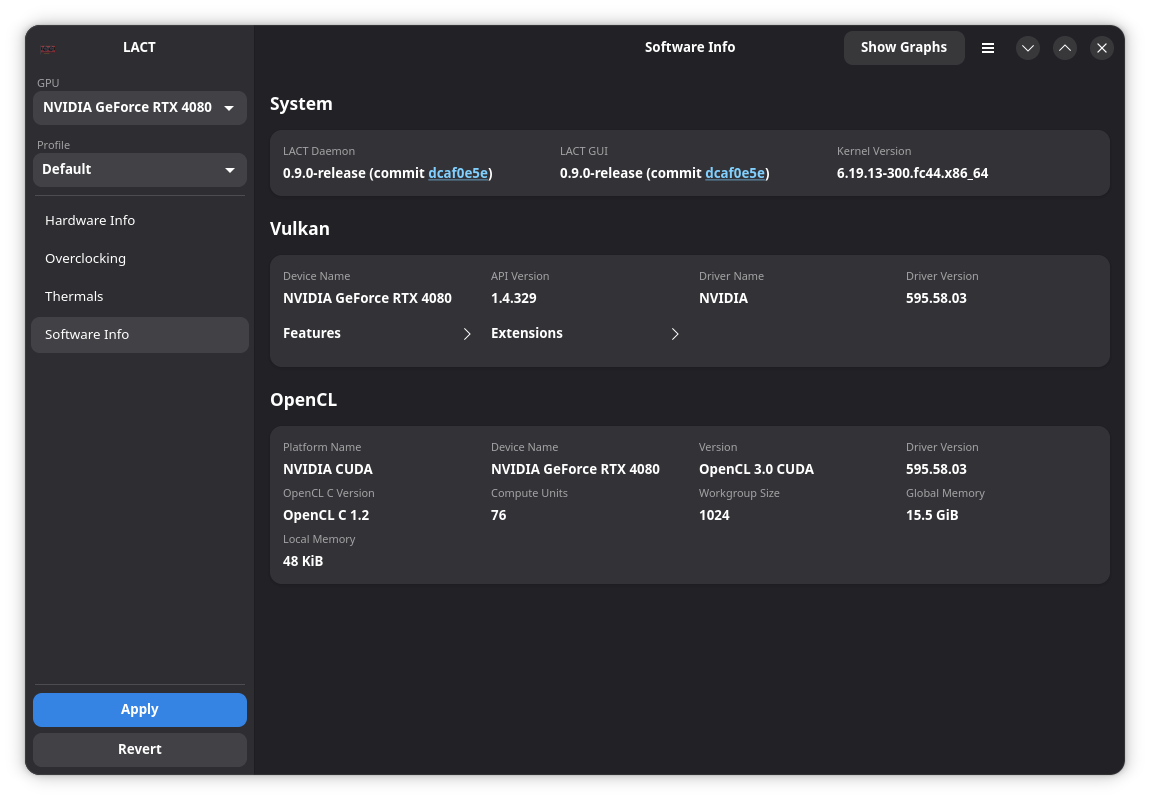
Software info
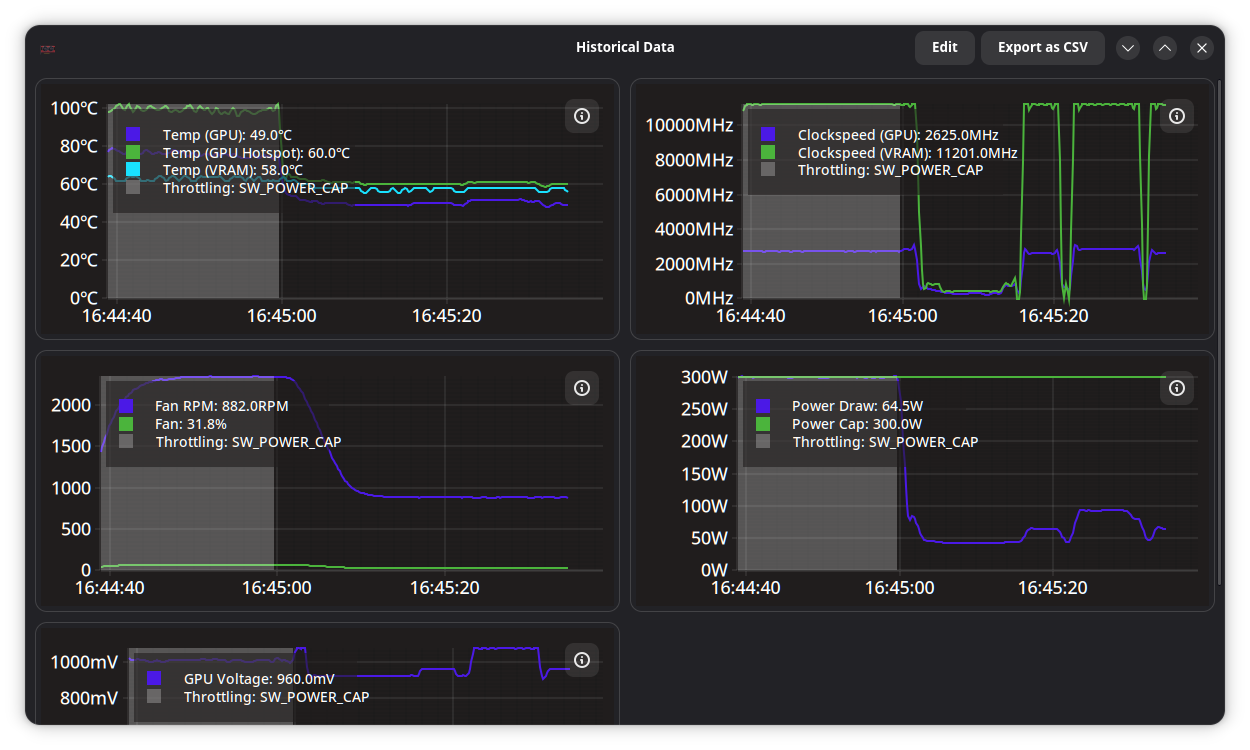
Historical data
Features:
Detailed GPU information reporting
Name and manufacturer
VBIOS info
VRAM info (Type/Manufacturer/Bus)
Hardware unit info (CUs/SMs/EUs, ROP count)
Resizable BAR status
Vulkan features and extensions
Monitoring
Configurable historical charts for power/thermals/frequency
Throttling info
Data CSV export
Power configuration
Power cap
Power states (AMD only)
Thermals configuration
Custom fan curves (AMD/Nvidia)
GPU firmware thermal options such as thermal and acoustic target/limit (AMD RDNA3+ only)
Overclocking
GPU/VRAM clocks configuration
GPU undervolting (via voltage offset on AMD, VF curve on Nvidia)
Settings profiles
Automatic profile activation based on running processes or gamemode status
OpenTelemetry metrics exporter
GPU configuration is handled by a system service that does not depend on a graphical session (Wayland/X11).
The service can also be used standalone with a config file, for example in headless scenarios.
Quick links
Installation
Wiki
Hardware support
Frequently asked questions
Enable overclocking on AMD
Config file reference
API
Power profiles daemon note
Recovery from a bad overclock
Metrics exporter
Contribute code
Contribute translations
Support the project
Installation
Arch Linux: Install the package from official repositories: pacman -S lact
(or lact-git from AUR for development builds).
Debian/Ubuntu/Derivatives: Download a .deb from
releases.
It is only available on Debian 13+ and Ubuntu 24.04+ as older versions don't
ship gtk4.14+
Fedora: use the
Copr repository, or
download an RPM from
releases.
Bazzite/Fedora Atomic: Use the Flatpak.
Gentoo: Available in
GURU.
OpenSUSE: an RPM is available in
releases.
Only tumbleweed is supported as leap does not have the required dependencies
in the repos.
NixOS: There is a package available in
nixpkgs.
Solus: Available in the official repository: eopkg it lact
Flatpak (universal): Available on Flathub and in releases.
See the Flatpak documentation for additional notes.
Docker (service only, no GUI): See DOCKER.md
Build from source.
Note: Nvidia support requires the Nvidia proprietary driver with CUDA libraries
installed.
Development builds
To get latest fixes or features that have not yet been released in a stable
version, there are packages built from the latest commit that you can install
from the
test release
or using the lact-git AUR package on Arch-based distros.
Note: the date that GitHub shows next to the test release is not when the packages were built,
the actual date is specified next to the attached package files.
Usage
Enable and start the service (otherwise you won't be able to change any
settings):
sudo systemctl enable --now lactd
You can now use the GUI to change settings and view information.
Configuration
There is a configuration file available in /etc/lact/config.yaml. Most of the
settings are accessible through the GUI, but some of them may be useful to be
edited manually (like admin_group and admin_user to specify who has access
to the daemon)
See CONFIG.md for more information.
Socket permissions setup:
By default, LACT uses either the wheel or sudo group (whichever is
available) for the ownership of the unix socket that the GUI needs to connect
to.
On most desktop configurations (such as the default setup on Arch-based, most
Debian-based or Fedora systems) this includes the default user, so you do not
need to configure this.
This is not needed if you are using the Flatpak, the flatpak service setup handles permissions.
However, some systems may have different user configuration. In particular, this
has been reported to be a problem on OpenSUSE.
To fix socket permissions in such configurations, edit /etc/lact/config.yaml
and under the daemon section either:
Set admin_user to your username
Set admin_group to a group that your user is a part of, then restart the
service (sudo systemctl restart lactd).
Power profiles daemon note!
If you are using power-profiles-daemon (which is installed by default on many
distributions), by default it may override the amdgpu performance level setting
according to its own profile.
When using LACT 0.7.5+ and power-profiles-daemon 0.30+, LACT will try to connect to power-profiles-daemon
and automatically disable the conflicting amdgpu action in ppd to avoid this conflict.
If running older versions, you can resolve this manually by creating a file at
/etc/systemd/system/power-profiles-daemon.service.d/override.conf with the
following contents:
Note: the /usr/libexec path might be different on your system, check it in
systemctl status power-profiles-daemon
See https://github.com/ilya-zlobintsev/LACT/issues/370 for more information.
Suspend/Resume
As some of the GPU settings may get reset when suspending the system, LACT will
reload them on system resume. This may not work on distributions which don't use
systemd, as it relies on the org.freedesktop.login2 DBus interface.
git clone https://github.com/ilya-zlobintsev/LACT && cd LACT
make
sudo make install
It's possible to change which features LACT gets built with. To do so, replace
the make command with the following variation:
Headless build with no GUI:
make build-release-headless
Remote management
It's possible to have the LACT daemon running on one machine, and then manage it
remotely from another.
This is disabled by default, as the TCP connection does not have any
authentication or encryption mechanism! Make sure to only use it in trusted
networks and/or set up appropriate firewall rules.
To enable it, edit /etc/lact/config.yaml and add tcp_listen_address with
your desired address and in the daemon section.
Example:
daemon:
  tcp_listen_address: 0.0.0.0:12853
  log_level: info
  admin_group: wheel
  disable_clocks_cleanup: false
After this restart the service (sudo systemctl restart lactd).
To connect to a remote instance with the GUI, run it with
lact gui --tcp-address 192.168.1.10:12853.
Note that not all functionality is exposed through the CLI. If you want to integrate LACT
with some application/script, you can use the API instead.
Reporting issues
When reporting issues, please include your system info and GPU model.
Reports should follow Contribution guidelines
If you're having an issue with changing the GPU's configuration, it's highly
recommended to include a debug snapshot in the bug report. You can generate one
using the option in the dropdown menu:
The snapshot is an archive which includes the SysFS that LACT uses to interact
with the GPU.
If there's a crash, run lact gui from the command line to get GUI logs, check
daemon logs in journalctl -u lactd for errors, and see dmesg for kernel logs
that might include information about driver and system issues.
Localization
You can contribute translations to LACT using Weblate.
Support the project
If you wish to support the project, you can do so via Patreon:
https://www.patreon.com/IlyaZlobintsev
No homepage URL was recorded for ilya-zlobintsev/LACT in TopGit's last sync. The README tab above frequently contains screenshots and demo links, or check the repository description on GitHub.
How active is development on ilya-zlobintsev/LACT?
The most recent commit recorded on ilya-zlobintsev/LACT was 2 months ago, based on the GitHub push timestamp. The repository has 170 forks — one of the better signals of community interest.
How many stars does ilya-zlobintsev/LACT have?
ilya-zlobintsev/LACT has 5.9k GitHub stars — refresh the page for the live number, or check github.com/ilya-zlobintsev/LACT. TopGit mirrors GitHub's count but does not claim minute-by-minute accuracy.
Is ilya-zlobintsev/LACT open source?
Yes — ilya-zlobintsev/LACT ships under the MIT license, which makes its source code freely readable (and, depending on license terms, forkable and reusable). Source: github.com/ilya-zlobintsev/LACT.
What else is in the Backend space?
ilya-zlobintsev/LACT is tracked by TopGit under the Backend category, alongside 6 GitHub-tagged topics. Trending and Topics pages list peer repositories of comparable stars and language.
What topics is ilya-zlobintsev/LACT associated with?
GitHub's repository topics for ilya-zlobintsev/LACT: "amdgpu", "gpu", "hactoberfest", "linux", "nvidia", "rust". TopGit's editorial category is Backend.
Where do I read more about ilya-zlobintsev/LACT?
This TopGit page is a snapshot — the READ ME tab shows the project's own README content (links stripped, images preserved). The GitHub repository at github.com/ilya-zlobintsev/LACT is the definitive source.
Read full README in the tab above.
Want a second opinion on LACT?
Ask an AI that can read this page — one click and you get its take on LACT.

 /LACT