infinitered/ignite — a developer tool — sits at 19.9k GitHub stars in the Developer Tools space. Infinite Red's battle-tested React Native project boilerplate, along with a CLI, component/model generators, and more! 9 years of continuous development and counting.
Snapshot summary built from the project's own GitHub metadata — there's no written TopGit review yet. The page will update automatically when a full review is published.
WHY NO REVIEW YET
TopGit writes full reviews for the most-starred, most-requested repositories. This page is a snapshot until then — see the READ ME tab for the original README in full.
Ignite - the battle-tested React Native boilerplate
Proven React Native boilerplate
Developed and maintained consistently since 2016, Ignite is the oldest active and most popular third-party React Native / Expo app boilerplate.
This is the React Native starting point that the Infinite Red team uses on a day-to-day basis to build client apps. Developers who use Ignite report that it saves them two to four weeks of time on average off the beginning of their React Native project!
Intro Videos
Here are a few videos / talks that introduce Ignite and show off some of its features. Check them out!
Getting Started with Ignite
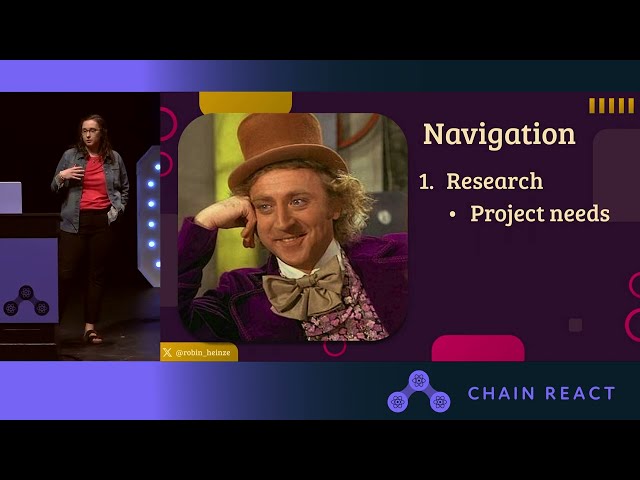
Ignite talk at Chain React 2024 - Robin Heinze
Full Documentation
We've put great effort into the documentation as a team, please read through it here. If you're unsure why a certain decision was made related to this boilerplate or how to proceed with a particular feature, it's likely documented. If it still isn't clear, go through the proper help channels and we always welcome PRs to improve the docs!
Tech Stack
Nothing makes it into Ignite unless it's been proven on projects that Infinite Red works on. Ignite apps include the following rock-solid technical decisions out of the box:
Library
Category
Version
Description
React Native
Mobile Framework
v0.81
The best cross-platform mobile framework
React
UI Framework
v19
The most popular UI framework in the world
TypeScript
Language
v5
Static typechecking
React Navigation
Navigation
v7
Performant and consistent navigation framework
Expo
SDK
v55
Allows (optional) Expo modules
Expo Font
Custom Fonts
v14
Import custom fonts
Expo Localization
Internationalization
v17
i18n support (including RTL!)
RN Reanimated
Animations
v4
Beautiful and performant animations
MMKV
Persistence
v3
State persistence
apisauce
REST client
v3
Communicate with back-end
Jest
Test Runner
v29
Standard test runner for JS apps
date-fns
Date library
v4
Excellent date library
react-native-keyboard-controller
Keyboard library
v1
Great keyboard manager library
react-native-edge-to-edge
UI library
v1
Enables edge-to-edge in Android
Reactotron RN
Inspector/Debugger
v5
JS debugging
Maestro
Testing Framework
Automate end-to-end UI testing
Hermes
JS engine
Fine-tuned JS engine for RN
Ignite also comes with a component library that is tuned for custom designs, theming support, testing, custom fonts, generators, and much, much more.
Quick Start
Prerequisites:
You'll need at least a recent version of Node to run the CLI
For compiling/running in a simulator, make sure you're set up for React Native by following the official documentation.
The Ignite CLI will walk you through the steps to ignite a new React Native app:
# Get walked through the prompts for the different options to start your new app
npx ignite-cli@latest new PizzaApp

# Accept all the recommended defaults and get straight to coding!
npx ignite-cli@latest new PizzaApp --yes
Once you're up and running, check out our Getting Started Guide.
If you'd like to follow a tutorial, check out this one from Robin Heinze.
Troubleshooting
The above commands may fail with various errors, depending on your operating system and dependency versions. Some troubleshooting steps to follow:
Uninstall global versions of the Ignite CLI via npm uninstall -g ignite-cli and use the CLI via npx ignite-cli
Make sure you are using a reasonably recent version of Node. This can be checked via the node --version command. If you require multiple Node versions on your system, install nvm, and then run nvm install --lts. At the time of writing, Node LTS is v20.x.x.
If the installation fails because of an Xcode error (missing Xcode command line tools), the easiest way to install them is to run sudo xcode-select --install in your terminal.
If Xcode and command line tools are already installed, but the installation complains about missing patch dependencies, you may need to switch the Xcode location to something else: sudo xcode-select -s /Applications/Xcode.app/Contents/Developer
Opening the project in Xcode can give you other insights into what's happening: open ./ios/<yourapp>.xcworkspace
Add the --debug switch to the Ignite CLI new command to provide additional output during project initialization
Reporting Bugs / Getting Help
If you run into problems, first search the issues and discussions in this repository. If you don't find anything, you can come talk to our friendly and active developers in the Infinite Red Community Slack (community.infinite.red).
If you still need help after reaching out to the proper channels, feel free to open a new GitHub issue via npx ignite-cli issue "Unable to Ignite new app" (as an example). This will help start writing your issue with the correct diagnostic information included.
Contributing to Ignite
Want to contribute to Ignite? Check out the contributing guide for more info on how to work with the codebase.
Need Inspiration?
If you need battle-tested solutions from Infinite Red experts on everything from Accessibility, to CI/CD configuration, head to Ignite Cookbook for code snippets from our team and the community!
No time to learn React Native? Hire Infinite Red for your next project
We get it – sometimes there just isn’t enough time on a project to learn the ins and outs of a new framework. Infinite Red’s here to help! Our experienced team of React Native engineers have worked with companies like Microsoft, GasBuddy, Zoom, and Mercari to bring some of the most complex React Native projects to life.
Whether it’s running a full project or training a team on React Native, we can help you solve your company’s toughest engineering challenges – and make it a great experience at the same time.
Ready to see how we can work together? Send us a message
Further Reading
Watch Jamon Holmgren's talk at React Live Amsterdam 2019 where he uses Ignite to build an app in less than 30 minutes: https://www.youtube.com/watch?v=OgiFKMd_TeY
Prior art includes Ignite Andross and Ignite Bowser (which is very similar to the current version of Ignite).
Who are We? - Learn More About Infinite Red, the top React Native app development company
License and Trademark Notice
This project's source code is licensed under the MIT License. The Ignite name, its logo, and any other brand assets associated with Ignite and Infinite Red are the exclusive property of Infinite Red, Inc. These marks are not covered by the MIT License provided herein and may not be used without explicit written permission from Infinite Red, Inc.
Note on Generated Code
The MIT License applies solely to the source code of the Ignite CLI and the source code of the included boilerplate project. Any source code generated by using the Ignite CLI, not including trademark assets described above, is owned entirely by the individual or entity that generated it.
However, some files may be added or installed automatically as part of the generation process (e.g. through npm packages). These files are subject to their own licenses, which may include more restrictive terms. It is your responsibility to review and comply with the licenses of any third-party dependencies included in the generated project.
TopGit's metadata for infinitered/ignite does not record a license. Most public repositories on GitHub ARE open source, but the exact terms vary — verify by opening the LICENSE file directly.
What else is in the Developer Tools space?
infinitered/ignite is tracked by TopGit under the Developer Tools category, alongside 7 GitHub-tagged topics. Trending and Topics pages list peer repositories of comparable stars and language.
What is infinitered/ignite?
infinitered/ignite (infinitered/ignite) is a TypeScript project on GitHub. From the project's own README: Infinite Red's battle-tested React Native project boilerplate, along with a CLI, component/model generators, and more! 9 years of continuous development and counting.
Where can I see infinitered/ignite in action?
The project maintains a homepage at https://infinite.red/ignite. The README tab on this page also usually contains screenshots and a quickstart.
Where do I read more about infinitered/ignite?
This TopGit page is a snapshot — the READ ME tab shows the project's own README content (links stripped, images preserved). The GitHub repository at github.com/infinitered/ignite is the definitive source.
Why is infinitered/ignite categorized under Developer Tools?
TopGit places infinitered/ignite in the Developer Tools category based on its GitHub topics and description (tagged: "boilerplate", "cli", "expo"). Categories are assigned from real repository metadata, not editorial guesswork.
Read full README in the tab above.
Is ignite worth your time?
ChatGPT, Claude and Perplexity can all read this page. Ask one of them what it makes of ignite.

 /ignite