javahuang/SurveyKing is tracked by TopGit as a developer tool, with 4.0k stars on GitHub, written primarily in Java. One command to deploy a more powerful, self‑hosted alternative to SurveyMonkey.
Snapshot summary built from the project's own GitHub metadata — there's no written TopGit review yet. The page will update automatically when a full review is published.
WHY NO REVIEW YET
TopGit writes full reviews for the most-starred, most-requested repositories. This page is a snapshot until then — see the READ ME tab for the original README in full.
Open-source surveys, exams, and question-bank practice—self-hosted on your infrastructure
Create forms with AI, run automatically graded exams, help learners practice from question banks, and analyze every response in one platform.
Website ·
Live Demo ·
Documentation ·
Deployment
English ·
简体中文 ·
繁體中文 ·
日本語 ·
한국어 ·
Deutsch ·
Français ·
ไทย
Own the workflow and the data. SurveyKing brings content creation, publishing, responses, grading, practice, analytics, users, and permissions into one deployable system. Start with the embedded H2 database, then move to MySQL when you are ready for production.
Get running in a minute
Start SurveyKing with Docker and the built-in H2 database:
Change the default password immediately. The new password must be 8–16 characters and contain uppercase letters, lowercase letters, and digits.
One platform, three workflows
Surveys
Exams
Question-bank practice
Build responsive forms with 20+ question types, conditional logic, themes, and publishing controls
Reuse question banks, configure answers and scores, randomize content, and grade submissions automatically
Offer sequential, random, and incorrect-answer practice with progress tracking on desktop and mobile
Create with AI, Excel, plain text, templates, or the visual editor
Analyze scores, answers, rankings, and question-level performance
Add answer explanations, favorites, notes, question flags, and AI-assisted explanations
Product tour
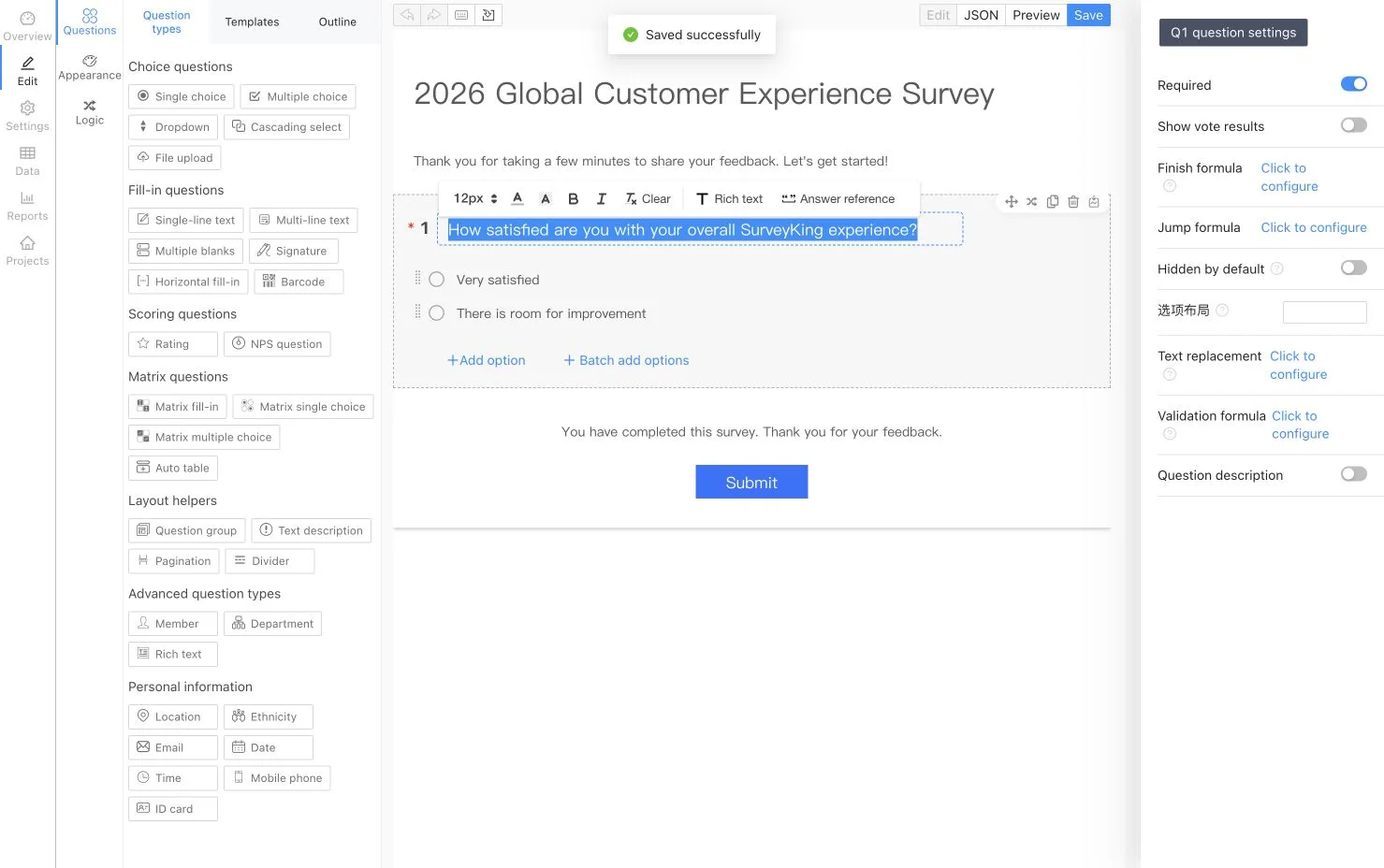
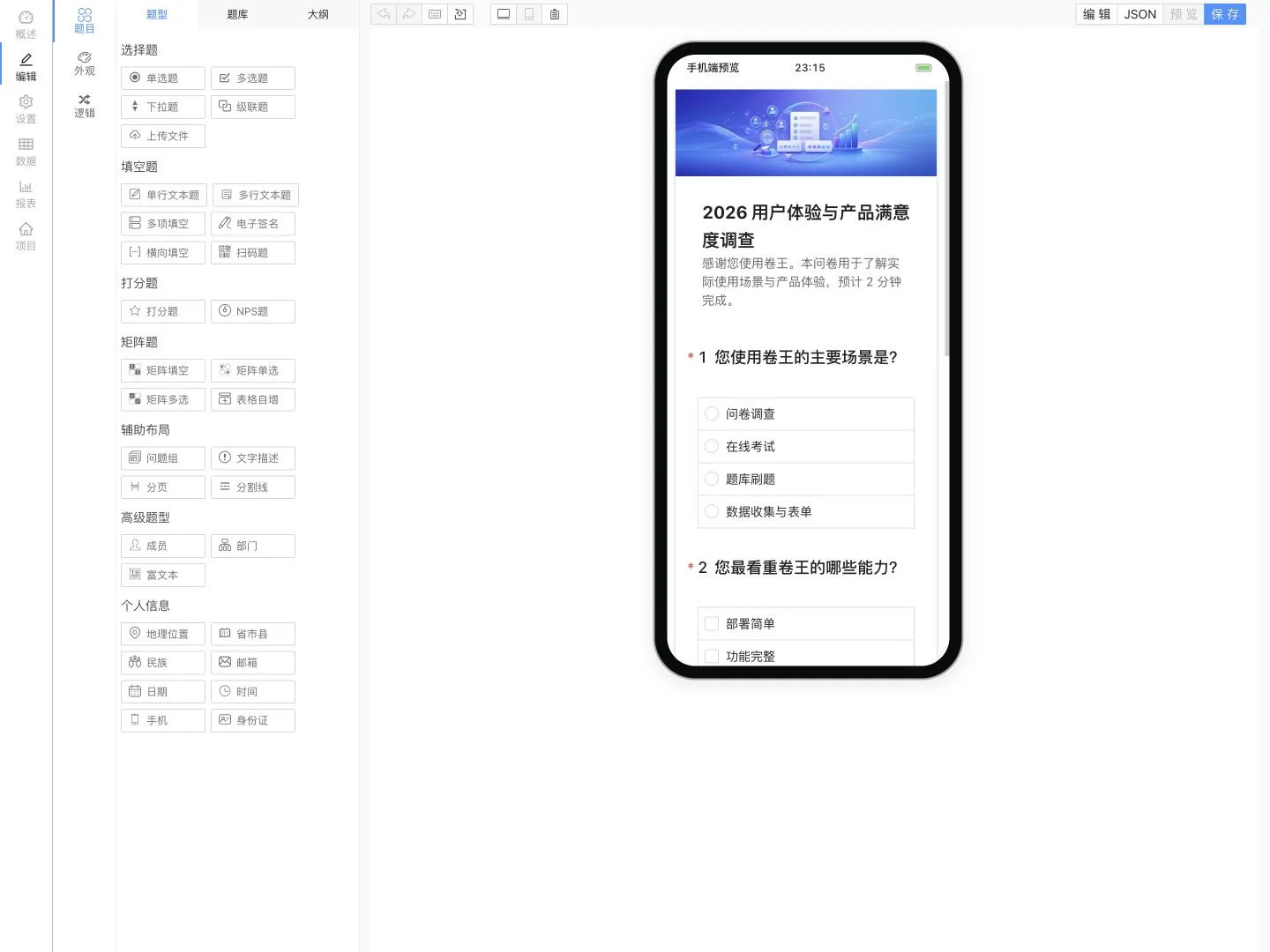
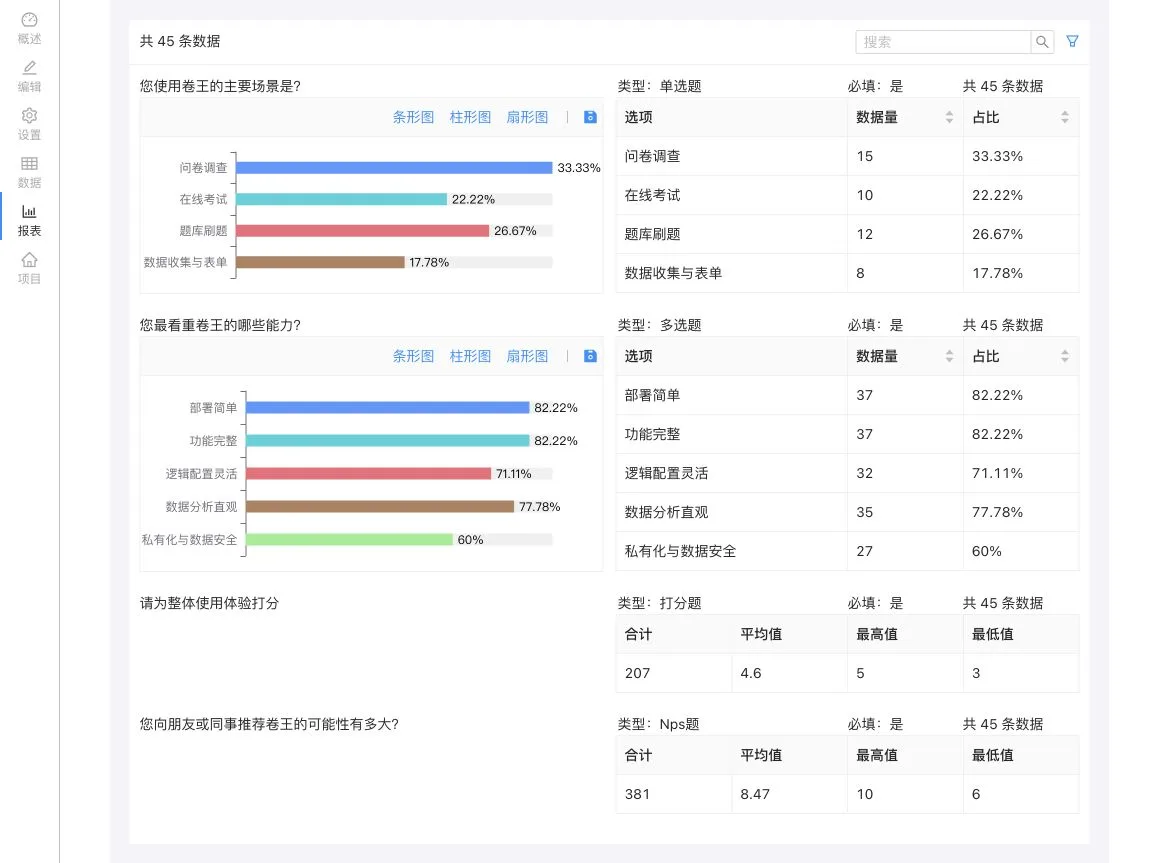
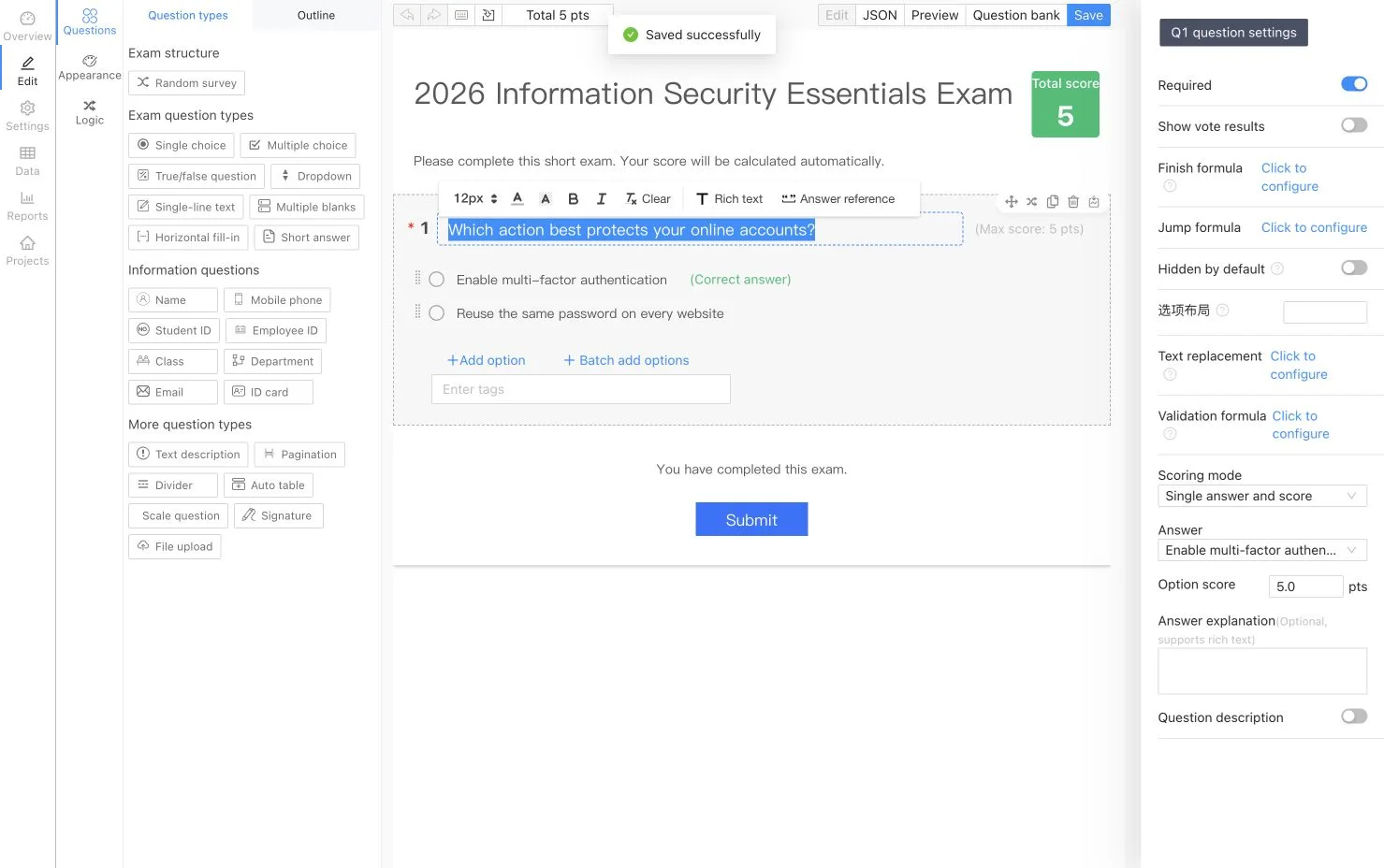
The survey and exam editor screenshots are localized in English. The remaining product screenshots currently show the Simplified Chinese interface. SurveyKing's interface can be switched between English, Simplified Chinese, Traditional Chinese, Japanese, Korean, German, French, and Thai.
Surveys and response analytics
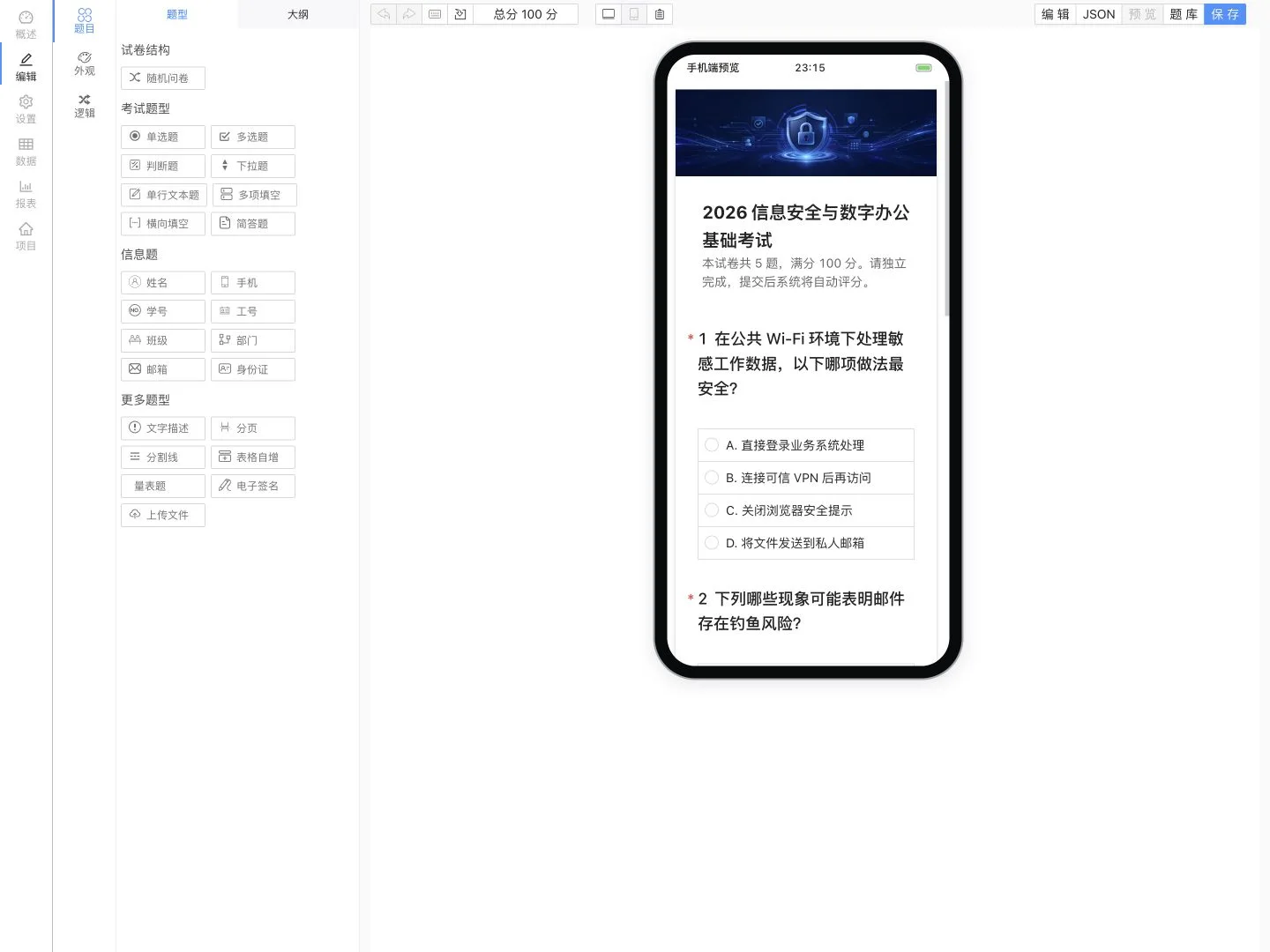
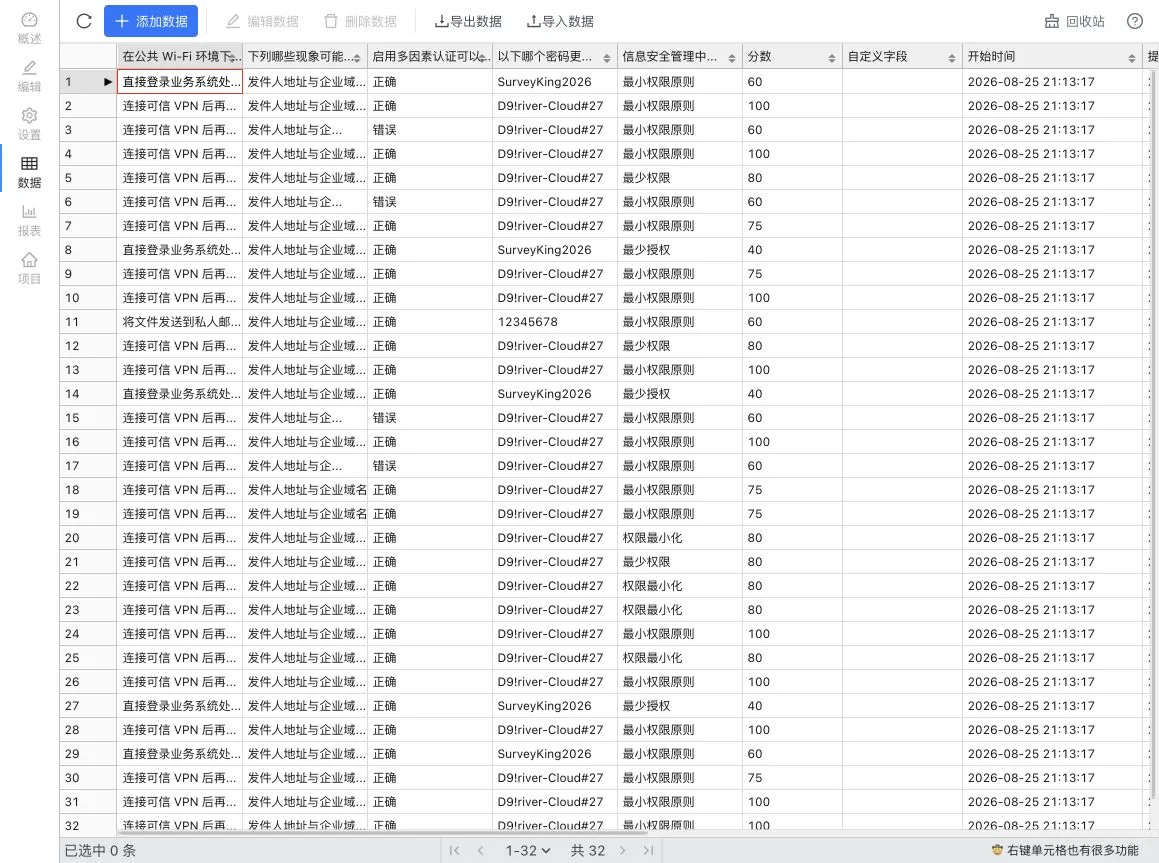
Design surveys visually, preview them on mobile, publish a respondent-friendly form, and turn collected responses into live reports.
Visual editor
Mobile preview
Respondent experience
Response analytics
Exams and automatic grading
Build exams from reusable question banks, define scoring rules and explanations, randomize questions or options, and review automatically calculated results.
Exam editor
Mobile preview
Candidate experience
Scores and results
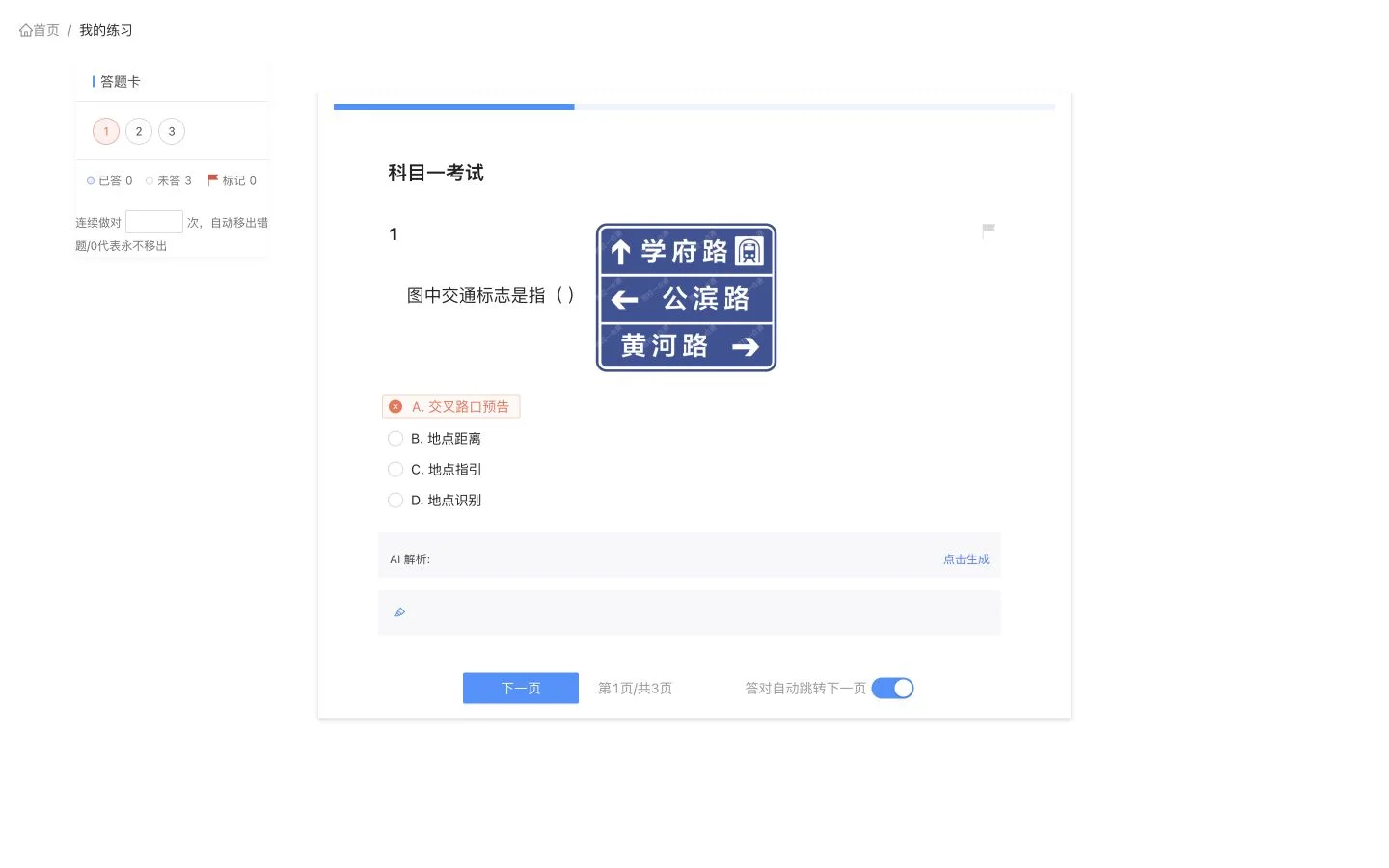
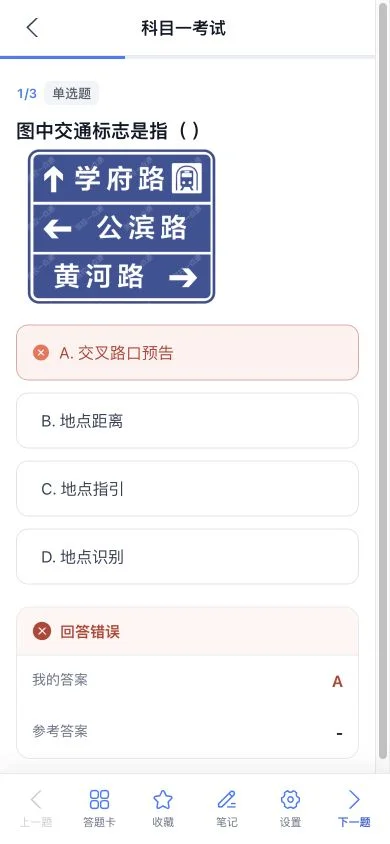
Practice on desktop and mobile
Use the same question bank for formal exams and self-directed learning. Learners get instant grading, answer comparison, explanations, favorites, notes, progress, and an incorrect-answer workflow.
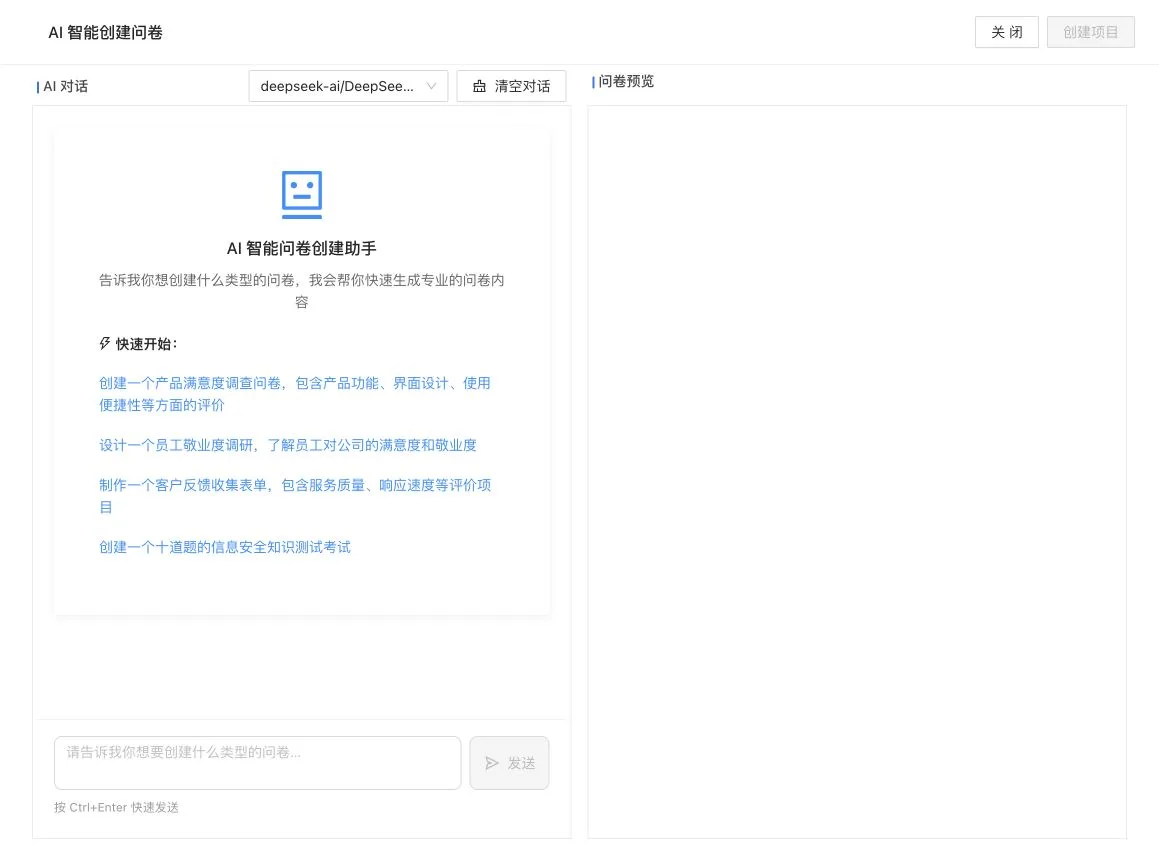
AI-assisted creation
Describe the survey or exam you need in natural language. SurveyKing streams the generated structure into a live preview so you can review it before creating the project.
What you can build
Area
Capabilities
Surveys
Single and multiple choice, dropdowns, cascading choices, text input, matrices, NPS, ratings, signatures, file uploads, QR codes, locations, and more
Logic
Conditional visibility, branching, calculations, text replacement, validation, dynamic required fields, and automatic option selection
Publishing
Passwords, allowlists, login requirements, schedules, response limits, public result lookup, and WeChat-based responses
Exams
Question banks, bulk import, reusable questions, random selection, answer keys, scoring rules, automatic grading, rankings, and result analysis
Practice
Sequential, random, and incorrect-answer practice; answer cards; flags; favorites; notes; progress; and AI-assisted explanations
How active is development on javahuang/SurveyKing?
The most recent commit recorded on javahuang/SurveyKing was 2 months ago, based on the GitHub push timestamp. The repository has 604 forks — one of the better signals of community interest.
How many stars does javahuang/SurveyKing have?
javahuang/SurveyKing has 4.0k GitHub stars — refresh the page for the live number, or check github.com/javahuang/SurveyKing. TopGit mirrors GitHub's count but does not claim minute-by-minute accuracy.
Is javahuang/SurveyKing open source?
Yes — javahuang/SurveyKing ships under the MIT license, which makes its source code freely readable (and, depending on license terms, forkable and reusable). Source: github.com/javahuang/SurveyKing.
What else is in the Developer Tools space?
javahuang/SurveyKing is tracked by TopGit under the Developer Tools category, alongside 6 GitHub-tagged topics. Trending and Topics pages list peer repositories of comparable stars and language.
What topics is javahuang/SurveyKing associated with?
GitHub's repository topics for javahuang/SurveyKing: "java", "react-survey", "springboot", "survey", "surveyjs", "surveymonkey". TopGit's editorial category is Developer Tools.
Where can I see javahuang/SurveyKing in action?
The project maintains a homepage at https://surveyking.cn. The README tab on this page also usually contains screenshots and a quickstart.
Where do I read more about javahuang/SurveyKing?
This TopGit page is a snapshot — the READ ME tab shows the project's own README content (links stripped, images preserved). The GitHub repository at github.com/javahuang/SurveyKing is the definitive source.
Read full README in the tab above.
Still deciding about SurveyKing?
One click hands the question to an AI along with this page — see what it says about SurveyKing.

 /SurveyKing