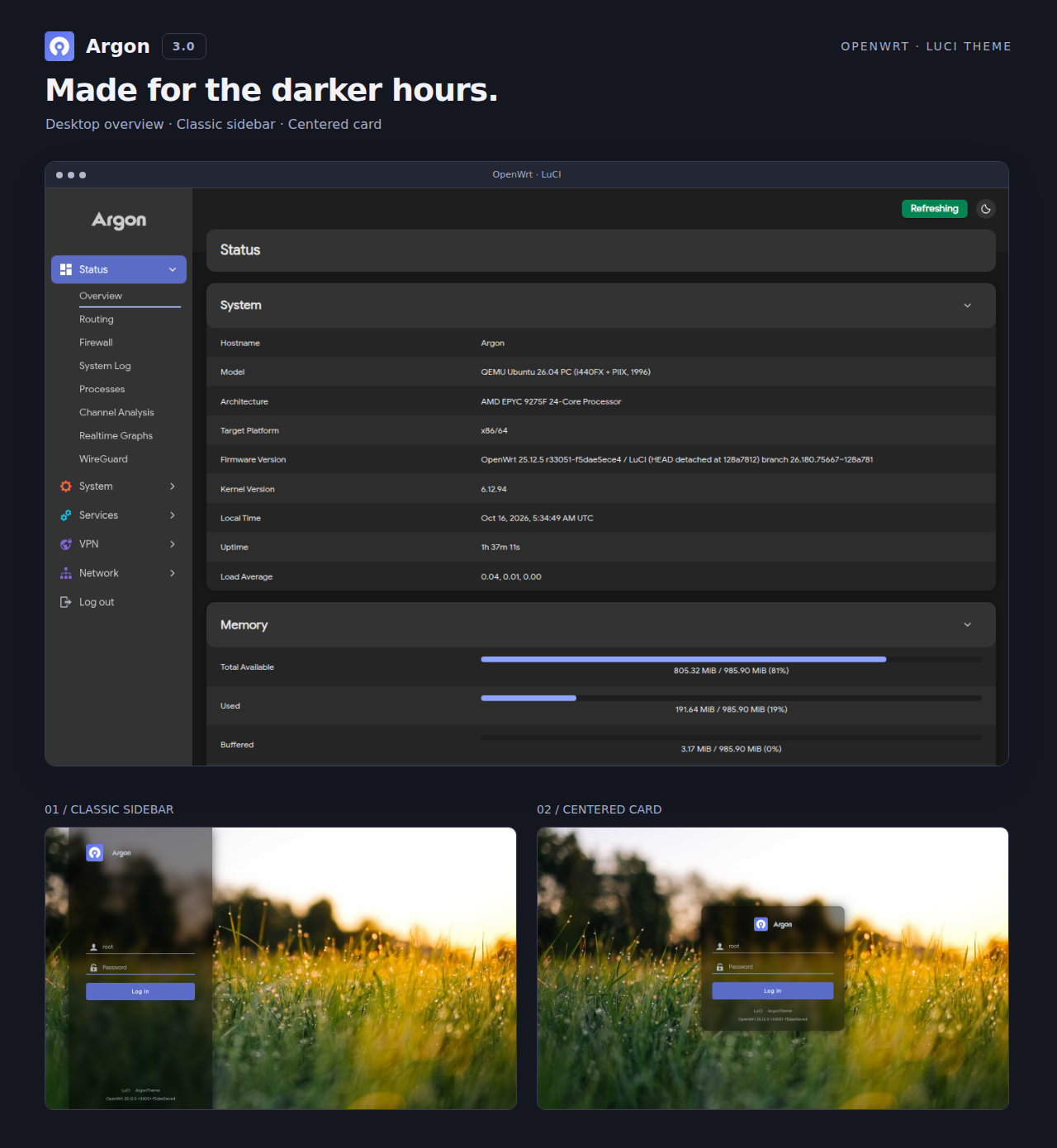
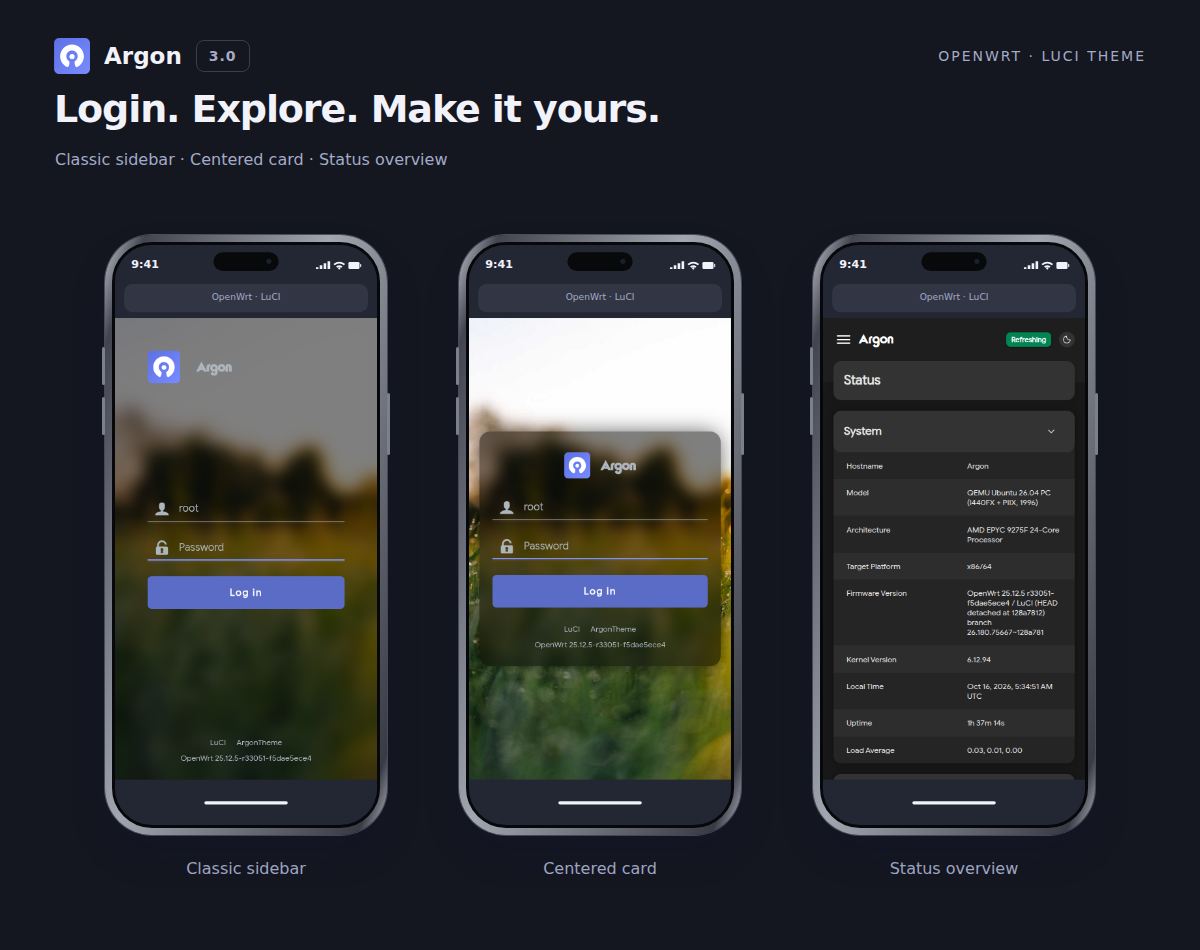
jerrykuku/luci-theme-argon is a UI / UX project on GitHub, written primarily in CSS. It has 5.6k stars. Argon is a clean and tidy OpenWrt LuCI theme that allows users to customize their login interface with images or videos. It also supports automatic and manual switching between light and dark modes.
Snapshot summary built from the project's own GitHub metadata — there's no written TopGit review yet. The page will update automatically when a full review is published.
WHY NO REVIEW YET
TopGit writes full reviews for the most-starred, most-requested repositories. This page is a snapshot until then — see the READ ME tab for the original README in full.
Argon is a clean and tidy OpenWrt LuCI theme that allows
users to customize their login interface with images or videos.
It also supports automatic and manual switching between light and dark modes.
English · 简体中文
Watch the desktop demo · MP4
What's new in 3.1
Online theme updates. Check stable releases and install with the firmware's native APK or OPKG, preserving Argon settings and verifying package SHA256 and size.
Layout fixes. Improve dashboard actions, overview layouts, dynamic lists and custom IP/MAC inputs across narrow screens, light/dark modes and RTL layouts.
Compatibility improvements. Improve compatibility with stable OpenWrt firmware.
Users on v3.0.0 or earlier must install v3.1.3 manually once to get online updates. Users on v3.1.0 or later can upgrade through Theme updates. See the release notes.
3.0 highlights
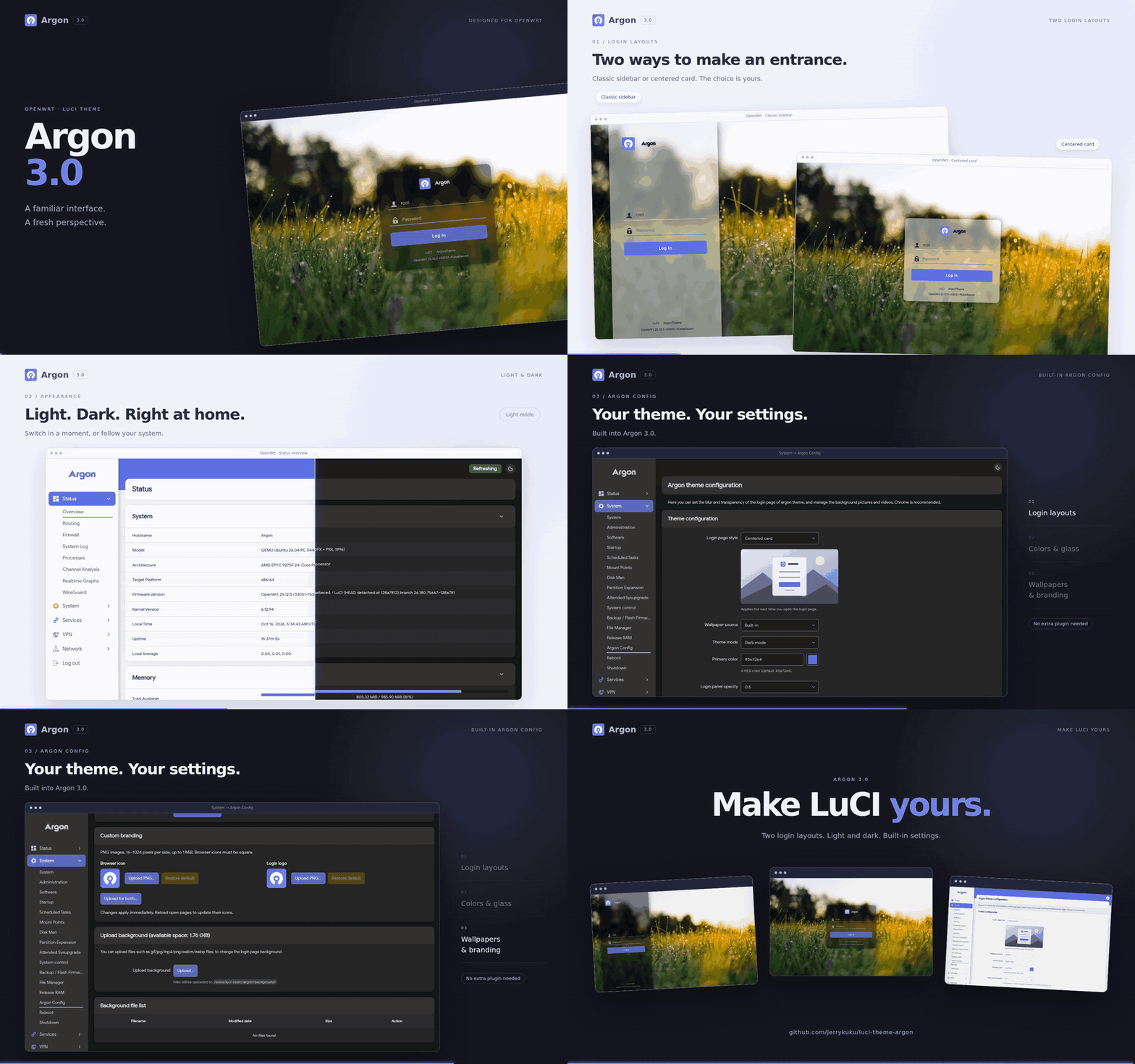
Built-in Argon Config. Manage the theme without a separate plugin.
Broad third-party app support. Refined layouts, forms and tables for most third-party LuCI apps, with desktop/mobile and light/dark adaptations.
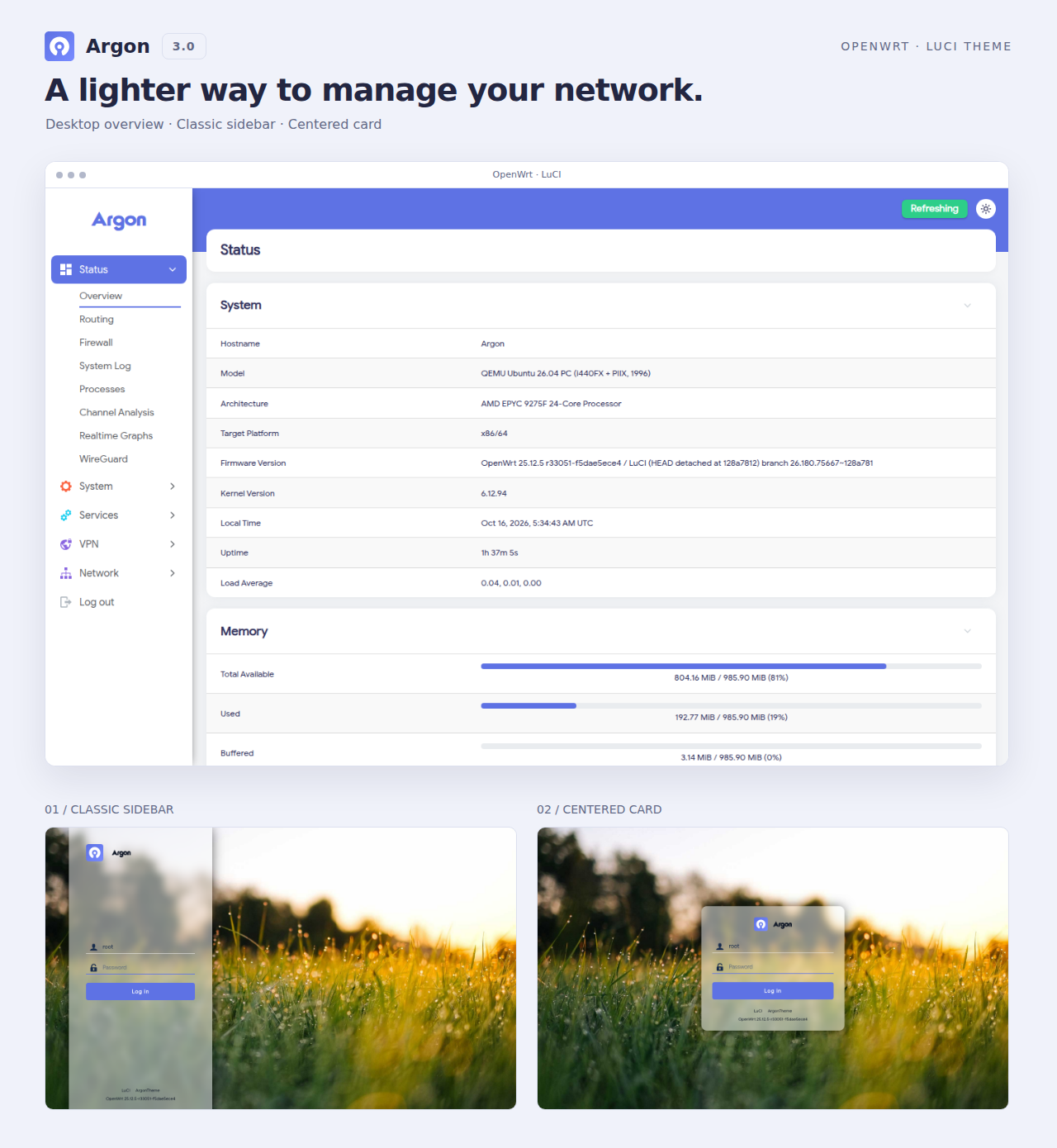
Two login layouts. Choose the classic sidebar or centered card.
Light and dark. Switch from the header or follow your system, with customizable accent colors.
Your own look. Adjust login glass effects, set image or video backgrounds, and upload a browser icon and login logo.
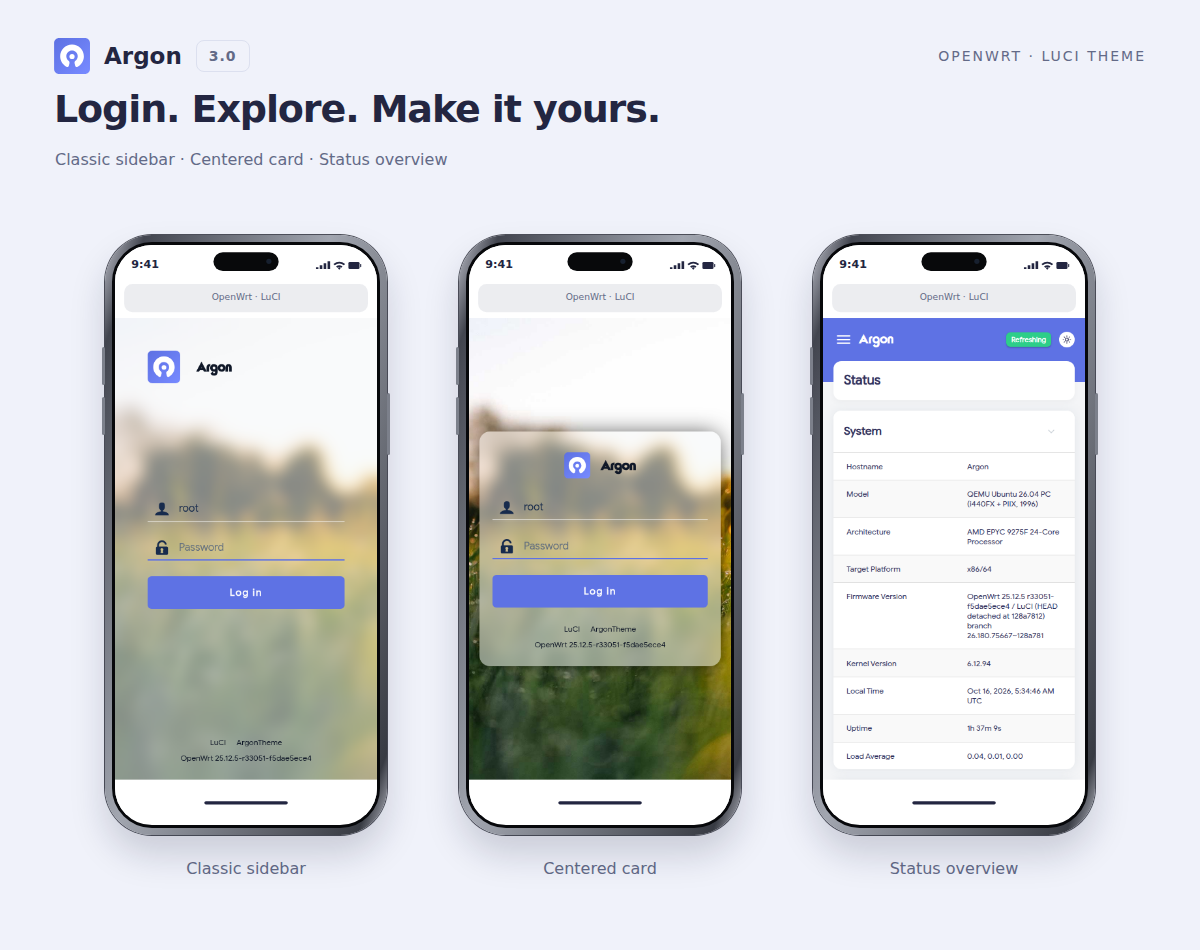
Desktop and mobile. Responsive layouts across screen sizes.
Install
In 3.0, the theme and configuration features are one package: luci-theme-argon. Fresh installations need only this package. Download the format matching your firmware's native package manager from Releases. If the old standalone configuration plugin is installed, follow the migration steps below first.
Run opkg update or apk update first. APK v2 cannot read these APK packages; keep your firmware's native package manager.
For translations, install the matching luci-i18n-argon-config-<language> package from the same release and in the same format.
Select Argon under System → System → Language and Style → Design.
Already have the old luci-app-argon-config? Migrate to 3.0
This applies only when the old standalone configuration plugin is installed. Otherwise, skip this section.
The settings page, colors, backgrounds and branding are all included in the theme. The release's luci-app-argon-config is an empty migration package using the old package name. It preserves existing settings and hands its files over to the theme.
Download both luci-app-argon-config and luci-theme-argon from the same release in the theme repository, in the same format.
Put both files in one directory on the router and open a terminal there. Do not uninstall the old plugin first. Choose the command pair for your firmware; run the second command only after the first succeeds.
The first command replaces the old plugin with the empty migration package. The second installs the integrated theme and restores your settings. Continue configuring it under System → Argon Config.
Customize
Open System → Argon Config for login layouts, colors, glass effects, wallpapers and branding. The header's appearance button switches between Light mode, Dark mode and Follow system; the choice also applies to the login page.
Local image and video backgrounds are supported, along with Bing, Unsplash and Wallhaven wallpapers. Unsplash requires an API access key. Browser icons and login logos accept PNG files, 16–1024 pixels per side, up to 1 MiB; browser icons must be square.
Under Theme updates, check the latest stable release, read its release notes and download the package matching your firmware's package manager.
When a newer version is available, choose Update now and confirm to install the theme using the firmware’s native APK or OPKG package manager, preserving your Argon configuration. The page shows download, verification and installation status plus installation logs, and resumes monitoring after a page refresh. Reload the page after installation. The updater downloads and verifies the theme and matching packages for your existing Argon translations before installing them. It also installs the configured LuCI language when that translation is available. Automatic installation requires matching release packages and SHA256 digests and does not downgrade the theme. If verified metadata is missing for an existing translation, update the theme and language packages manually from the same release.
Translations bundled into a firmware's theme package, such as KWRT's Chinese catalog, are preserved during the first upgrade to official packages, including upgrades started by an older updater. A separately installed language package can then take ownership of the catalog.
When building firmware, stop including the old standalone luci-app-argon-config plugin alongside the theme: its files conflict with the integrated settings. See Build with OpenWrt for existing build scripts.
Screenshots
Light and dark views of the overview and both login layouts, on desktop and mobile.
Contributors
Made with contrib.rocks.
Development
See the development guide for source builds, LESS, templates, icons and checks.
Releases · Version history · Contributors · Report an issue
Licensed under Apache-2.0. Thanks to luci-theme-material.
How active is development on jerrykuku/luci-theme-argon?
The most recent commit recorded on jerrykuku/luci-theme-argon was 3 months ago, based on the GitHub push timestamp. The repository has 955 forks — one of the better signals of community interest.
How does jerrykuku/luci-theme-argon compare to other UI / UX projects?
jerrykuku/luci-theme-argon is tracked by TopGit in the UI / UX category, with 5.6k GitHub stars and written in CSS. Browse the UI / UX topic page on TopGit to compare it against similar projects by stars and activity.
How many stars does jerrykuku/luci-theme-argon have?
jerrykuku/luci-theme-argon has 5.6k GitHub stars — refresh the page for the live number, or check github.com/jerrykuku/luci-theme-argon. TopGit mirrors GitHub's count but does not claim minute-by-minute accuracy.
Is jerrykuku/luci-theme-argon open source?
Yes — jerrykuku/luci-theme-argon ships under the Apache-2.0 license, which makes its source code freely readable (and, depending on license terms, forkable and reusable). Source: github.com/jerrykuku/luci-theme-argon.
What is jerrykuku/luci-theme-argon?
jerrykuku/luci-theme-argon (jerrykuku/luci-theme-argon) is a CSS project on GitHub. From the project's own README: Argon is a clean and tidy OpenWrt LuCI theme that allows users to customize their login interface with images or videos. It also supports automatic and manual switching between light and dark modes.
Where do I read more about jerrykuku/luci-theme-argon?
This TopGit page is a snapshot — the READ ME tab shows the project's own README content (links stripped, images preserved). The GitHub repository at github.com/jerrykuku/luci-theme-argon is the definitive source.
Read full README in the tab above.
Want a second opinion on luci-theme-argon?
Ask an AI that can read this page — one click and you get its take on luci-theme-argon.

 /luci-theme-argon