Macro: Unified Workspace for Teams
 /macro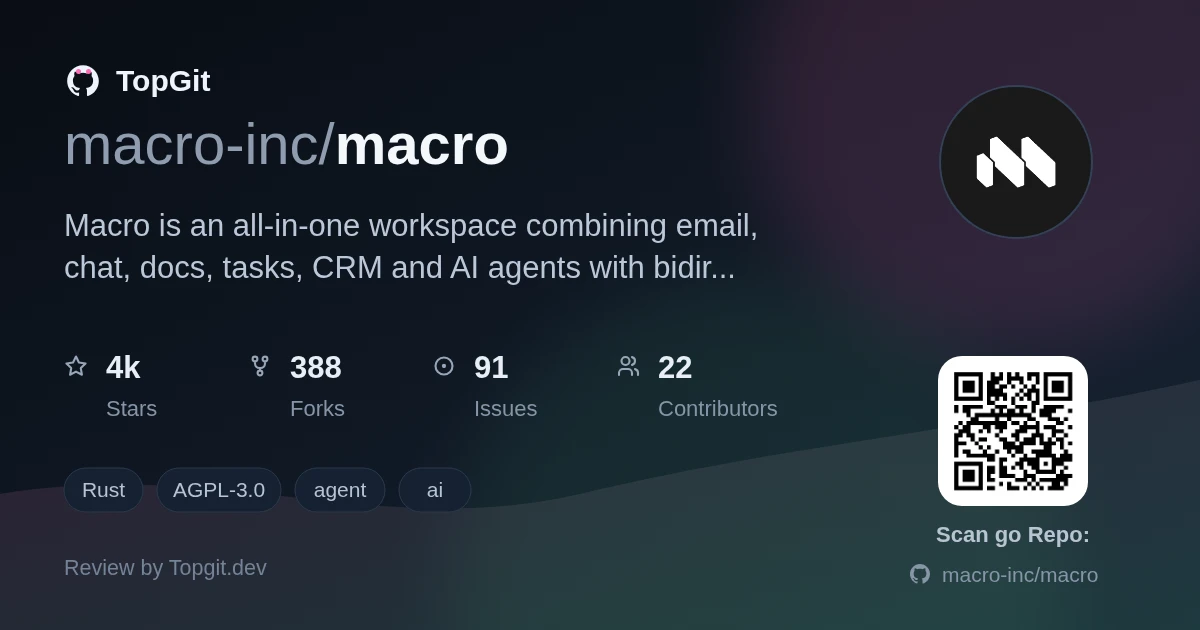
Macro is a genuinely unified workspace that walks the walk: email, messages, docs, tasks, and CRM all live in one Rust-powered graph, so anything you @mention knows about its context. The shared AI memory that synthesizes across all surfaces nightly is the feature I'd point to first — agents that know what your whole team is doing, not just your chat history, are a different proposition. The catch is the AGPLv3 license: self-hosting commercially means either open-sourcing your modifications or negotiating a separate commercial agreement. Reach for this if you want one navigable knowledge graph replacing your tool sprawl; skip it if your team is already invested in Linear + Notion + Slack and the compliance overhead of AGPL is a non-starter.
The Challenge of Fragmented Team Tools
Standalone tools for chat, email, docs, tasks, and CRM don't share context — a message in Slack about a deal never makes it back to your CRM unless someone manually updates it, and issue trackers fall out of sync because conversation happens elsewhere. The README calls this 'the company was not computable': every team has its own version of the truth scattered across Slack, Linear, Notion, HubSpot, and Superhuman, held together by Zapier and MCP scripts that nobody fully owns.
Introducing Macro's Integrated Workspace
A workspace crafted in Rust and SolidJS, Macro brings together email, team chat, shared documents, task tracking, and CRM functions. All are accessible through a singular interface, featuring collective team AI memory. Each interface element is custom-designed, not built from generic block primitives. Nevertheless, all of them utilize the same backend and maintain cross-references via a bidirectional graph. This project is developed with transparency and released under the AGPLv3 license. It has achieved SOC 2 Type II certification. For deployment, users may opt for self-hosting or utilize it as a hosted SaaS solution.
Core Components of Macro
- ✓Multi-account email with unified inbox combining email, messages, @mentions, and tasks; keyboard-first navigation (`j` `k` `e`) inspired by Superhuman with native CRM aggregation by contact and company
- ✓Team messaging with inline-first replies that collapse into threads, so busy channels stay readable; permissioned threads that can be shared across channels via link
- ✓Lightweight task creation from anywhere — `c` `t`, `/task` in docs, `- [ ]` bullets, @Macro in any channel — bidirectionally linked to the creating context (email, message, doc)
- ✓CRDT-powered collaborative docs with live editing via Cloudflare Durable Objects, version history with forking, offline support, and agent-native editing as peer collaborators
- ✓Native CRM with Kanban/list views, custom deal stages, and auto-created channels pinned to each deal; @mention companies or contacts from anywhere to create bidirectional links
- ✓AI agents that operate as first-class team members with full tool access via MCP (no rate limits), nightly memory synthesis across all surfaces, and plaintext exports for portability
- ✓Bidirectional @linking across every surface: mentions in docs, messages, tasks, emails, and CRM records all know about each other and can be navigated in either direction
- ✓One inbox split into Signal and Noise — emails, channel messages, task assignments, @mentions, and agent responses unified in a single list
Strengths
- ✓One tool instead of five: no siloed CRM, no separate doc/wiki tool, no standalone email client disconnected from the conversation — everything shares a bidirectional graph
- ✓Shared AI memory synthesizes across all surfaces nightly, giving agents genuine team-level understanding rather than just the current chat history
- ✓Rust backend (167 crates) and SolidJS frontend deliver a fast, responsive feel — the README claims real-time collab without the Google Docs chunking effect
- ✓Channel-based permissions mean joining a channel automatically grants access to everything @mentioned there; no separate permission-request workflows
- ✓AGPLv3 fully open source — no 'open core' confusion, and SOC 2 Type II certification addresses compliance concerns for regulated industries
- ✓The MCP surface has near-100% coverage of what you can do in the UI, with no rate limits — your coding agents aren't artificially constrained
Understanding Macro's AGPL License
- △AGPLv3 requires you to open-source any modifications if you self-host commercially — you'll need to contact macro.com for a different license if that's a blocker, which adds friction
- △Small but real: 1534 GitHub stars and a two-year dogfooding period by ~15 people tells you this is still maturing — enterprise scale and edge-case feature coverage lag behind established competitors
- △Migration cost is non-trivial: switching from Notion, Linear, and Slack simultaneously means moving docs, importing issue history, and retraining muscle memory across three tools at once
- △Feature depth in niche areas lags dedicated tools — advanced CRM reporting, sophisticated query builders, and deep third-party integrations haven't caught up to specialists like HubSpot or Linear
- △The all-in-one scope is a bet: if one surface doesn't fit your team's workflow, you're stuck with a weaker tool than going specialist, unlike composable stacks you can swap piece by piece
Macro Compared to Other Tools
Frequently Asked Questions
Macro is fully open source under the GNU Affero General Public License v3.0 (AGPLv3). There is no open-core model — everything is in the same codebase. Contact macro.com for commercial licensing if AGPL is incompatible with your plans.
Yes. You can run Macro locally using the Docker Compose stack in the `docker/` directory; see docs/RUNNING_LOCALLY.md for the full procedure. Self-hosting is governed by the AGPLv3 license terms.
The backend is built in Rust (167 crates in the repo) and the frontend is SolidJS. Shared TypeScript packages handle collaboration and CRDT logic. The repo organizes code across `apps/`, `services/`, `crates/`, and `packages/` directories.
Macro synthesizes a team's memory nightly from all surfaces — emails, messages, tasks, docs, and calls — in a single pass rather than severally. Agents are first-class citizens with near-100% tool coverage via MCP and no rate limits, and can act on your behalf across email, docs, tasks, and CRM.
Macro supports Gmail and Google Workspace for email accounts. For code, it links pull requests to tasks, embeds them in channels, and exposes them to agents. An MCP server at `mcp-server.macro.com` lets external agents and tools like Claude Code interact with your workspace.
The README says the team has dogfooded it internally for two years with ~15 people, and Macro is SOC 2 Type II certified. However, at 1534 GitHub stars it's still early-stage — enterprise-scale hardening and support infrastructure may not match tools with larger teams behind them.
Best use cases
- •Early-stage startups replacing the Slack + Notion + Linear + HubSpot stack with a single, navigable operating system
- •Technical teams doing rapid iteration where context from customer emails, support channels, and engineering tasks needs to live in one auditable graph
- •Companies paying for expensive standalone CRM who want email aggregation by company/contact baked into the same interface where conversations happen
- •Distributed teams wanting AI agents that have full team-level memory rather than only knowing what was said in the current chat thread
- •Teams frustrated with tools falling out of sync — CRM records that don't reflect reality, issue trackers nobody updates, docs nobody trusts
- •Organizations with data-residency or compliance requirements needing a self-hostable workspace with SOC 2 Type II certification
How to install / try
Sign up at macro.com/app and connect your Gmail or Google Workspace account. The getting-started guide takes about 15 minutes from a fresh account to a working setup. For local development, the repo includes a Docker Compose stack (`docker/`) with 42 deployable services; follow docs/RUNNING_LOCALLY.md. An iOS app is available; Android is in development.
Who should try it — and who should skip
Macro is worth trying if you run a small team or startup and want one graph of truth instead of five tools held together by Zapier. It's also worth evaluating if your company is paying for Superhuman or HubSpot on top of Slack and Notion — the cost and integration overhead may justify switching. Skip it if your team has deep muscle memory in Linear or Notion with established workflows you don't want to migrate, or if your legal/compliance team will struggle with AGPL's share-alike requirements without negotiating a commercial license first.
Related repositories
Still deciding about macro?
One click hands the question to an AI along with this page — see what it says about macro.