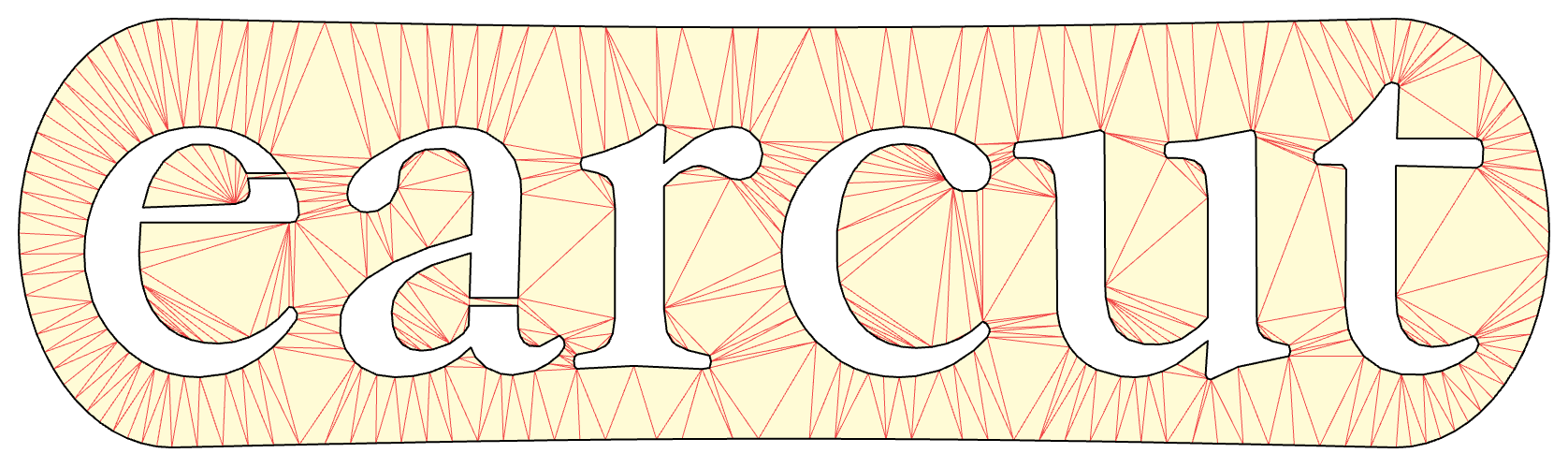
mapbox/earcut is a UI-focused project on GitHub with 2.6k stars, written primarily in JavaScript. The fastest and smallest JavaScript polygon triangulation library for your WebGL apps
Snapshot summary built from the project's own GitHub metadata — there's no written TopGit review yet. The page will update automatically when a full review is published.
WHY NO REVIEW YET
TopGit writes full reviews for the most-starred, most-requested repositories. This page is a snapshot until then — see the READ ME tab for the original README in full.
The fastest and smallest JavaScript polygon triangulation library. 4KB gzipped.
Earcut is designed to be fast enough for real-time triangulation in the browser,
favoring raw speed and simplicity over triangulation quality,
while being robust enough to handle most practical datasets without crashing or producing garbage,
with an option to refine the result to Delaunay quality at a small cost.
Originally built for Mapbox GL JS (WebGL-based interactive maps),
it's now also used by Three.js and many other projects.
The library implements a modified ear slicing algorithm,
optimized by z-order curve and spatial hashing
and extended to handle holes, twisted polygons, degeneracies and self-intersections
in a way that doesn't guarantee correctness of triangulation,
but attempts to always produce acceptable results for practical data.
It's based on ideas from
FIST: Fast Industrial-Strength Triangulation of Polygons by Martin Held
and Triangulation by Ear Clipping by David Eberly.
Performance
Earcut is heavily optimized for its primary workload — triangulating polygons from
Mapbox Vector Tiles. On a representative
benchmark of 119,680 real-world polygons (1.9M vertices) drawn from a window of map tiles
through zooms 4–16, it triangulates the whole set in ~445 ms on a MacBook Pro M1 Pro (2021),
with optional Delaunay refinement taking additional ~168 ms.
You can run the benchmark yourself with npm run bench.
Robustness
Earcut does not guarantee a correct triangulation on arbitrary input — it trades quality
for speed, aiming to always produce an acceptable result on practical data without crashing or
emitting garbage. The input is assumed to be a valid polygon: rings that don't self-cross or
overlap, holes that stay inside the outer ring, and no duplicate or zero-length edges. On input
that breaks these assumptions, the result can be noticeably wrong — overlapping triangles, gaps,
or triangles outside the polygon. If correctness matters, clean your input first; for a
guaranteed-correct triangulation even on bad data, see
libtess.js (slower and larger).
The output is also not conforming — a vertex may land in the middle of another triangle's edge
(a T-junction). This is harmless for rendering but can break navmesh or FEM use; if you need a
conforming mesh, remove T-junctions in a post-process.
Install
Install with NPM: npm install earcut, then import as a module:
import earcut, {flatten, deviation, refine} from 'earcut';
Or use as a module directly in the browser with jsDelivr:
<script type="module">
    import earcut from 'https://cdn.jsdelivr.net/npm/earcut/+esm';
</script>
Alternatively, there's a UMD browser bundle with an earcut global variable (exposing the main function as earcut.default):
vertices is a flat array of vertex coordinates like [x0,y0, x1,y1, x2,y2, ...].
holes is an array of hole indices if any
(e.g. [5, 8] for a 12-vertex input would mean one hole with vertices 5–7 and another with 8–11).
dimensions is the number of coordinates per vertex in the input array (2 by default). Earcut is a 2D algorithm: only x and y are used for triangulation, and any extra coordinates are ignored (3D data is treated as projected onto the XY plane).
Each group of three vertex indices in the resulting array forms a triangle.
// triangulating a polygon with a hole
earcut([0,0, 100,0, 100,100, 0,100,  20,20, 80,20, 80,80, 20,80], [4]);
// [0,4,7, 5,4,0, 5,0,1, 5,1,2, 3,0,7, 3,7,6, 6,5,2, 6,2,3]

// triangulating a polygon with 3d coords
earcut([10,0,1, 0,50,2, 60,60,3, 70,10,4], null, 3);
// [1,0,3, 1,3,2]
If you pass a single vertex as a hole, Earcut treats it as a Steiner point.
Output triangles always have a consistent winding order regardless of the input polygon's winding — counter-clockwise in a y-up coordinate system (clockwise in y-down/screen space). If you need the opposite orientation (e.g. for back-face culling or normals in 3D), call .reverse() on the result.
refine(triangles, vertices[, dimensions = 2])
If triangle quality matters, you can run an optional refinement pass after triangulation:
This mutates triangles in place, legalizing interior edges with Delaunay flips while preserving
the polygon boundary and holes. It keeps the same number of triangles and the same index format,
but usually removes many skinny triangles and reduces total triangle edge length.
Refinement is a post-process, so it doesn't affect the speed of normal earcut calls unless you
explicitly call it. It assumes a valid manifold triangulation, such as the output of earcut, and
doesn't repair invalid polygon input or make the mesh conforming.
flatten(data)
If your input is a multi-dimensional array (e.g. GeoJSON Polygon),
you can convert it to the format expected by Earcut with flatten:
const data = flatten(geojson.geometry.coordinates);
const triangles = earcut(data.vertices, data.holes, data.dimensions);
deviation(vertices, holes, dimensions, triangles)
After getting a triangulation, you can verify its correctness with deviation:
const d = deviation(vertices, holes, dimensions, triangles);
Returns the relative difference between the total area of triangles and the area of the input polygon.
0 means the triangulation is fully correct.
Yes — mapbox/earcut ships under the ISC license, which makes its source code freely readable (and, depending on license terms, forkable and reusable). Source: github.com/mapbox/earcut.
What else is in the Frontend space?
mapbox/earcut is tracked by TopGit under the Frontend category, alongside 7 GitHub-tagged topics. Trending and Topics pages list peer repositories of comparable stars and language.
What is mapbox/earcut?
mapbox/earcut (mapbox/earcut) is a JavaScript project on GitHub. From the project's own README: The fastest and smallest JavaScript polygon triangulation library for your WebGL apps
What license does mapbox/earcut use?
mapbox/earcut is released under the ISC license. Always verify the LICENSE file directly on GitHub for the authoritative terms — license strings can be edited out of sync with a project's actual stance.
Where can I see mapbox/earcut in action?
The project maintains a homepage at https://mapbox.github.io/earcut/viz/. The README tab on this page also usually contains screenshots and a quickstart.
Where do I read more about mapbox/earcut?
This TopGit page is a snapshot — the READ ME tab shows the project's own README content (links stripped, images preserved). The GitHub repository at github.com/mapbox/earcut is the definitive source.
Why is mapbox/earcut categorized under Frontend?
TopGit places mapbox/earcut in the Frontend category based on its GitHub topics and description (tagged: "algorithm", "computational-geometry", "delaunay"). Categories are assigned from real repository metadata, not editorial guesswork.
Read full README in the tab above.
Want a second opinion on earcut?
Ask an AI that can read this page — one click and you get its take on earcut.

 /earcut