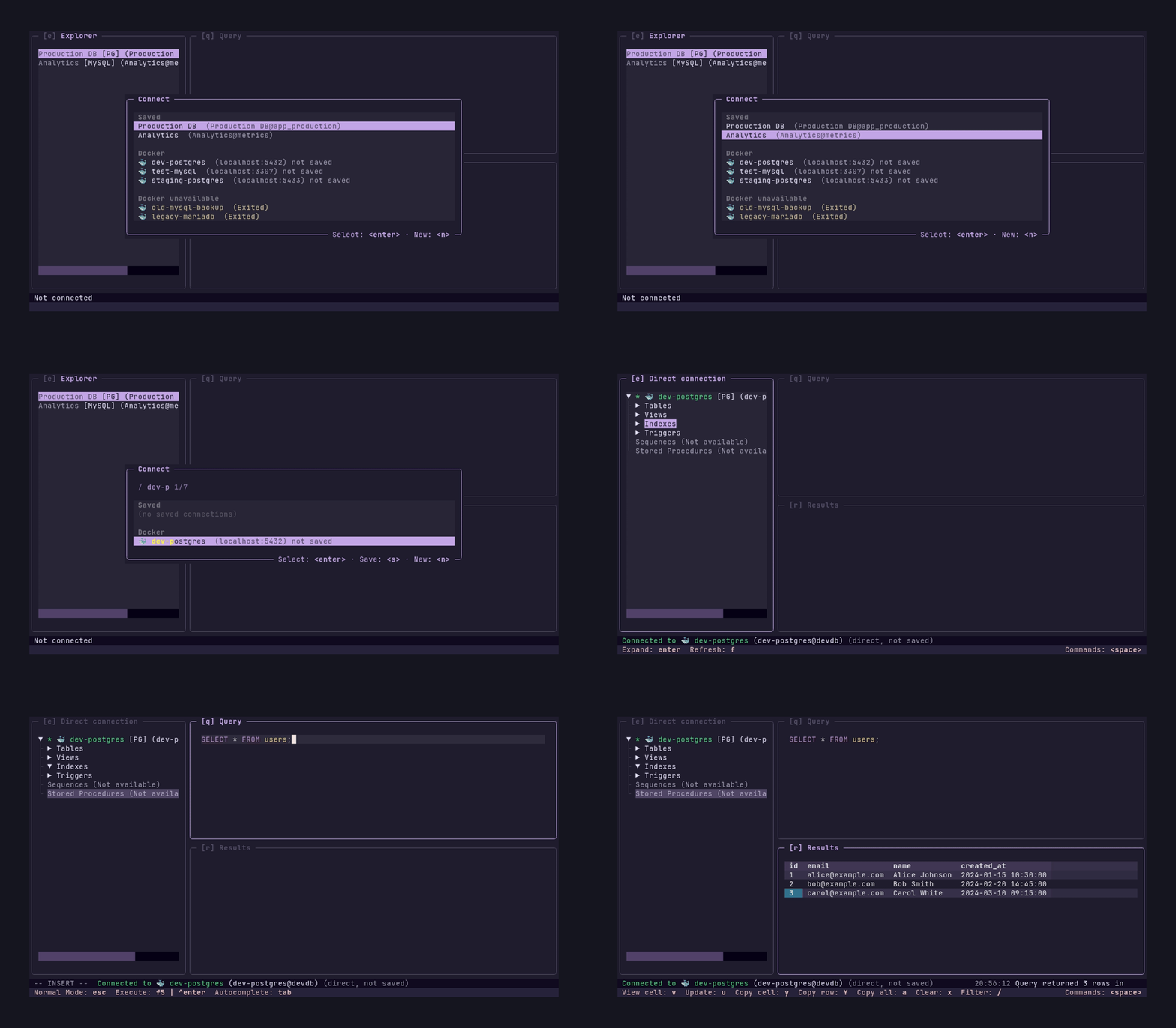
Maxteabag/sqlit is a Data project on GitHub, written primarily in Python. It has 5.0k stars. A user friendly TUI for SQL databases. Written in python. Supports SQL server, Mysql, PostreSQL, SQLite, Turso and more.
Snapshot summary built from the project's own GitHub metadata — there's no written TopGit review yet. The page will update automatically when a full review is published.
WHY NO REVIEW YET
TopGit writes full reviews for the most-starred, most-requested repositories. This page is a snapshot until then — see the READ ME tab for the original README in full.
Autocomplete: Sophisticated SQL completion engine for tables, columns, and procedures
CLI mode: Execute SQL from the command line
Themes: Rose Pine, Tokyo Night, Nord, Gruvbox
Dependency wizard: Auto-install missing drivers
Motivation
Throughout my career, the undesputed truth was that heavy GUI's like SSMS was the only respectable way to access a database. It didn't matter that I wasn't a DBA, or that I didn't need complex performance graphs. I was expected to install a gigabyte-heavy behemoth that took ages to launch all for the mere purpose of running a few queries to update and view a couple of rows.
When I switched to Linux, I was suddenly unable to return to the devil I know, and I asked myself: how do I access my data now?
The popular answer was VS Code's SQL extension. But why should we developers launch a heavy Electron app designed for coding just to execute SQL?
I had recently grown fond of Terminal UI's for their speed and keybinding focus. I looked for SQL TUIs, but the options were sparse. The ones I found lacked the user-friendliness and immediate "pick-up-and-go" nature of tools I loved, like lazygit, and I shortly returning to vscode sql extension.
Something wasn't right. I asked myself, why is it that running SQL queries can't be enjoyable? So I created sqlit.
sqlit is for the developer who just wants to query their database with a user friendly UI without their RAM being eaten alive. It is a lightweight, beautiful, and keyboard-driven TUI designed to make accessing your data enjoyable, fast and easy like it should be-- all from inside your favorite terminal.
Installation
# pipx (recommended)
pipx install sqlit-tui

# uv
uv tool install sqlit-tui

# pip
pip install sqlit-tui

# Arch Linux (AUR)
yay -S sqlit

# Nix (flake)
nix run github:Maxteabag/sqlit
Usage
sqlit
The keybindings are shown at the bottom of the screen.
Try it without a database
Want to explore the UI without connecting to a real database? Run with mock data:
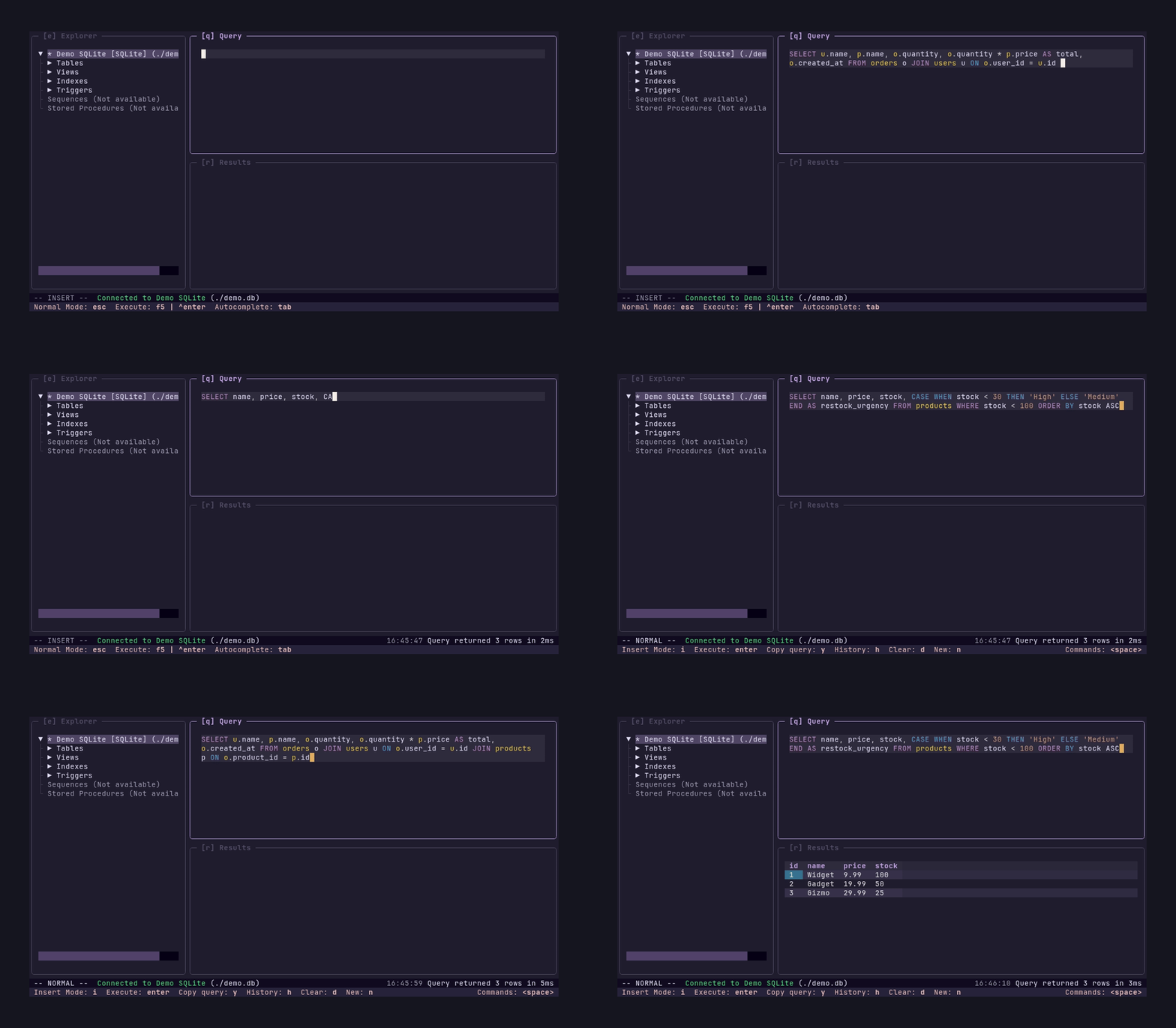
Autocomplete triggers automatically in INSERT mode. Use Tab to accept.
Configuration
Connections and settings are stored in $XDG_CONFIG_HOME/sqlit/ (default: ~/.config/sqlit/). Override the location by setting SQLIT_CONFIG_DIR.
Custom keybindings
Edit the keymap.json file in your sqlit config dir. See config/keymap.template.json for the full default keymap. Keymap.json need to only contain the overriding keymaps.
Commands from the main leader menu can also be bound directly in an app scope:
This keeps the leader shortcut and adds ctrl+g in the query editor's normal
mode. Other examples include format_query, telescope, and change_theme.
Direct bindings retain command guards and state restrictions. Conflicting keys
are rejected; unbind or remap the existing action to free its key. Use a list for
aliases, or null to remove a direct binding without changing the leader menu.
Vim submenu motions and dialog scopes are not supported for this promotion.
FAQ
How are sensitive credentials stored?
Connection details are stored in connections.json inside the config directory, but passwords are stored in your OS keyring when available (macOS Keychain, Windows Credential Locker, Linux Secret Service).
How does sqlit compare to Harlequin, Lazysql, etc.?
sqlit is inspired by lazygit - you can just jump in and there's no need for external documentation. The keybindings are shown at the bottom of the screen and the UI is designed to be intuitive without memorizing shortcuts.
Key differences:
No need for external documentation - Sqlit embrace the "lazy" approach in that a user should be able to jump in and use it right away intuitively. There should be no setup instructions. If python packages are required for certain adapters, sqlit will help you install them as you need them.
No CLI config required - Just run sqlit and pick a connection from the UI
Lightweight - While Lazysql or Harlequin offer more features, I experienced that for the vast majority of cases, all I needed was a simple and fast way to connect and run queries. Sqlit is focused on doing a limited amount of things really well.
Inspiration
sqlit is built with Textual and inspired by:
lazygit - Simple TUI for git
lazysql - Terminal-based SQL client with connection manager
Contributing
See CONTRIBUTING.md for development setup, testing, and CI steps.
Driver Reference
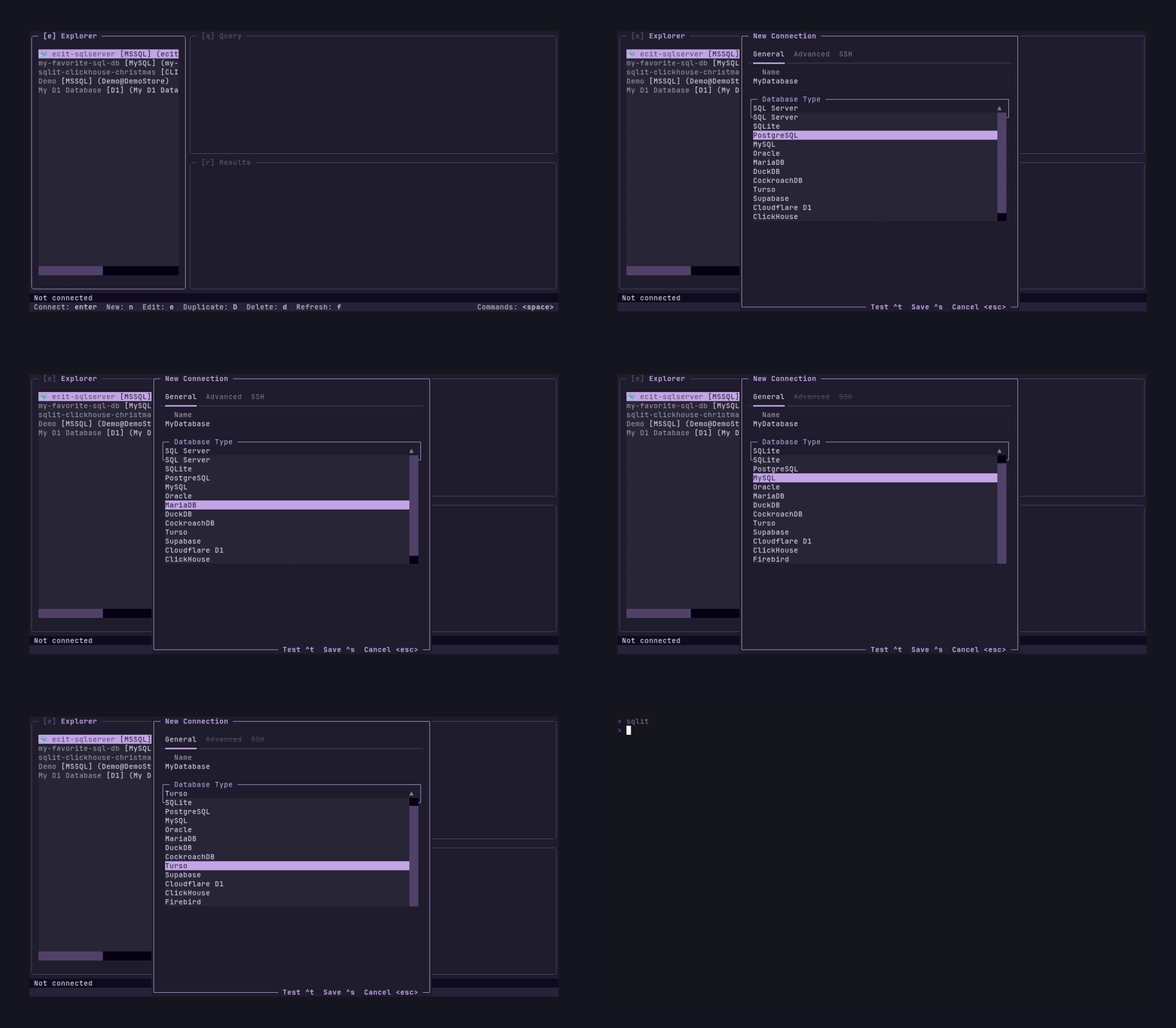
Most of the time you can just run sqlit and connect. If a Python driver is missing, sqlit will show (and often run) the right install command for your environment.
If you try to create an SSH connection without these dependencies, sqlit will detect this and show you the exact command to install them for your environment.
How does Maxteabag/sqlit compare to other Data projects?
Maxteabag/sqlit is tracked by TopGit in the Data category, with 5.0k GitHub stars and written in Python. Browse the Data topic page on TopGit to compare it against similar projects by stars and activity.
Is Maxteabag/sqlit open source?
Yes — Maxteabag/sqlit ships under the MIT license, which makes its source code freely readable (and, depending on license terms, forkable and reusable). Source: github.com/Maxteabag/sqlit.
What else is in the Data space?
Maxteabag/sqlit is tracked by TopGit under the Data category, alongside 13 GitHub-tagged topics. Trending and Topics pages list peer repositories of comparable stars and language.
What is Maxteabag/sqlit?
Maxteabag/sqlit (Maxteabag/sqlit) is a Python project on GitHub. From the project's own README: A user friendly TUI for SQL databases. Written in python. Supports SQL server, Mysql, PostreSQL, SQLite, Turso and more.
Where do I read more about Maxteabag/sqlit?
This TopGit page is a snapshot — the READ ME tab shows the project's own README content (links stripped, images preserved). The GitHub repository at github.com/Maxteabag/sqlit is the definitive source.
Why is Maxteabag/sqlit categorized under Data?
TopGit places Maxteabag/sqlit in the Data category based on its GitHub topics and description (tagged: "cockroachdb", "command-line-tool", "duckdb"). Categories are assigned from real repository metadata, not editorial guesswork.
Read full README in the tab above.
Want a second opinion on sqlit?
Ask an AI that can read this page — one click and you get its take on sqlit.

 /sqlit