A look at mikaelbr/node-notifier: 5.8k stars on GitHub, written primarily in TypeScript, tracked under the Frontend category. A Node.js module for sending notifications on native Mac, Windows and Linux (or Growl as fallback)
Snapshot summary built from the project's own GitHub metadata — there's no written TopGit review yet. The page will update automatically when a full review is published.
WHY NO REVIEW YET
TopGit writes full reviews for the most-starred, most-requested repositories. This page is a snapshot until then — see the READ ME tab for the original README in full.
Send native desktop notifications from Node.js on macOS, Windows and Linux.
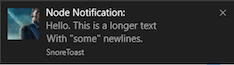
Uses Notification Center on macOS, Toasts on Windows 8+ (taskbar balloons on older
Windows) and notify-send on Linux, with Growl as a fallback.
Works with Electron.
Install
npm install node-notifier
Requires Node.js 22.22+, 24.15+ or 26+. The package is ES modules only, but
require('node-notifier') still works through Node's require(esm) support.
TypeScript types are included, so @types/node-notifier is no longer needed
(uninstall it if you have it). Each notifier has its own options type, e.g.
NotificationCenterNotification or NotifySendNotification.
CLI
Need notifications from the terminal or a shell script? Use
node-notifier-cli, no install
needed:
npx node-notifier-cli -t "Hello" -m "My message"
See the node-notifier-cli README
for all options.
Usage
import notifier from 'node-notifier';

notifier.notify('Message');

notifier.notify(
  {
    title: 'My notification',
    message: 'Hello, there!',
    icon: '/absolute/path/to/icon.png', // Not supported on macOS or balloons
    sound: true,
    actions: ['OK', 'Cancel'] // Waits for the user (macOS, Windows, Linux)
  },
  (error, response, metadata) => {
    // metadata.activationType, and metadata.activationValue for actions and replies
  }
);

notifier.on('click', (notifierObject, options, event) => {});
notifier.on('timeout', (notifierObject, options) => {});
The default notifier picks the right notifier for your platform (see the
decision flow). Options that a platform doesn't support are
ignored. To tune options per platform, use a notifier directly:
import {
  NotificationCenter, // macOS
  WindowsToaster, // Windows 8+
  WindowsBalloon, // Windows < 8
  NotifySend, // Linux
  Growl
} from 'node-notifier';

new NotifySend(options).notify(notification, callback);
Requirements
macOS: 10.14 or newer.
Windows: 8 or newer for Toasts. Earlier versions use taskbar balloons.
Linux: notify-send (libnotify-bin on Debian/Ubuntu).
Other: Growl running.
NotificationCenter (macOS)
Wraps the bundled terminal-notifier 3.0.0
(universal binary for Intel and Apple silicon). Other terminal-notifier flags can be
passed as options, e.g. -group becomes { group: 'id' }.
import { NotificationCenter } from 'node-notifier';

const notifier = new NotificationCenter({
  withFallback: false, // Use Growl on macOS < 10.14
  customPath: undefined // Path to your own terminal-notifier binary
});

notifier.notify(
  {
    title: undefined,
    subtitle: undefined,
    message: undefined,
    sound: false, // true ('Bottle') or a name: Basso, Blow, Bottle, Frog, Funk, Glass, Hero, Morse, Ping, Pop, Purr, Sosumi, Submarine, Tink
    contentImage: undefined, // Absolute path to a local image
    open: undefined, // URL to open on click
    group: undefined, // Notifications in the same group replace each other
    actions: undefined, // String | Array<String>. Action buttons
    reply: false, // Boolean | String. Adds a text field, a string is used as placeholder
    timeout: 10, // Seconds to wait for actions/reply, or false to wait forever
    wait: false // Shorthand for timeout: 5
  },
  (error, response, metadata) => {}
);
Only notifications with actions or reply wait for the user. Others call the
callback right away and emit no click or timeout events.
metadata.activationType is contentsClicked, actionClicked, replied,
closed or timeout.
A waiting notification keeps your process alive. Call notifier.clearAll() to
stop waiting on all notifications from that instance.
icon is not supported. macOS always shows the icon of the sending app. For a
custom icon, build terminal-notifier with your icon
(make icon ICON=logo.png APP_NAME=my-tool) and point customPath to it.
macOS asks for notification permission the first time a notification is sent.
See example/macInput.ts for actions and reply.
WindowsToaster (Windows 8+)
Uses SnoreToast.
import { WindowsToaster } from 'node-notifier';

const notifier = new WindowsToaster({
  withFallback: false, // Use balloons on Windows < 8
  customPath: undefined // Path to your own SnoreToast.exe
});

notifier.notify(
  {
    title: undefined,
    message: undefined, // Required unless `remove` is set
    icon: undefined, // Absolute path to a PNG, max 1024×1024 px and 200 KB
    sound: false, // true, or a Windows sound such as 'Notification.Mail'
    actions: undefined, // Array<String>. Action buttons
    appID: undefined, // Your app's ID. Without it the toast shows "SnoreToast"
    id: undefined, // Number. ID to use with `remove`
    remove: undefined, // Number. ID of a notification to close
    duration: undefined, // 'short' (~7s, default) or 'long' (~25s)
    install: undefined, // Creates a Start menu shortcut for `appID`
    application: undefined // Executable to start when clicked after node-notifier stopped listening
  },
  (error, response, metadata) => {}
);
Set appID to the ID your app registered at install (e.g.
com.squirrel.your.app with Squirrel). Otherwise the toast shows "SnoreToast".
Toasts always wait for the user. wait and timeout don't change how long a
toast is shown, use duration. After that it stays in the Action Center.
Choosing an action emits an event named after the lower-cased label. See
example/toaster-with-actions.ts.
On 32-bit Windows the bundled SnoreToast is 0.7.0: duration is ignored, and
clicks with a custom appID aren't reported. Use customPath with a newer
SnoreToast to get both.
No toasts? Check that banners are enabled for the app under
Settings › System › Notifications.
WindowsBalloon (Windows < 8)
Uses notifu.
import { WindowsBalloon } from 'node-notifier';

new WindowsBalloon({ withFallback: false, customPath: undefined }).notify(
  {
    title: undefined,
    message: undefined,
    sound: false,
    time: 5000, // Milliseconds to show the balloon
    wait: false,
    type: 'info' // info | warn | error
  },
  (error, response) => {}
);
NotifySend (Linux)
import { NotifySend } from 'node-notifier';

new NotifySend().notify(
  {
    title: 'Foo',
    message: 'Hello World',
    icon: '/absolute/path/to/icon.png',
    timeout: 10, // Seconds before the notification expires
    actions: undefined, // String | Array<String>. Requires notify-send 0.7.10+
    transient: false, // Don't keep it in the notification history
    'app-name': 'node-notifier',
    urgency: undefined, // low | normal | critical
    category: undefined,
    hint: undefined
  },
  (error, response, metadata) => {}
);
Only notifications with actions wait for the user. Choosing an action emits
click with the label in metadata.activationValue, running out of time emits
timeout. See example/notify-send-actions.ts.
actions needs libnotify 0.7.10+ (e.g. Ubuntu 24.04, Debian 12) and a
notification daemon that supports actions.
See notify-send(1) for all flags.
Growl
import fs from 'node:fs';
import { Growl } from 'node-notifier';

new Growl({ name: 'My App', host: 'localhost', port: 23053 }).notify({
  title: 'Foo',
  message: 'Hello World',
  icon: fs.readFileSync('/path/to/icon.png'),
  sticky: false
});
See growly for more options.
Common issues
WSL
Under WSL, notifications are shown in Windows. To use Linux notifications instead
(with an X server and a notification daemon), start the process with:
NODE_NOTIFIER_WSL_NOTIFIER=linux node app.js
It is read when node-notifier is imported, so setting process.env later has no
effect. You can also use NotifySend directly.
Windows can only show icons from a Windows drive. An icon on a mounted drive
(e.g. /mnt/c/Users/me/icon.png) is converted to its Windows path, other icons are
skipped. If you copied the package without keeping file permissions, run
chmod +x on the .exe files in vendor/.
Cron, PM2 and services
Notifications are shown on the desktop of the logged-in user, so the process must
run as that user while they are logged in.
Linux: cron and some process managers start without the session environment,
so notify-send can't reach the session bus. Set XDG_RUNTIME_DIR (and
DBUS_SESSION_BUS_ADDRESS if needed):
node-notifier is made possible by
terminal-notifier,
SnoreToast,
notifu and
growly.
License
MIT. The vendored SnoreToast (LGPL-3),
notifu (BSD 3-Clause) and
terminal-notifier have their own licenses. See
vendor/snoreToast/README.md for the versions and
source of the bundled SnoreToast binaries.
Does mikaelbr/node-notifier have a project website?
No homepage URL was recorded for mikaelbr/node-notifier in TopGit's last sync. The README tab above frequently contains screenshots and demo links, or check the repository description on GitHub.
How active is development on mikaelbr/node-notifier?
The most recent commit recorded on mikaelbr/node-notifier was 2.4 years ago, based on the GitHub push timestamp. The repository has 318 forks — one of the better signals of community interest.
How many stars does mikaelbr/node-notifier have?
mikaelbr/node-notifier has 5.8k GitHub stars — refresh the page for the live number, or check github.com/mikaelbr/node-notifier. TopGit mirrors GitHub's count but does not claim minute-by-minute accuracy.
Is mikaelbr/node-notifier open source?
Yes — mikaelbr/node-notifier ships under the MIT license, which makes its source code freely readable (and, depending on license terms, forkable and reusable). Source: github.com/mikaelbr/node-notifier.
What else is in the Frontend space?
mikaelbr/node-notifier is tracked by TopGit under the Frontend category, alongside 8 GitHub-tagged topics. Trending and Topics pages list peer repositories of comparable stars and language.
What topics is mikaelbr/node-notifier associated with?
GitHub's repository topics for mikaelbr/node-notifier: "growl", "hacktoberfest", "javascript", "node-notifier", "nodejs", "notification", "notification-center", "toasters". TopGit's editorial category is Frontend.
Where do I read more about mikaelbr/node-notifier?
This TopGit page is a snapshot — the READ ME tab shows the project's own README content (links stripped, images preserved). The GitHub repository at github.com/mikaelbr/node-notifier is the definitive source.
Read full README in the tab above.
Is node-notifier worth your time?
ChatGPT, Claude and Perplexity can all read this page. Ask one of them what it makes of node-notifier.

 /node-notifier