pablodelucca/pixel-agents sits at 8.8k stars on GitHub, written primarily in TypeScript. Pixel office.
Snapshot summary built from the project's own GitHub metadata — there's no written TopGit review yet. The page will update automatically when a full review is published.
WHY NO REVIEW YET
TopGit writes full reviews for the most-starred, most-requested repositories. This page is a snapshot until then — see the READ ME tab for the original README in full.
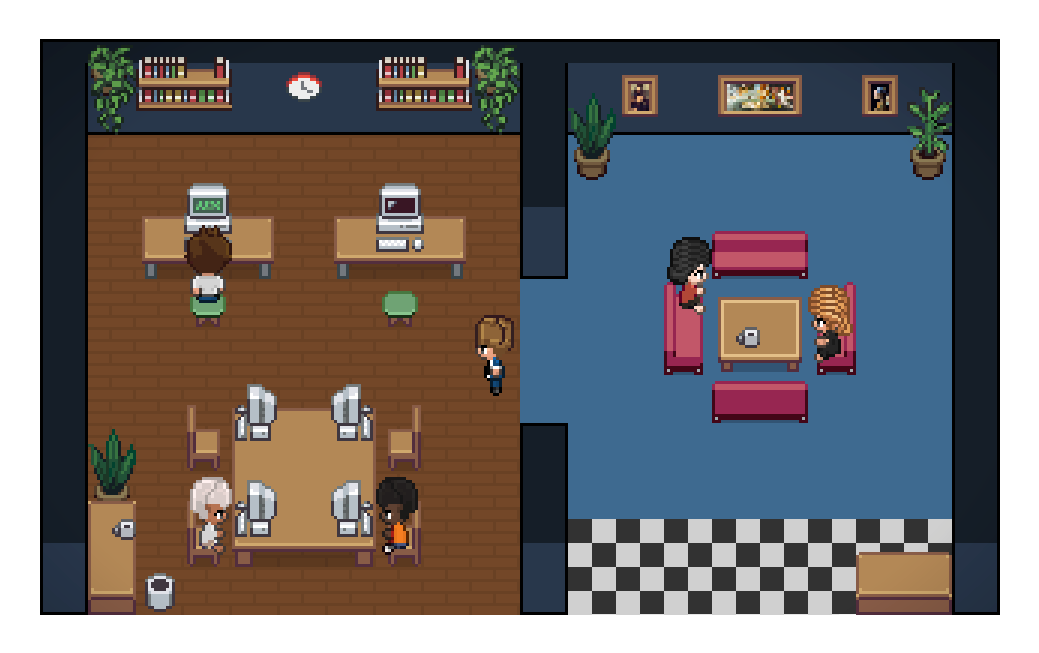
Pixel Agents turns the AI coding agents running in your terminals into animated pixel-art characters working in a tiny office. They walk to their desks, sit down, type when they're editing files, read when they're searching, and flag you visually when they're stuck waiting for input.
It ships in two forms from the same codebase:
VS Code extension — VS Code Marketplace and Open VSX. Agents launch into VS Code terminals; characters render in the panel area.
Standalone CLI — npx pixel-agents starts a local server and serves the same office as a browser app, useful for tmux, remote, and non-VS Code workflows.
The architecture is fully agent-agnostic and editor-agnostic: a typed HookProvider interface defines the integration boundary so adding a new AI tool is a single subdirectory of code. Claude Code is the reference implementation today; Codex, Gemini, Cursor, and others are on the roadmap.
Features
One agent, one character — every Claude Code terminal gets its own animated character
Live activity tracking — characters animate based on what the agent is actually doing (writing, reading, running commands)
Office layout editor — design your office with floors, walls, and furniture using a built-in editor
Speech bubbles — visual indicators when an agent is waiting for input or awaiting permission
Sound notifications — optional chimes when an agent finishes its turn or requests permission
Sub-agents and Agent Teams — see ephemeral sub-agents and persistent Claude teammates as separate characters, including team roles and lifecycle changes
Persistent layouts — your office design is saved and shared across VS Code windows
Shared layout and assets — import/export layouts and load external character, pet, and furniture packs
Areas — paint named areas onto the office, map workspace folders to them, and new agents sit inside the areas mapped to their folder
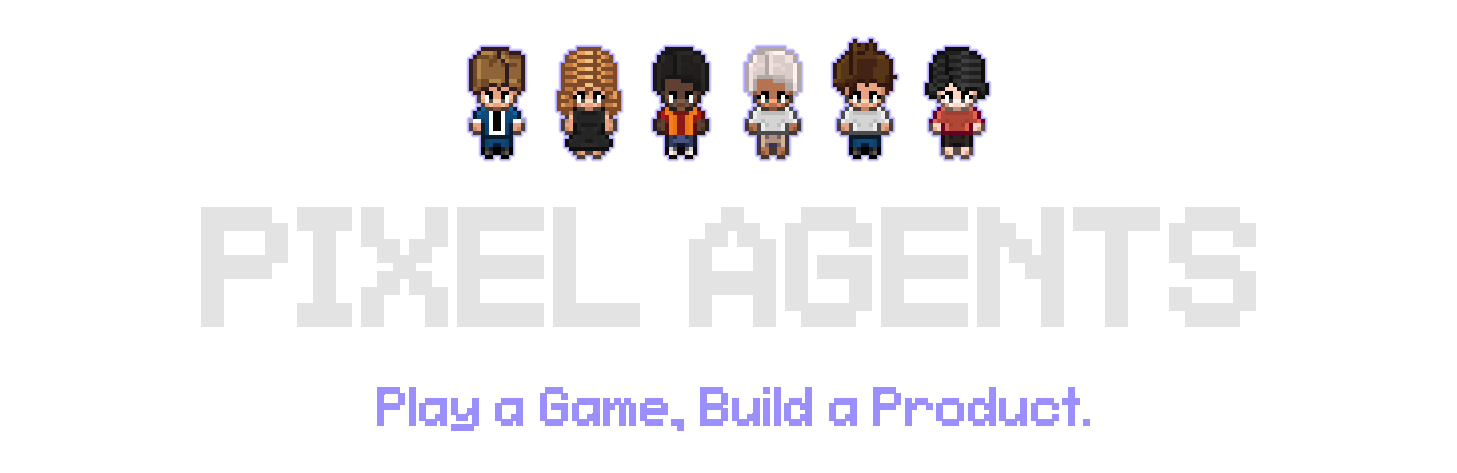
Diverse characters — 6 diverse characters. These are based on the amazing work of JIK-A-4, Metro City.
Where This Is Going
The vision is: play a game, build a product. Two goals follow from it: to build a familiar, intuitive interface for running and orchestrating a lot of agents; and to make the hours you spend doing it feel less like administration and more like play.
Roughly three stages get there:
Everywhere, with everything. Today it's Claude Code in VS Code or the browser. It should be whatever agent you run, wherever you work. A new CLI is a subdirectory, not a rewrite — this is where help is most useful right now.
Actually a game. Health bars for rate limits and token budgets. Scores for whatever you care about. Furniture that does things. Offices you open like save files, one per project.
Expand the orchestration frontier. Orchestrator characters. Form a team by dragging a box around them. Hand work between agents. Point them at a board and let them pick up tasks themselves.
Most of this is still ahead. See Issues and Discussions for what's open, and CONTRIBUTING.md to jump in.
Requirements
Claude Code CLI installed and configured
VS Code extension: VS Code 1.105.0 or later
Standalone CLI: Node.js 20 or later
Windows, Linux, or macOS
Getting Started
VS Code extension
Install Pixel Agents from the VS Code Marketplace or Open VSX.
Open the Pixel Agents panel beside the terminal.
Click + Agent to launch Claude Code. In a multi-root workspace, select the folder first.
To use Claude with --dangerously-skip-permissions, hover over + Agent to find the Skip permissions mode button. Only use this when you accept the security implications.
Pixel Agents also detects Claude sessions started outside the extension. Turn on Settings → Watch All Sessions to include sessions from other workspaces.
Standalone CLI
Run Pixel Agents from the workspace whose Claude sessions you want to see:
cd /path/to/your/project
npx pixel-agents
The CLI chooses a free local port and prints the URL. Standalone does not launch Claude for you; start Claude Code in a terminal for the same workspace. To install the command globally instead:
The default bind address is 127.0.0.1. Binding to 0.0.0.0 exposes the UI and WebSocket to the local network; do this only on a trusted network.
Pass --no-terminal to disable the embedded terminal — watch agents without launching or attaching to them from the browser.
Running the extension and standalone together
The extension and standalone CLI can run at the same time. Each server registers under ~/.pixel-agents/servers/; the Claude hook script sends events to all active registrations. VS Code and standalone keep separate agents, seats, and settings while using the shared office layout.
Stop a standalone server with Ctrl+C. It removes only its own registration.
Customizing the Office
Click Layout to edit the office:
Paint floor patterns and walls, with color and contrast controls.
Place, rotate, recolor, select, and remove furniture.
Paint auto-tiling carpets and customize their main and accent colors.
Add animated pets; click a pet in the office to interact with it.
Create named Areas, paint their tiles, and assign workspace folders to them.
Undo/redo changes, then import or export the complete layout as JSON.
Layouts can grow to 64×64 tiles by clicking the ghost border outside the current grid.
Office assets
Bundled furniture, floors, walls, carpets, characters, and pets live under webview-ui/public/assets/. Furniture manifests describe sprites, rotation groups, state groups, and animation frames.
Use Settings → Add Asset Directory to load external characters, pets, and furniture. See docs/external-assets.md for furniture directory structure and manifest details. The visual asset manager at scripts/asset-manager.html helps create furniture manifests.
How It Works
Pixel Agents uses two Claude Code detection paths:
Hooks mode (default) — a hook script receives Claude events such as SessionStart, PreToolUse, PermissionRequest, and Stop. It discovers active Pixel Agents servers and sends authenticated events to each one.
Heuristic mode (fallback) — when hooks are unavailable, the runtime infers agent status by scanning Claude's JSONL session transcripts under ~/.claude/projects/. Transcripts are also read in hooks mode for details not present in an event.
The Claude provider normalizes both sources into a shared AgentEvent model. AgentRuntime updates the central state store, and the active transport sends typed messages to the React webview. The office renders through Canvas 2D with pathfinding and character state machines.
Pixel Agents does not modify Claude Code. Its hook configuration and persistent data live under ~/.claude/ and ~/.pixel-agents/ respectively.
Architecture
core/ — provider, adapter, transport, schema, and AsyncAPI message contracts with no runtime side effects.
server/ — shared Fastify server, agent runtime, persistence, Claude provider, transcript scanning, and standalone CLI.
adapters/vscode/ — the VS Code adapter: terminal, persistence, and webview bridge.
webview-ui/ — React 19, Vite, Canvas 2D, and adapter-specific transports for VS Code and browser WebSocket clients.
The extension and CLI are bundled with esbuild; the webview is built with Vite. Unit tests use Vitest and Node's test runner, and end-to-end coverage uses Playwright against VS Code and standalone.
Development
git clone https://github.com/pixel-agents-hq/pixel-agents.git
cd pixel-agents
npm install
npm run build
Press F5 in VS Code to launch the Extension Development Host. To run the standalone bundle built from source:
node dist/cli.js
Common checks:
npm run check-types
npm run lint
npm test
npm run e2e
See CONTRIBUTING.md for the development workflow and e2e/README.md for the end-to-end suite.
Hosted Test Reports
Build the combined Allure report locally and stage it for Vercel:
npm run test
npm run e2e
npm run e2e -- --attach-videos-on-success
npm run vercel:prepare
Use npm run test:report to build the combined report without preparing the Vercel output, then npm run test:report:open to serve it locally.
The staged output serves the combined e2e, server, and webview Allure report at /reports/allure/; it does not include a standalone webview preview. GitHub Actions creates a Vercel Preview deployment only for same-repository pull requests targeting main. The deploy job expects VERCEL_TOKEN, VERCEL_ORG_ID, and VERCEL_PROJECT_ID secrets and skips fork pull requests.
Troubleshooting
Standalone will not start: verify Node.js 20+, omit --port to choose a free port, or select another fixed port.
An agent is missing: confirm Settings → Instant Detection (Hooks) is on and that the session belongs to the current workspace. Enable Watch All Sessions if needed.
The UI looks disconnected: open Settings → Debug View to inspect the server connection, transcript path, and latest agent data.
Extension and standalone are both running: this is supported. Current versions create separate files under ~/.pixel-agents/servers/; stopping one does not remove the other.
Community & Contributing
Join the Discord to chat with other users and follow development. Use Issues to report bugs or request features, and Discussions for questions and ideas.
See CONTRIBUTING.md before opening a pull request and read our Code of Conduct before participating.
Does pablodelucca/pixel-agents have a project website?
No homepage URL was recorded for pablodelucca/pixel-agents in TopGit's last sync. The README tab above frequently contains screenshots and demo links, or check the repository description on GitHub.
Does pablodelucca/pixel-agents have any tags?
TopGit's last sync did not record any GitHub topics for pablodelucca/pixel-agents. GitHub topics appear in the right sidebar of a repository page; that's the authoritative place to check.
How active is development on pablodelucca/pixel-agents?
The most recent commit recorded on pablodelucca/pixel-agents was 6 days ago, based on the GitHub push timestamp. The repository has 1.4k forks — one of the better signals of community interest.
How many stars does pablodelucca/pixel-agents have?
pablodelucca/pixel-agents has 8.8k GitHub stars — refresh the page for the live number, or check github.com/pablodelucca/pixel-agents. TopGit mirrors GitHub's count but does not claim minute-by-minute accuracy.
What language is pablodelucca/pixel-agents written in?
pablodelucca/pixel-agents is written primarily in TypeScript. GitHub's language field is based on the largest share of bytes in the default branch.
What license does pablodelucca/pixel-agents use?
pablodelucca/pixel-agents is released under the MIT license. Always verify the LICENSE file directly on GitHub for the authoritative terms — license strings can be edited out of sync with a project's actual stance.
Where do I read more about pablodelucca/pixel-agents?
This TopGit page is a snapshot — the READ ME tab shows the project's own README content (links stripped, images preserved). The GitHub repository at github.com/pablodelucca/pixel-agents is the definitive source.
 pablodelucca/pixel-agents