T3 Code: Web GUI for AI Coding Agents
 /t3code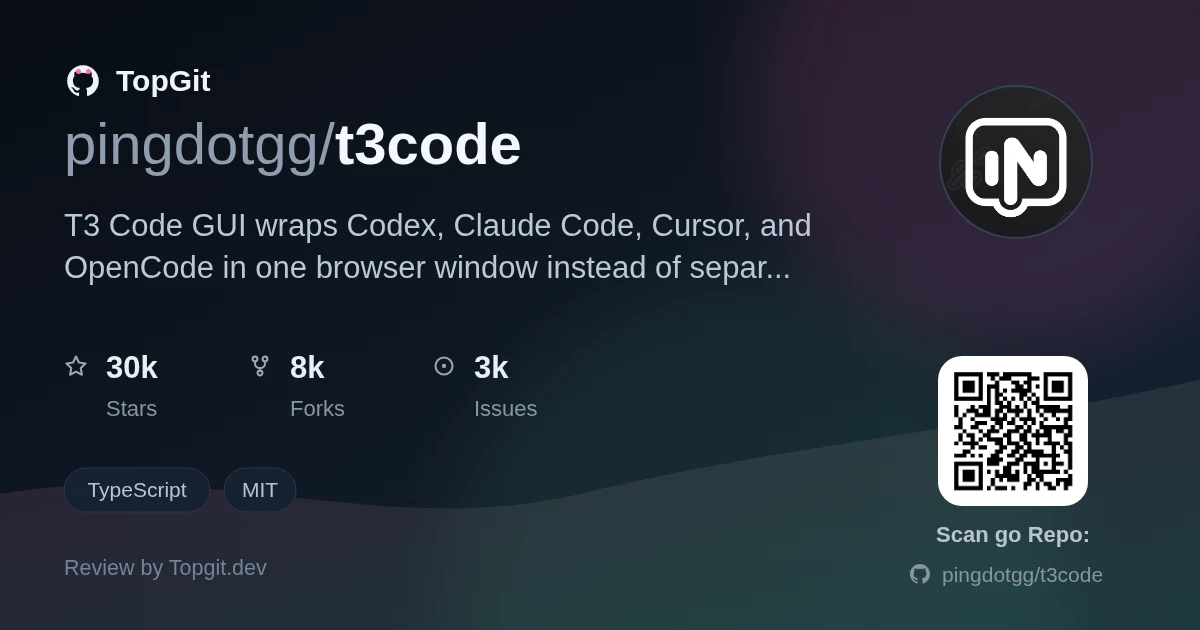
Reach for T3 Code GUI if you're already running Codex, Claude Code, or Cursor CLI day to day and want one browser window to check on them instead of switching between terminal panes. Skip it if you need something stable enough to hand to a team or run unattended — the README says outright "expect bugs," and the project isn't taking outside contributions right now, so a bug you hit is a wait on the maintainers, not something you can patch yourself.
One Terminal Tab per Coding Agent Gets Old
If you use more than one coding-agent CLI — Claude Code for one project, Codex or Cursor for another — you end up with a terminal tab per agent and no shared view of what each one is doing. T3 Code GUI's whole reason for existing is to put those sessions behind a single web interface instead of scattered terminal windows.
A Browser Wrapper Around CLIs You Already Use
T3 Code GUI is a minimal web wrapper around existing coding-agent CLIs — currently Codex, Claude Code, Cursor, and OpenCode, with "more coming soon" per the README — rather than an agent in its own right. You still install and authenticate each provider's CLI yourself (codex login, claude auth login, cursor-agent login, or opencode auth login); T3 Code just adds a browser-based layer for running and watching those sessions instead of a plain terminal.
From the Team Behind create-t3-app
It comes from pingdotgg, the org behind create-t3-app and the T3 Stack, which pulls in attention beyond what a typical early-stage tool gets. It also sits right in the current push to make several coding agents (Codex, Claude Code, Cursor, OpenCode) usable side by side instead of picking just one.
One GUI Over Codex, Claude Code, Cursor, and OpenCode
- ✓Single web GUI over four separate agent CLIs — Codex, Claude Code, Cursor, and OpenCode — with more providers planned
- ✓Zero-install trial via `npx t3@latest`, so you can test it before committing to a desktop install
- ✓Desktop app distributed through GitHub Releases plus winget (Windows), a Homebrew cask (macOS), and an AUR package (Arch)
- ✓Docs cover remote-access and server-updates, meaning it's meant to run on a remote box you check in on, not just localhost
- ✓MIT-licensed TypeScript codebase
Trying It With npx, or Installing the Desktop App
There's no standalone install for T3 Code by itself — you need at least one underlying agent CLI installed and authenticated first: Codex CLI (codex login), Claude Code (claude auth login), Cursor CLI (cursor-agent login), or OpenCode (opencode auth login). Once one of those is set up, run T3 Code with `npx t3@latest` — no install required. For something that stays around, the desktop app is on GitHub Releases, or via winget on Windows, a Homebrew cask on macOS, or the AUR on Arch Linux.
Pointing T3 Code at an Already-Authenticated CLI
Point T3 Code at whichever CLI you already authenticated and it opens that agent's session in the browser GUI instead of a terminal. Since it's a wrapper, day-to-day usage tracks whatever you'd normally do in Codex, Claude Code, or Cursor — T3 Code is the window you're doing it through, not a separate workflow. Beyond that, usage isn't clearly documented outside the getting-started, remote-access, and provider-guide markdown files under docs/ — there's no public docs site yet.
Watching Multiple Agents From One Browser Tab
- •Developers running Claude Code, Codex, or Cursor CLI who want one browser tab instead of a separate terminal window per agent
- •Trying out T3 Code GUI without installing anything, via `npx t3@latest`, before deciding whether to keep the desktop app around
- •Kicking off a coding-agent session on a remote or server machine and checking back on it from a browser, per the remote-access and server-updates docs
- •Comparing how the same task plays out across Codex, Claude Code, and Cursor without reconfiguring a terminal for each one
What a Shared GUI Buys You
- ✓One place to run and check on Codex, Claude Code, Cursor, and OpenCode instead of a terminal tab each
- ✓`npx t3@latest` means you can try it with no install and no commitment
- ✓Desktop app is packaged for winget, Homebrew, and AUR, not just a manual GitHub Release download
- ✓MIT license, and it doesn't replace or lock you into any underlying agent CLI — drop it and go back to the terminal any time
Expect Bugs, and It's Not Taking Contributions
- △README says directly: 'We are very very early in this project. Expect bugs' — not something to trust with unattended or production work yet
- △Not accepting outside contributions right now ('if you REALLY want to contribute still'), so a bug you hit is a wait on the maintainers rather than something you can patch and PR
- △No public docs site — what exists is a handful of markdown files under docs/ (getting-started, remote-access, server-updates, architecture, provider guides, CI operations, reference), so expect gaps
- △Adds no agent functionality of its own — you still separately install and log into whichever underlying CLI (Codex, Claude Code, Cursor, or OpenCode) you want to use
- △Even the contributor workflow requires installing a separate global `vp` CLI via a curl/irm script before you can run `vp i` — extra friction on a project that's already telling you not to bother
T3 Code vs continue and Aider
Who Should Try T3 Code Today
Solo developers and hobbyists already running Claude Code, Codex CLI, or Cursor CLI who want a lighter way to keep an eye on multiple agent sessions than alt-tabbing between terminals — and who don't mind early-stage bugs with no promised turnaround, since T3 Code isn't taking outside contributions yet.
T3 Code FAQ
T3 Code GUI is a web interface that wraps coding-agent CLIs — Codex, Claude Code, Cursor, and OpenCode — so you can run them from a browser tab instead of a terminal. It's built by pingdotgg, the team behind create-t3-app.
No. The README says the project is 'very very early' and to 'expect bugs.' Treat it as something to try alongside your normal terminal workflow, not something to depend on.
Install and authenticate at least one underlying agent CLI first (Codex, Claude Code, Cursor, or OpenCode), then run `npx t3@latest` with no install, or get the desktop app from GitHub Releases, winget, a Homebrew cask, or the AUR.
No — it's a GUI layer on top of them, not a replacement. You still need each provider's CLI installed and logged in; T3 Code just gives you a browser window to run it from.
The README's stance is 'if you REALLY want to contribute still' — it's not actively seeking contributions. If you do, you need to install a separate global `vp` CLI first and read CONTRIBUTING.md.
Related repositories
Curious whether t3code is right for you?
Let ChatGPT, Claude, or Perplexity look into it — click below and see what AI actually says about t3code.