pterm/pterm


Snapshot of pterm/pterm: 5.5k★, Go, Backend. ✨ PTerm is a modern Go module to easily beautify console output. Featuring charts, progressbars, tables, trees, text input, select menus and much more 🚀 It's completely configurable and 100% cross-platform compatible.
Snapshot summary built from the project's own GitHub metadata — there's no written TopGit review yet. The page will update automatically when a full review is published.
TopGit writes full reviews for the most-starred, most-requested repositories. This page is a snapshot until then — see the READ ME tab for the original README in full.
Snapshot
Top contributors
Show top contributors
💻 PTerm | Pretty Terminal Printer
A modern Go framework to make beautiful CLIs







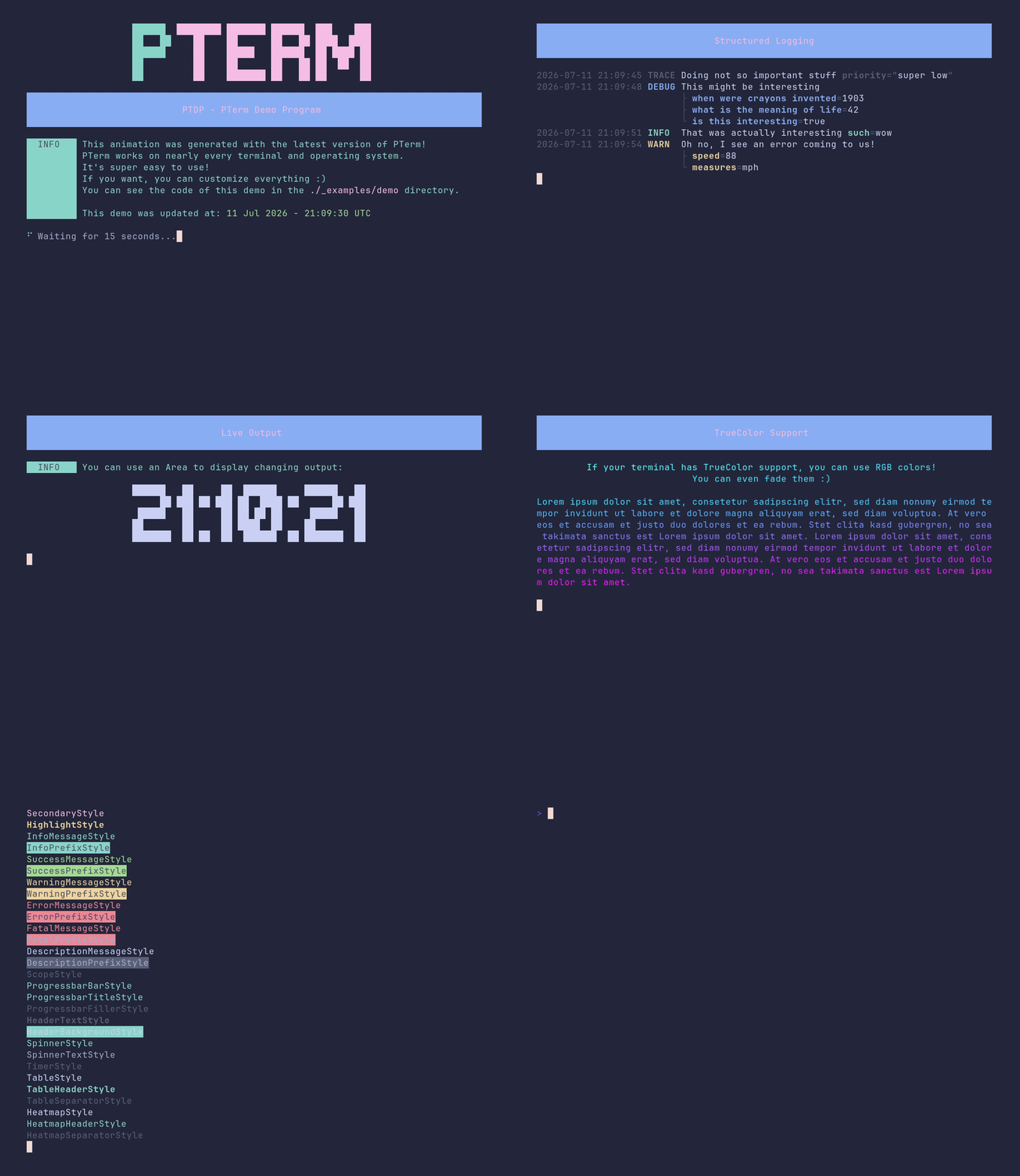
Show Demo Code
PTerm.sh | Installation | Getting Started | Documentation | Examples | Q&A | Discord
📦 Installation
To make PTerm available in your project, you can run the following command.
Make sure to run this command inside your project, when you're using go modules 😉
go get github.com/pterm/pterm
⭐ Main Features
| Feature | Description |
|---|---|
| 🪀 Easy to use | PTerm emphasizes ease of use, with examples and consistent component design. |
| 🤹♀️ Cross-Platform | PTerm works on various OS and terminals, including Windows CMD, macOS iTerm2, and in CI systems like GitHub Actions. |
| 🧪 Well tested | A high test coverage and 1538 automated tests ensure PTerm's reliability. |
| ✨ Consistent Colors | PTerm uses the ANSI color scheme for uniformity and supports TrueColor for advanced terminals. |
| 📚 Component system | PTerm's flexible Printers can be used individually or combined to generate beautiful console output. |
| 🛠 Configurable | PTerm is ready to use without configuration but allows easy customization for unique terminal output. |
| ✏ Documentation | Access comprehensive docs on pkg.go.dev and view practical examples in the examples section. |
Printers (Components)
| Feature | Feature | Feature | Feature | Feature |
|---|---|---|---|---|
| Area (Examples) | Barchart (Examples) | Basictext (Examples) | Bigtext (Examples) | Box (Examples) |
| Bulletlist (Examples) | Center (Examples) | Coloring (Examples) | Header (Examples) | Heatmap (Examples) |
| Interactive confirm (Examples) | Interactive continue (Examples) | Interactive multiselect (Examples) | Interactive select (Examples) | Interactive textinput (Examples) |
| Logger (Examples) | Multiple-live-printers (Examples) | Panel (Examples) | Paragraph (Examples) | Prefix (Examples) |
| Progressbar (Examples) | Section (Examples) | Slog (Examples) | Spinner (Examples) | Style (Examples) |
| Table (Examples) | Test.sh (Examples) | Theme (Examples) | Tree (Examples) |
🦸♂️ Sponsors

🧪 Examples
|
‼️ You can find all the examples, in a much better structure and their source code, in "_examples" ‼️ Click on the link above to show the examples folder. |
area/demo
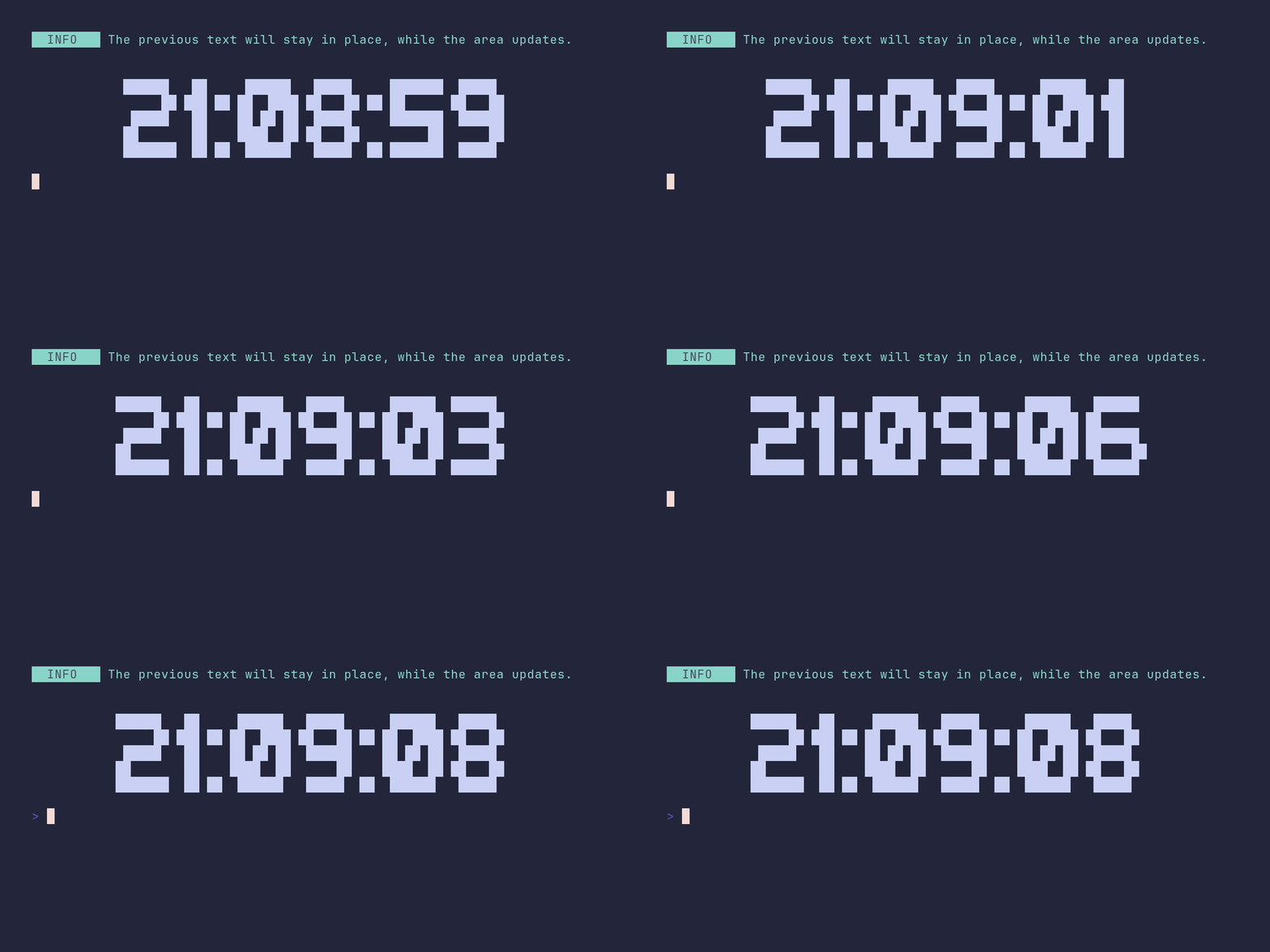
SHOW SOURCE
package main

import (
	"time"

	"github.com/pterm/pterm"
	"github.com/pterm/pterm/putils"
)

func main() {
	// A live clock: only the area redraws, anything printed before it stays put.
	pterm.Info.Println("The previous text will stay in place, while the area updates.")
	pterm.Print("\n\n")

	area, _ := pterm.DefaultArea.WithCenter().Start()

	for range 10 {
		// Render the current time as big letters into a string, then swap it
		// into the area. Srender returns the output instead of printing it.
		str, _ := pterm.DefaultBigText.WithLetters(putils.LettersFromString(time.Now().Format("15:04:05"))).Srender()
		area.Update(str)
		time.Sleep(time.Second)
	}

	area.Stop()
}
area/center
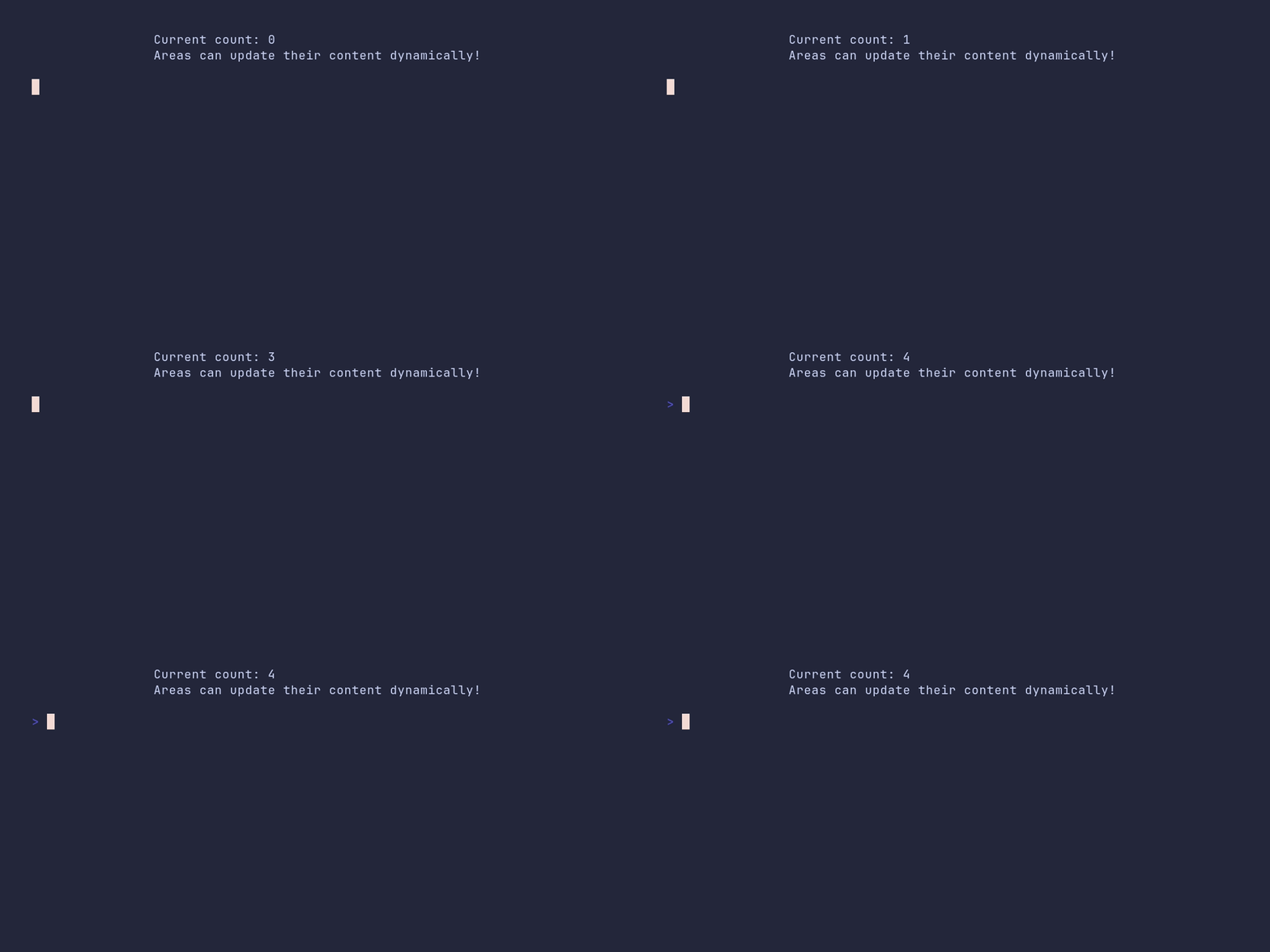
SHOW SOURCE
package main

import (
	"time"

	"github.com/pterm/pterm"
)

func main() {
	// WithCenter horizontally centers the area's content in the terminal.
	area, _ := pterm.DefaultArea.WithCenter().Start()

	// Each Update redraws the area in place instead of appending new lines.
	for i := range 5 {
		area.Update(pterm.Sprintfln("Current count: %d\nAreas can update their content dynamically!", i))
		time.Sleep(time.Second)
	}

	area.Stop()
}
area/default
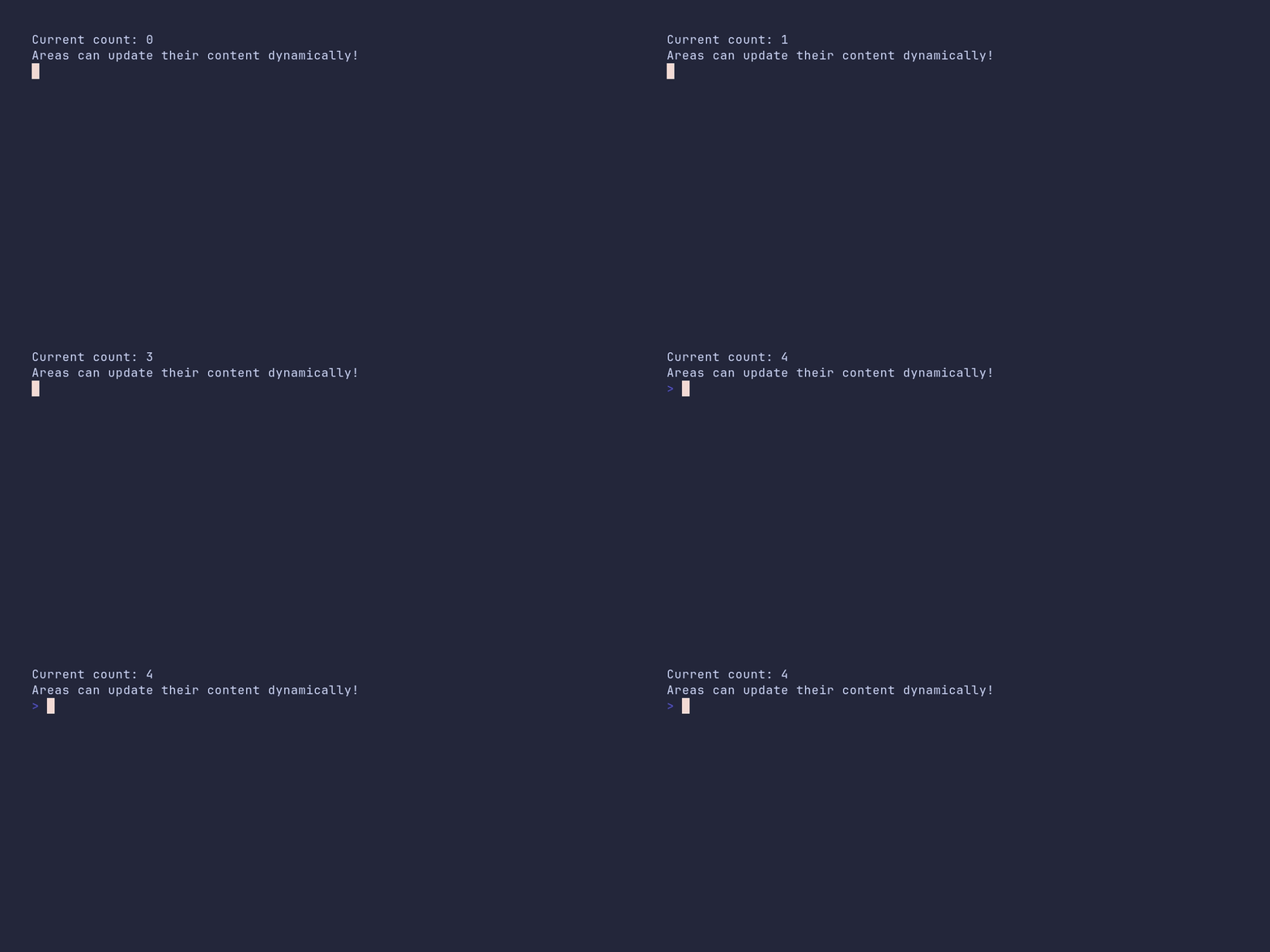
SHOW SOURCE
package main

import (
	"time"

	"github.com/pterm/pterm"
)

func main() {
	area, _ := pterm.DefaultArea.Start()

	// Each Update redraws the area in place instead of appending new lines.
	for i := range 5 {
		area.Update(pterm.Sprintfln("Current count: %d\nAreas can update their content dynamically!", i))
		time.Sleep(time.Second)
	}

	area.Stop()
}
area/dynamic-chart
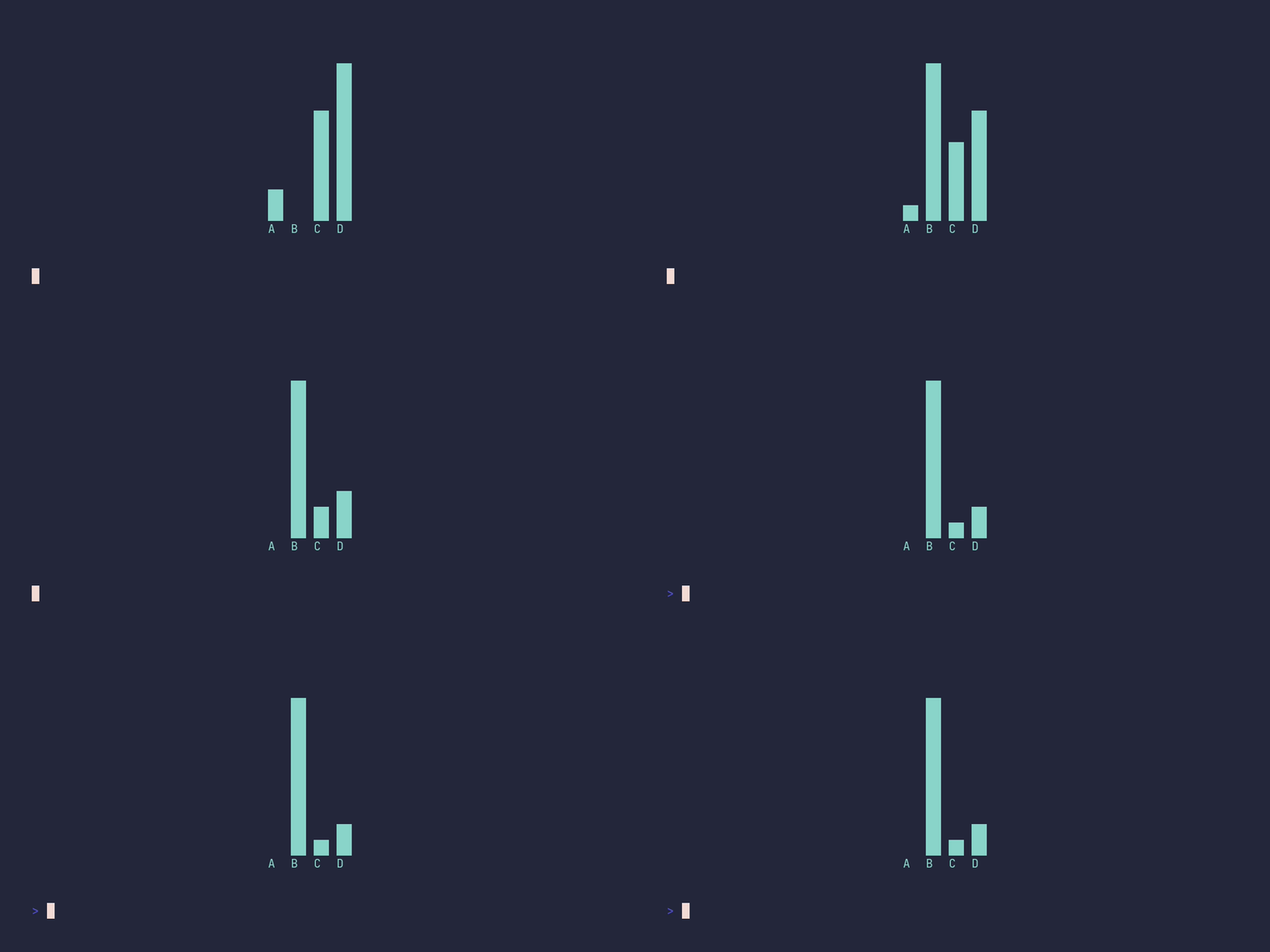
SHOW SOURCE
package main

import (
	"time"

	"github.com/pterm/pterm"
)

func main() {
	// A live bar chart: render the chart to a string each tick and let the
	// area redraw it in place. Fullscreen gives the area the whole terminal.
	area, _ := pterm.DefaultArea.WithFullscreen().WithCenter().Start()
	defer area.Stop()

	for i := range 10 {
		barchart := pterm.DefaultBarChart.WithBars(dynamicBars(i))
		content, _ := barchart.Srender()
		area.Update(content)
		time.Sleep(500 * time.Millisecond)
	}
}

// dynamicBars returns the chart data for the given tick. B and D grow over
// time, A and C stay constant.
func dynamicBars(i int) pterm.Bars {
	return pterm.Bars{
		{Label: "A", Value: 10},
		{Label: "B", Value: 20 * i},
		{Label: "C", Value: 30},
		{Label: "D", Value: 40 + i},
	}
}
area/fullscreen
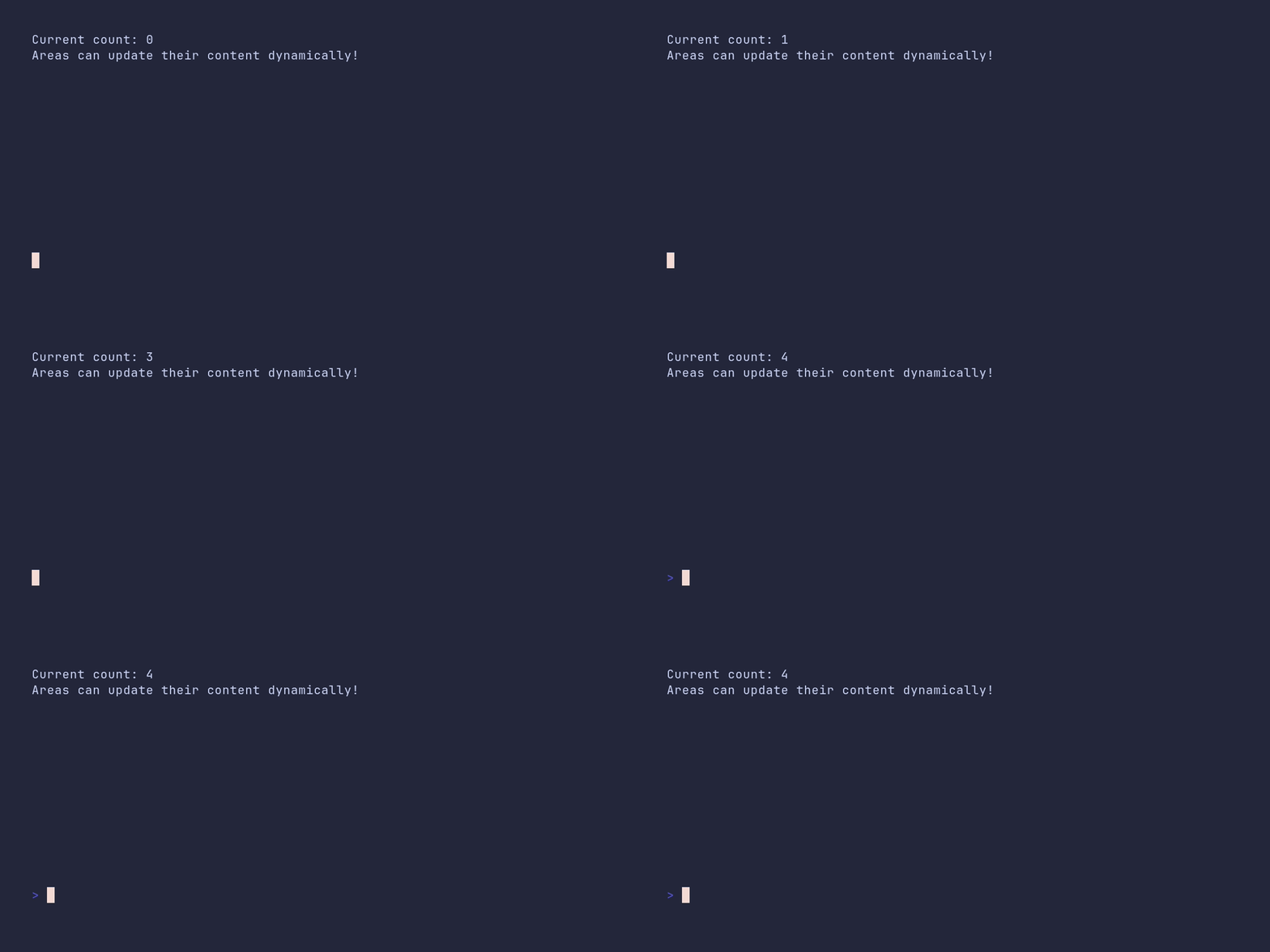
SHOW SOURCE
package main

import (
	"time"

	"github.com/pterm/pterm"
)

func main() {
	// Fullscreen clears the terminal and gives the area the whole screen.
	area, _ := pterm.DefaultArea.WithFullscreen().Start()

	// Each Update redraws the area in place instead of appending new lines.
	for i := range 5 {
		area.Update(pterm.Sprintf("Current count: %d\nAreas can update their content dynamically!", i))
		time.Sleep(time.Second)
	}

	// Stop clears the area and restores the terminal.
	area.Stop()
}
area/fullscreen-center
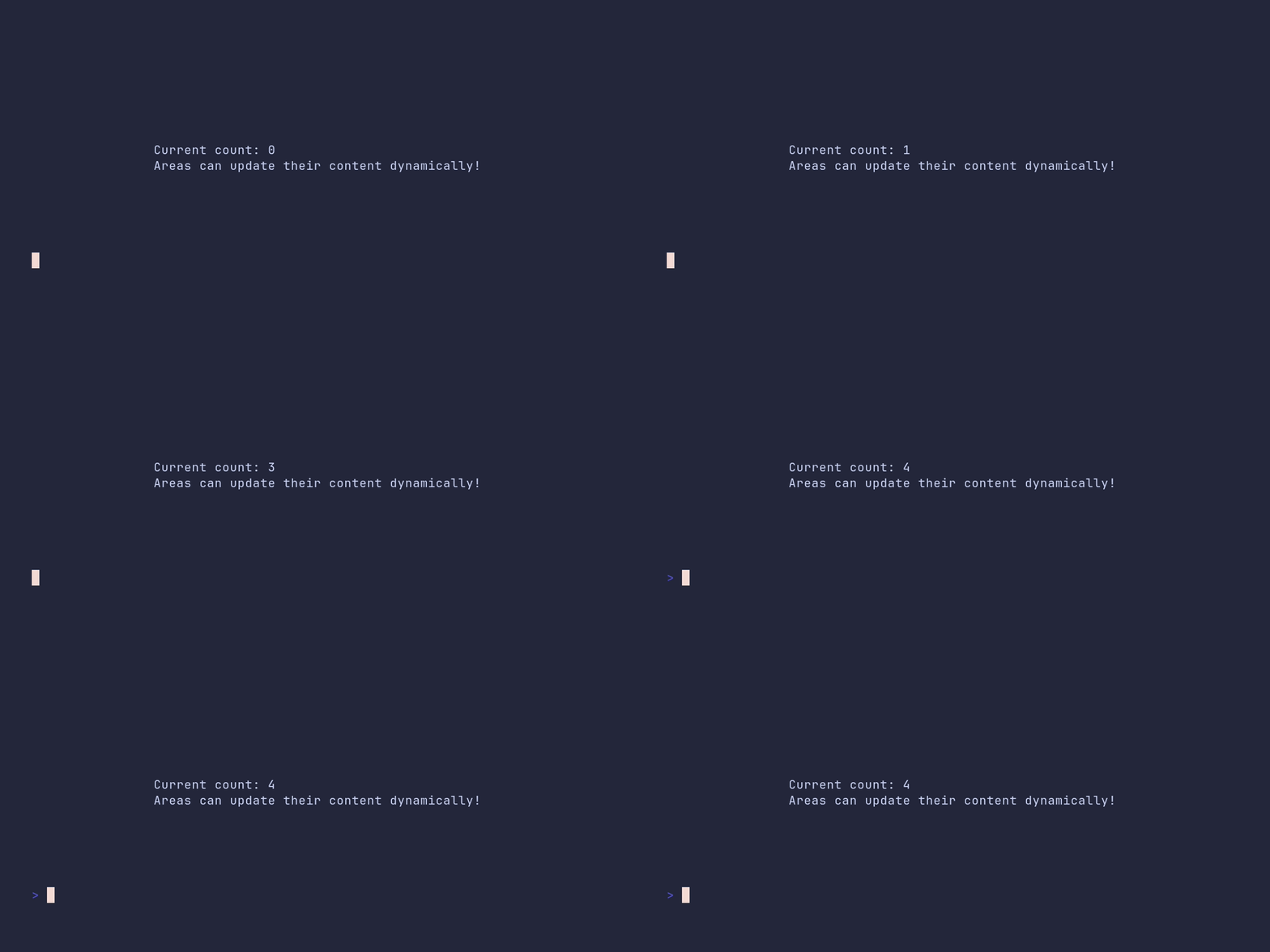
SHOW SOURCE
package main

import (
	"time"

	"github.com/pterm/pterm"
)

func main() {
	// Fullscreen takes over the whole terminal; WithCenter centers the
	// content within it.
	area, _ := pterm.DefaultArea.WithFullscreen().WithCenter().Start()

	// Each Update redraws the area in place instead of appending new lines.
	for i := range 5 {
		area.Update(pterm.Sprintf("Current count: %d\nAreas can update their content dynamically!", i))
		time.Sleep(time.Second)
	}

	// Stop clears the area and restores the terminal.
	area.Stop()
}
barchart/demo
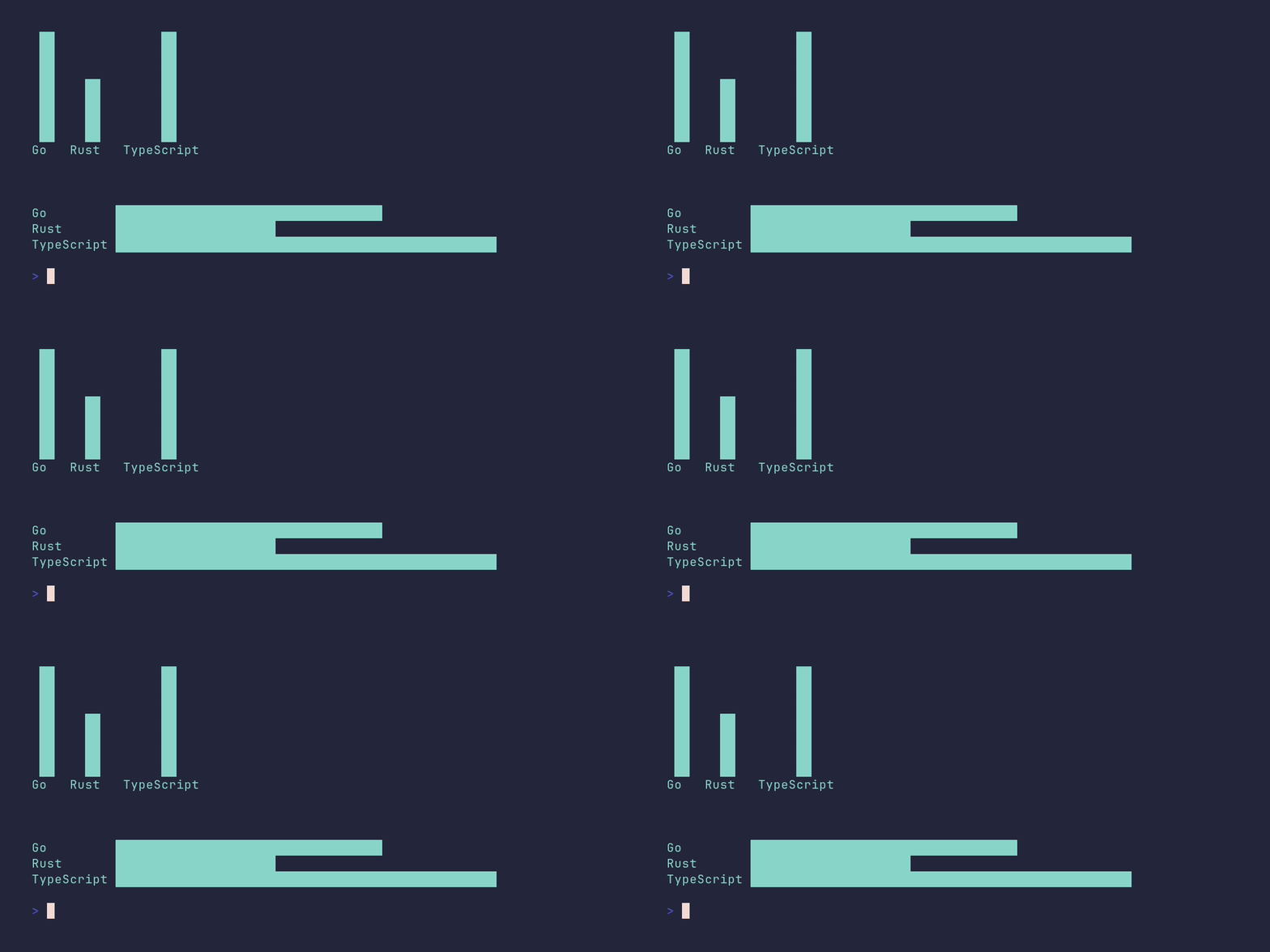
SHOW SOURCE
package main

import (
	"github.com/pterm/pterm"
)

func main() {
	// One deliberately longer label shows how the horizontal chart
	// aligns all bars to the widest label.
	bars := []pterm.Bar{
		{Label: "Go", Value: 5},
		{Label: "Rust", Value: 3},
		{Label: "TypeScript", Value: 7},
	}

	pterm.Info.Println("Chart example with positive values only (bars use the full chart area)")

	pterm.DefaultBarChart.WithBars(bars).Render()

	// The same data rendered horizontally.
	pterm.DefaultBarChart.WithHorizontal().WithBars(bars).Render()
}
barchart/custom-height

SHOW SOURCE
package main

import "github.com/pterm/pterm"

func main() {
	bars := []pterm.Bar{
		{Label: "A", Value: 10},
		{Label: "B", Value: 20},
		{Label: "C", Value: 30},
		{Label: "D", Value: 40},
		{Label: "E", Value: 50},
		{Label: "F", Value: 40},
		{Label: "G", Value: 30},
		{Label: "H", Value: 20},
		{Label: "I", Value: 10},
	}

	// WithHeight caps the chart at 5 rows; the bar values are scaled to fit.
	pterm.DefaultBarChart.WithBars(bars).WithHeight(5).Render()
}
barchart/custom-width

SHOW SOURCE
package main

import "github.com/pterm/pterm"

func main() {
	barData := []pterm.Bar{
		{Label: "A", Value: 10},
		{Label: "B", Value: 20},
		{Label: "C", Value: 30},
		{Label: "D", Value: 40},
		{Label: "E", Value: 50},
		{Label: "F", Value: 40},
		{Label: "G", Value: 30},
		{Label: "H", Value: 20},
		{Label: "I", Value: 10},
	}

	// In a horizontal chart, WithWidth limits how far the bars extend
	// to the right; the values are scaled to fit into 5 columns.
	pterm.DefaultBarChart.WithBars(barData).WithHorizontal().WithWidth(5).Render()
}
barchart/default

SHOW SOURCE
package main

import "github.com/pterm/pterm"

func main() {
	bars := []pterm.Bar{
		{Label: "A", Value: 10},
		{Label: "B", Value: 20},
		{Label: "C", Value: 30},
		{Label: "D", Value: 40},
		{Label: "E", Value: 50},
		{Label: "F", Value: 40},
		{Label: "G", Value: 30},
		{Label: "H", Value: 20},
		{Label: "I", Value: 10},
	}

	// By default the chart is drawn vertically, with each label under its bar.
	pterm.DefaultBarChart.WithBars(bars).Render()
}
barchart/horizontal
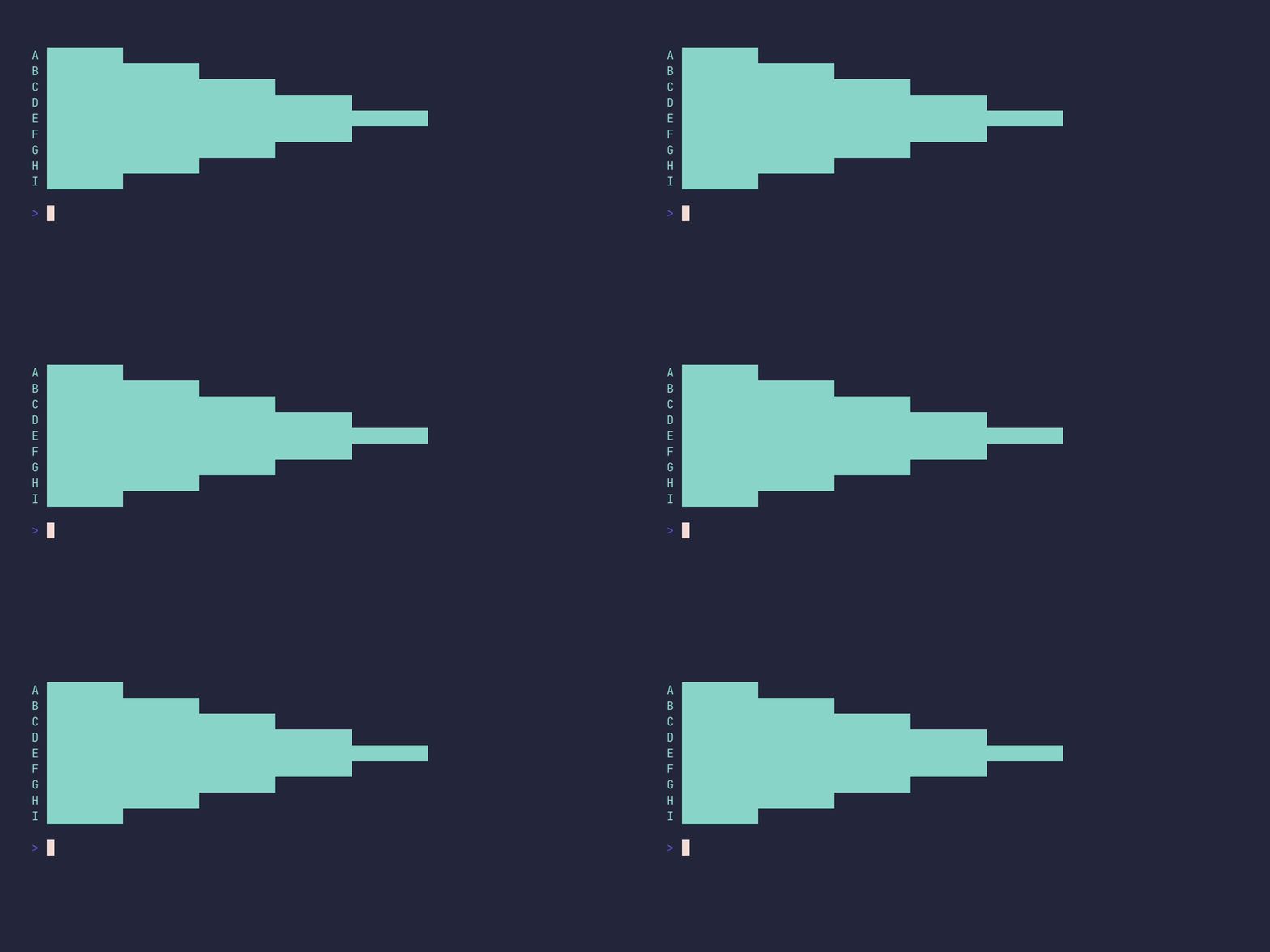
SHOW SOURCE
package main

import "github.com/pterm/pterm"

func main() {
	bars := []pterm.Bar{
		{Label: "A", Value: 10},
		{Label: "B", Value: 20},
		{Label: "C", Value: 30},
		{Label: "D", Value: 40},
		{Label: "E", Value: 50},
		{Label: "F", Value: 40},
		{Label: "G", Value: 30},
		{Label: "H", Value: 20},
		{Label: "I", Value: 10},
	}

	// WithHorizontal draws one bar per line, left to right, with the
	// label in front of each bar.
	pterm.DefaultBarChart.WithBars(bars).WithHorizontal().Render()
}
barchart/horizontal-show-value
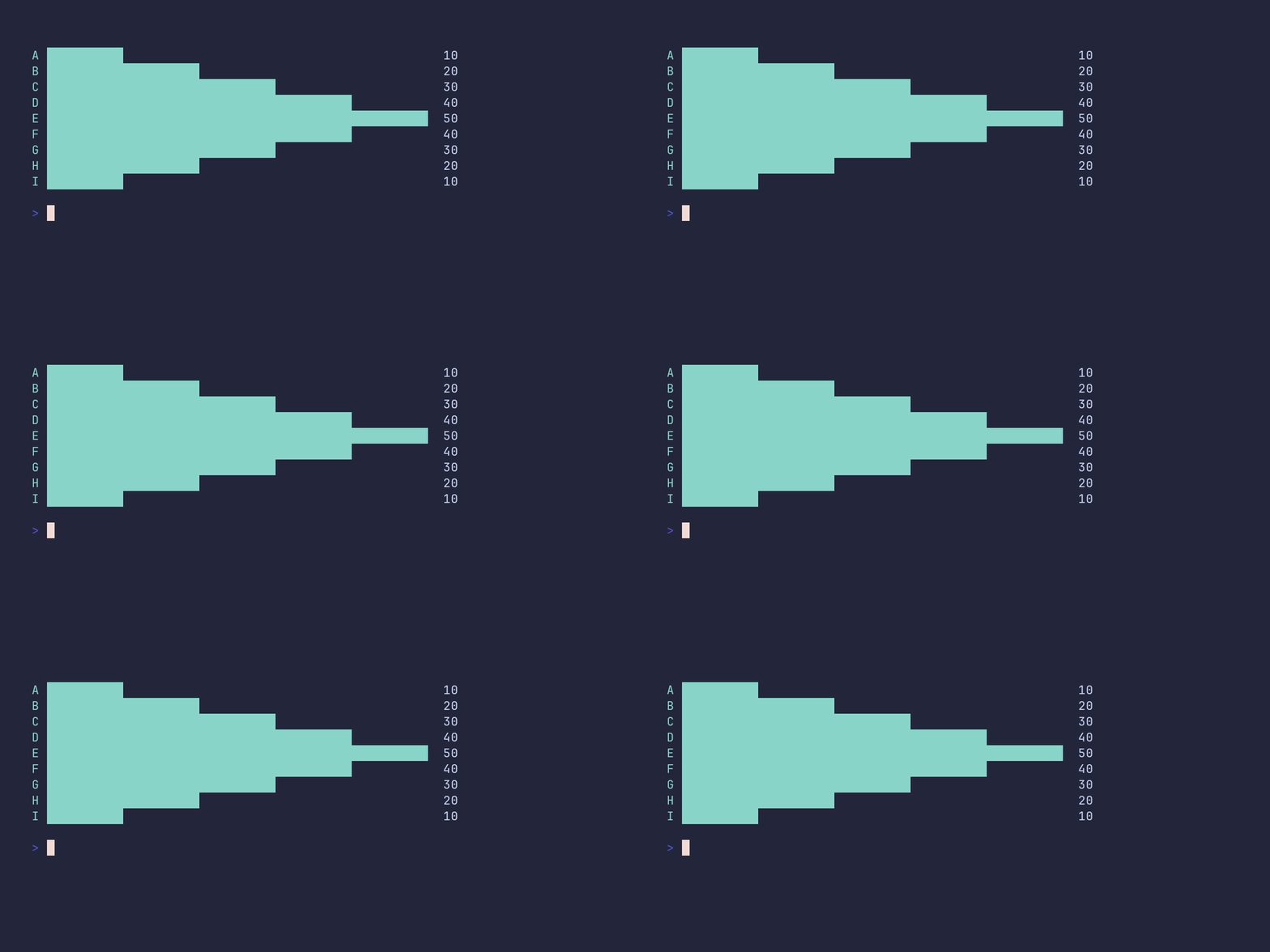
SHOW SOURCE
package main

import "github.com/pterm/pterm"

func main() {
	barData := []pterm.Bar{
		{Label: "A", Value: 10},
		{Label: "B", Value: 20},
		{Label: "C", Value: 30},
		{Label: "D", Value: 40},
		{Label: "E", Value: 50},
		{Label: "F", Value: 40},
		{Label: "G", Value: 30},
		{Label: "H", Value: 20},
		{Label: "I", Value: 10},
	}

	// WithShowValue prints each bar's numeric value at the end of the bar.
	pterm.DefaultBarChart.WithBars(barData).WithHorizontal().WithShowValue().Render()
}
barchart/mixed-values
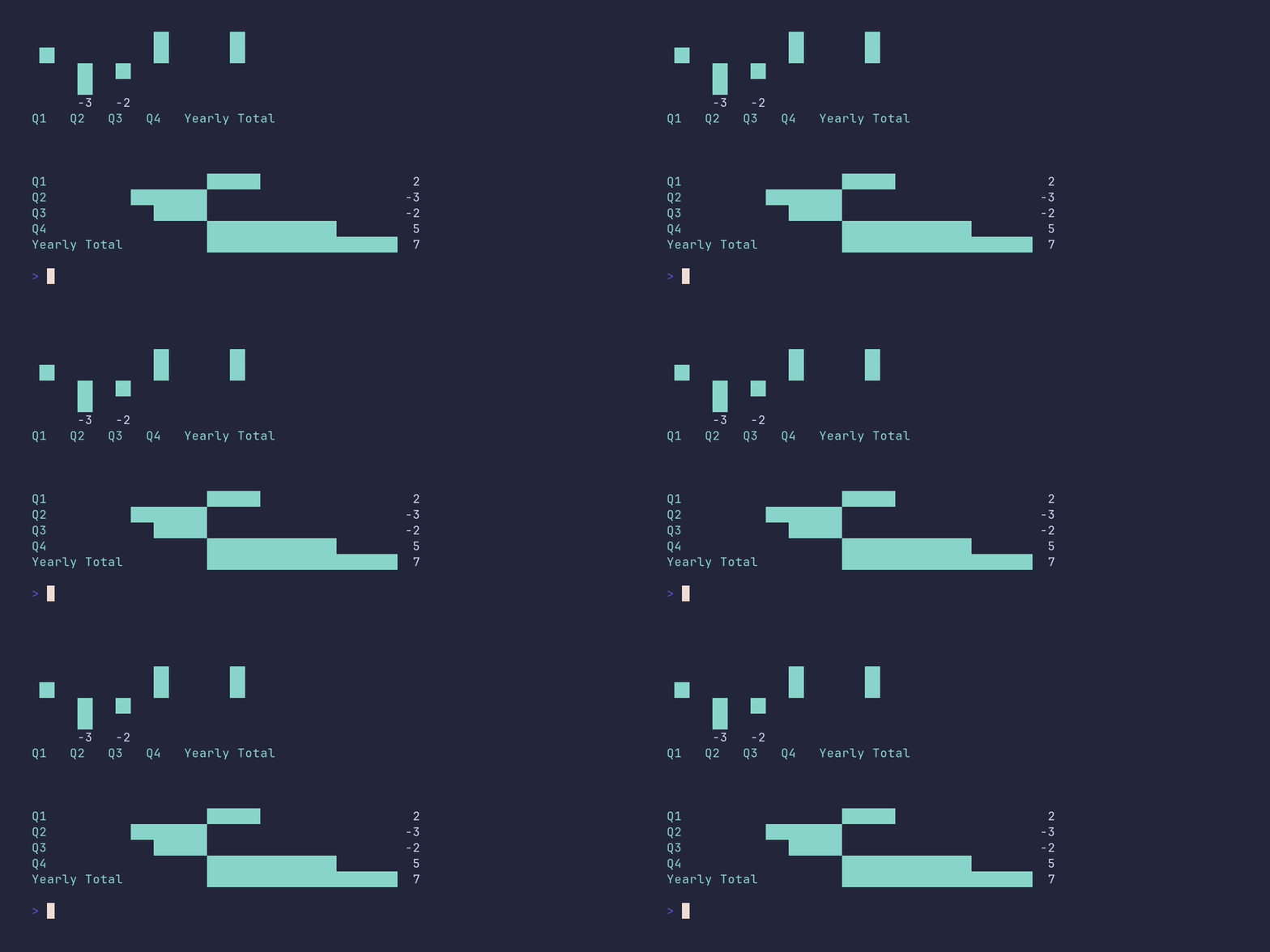
SHOW SOURCE
package main

import (
	"github.com/pterm/pterm"
)

func main() {
	// Quarterly results with both gains and losses. The longer label
	// shows how the horizontal chart aligns bars to the widest label.
	bars := []pterm.Bar{
		{Label: "Q1", Value: 2},
		{Label: "Q2", Value: -3},
		{Label: "Q3", Value: -2},
		{Label: "Q4", Value: 5},
		{Label: "Yearly Total", Value: 7},
	}

	pterm.DefaultSection.Println("Chart example with mixed values (the chart area is split between the positive and negative side, so bars get less space when the absolute values differ a lot)")

	pterm.DefaultBarChart.WithBars(bars).WithShowValue().Render()

	// The same data rendered horizontally.
	pterm.DefaultBarChart.WithHorizontal().WithBars(bars).WithShowValue().Render()
}
barchart/negative-values
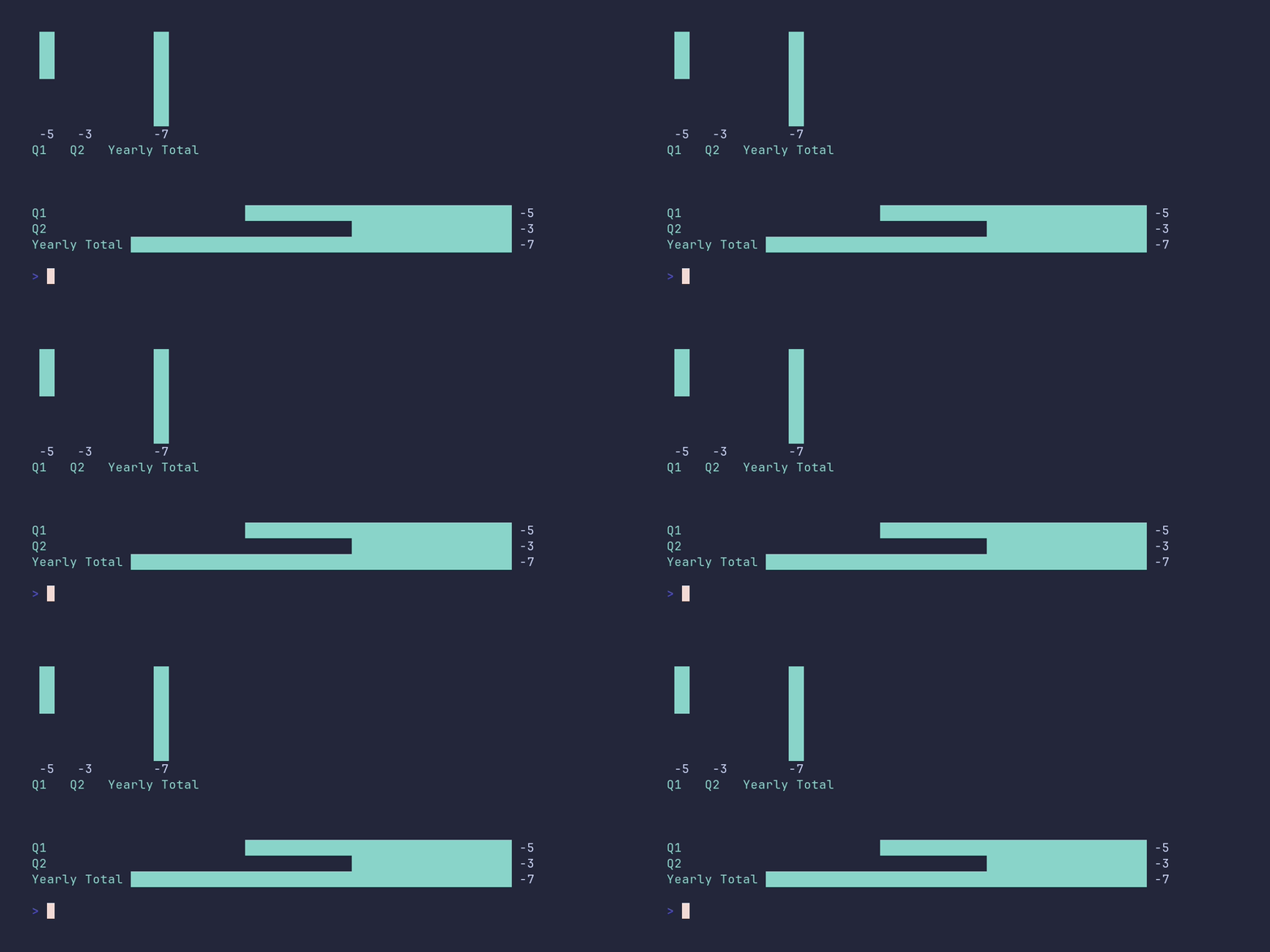
SHOW SOURCE
package main

import (
	"github.com/pterm/pterm"
)

func main() {
	// With only negative values there is no positive side to draw, so the
	// bars still use the full chart area. The longer label shows how the
	// horizontal chart aligns bars to the widest label.
	negativeBars := pterm.Bars{
		{Label: "Q1", Value: -5},
		{Label: "Q2", Value: -3},
		{Label: "Yearly Total", Value: -7},
	}

	pterm.Info.Println("Chart example with negative values only (bars use the full chart area)")

	_ = pterm.DefaultBarChart.WithBars(negativeBars).WithShowValue().Render()

	// The same data rendered horizontally.
	_ = pterm.DefaultBarChart.WithHorizontal().WithBars(negativeBars).WithShowValue().Render()
}
barchart/show-value
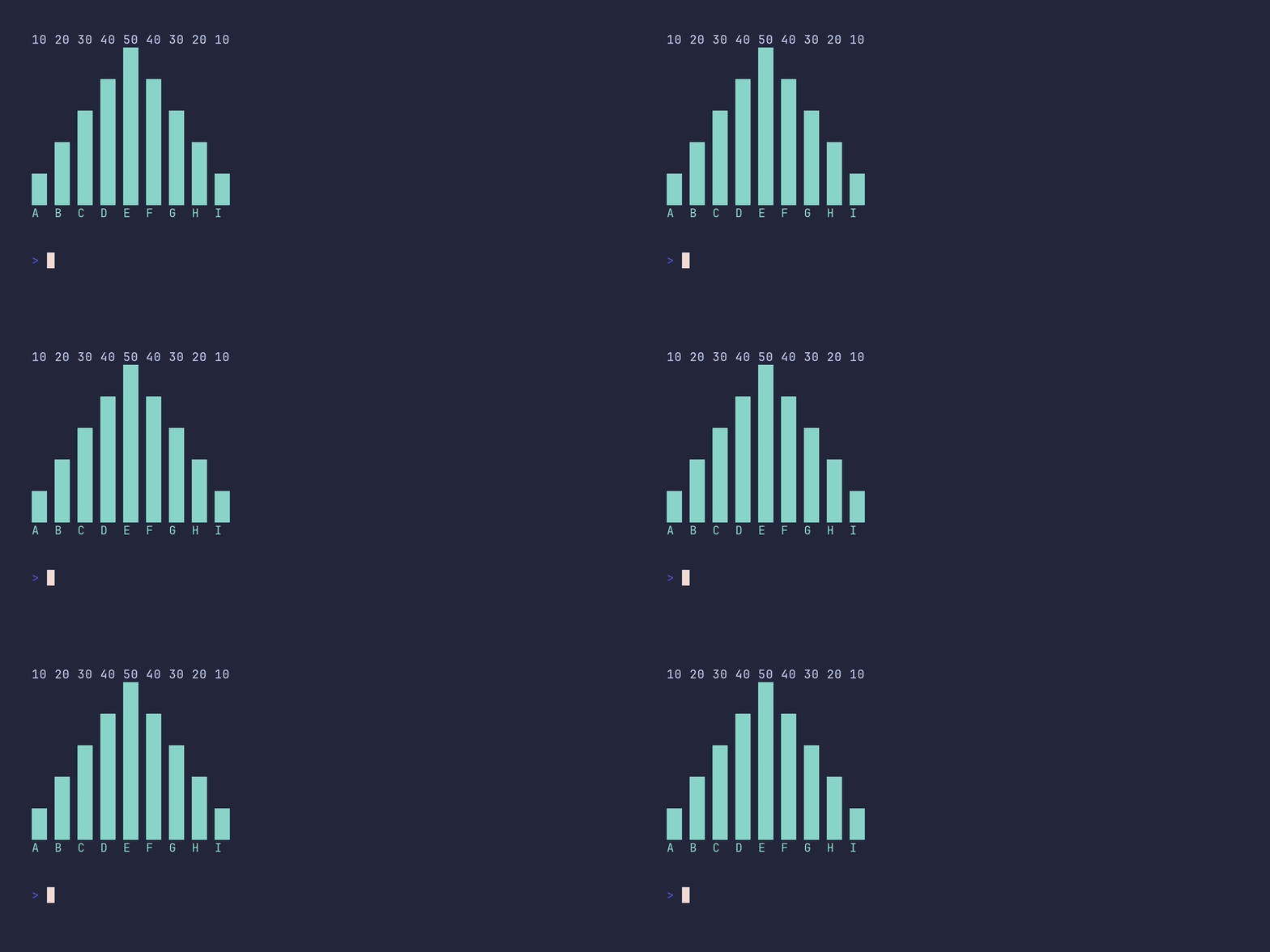
SHOW SOURCE
package main

import "github.com/pterm/pterm"

func main() {
	bars := []pterm.Bar{
		{Label: "A", Value: 10},
		{Label: "B", Value: 20},
		{Label: "C", Value: 30},
		{Label: "D", Value: 40},
		{Label: "E", Value: 50},
		{Label: "F", Value: 40},
		{Label: "G", Value: 30},
		{Label: "H", Value: 20},
		{Label: "I", Value: 10},
	}

	// WithShowValue prints each bar's numeric value above the bar.
	pterm.DefaultBarChart.WithBars(bars).WithShowValue().Render()
}
basictext/demo
SHOW SOURCE
package main

import "github.com/pterm/pterm"

func main() {
	// DefaultBasicText prints plain, unstyled text. Its value is that it
	// satisfies the TextPrinter interface, so it can be passed anywhere a
	// styled printer would go.
	pterm.DefaultBasicText.Println("Default basic text printer.")
	pterm.DefaultBasicText.Println("Can be used in any" + pterm.LightMagenta(" TextPrinter ") + "context.")
}
bigtext/demo
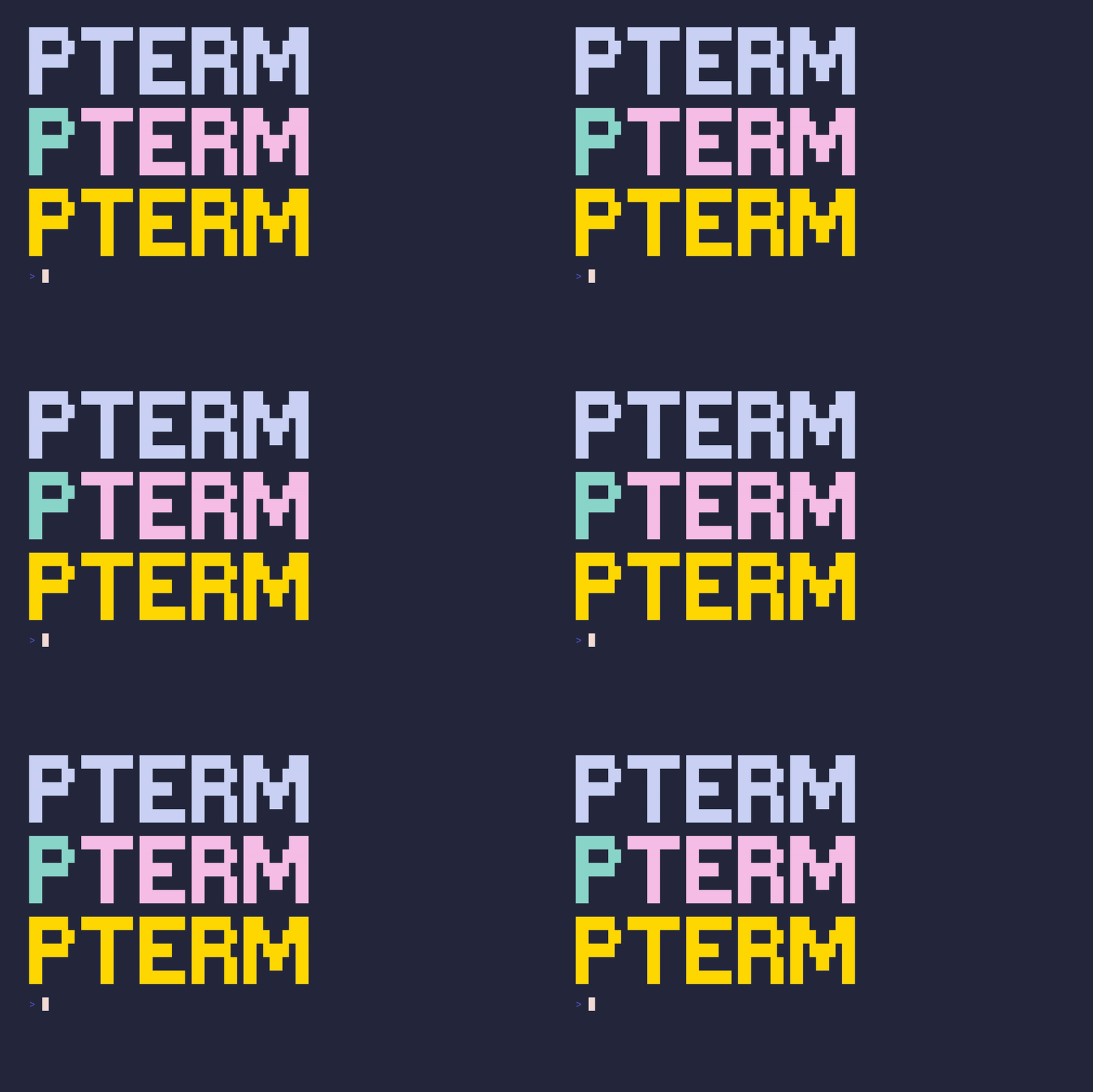
SHOW SOURCE
package main

import (
	"github.com/pterm/pterm"
	"github.com/pterm/pterm/putils"
)

func main() {
	// Big ASCII-art text in the default theme style. Handy for title screens.
	pterm.DefaultBigText.WithLetters(putils.LettersFromString("PTerm")).Render()

	// Each letter group can carry its own style, so parts of the text can be
	// colored independently.
	pterm.DefaultBigText.WithLetters(
		putils.LettersFromStringWithStyle("P", pterm.FgCyan.ToStyle()),
		putils.LettersFromStringWithStyle("Term", pterm.FgLightMagenta.ToStyle()),
	).Render()

	// TrueColor works too. On terminals without TrueColor support, PTerm
	// downsamples the RGB value automatically.
	pterm.DefaultBigText.WithLetters(
		putils.LettersFromStringWithRGB("PTerm", pterm.NewRGB(255, 215, 0)),
	).Render()
}
bigtext/colored
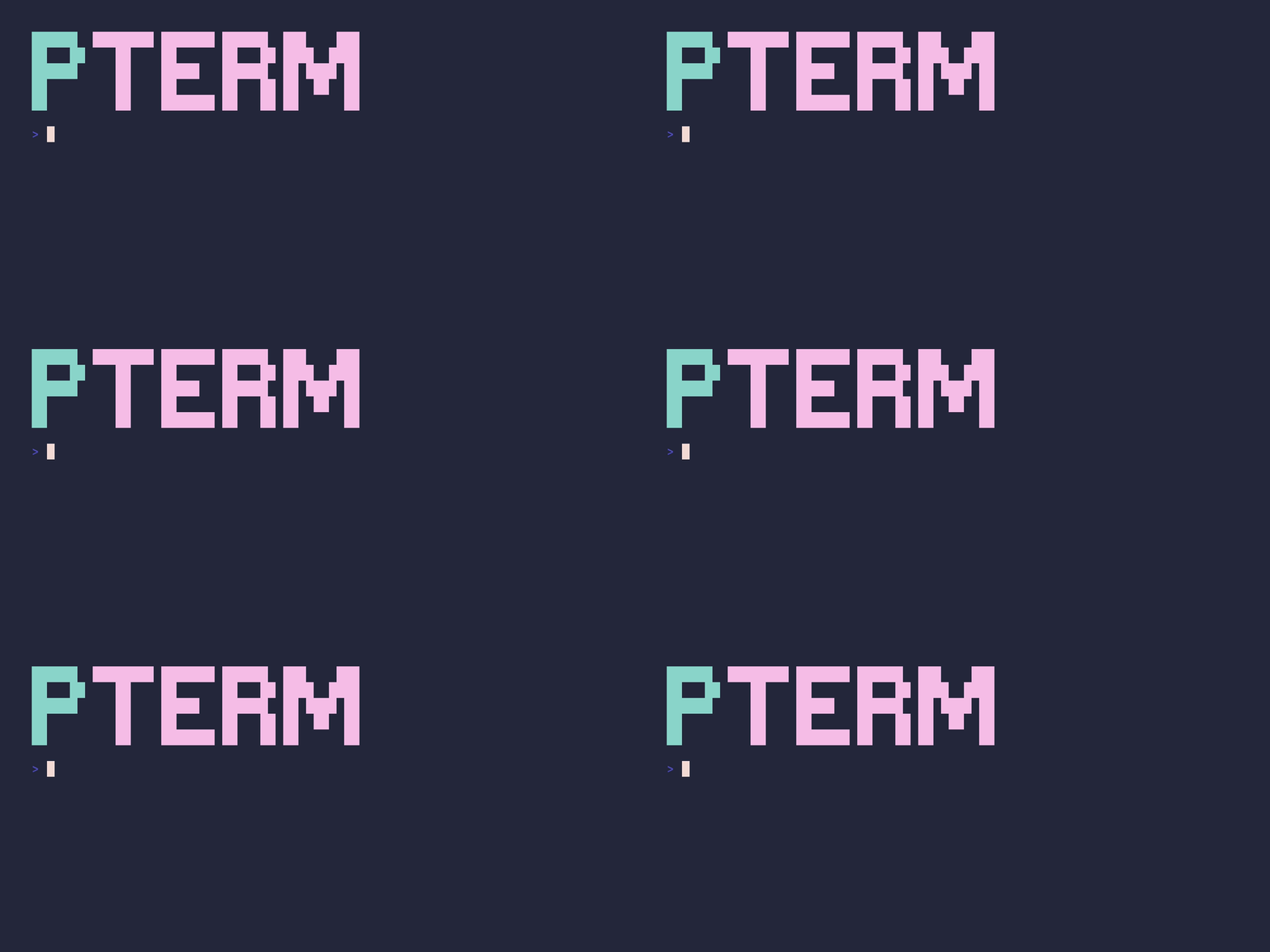
SHOW SOURCE
package main

import (
	"github.com/pterm/pterm"
	"github.com/pterm/pterm/putils"
)

func main() {
	// Each LettersFromStringWithStyle call gets its own color, so parts of
	// the big text can be highlighted independently.
	pterm.DefaultBigText.WithLetters(
		putils.LettersFromStringWithStyle("P", pterm.FgCyan.ToStyle()),
		putils.LettersFromStringWithStyle("Term", pterm.FgLightMagenta.ToStyle())).
		Render()
}
bigtext/default
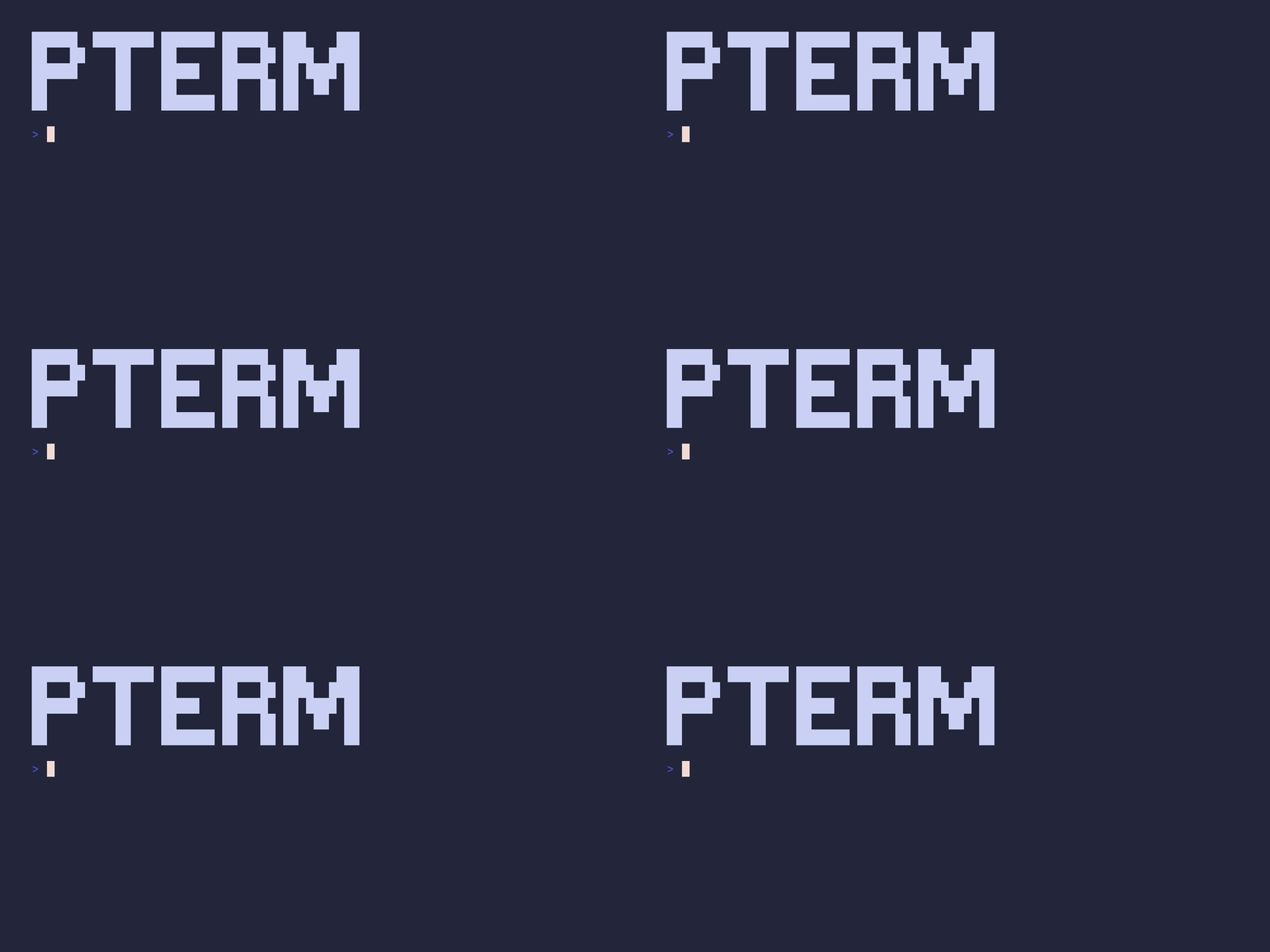
SHOW SOURCE
package main

import (
	"github.com/pterm/pterm"
	"github.com/pterm/pterm/putils"
)

func main() {
	// BigText takes Letters rather than a plain string; putils converts one
	// into the other.
	letters := putils.LettersFromString("PTerm")

	pterm.DefaultBigText.WithLetters(letters).Render()
}
box/demo
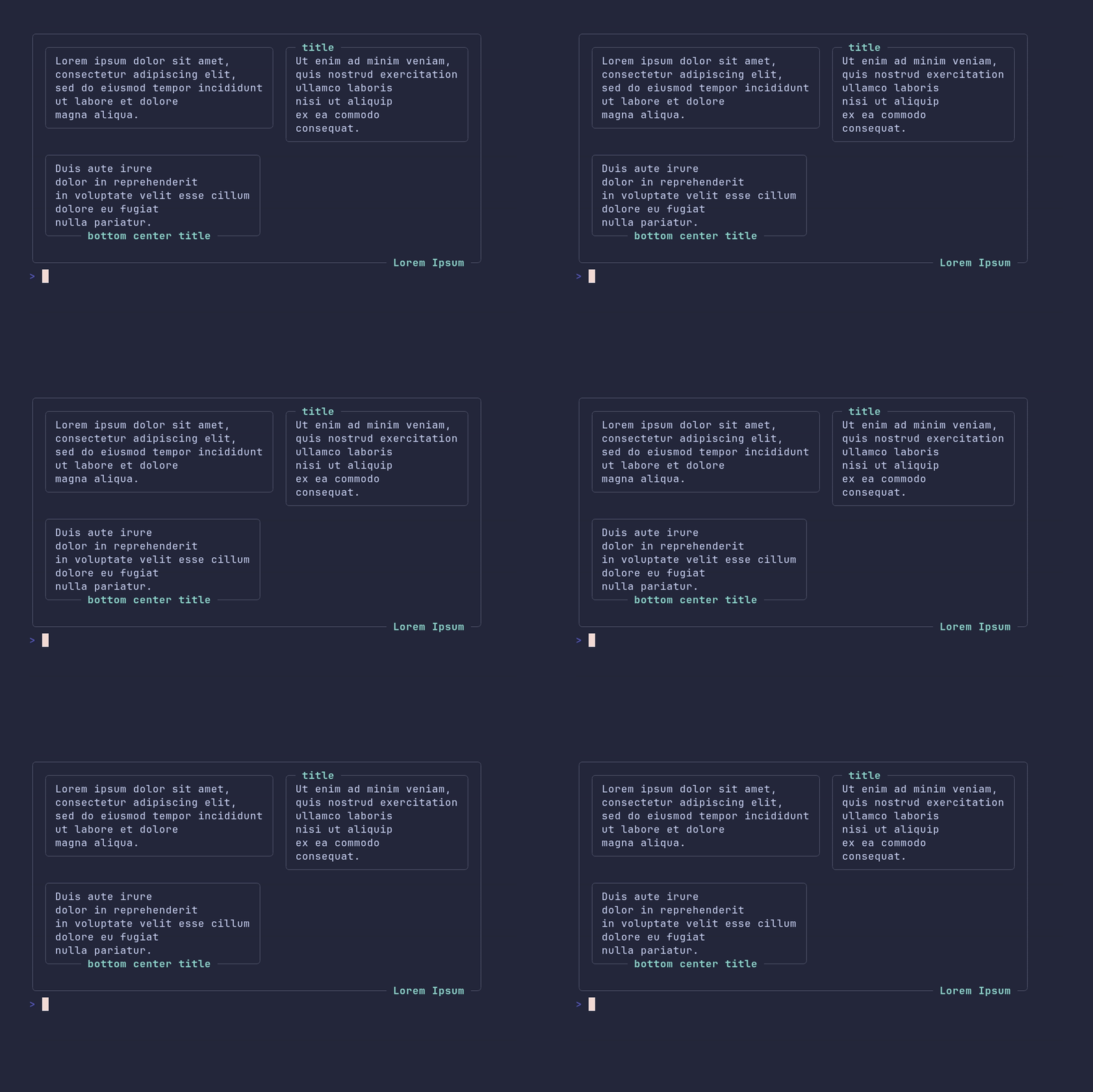
SHOW SOURCE
package main

import "github.com/pterm/pterm"

func main() {
	// Boxes render to strings via Sprint, so they can be nested inside other
	// printers. Titles can be placed on any side of the border.
	panel1 := pterm.DefaultBox.Sprint("Lorem ipsum dolor sit amet,\nconsectetur adipiscing elit,\nsed do eiusmod tempor incididunt\nut labore et dolore\nmagna aliqua.")
	panel2 := pterm.DefaultBox.WithTitle("title").Sprint("Ut enim ad minim veniam,\nquis nostrud exercitation\nullamco laboris\nnisi ut aliquip\nex ea commodo\nconsequat.")
	panel3 := pterm.DefaultBox.WithTitle("bottom center title").WithTitleBottomCenter().Sprint("Duis aute irure\ndolor in reprehenderit\nin voluptate velit esse cillum\ndolore eu fugiat\nnulla pariatur.")

	// Arrange the boxes in a grid: one row with two panels, one row with one.
	panels, _ := pterm.DefaultPanel.WithPanels(pterm.Panels{
		{{Data: panel1}, {Data: panel2}},
		{{Data: panel3}},
	}).Srender()

	// Wrap the whole grid in an outer box.
	pterm.DefaultBox.WithTitle("Lorem Ipsum").WithTitleBottomRight().WithRightPadding(0).WithBottomPadding(0).Println(panels)
}
box/custom-padding
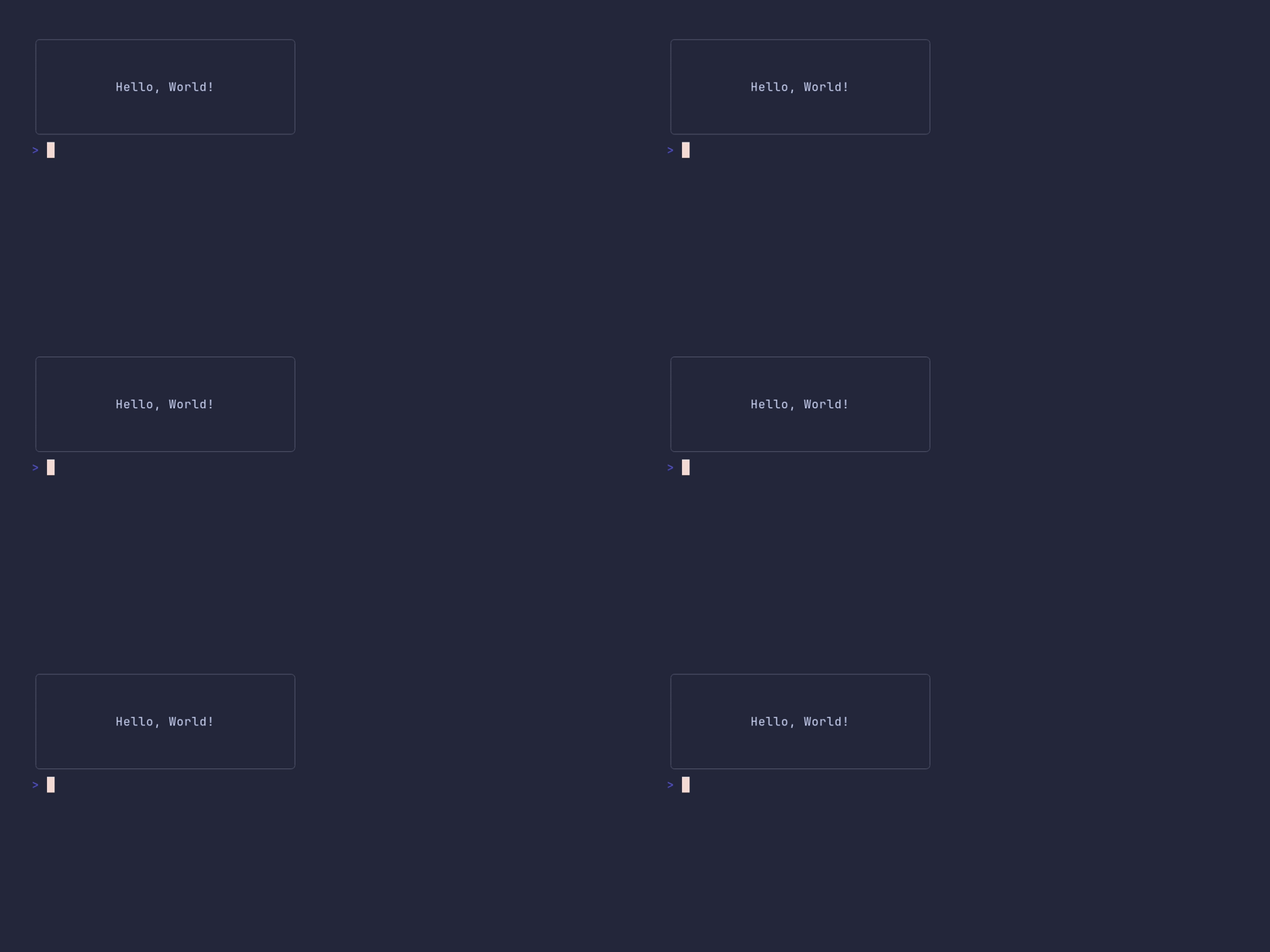
SHOW SOURCE
package main

import "github.com/pterm/pterm"

func main() {
	// Padding adds empty space between the box border and its content,
	// configurable per side.
	pterm.DefaultBox.WithRightPadding(10).WithLeftPadding(10).WithTopPadding(2).WithBottomPadding(2).Println("Hello, World!")
}
box/default
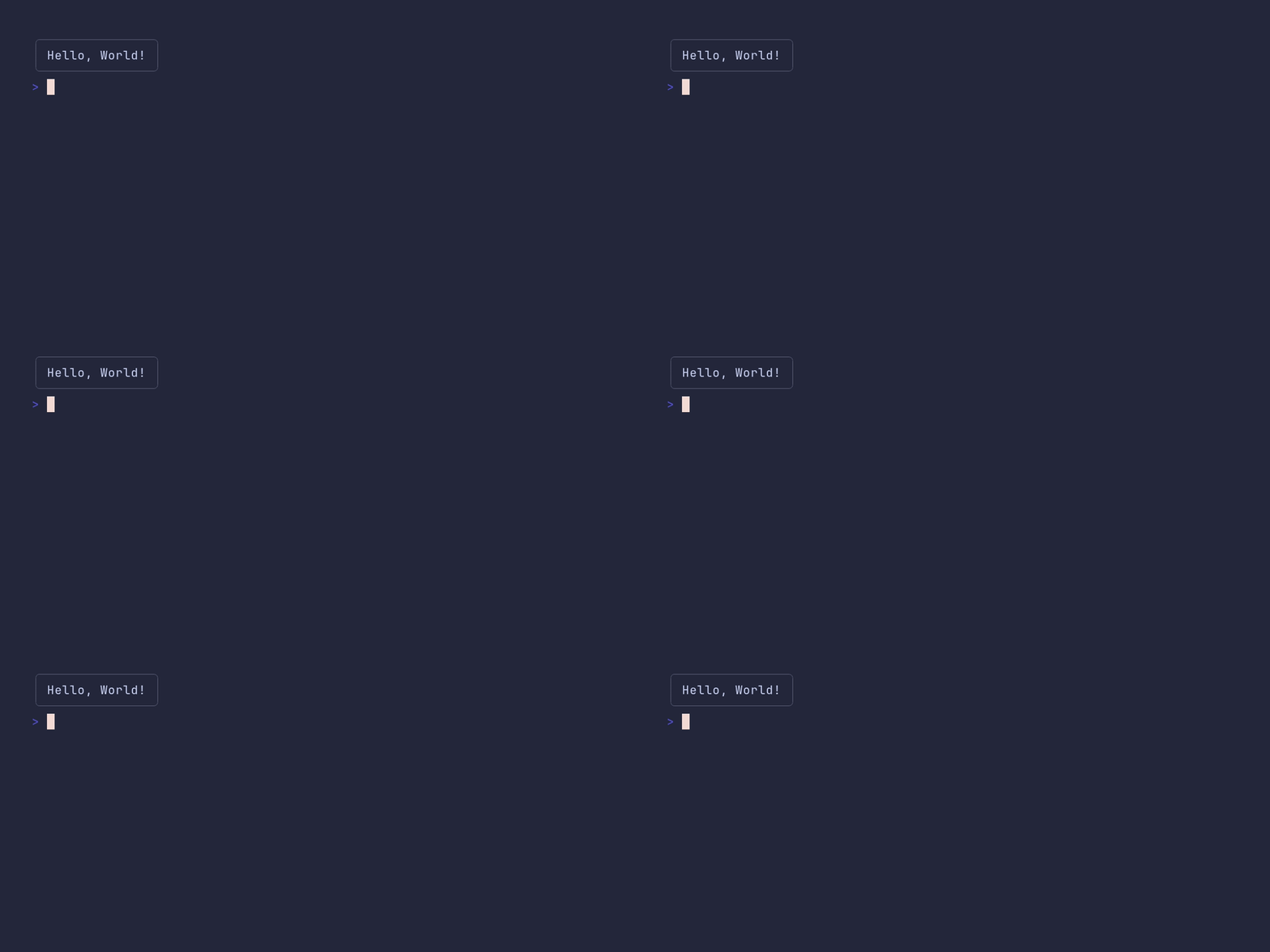
SHOW SOURCE
package main

import "github.com/pterm/pterm"

func main() {
	// The box sizes itself to fit whatever it prints.
	pterm.DefaultBox.Println("Hello, World!")
}
box/title
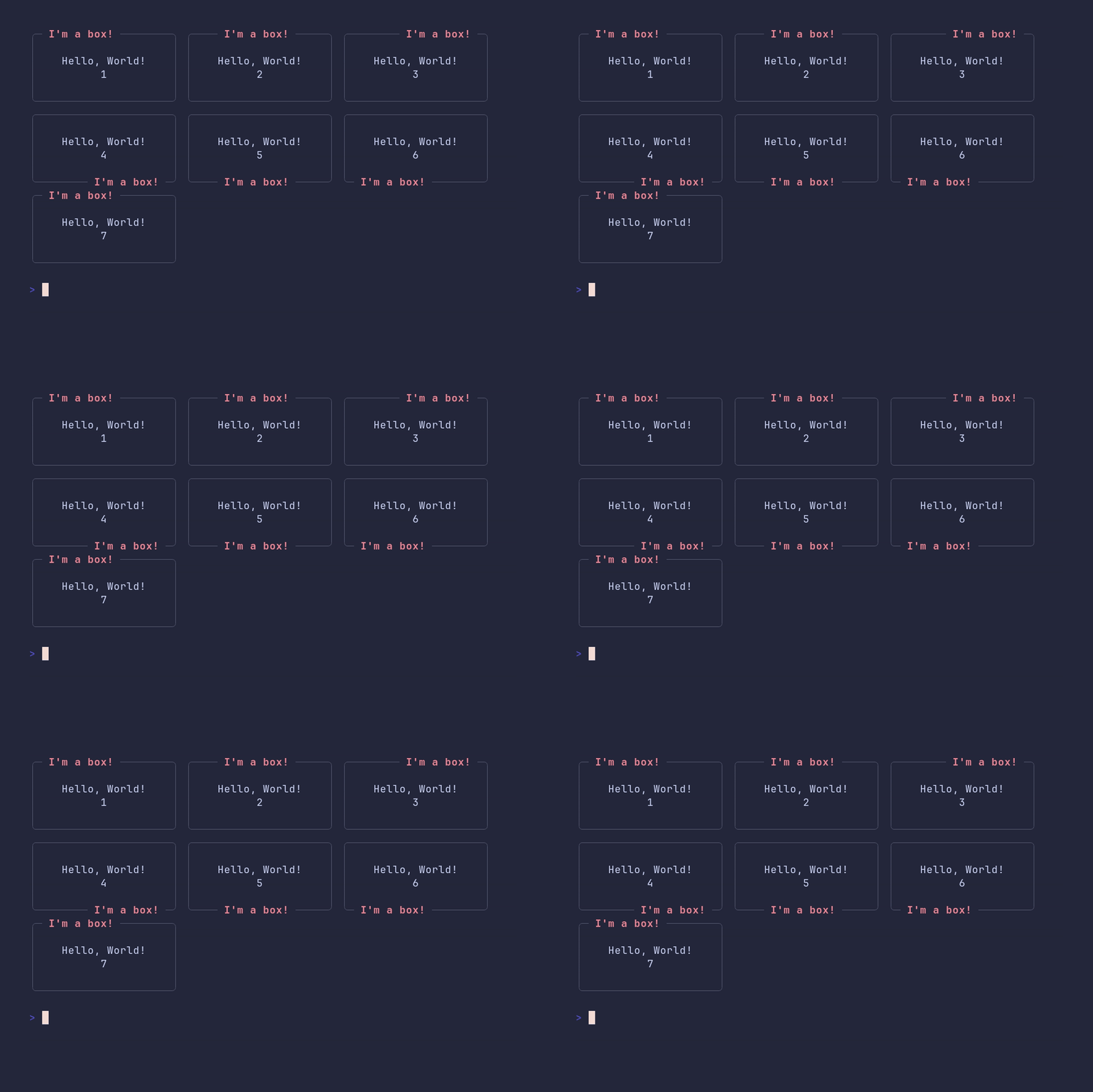
SHOW SOURCE
package main

import "github.com/pterm/pterm"

func main() {
	// One box per title position. WithTitle* methods return a modified copy,
	// so paddedBox can be reused as a template without being changed.
	paddedBox := pterm.DefaultBox.WithLeftPadding(4).WithRightPadding(4).WithTopPadding(1).WithBottomPadding(1)

	// Titles may contain styled text.
	title := pterm.LightRed("I'm a box!")

	box1 := paddedBox.WithTitle(title).Sprint("Hello, World!\n      1") // top left is the default
	box2 := paddedBox.WithTitle(title).WithTitleTopCenter().Sprint("Hello, World!\n      2")
	box3 := paddedBox.WithTitle(title).WithTitleTopRight().Sprint("Hello, World!\n      3")
	box4 := paddedBox.WithTitle(title).WithTitleBottomRight().Sprint("Hello, World!\n      4")
	box5 := paddedBox.WithTitle(title).WithTitleBottomCenter().Sprint("Hello, World!\n      5")
	box6 := paddedBox.WithTitle(title).WithTitleBottomLeft().Sprint("Hello, World!\n      6")
	box7 := paddedBox.WithTitle(title).WithTitleTopLeft().Sprint("Hello, World!\n      7")

	pterm.DefaultPanel.WithPanels([][]pterm.Panel{
		{{box1}, {box2}, {box3}},
		{{box4}, {box5}, {box6}},
		{{box7}},
	}).Render()
}
bulletlist/demo
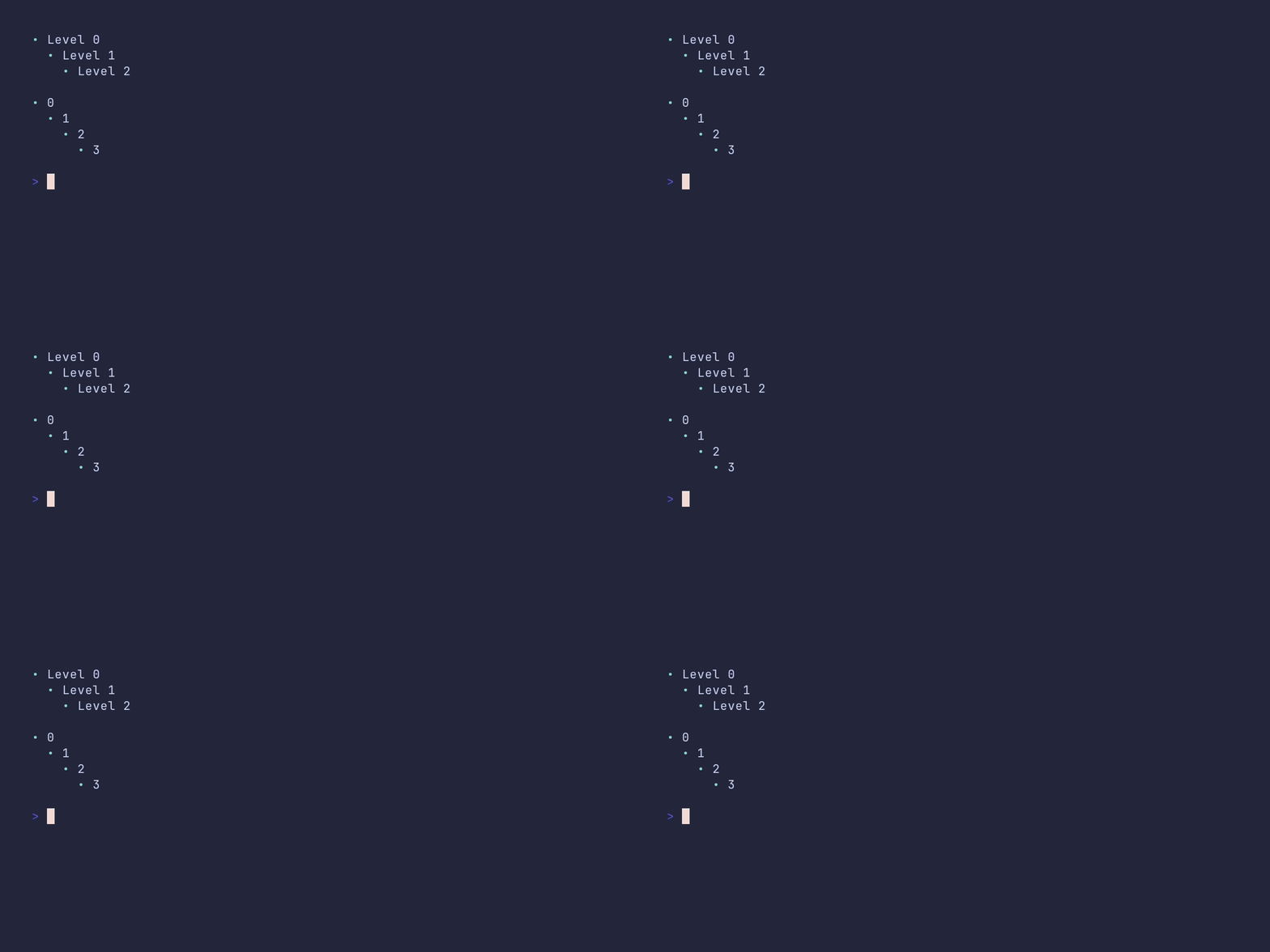
SHOW SOURCE
package main

import (
	"github.com/pterm/pterm"
	"github.com/pterm/pterm/putils"
)

func main() {
	// Level controls the indentation depth of each item.
	bulletListItems := []pterm.BulletListItem{
		{Level: 0, Text: "Level 0"},
		{Level: 1, Text: "Level 1"},
		{Level: 2, Text: "Level 2"},
	}

	pterm.DefaultBulletList.WithItems(bulletListItems).Render()

	// Alternatively, build a list from an indented string. The second
	// argument is the indent unit; one leading space equals one level here.
	text := `0
 1
  2
   3`

	putils.BulletListFromString(text, " ").Render()
}
bulletlist/customized
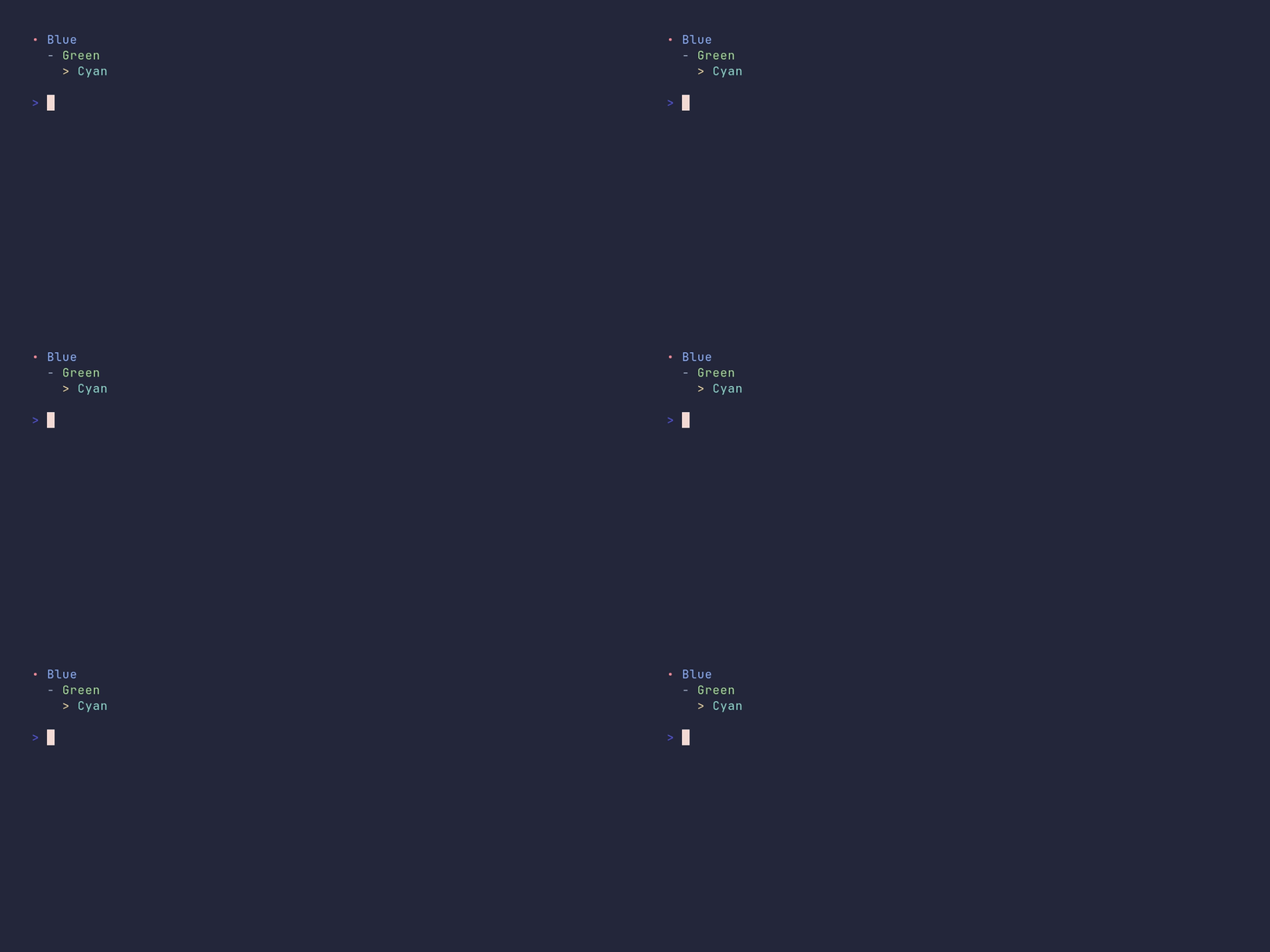
SHOW SOURCE
package main

import (
	"github.com/pterm/pterm"
)

func main() {
	// Every item can override the bullet symbol and style the bullet and
	// text independently. Level controls the indentation depth.
	bulletListItems := []pterm.BulletListItem{
		{
			Level:       0,
			Text:        "Blue",
			TextStyle:   pterm.NewStyle(pterm.FgBlue),
			BulletStyle: pterm.NewStyle(pterm.FgRed),
		},
		{
			Level:       1,
			Text:        "Green",
			TextStyle:   pterm.NewStyle(pterm.FgGreen),
			Bullet:      "-",
			BulletStyle: pterm.NewStyle(pterm.FgLightWhite),
		},
		{
			Level:       2,
			Text:        "Cyan",
			TextStyle:   pterm.NewStyle(pterm.FgCyan),
			Bullet:      ">",
			BulletStyle: pterm.NewStyle(pterm.FgYellow),
		},
	}

	pterm.DefaultBulletList.WithItems(bulletListItems).Render()
}
center/demo
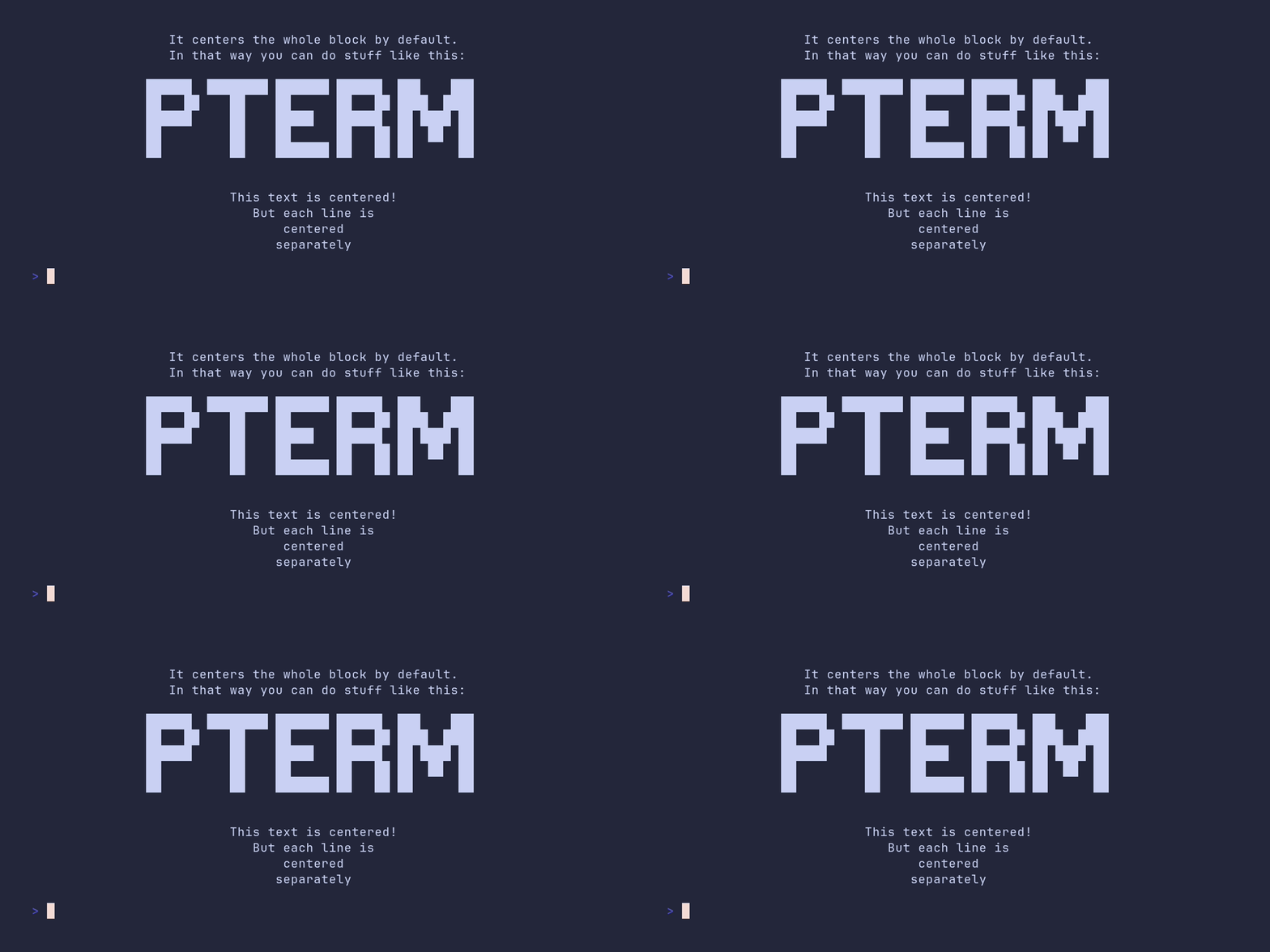
SHOW SOURCE
package main

import (
	"github.com/pterm/pterm"
	"github.com/pterm/pterm/putils"
)

func main() {
	// By default the whole block is centered as one unit, so the lines keep
	// their left alignment relative to each other.
	pterm.DefaultCenter.Println("This text is centered!\nIt centers the whole block by default.\nIn that way you can do stuff like this:")

	// That makes it safe to center multiline output from other printers,
	// like a BigText rendered to a string.
	s, _ := pterm.DefaultBigText.WithLetters(putils.LettersFromString("PTerm")).Srender()
	pterm.DefaultCenter.Println(s)

	// WithCenterEachLineSeparately centers every line on its own instead.
	pterm.DefaultCenter.WithCenterEachLineSeparately().Println("This text is centered!\nBut each line is\ncentered\nseparately")
}
coloring/demo
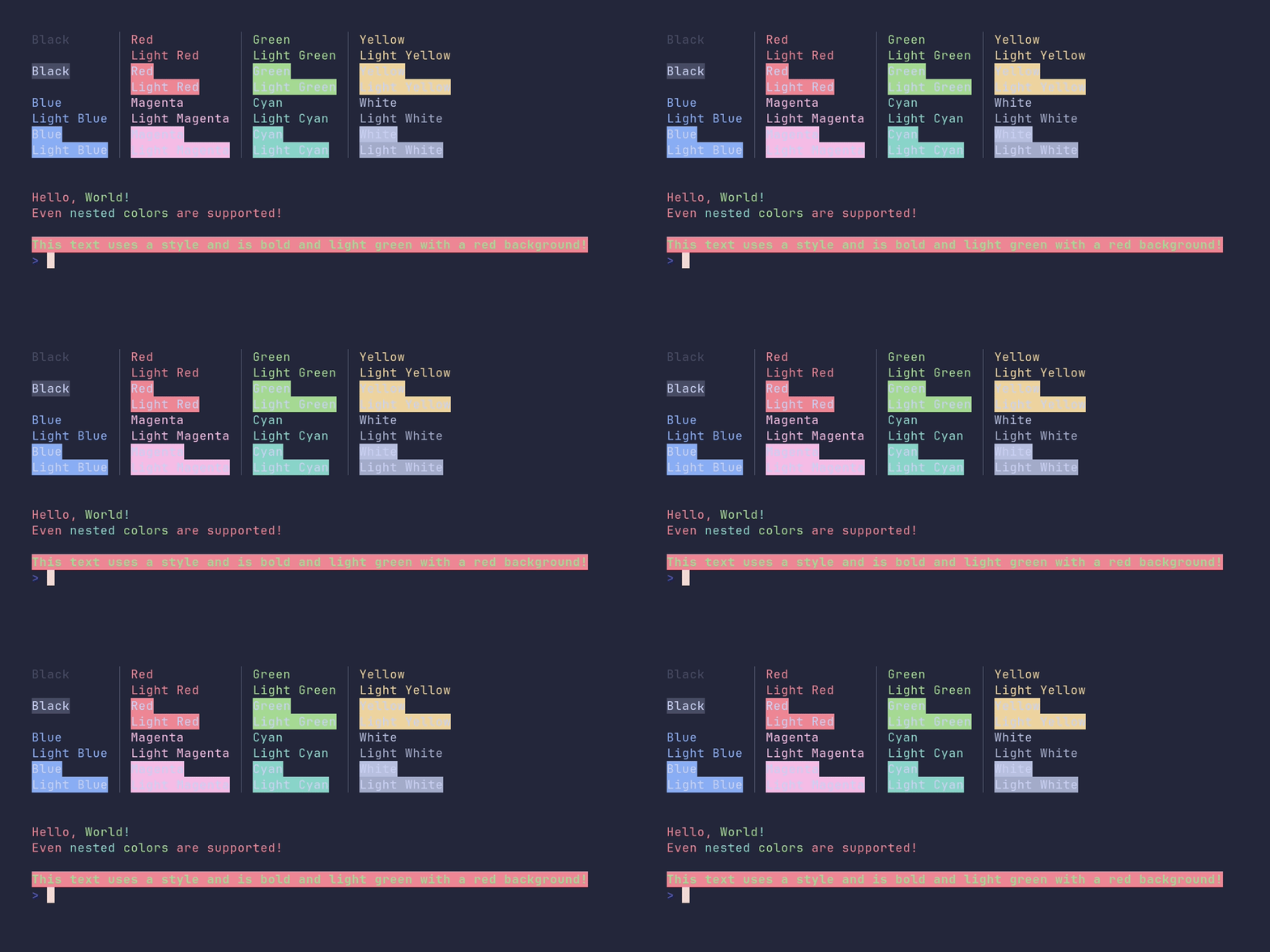
SHOW SOURCE
package main

import "github.com/pterm/pterm"

func main() {
	// Show every built-in foreground (Fg*) and background (Bg*) color in one
	// table. The "Light" variants map to the bright ANSI colors.
	pterm.DefaultTable.WithData([][]string{
		{pterm.FgBlack.Sprint("Black"), pterm.FgRed.Sprint("Red"), pterm.FgGreen.Sprint("Green"), pterm.FgYellow.Sprint("Yellow")},
		{"", pterm.FgLightRed.Sprint("Light Red"), pterm.FgLightGreen.Sprint("Light Green"), pterm.FgLightYellow.Sprint("Light Yellow")},
		{pterm.BgBlack.Sprint("Black"), pterm.BgRed.Sprint("Red"), pterm.BgGreen.Sprint("Green"), pterm.BgYellow.Sprint("Yellow")},
		{"", pterm.BgLightRed.Sprint("Light Red"), pterm.BgLightGreen.Sprint("Light Green"), pterm.BgLightYellow.Sprint("Light Yellow")},
		{pterm.FgBlue.Sprint("Blue"), pterm.FgMagenta.Sprint("Magenta"), pterm.FgCyan.Sprint("Cyan"), pterm.FgWhite.Sprint("White")},
		{pterm.FgLightBlue.Sprint("Light Blue"), pterm.FgLightMagenta.Sprint("Light Magenta"), pterm.FgLightCyan.Sprint("Light Cyan"), pterm.FgLightWhite.Sprint("Light White")},
		{pterm.BgBlue.Sprint("Blue"), pterm.BgMagenta.Sprint("Magenta"), pterm.BgCyan.Sprint("Cyan"), pterm.BgWhite.Sprint("White")},
		{pterm.BgLightBlue.Sprint("Light Blue"), pterm.BgLightMagenta.Sprint("Light Magenta"), pterm.BgLightCyan.Sprint("Light Cyan"), pterm.BgLightWhite.Sprint("Light White")},
	}).Render()

	pterm.Println()

	// Shorthand functions like pterm.Red return colored strings that can be
	// concatenated, even nested inside each other.
	pterm.Println(pterm.Red("Hello, ") + pterm.Green("World") + pterm.Cyan("!"))
	pterm.Println(pterm.Red("Even " + pterm.Cyan("nested ") + pterm.Green("colors ") + "are supported!"))

	pterm.Println()

	// NewStyle combines multiple attributes into a reusable style.
	style := pterm.NewStyle(pterm.BgRed, pterm.FgLightGreen, pterm.Bold)
	style.Println("This text uses a style and is bold and light green with a red background!")
}
coloring/disable-output
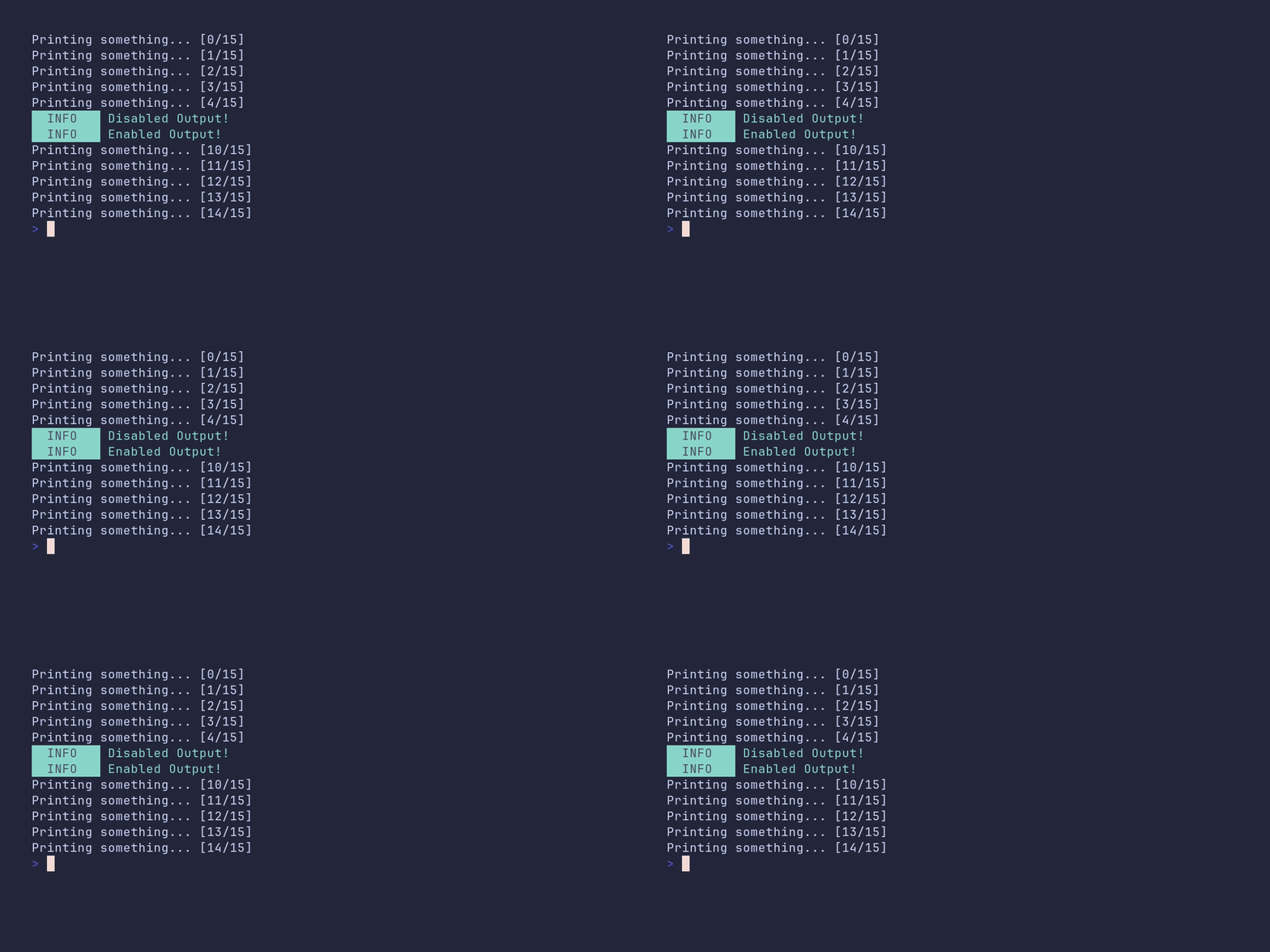
SHOW SOURCE
package main

import "github.com/pterm/pterm"

func main() {
	// DisableOutput silences all PTerm printers globally until EnableOutput
	// is called. Iterations 5-9 below produce no output at all.
	for i := 0; i < 15; i++ {
		switch i {
		case 5:
			pterm.Info.Println("Disabled Output!")
			pterm.DisableOutput()
		case 10:
			pterm.EnableOutput()
			pterm.Info.Println("Enabled Output!")
		}

		pterm.Printf("Printing something... [%d/%d]\n", i, 15)
	}
}
coloring/fade-colors
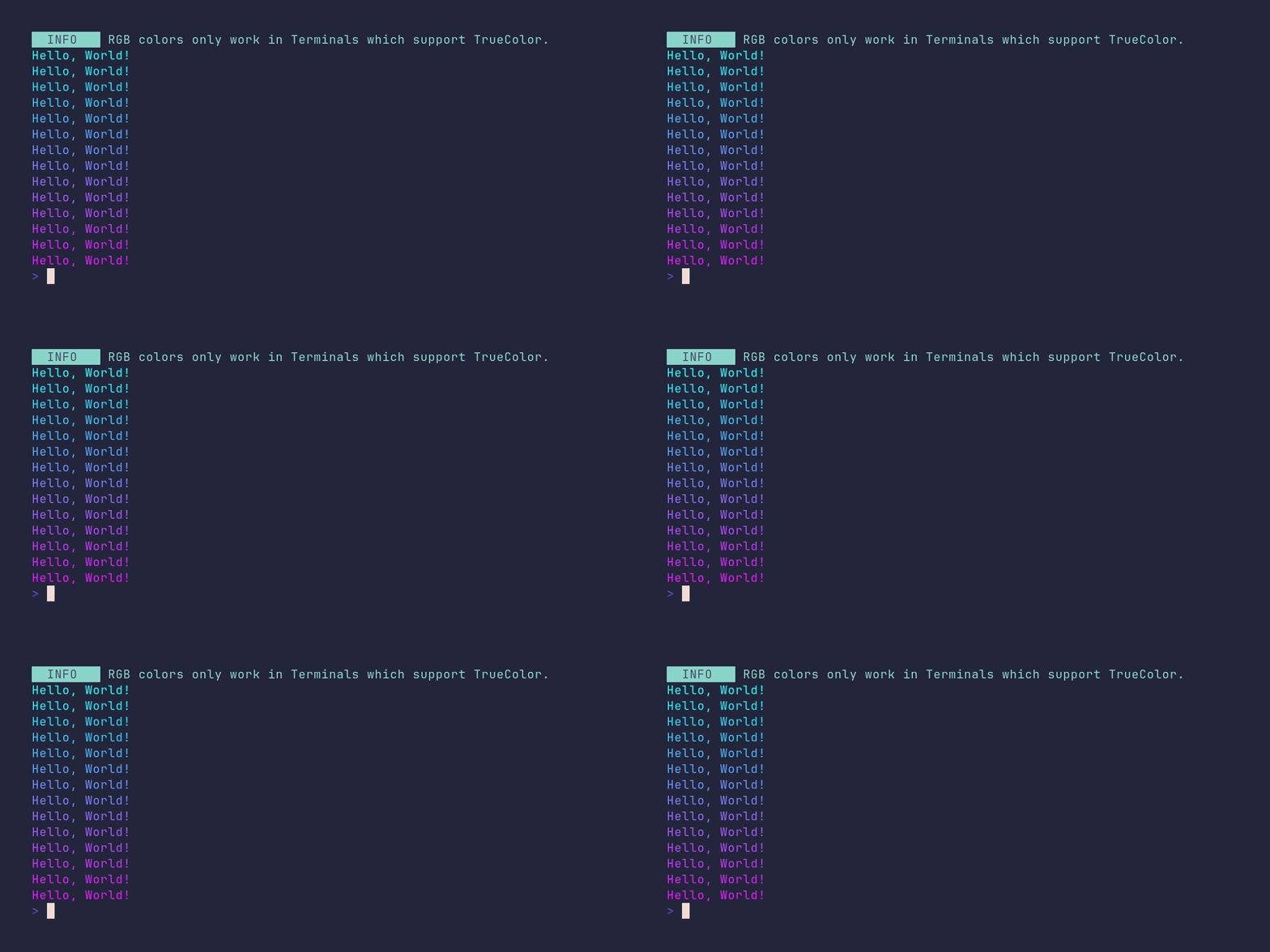
SHOW SOURCE
package main

import (
	"github.com/pterm/pterm"
)

func main() {
	// RGB colors need a TrueColor terminal; on anything less PTerm
	// downsamples them to the closest supported color.
	pterm.Info.Println("RGB colors only work in Terminals which support TrueColor.")

	startColor := pterm.NewRGB(0, 255, 255) // cyan
	endColor := pterm.NewRGB(255, 0, 255)   // magenta

	// Spread the gradient over the visible terminal height, one line per step.
	terminalHeight := pterm.GetTerminalHeight()

	for i := 0; i < terminalHeight-2; i++ {
		// Fade interpolates between the two colors; the factor 0..1 selects
		// the position on the gradient.
		fadeFactor := float32(i) / float32(terminalHeight-2)
		currentColor := startColor.Fade(0, 1, fadeFactor, endColor)

		currentColor.Println("Hello, World!")
	}
}
coloring/fade-colors-rgb-style
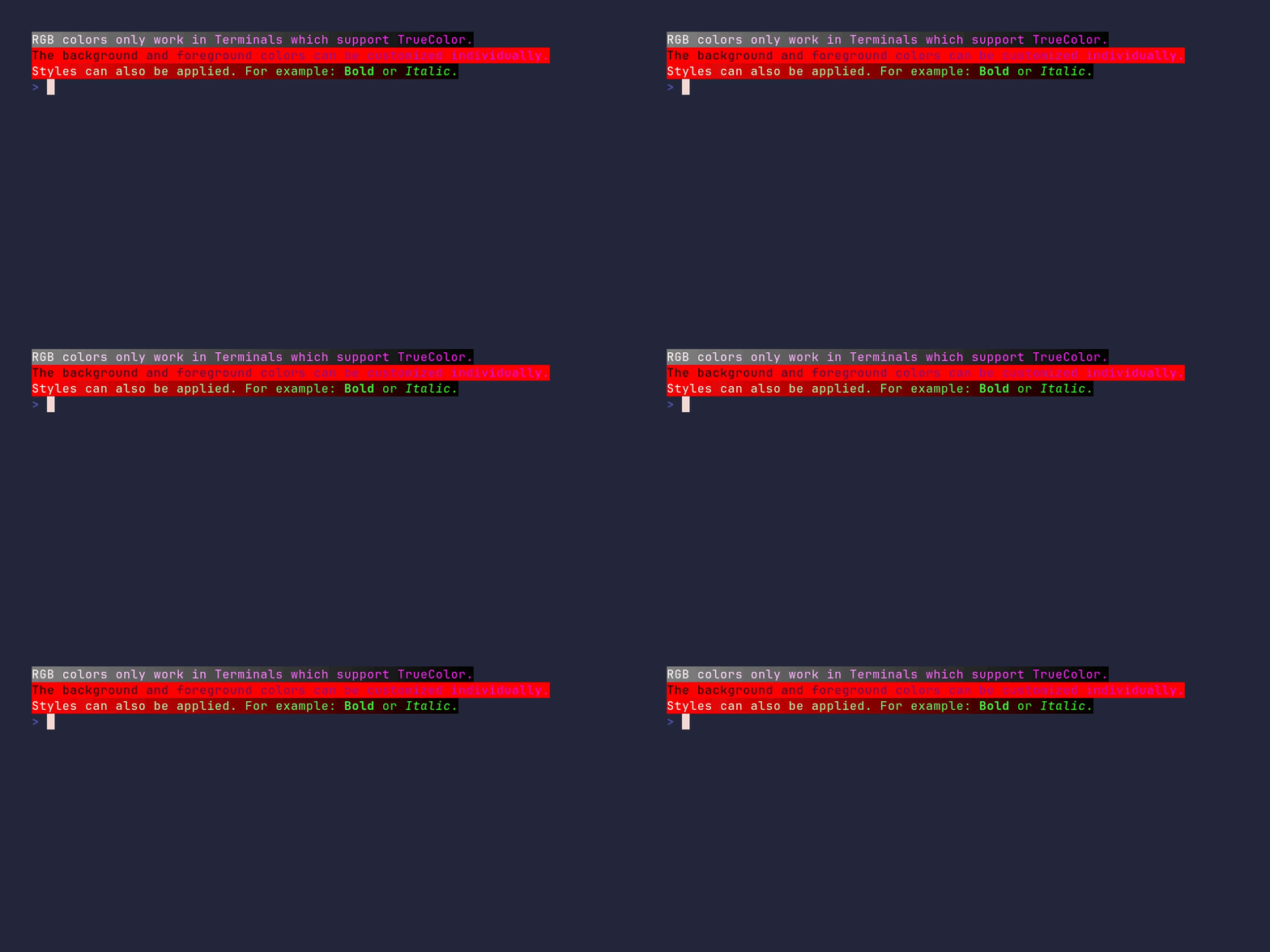
SHOW SOURCE
package main

import (
	"strings"

	"github.com/pterm/pterm"
)

// Demonstrates RGBStyle: fading the foreground and background independently,
// plus adding options like Bold or Italic on top of an RGB gradient.
// RGB colors need a TrueColor terminal to show up as smooth gradients.
func main() {
	white := pterm.NewRGB(255, 255, 255)
	grey := pterm.NewRGB(128, 128, 128)
	black := pterm.NewRGB(0, 0, 0)
	red := pterm.NewRGB(255, 0, 0)
	purple := pterm.NewRGB(255, 0, 255)
	green := pterm.NewRGB(0, 255, 0)

	str1 := "RGB colors only work in Terminals which support TrueColor."
	str2 := "The background and foreground colors can be customized individually."
	str3 := "Styles can also be applied. For example: Bold or Italic."

	printFadedString(str1, white, purple, grey, black)
	printFadedString(str2, black, purple, red, red)
	printStyledString(str3, white, green, red, black)
}

// printFadedString fades the foreground from fgStart to fgEnd and the
// background from bgStart to bgEnd across the string, one character at a time.
func printFadedString(str string, fgStart, fgEnd, bgStart, bgEnd pterm.RGB) {
	strs := strings.Split(str, "")
	var result string
	for i := 0; i < len(str); i++ {
		style := pterm.NewRGBStyle(fgStart.Fade(0, float32(len(str)), float32(i), fgEnd), bgStart.Fade(0, float32(len(str)), float32(i), bgEnd))
		result += style.Sprint(strs[i])
	}
	pterm.Println(result)
}

// printStyledString does the same fade, but additionally renders the words
// "Bold" and "Italic" in their respective style when they appear in the text.
func printStyledString(str string, fgStart, fgEnd, bgStart, bgEnd pterm.RGB) {
	strs := strings.Split(str, "")
	var result string
	boldStr := strings.Split("Bold", "")
	italicStr := strings.Split("Italic", "")
	bold, italic := 0, 0
	for i := 0; i < len(str); i++ {
		style := pterm.NewRGBStyle(fgStart.Fade(0, float32(len(str)), float32(i), fgEnd), bgStart.Fade(0, float32(len(str)), float32(i), bgEnd))
		// While inside the word "Bold" or "Italic", add the matching option.
		if bold < len(boldStr) && i+len(boldStr)-bold <= len(strs) && strings.Join(strs[i:i+len(boldStr)-bold], "") == strings.Join(boldStr[bold:], "") {
			style = style.AddOptions(pterm.Bold)
			bold++
		} else if italic < len(italicStr) && i+len(italicStr)-italic < len(strs) && strings.Join(strs[i:i+len(italicStr)-italic], "") == strings.Join(italicStr[italic:], "") {
			style = style.AddOptions(pterm.Italic)
			italic++
		}
		result += style.Sprint(strs[i])
	}
	pterm.Println(result)
}
coloring/fade-multiple-colors
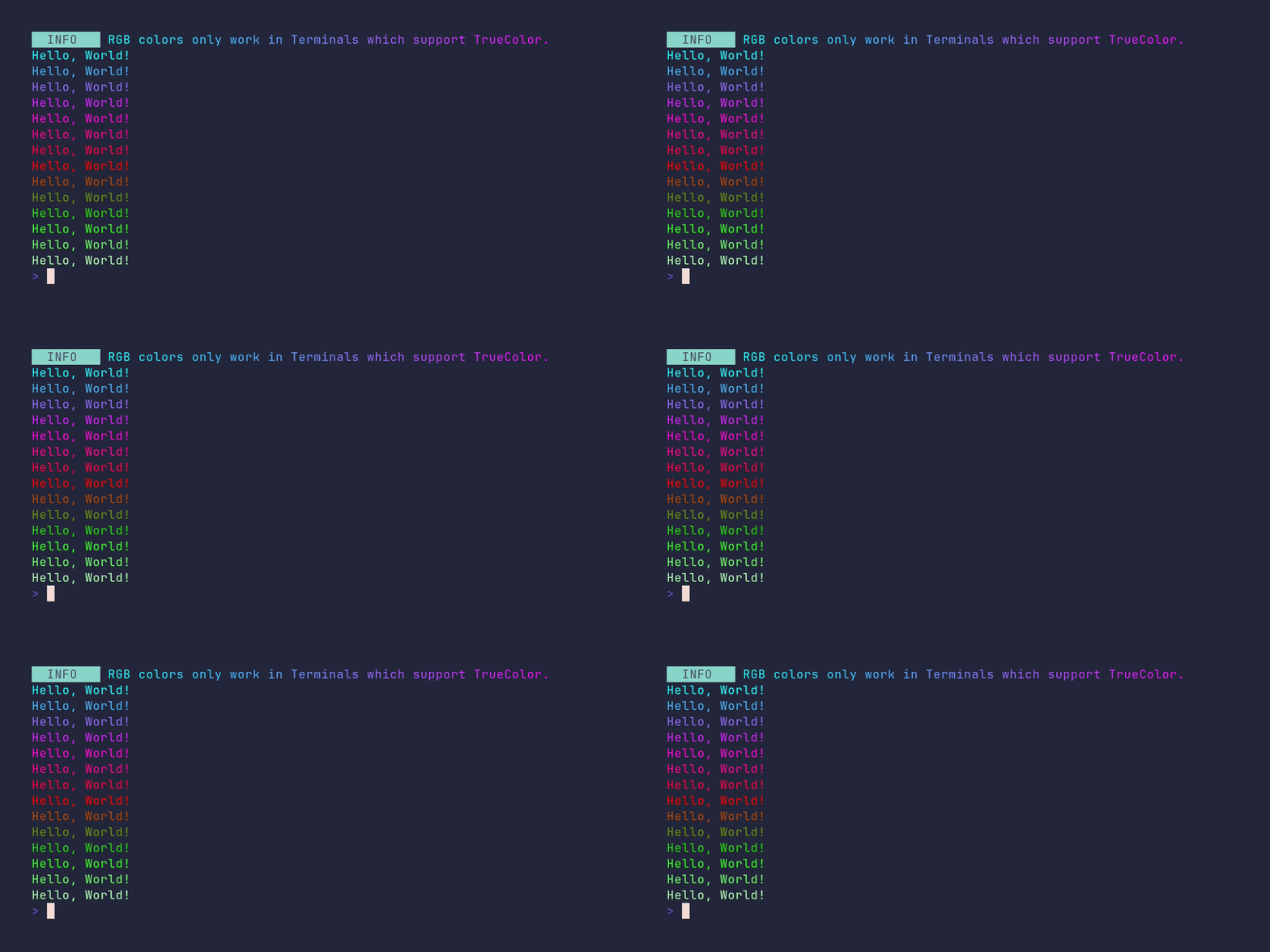
SHOW SOURCE
package main

import (
	"strings"

	"github.com/pterm/pterm"
)

func main() {
	// Fade accepts multiple target colors, so a gradient can pass through
	// several points instead of just blending between two.
	startColor := pterm.NewRGB(0, 255, 255)
	firstPoint := pterm.NewRGB(255, 0, 255)
	secondPoint := pterm.NewRGB(255, 0, 0)
	thirdPoint := pterm.NewRGB(0, 255, 0)
	endColor := pterm.NewRGB(255, 255, 255)

	str := "RGB colors only work in Terminals which support TrueColor."
	strs := strings.Split(str, "")

	// Fade a single line horizontally, character by character.
	var fadeInfo string
	for i := 0; i < len(str); i++ {
		fadeInfo += startColor.Fade(0, float32(len(str)), float32(i), firstPoint).Sprint(strs[i])
	}

	pterm.Info.Println(fadeInfo)

	terminalHeight := pterm.GetTerminalHeight()

	// Fade vertically over the visible terminal height, passing through all
	// four gradient points from top to bottom.
	for i := 0; i < terminalHeight-2; i++ {
		startColor.Fade(0, float32(terminalHeight-2), float32(i), firstPoint, secondPoint, thirdPoint, endColor).Println("Hello, World!")
	}
}
coloring/override-default-printers
SHOW SOURCE
package main

import "github.com/pterm/pterm"

func main() {
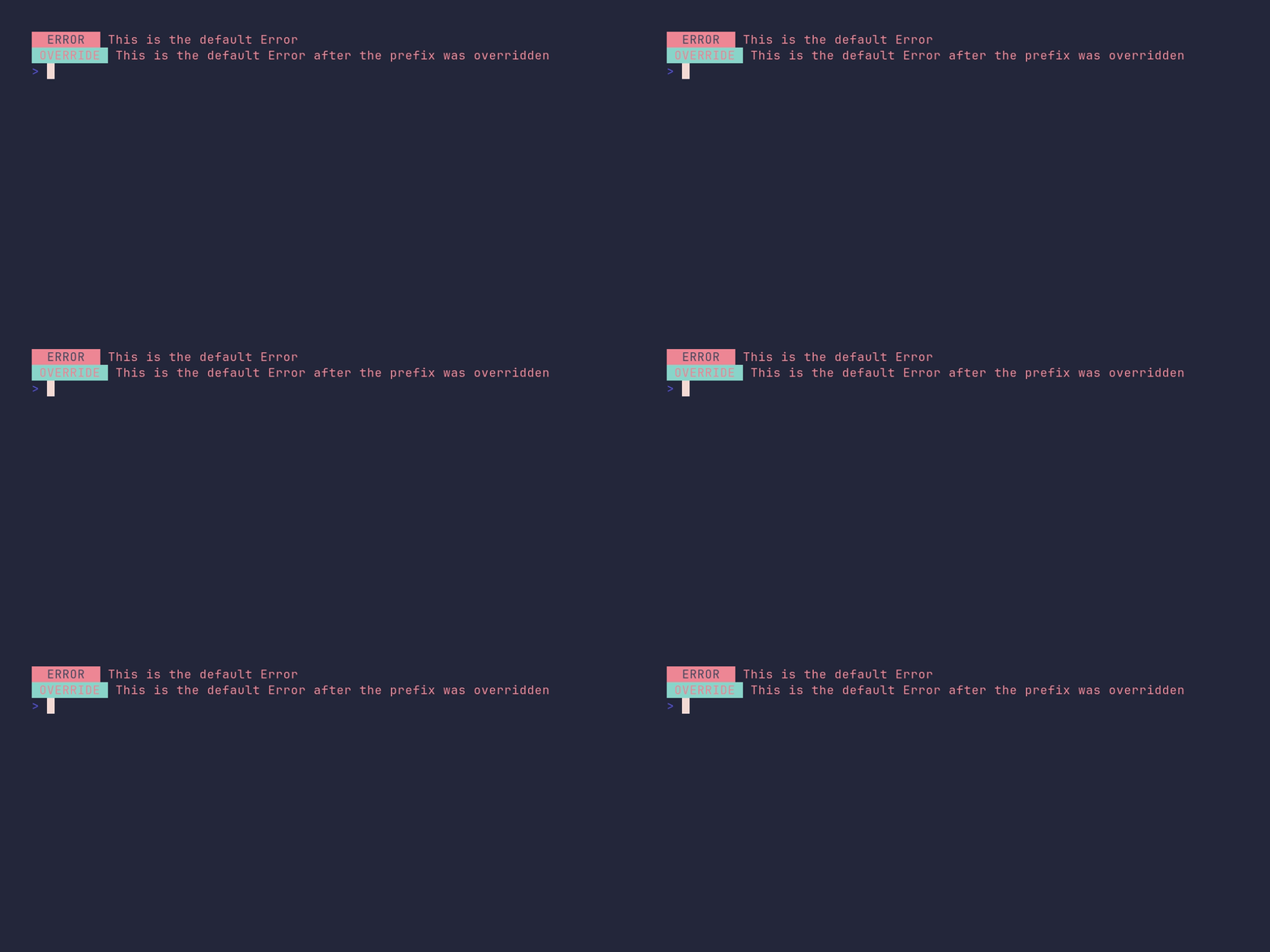
	pterm.Error.Println("This is the default Error")

	// The default printers are package-level variables, so their fields can
	// be changed directly. This swaps the Error prefix text and style for
	// every subsequent pterm.Error call in the program.
	pterm.Error.Prefix = pterm.Prefix{Text: "OVERRIDE", Style: pterm.NewStyle(pterm.BgCyan, pterm.FgRed)}

	pterm.Error.Println("This is the default Error after the prefix was overridden")
}
coloring/print-color-rgb
SHOW SOURCE
package main

import "github.com/pterm/pterm"

func main() {
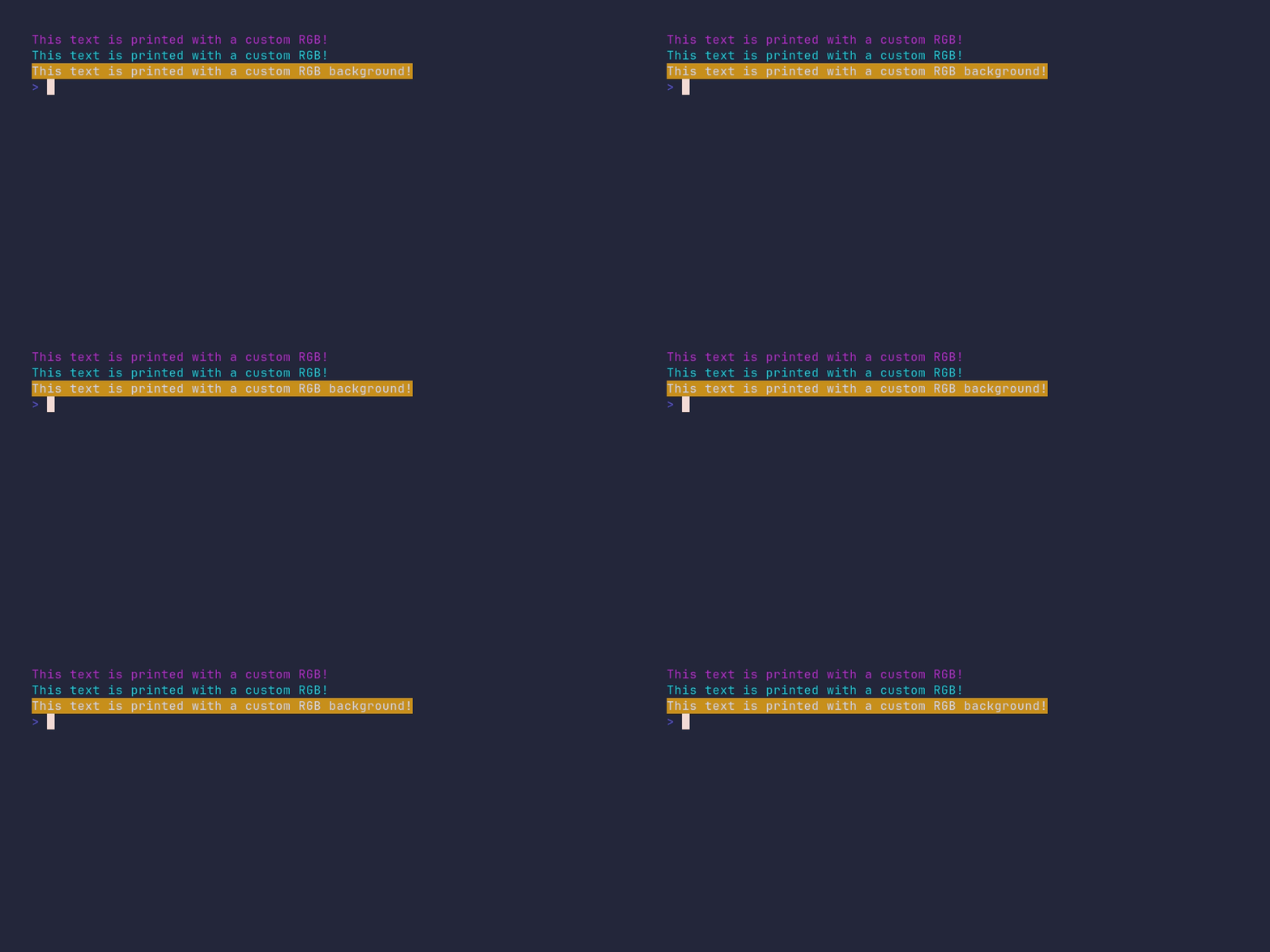
	// NewRGB creates a TrueColor foreground color; every RGB value can be
	// used as a printer directly.
	pterm.NewRGB(178, 44, 199).Println("This text is printed with a custom RGB!")
	pterm.NewRGB(15, 199, 209).Println("This text is printed with a custom RGB!")

	// Passing true as the optional last argument makes the color apply to
	// the background instead of the text.
	pterm.NewRGB(201, 144, 30, true).Println("This text is printed with a custom RGB background!")
}
coloring/print-color-rgb-style
SHOW SOURCE
package main

import (
	"github.com/pterm/pterm"
)

func main() {
	foregroundRGB := pterm.RGB{R: 187, G: 80, B: 0}
	backgroundRGB := pterm.RGB{R: 0, G: 50, B: 123}

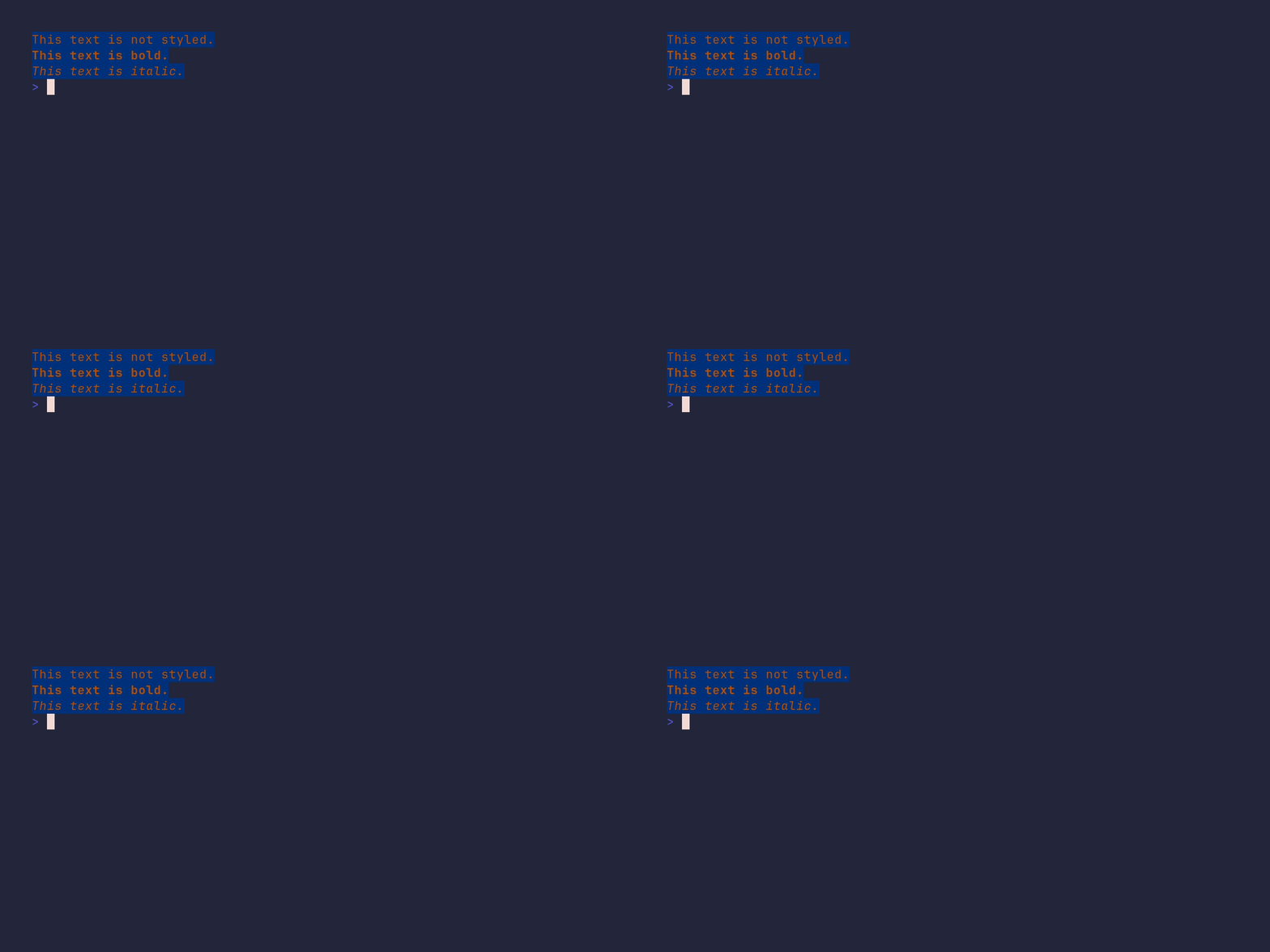
	// NewRGBStyle pairs a TrueColor foreground with a background color.
	rgbStyle := pterm.NewRGBStyle(foregroundRGB, backgroundRGB)

	rgbStyle.Println("This text is not styled.")

	// AddOptions returns a new style, so the bold and italic lines below are
	// independent of each other and of rgbStyle.
	rgbStyle.AddOptions(pterm.Bold).Println("This text is bold.")
	rgbStyle.AddOptions(pterm.Italic).Println("This text is italic.")
}
demo/demo
SHOW SOURCE
package main

import (
	"flag"
	"fmt"
	"reflect"
	"strconv"
	"strings"
	"time"

	"github.com/pterm/pterm"
	"github.com/pterm/pterm/putils"
)

var speedup = flag.Bool("speedup", false, "Speed up the demo")
var skipIntro = flag.Bool("skip-intro", false, "Skips the intro")
var second = time.Second
var section = pterm.DefaultHeader.WithBackgroundStyle(pterm.NewStyle(pterm.BgLightBlue)).WithTextStyle(pterm.NewStyle(pterm.FgLightMagenta)).WithFullWidth()

var pseudoProgramList = []string{"excel", "photoshop", "chrome", "outlook", "git", "vscode", "minecraft", "neovim", "gopls"}

func main() {
	setup()

	if !*skipIntro {
		introScreen()
		clear()
	}

	showcase("Structured Logging", 5, func() {
		logger := pterm.DefaultLogger.
			WithLevel(pterm.LogLevelTrace)

		logger.Trace("Doing not so important stuff", logger.Args("priority", "super low"))

		time.Sleep(second * 3)

		interestingStuff := map[string]any{
			"when were crayons invented":  "1903",
			"what is the meaning of life": 42,
			"is this interesting":         true,
		}
		logger.Debug("This might be interesting", logger.ArgsFromMap(interestingStuff))
		time.Sleep(second * 3)

		logger.Info("That was actually interesting", logger.Args("such", "wow"))
		time.Sleep(second * 3)
		logger.Warn("Oh no, I see an error coming to us!", logger.Args("speed", 88, "measures", "mph"))
		time.Sleep(second * 3)
		logger.Error("Damn, here it is!", logger.Args("error", "something went wrong"))
		time.Sleep(second * 3)
		logger.Info("But what's really cool is, that you can print very long logs, and PTerm will automatically wrap them for you! Say goodbye to text, that has weird line breaks!", logger.Args("very", "long"))
	})

	showcase("Progress bar", 2, func() {
		pb, _ := pterm.DefaultProgressbar.WithTotal(len(pseudoProgramList)).WithTitle("Installing stuff").Start()
		for i := 0; i < pb.Total; i++ {
			pb.UpdateTitle("Installing " + pseudoProgramList[i])
			if pseudoProgramList[i] == "pseudo-minecraft" {
				pterm.Warning.Println("Could not install pseudo-minecraft\nThe company policy forbids games.")
			} else {
				pterm.Success.Println("Installing " + pseudoProgramList[i])
			}
			pb.Increment()
			time.Sleep(second / 2)
		}
		pb.Stop()
	})

	showcase("Spinner", 2, func() {
		list := pseudoProgramList[7:]
		spinner, _ := pterm.DefaultSpinner.Start("Installing stuff")
		for i := 0; i < len(list); i++ {
			spinner.UpdateText("Installing " + list[i])
			if list[i] == "pseudo-minecraft" {
				pterm.Warning.Println("Could not install pseudo-minecraft\nThe company policy forbids games.")
			} else {
				pterm.Success.Println("Installing " + list[i])
			}
			time.Sleep(second)
		}
		spinner.Success()
	})

	showcase("Live Output", 2, func() {
		pterm.Info.Println("You can use an Area to display changing output:")
		pterm.Println()
		area, _ := pterm.DefaultArea.WithCenter().Start()
		for i := 0; i < 10; i++ {
			// Render the current time as big text and swap it into the area in place.
			str, _ := pterm.DefaultBigText.WithLetters(putils.LettersFromString(time.Now().Format("15:04:05"))).Srender()
			area.Update(str)
			time.Sleep(second)
		}
		area.Stop()
	})

	showcase("Tables", 4, func() {
		for i := 0; i < 3; i++ {
			pterm.Println()
		}
		td := [][]string{
			{"Library", "Description"},
			{"PTerm", "Make beautiful CLIs"},
			{"Testza", "Programmer friendly test framework"},
			{"Cursor", "Move the cursor around the terminal"},
		}
		table, _ := pterm.DefaultTable.WithHasHeader().WithData(td).Srender()
		boxedTable, _ := pterm.DefaultTable.WithHasHeader().WithData(td).WithBoxed().Srender()
		pterm.DefaultCenter.Println(table)
		pterm.DefaultCenter.Println(boxedTable)
	})

	showcase("TrueColor Support", 7, func() {
		// Fade blends every character from the start color to the end color over the string.
		from := pterm.NewRGB(0, 255, 255)
		to := pterm.NewRGB(255, 0, 255)

		str := "If your terminal has TrueColor support, you can use RGB colors!\nYou can even fade them :)\n\nLorem ipsum dolor sit amet, consetetur sadipscing elitr, sed diam nonumy eirmod tempor invidunt ut labore et dolore magna aliquyam erat, sed diam voluptua. At vero eos et accusam et justo duo dolores et ea rebum. Stet clita kasd gubergren, no sea takimata sanctus est Lorem ipsum dolor sit amet. Lorem ipsum dolor sit amet, consetetur sadipscing elitr, sed diam nonumy eirmod tempor invidunt ut labore et dolore magna aliquyam erat, sed diam voluptua. At vero eos et accusam et justo duo dolores et ea rebum. Stet clita kasd gubergren, no sea takimata sanctus est Lorem ipsum dolor sit amet."
		strs := strings.Split(str, "")

		var fadeInfo string
		for i := 0; i < len(str); i++ {
			fadeInfo += from.Fade(0, float32(len(str)), float32(i), to).Sprint(strs[i])
		}
		pterm.DefaultCenter.WithCenterEachLineSeparately().Println(fadeInfo)
	})

	showcase("Fully Customizable", 2, func() {
		for i := 0; i < 4; i++ {
			pterm.Println()
		}
		text := "All printers are fully customizable!"
		area := pterm.DefaultArea.WithCenter()
		area.Update(pterm.DefaultBox.Sprintln(text))
		time.Sleep(second)
		area.Update(pterm.DefaultBox.WithTopPadding(1).Sprintln(text))
		time.Sleep(second / 3)
		area.Update(pterm.DefaultBox.WithTopPadding(1).WithBottomPadding(1).Sprintln(text))
		time.Sleep(second / 3)
		area.Update(pterm.DefaultBox.WithTopPadding(1).WithBottomPadding(1).WithLeftPadding(1).Sprintln(text))
		time.Sleep(second / 3)
		area.Update(pterm.DefaultBox.WithTopPadding(1).WithBottomPadding(1).WithLeftPadding(1).WithRightPadding(1).Sprintln(text))
		time.Sleep(second / 3)
		area.Update(pterm.DefaultBox.WithTopPadding(1).WithBottomPadding(1).WithLeftPadding(1).WithRightPadding(1).WithTitle("Some title!").WithTitleTopLeft().Sprintln(text))
		time.Sleep(second / 3)
		area.Update(pterm.DefaultBox.WithTopPadding(1).WithBottomPadding(1).WithLeftPadding(1).WithRightPadding(1).WithTitle("Some title!").WithTitleTopCenter().Sprintln(text))
		time.Sleep(second / 3)
		area.Update(pterm.DefaultBox.WithTopPadding(1).WithBottomPadding(1).WithLeftPadding(1).WithRightPadding(1).WithTitle("Some title!").WithTitleTopRight().Sprintln(text))
		time.Sleep(second / 3)
		area.Update(pterm.DefaultBox.WithTopPadding(1).WithBottomPadding(1).WithLeftPadding(1).WithRightPadding(1).WithTitle("Some title!").WithTitleBottomRight().Sprintln(text))
		time.Sleep(second / 3)
		area.Update(pterm.DefaultBox.WithTopPadding(1).WithBottomPadding(1).WithLeftPadding(1).WithRightPadding(1).WithTitle("Some title!").WithTitleBottomCenter().Sprintln(text))
		time.Sleep(second / 3)
		area.Update(pterm.DefaultBox.WithTopPadding(1).WithBottomPadding(1).WithLeftPadding(1).WithRightPadding(1).WithTitle("Some title!").WithTitleBottomLeft().Sprintln(text))
		time.Sleep(second / 3)
		area.Update(pterm.DefaultBox.WithTopPadding(1).WithBottomPadding(1).WithLeftPadding(1).WithRightPadding(1).WithBoxStyle(pterm.NewStyle(pterm.FgCyan)).Sprintln(text))
		time.Sleep(second / 5)
		area.Update(pterm.DefaultBox.WithTopPadding(1).WithBottomPadding(1).WithLeftPadding(1).WithRightPadding(1).WithBoxStyle(pterm.NewStyle(pterm.FgRed)).Sprintln(text))
		time.Sleep(second / 5)
		area.Update(pterm.DefaultBox.WithTopPadding(1).WithBottomPadding(1).WithLeftPadding(1).WithRightPadding(1).WithBoxStyle(pterm.NewStyle(pterm.FgGreen)).Sprintln(text))
		time.Sleep(second / 5)
		area.Update(pterm.DefaultBox.WithTopPadding(1).
			WithBottomPadding(1).
			WithLeftPadding(1).
			WithRightPadding(1).
			WithHorizontalString("═").
			WithVerticalString("║").
			WithBottomLeftCornerString("╗").
			WithBottomRightCornerString("╔").
			WithTopLeftCornerString("╝").
			WithTopRightCornerString("╚").
			Sprintln(text))
		area.Stop()
	})

	showcase("Themes", 2, func() {
		pterm.Info.Println("You can change the color theme of PTerm easily to fit your needs!\nThis is the default one:")
		time.Sleep(second / 2)

		// Print every style of the default theme, each rendered in its own style.
		v := reflect.ValueOf(pterm.ThemeDefault)
		typeOfS := v.Type()

		if typeOfS == reflect.TypeOf(pterm.Theme{}) {
			for i := 0; i < v.NumField(); i++ {
				field, ok := v.Field(i).Interface().(pterm.Style)
				if ok {
					field.Println(typeOfS.Field(i).Name)
				}
				time.Sleep(second / 4)
			}
		}
	})

	showcase("And much more!", 3, func() {
		for i := 0; i < 4; i++ {
			pterm.Println()
		}
		box := pterm.DefaultBox.
			WithBottomPadding(1).
			WithTopPadding(1).
			WithLeftPadding(3).
			WithRightPadding(3).
			Sprintf("Have fun exploring %s!", pterm.Cyan("PTerm"))
		pterm.DefaultCenter.Println(box)
	})
}

func setup() {
	flag.Parse()
	if *speedup {
		second = time.Millisecond * 200
	}
}

func introScreen() {
	ptermLogo, _ := pterm.DefaultBigText.WithLetters(
		putils.LettersFromStringWithStyle("P", pterm.NewStyle(pterm.FgLightCyan)),
		putils.LettersFromStringWithStyle("Term", pterm.NewStyle(pterm.FgLightMagenta))).
		Srender()

	pterm.DefaultCenter.Print(ptermLogo)

	section.Println("PTDP - PTerm Demo Program")

	fmt.Println()

	pterm.Info.Println("This animation was generated with the latest version of PTerm!" +
		"\nPTerm works on nearly every terminal and operating system." +
		"\nIt's super easy to use!" +
		"\nIf you want, you can customize everything :)" +
		"\nYou can see the code of this demo in the " + pterm.LightMagenta("./_examples/demo") + " directory." +
		"\n" +
		"\nThis demo was updated at: " + pterm.Green(time.Now().Format("02 Jan 2006 - 15:04:05 MST")))
	pterm.Println()
	introSpinner, _ := pterm.DefaultSpinner.WithShowTimer(false).WithRemoveWhenDone(true).Start("Waiting for 15 seconds...")
	time.Sleep(second)
	for i := 14; i > 0; i-- {
		if i > 1 {
			introSpinner.UpdateText("Waiting for " + strconv.Itoa(i) + " seconds...")
		} else {
			introSpinner.UpdateText("Waiting for " + strconv.Itoa(i) + " second...")
		}
		time.Sleep(second)
	}
	introSpinner.Stop()
}

func clear() {
	print("\033[H\033[2J")
}

func showcase(title string, seconds int, content func()) {
	section.Println(title)
	pterm.Println()
	time.Sleep(second / 2)
	content()
	time.Sleep(second * time.Duration(seconds))
	print("\033[H\033[2J")
}
header/demo
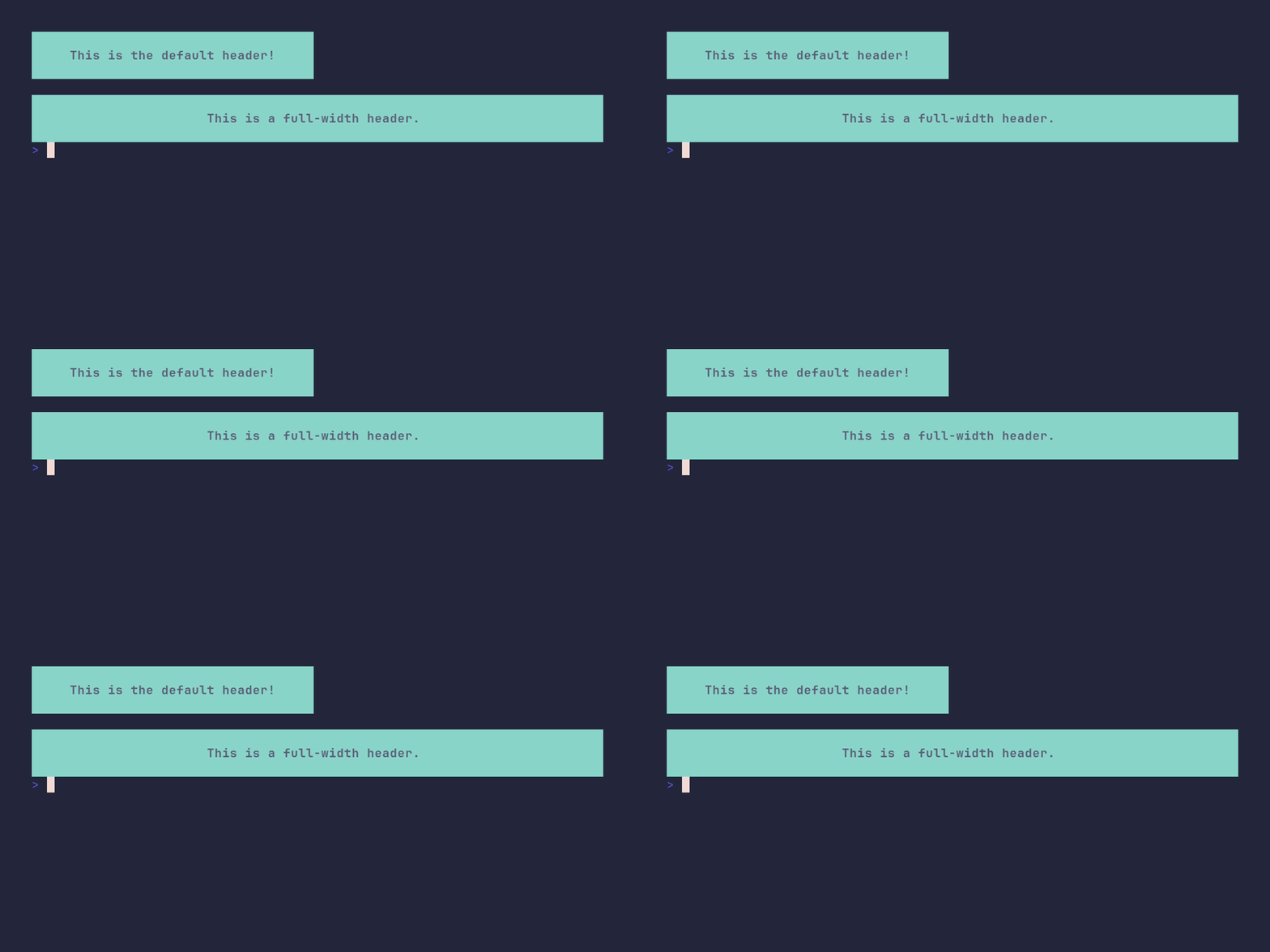
SHOW SOURCE
package main

import "github.com/pterm/pterm"

func main() {
	// By default the header is only as wide as its content plus the margin.
	pterm.DefaultHeader.Println("This is the default header!")

	pterm.Println()

	// WithFullWidth stretches the header background across the whole terminal.
	pterm.DefaultHeader.WithFullWidth().Println("This is a full-width header.")
}
header/custom
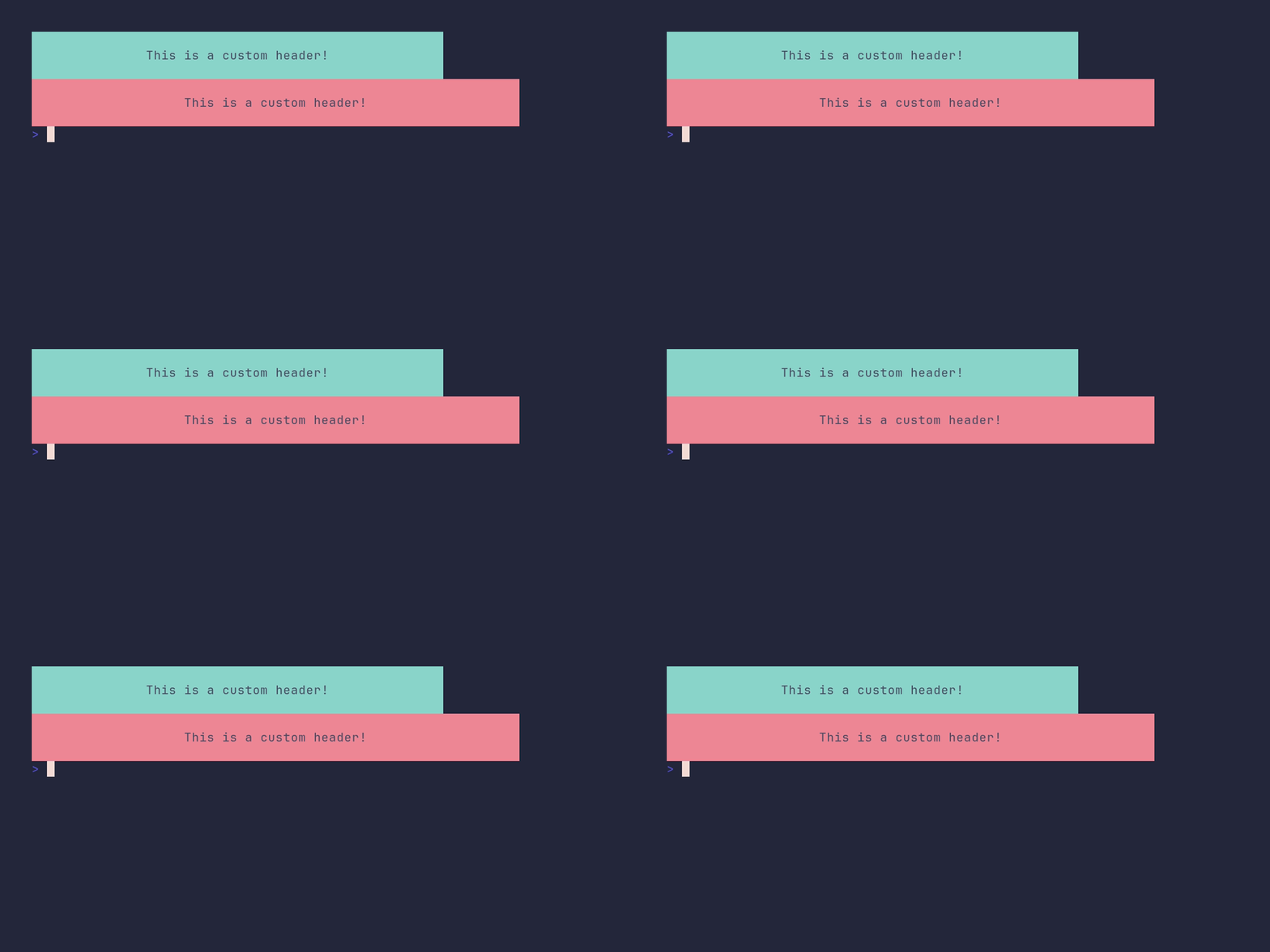
SHOW SOURCE
package main

import "github.com/pterm/pterm"

func main() {
	// Restyle the default header on the fly. The margin adds horizontal
	// padding on both sides of the text.
	pterm.DefaultHeader.WithMargin(15).WithBackgroundStyle(pterm.NewStyle(pterm.BgCyan)).WithTextStyle(pterm.NewStyle(pterm.FgBlack)).Println("This is a custom header!")

	// Alternatively, build a HeaderPrinter from scratch instead of deriving
	// from DefaultHeader.
	newHeader := pterm.HeaderPrinter{
		TextStyle:       pterm.NewStyle(pterm.FgBlack),
		BackgroundStyle: pterm.NewStyle(pterm.BgRed),
		Margin:          20,
	}

	newHeader.Println("This is a custom header!")
}
heatmap/demo
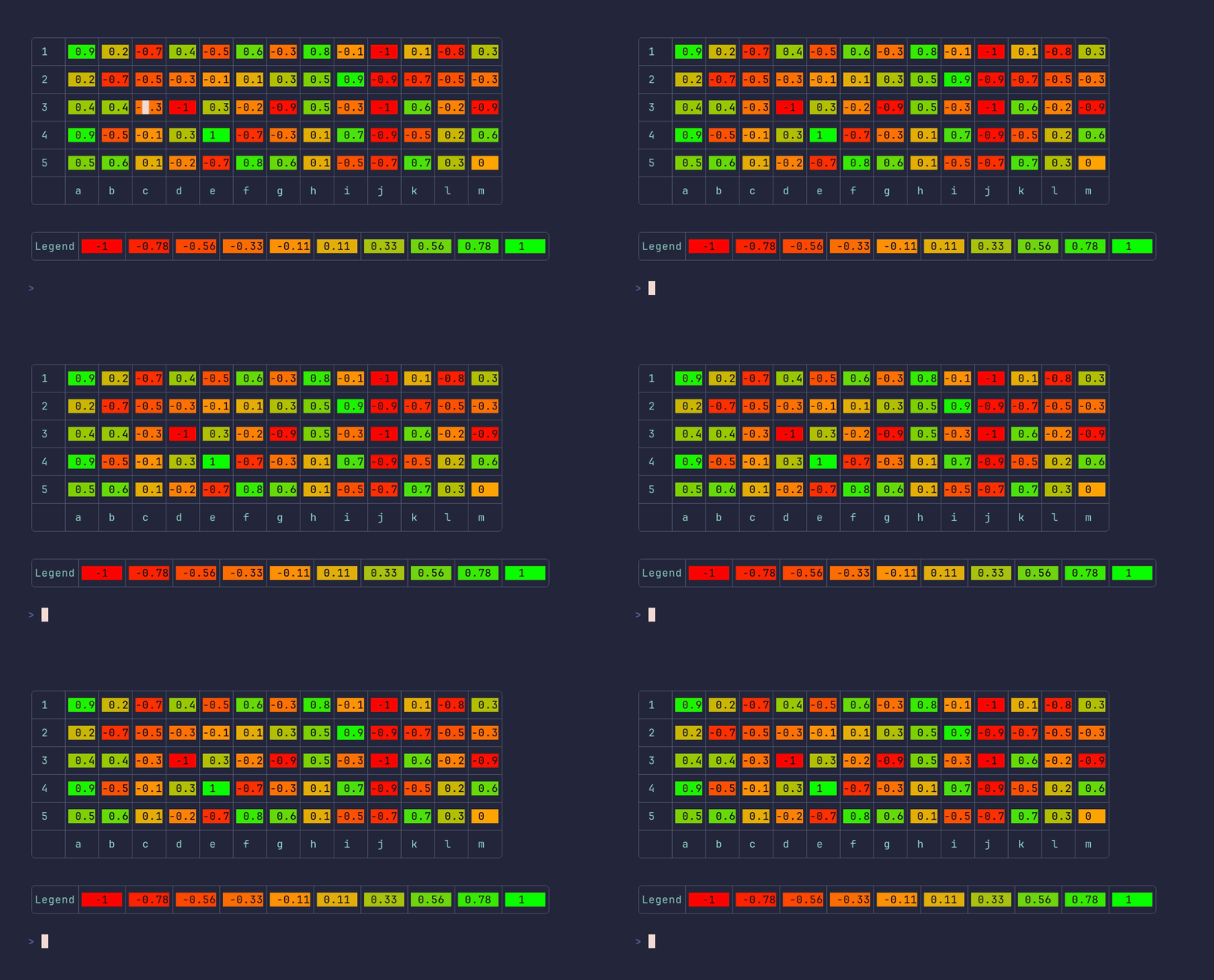
SHOW SOURCE
package main

import (
	"github.com/pterm/pterm"
)

func main() {
	// Each inner slice is one row; cell colors are scaled between the
	// smallest and largest value in the whole matrix.
	data := [][]float32{
		{0.9, 0.2, -0.7, 0.4, -0.5, 0.6, -0.3, 0.8, -0.1, -1.0, 0.1, -0.8, 0.3},
		{0.2, -0.7, -0.5, -0.3, -0.1, 0.1, 0.3, 0.5, 0.9, -0.9, -0.7, -0.5, -0.3},
		{0.4, 0.4, -0.3, -1.0, 0.3, -0.2, -0.9, 0.5, -0.3, -1.0, 0.6, -0.2, -0.9},
		{0.9, -0.5, -0.1, 0.3, 1, -0.7, -0.3, 0.1, 0.7, -0.9, -0.5, 0.2, 0.6},
		{0.5, 0.6, 0.1, -0.2, -0.7, 0.8, 0.6, 0.1, -0.5, -0.7, 0.7, 0.3, 0.0},
	}

	// Axis labels must match the data: one X label per column, one Y label per row.
	headerData := pterm.HeatmapAxis{
		XAxis: []string{"a", "b", "c", "d", "e", "f", "g", "h", "i", "j", "k", "l", "m"},
		YAxis: []string{"1", "2", "3", "4", "5"},
	}

	// WithEnableRGB uses smooth TrueColor gradients instead of the ANSI palette.
	pterm.DefaultHeatmap.WithAxisData(headerData).WithData(data).WithEnableRGB().Render()
}
heatmap/custom_colors
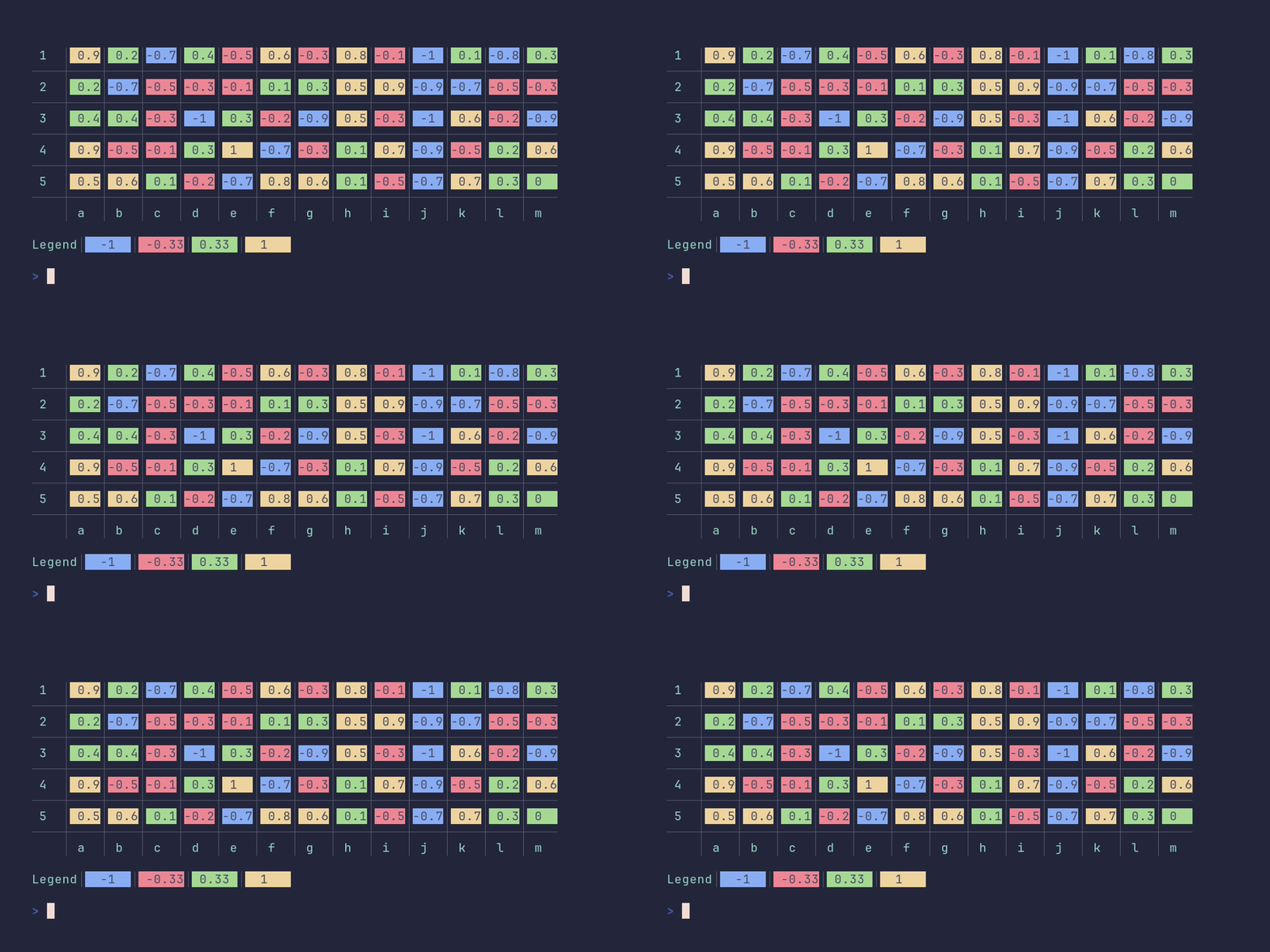
SHOW SOURCE
package main

import (
	"github.com/pterm/pterm"
)

func main() {
	data := [][]float32{
		{0.9, 0.2, -0.7, 0.4, -0.5, 0.6, -0.3, 0.8, -0.1, -1.0, 0.1, -0.8, 0.3},
		{0.2, -0.7, -0.5, -0.3, -0.1, 0.1, 0.3, 0.5, 0.9, -0.9, -0.7, -0.5, -0.3},
		{0.4, 0.4, -0.3, -1.0, 0.3, -0.2, -0.9, 0.5, -0.3, -1.0, 0.6, -0.2, -0.9},
		{0.9, -0.5, -0.1, 0.3, 1, -0.7, -0.3, 0.1, 0.7, -0.9, -0.5, 0.2, 0.6},
		{0.5, 0.6, 0.1, -0.2, -0.7, 0.8, 0.6, 0.1, -0.5, -0.7, 0.7, 0.3, 0.0},
	}

	headerData := pterm.HeatmapAxis{
		XAxis: []string{"a", "b", "c", "d", "e", "f", "g", "h", "i", "j", "k", "l", "m"},
		YAxis: []string{"1", "2", "3", "4", "5"},
	}

	pterm.Info.Println("The following table has no rgb (supported by every terminal), axis data and a legend.")
	pterm.Println()

	// WithColors replaces the default palette with custom ANSI background
	// colors, mapped from the lowest to the highest value. Unlike RGB mode,
	// this works in every terminal.
	pterm.DefaultHeatmap.
		WithData(data).
		WithBoxed(false).
		WithAxisData(headerData).
		WithColors(pterm.BgBlue, pterm.BgRed, pterm.BgGreen, pterm.BgYellow).
		WithLegend().
		Render()
}
heatmap/custom_legend
SHOW SOURCE
package main

import (
	"github.com/pterm/pterm"
)

func main() {
	data := [][]float32{
		{0.9, 0.2, -0.7, 0.4, -0.5, 0.6, -0.3, 0.8, -0.1, -1.0, 0.1, -0.8, 0.3},
		{0.2, -0.7, -0.5, -0.3, -0.1, 0.1, 0.3, 0.5, 0.9, -0.9, -0.7, -0.5, -0.3},
		{0.4, 0.4, -0.3, -1.0, 0.3, -0.2, -0.9, 0.5, -0.3, -1.0, 0.6, -0.2, -0.9},
		{0.9, -0.5, -0.1, 0.3, 1, -0.7, -0.3, 0.1, 0.7, -0.9, -0.5, 0.2, 0.6},
		{0.5, 0.6, 0.1, -0.2, -0.7, 0.8, 0.6, 0.1, -0.5, -0.7, 0.7, 0.3, 0.0},
	}

	headerData := pterm.HeatmapAxis{
		XAxis: []string{"a", "b", "c", "d", "e", "f", "g", "h", "i", "j", "k", "l", "m"},
		YAxis: []string{"1", "2", "3", "4", "5"},
	}

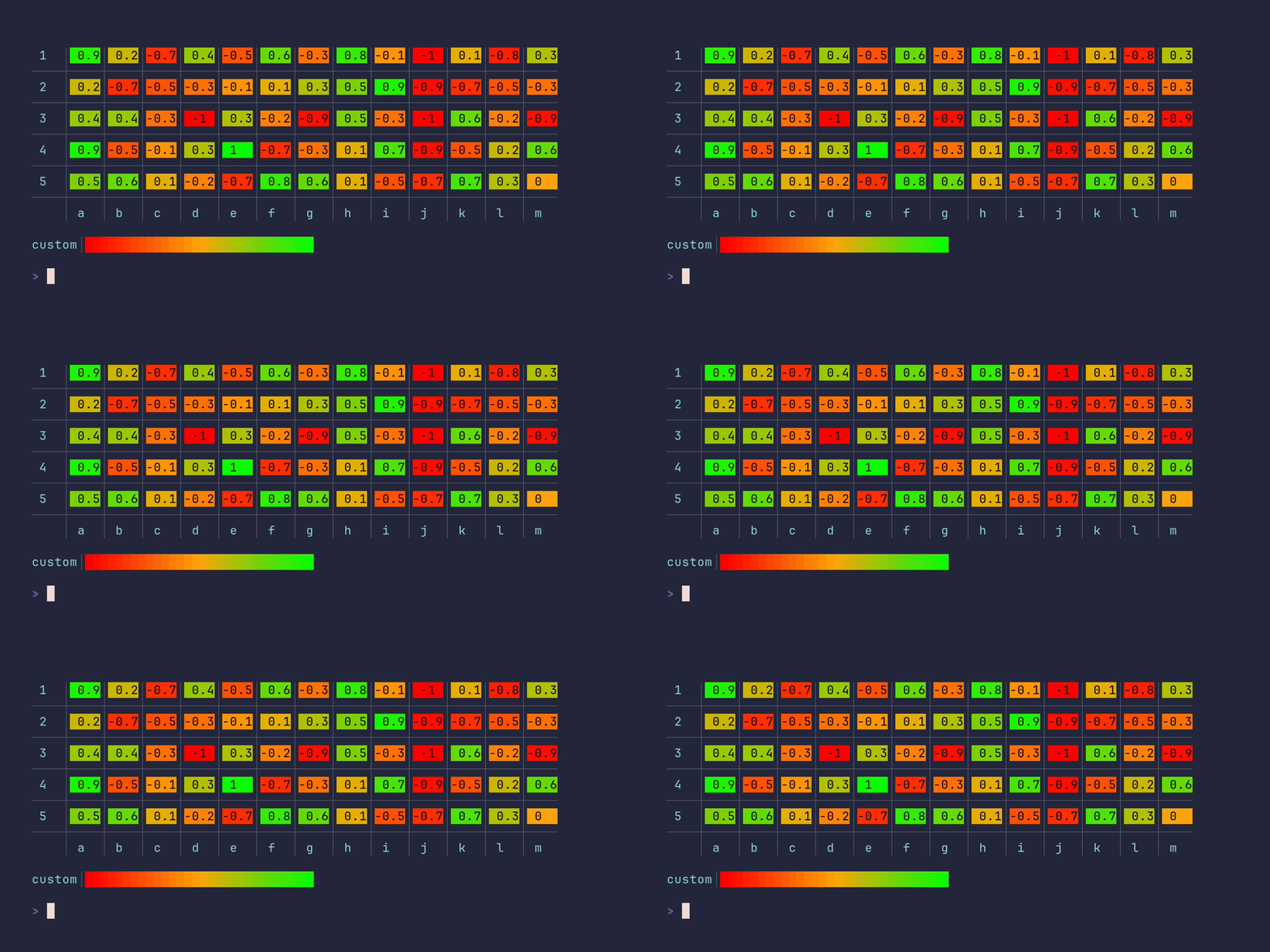
	pterm.Info.Println("The following table has rgb (not supported by every terminal), axis data and a custom legend.")
	pterm.Println()

	// WithLegendLabel changes the legend title, and WithLegendOnlyColoredCells
	// hides the numeric values in the legend, leaving just the color swatches.
	pterm.DefaultHeatmap.
		WithData(data).
		WithBoxed(false).
		WithAxisData(headerData).
		WithEnableRGB().
		WithLegendLabel("custom").
		WithLegendOnlyColoredCells().
		Render()
}
heatmap/custom_rgb
SHOW SOURCE
package main

import (
	"github.com/pterm/pterm"
)

func main() {
	data := [][]float32{
		{0.9, 0.2, -0.7, 0.4, -0.5, 0.6, -0.3, 0.8, -0.1, -1.0, 0.1, -0.8, 0.3},
		{0.2, -0.7, -0.5, -0.3, -0.1, 0.1, 0.3, 0.5, 0.9, -0.9, -0.7, -0.5, -0.3},
		{0.4, 0.4, -0.3, -1.0, 0.3, -0.2, -0.9, 0.5, -0.3, -1.0, 0.6, -0.2, -0.9},
		{0.9, -0.5, -0.1, 0.3, 1, -0.7, -0.3, 0.1, 0.7, -0.9, -0.5, 0.2, 0.6},
		{0.5, 0.6, 0.1, -0.2, -0.7, 0.8, 0.6, 0.1, -0.5, -0.7, 0.7, 0.3, 0.0},
	}

	axisLabels := pterm.HeatmapAxis{
		XAxis: []string{"a", "b", "c", "d", "e", "f", "g", "h", "i", "j", "k", "l", "m"},
		YAxis: []string{"1", "2", "3", "4", "5"},
	}

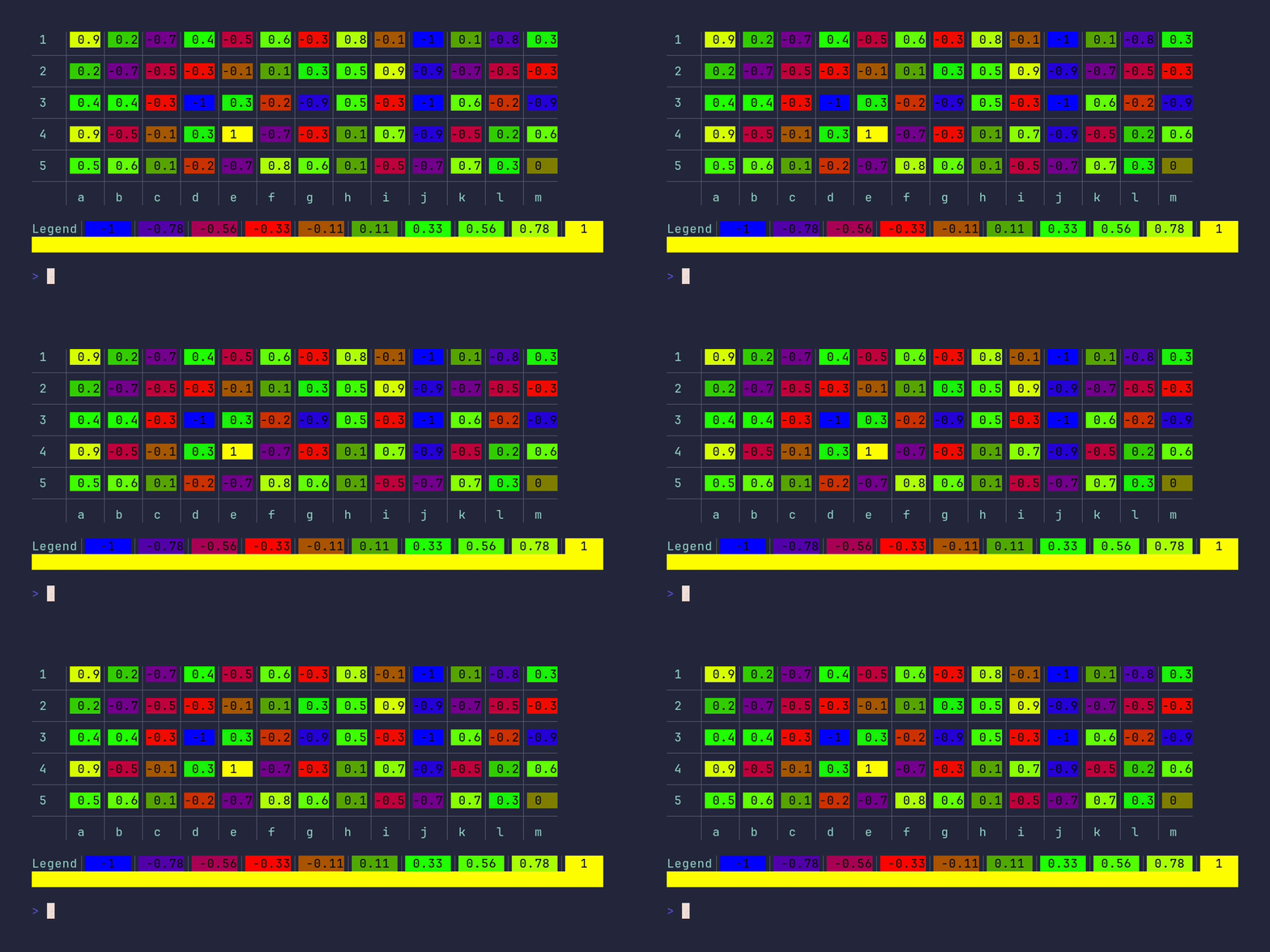
	pterm.Info.Println("The following table has rgb (not supported by every terminal), axis data and a legend.")
	pterm.Println()

	// The RGB range defines the gradient stops: the lowest value gets the
	// first color, the highest the last, and everything in between is faded.
	rgbRange := []pterm.RGB{
		pterm.NewRGB(0, 0, 255),
		pterm.NewRGB(255, 0, 0),
		pterm.NewRGB(0, 255, 0),
		pterm.NewRGB(255, 255, 0),
	}

	pterm.DefaultHeatmap.
		WithData(data).
		WithBoxed(false).
		WithAxisData(axisLabels).
		WithEnableRGB().
		WithRGBRange(rgbRange...).
		Render()
}
heatmap/no_grid
SHOW SOURCE
package main

import (
	"github.com/pterm/pterm"
)

func main() {
	data := [][]float32{
		{0.9, 0.2, -0.7, 0.4, -0.5, 0.6, -0.3, 0.8, -0.1, -1.0, 0.1, -0.8, 0.3},
		{0.2, -0.7, -0.5, -0.3, -0.1, 0.1, 0.3, 0.5, 0.9, -0.9, -0.7, -0.5, -0.3},
		{0.4, 0.4, -0.3, -1.0, 0.3, -0.2, -0.9, 0.5, -0.3, -1.0, 0.6, -0.2, -0.9},
		{0.9, -0.5, -0.1, 0.3, 1, -0.7, -0.3, 0.1, 0.7, -0.9, -0.5, 0.2, 0.6},
		{0.5, 0.6, 0.1, -0.2, -0.7, 0.8, 0.6, 0.1, -0.5, -0.7, 0.7, 0.3, 0.0},
	}

	axisData := pterm.HeatmapAxis{
		XAxis: []string{"a", "b", "c", "d", "e", "f", "g", "h", "i", "j", "k", "l", "m"},
		YAxis: []string{"1", "2", "3", "4", "5"},
	}

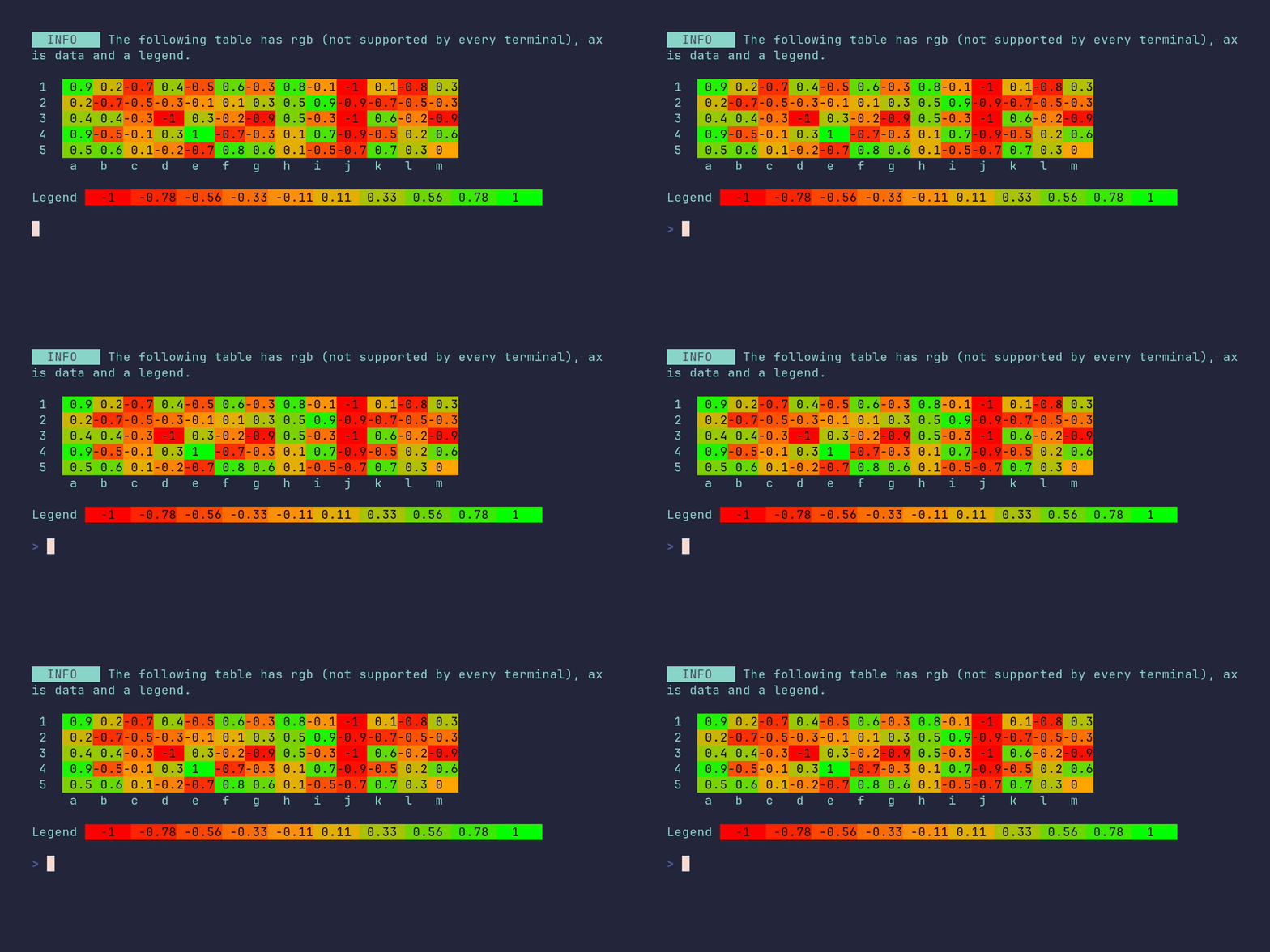
	pterm.Info.Println("The following table has rgb (not supported by every terminal), axis data and a legend.")
	pterm.Println()

	// WithGrid(false) drops the separators between cells, so the colors form
	// one continuous surface.
	pterm.DefaultHeatmap.WithData(data).WithBoxed(false).WithAxisData(axisData).WithEnableRGB().WithLegend().WithGrid(false).Render()
}
heatmap/separated
SHOW SOURCE
package main

import "github.com/pterm/pterm"

func main() {
	data := [][]float32{
		{0.9, 0.2, -0.7, 0.4, -0.5, 0.6, -0.3, 0.8, -0.1, -1.0, 0.1, -0.8, 0.3},
		{0.2, -0.7, -0.5, -0.3, -0.1, 0.1, 0.3, 0.5, 0.9, -0.9, -0.7, -0.5, -0.3},
		{0.4, 0.4, -0.3, -1.0, 0.3, -0.2, -0.9, 0.5, -0.3, -1.0, 0.6, -0.2, -0.9},
		{0.9, -0.5, -0.1, 0.3, 1, -0.7, -0.3, 0.1, 0.7, -0.9, -0.5, 0.2, 0.6},
		{0.5, 0.6, 0.1, -0.2, -0.7, 0.8, 0.6, 0.1, -0.5, -0.7, 0.7, 0.3, 0.0},
	}

	headerData := pterm.HeatmapAxis{
		XAxis: []string{"a", "b", "c", "d", "e", "f", "g", "h", "i", "j", "k", "l", "m"},
		YAxis: []string{"1", "2", "3", "4", "5"},
	}

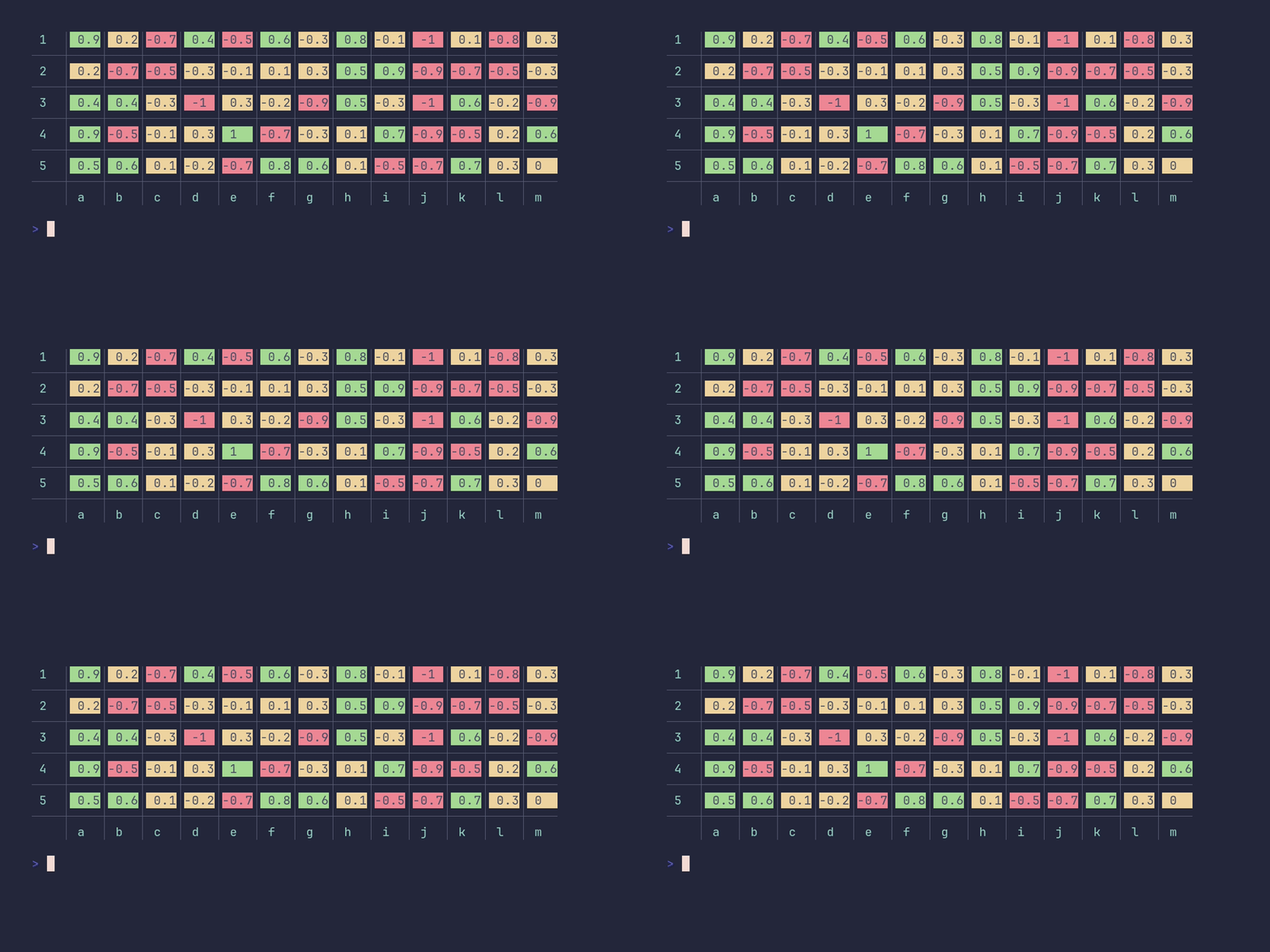
	// Without the surrounding box and legend, only the grid separators remain
	// between the cells.
	pterm.DefaultHeatmap.WithData(data).WithBoxed(false).WithAxisData(headerData).WithLegend(false).Render()
}
interactive_confirm/demo
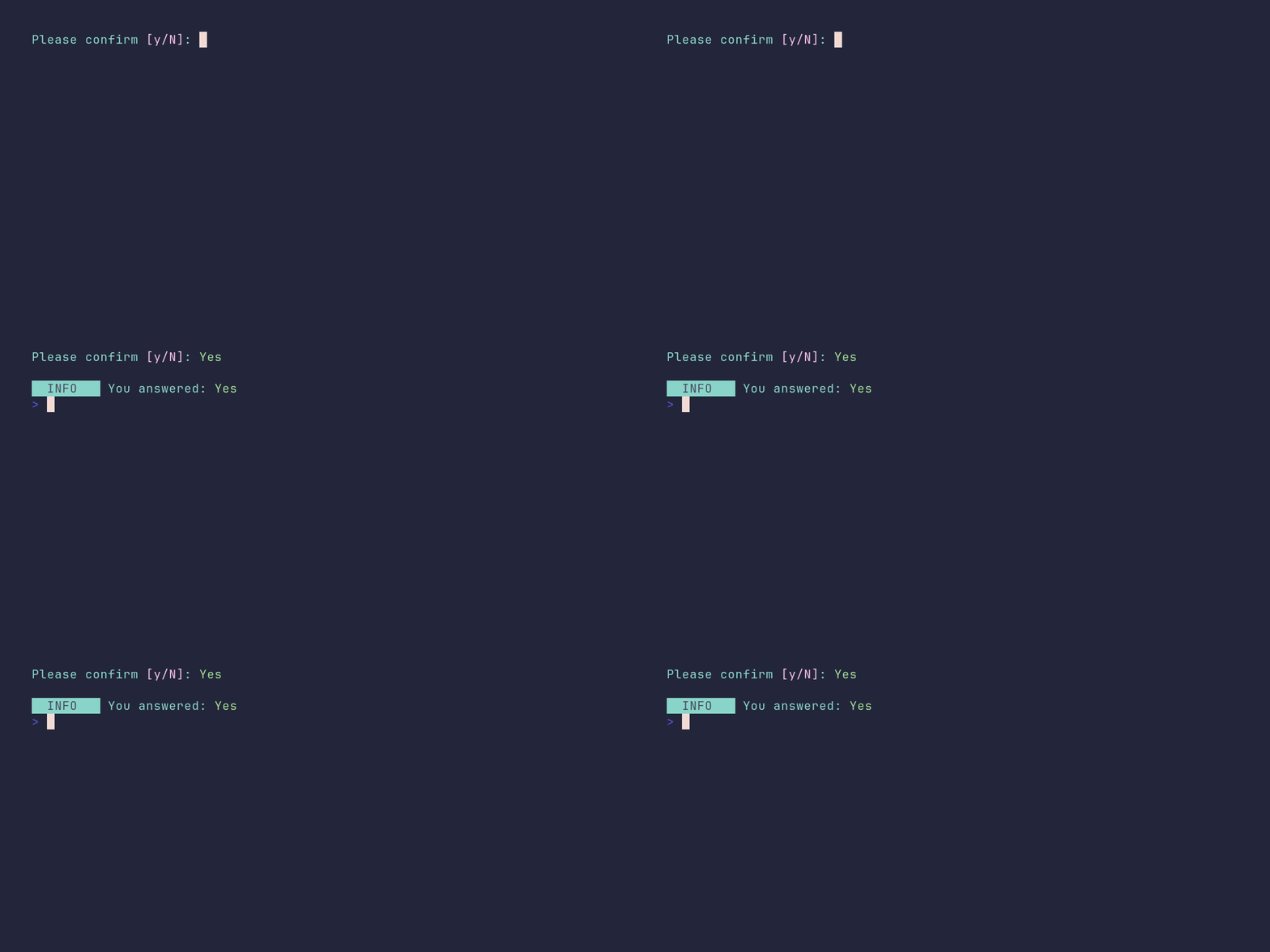
SHOW SOURCE
package main

import (
	"github.com/pterm/pterm"
)

func main() {
	// The confirm prompt accepts "y" and "n" as shortcuts. Pressing enter
	// answers with the default value, which is "no" unless changed with
	// WithDefaultValue.
	result, _ := pterm.DefaultInteractiveConfirm.Show()

	pterm.Println()
	pterm.Info.Printfln("You answered: %s", boolToText(result))
}

// boolToText renders the answer as a colored "Yes" or "No".
func boolToText(b bool) string {
	if b {
		return pterm.Green("Yes")
	}
	return pterm.Red("No")
}
interactive_confirm/custom-answers
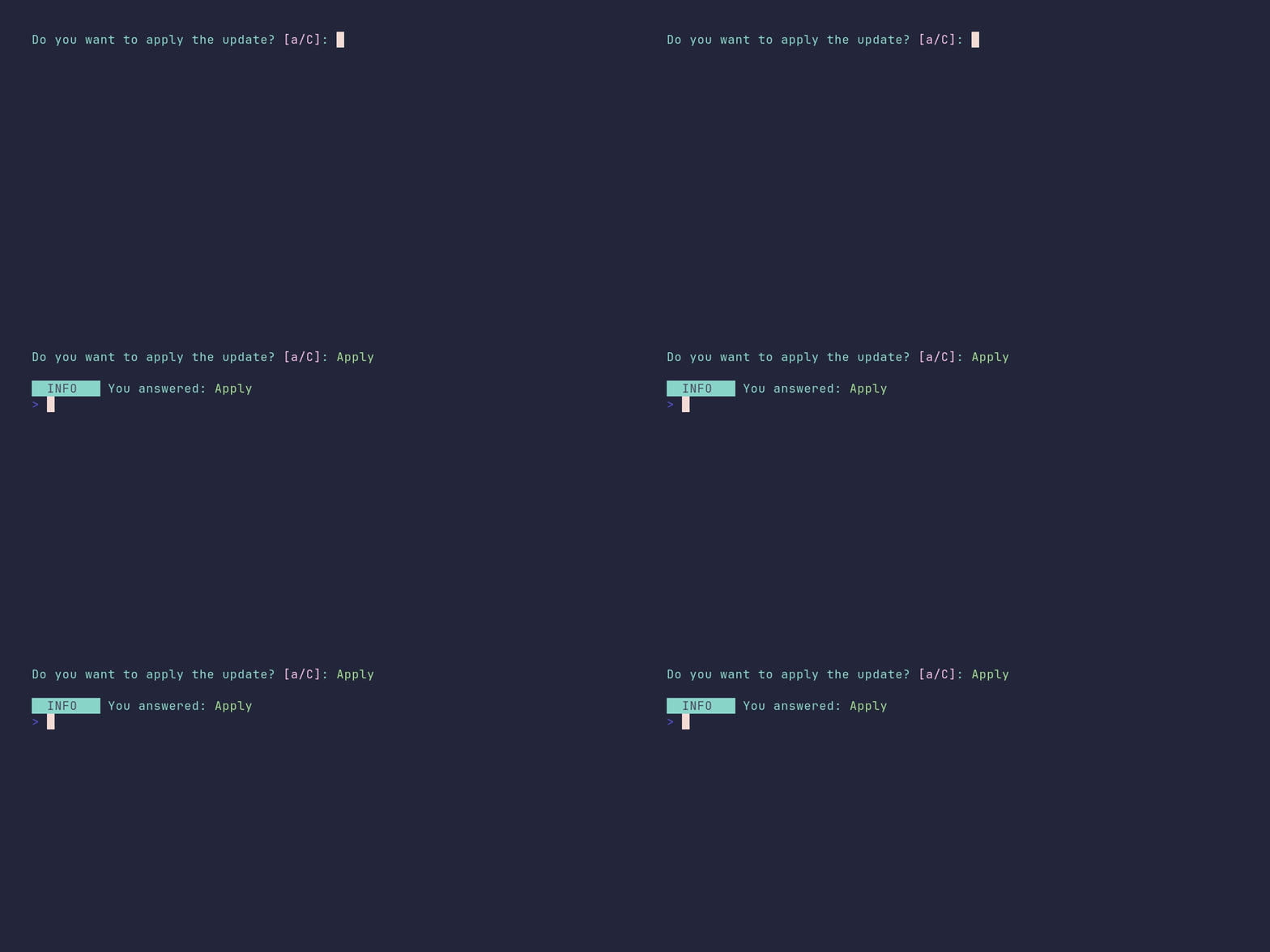
SHOW SOURCE
package main

import (
	"github.com/pterm/pterm"
)

func main() {
	// The answer texts can be customized. The keyboard shortcuts follow
	// along: the prompt accepts the lowercase first letter of each answer,
	// here "a" for Apply and "c" for Cancel.
	result, _ := pterm.DefaultInteractiveConfirm.
		WithDefaultText("Do you want to apply the update?").
		WithConfirmText("Apply").
		WithRejectText("Cancel").
		Show()

	pterm.Println()
	pterm.Info.Printfln("You answered: %s", boolToText(result))
}

// boolToText renders the answer as a colored "Apply" or "Cancel".
func boolToText(b bool) string {
	if b {
		return pterm.Green("Apply")
	}
	return pterm.Red("Cancel")
}
interactive_continue/demo
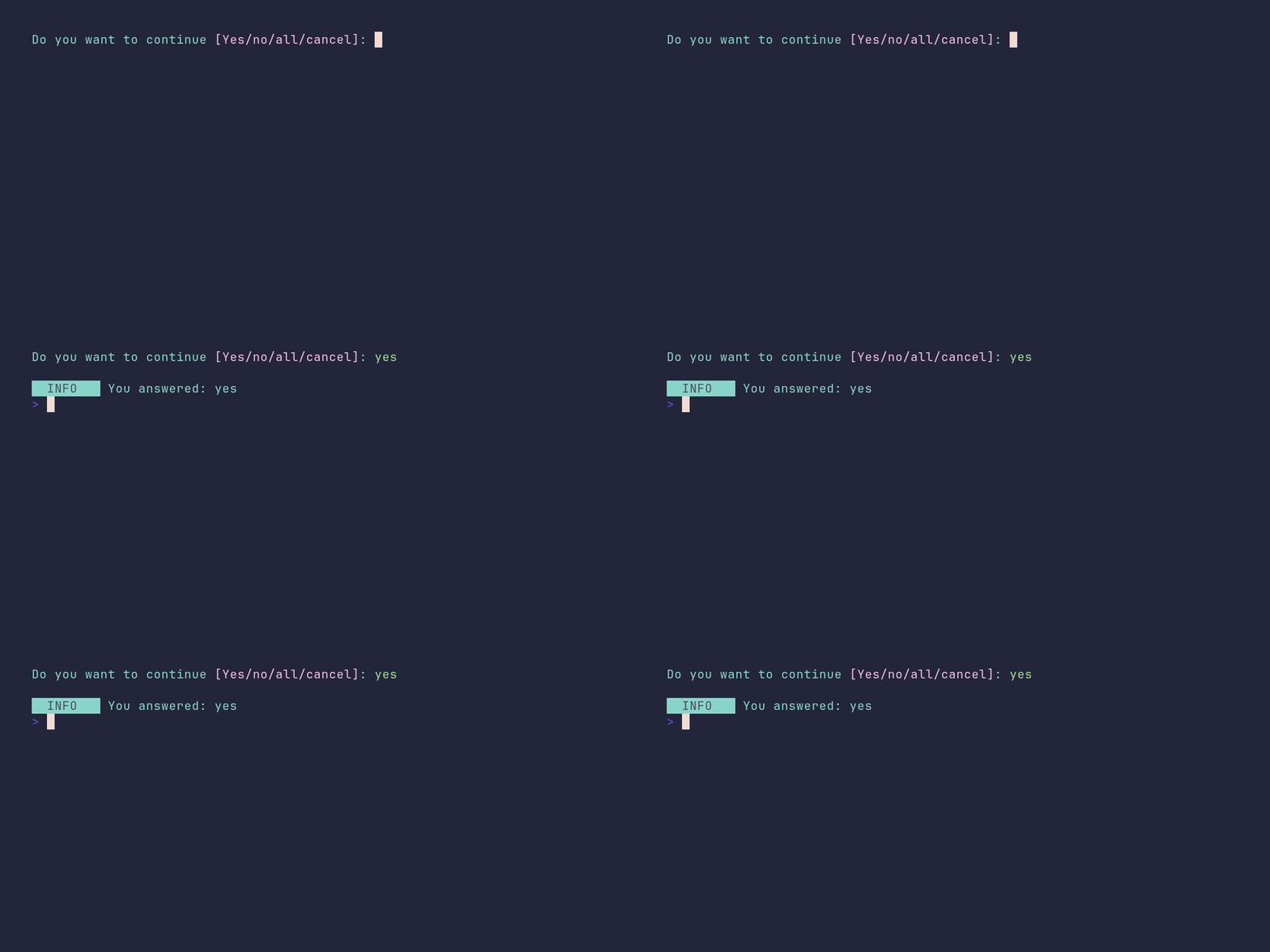
SHOW SOURCE
package main

import (
	"github.com/pterm/pterm"
)

func main() {
	// The continue prompt offers "yes", "no", "all" and "cancel" by default.
	// Each option is chosen by typing its first letter; pressing enter picks
	// the default answer (the first option, unless changed).
	result, _ := pterm.DefaultInteractiveContinue.Show()

	pterm.Println()
	pterm.Info.Printfln("You answered: %s", result)
}
interactive_multiselect/demo
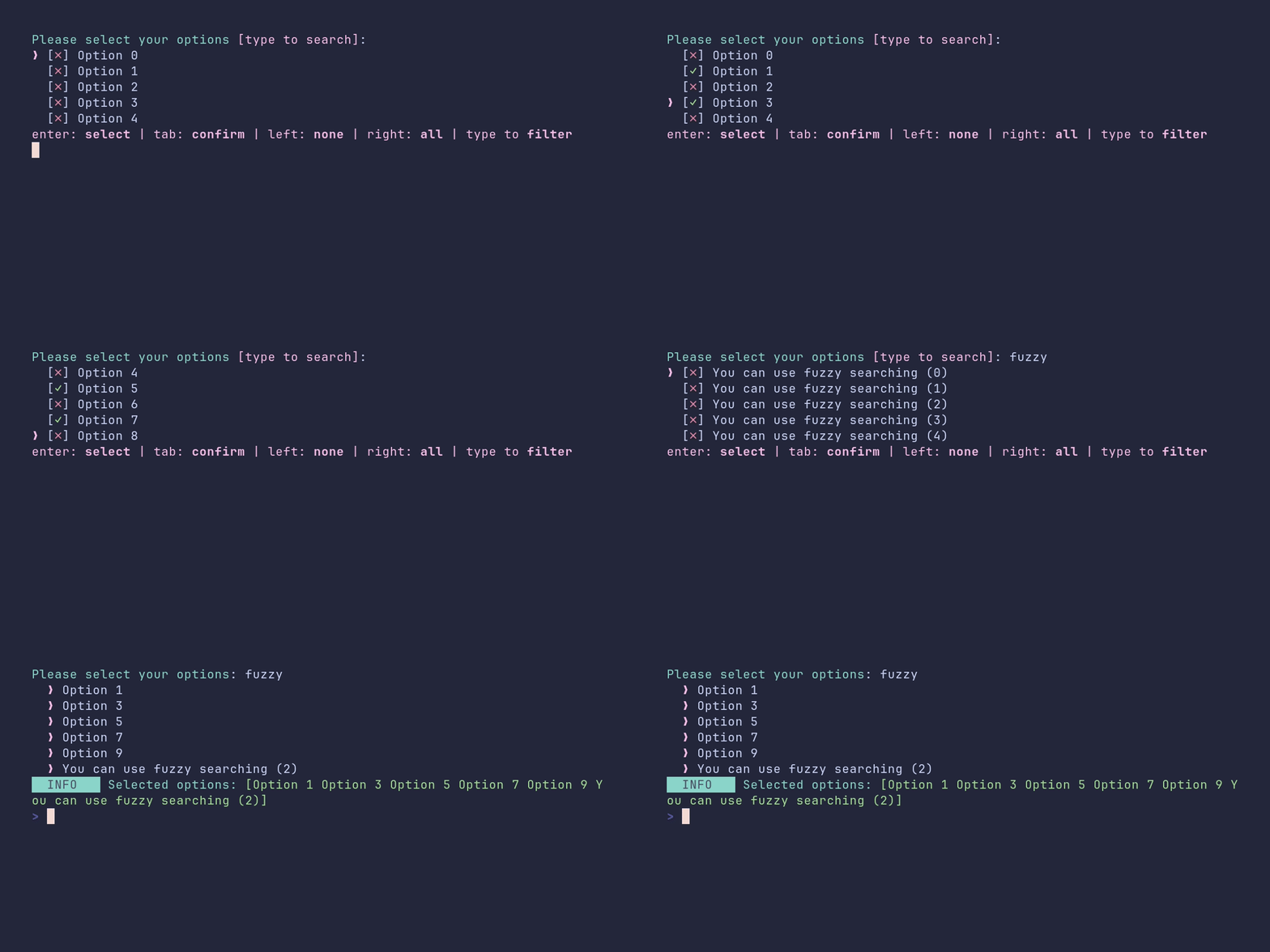
SHOW SOURCE
package main

import (
	"fmt"

	"github.com/pterm/pterm"
)

func main() {
	var options []string
	for i := 0; i < 100; i++ {
		options = append(options, fmt.Sprintf("Option %d", i))
	}

	// A few extra options that are easy to find with the fuzzy search filter.
	for i := 0; i < 5; i++ {
		options = append(options, fmt.Sprintf("You can use fuzzy searching (%d)", i))
	}

	// The multiselect scrolls through long lists and supports fuzzy filtering:
	// just start typing to narrow down the options. By default, enter toggles
	// an option and tab confirms the selection.
	selectedOptions, _ := pterm.DefaultInteractiveMultiselect.WithOptions(options).Show()

	pterm.Info.Printfln("Selected options: %s", pterm.Green(selectedOptions))
}
interactive_multiselect/custom-checkmarks
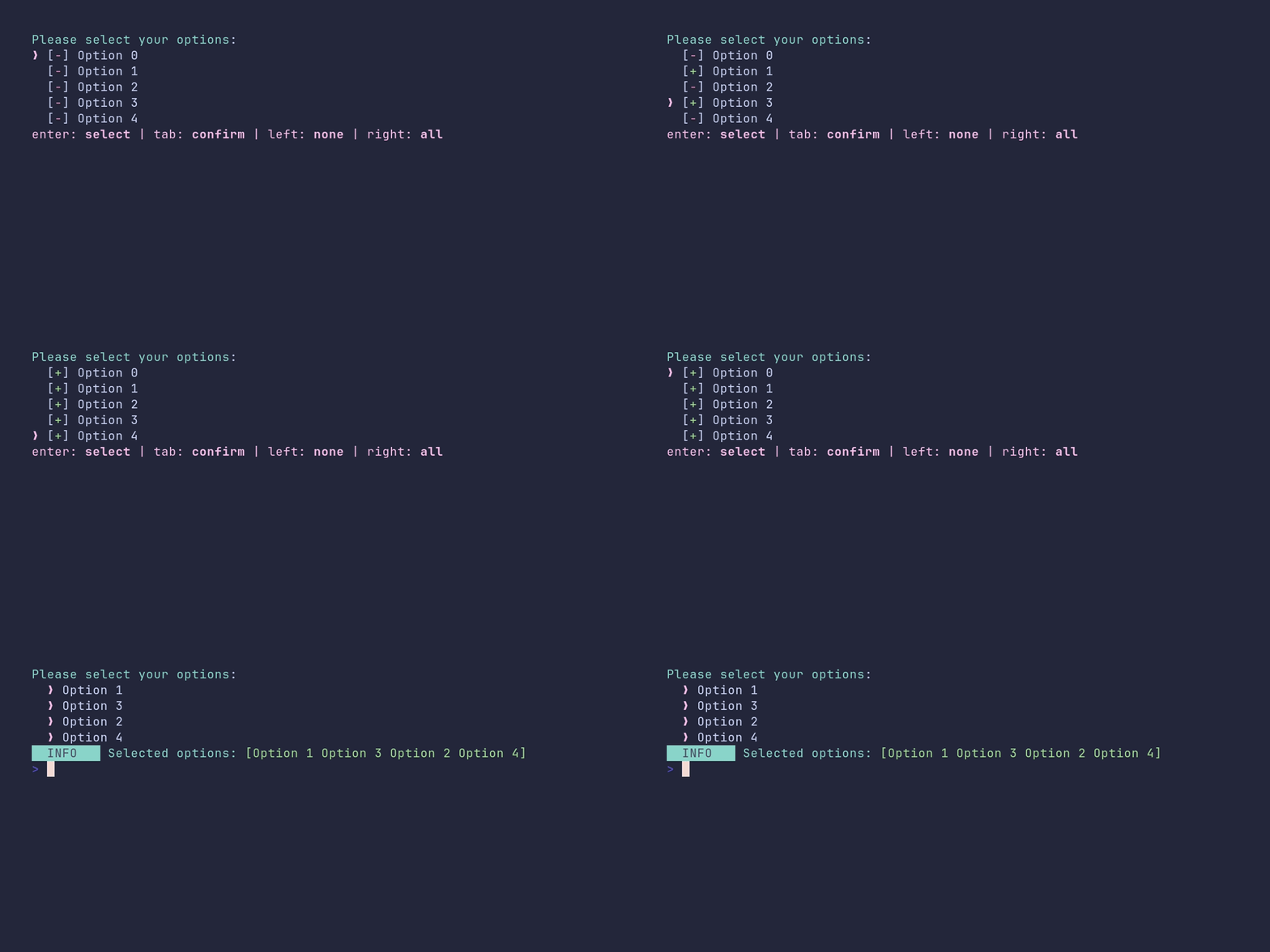
SHOW SOURCE
package main

import (
	"fmt"

	"github.com/pterm/pterm"
)

func main() {
	var options []string
	for i := 0; i < 5; i++ {
		options = append(options, fmt.Sprintf("Option %d", i))
	}

	// The checkmark in front of each option can be any string, here a green
	// plus for selected and a red minus for unselected options. The fuzzy
	// search filter is disabled to keep the list short and static.
	printer := pterm.DefaultInteractiveMultiselect.
		WithOptions(options).
		WithFilter(false).
		WithCheckmark(&pterm.Checkmark{Checked: pterm.Green("+"), Unchecked: pterm.Red("-")})

	selectedOptions, _ := printer.Show()

	pterm.Info.Printfln("Selected options: %s", pterm.Green(selectedOptions))
}
interactive_multiselect/custom-filter-placeholder
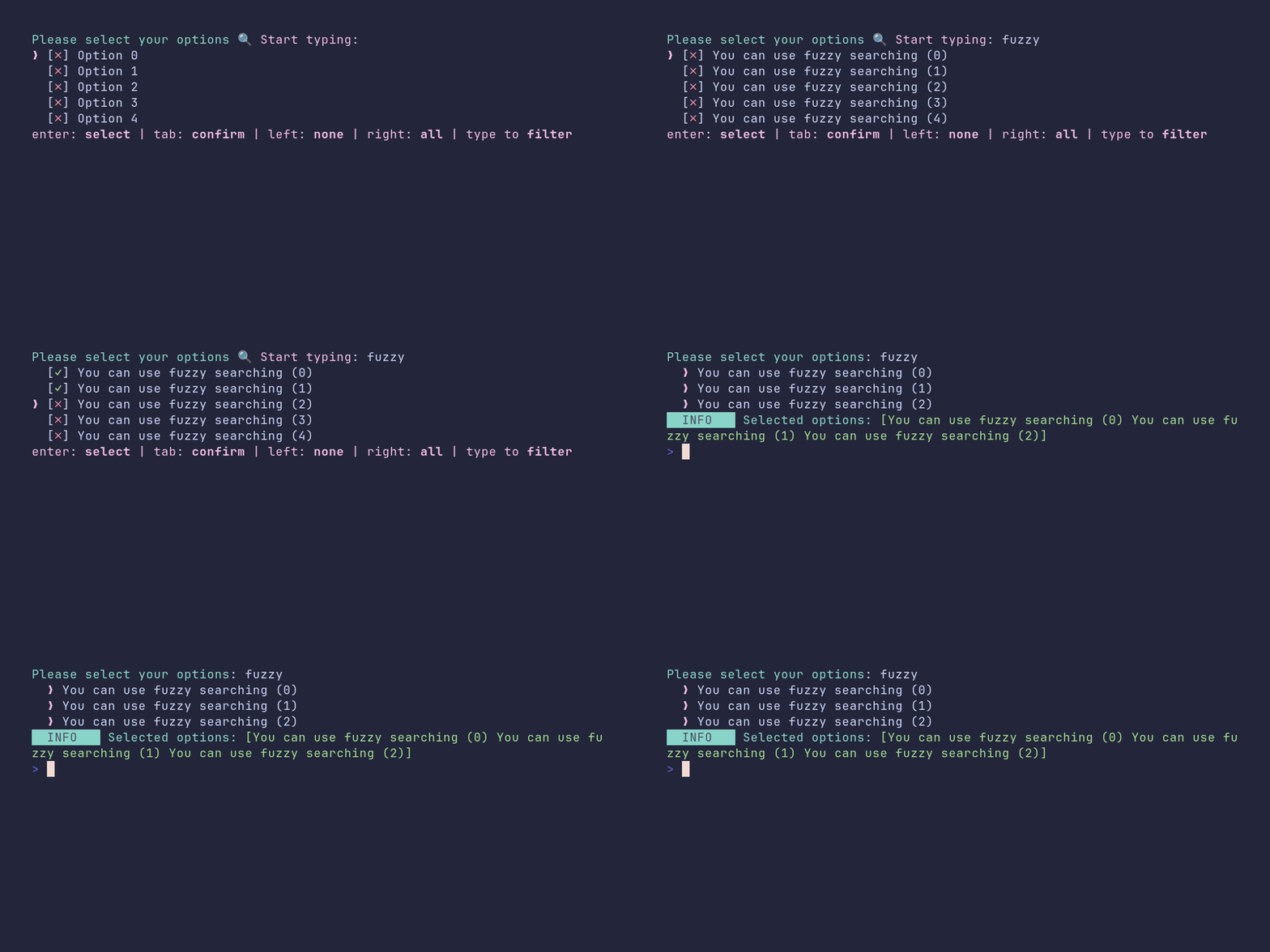
SHOW SOURCE
package main

import (
	"fmt"

	"github.com/pterm/pterm"
)

func main() {
	var options []string
	for i := 0; i < 100; i++ {
		options = append(options, fmt.Sprintf("Option %d", i))
	}

	// A few extra options that are easy to find with the fuzzy search filter.
	for i := 0; i < 5; i++ {
		options = append(options, fmt.Sprintf("You can use fuzzy searching (%d)", i))
	}

	// WithFilterInputPlaceholder replaces the hint text that is shown in the
	// filter input while it is still empty.
	printer := pterm.DefaultInteractiveMultiselect.
		WithOptions(options).
		WithFilterInputPlaceholder("🔍 Start typing")

	selectedOptions, _ := printer.Show()

	pterm.Info.Printfln("Selected options: %s", pterm.Green(selectedOptions))
}
interactive_multiselect/custom-keys
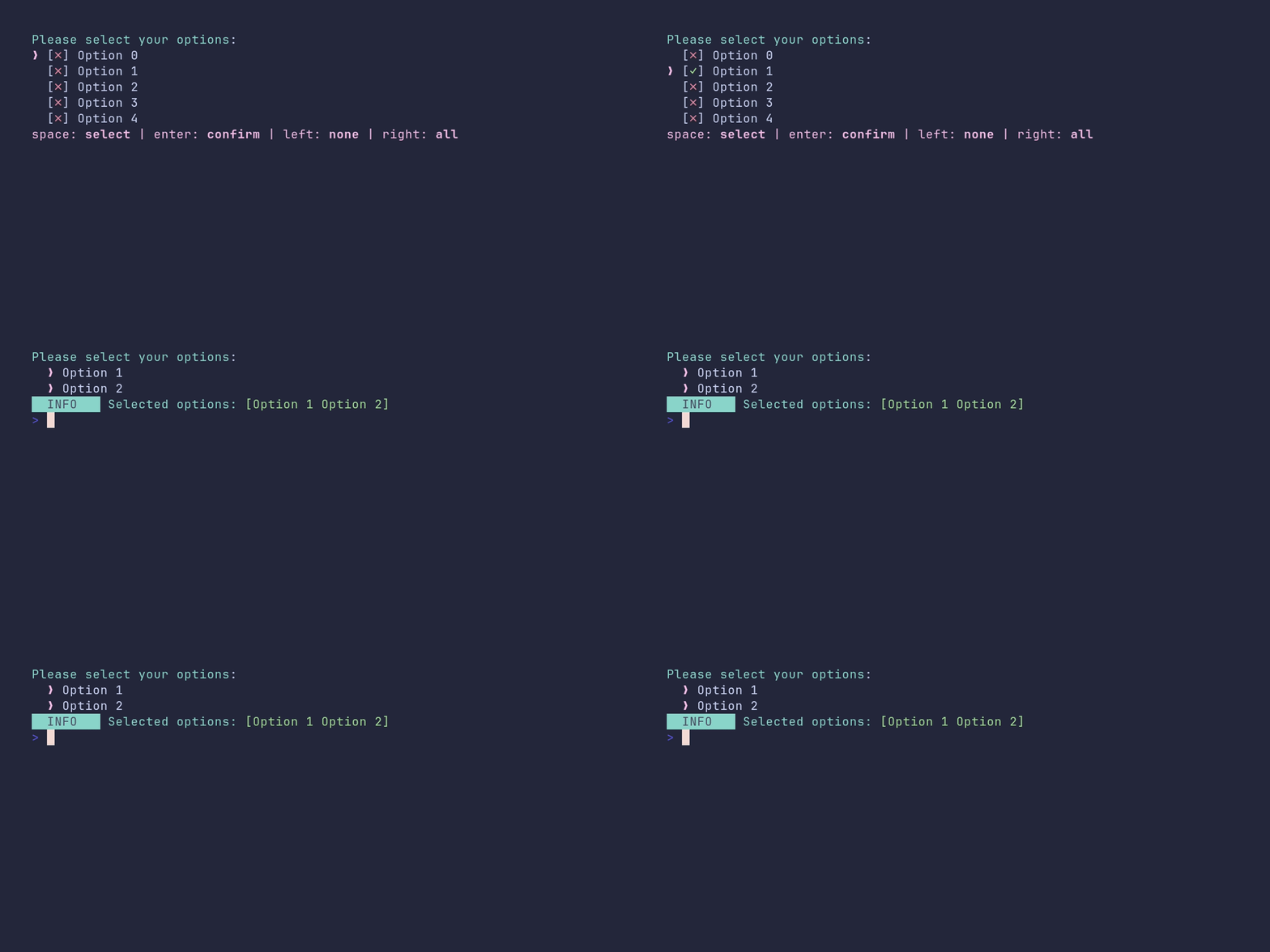
SHOW SOURCE
package main

import (
	"fmt"

	"atomicgo.dev/keyboard/keys"

	"github.com/pterm/pterm"
)

func main() {
	var options []string
	for i := 0; i < 5; i++ {
		options = append(options, fmt.Sprintf("Option %d", i))
	}

	// By default, enter toggles an option and tab confirms the selection.
	// Both keys can be rebound, here to space for toggling and enter for
	// confirming. The filter is disabled so typing is not needed.
	printer := pterm.DefaultInteractiveMultiselect.
		WithOptions(options).
		WithFilter(false).
		WithKeyConfirm(keys.Enter).
		WithKeySelect(keys.Space)

	selectedOptions, _ := printer.Show()

	pterm.Info.Printfln("Selected options: %s", pterm.Green(selectedOptions))
}
interactive_multiselect/show-selected-options
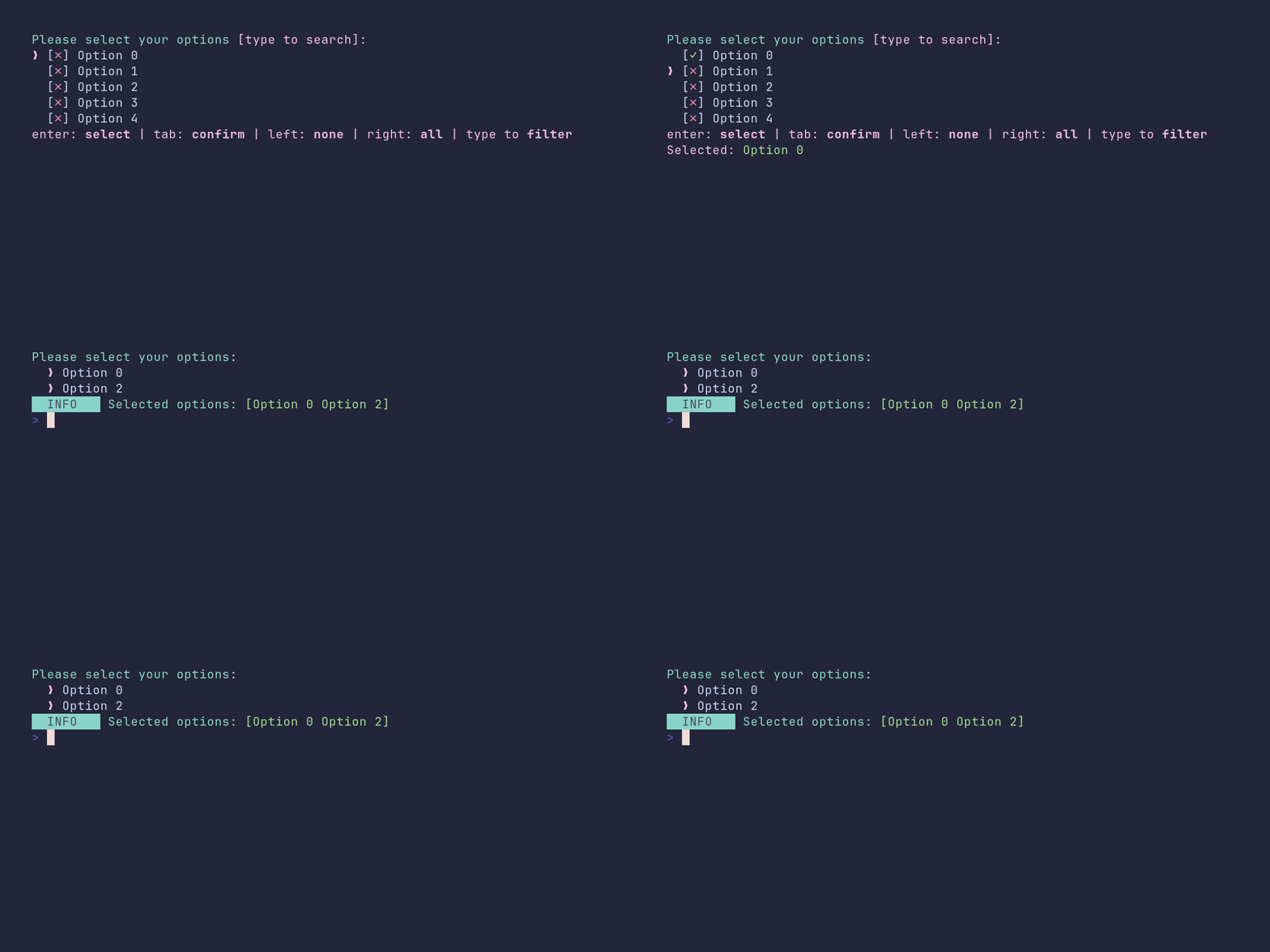
SHOW SOURCE
package main

import (
	"fmt"

	"github.com/pterm/pterm"
)

func main() {
	var options []string
	for i := 0; i < 100; i++ {
		options = append(options, fmt.Sprintf("Option %d", i))
	}

	// WithShowSelectedOptions lists the current selection above the prompt,
	// which is handy when the chosen options are scrolled out of view.
	selectedOptions, _ := pterm.DefaultInteractiveMultiselect.
		WithOptions(options).
		WithShowSelectedOptions(true).
		Show()

	pterm.Info.Printfln("Selected options: %s", pterm.Green(selectedOptions))
}
interactive_select/demo
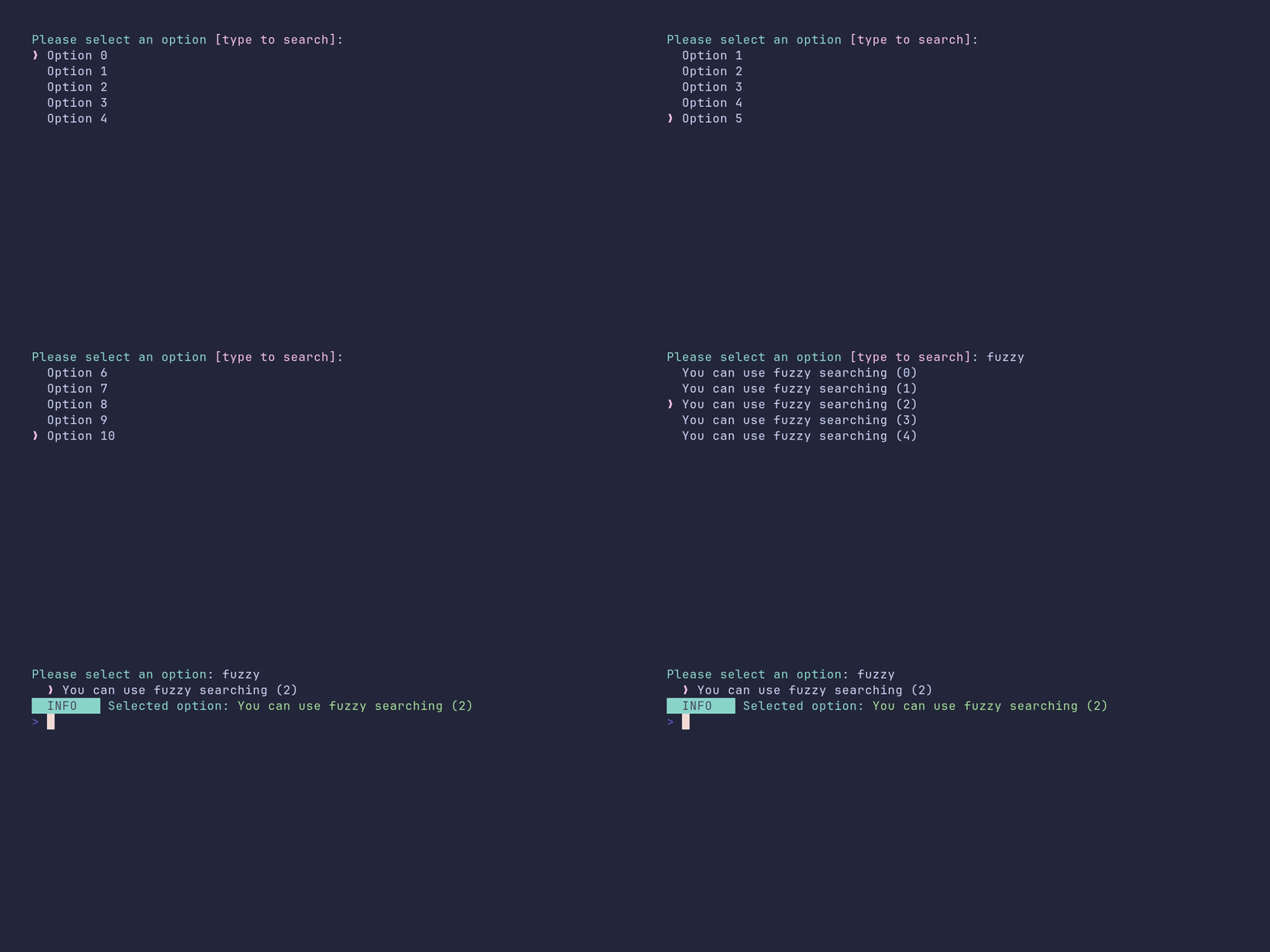
SHOW SOURCE
package main

import (
	"fmt"

	"github.com/pterm/pterm"
)

func main() {
	var options []string
	for i := 0; i < 100; i++ {
		options = append(options, fmt.Sprintf("Option %d", i))
	}

	// A few extra options that are easy to find with the fuzzy search filter.
	for i := 0; i < 5; i++ {
		options = append(options, fmt.Sprintf("You can use fuzzy searching (%d)", i))
	}

	// The select prompt scrolls through long lists and supports fuzzy
	// filtering: just start typing to narrow down the options. Enter picks
	// the highlighted option.
	selectedOption, _ := pterm.DefaultInteractiveSelect.WithOptions(options).Show()

	pterm.Info.Printfln("Selected option: %s", pterm.Green(selectedOption))
}
interactive_select/custom-filter-placeholder
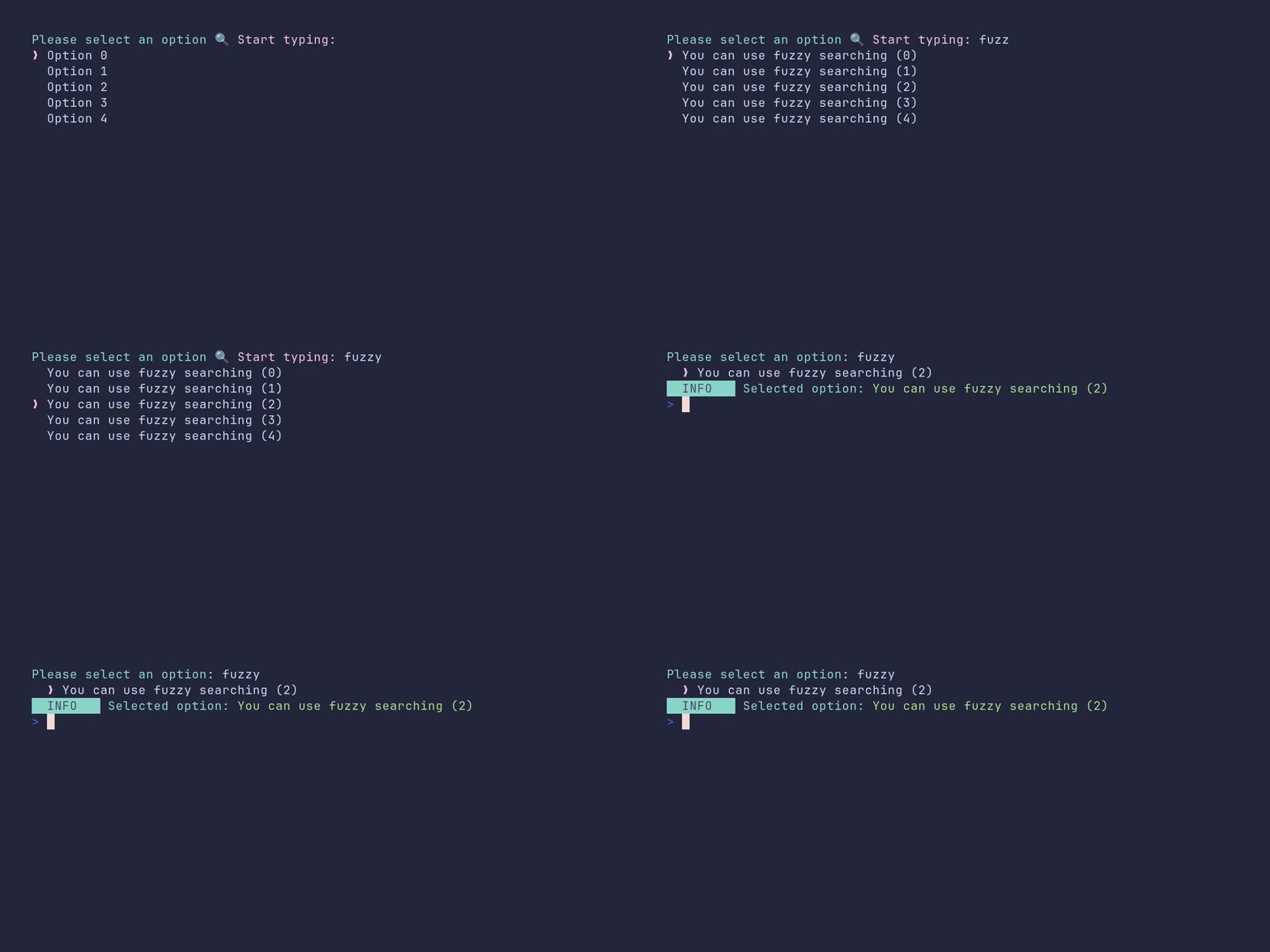
SHOW SOURCE
package main

import (
	"fmt"

	"github.com/pterm/pterm"
)

func main() {
	var options []string
	for i := 0; i < 100; i++ {
		options = append(options, fmt.Sprintf("Option %d", i))
	}

	// A few extra options that are easy to find with the fuzzy search filter.
	for i := 0; i < 5; i++ {
		options = append(options, fmt.Sprintf("You can use fuzzy searching (%d)", i))
	}

	// WithFilterInputPlaceholder replaces the hint text that is shown in the
	// filter input while it is still empty.
	printer := pterm.DefaultInteractiveSelect.
		WithOptions(options).
		WithFilterInputPlaceholder("🔍 Start typing")

	selectedOption, _ := printer.Show()

	pterm.Info.Printfln("Selected option: %s", pterm.Green(selectedOption))
}
interactive_textinput/demo
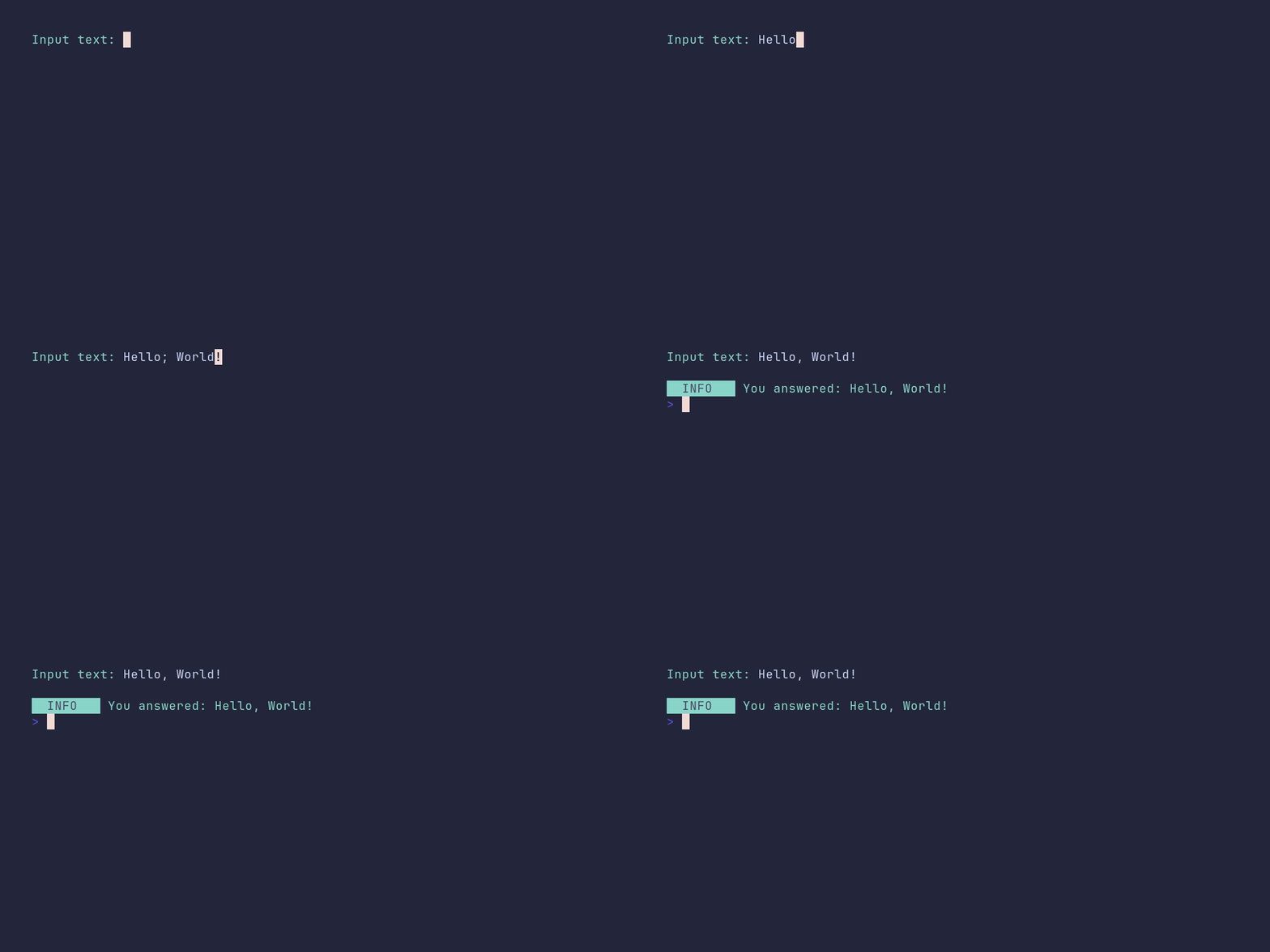
SHOW SOURCE
package main

import (
	"github.com/pterm/pterm"
)

func main() {
	// The text input is single-line by default; enter submits the input.
	result, _ := pterm.DefaultInteractiveTextInput.Show()

	pterm.Println()
	pterm.Info.Printfln("You answered: %s", result)
}
interactive_textinput/default-value
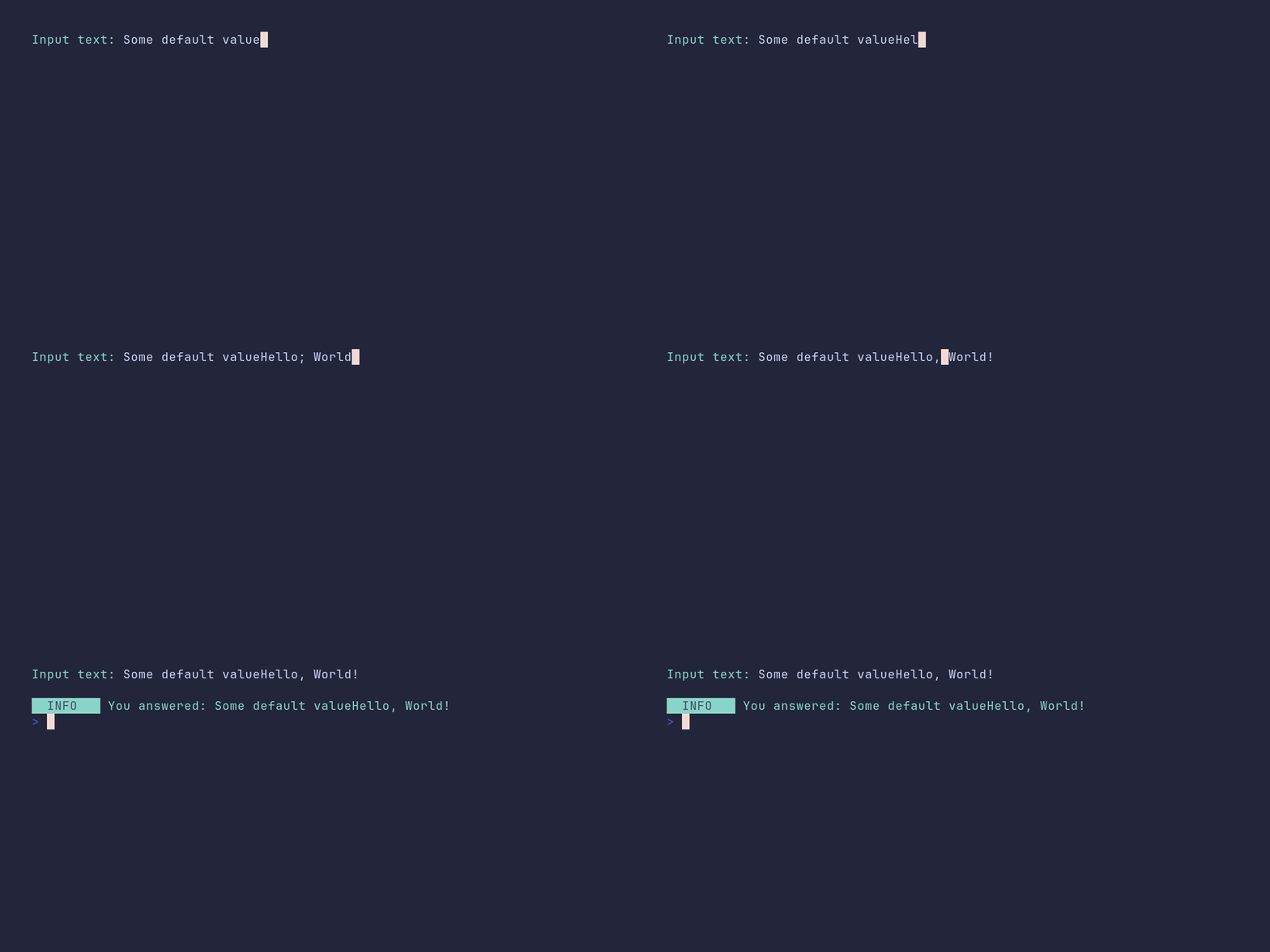
SHOW SOURCE
package main

import (
	"github.com/pterm/pterm"
)

func main() {
	// The default value is shown as a pre-filled suggestion. Pressing enter
	// right away returns it; typing anything replaces it.
	result, _ := pterm.DefaultInteractiveTextInput.WithDefaultValue("Some default value").Show()

	pterm.Println()
	pterm.Info.Printfln("You answered: %s", result)
}
interactive_textinput/multi-line
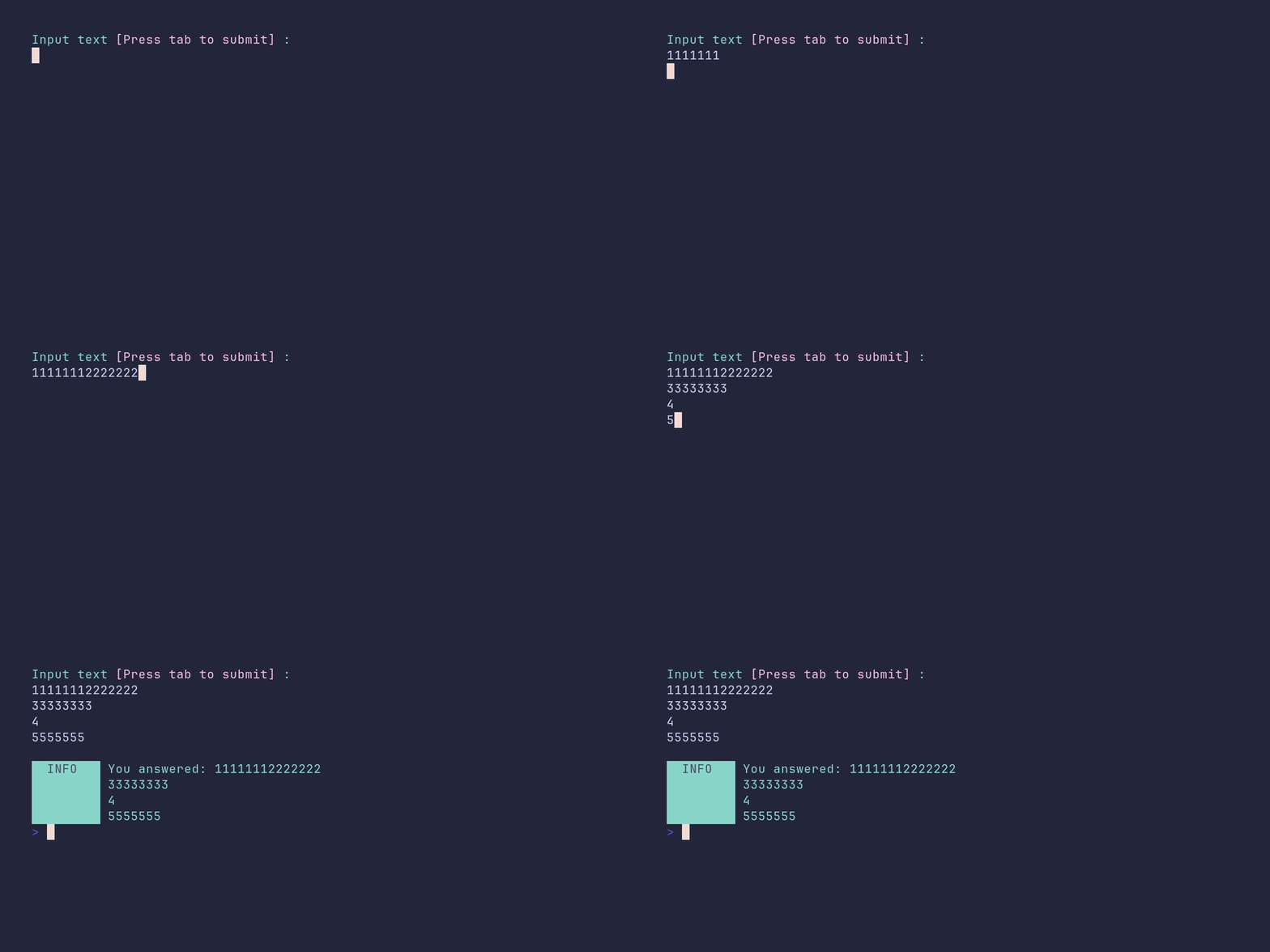
SHOW SOURCE
package main

import (
	"github.com/pterm/pterm"
)

func main() {
	// In multi-line mode, enter inserts a new line and tab submits the input.
	textInput := pterm.DefaultInteractiveTextInput.WithMultiLine()

	result, _ := textInput.Show()

	pterm.Println()
	pterm.Info.Printfln("You answered: %s", result)
}
interactive_textinput/password
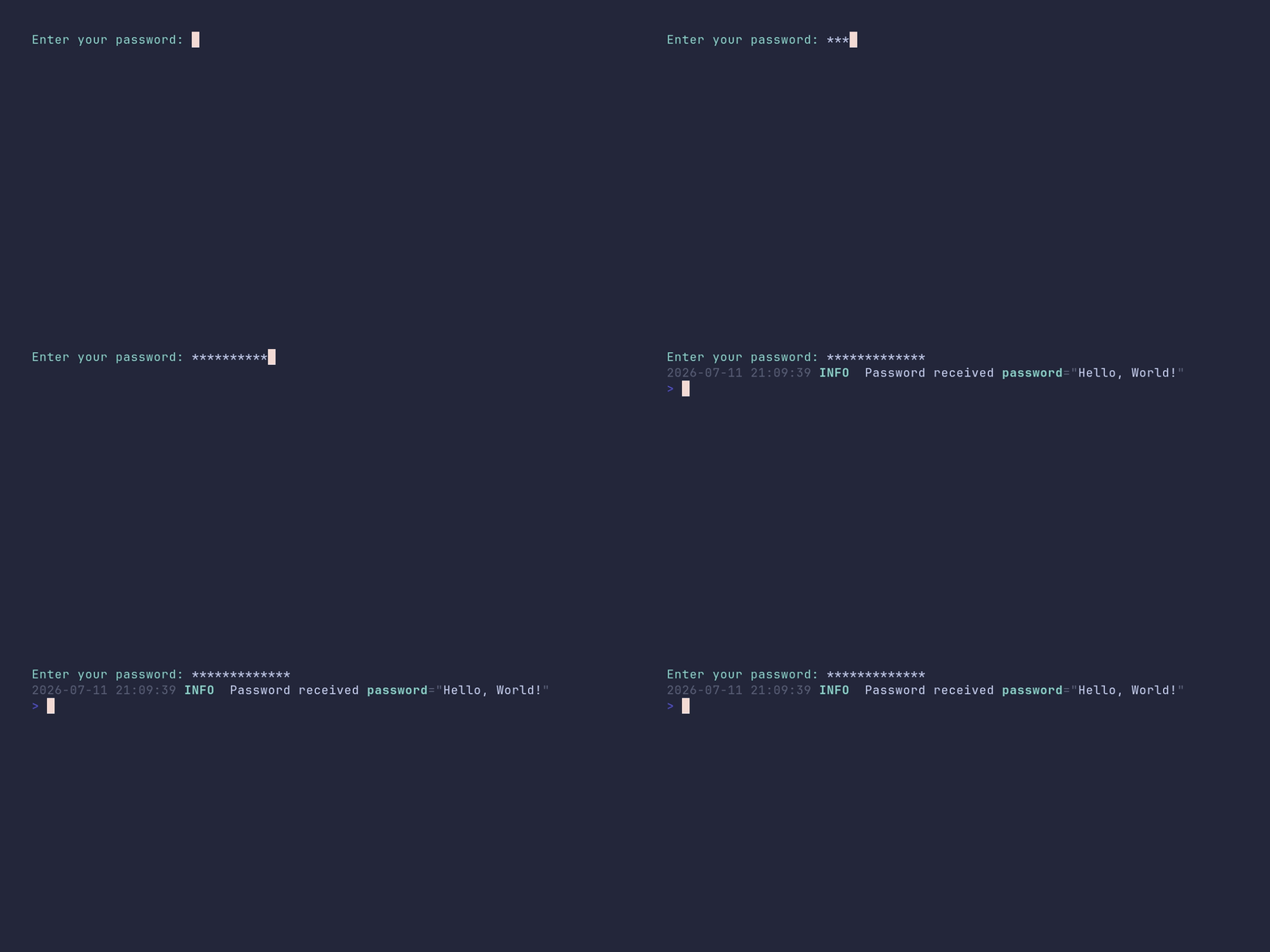
SHOW SOURCE
package main

import "github.com/pterm/pterm"

func main() {
	// WithMask echoes the given string instead of the typed characters,
	// which turns the text input into a password prompt.
	passwordInput := pterm.DefaultInteractiveTextInput.WithMask("*")

	result, _ := passwordInput.Show("Enter your password")

	// Never log passwords in a real application, this is just a demo.
	logger := pterm.DefaultLogger
	logger.Info("Password received", logger.Args("password", result))
}
logger/demo
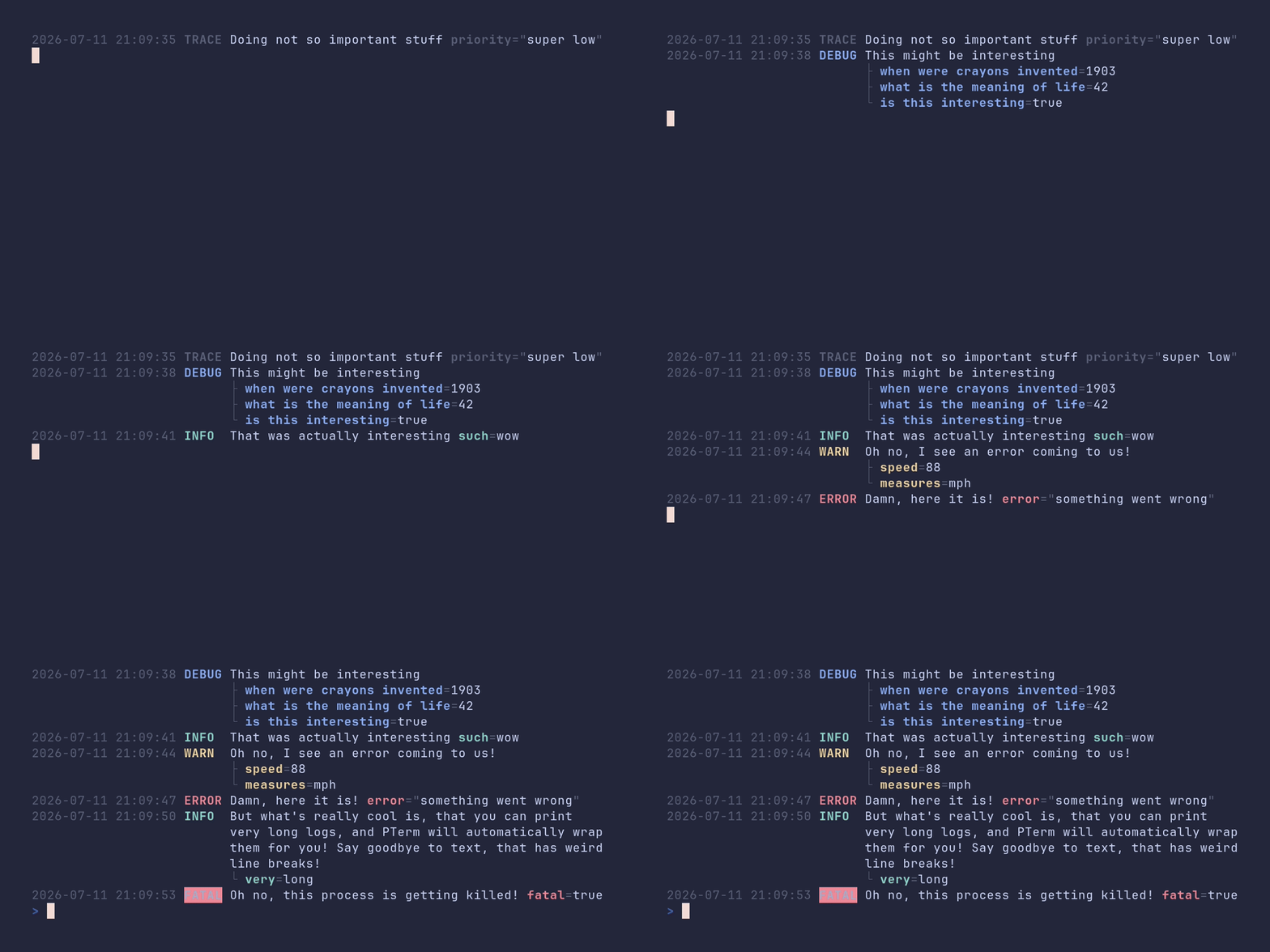
SHOW SOURCE
package main

import (
	"time"

	"github.com/pterm/pterm"
)

func main() {
	// The default log level is Info. Lower it to Trace so every level shows up.
	logger := pterm.DefaultLogger.WithLevel(pterm.LogLevelTrace)

	// logger.Args pairs up keys and values for structured output.
	logger.Trace("Doing not so important stuff", logger.Args("priority", "super low"))

	sleep()

	interestingStuff := map[string]any{
		"when were crayons invented":  "1903",
		"what is the meaning of life": 42,
		"is this interesting":         true,
	}

	// ArgsFromMap turns an existing map into logger arguments.
	logger.Debug("This might be interesting", logger.ArgsFromMap(interestingStuff))

	sleep()

	logger.Info("That was actually interesting", logger.Args("such", "wow"))

	sleep()

	logger.Warn("Oh no, I see an error coming to us!", logger.Args("speed", 88, "measures", "mph"))

	sleep()

	logger.Error("Damn, here it is!", logger.Args("error", "something went wrong"))

	sleep()

	// Long messages are wrapped to the terminal width automatically.
	logger.Info("But what's really cool is, that you can print very long logs, and PTerm will automatically wrap them for you! Say goodbye to text, that has weird line breaks!", logger.Args("very", "long"))

	sleep()

	// Fatal logs the message and then exits the process.
	logger.Fatal("Oh no, this process is getting killed!", logger.Args("fatal", true))
}

func sleep() {
	time.Sleep(time.Second * 3)
}
logger/custom-key-styles
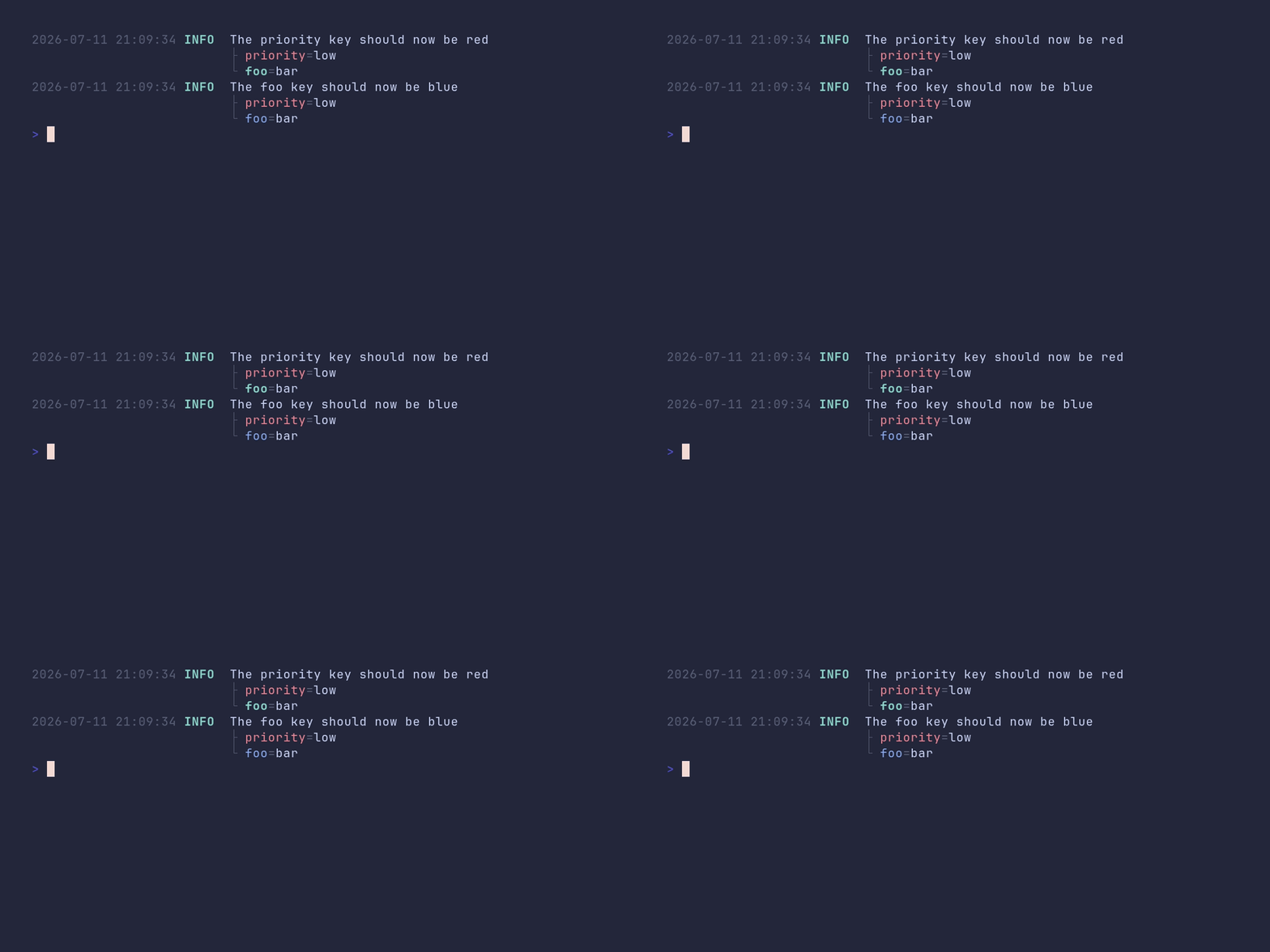
SHOW SOURCE
package main

import "github.com/pterm/pterm"

func main() {
	logger := pterm.DefaultLogger.WithLevel(pterm.LogLevelTrace)

	// WithKeyStyles replaces the whole key style map, so only the keys listed
	// here get a custom style.
	logger = logger.WithKeyStyles(map[string]pterm.Style{
		"priority": *pterm.NewStyle(pterm.FgRed),
	})

	logger.Info("The priority key should now be red", logger.Args("priority", "low", "foo", "bar"))

	// AppendKeyStyle adds a single key style on top of the existing ones.
	logger.AppendKeyStyle("foo", *pterm.NewStyle(pterm.FgBlue))

	logger.Info("The foo key should now be blue", logger.Args("priority", "low", "foo", "bar"))
}
logger/default
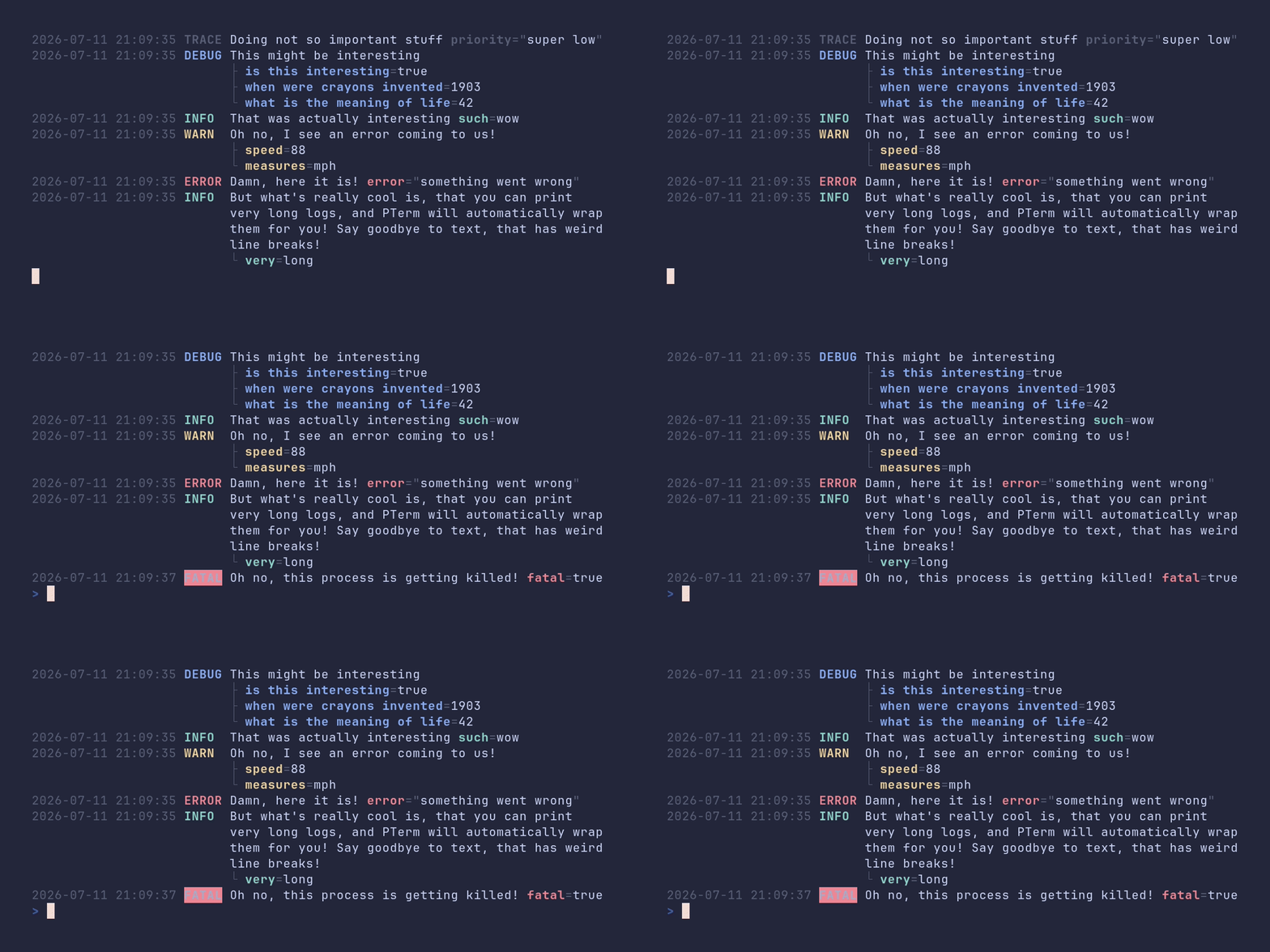
SHOW SOURCE
package main

import (
	"time"

	"github.com/pterm/pterm"
)

func main() {
	// The default log level is Info. Lower it to Trace so every level shows up.
	logger := pterm.DefaultLogger.WithLevel(pterm.LogLevelTrace)

	// logger.Args pairs up keys and values for structured output.
	logger.Trace("Doing not so important stuff", logger.Args("priority", "super low"))

	interestingStuff := map[string]any{
		"when were crayons invented":  "1903",
		"what is the meaning of life": 42,
		"is this interesting":         true,
	}

	// ArgsFromMap turns an existing map into logger arguments.
	logger.Debug("This might be interesting", logger.ArgsFromMap(interestingStuff))

	logger.Info("That was actually interesting", logger.Args("such", "wow"))
	logger.Warn("Oh no, I see an error coming to us!", logger.Args("speed", 88, "measures", "mph"))
	logger.Error("Damn, here it is!", logger.Args("error", "something went wrong"))

	// Long messages are wrapped to the terminal width automatically.
	logger.Info("But what's really cool is, that you can print very long logs, and PTerm will automatically wrap them for you! Say goodbye to text, that has weird line breaks!", logger.Args("very", "long"))

	time.Sleep(time.Second * 2)

	// Fatal logs the message and then exits the process.
	logger.Fatal("Oh no, this process is getting killed!", logger.Args("fatal", true))
}
logger/json
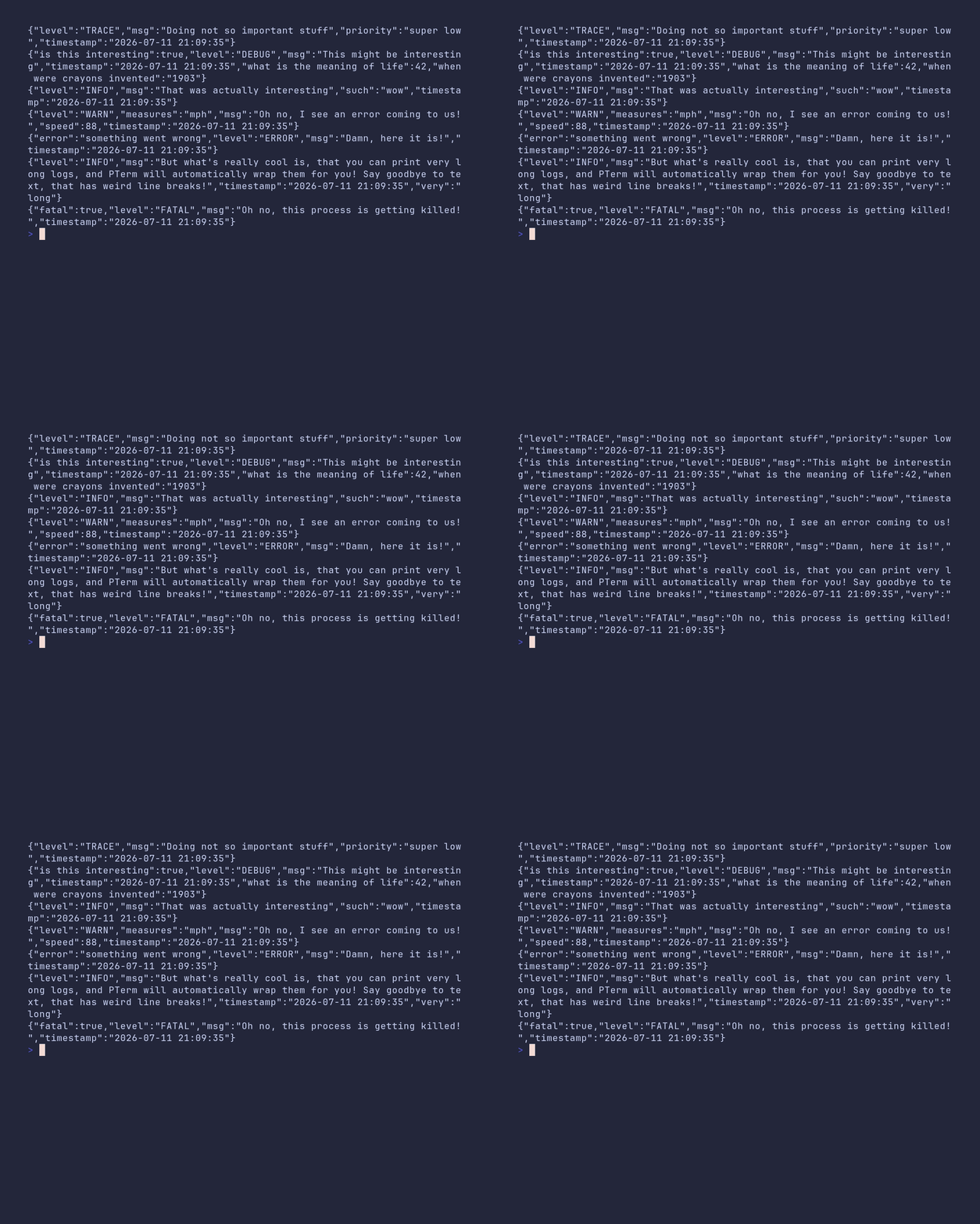
SHOW SOURCE
package main

import "github.com/pterm/pterm"

func main() {
	// The JSON formatter emits one JSON object per log line, which is handy
	// for machine-readable output in production.
	logger := pterm.DefaultLogger.WithLevel(pterm.LogLevelTrace).WithFormatter(pterm.LogFormatterJSON)

	// logger.Args pairs up keys and values for structured output.
	logger.Trace("Doing not so important stuff", logger.Args("priority", "super low"))

	interestingStuff := map[string]any{
		"when were crayons invented":  "1903",
		"what is the meaning of life": 42,
		"is this interesting":         true,
	}

	// ArgsFromMap turns an existing map into logger arguments.
	logger.Debug("This might be interesting", logger.ArgsFromMap(interestingStuff))

	logger.Info("That was actually interesting", logger.Args("such", "wow"))
	logger.Warn("Oh no, I see an error coming to us!", logger.Args("speed", 88, "measures", "mph"))
	logger.Error("Damn, here it is!", logger.Args("error", "something went wrong"))
	logger.Info("But what's really cool is, that you can print very long logs, and PTerm will automatically wrap them for you! Say goodbye to text, that has weird line breaks!", logger.Args("very", "long"))

	// Fatal logs the message and then exits the process.
	logger.Fatal("Oh no, this process is getting killed!", logger.Args("fatal", true))
}
logger/with-caller
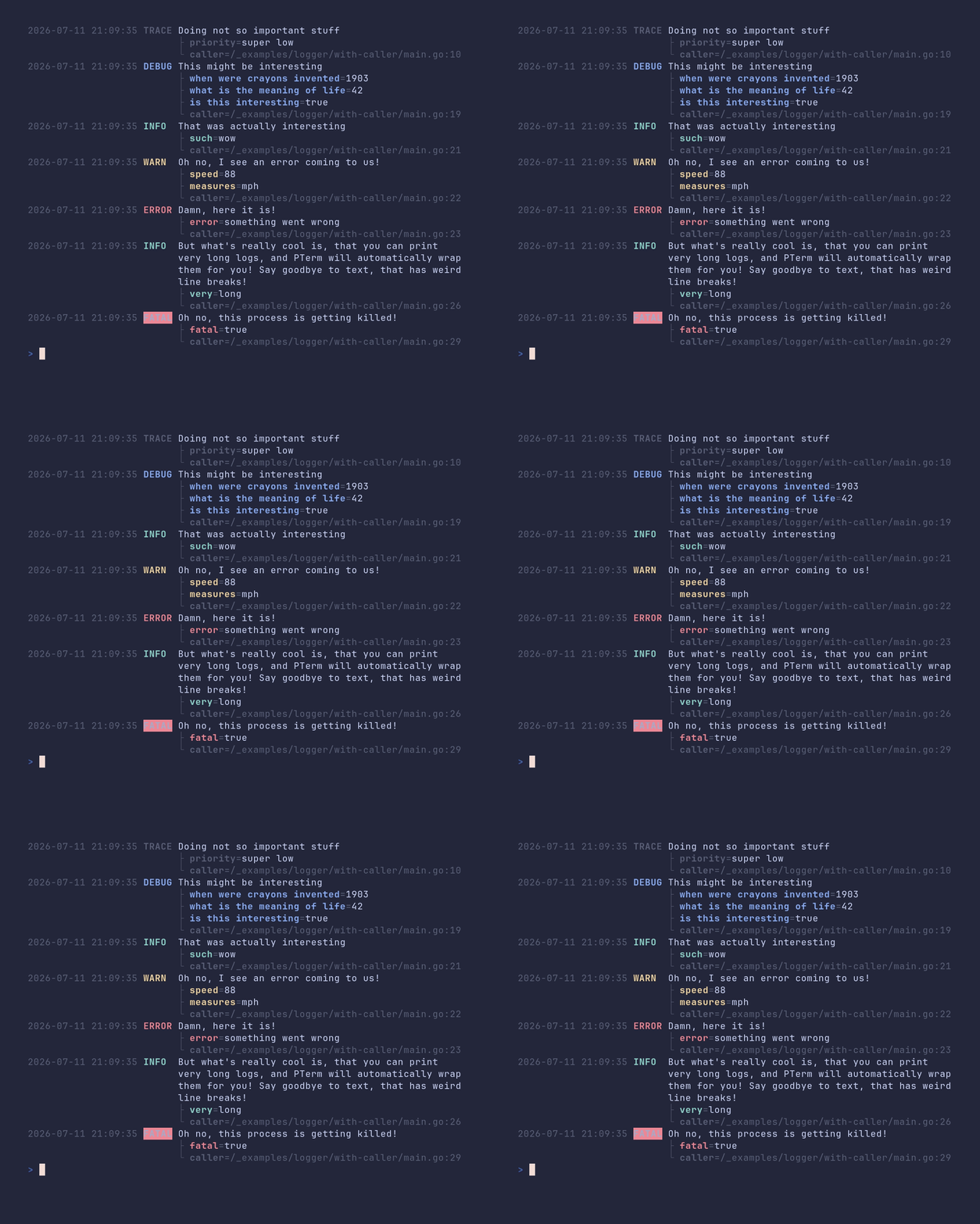
SHOW SOURCE
package main

import "github.com/pterm/pterm"

func main() {
	// WithCaller adds the file and line of the log call to every message.
	logger := pterm.DefaultLogger.WithLevel(pterm.LogLevelTrace).WithCaller()

	// logger.Args pairs up keys and values for structured output.
	logger.Trace("Doing not so important stuff", logger.Args("priority", "super low"))

	interestingStuff := map[string]any{
		"when were crayons invented":  "1903",
		"what is the meaning of life": 42,
		"is this interesting":         true,
	}

	// ArgsFromMap turns an existing map into logger arguments.
	logger.Debug("This might be interesting", logger.ArgsFromMap(interestingStuff))

	logger.Info("That was actually interesting", logger.Args("such", "wow"))
	logger.Warn("Oh no, I see an error coming to us!", logger.Args("speed", 88, "measures", "mph"))
	logger.Error("Damn, here it is!", logger.Args("error", "something went wrong"))

	// Long messages are wrapped to the terminal width automatically.
	logger.Info("But what's really cool is, that you can print very long logs, and PTerm will automatically wrap them for you! Say goodbye to text, that has weird line breaks!", logger.Args("very", "long"))

	// Fatal logs the message and then exits the process.
	logger.Fatal("Oh no, this process is getting killed!", logger.Args("fatal", true))
}
multiple-live-printers/demo

SHOW SOURCE
package main

import (
	"time"

	"github.com/pterm/pterm"
)

func main() {
	// The multi printer renders several live printers at once. Each live
	// printer gets its own line via multi.NewWriter().
	multi := pterm.DefaultMultiPrinter

	spinner1, _ := pterm.DefaultSpinner.WithWriter(multi.NewWriter()).Start("Spinner 1")
	spinner2, _ := pterm.DefaultSpinner.WithWriter(multi.NewWriter()).Start("Spinner 2")

	pb1, _ := pterm.DefaultProgressbar.WithTotal(100).WithWriter(multi.NewWriter()).Start("Progressbar 1")
	pb2, _ := pterm.DefaultProgressbar.WithTotal(100).WithWriter(multi.NewWriter()).Start("Progressbar 2")
	pb3, _ := pterm.DefaultProgressbar.WithTotal(100).WithWriter(multi.NewWriter()).Start("Progressbar 3")
	pb4, _ := pterm.DefaultProgressbar.WithTotal(100).WithWriter(multi.NewWriter()).Start("Progressbar 4")
	pb5, _ := pterm.DefaultProgressbar.WithTotal(100).WithWriter(multi.NewWriter()).Start("Progressbar 5")

	// Nothing is rendered until the multi printer itself is started.
	multi.Start()

	// Advance the printers at different rates to show that they update
	// independently.
	for i := 1; i <= 100; i++ {
		pb1.Increment()

		if i%2 == 0 {
			pb2.Add(3)
		}

		if i%5 == 0 {
			pb3.Increment()
		}

		if i%10 == 0 {
			pb4.Increment()
		}

		if i%3 == 0 {
			pb5.Increment()
		}

		if i%50 == 0 {
			spinner1.Success("Spinner 1 is done!")
		}

		if i%60 == 0 {
			spinner2.Fail("Spinner 2 failed!")
		}

		time.Sleep(time.Millisecond * 50)
	}

	multi.Stop()
}
panel/demo
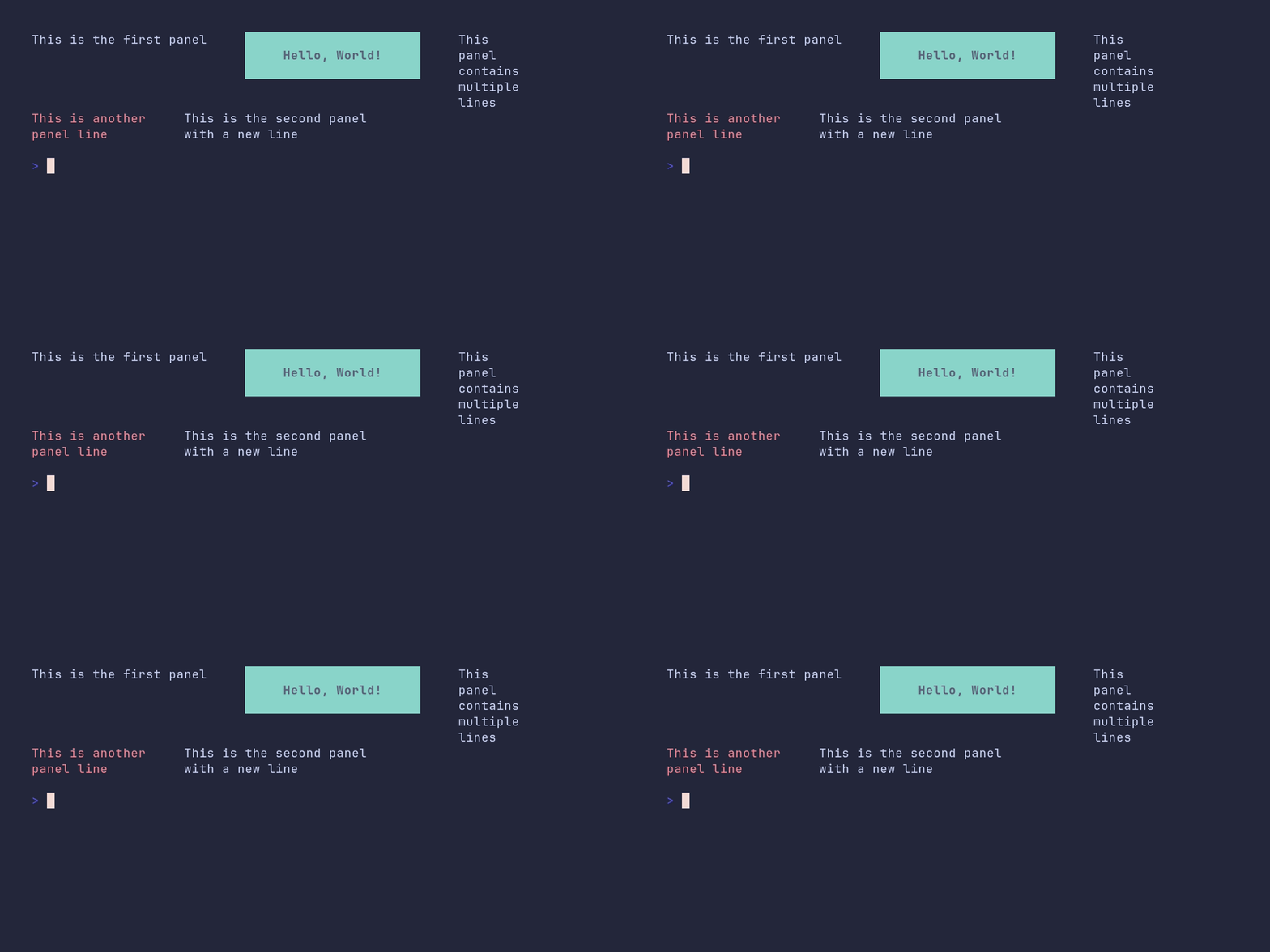
SHOW SOURCE
package main

import "github.com/pterm/pterm"

func main() {
	// Panels form a 2D grid: the outer slice holds rows, the inner slices hold
	// the panels of each row. Panel content can be multiline and may come from
	// other printers.
	panels := pterm.Panels{
		{
			{Data: "This is the first panel"},
			{Data: pterm.DefaultHeader.Sprint("Hello, World!")},
			{Data: "This\npanel\ncontains\nmultiple\nlines"},
		},
		{
			{Data: pterm.Red("This is another\npanel line")},
			{Data: "This is the second panel\nwith a new line"},
		},
	}

	// Padding controls the horizontal space between panels in a row.
	_ = pterm.DefaultPanel.WithPanels(panels).WithPadding(5).Render()
}
panel/boxed
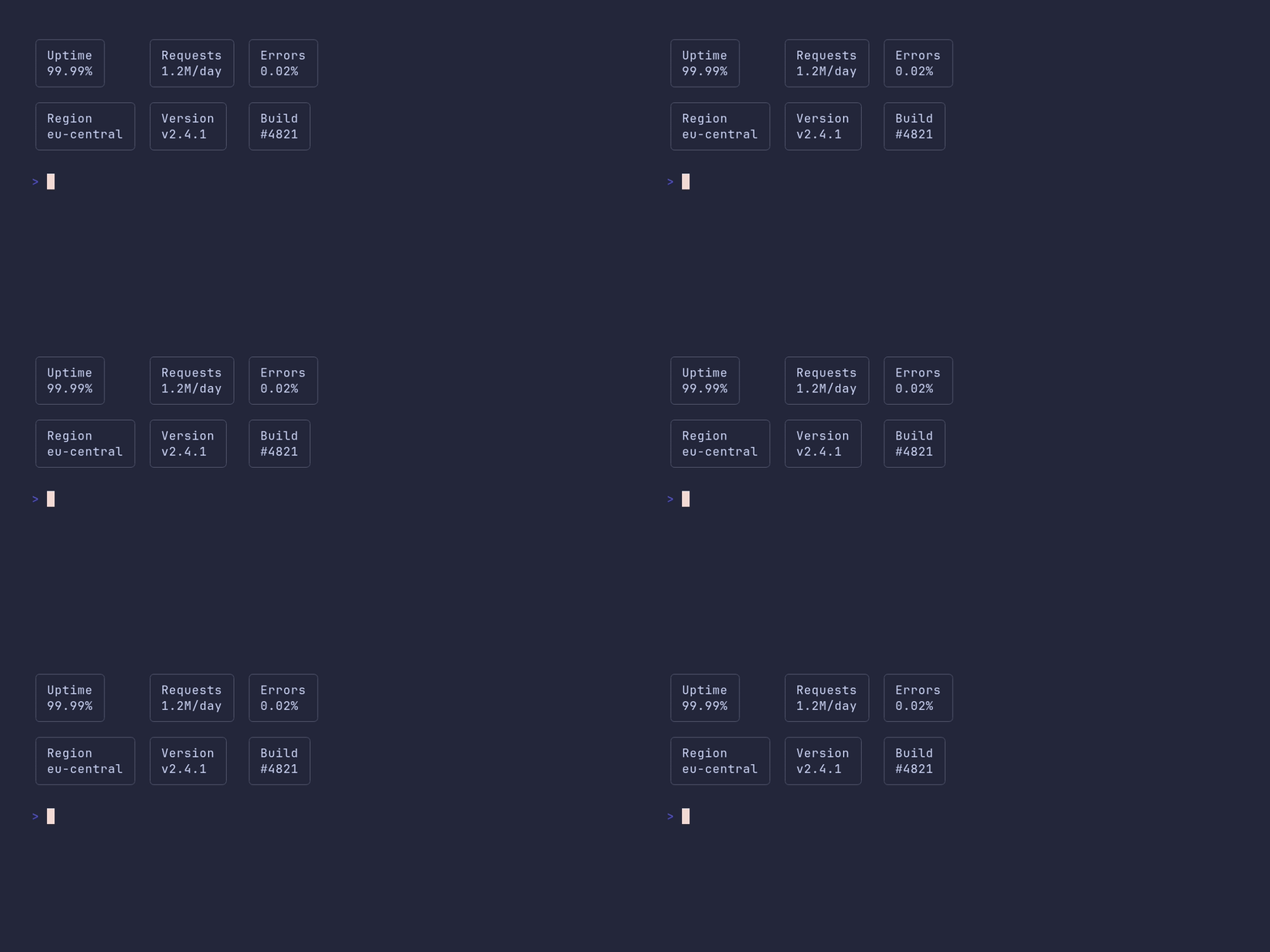
SHOW SOURCE
package main

import "github.com/pterm/pterm"

func main() {
	// Panels form a 2D grid: the outer slice holds rows, the inner slices hold
	// the panels of each row.
	panels := pterm.Panels{
		{
			{Data: "Uptime\n99.99%"},
			{Data: "Requests\n1.2M/day"},
			{Data: "Errors\n0.02%"},
		},
		{
			{Data: "Region\neu-central"},
			{Data: "Version\nv2.4.1"},
			{Data: "Build\n#4821"},
		},
	}

	// WithBoxPrinter draws each panel inside a box. WithSameColumnWidth pads
	// every panel of a column to the widest one, so the boxes line up.
	_ = pterm.DefaultPanel.
		WithPanels(panels).
		WithBoxPrinter(pterm.DefaultBox).
		WithSameColumnWidth().
		Render()
}
paragraph/demo
SHOW SOURCE
package main

import "github.com/pterm/pterm"

func main() {
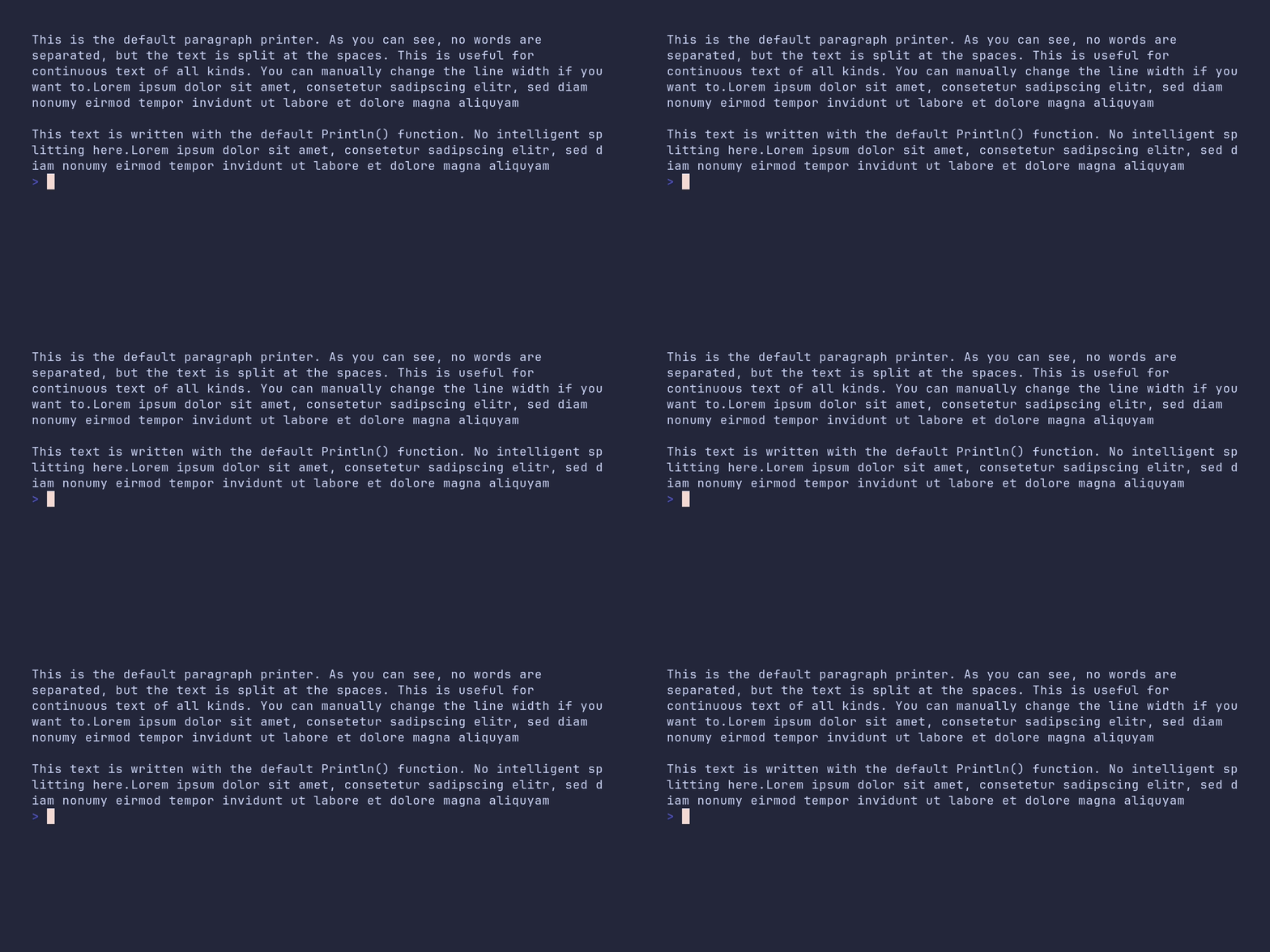
	// The paragraph printer wraps long text at word boundaries so it fits the
	// terminal width without breaking words apart.
	pterm.DefaultParagraph.Println("This is the default paragraph printer. As you can see, no words are separated, " +
		"but the text is split at the spaces. This is useful for continuous text of all kinds. You can manually change the line width if you want to." +
		"Lorem ipsum dolor sit amet, consetetur sadipscing elitr, sed diam nonumy eirmod tempor invidunt ut labore et dolore magna aliquyam")

	pterm.Println()

	// For comparison: plain Println lets the terminal break lines wherever
	// they happen to overflow, even in the middle of a word.
	pterm.Println("This text is written with the default Println() function. No intelligent splitting here." +
		"Lorem ipsum dolor sit amet, consetetur sadipscing elitr, sed diam nonumy eirmod tempor invidunt ut labore et dolore magna aliquyam")
}
paragraph/customized
SHOW SOURCE
package main

import "github.com/pterm/pterm"

func main() {
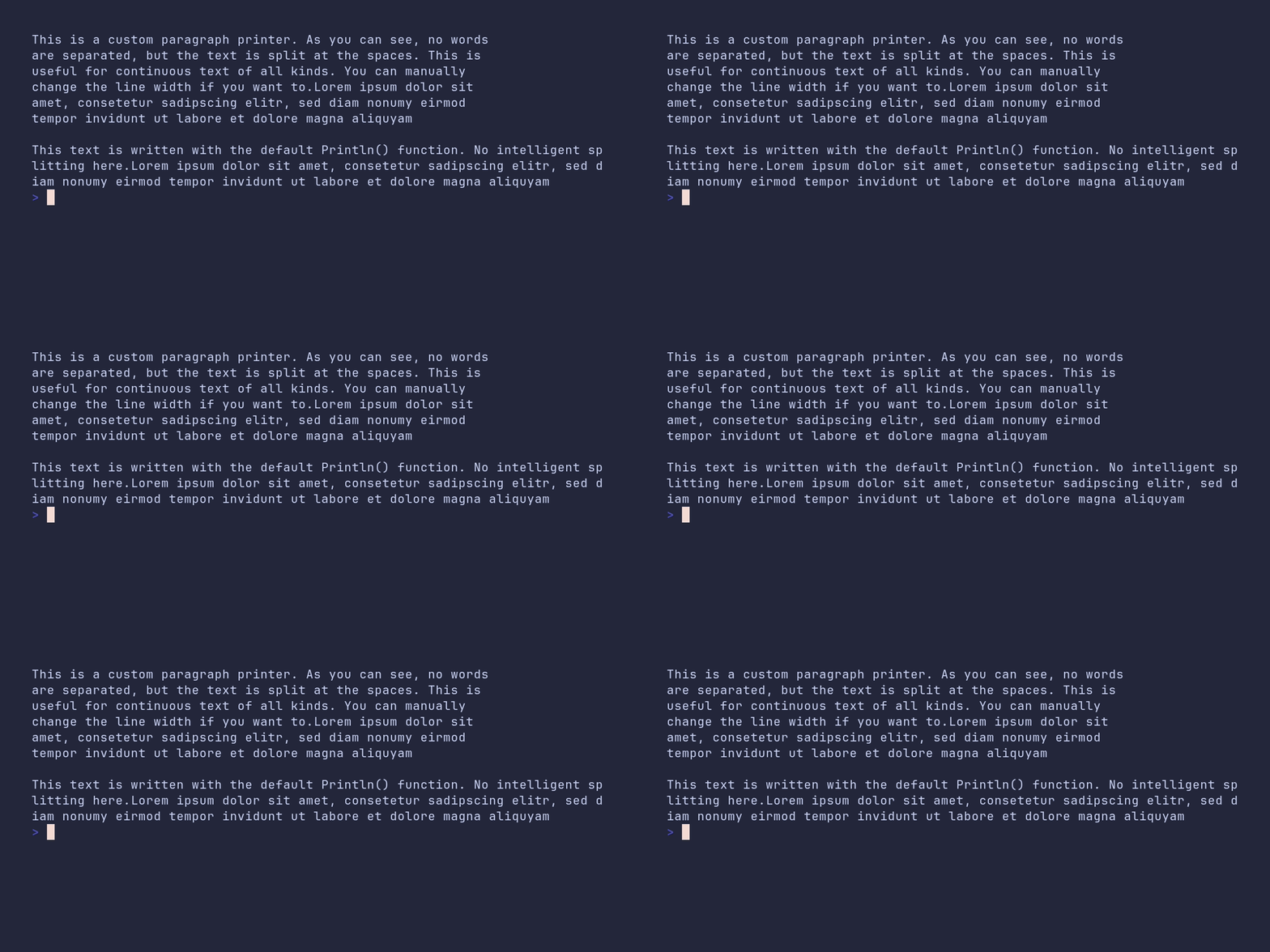
	longText := "This is a custom paragraph printer. As you can see, no words are separated, " +
		"but the text is split at the spaces. This is useful for continuous text of all kinds. You can manually change the line width if you want to." +
		"Lorem ipsum dolor sit amet, consetetur sadipscing elitr, sed diam nonumy eirmod tempor invidunt ut labore et dolore magna aliquyam"

	// The paragraph printer wraps at word boundaries. WithMaxWidth caps the
	// line width instead of using the full terminal width.
	pterm.DefaultParagraph.WithMaxWidth(60).Println(longText)

	pterm.Println()

	longTextWithoutParagraph := "This text is written with the default Println() function. No intelligent splitting here." +
		"Lorem ipsum dolor sit amet, consetetur sadipscing elitr, sed diam nonumy eirmod tempor invidunt ut labore et dolore magna aliquyam"

	// For comparison: plain Println lets the terminal break lines wherever
	// they happen to overflow, even in the middle of a word.
	pterm.Println(longTextWithoutParagraph)
}
prefix/demo
SHOW SOURCE
package main

import "github.com/pterm/pterm"

func main() {
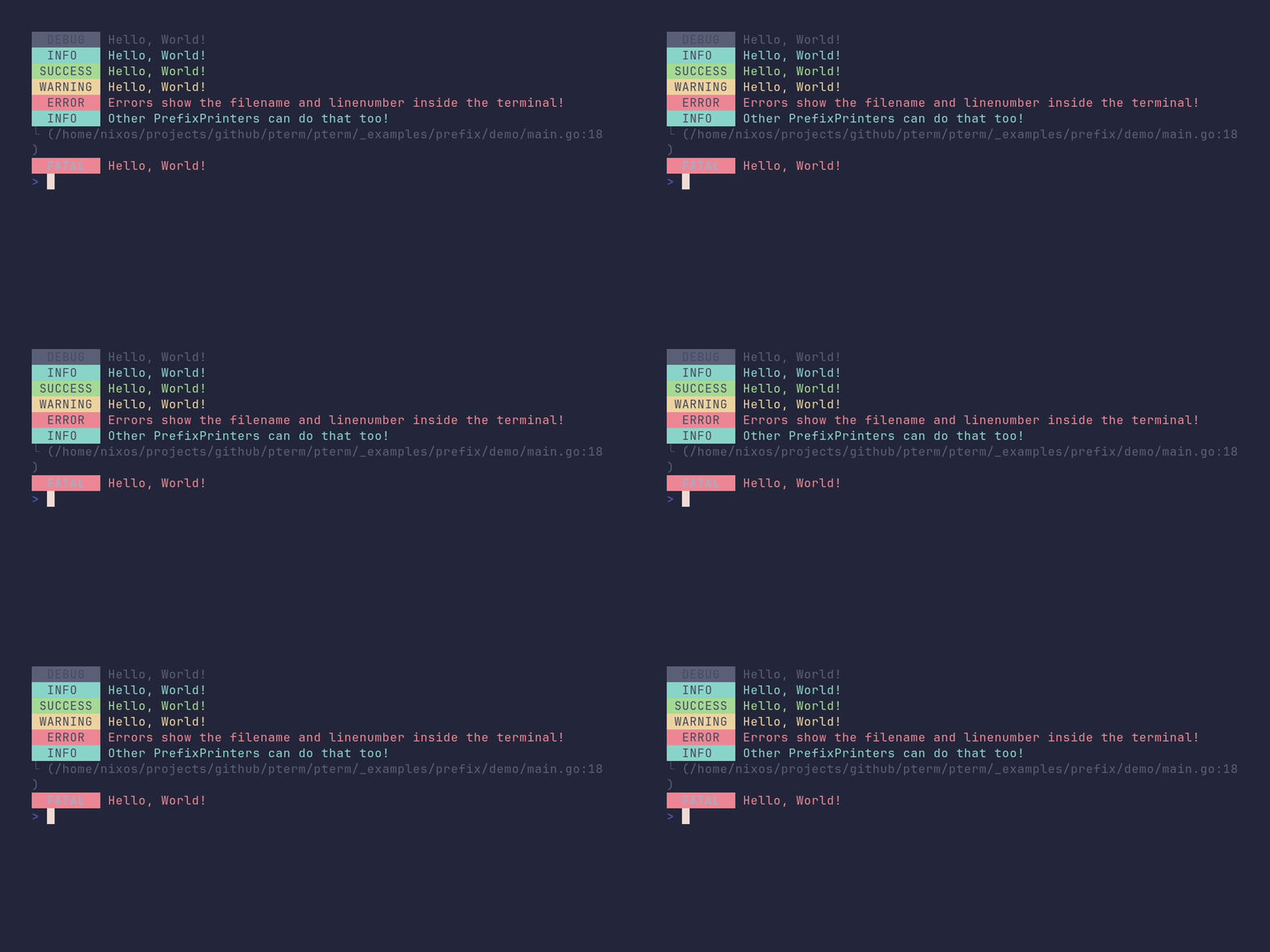
	// Debug messages are hidden by default. Enable them so pterm.Debug prints.
	pterm.EnableDebugMessages()

	pterm.Debug.Println("Hello, World!")
	pterm.Info.Println("Hello, World!")
	pterm.Success.Println("Hello, World!")
	pterm.Warning.Println("Hello, World!")

	// Error prints the filename and line number of the call site.
	pterm.Error.Println("Errors show the filename and linenumber inside the terminal!")

	// Any PrefixPrinter can show line numbers via WithShowLineNumber.
	pterm.Info.WithShowLineNumber().Println("Other PrefixPrinters can do that too!")

	// Fatal would normally terminate the program. WithFatal(false) turns that
	// off so this demo keeps running.
	pterm.Fatal.WithFatal(false).Println("Hello, World!")
}
prefix/custom
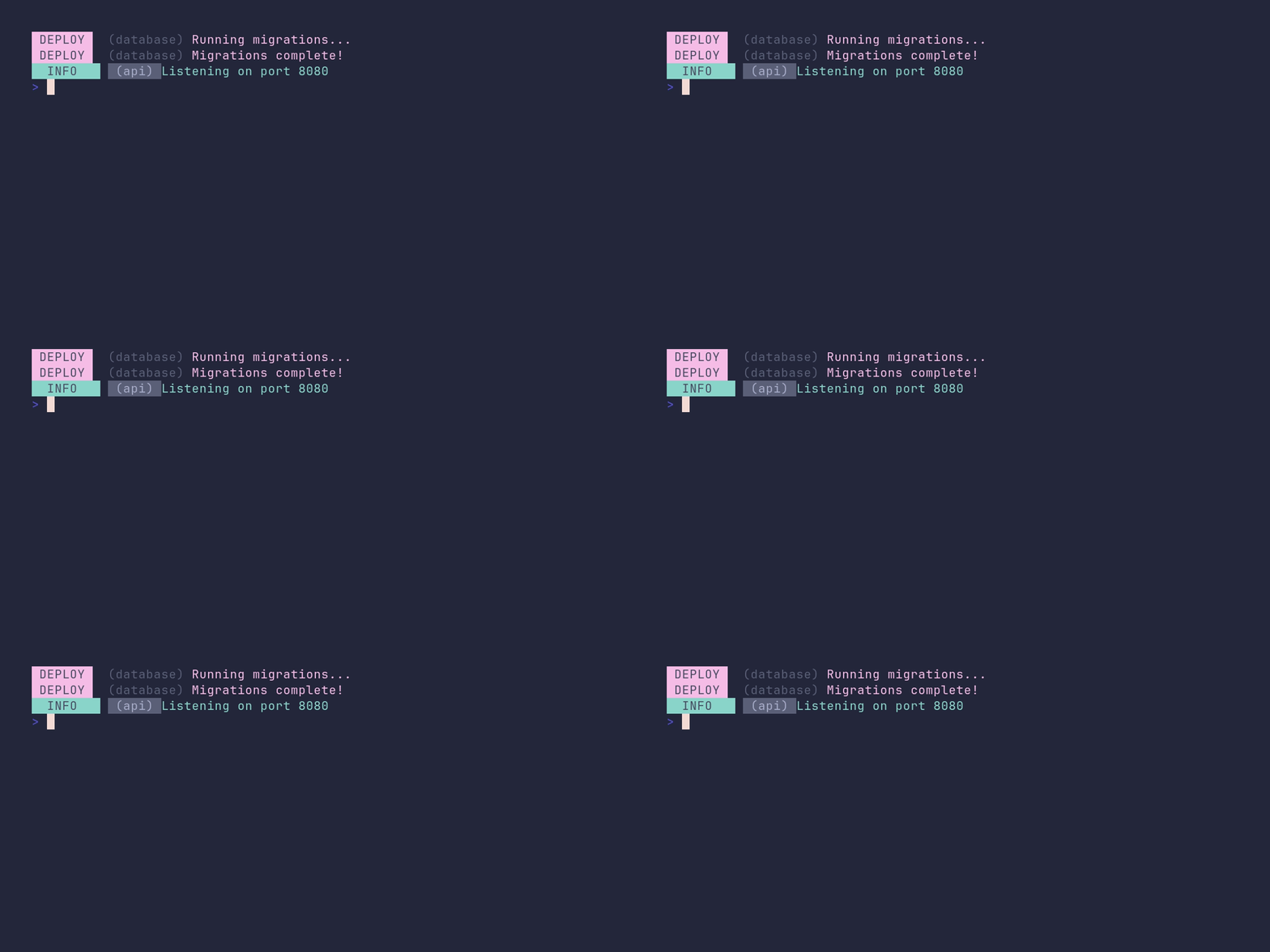
SHOW SOURCE
package main

import "github.com/pterm/pterm"

func main() {
	// A PrefixPrinter is just a struct, so custom printers can be built from
	// scratch. The built-ins (Info, Success, ...) are constructed the same way.
	deploy := pterm.PrefixPrinter{
		Prefix: pterm.Prefix{
			Text:  "DEPLOY",
			Style: pterm.NewStyle(pterm.BgLightMagenta, pterm.FgBlack),
		},
		// The scope is printed after the prefix in brackets. Useful for
		// tagging messages with a subsystem or component name.
		Scope: pterm.Scope{
			Text:  "database",
			Style: pterm.NewStyle(pterm.FgGray),
		},
		MessageStyle: pterm.NewStyle(pterm.FgLightMagenta),
	}

	deploy.Println("Running migrations...")
	deploy.Println("Migrations complete!")

	// Existing printers can be tweaked on the fly. With* methods return a
	// modified copy, so pterm.Info itself stays untouched.
	pterm.Info.WithScope(pterm.Scope{
		Text:  "api",
		Style: pterm.NewStyle(pterm.BgGray, pterm.FgLightWhite),
	}).Println("Listening on port 8080")
}
progressbar/demo
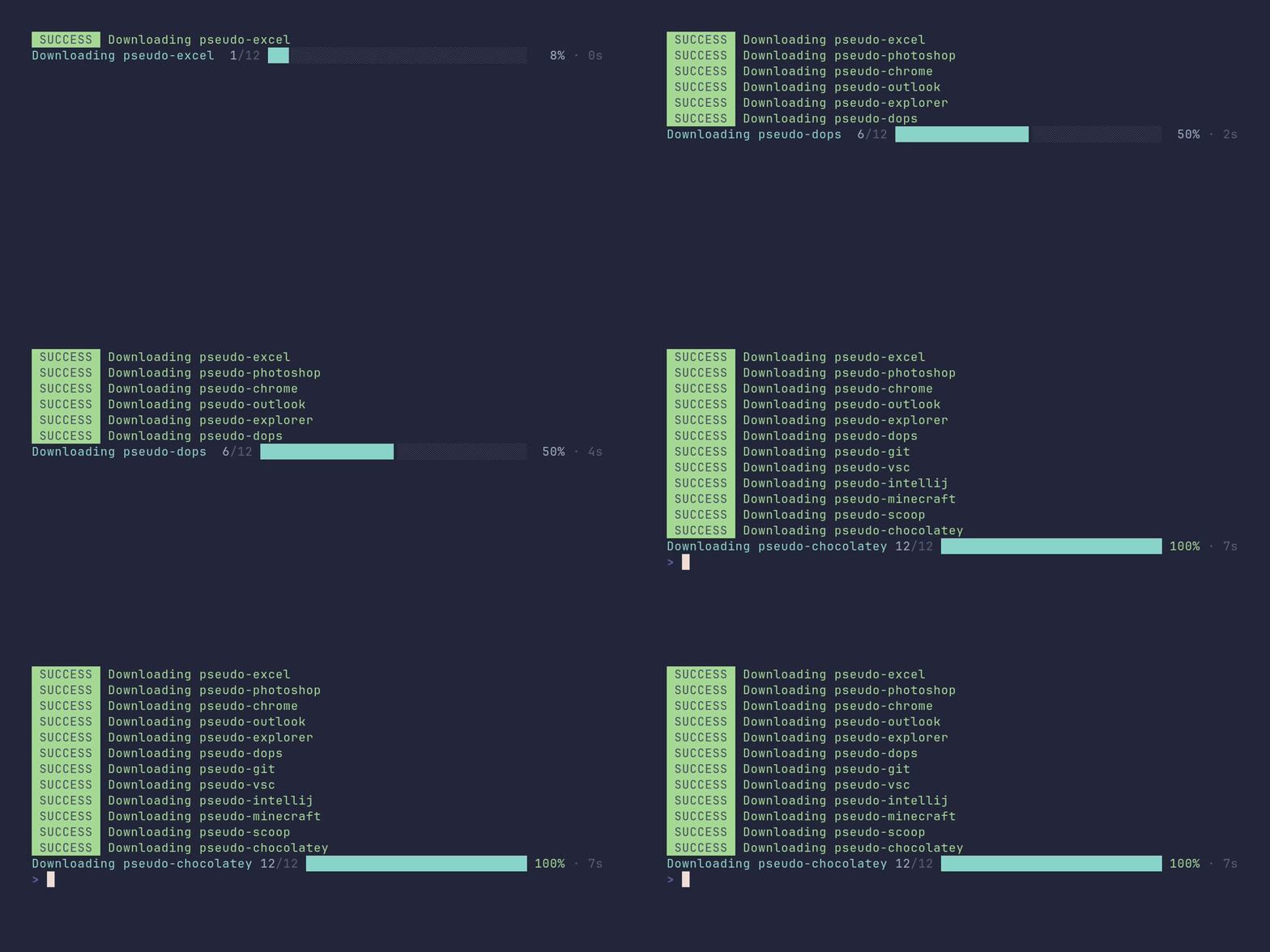
SHOW SOURCE
package main

import (
	"strings"
	"time"

	"github.com/pterm/pterm"
)

// Pretend we have a list of packages to download.
var fakeInstallList = strings.Split("pseudo-excel pseudo-photoshop pseudo-chrome pseudo-outlook pseudo-explorer "+
	"pseudo-dops pseudo-git pseudo-vsc pseudo-intellij pseudo-minecraft pseudo-scoop pseudo-chocolatey", " ")

func main() {
	p, _ := pterm.DefaultProgressbar.WithTotal(len(fakeInstallList)).WithTitle("Downloading stuff").Start()

	for i := 0; i < p.Total; i++ {
		// Simulate one download taking much longer than the rest.
		if i == 6 {
			time.Sleep(time.Second * 3)
		}

		p.UpdateTitle("Downloading " + fakeInstallList[i])

		// Printing through pterm while the progressbar runs places the output
		// above the bar instead of breaking it.
		pterm.Success.Println("Downloading " + fakeInstallList[i])
		p.Increment()
		time.Sleep(time.Millisecond * 350)
	}
}
progressbar/custom-style
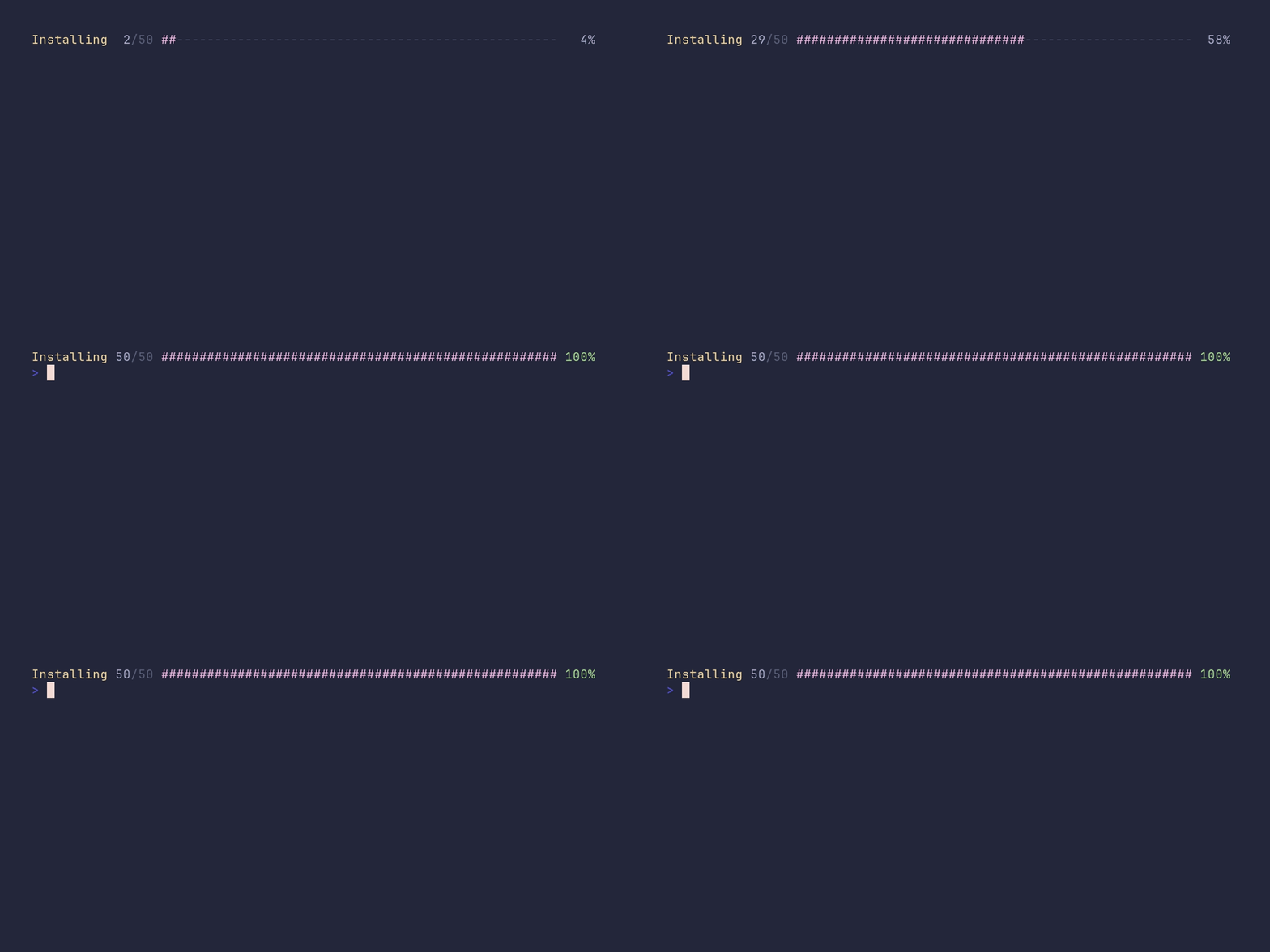
SHOW SOURCE
package main

import (
	"time"

	"github.com/pterm/pterm"
)

func main() {
	// Every visual part of the progressbar can be swapped out. Here the bar
	// gets a retro ASCII look; clearing BarPartialCharacters disables the
	// smooth block-glyph edge, which would clash with plain "#".
	p, _ := pterm.DefaultProgressbar.
		WithTotal(50).
		WithTitle("Installing").
		WithBarCharacter("#").
		WithLastCharacter("#").
		WithBarFiller("-").
		WithBarPartialCharacters(nil).
		WithTitleStyle(pterm.NewStyle(pterm.FgLightYellow)).
		WithBarStyle(pterm.NewStyle(pterm.FgLightMagenta)).
		WithShowElapsedTime(false).
		Start()

	for i := 0; i < p.Total; i++ {
		p.Increment()
		time.Sleep(time.Millisecond * 60)
	}
}
progressbar/multiple

SHOW SOURCE
package main

import (
	"time"

	"github.com/pterm/pterm"
)

func main() {
	// A MultiPrinter renders several live printers at once. Each progressbar
	// writes to its own writer obtained from the multi printer.
	multi := pterm.DefaultMultiPrinter

	pb1, _ := pterm.DefaultProgressbar.WithTotal(100).WithWriter(multi.NewWriter()).Start("Progressbar 1")
	pb2, _ := pterm.DefaultProgressbar.WithTotal(100).WithWriter(multi.NewWriter()).Start("Progressbar 2")
	pb3, _ := pterm.DefaultProgressbar.WithTotal(100).WithWriter(multi.NewWriter()).Start("Progressbar 3")
	pb4, _ := pterm.DefaultProgressbar.WithTotal(100).WithWriter(multi.NewWriter()).Start("Progressbar 4")
	pb5, _ := pterm.DefaultProgressbar.WithTotal(100).WithWriter(multi.NewWriter()).Start("Progressbar 5")

	multi.Start()

	// Advance the bars at different speeds so they visibly run independently.
	for i := 1; i <= 100; i++ {
		pb1.Increment()

		if i%2 == 0 {
			pb2.Add(3)
		}

		if i%5 == 0 {
			pb3.Increment()
		}

		if i%10 == 0 {
			pb4.Increment()
		}

		if i%3 == 0 {
			pb5.Increment()
		}

		time.Sleep(time.Millisecond * 50)
	}

	multi.Stop()
}
section/demo
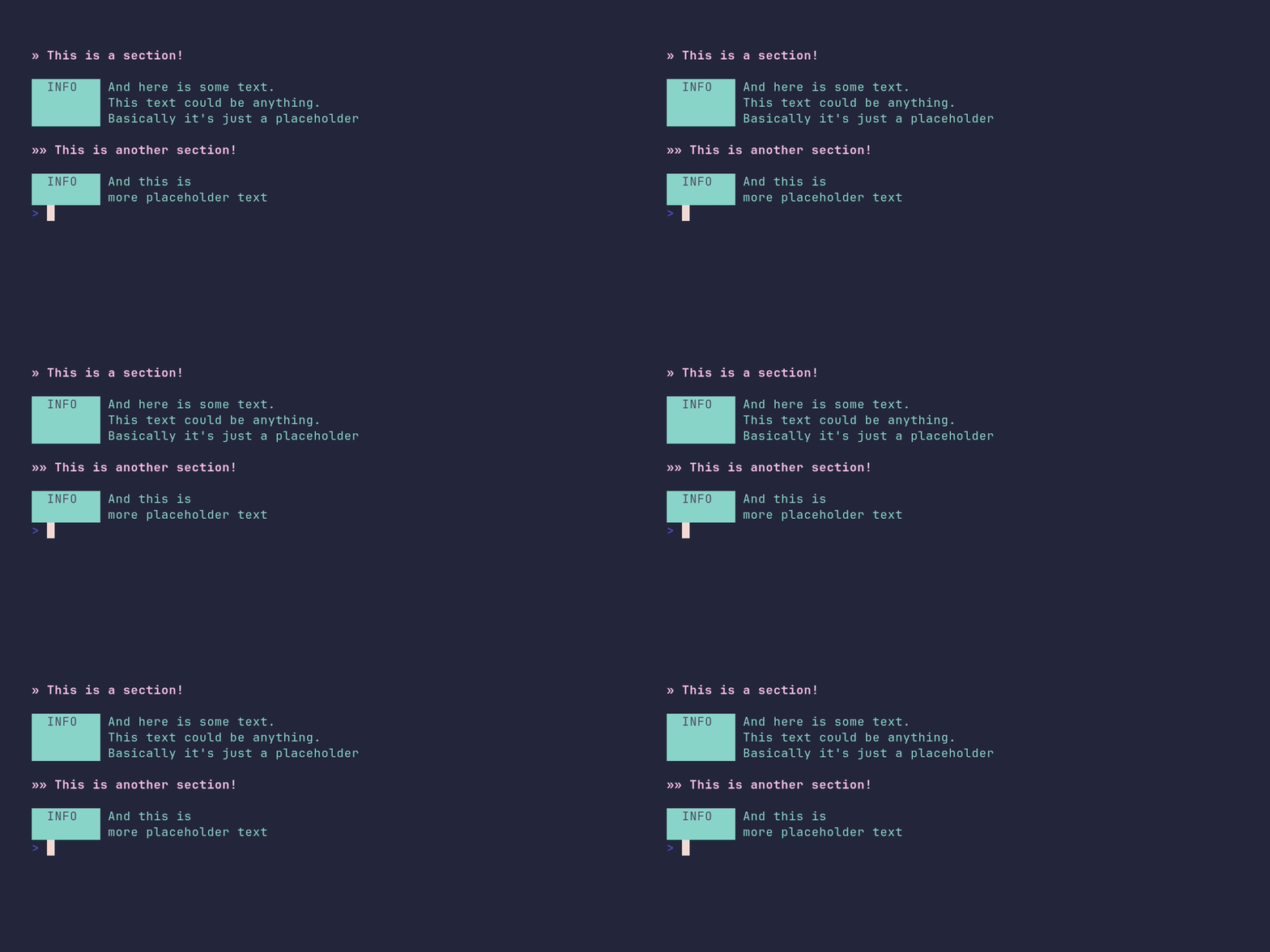
SHOW SOURCE
package main

import "github.com/pterm/pterm"

func main() {
	// Sections structure long output into headed blocks, like chapters.
	pterm.DefaultSection.Println("This is a section!")
	pterm.Info.Println("And here is some text.\nThis text could be anything.\nBasically it's just a placeholder")

	// Higher levels render as smaller subsections.
	pterm.DefaultSection.WithLevel(2).Println("This is another section!")
	pterm.Info.Println("And this is\nmore placeholder text")
}
slog/demo
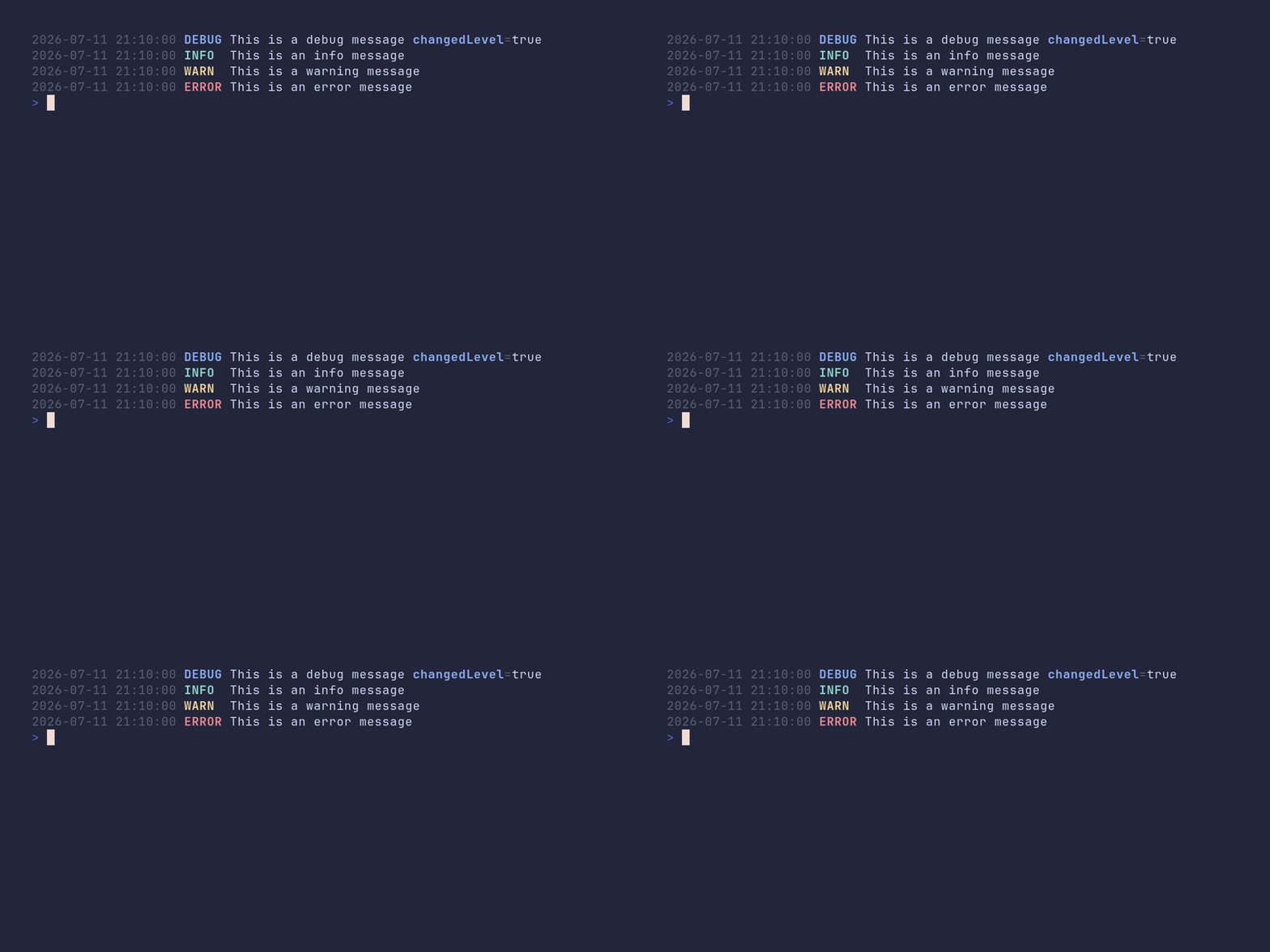
SHOW SOURCE
package main

import (
	"log/slog"

	"github.com/pterm/pterm"
)

func main() {
	// PTerm's logger can act as a handler for the standard library's slog
	// package, so existing slog code gets styled output for free.
	handler := pterm.NewSlogHandler(&pterm.DefaultLogger)
	logger := slog.New(handler)

	// The PTerm logger decides which levels are shown. Its default level is
	// Info, so this debug message is dropped.
	logger.Debug("This is a debug message that won't show")

	// Lowering the level on the PTerm logger takes effect immediately.
	pterm.DefaultLogger.Level = pterm.LogLevelDebug

	logger.Debug("This is a debug message", "changedLevel", true)
	logger.Info("This is an info message")
	logger.Warn("This is a warning message")
	logger.Error("This is an error message")
}
spinner/demo
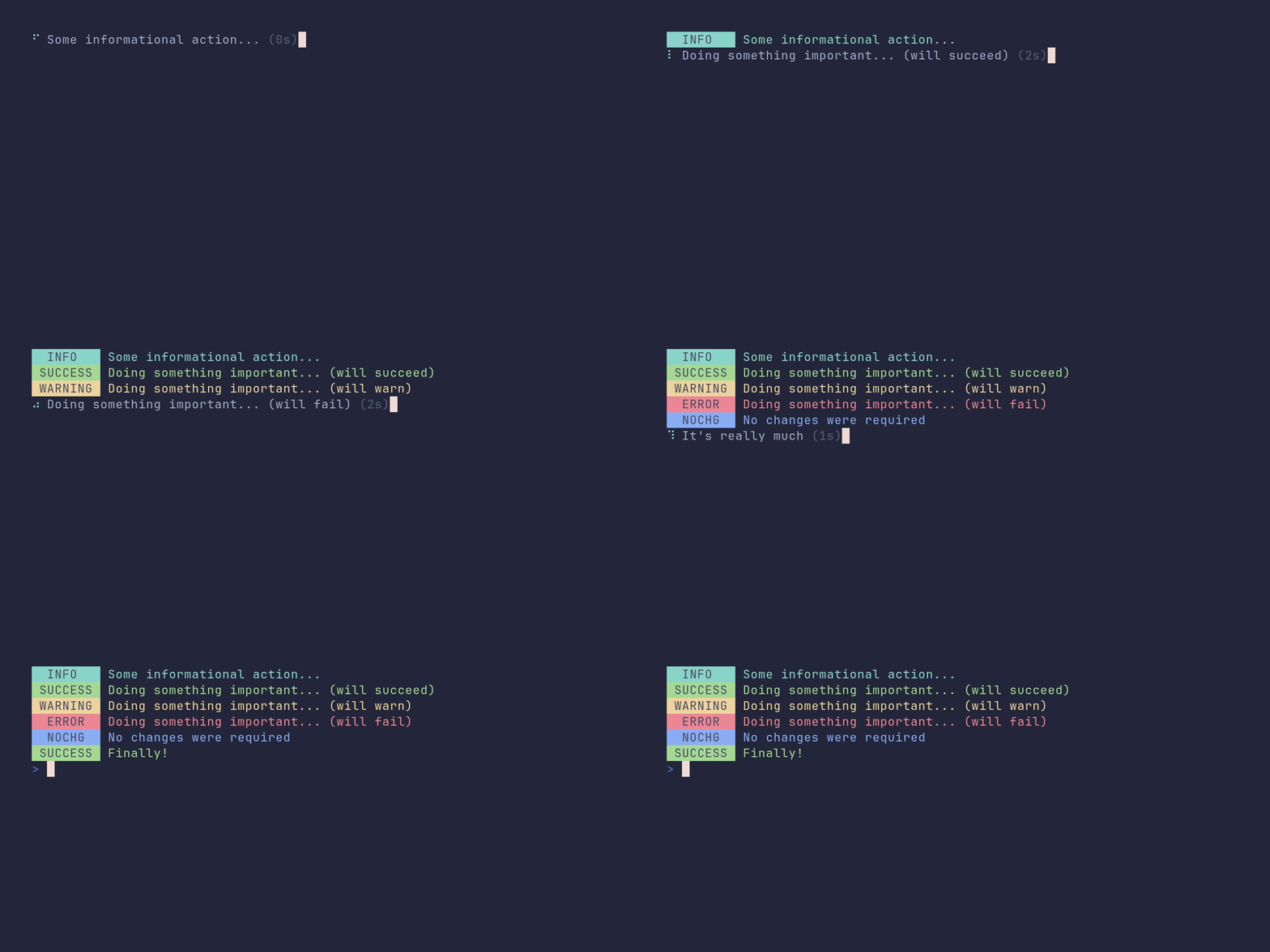
SHOW SOURCE
package main

import (
	"time"

	"github.com/pterm/pterm"
)

func main() {
	// A spinner can resolve as Info, Success, Warning or Fail. The spinner
	// line is replaced by the matching prefix printer output.
	spinnerInfo, _ := pterm.DefaultSpinner.Start("Some informational action...")
	time.Sleep(time.Second * 2)
	spinnerInfo.Info()

	spinnerSuccess, _ := pterm.DefaultSpinner.Start("Doing something important... (will succeed)")
	time.Sleep(time.Second * 2)
	spinnerSuccess.Success()

	spinnerWarning, _ := pterm.DefaultSpinner.Start("Doing something important... (will warn)")
	time.Sleep(time.Second * 2)
	spinnerWarning.Warning()

	spinnerFail, _ := pterm.DefaultSpinner.Start("Doing something important... (will fail)")
	time.Sleep(time.Second * 2)
	spinnerFail.Fail()

	// The resolve printers are plain PrefixPrinters, so they can be swapped
	// out. Here Info resolves with a custom "NOCHG" prefix instead.
	spinnerNochange, _ := pterm.DefaultSpinner.Start("Checking something important... (will result in no change)")
	spinnerNochange.InfoPrinter = &pterm.PrefixPrinter{
		MessageStyle: &pterm.Style{pterm.FgLightBlue},
		Prefix: pterm.Prefix{
			Style: &pterm.Style{pterm.FgBlack, pterm.BgLightBlue},
			Text:  " NOCHG ",
		},
	}

	time.Sleep(time.Second * 2)
	spinnerNochange.Info("No changes were required")

	// The text can be updated while the spinner keeps running.
	spinnerLiveText, _ := pterm.DefaultSpinner.Start("Doing a lot of stuff...")
	time.Sleep(time.Second)
	spinnerLiveText.UpdateText("It's really much")
	time.Sleep(time.Second)
	spinnerLiveText.UpdateText("We're nearly done!")
	time.Sleep(time.Second)
	spinnerLiveText.Success("Finally!")
}
spinner/custom
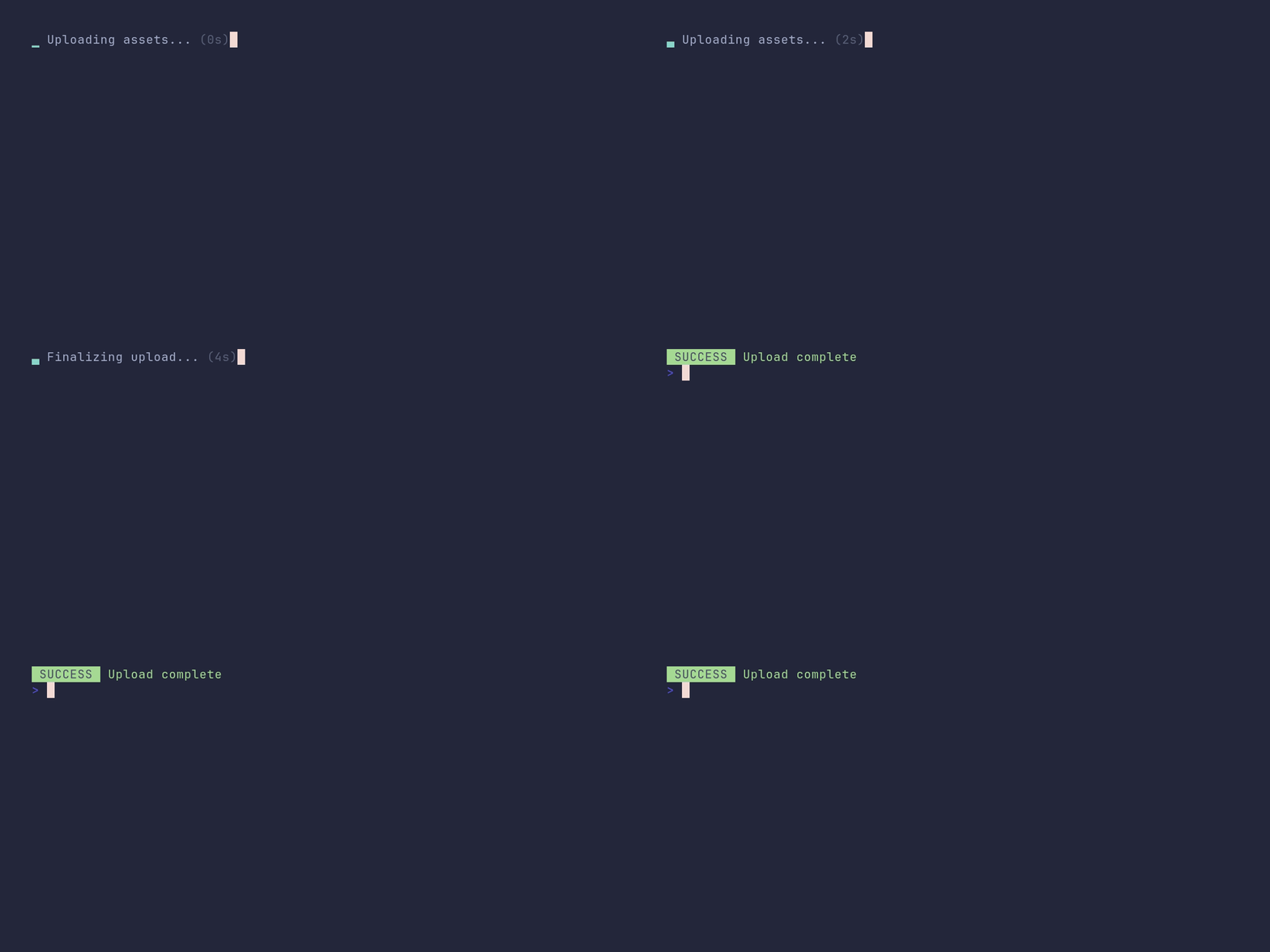
SHOW SOURCE
package main

import (
	"time"

	"github.com/pterm/pterm"
)

func main() {
	// The spinner animation is just a sequence of frames, so any set of
	// strings works. WithStyle colors the animation.
	spinner, _ := pterm.DefaultSpinner.
		WithSequence("▁", "▃", "▅", "▇", "▅", "▃").
		WithStyle(pterm.NewStyle(pterm.FgCyan)).
		Start("Uploading assets...")

	time.Sleep(time.Second * 2)

	// The text can change while the spinner keeps running.
	spinner.UpdateText("Finalizing upload...")
	time.Sleep(time.Second * 2)

	spinner.Success("Upload complete")
}
spinner/multiple

SHOW SOURCE
package main

import (
	"time"

	"github.com/pterm/pterm"
)

func main() {
	// A MultiPrinter lets several spinners run at the same time. Each spinner
	// writes to its own writer obtained from the multi printer.
	multi := pterm.DefaultMultiPrinter

	spinner1, _ := pterm.DefaultSpinner.WithWriter(multi.NewWriter()).Start("Spinner 1")
	spinner2, _ := pterm.DefaultSpinner.WithWriter(multi.NewWriter()).Start("Spinner 2")
	spinner3, _ := pterm.DefaultSpinner.WithWriter(multi.NewWriter()).Start("Spinner 3")

	multi.Start()

	// Each spinner can resolve on its own while the others keep spinning.
	time.Sleep(time.Millisecond * 1000)
	spinner1.Success("Spinner 1 is done!")

	time.Sleep(time.Millisecond * 750)
	spinner2.Fail("Spinner 2 failed!")

	time.Sleep(time.Millisecond * 500)
	spinner3.Warning("Spinner 3 has a warning!")

	multi.Stop()
}
style/demo
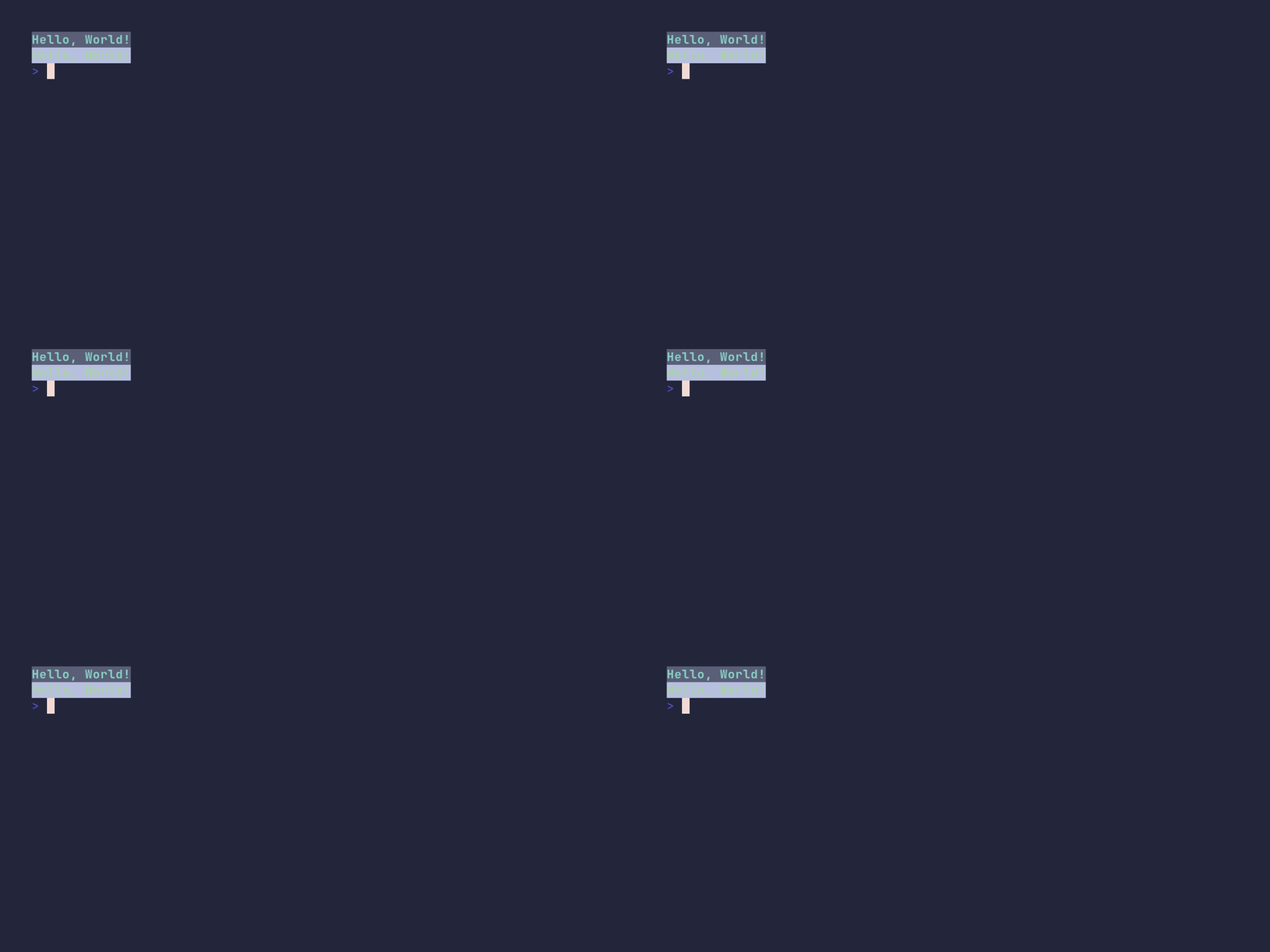
SHOW SOURCE
package main

import "github.com/pterm/pterm"

func main() {
	// A Style combines any number of colors and text options.
	// It can be reused anywhere PTerm accepts a style.
	primary := pterm.NewStyle(pterm.FgLightCyan, pterm.BgGray, pterm.Bold)
	secondary := pterm.NewStyle(pterm.FgLightGreen, pterm.BgWhite, pterm.Italic)

	// Styles are also TextPrinters, so they can print directly.
	primary.Println("Hello, World!")
	secondary.Println("Hello, World!")
}
table/demo
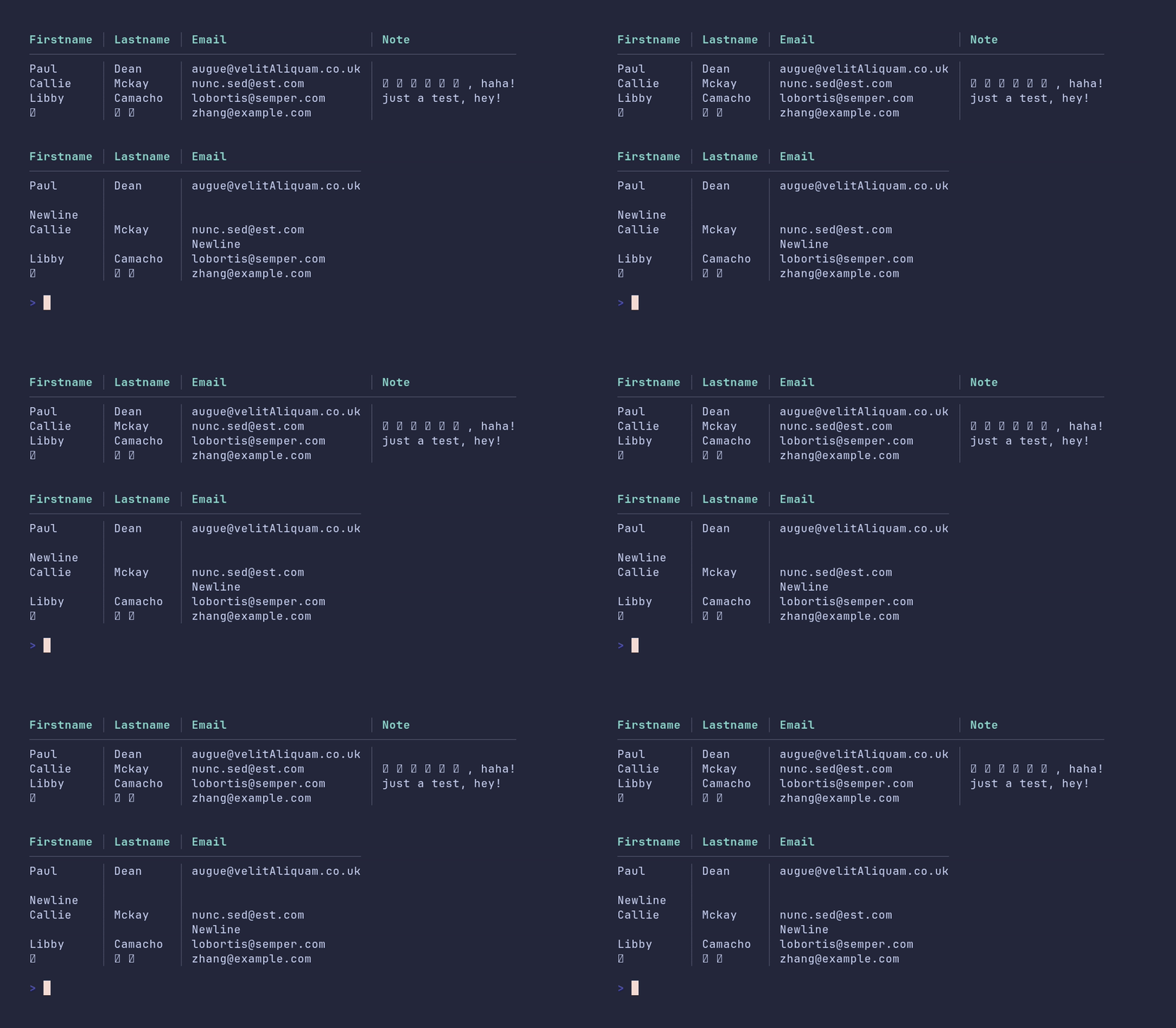
SHOW SOURCE
package main

import "github.com/pterm/pterm"

func main() {
	// With WithHasHeader the first row is styled as the header. The CJK
	// characters are measured by display width, so the columns stay aligned.
	tableData1 := pterm.TableData{
		{"Firstname", "Lastname", "Email", "Note"},
		{"Paul", "Dean", "[email protected]", ""},
		{"Callie", "Mckay", "[email protected]", "这是一个测试, haha!"},
		{"Libby", "Camacho", "[email protected]", "just a test, hey!"},
		{"张", "小宝", "[email protected]", ""},
	}

	pterm.DefaultTable.WithHasHeader().WithData(tableData1).Render()

	pterm.Println()

	// Cells may contain newlines; a row grows to fit its tallest cell.
	tableData2 := pterm.TableData{
		{"Firstname", "Lastname", "Email"},
		{"Paul\n\nNewline", "Dean", "[email protected]"},
		{"Callie", "Mckay", "[email protected]\nNewline"},
		{"Libby", "Camacho", "[email protected]"},
		{"张", "小宝", "[email protected]"},
	}

	pterm.DefaultTable.WithHasHeader().WithData(tableData2).Render()
}
table/alternate-row-style
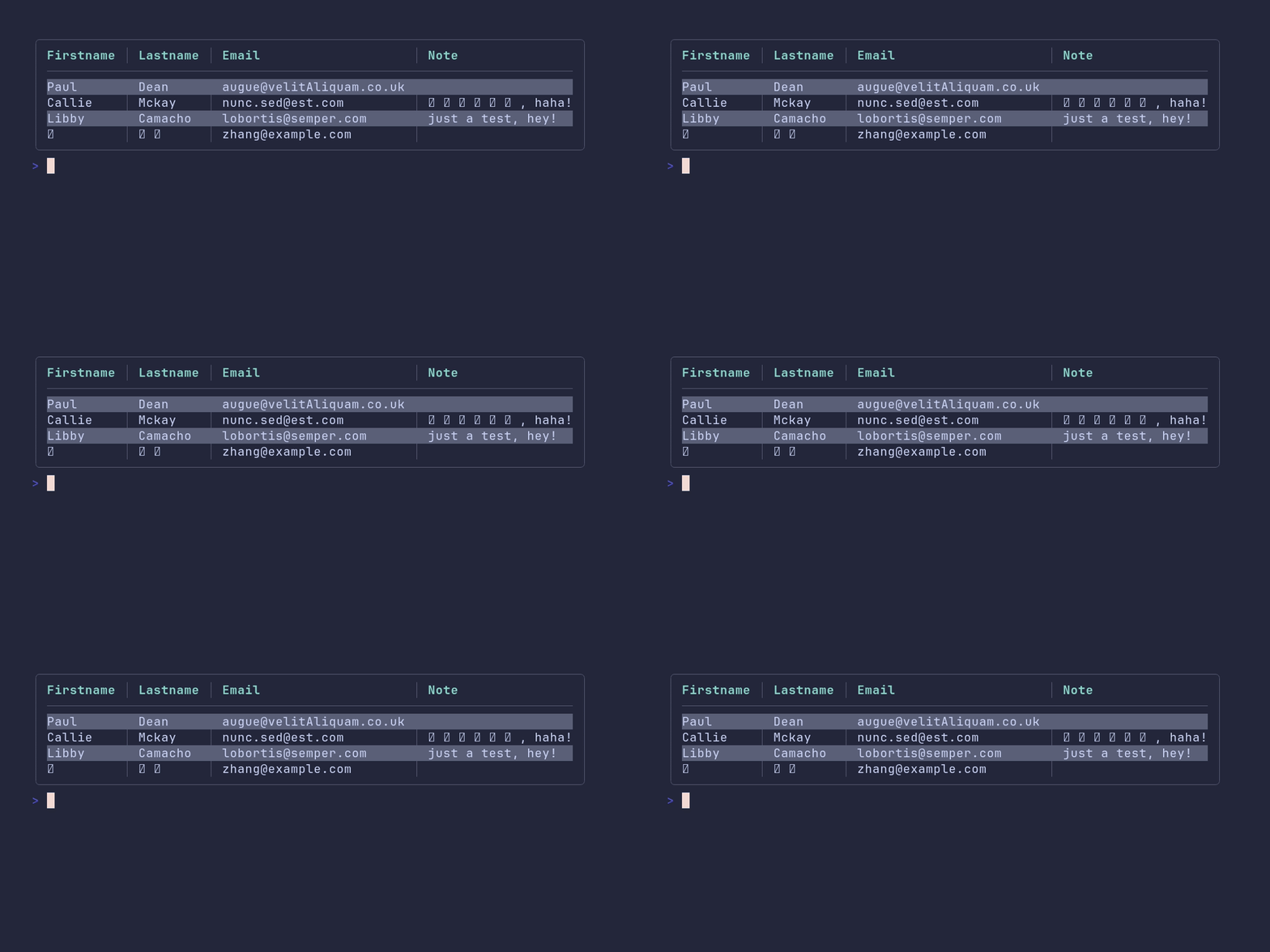
SHOW SOURCE
package main

import "github.com/pterm/pterm"

func main() {
	// WithAlternateRowStyle applies this style to every second data row,
	// which makes wide tables easier to scan.
	alternateStyle := pterm.NewStyle(pterm.BgDarkGray)

	tableData := pterm.TableData{
		{"Firstname", "Lastname", "Email", "Note"},
		{"Paul", "Dean", "[email protected]", ""},
		{"Callie", "Mckay", "[email protected]", "这是一个测试, haha!"},
		{"Libby", "Camacho", "[email protected]", "just a test, hey!"},
		{"张", "小宝", "[email protected]", ""},
	}

	pterm.DefaultTable.WithHasHeader().WithBoxed().WithData(tableData).WithAlternateRowStyle(alternateStyle).Render()
}
table/boxed
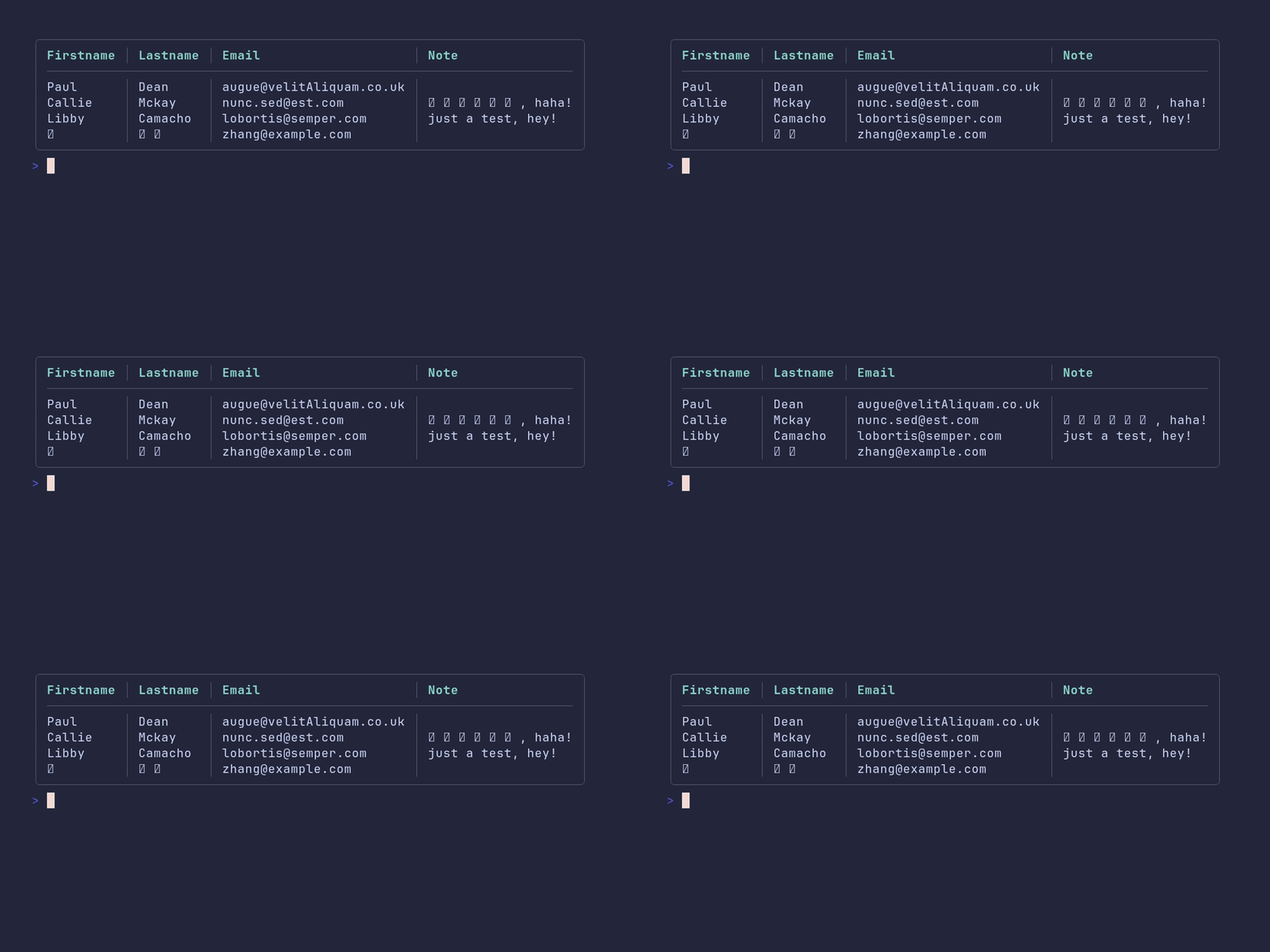
SHOW SOURCE
package main

import "github.com/pterm/pterm"

func main() {
	// The first row becomes the header via WithHasHeader.
	tableData := pterm.TableData{
		{"Firstname", "Lastname", "Email", "Note"},
		{"Paul", "Dean", "[email protected]", ""},
		{"Callie", "Mckay", "[email protected]", "这是一个测试, haha!"},
		{"Libby", "Camacho", "[email protected]", "just a test, hey!"},
		{"张", "小宝", "[email protected]", ""},
	}

	// WithBoxed draws a box around the whole table.
	pterm.DefaultTable.WithHasHeader().WithBoxed().WithData(tableData).Render()
}
table/from-csv
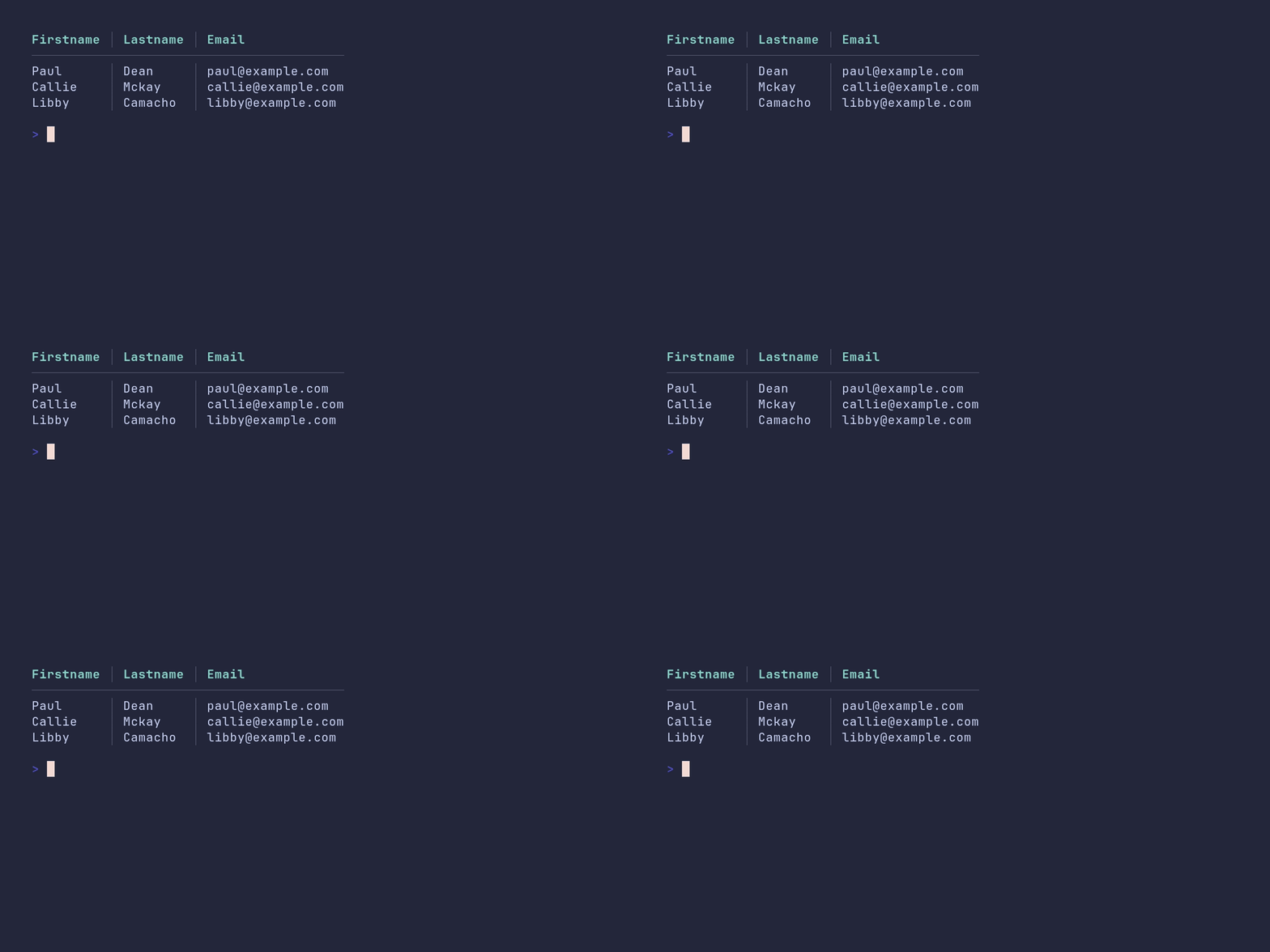
SHOW SOURCE
package main

import (
	"github.com/pterm/pterm"
	"github.com/pterm/pterm/putils"
)

func main() {
	csv := `Firstname,Lastname,Email
Paul,Dean,[email protected]
Callie,Mckay,[email protected]
Libby,Camacho,[email protected]`

	// TableDataFromCSV converts raw CSV into pterm.TableData. The CSV header
	// line ends up as the first row, so WithHasHeader renders it as such.
	pterm.DefaultTable.WithHasHeader().WithData(putils.TableDataFromCSV(csv)).Render()
}
table/from-structs
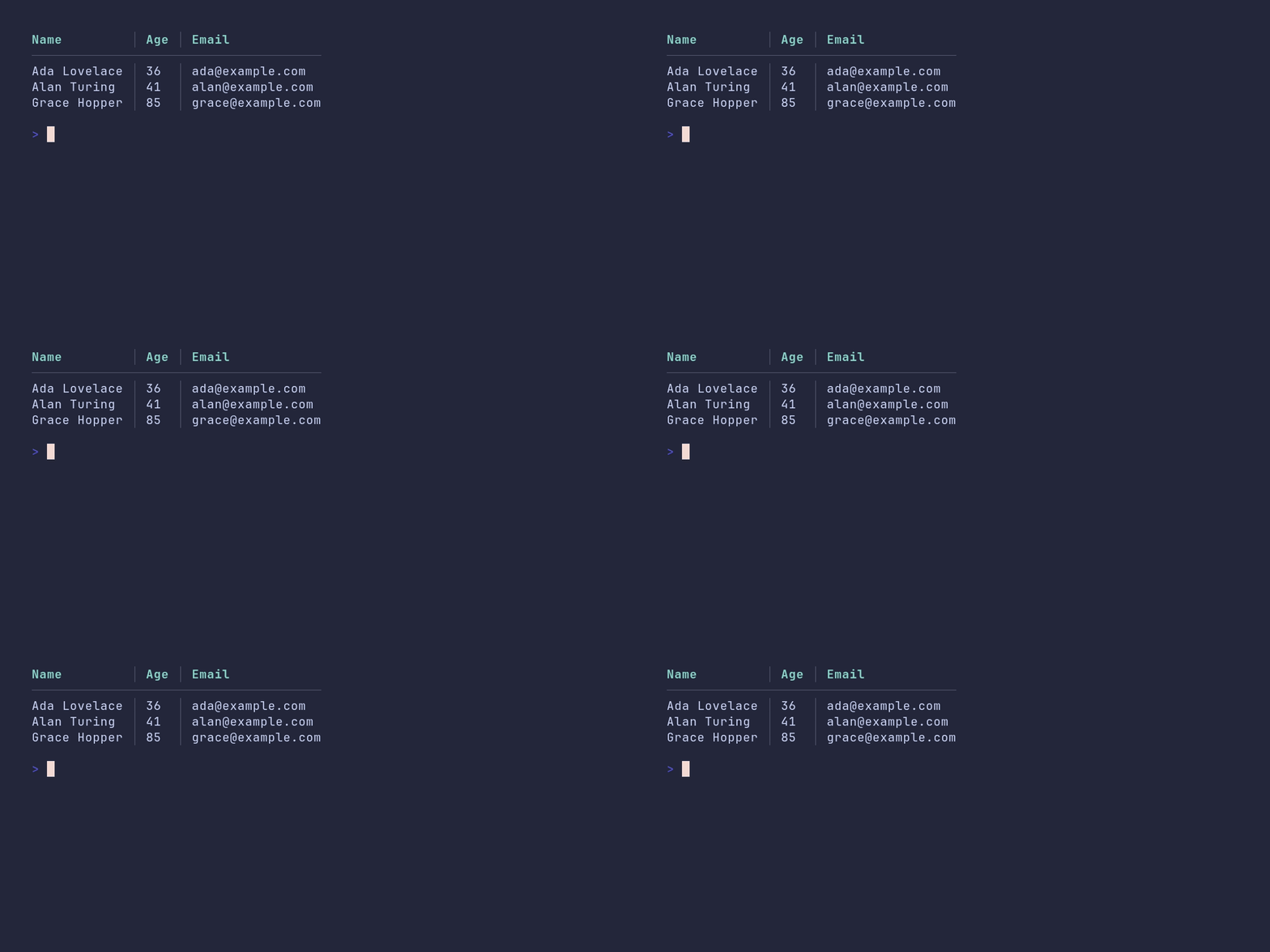
SHOW SOURCE
package main

import (
	"github.com/pterm/pterm/putils"
)

// User is a regular struct; no tags or interfaces are needed.
type User struct {
	Name  string
	Age   int
	Email string
}

func main() {
	users := []User{
		{Name: "Ada Lovelace", Age: 36, Email: "[email protected]"},
		{Name: "Alan Turing", Age: 41, Email: "[email protected]"},
		{Name: "Grace Hopper", Age: 85, Email: "[email protected]"},
	}

	// DefaultTableFromStructSlice fills the default table via reflection: the
	// field names become the first row, so WithHasHeader styles them as the
	// header.
	putils.DefaultTableFromStructSlice(users).WithHasHeader().Render()
}
table/multiple-lines
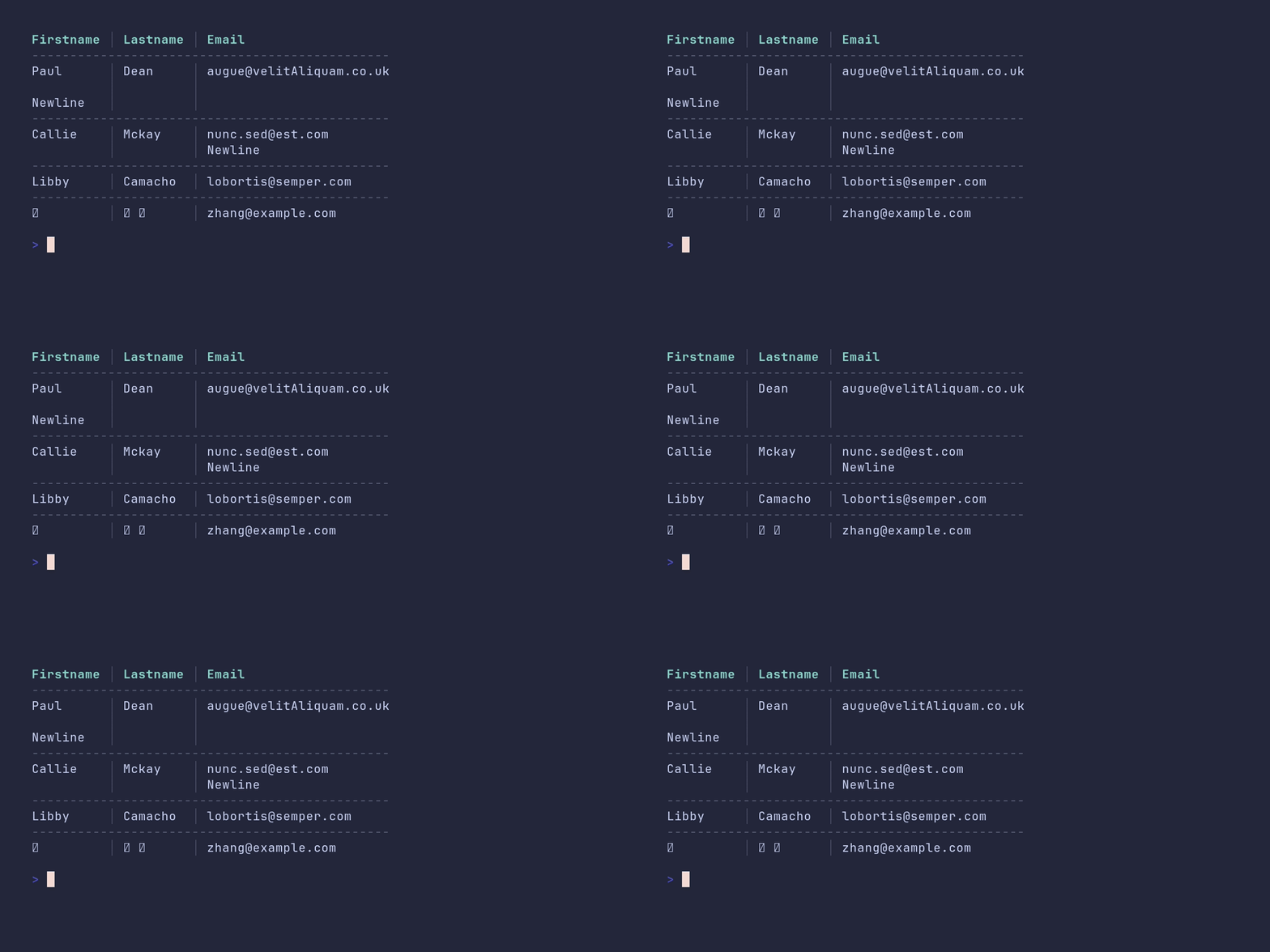
SHOW SOURCE
package main

import "github.com/pterm/pterm"

func main() {
	// Cells may contain newlines; a row grows to fit its tallest cell.
	data := pterm.TableData{
		{"Firstname", "Lastname", "Email"},
		{"Paul\n\nNewline", "Dean", "[email protected]"},
		{"Callie", "Mckay", "[email protected]\nNewline"},
		{"Libby", "Camacho", "[email protected]"},
		{"张", "小宝", "[email protected]"},
	}

	// Row separators keep multi-line rows visually apart.
	pterm.DefaultTable.WithHasHeader().WithRowSeparator("-").WithHeaderRowSeparator("-").WithData(data).Render()
}
table/right-alignment
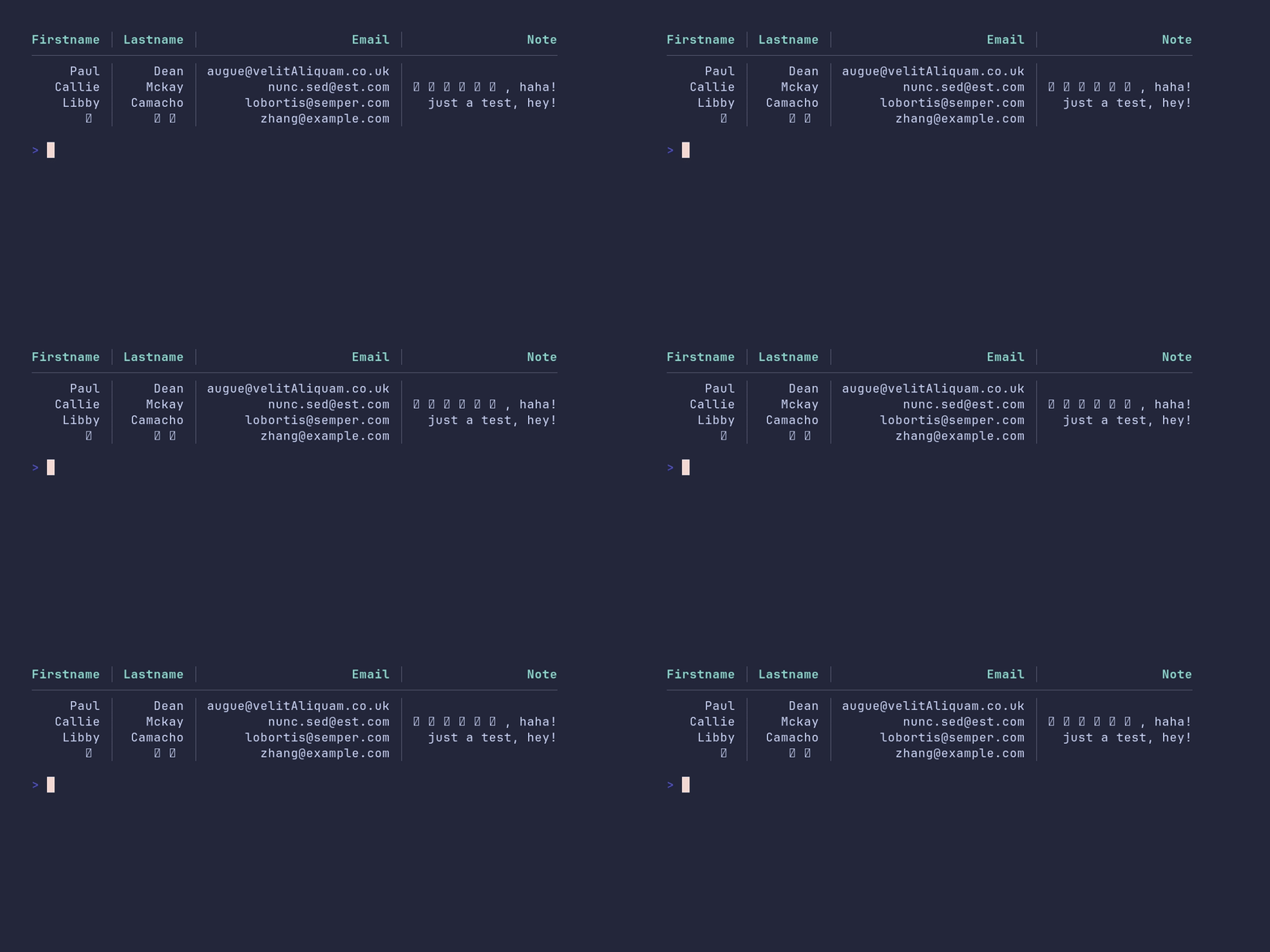
SHOW SOURCE
package main

import "github.com/pterm/pterm"

func main() {
	// The first row becomes the header via WithHasHeader.
	tableData := pterm.TableData{
		{"Firstname", "Lastname", "Email", "Note"},
		{"Paul", "Dean", "[email protected]", ""},
		{"Callie", "Mckay", "[email protected]", "这是一个测试, haha!"},
		{"Libby", "Camacho", "[email protected]", "just a test, hey!"},
		{"张", "小宝", "[email protected]", ""},
	}

	// WithRightAlignment right-aligns every cell in the table.
	pterm.DefaultTable.WithHasHeader().WithRightAlignment().WithData(tableData).Render()
}
theme/demo
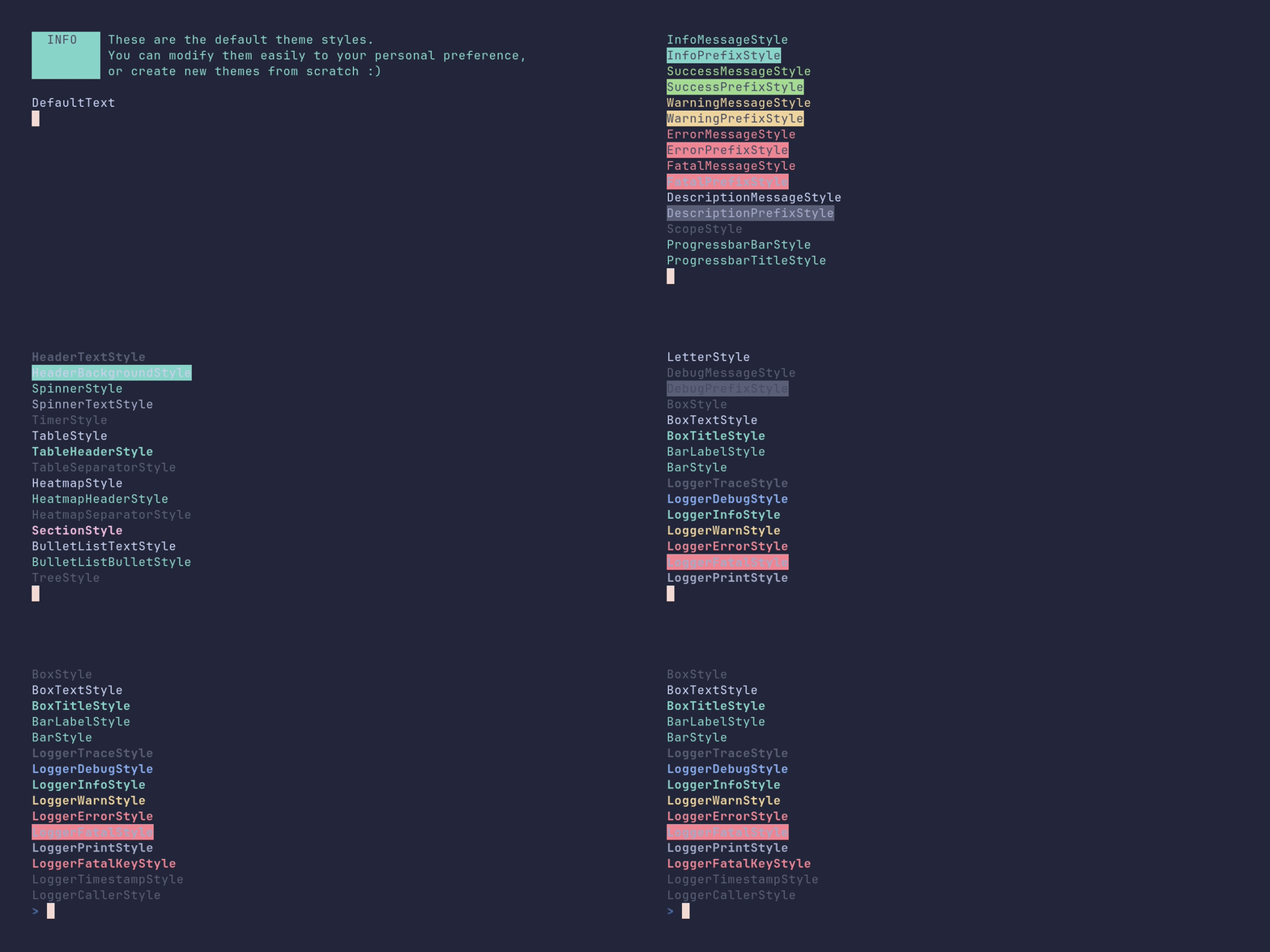
SHOW SOURCE
package main

import (
	"reflect"
	"time"

	"github.com/pterm/pterm"
)

func main() {
	pterm.Info.Println("These are the default theme styles.\nYou can modify them easily to your personal preference,\nor create new themes from scratch :)")

	pterm.Println()

	// The theme fields are plain pterm.Style values, so we can walk them with
	// reflection and print every style the theme defines without listing each
	// field by hand. Overriding one is as simple as assigning a new Style.
	v := reflect.ValueOf(pterm.ThemeDefault)
	typeOfS := v.Type()

	if typeOfS == reflect.TypeOf(pterm.Theme{}) {
		for i := 0; i < v.NumField(); i++ {
			field, ok := v.Field(i).Interface().(pterm.Style)
			if ok {
				// Print each field name in its own style, so you can see
				// exactly how it looks.
				field.Println(typeOfS.Field(i).Name)
			}

			time.Sleep(time.Millisecond * 250)
		}
	}
}
tree/demo
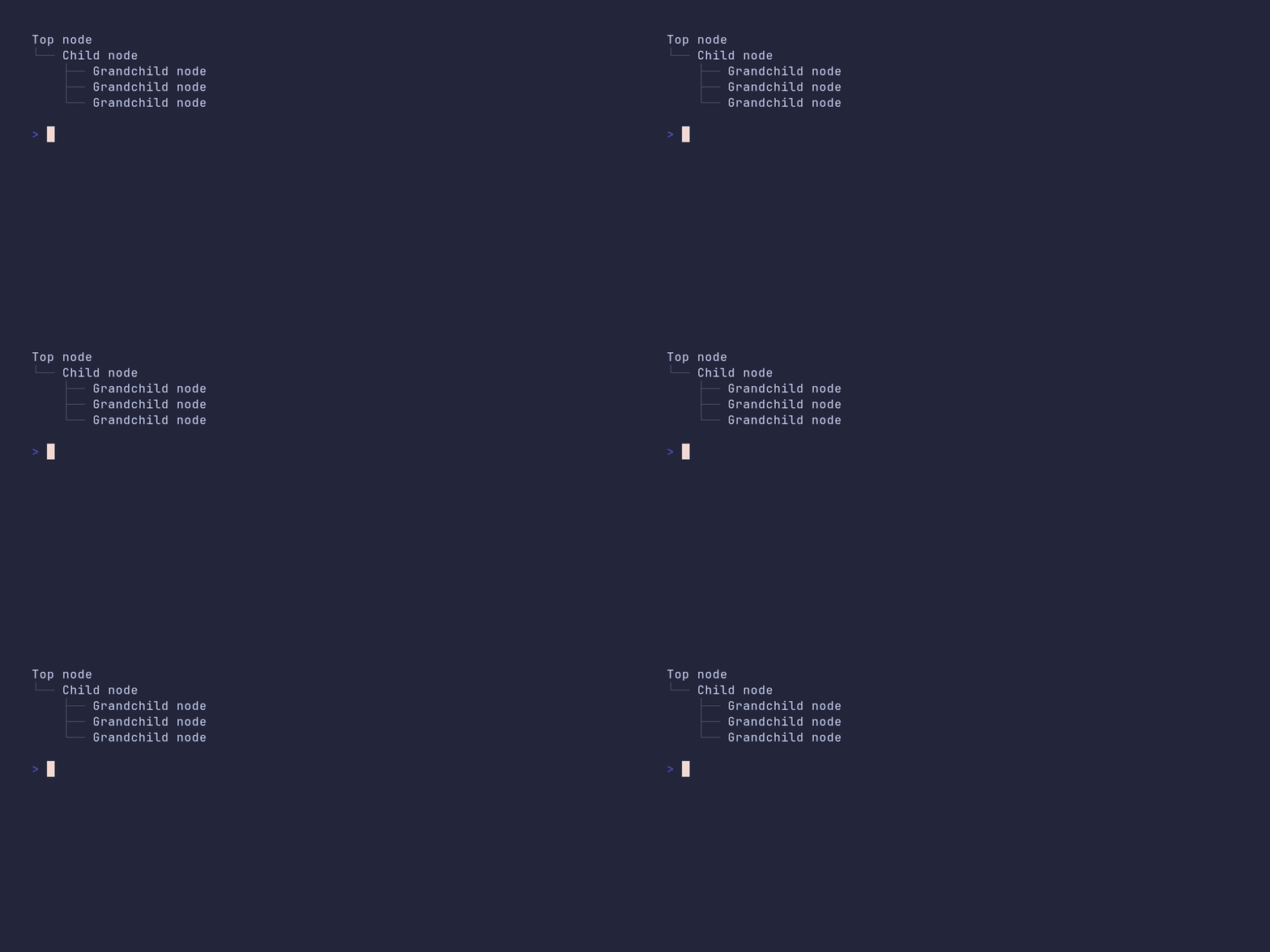
SHOW SOURCE
package main

import (
	"github.com/pterm/pterm"
)

func main() {
	// A tree is described by nesting TreeNodes; each node holds its text and
	// its children.
	tree := pterm.TreeNode{
		Text: "Top node",
		Children: []pterm.TreeNode{{
			Text: "Child node",
			Children: []pterm.TreeNode{
				{Text: "Grandchild node"},
				{Text: "Grandchild node"},
				{Text: "Grandchild node"},
			},
		}},
	}

	pterm.DefaultTree.WithRoot(tree).Render()
}
tree/from-leveled-list
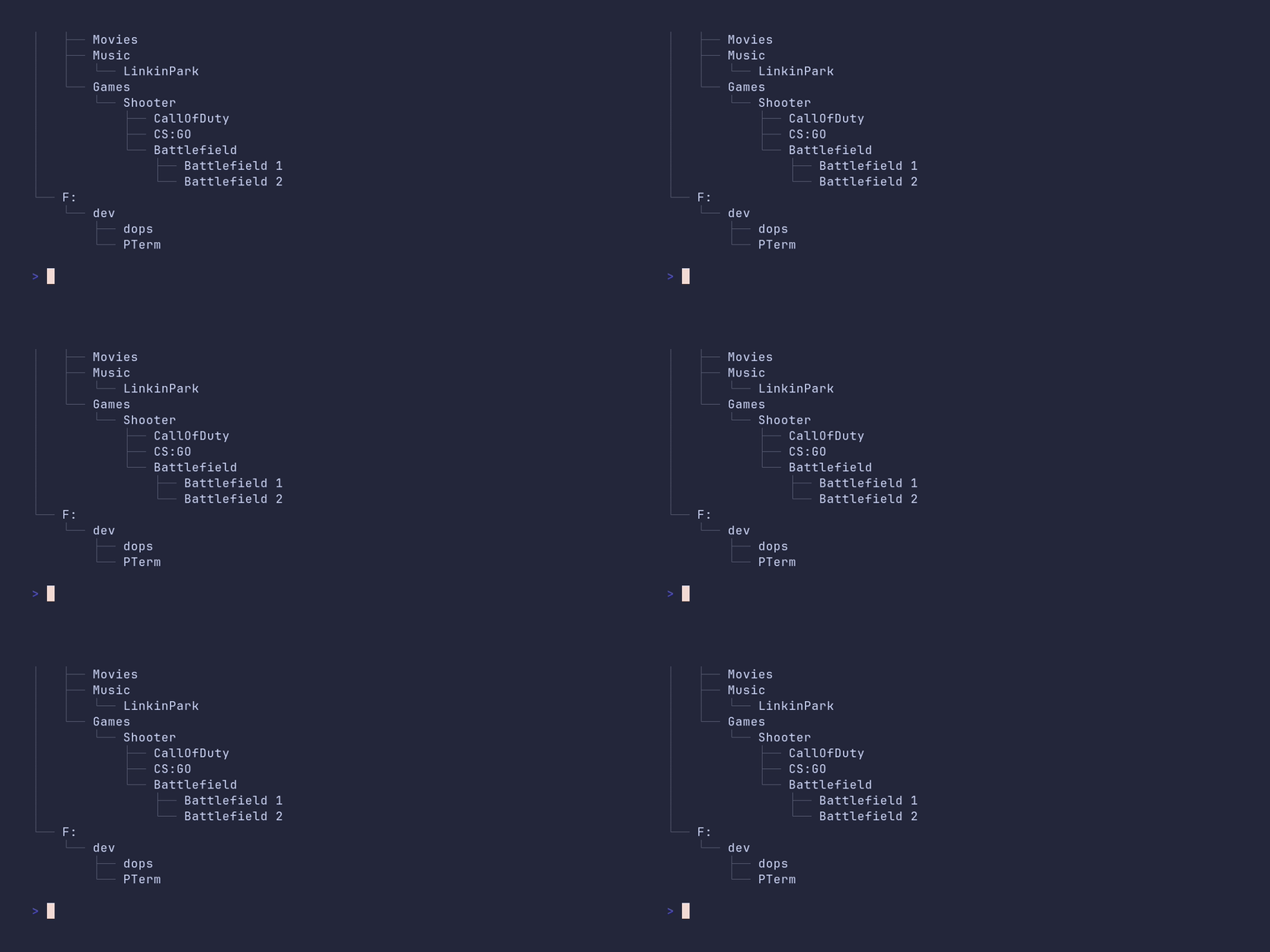
SHOW SOURCE
package main

import (
	"github.com/pterm/pterm"
	"github.com/pterm/pterm/putils"
)

func main() {
	// A LeveledList is a flat alternative to nesting TreeNodes by hand: each
	// entry states its own depth.
	leveledList := pterm.LeveledList{
		{Level: 0, Text: "C:"},
		{Level: 1, Text: "Users"},
		{Level: 1, Text: "Windows"},
		{Level: 1, Text: "Programs"},
		{Level: 1, Text: "Programs(x86)"},
		{Level: 1, Text: "dev"},
		{Level: 0, Text: "D:"},
		{Level: 0, Text: "E:"},
		{Level: 1, Text: "Movies"},
		{Level: 1, Text: "Music"},
		{Level: 2, Text: "LinkinPark"},
		{Level: 1, Text: "Games"},
		{Level: 2, Text: "Shooter"},
		{Level: 3, Text: "CallOfDuty"},
		{Level: 3, Text: "CS:GO"},
		{Level: 3, Text: "Battlefield"},
		{Level: 4, Text: "Battlefield 1"},
		{Level: 4, Text: "Battlefield 2"},
		{Level: 0, Text: "F:"},
		{Level: 1, Text: "dev"},
		{Level: 2, Text: "dops"},
		{Level: 2, Text: "PTerm"},
	}

	// TreeFromLeveledList converts the list into a TreeNode; the returned
	// root just needs a name.
	root := putils.TreeFromLeveledList(leveledList)
	root.Text = "Computer"

	pterm.DefaultTree.WithRoot(root).Render()
}
tree/styled
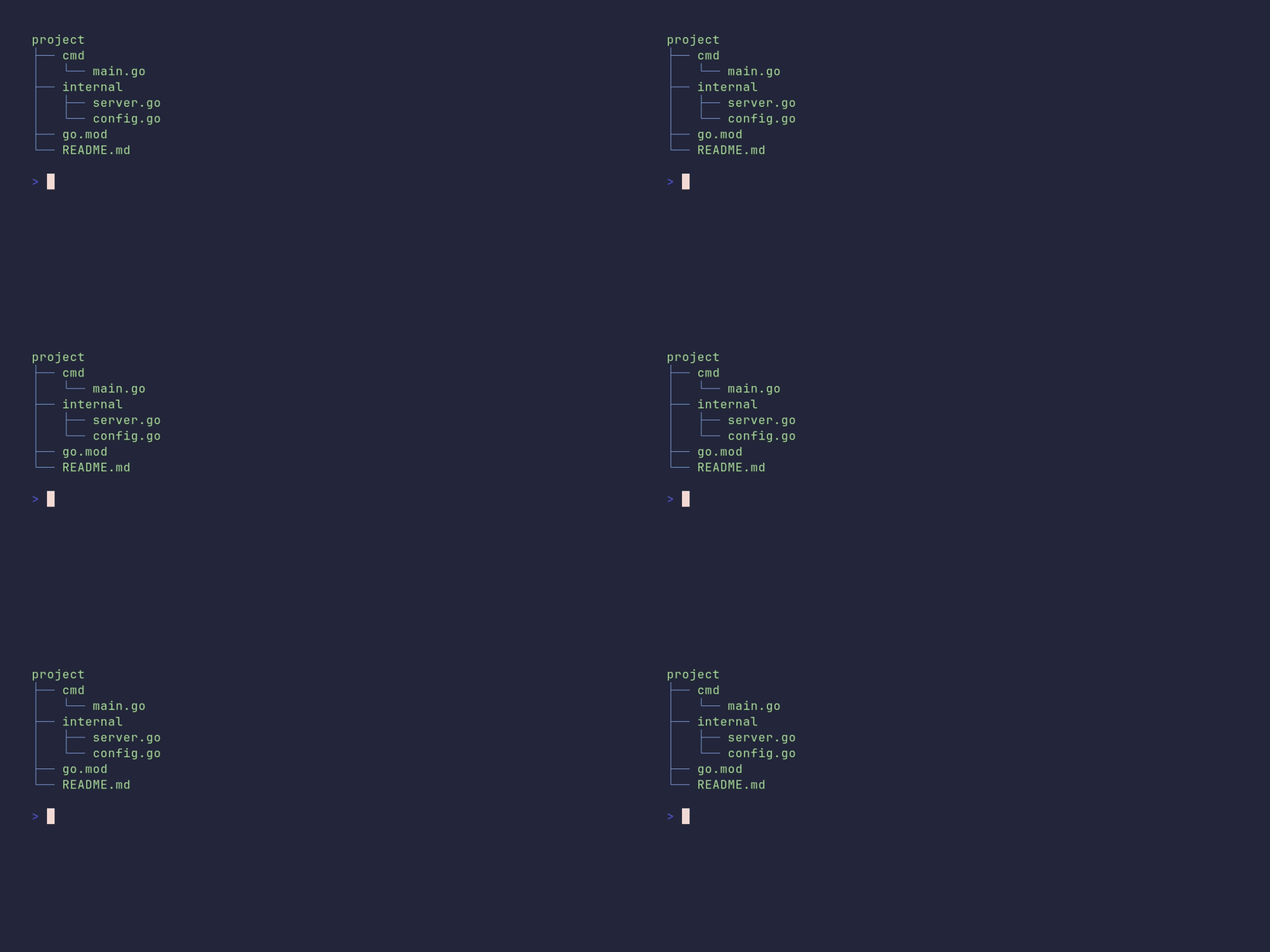
SHOW SOURCE
package main

import (
	"github.com/pterm/pterm"
)

func main() {
	tree := pterm.TreeNode{
		Text: "project",
		Children: []pterm.TreeNode{
			{Text: "cmd", Children: []pterm.TreeNode{
				{Text: "main.go"},
			}},
			{Text: "internal", Children: []pterm.TreeNode{
				{Text: "server.go"},
				{Text: "config.go"},
			}},
			{Text: "go.mod"},
			{Text: "README.md"},
		},
	}

	// WithTreeStyle colors the branch lines, WithTextStyle the node text.
	pterm.DefaultTree.
		WithRoot(tree).
		WithTreeStyle(pterm.NewStyle(pterm.FgLightBlue)).
		WithTextStyle(pterm.NewStyle(pterm.FgLightGreen)).
		Render()
}
GitHub @pterm · Author @MarvinJWendt (mjw.dev) | PTerm.sh
Related repositories
A curated list of awesome Go frameworks, libraries and software
The Go programming language
Caddy is an HTTP/1-2-3 web server, written in Go, which provides automatic HTTPS by default, utilizing services like ZeroSSL and Let's Encrypt for public names or a local CA for internal ones. It supports flexible configuration through its native JSON API, a Caddyfile, or various other formats via config adapters. The project highlights a modular architecture for extensibility, runs on multiple platforms without external dependencies, and benefits from Go's memory safety features. The README indicates it has served trillions of requests and managed millions of TLS certificates, scaling to hundreds of thousands of sites in production. With 74.6k stars, Caddy began development in 2014 and was an early adopter of automatic HTTPS by default.
The Moby Project - a collaborative project for the container ecosystem to assemble container-based systems
Quick answers
How active is development on pterm/pterm?
The most recent commit recorded on pterm/pterm was 30 days ago, based on the GitHub push timestamp. The repository has 222 forks — one of the better signals of community interest.
How many stars does pterm/pterm have?
pterm/pterm has 5.5k GitHub stars — refresh the page for the live number, or check github.com/pterm/pterm. TopGit mirrors GitHub's count but does not claim minute-by-minute accuracy.
What else is in the Backend space?
pterm/pterm is tracked by TopGit under the Backend category, alongside 16 GitHub-tagged topics. Trending and Topics pages list peer repositories of comparable stars and language.
What language is pterm/pterm written in?
pterm/pterm is written primarily in Go. GitHub's language field is based on the largest share of bytes in the default branch.
What topics is pterm/pterm associated with?
GitHub's repository topics for pterm/pterm: "animation", "ansi-colors", "beautify", "console", "console-framework", "go", "golang", "golang-library", "hacktoberfest", "library", "pretty", "pretty-print", "progressbar", "pterm", "terminal", "tui". TopGit's editorial category is Backend.
Where do I read more about pterm/pterm?
This TopGit page is a snapshot — the READ ME tab shows the project's own README content (links stripped, images preserved). The GitHub repository at github.com/pterm/pterm is the definitive source.
Why is pterm/pterm categorized under Backend?
TopGit places pterm/pterm in the Backend category based on its GitHub topics and description (tagged: "animation", "ansi-colors", "beautify"). Categories are assigned from real repository metadata, not editorial guesswork.
Read full README in the tab above.