
Qwen Code AI coding agent: Open-source CLI
 /qwen-code
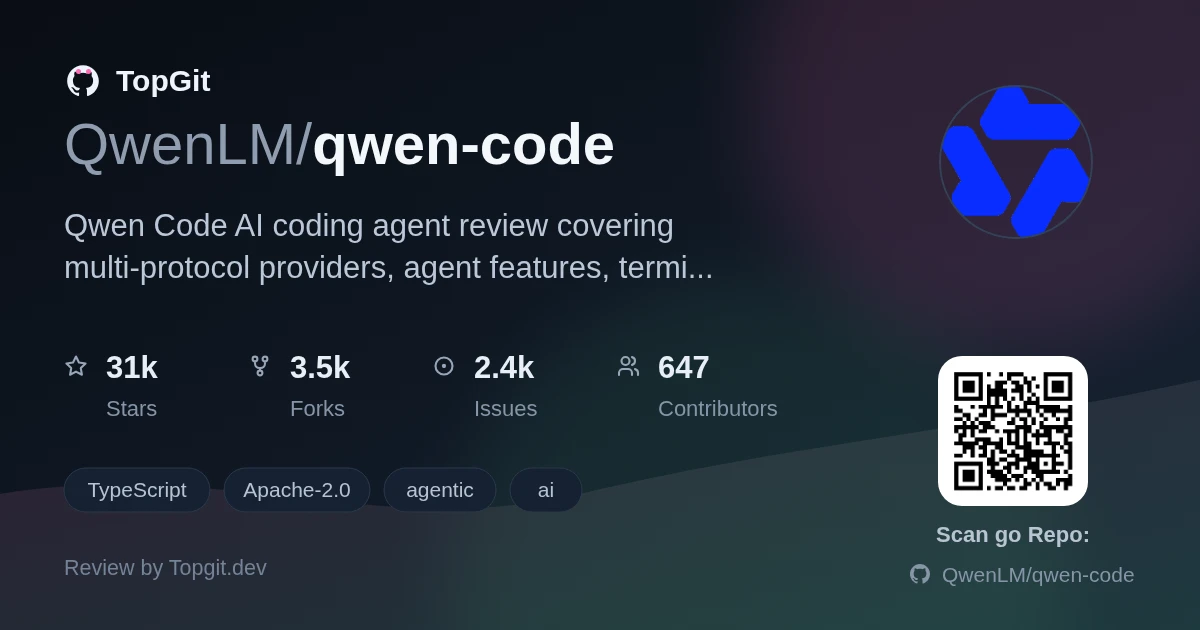
qwen-code is a good open-source AI coding agent for developers who want terminal-based automation without locking the workflow to one model provider. Its agent tooling, SDKs, daemon mode, and broad interface coverage make it genuinely useful, though the daemon and Web UI should still be treated as experimental.
What Is Qwen Code?
qwen-code is an open-source AI coding agent for terminal, editor, desktop, browser, and chat workflows. It provides agentic coding features, including MCP support, headless execution, and SDKs, while allowing providers or local models to change at runtime.
Agent Features and Developer Integrations
- ✓Agent Features and Developer Integrations Qwen Code includes Auto-Memory, Auto-Skills, SubAgents, Agent Teams, hooks, plan mode, sandboxes, Git worktrees, and dynamic workflows.
- ✓Qwen Code supports MCP, LSP integration, built-in commands such as `/review`, `/batch`, `/loop`, and `/bugfix`, plus Computer Use through native MCP tools or the Node REPL and SDK.
- ✓Qwen Code works with OpenAI, Anthropic, Gemini, and Qwen APIs, as well as third-party providers and local models served through Ollama or vLLM; providers can be switched at runtime.
- ✓Qwen Code offers terminal, VS Code, Zed, JetBrains, desktop, Web UI, Telegram, DingTalk, WeChat, and Feishu interfaces around the same agent workflow.
- ✓Qwen Code provides TypeScript, Python, and Java SDKs, a headless command for scripts and CI/CD, and a daemon that shares agent sessions over HTTP and SSE.
- ✓Qwen Code adds Agent Arena for comparing multiple models on the same task and provides daemon management commands for background operation.
- ✓Qwen Code's README reports that seven tested versions averaged 76.40%–77.80% on SWE-bench Verified with Qwen 3.7 Max across 500 tasks and three trials per version.
Terminal, Editor, and Automation Workflows
- •Terminal, Editor, and Automation Workflows Use Qwen Code in a terminal to inspect a repository, explain unfamiliar code, or delegate development tasks from the project directory.
- •Use Qwen Code with VS Code, Zed, or JetBrains when the coding agent should sit beside an editor-based development workflow.
- •Use Qwen Code Desktop for a graphical client on macOS, Windows, or Linux instead of working entirely through the Qwen Code CLI.
- •Use the experimental Qwen Code Web UI or daemon mode to share active agent sessions among browser, editor, SDK, and automation clients.
- •Use Qwen Code chat channels through Telegram, DingTalk, WeChat, or Feishu when repository work needs to continue through a messaging interface.
- •Use Qwen Code headless mode and the TypeScript SDK to run repository analysis or other coding-agent tasks from scripts, batch jobs, or CI/CD pipelines.
Installing Qwen Code
Installing Qwen Code For Linux or macOS, the README provides: bash curl -fsSL https://qwen-code-assets.oss-cn-hangzhou.aliyuncs.com/installation/install-qwen-standalone.sh | bash For Windows: powershell irm https://qwen-code-assets.oss-cn-hangzhou.aliyuncs.com/installation/install-qwen-standalone.ps1 | iex The main version is also available through NPM, which requires Node.js 22+: bash npm install -g @qwen-code/qwen-code@latest On macOS or Linux, Homebrew provides another installation route: bash brew install qwen-code Restart the terminal after installation so environment variables are loaded. These commands target the main version; Qwen Code 1.0 Preview has separate getting-started instructions. Building Qwen Code from source is not clearly documented in the provided README.
Starting Qwen Code and Signing In
Starting Qwen Code and Signing In Open a terminal in the project you want the agent to work on: bash cd /path/to/your-project qwen Inside the session, run `/auth`. You can choose Qwen Account with Subscription and sign in with a Plus or Pro subscription, or configure a provider using an API key. To try the agent, enter: text Explain this repository and show me where to start. For non-interactive automation, use: bash qwen -p "..." To open the experimental Web UI: bash qwen serve --open
Why Developers Choose Qwen Code
- ✓Why Developers Choose Qwen Code Qwen Code keeps the coding-agent framework and Qwen models open source, allowing developers to inspect and extend the stack rather than depend on a closed agent framework.
- ✓Qwen Code supports several API families plus local models through Ollama or vLLM, making provider switching practical for different tasks, cost controls, or deployment environments.
- ✓Qwen Code covers terminal, editor, desktop, web, chat, headless, daemon, and SDK workflows instead of forcing every team into one interface.
- ✓Qwen Code includes agent features that would otherwise require separate pieces, including Auto-Memory, Auto-Skills, SubAgents, Agent Teams, MCP, hooks, and plan mode.
- ✓Qwen Code supports scripting and CI/CD through headless mode, while TypeScript, Python, and Java SDKs make it usable inside custom integrations.
Limitations and Experimental Features
- △Limitations and Experimental Features Qwen Code's Web UI and daemon mode are explicitly marked experimental, so teams requiring strict stability guarantees should test them before adoption.
- △The daemon listens on loopback without bearer authentication by default. Any local process that can reach it may use the full API, including code execution; shared or untrusted hosts require `QWEN_SERVER_TOKEN` and `--require-auth`.
- △Qwen Code 1.0 Preview is distributed from a separate branch and has its own documentation, while the general installation commands in the README target the main version.
- △Installing the NPM package requires Node.js 22+, which excludes older Node.js environments.
- △Build-from-source instructions are not clearly documented in the provided README, making the package-manager and standalone installer paths the practical starting points.
Qwen Code and Claude Code
Frequently Asked Questions
Qwen Code installs through a standalone shell script on Linux or macOS, a PowerShell script on Windows, NPM with Node.js 22+, or Homebrew on macOS and Linux. After installation, restart your terminal so the environment variables take effect.
Start Qwen Code, run `/auth`, then choose Qwen Account with Subscription to sign in using a Plus or Pro subscription. Alternatively, configure a supported provider with its API key through the authentication flow.
Qwen Code supports OpenAI, Anthropic, Gemini, and Qwen APIs. It also accepts third-party providers and local models served through Ollama or vLLM, and developers can switch the active provider at runtime.
Qwen Code can run headless with `qwen -p "..."`, which makes it suitable for scripts, batch jobs, and CI/CD. The TypeScript, Python, and Java SDKs provide additional options for custom integrations and automated repository tasks.
Qwen Code uses the Apache-2.0 license. The repository metadata lists the same license for the open-source coding-agent project.
Qwen Code marks the Web UI opened with `qwen serve --open` and daemon mode as experimental. The daemon also requires `QWEN_SERVER_TOKEN` and `--require-auth` on shared or untrusted hosts.
Who should try it — and who should skip
Who should try it — and who should skip Qwen Code is worth trying for developers who want an open coding agent in the terminal, need to move between commercial APIs and local models, or plan to automate repository work through headless mode and SDKs. It also fits teams that want the daemon to let browser, editor, SDK, and automation clients share sessions. Skip it if you need a stable, security-hardened daemon on a shared machine without adding authentication, or if your environment cannot meet the Node.js 22+ requirement for the NPM route. Teams that only need a simple editor assistant may also prefer a lighter tool, while experimental Web UI work carries avoidable risk.
Related repositories
Curious whether qwen-code is right for you?
Let ChatGPT, Claude, or Perplexity look into it — click below and see what AI actually says about qwen-code.