A look at RasaHQ/rasalit: 309 stars on GitHub, written primarily in Jupyter Notebook, tracked under the AI Tools category. Visualizations and helpers to improve and debug machine learning models for Rasa Open Source
Snapshot summary built from the project's own GitHub metadata — there's no written TopGit review yet. The page will update automatically when a full review is published.
WHY NO REVIEW YET
TopGit writes full reviews for the most-starred, most-requested repositories. This page is a snapshot until then — see the READ ME tab for the original README in full.
Note! The code for this project is meant for Rasa Open Source 2.x.
RasaLit
A collection of helpful viewers that help with understand Rasa NLU components.
Some of these views are made using
streamlit, hence the wink in the name.
Feedback is welcome.
Installation
You can install via pip by linking to this github repository.
The focus is to support the most recent version of Rasa. Current we target 2.x.
We keep older versions around though. You can find rasalit for Rasa 1.10 here.
Usage
You can directly access the command line app.
> python -m rasalit --help
Usage: rasalit [OPTIONS] COMMAND [ARGS]...

  Helper Views for Rasa NLU

Options:
  --help  Show this message and exit.

Commands:
  diet-explorer  Allows you to explore the DIET settings.
  live-nlu       Select a trained Rasa model and interact with it.
  nlu-cluster    Cluster a text file to look for clusters of intents.
  overview       Gives an overview of all `rasa train nlu` results.
  spelling       Check the effect of spelling on NLU predictions.
  version        Prints the current version of rasalit.
Features
The app contains a collection of viewers that each specialize in a seperate task.
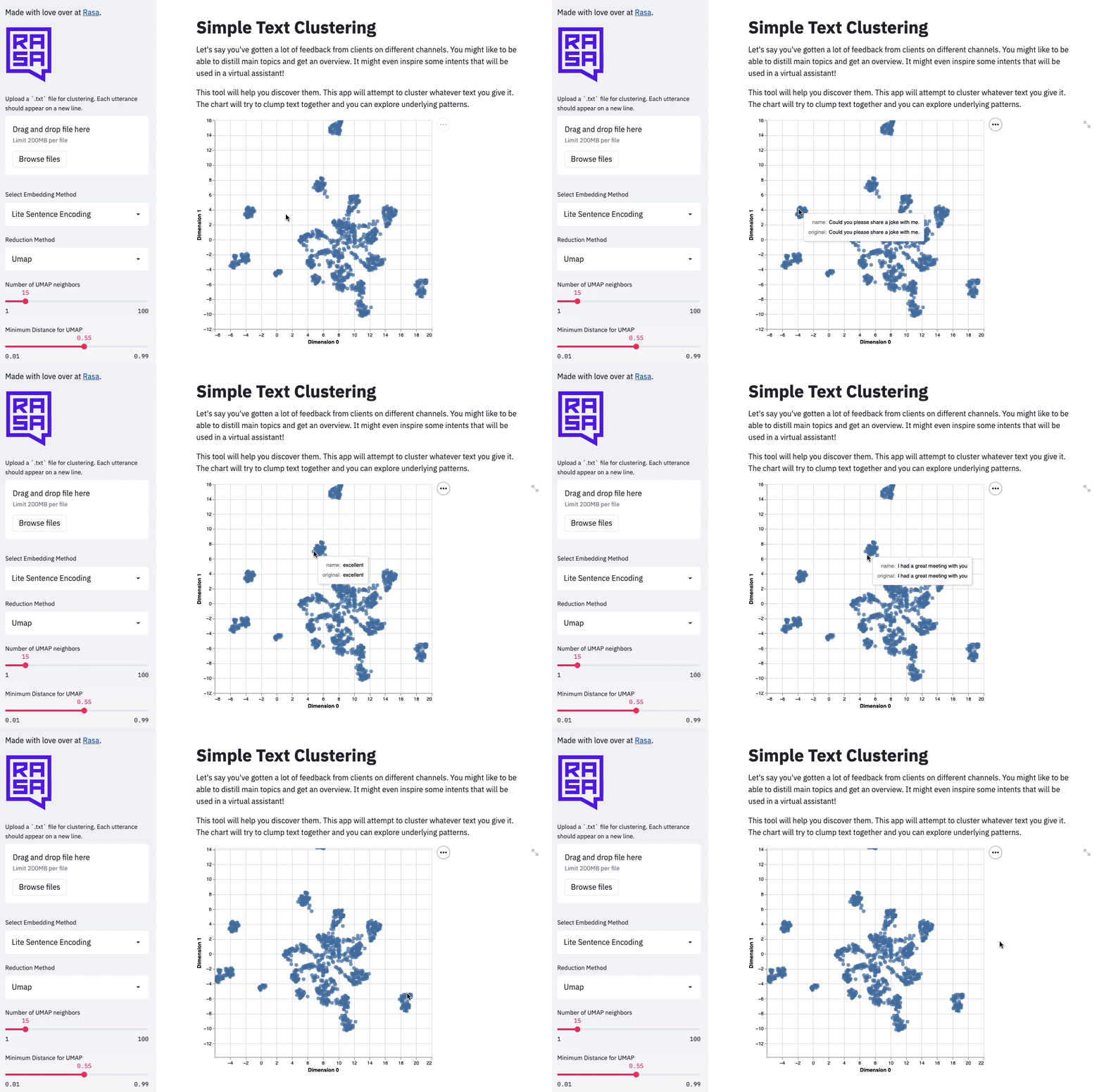
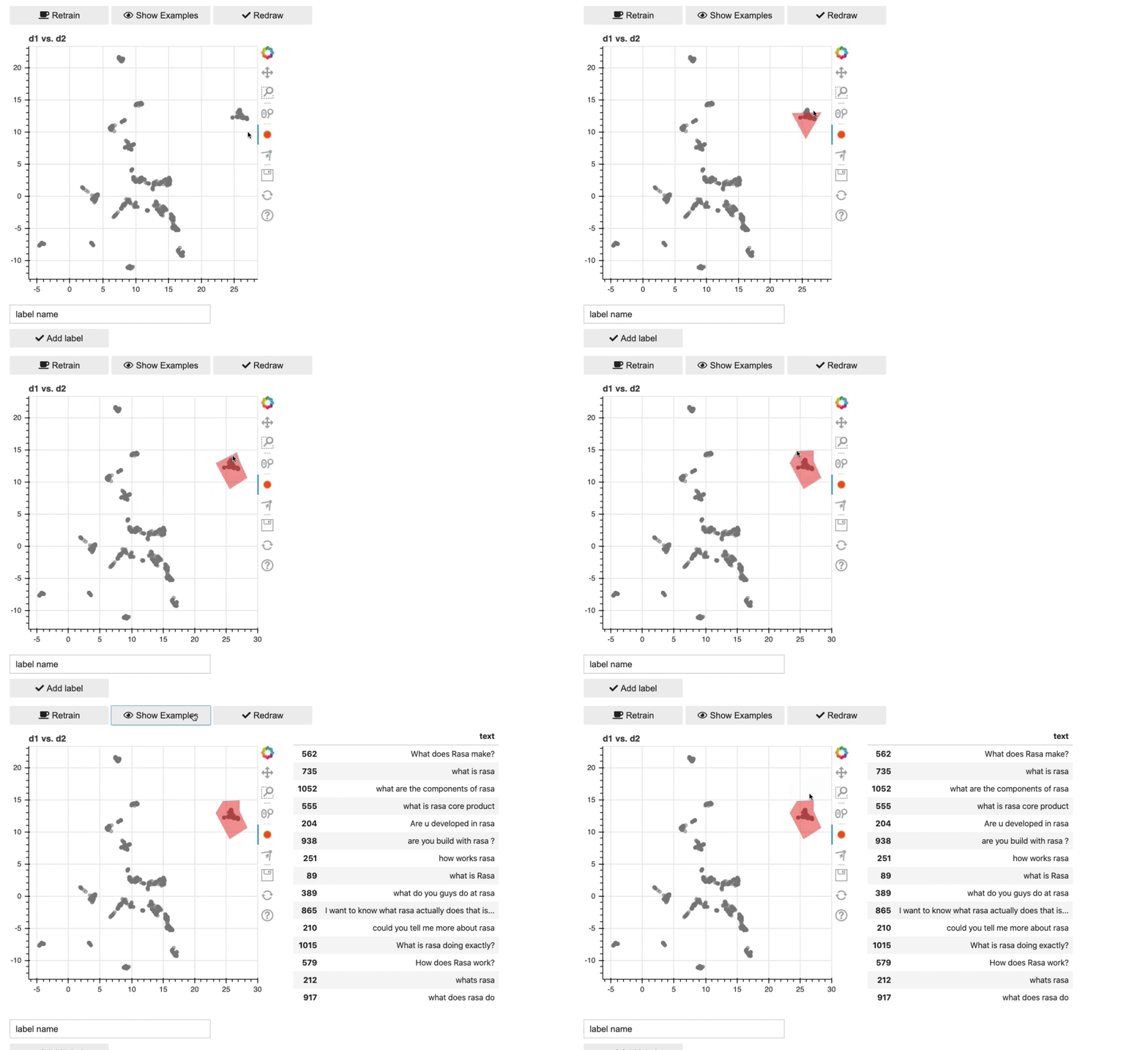
nlu-cluster
This command allows you to cluster similar utterances in a text file.
Note that this app has some extra dependencies. You can install them via;
python -m pip install "whatlies[umap]"
Example Usage:
python -m rasalit nlu-cluster --port 8501
This will start a server locally. Internally it is using the whatlies package to
handle the embeddings. This means that while the demo is only in English, you can extend
the code to work for Non-English scenarios too! For more details, as well as a labelling tool,
check out the notebook found here.
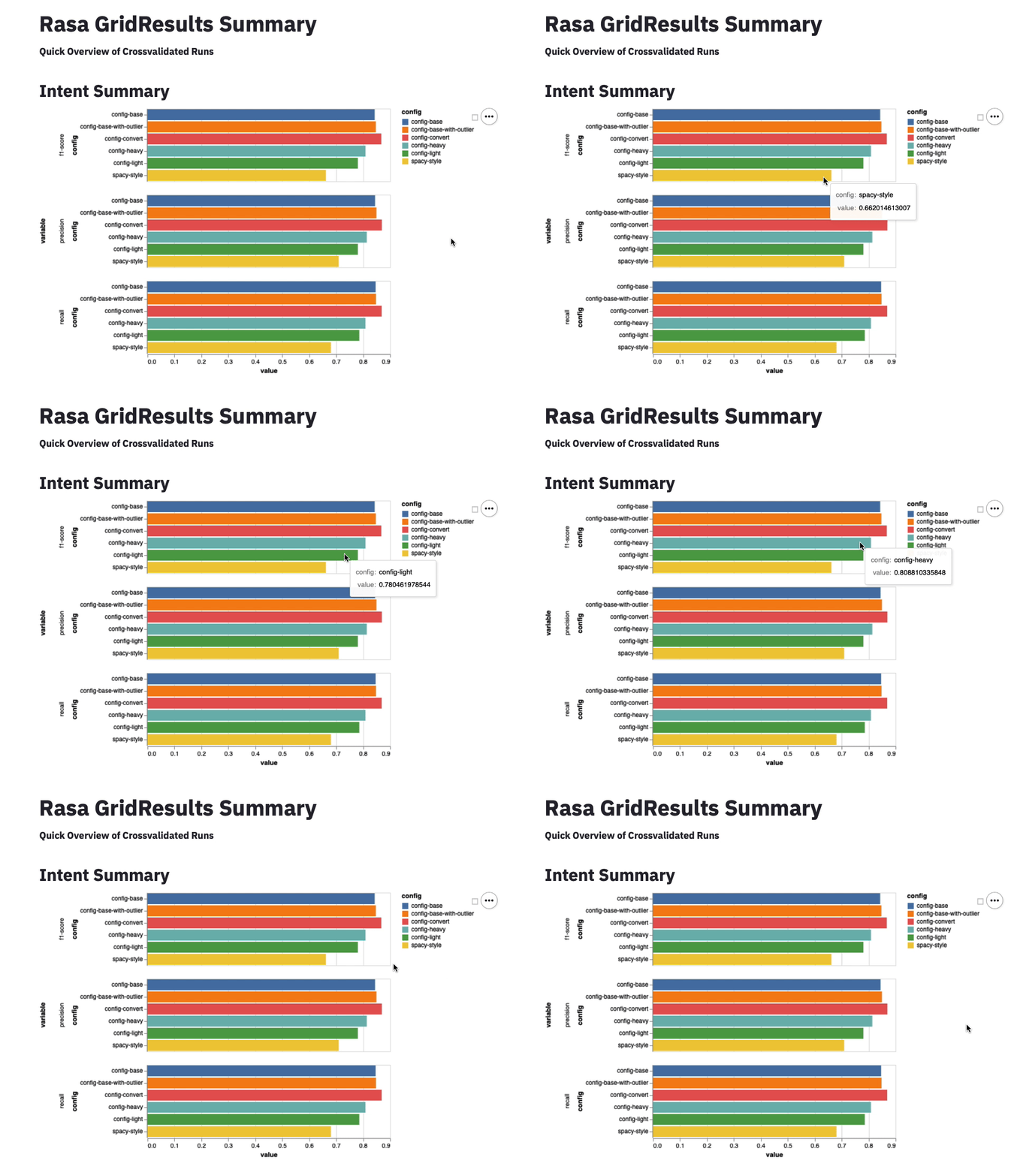
overview
This command shows an summary of the intent/entity scores from a rasa train nlu run.
This will start a server locally on port that will displace an interactive
dashboard of all your NLU gridsearch data.
To fully benefit from this feature you'll need to run some models first.
You can run cross validation of models in Rasa via the command line:
rasa test nlu --config configs/config-light.yml \
              --cross-validation --runs 1 --folds 2 \
              --out gridresults/config-light
rasa test nlu --config configs/config-heavy.yml \
              --cross-validation --runs 1 --folds 2 \
              --out gridresults/config-heavy
Then Rasa, in this case, will save the results in gridresults/config-light and
gridresults/config-heavy respectively.
To get an overview of all the results in subfolders of gridresults,
you can run the rasalit overview --folder gridresults command from the same
folder where you ran the rasa test command. You'll get some simple charts
that summarise the intent/entity performance.
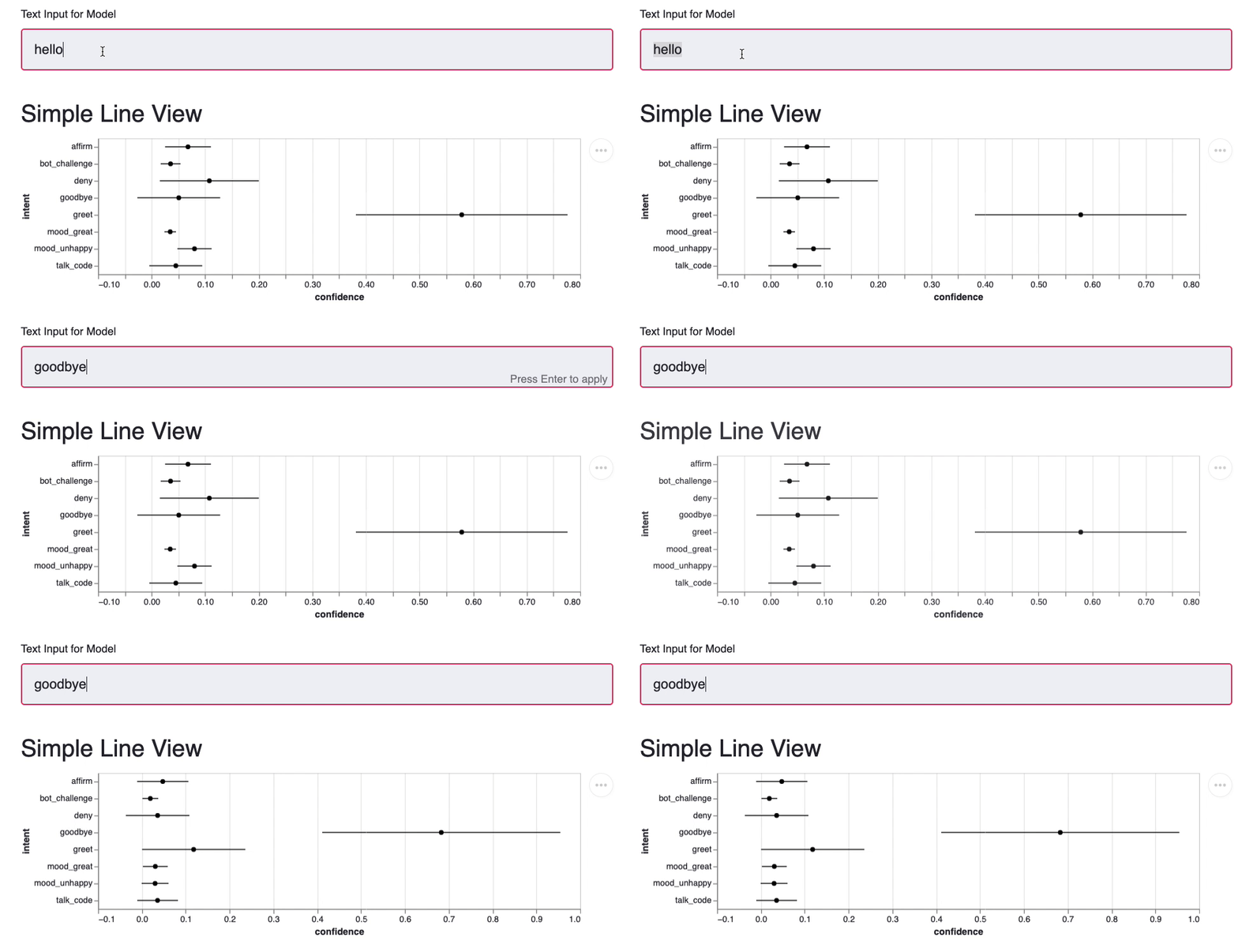
spelling
This command let's you predict text with augmented spelling errors to check for robustness.
This will start a server locally on port 8501 that will displace an interactive
playground for your trained Rasa NLU model. You can see the confidence levels change
as you allow for more or less spelling errors.
It's assumed that you run this command from the root of your Rasa project but you
can also make it point to other projects via the command line settings.
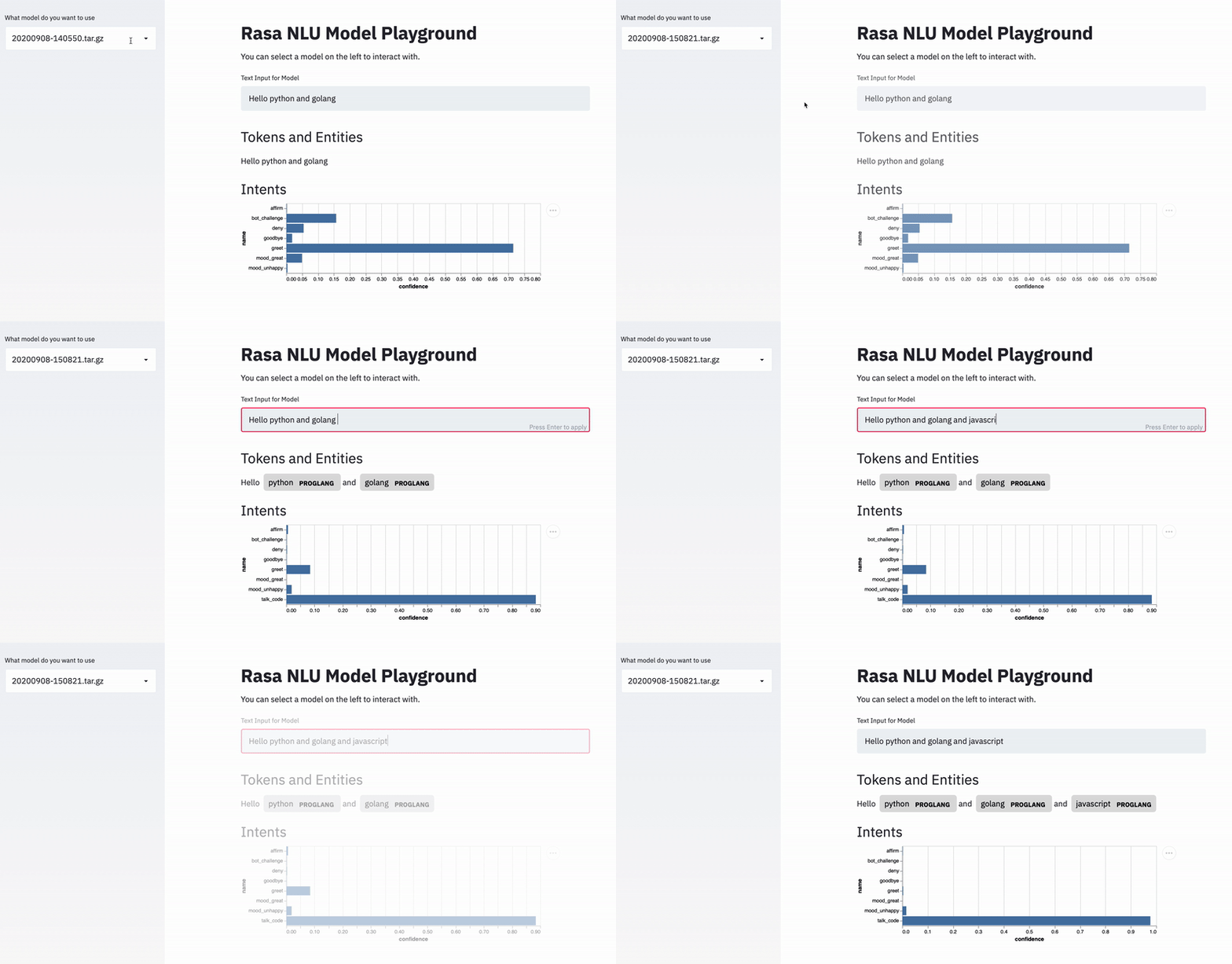
live-nlu
This command gives you an interactive gui that lets you see the output of a trained modelling pipeline.
This will start a server locally on port 8501 that will displace an interactive
playground for your trained Rasa NLU model. You can see the confidence levels as
well as the detected entities. We also show some shapes of internal featurization
steps.
It's assumed that you run this command from the root of your Rasa project but you
can also make it point to other projects via the command line settings.
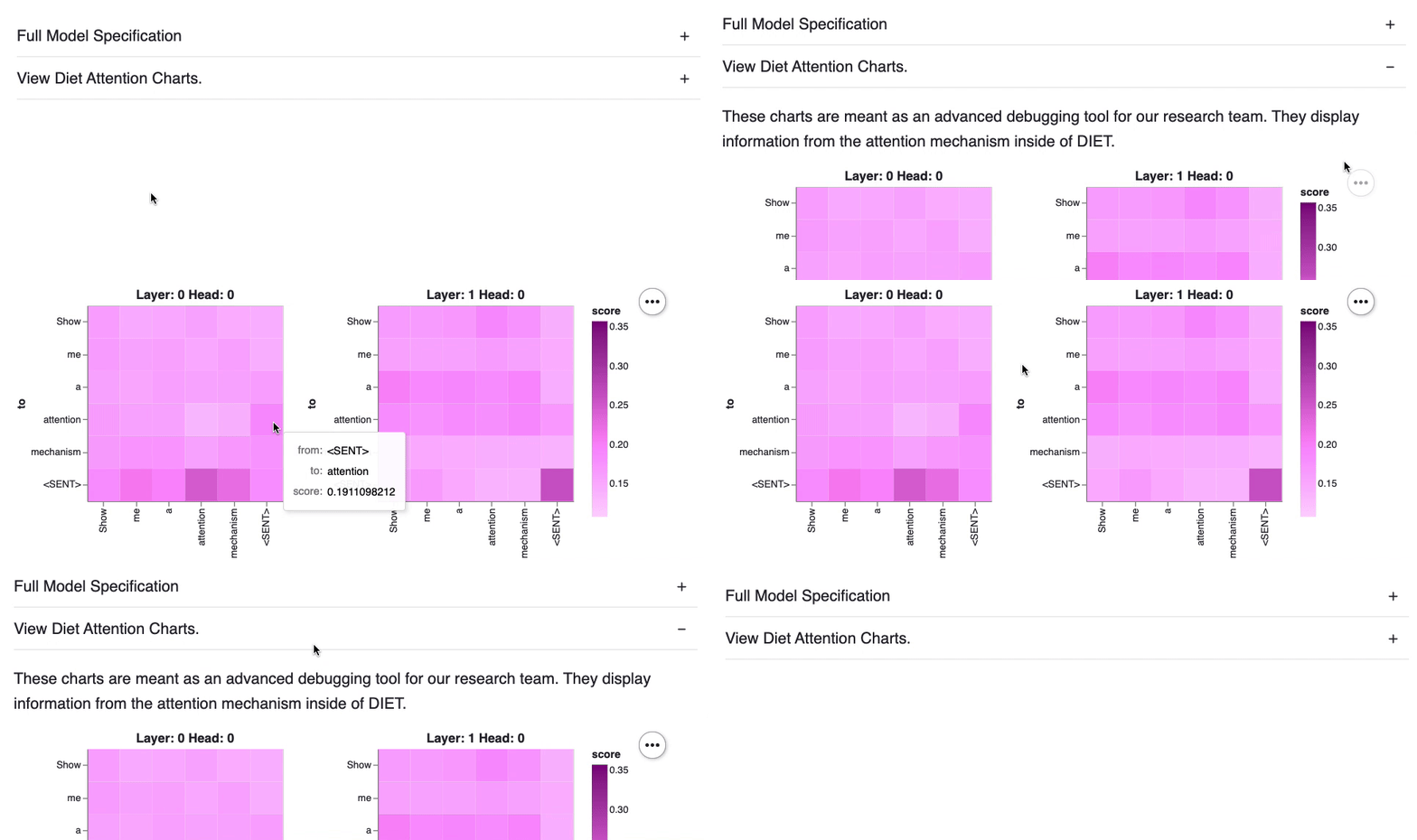
Attention Charts
If you're using the DIETClassifier you'll be able to also use this app to debug
the internals. The app also allows you to inspect all the pipeline settings as well
as the internal attention mechanism.
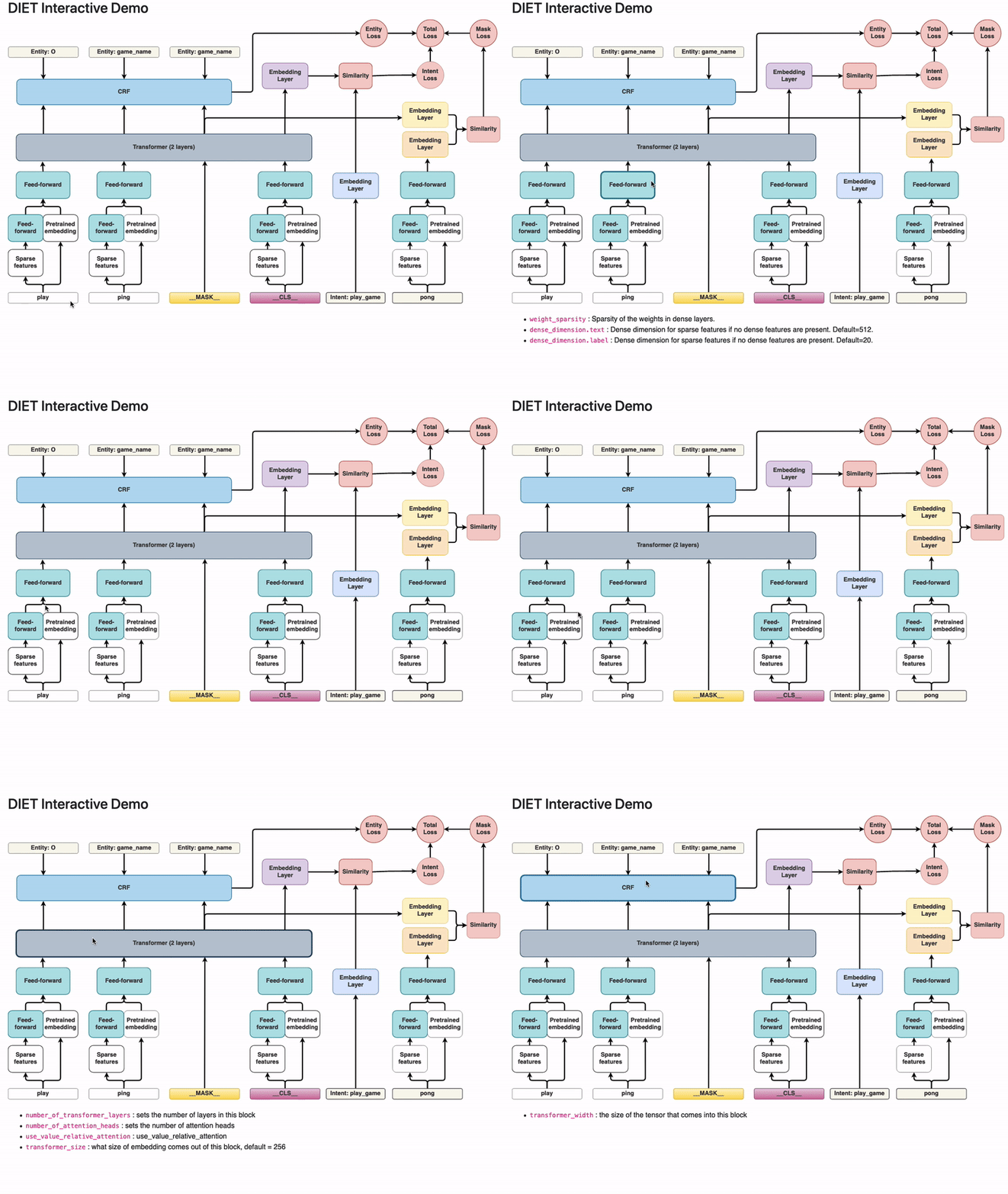
diet-explorer
This command gives you an interactive visualisation of DIET that allows you to see the available hyperparameters from all the layers in the algorithm.
Example Usage:
> rasalit diet-explorer --port 8501
This will start a server locally on port 8501 that will display an interactive
visualisation of the DIET architecture.
Notebooks
This project also hosts a few jupyter notebooks that contain interactive tools.
Bulk Labelling
The bulk labelling demo found in this video
and this video can be found
here.
This notebook allows you to use embeddings and a drawing tool to do some bulk-labelling.
Contribute
There are many ways you can contribute to this project.
You can suggest new features.
You can help review new features.
You can submit new components.
You can let us know if there are bugs.
You can let us know if the components in this library help you.
Feel free to start the discussion by opening an issue on this repository.
Before submitting code to the repository it would help if you first create
an issue so that we can disucss the changes you would like
to contribute. You can ping the maintainer (Github alias: koaning) both in
the issues here as well as on the Rasa forum
if you have any questions.
No homepage URL was recorded for RasaHQ/rasalit in TopGit's last sync. The README tab above frequently contains screenshots and demo links, or check the repository description on GitHub.
How active is development on RasaHQ/rasalit?
The most recent commit recorded on RasaHQ/rasalit was 4.5 years ago, based on the GitHub push timestamp. The repository has 62 forks — one of the better signals of community interest.
How many stars does RasaHQ/rasalit have?
RasaHQ/rasalit has 309 GitHub stars — refresh the page for the live number, or check github.com/RasaHQ/rasalit. TopGit mirrors GitHub's count but does not claim minute-by-minute accuracy.
What language is RasaHQ/rasalit written in?
RasaHQ/rasalit is written primarily in Jupyter Notebook. GitHub's language field is based on the largest share of bytes in the default branch.
What license does RasaHQ/rasalit use?
RasaHQ/rasalit is released under the Apache-2.0 license. Always verify the LICENSE file directly on GitHub for the authoritative terms — license strings can be edited out of sync with a project's actual stance.
What topics is RasaHQ/rasalit associated with?
GitHub's repository topics for RasaHQ/rasalit: "machine-learning", "rasa", "research", "visualization". TopGit's editorial category is AI Tools.
Where do I read more about RasaHQ/rasalit?
This TopGit page is a snapshot — the READ ME tab shows the project's own README content (links stripped, images preserved). The GitHub repository at github.com/RasaHQ/rasalit is the definitive source.
Read full README in the tab above.
Still deciding about rasalit?
One click hands the question to an AI along with this page — see what it says about rasalit.
 /rasalit