shuding/tilg is one of the UI-focused repositories TopGit tracks, currently at 2.2k stars, written primarily in TypeScript. A magical React Hook that helps you debug components.
Snapshot summary built from the project's own GitHub metadata — there's no written TopGit review yet. The page will update automatically when a full review is published.
WHY NO REVIEW YET
TopGit writes full reviews for the most-starred, most-requested repositories. This page is a snapshot until then — see the READ ME tab for the original README in full.
Tiny Logger is a magical React Hook to help you debug your components.
You can quickly try out the demo.
Table of Contents
Installation
Features
Lifecycle Events (What)
Component Name and Props (Who)
Debug Message (Why)
What Has Changed? (Why)
Quick Logs (Why)
Advanced Features
Markdown
Return Original Value
Auto Deduplication
CLI Support
FAQ & Caveats
Installation
The package is released as tilg, use:
npm i tilg
to install it with npm. Or you can choose another package manager.
Features
1. Lifecycle Events (What)
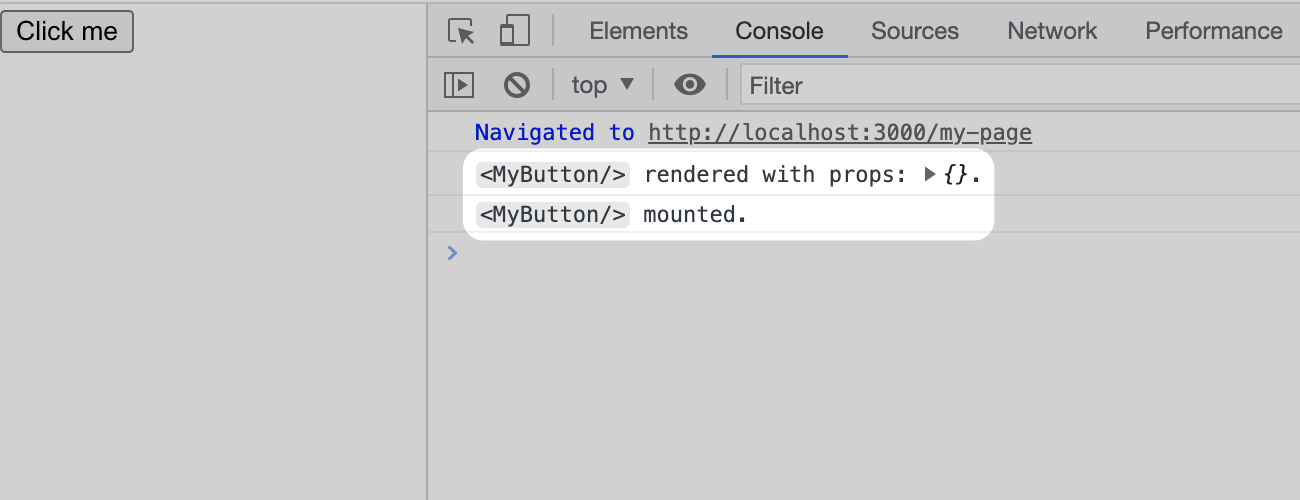
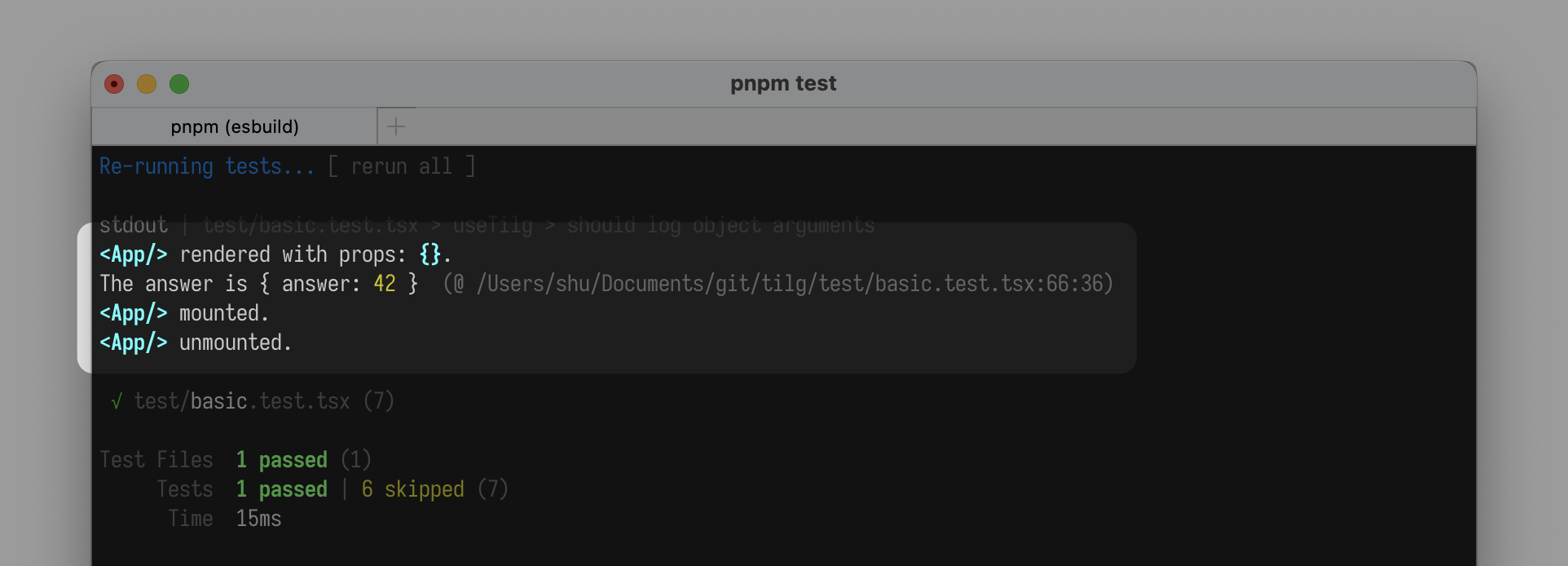
Simply insert the useTilg() hook into the component, and it will log the render, mount, unmount events in the console:
import useTilg from 'tilg'

function MyButton() {
  useTilg()
  return <button>Click me</button>
}
Logs of render and mount events.
2. Component Name and Props (Who)
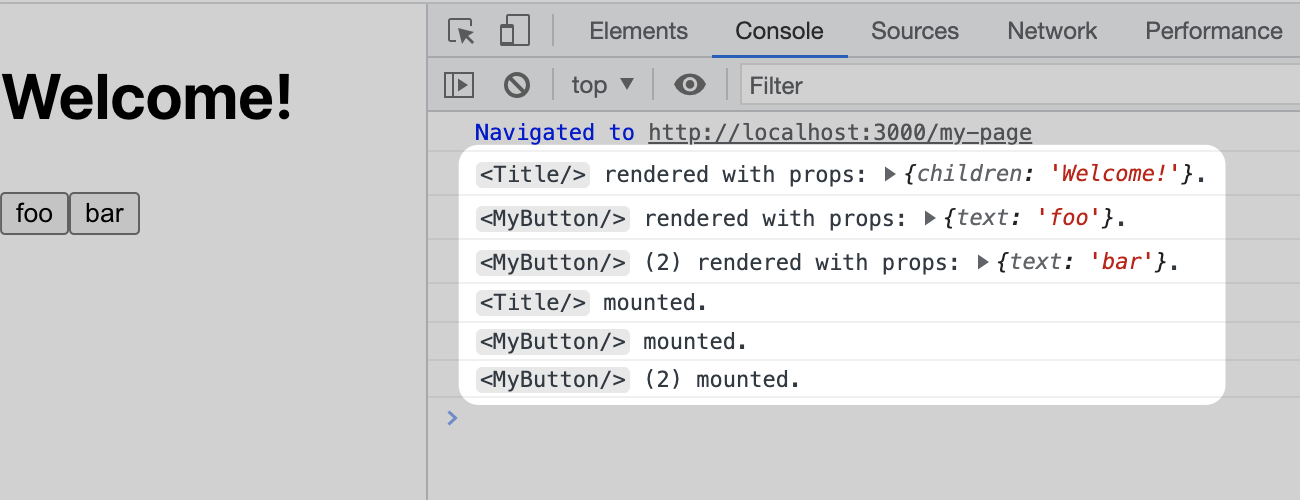
You might noticed that it also displays the name and props of the component, which is very helpful for debugging.
import useTilg from 'tilg'

function MyButton({ text }) {
  useTilg()
  return <button>{text}</button>
}

function Title({ children }) {
  useTilg()
  return <h1>{children}</h1>
}

export default function Page() {
  return (
    <>
      <Title>Welcome!</Title>
      <MyButton text='foo' />
      <MyButton text='bar' />
    </>
  )
}
When there’re multiple elements of the same component being rendered, it adds a counter <MyButton/> (2) for distinguishing so you know who is logging the information:
Information of the logged components.
3. Debug Message (Why)
Another critical thing is to know why does a component re-renders. useTilg gives you a simple but powerful API for this:
import { useState } from 'react'
import useTilg from 'tilg'

function Counter() {
  const [count, setCount] = useState(0)

  useTilg()`count = ${count}`

  return <button onClick={() => setCount(count + 1)}>{count}</button>
}
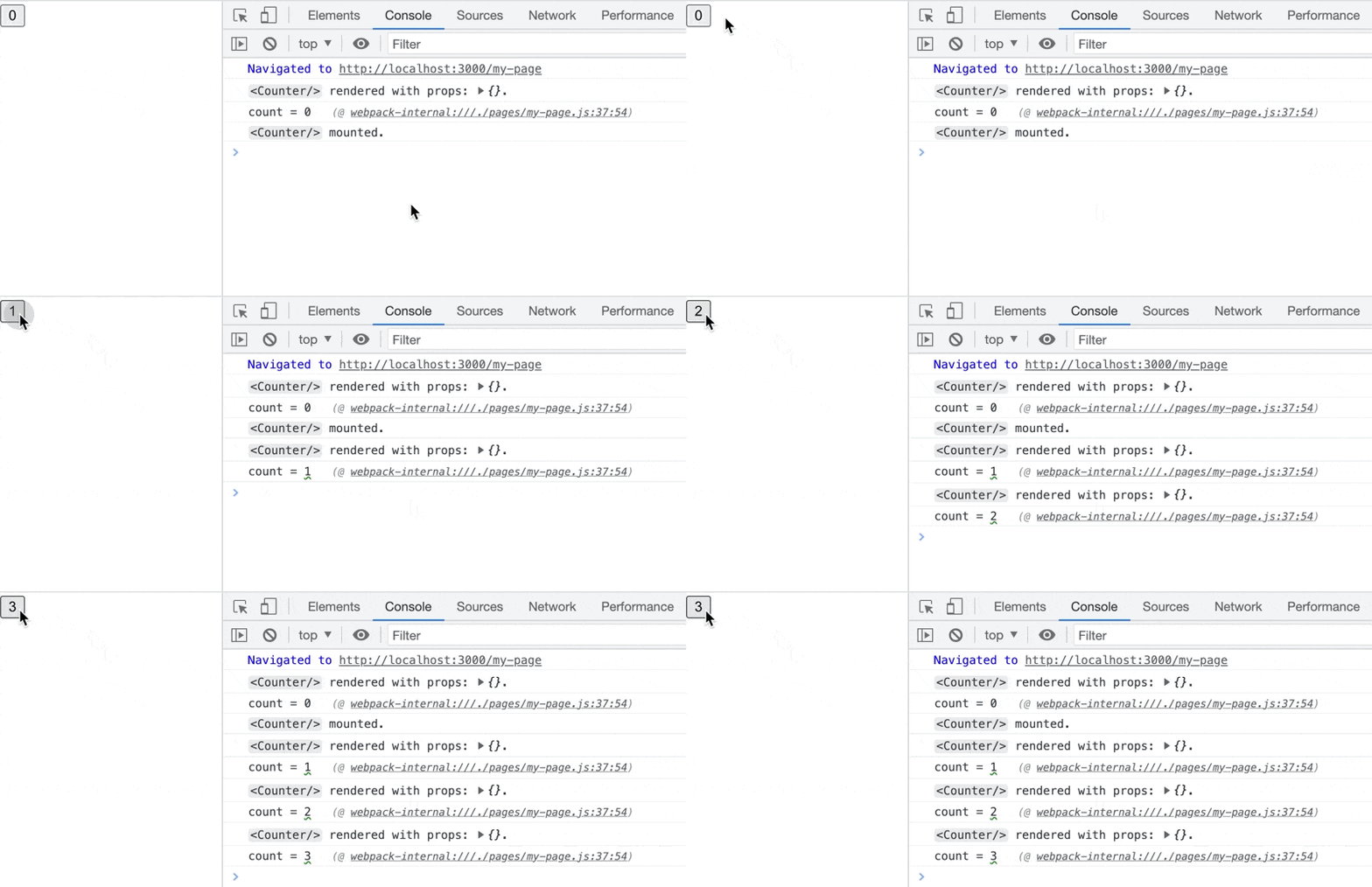
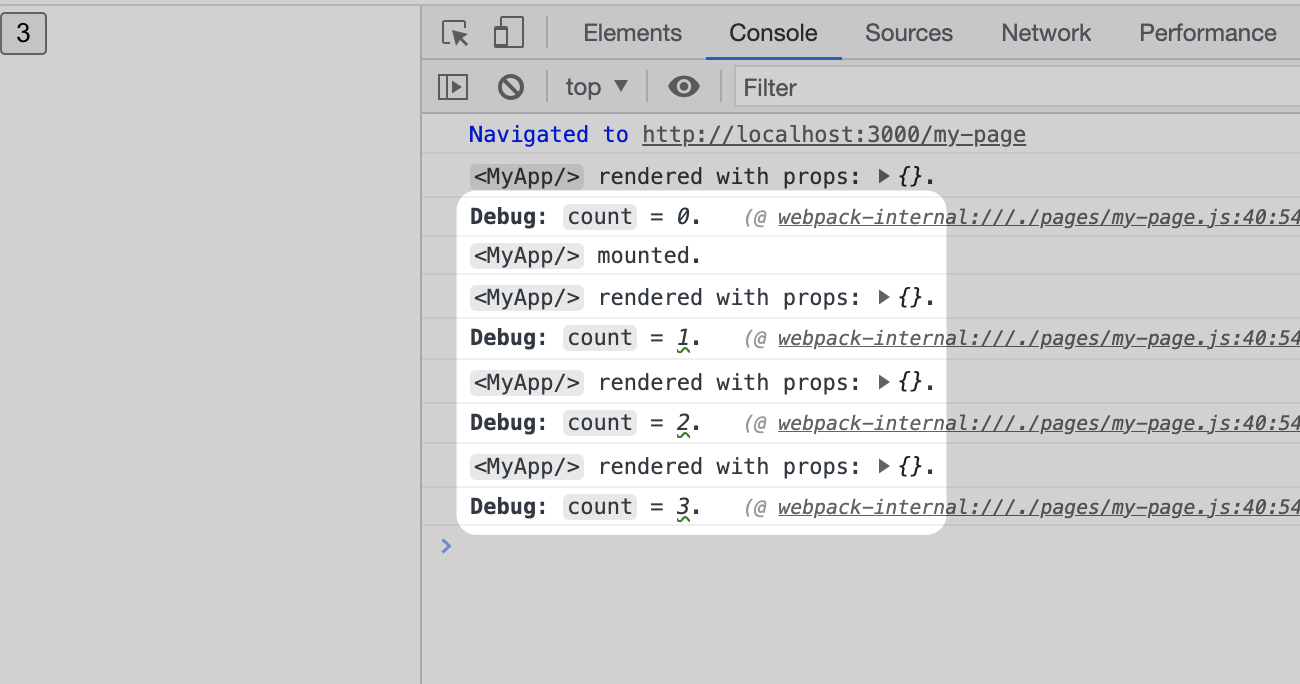
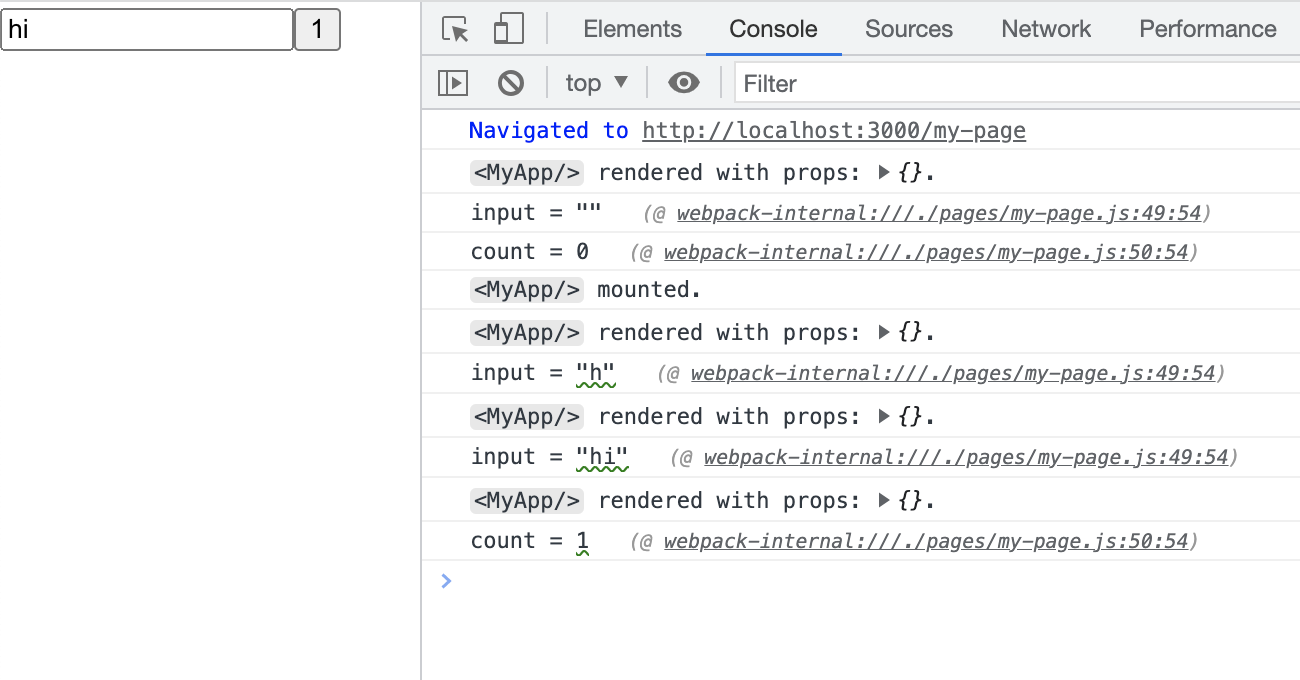
When appending a template literal to the useTilg() call, it will also be displayed as the debug message:
useTilg()`count = ${count}`
Logs of “count = ?”.
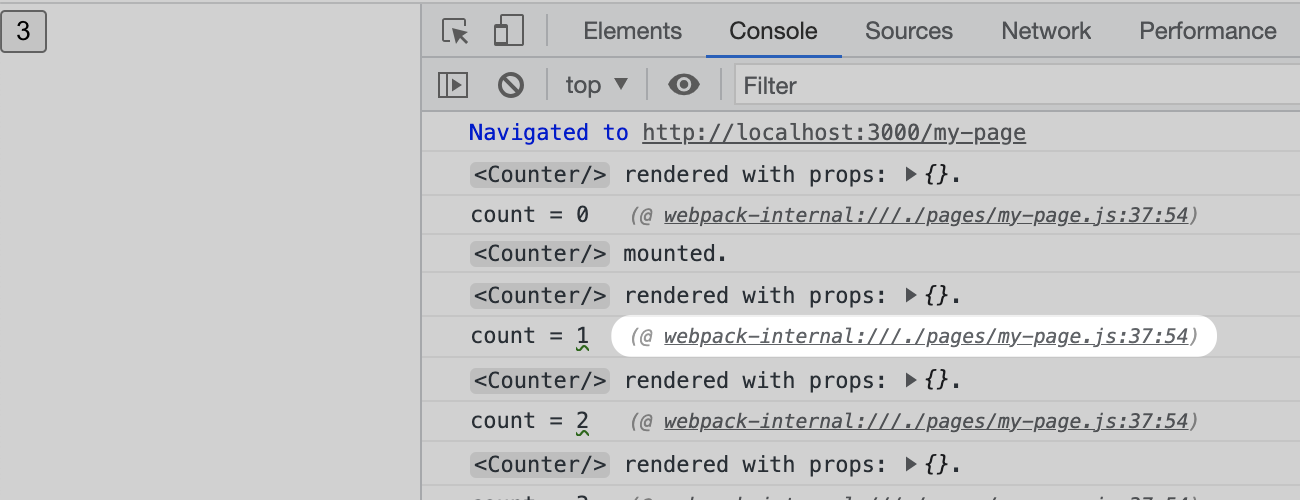
You can know where the message is from, too:
Trace of the message and a link to the code location.
4. What Has Changed? (Why)
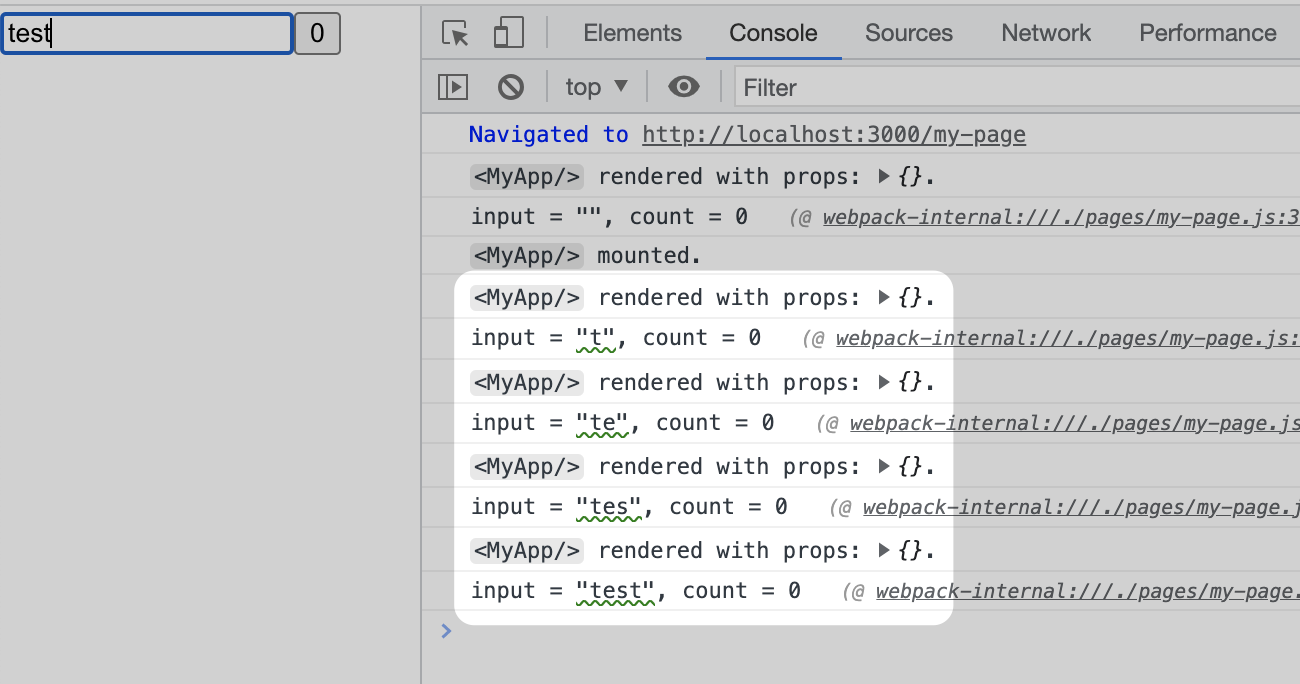
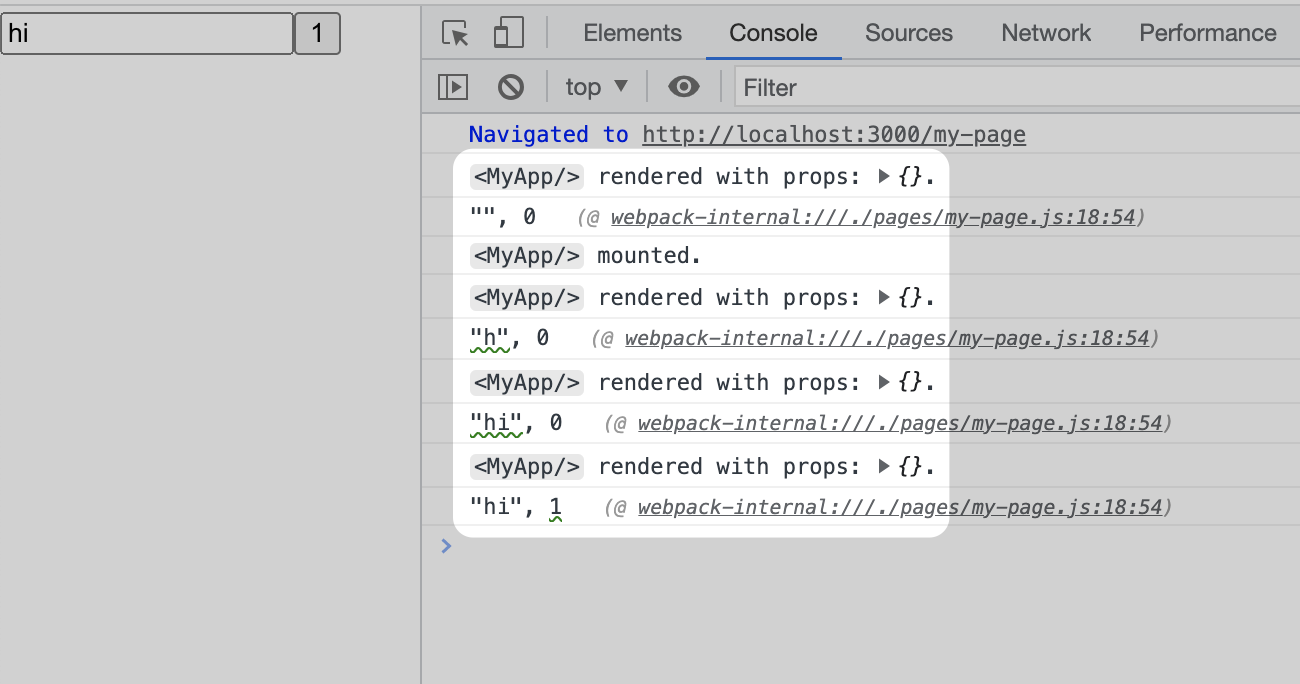
Something troubles me a lot when debugging a component is, it’s sometimes hard to know which state has changed and triggered a re-render. useTilg tracks all the arguments in the debug message and tells you which one has changed since the previous render:
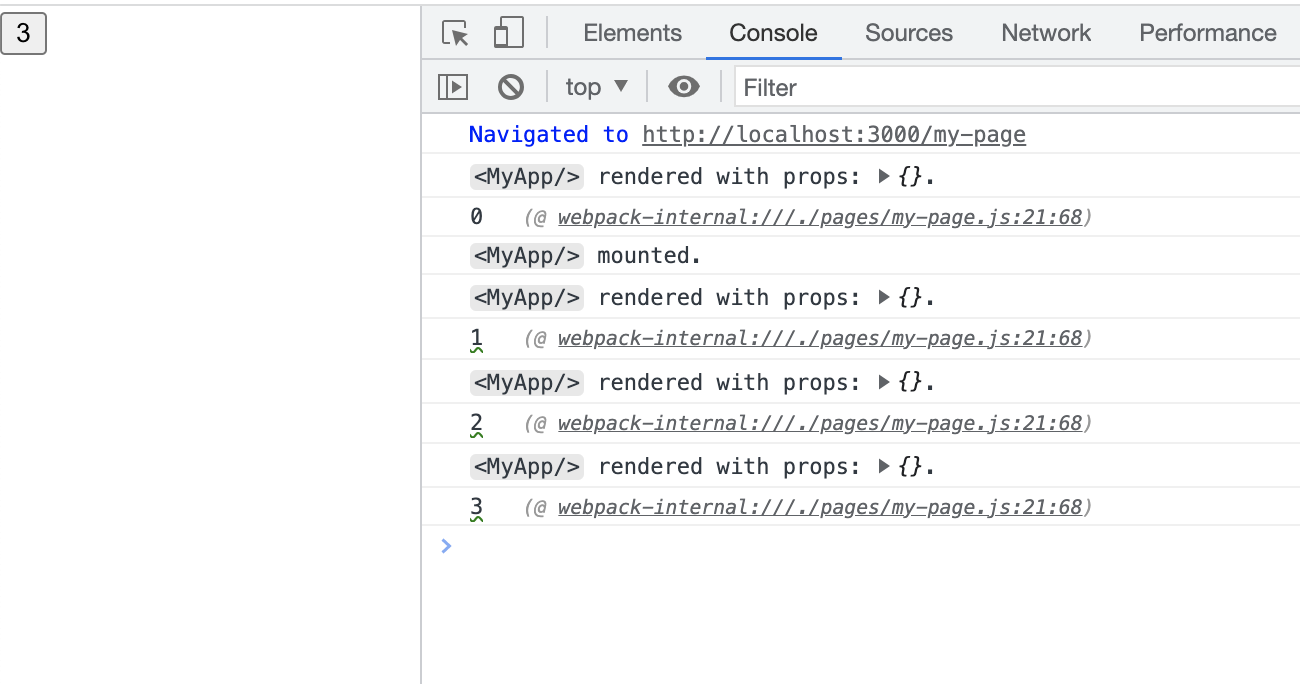
The useTilg() hook also returns its first argument, or the first value in the template if specified, so you can quickly debug something in-place by wrapping it with useTilg():
Is it safe to ship code with useTilg to production?
Although useTilg() does nothing in a production build (process.env.NODE_ENV === 'production') but only an empty function, I encourge you to remove the hook from the source code after finishing the development of your app.
How do you implement this hook? What can I learn from the code?
It is very hacky. Don't do the same thing especially try it in production, or you will be fired.
Why not design the API as useTilg`message`?
Then it will not be identified as a hook, React Refresh and HMR will not work correctly.
The most recent commit recorded on shuding/tilg was 3.7 years ago, based on the GitHub push timestamp. The repository has 22 forks — one of the better signals of community interest.
How many stars does shuding/tilg have?
shuding/tilg has 2.2k GitHub stars — refresh the page for the live number, or check github.com/shuding/tilg. TopGit mirrors GitHub's count but does not claim minute-by-minute accuracy.
Is shuding/tilg open source?
Yes — shuding/tilg ships under the MIT license, which makes its source code freely readable (and, depending on license terms, forkable and reusable). Source: github.com/shuding/tilg.
What else is in the Frontend space?
shuding/tilg is tracked by TopGit under the Frontend category, alongside 4 GitHub-tagged topics. Trending and Topics pages list peer repositories of comparable stars and language.
What topics is shuding/tilg associated with?
GitHub's repository topics for shuding/tilg: "debug", "logger", "react", "react-hooks". TopGit's editorial category is Frontend.
Where can I see shuding/tilg in action?
The project maintains a homepage at https://codesandbox.io/s/usetilg-3kdtz8?file=/src/App.js:274-359. The README tab on this page also usually contains screenshots and a quickstart.
Where do I read more about shuding/tilg?
This TopGit page is a snapshot — the READ ME tab shows the project's own README content (links stripped, images preserved). The GitHub repository at github.com/shuding/tilg is the definitive source.
Read full README in the tab above.
Is tilg worth your time?
ChatGPT, Claude and Perplexity can all read this page. Ask one of them what it makes of tilg.
 /tilg
/tilg