suitenumerique/docs is a Python project with 16.7k stars in the Developer Tools space. Docs is an open-source text editor: web-native, made for real-time collaboration, cleanly structured documents and sub-documents with full ownership of your data. Built to scale with Django and React.
Snapshot summary built from the project's own GitHub metadata — there's no written TopGit review yet. The page will update automatically when a full review is published.
WHY NO REVIEW YET
TopGit writes full reviews for the most-starred, most-requested repositories. This page is a snapshot until then — see the READ ME tab for the original README in full.
Chat on Matrix •
Documentation •
Try Docs •
Contact us
La Suite Docs: Collaborative Text Editing
Docs, where your notes can become knowledge through live collaboration.
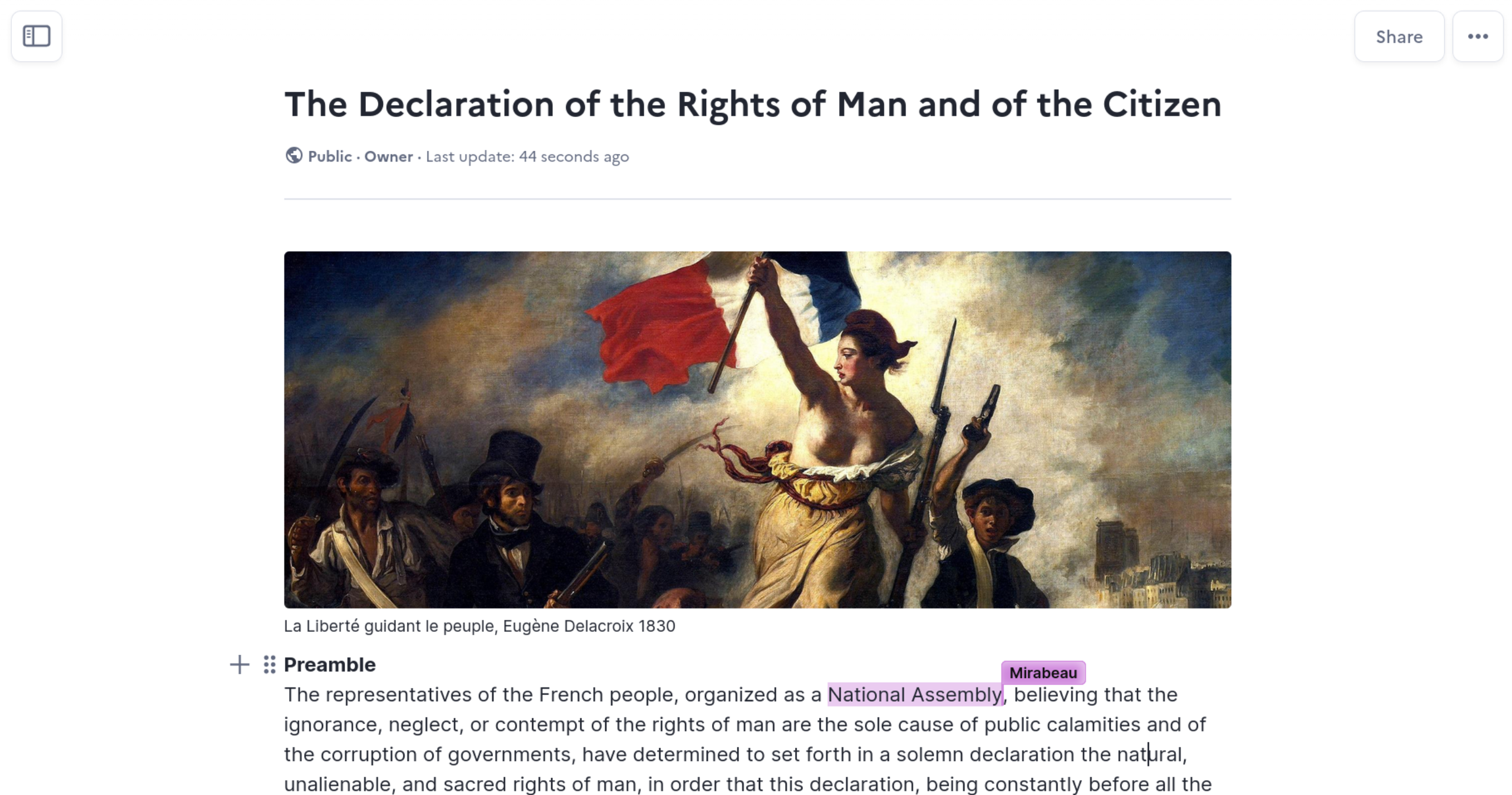
Docs is an open-source collaborative editor that helps teams write, organize, and share knowledge together - in real time.
What is Docs?
Docs is an open-source alternative to tools like Notion or Google Docs, focused on:
Real-time collaboration
Clean, structured documents
Knowledge organization
Data ownership & self-hosting
Built for public organizations, companies, and open communities.
Why use Docs?
Writing
Rich-text & Markdown editing
Slash commands & block system
Beautiful formatting
Offline editing
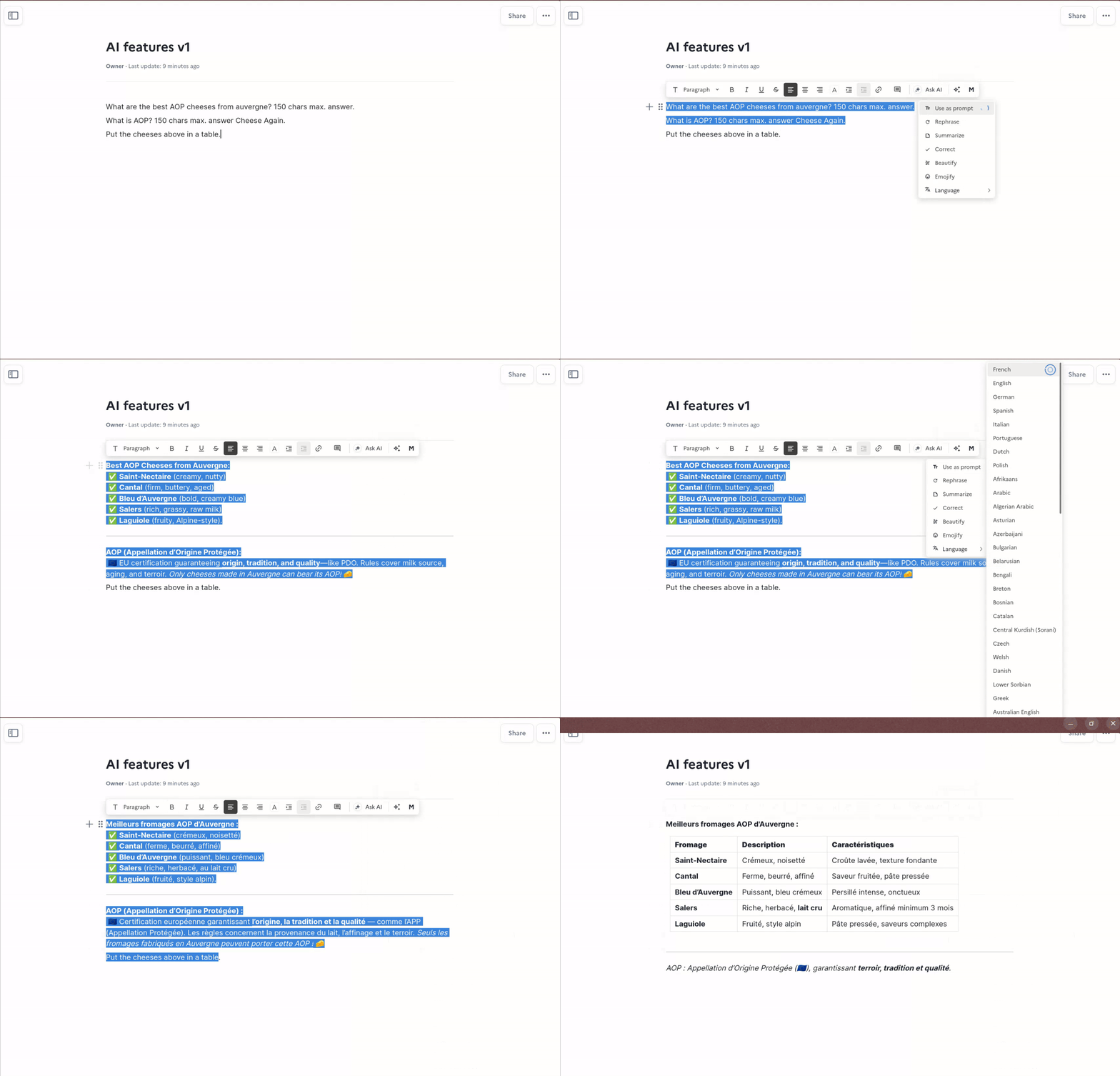
Optional AI writing helpers (rewrite, summarize, translate, fix typos)
Collaboration
Live cursors & presence
Comments & sharing
Granular access control
Knowledge management
Subpages & hierarchy
Searchable content
Presentations
Simple structure, based on delimiter (---)
Full screen option
PDF exports
Keyboard navigation
Start presention from a block
Presentation link
Export/Import
Import to .docx and .md
Export to .docx, .odt, .pdf
AI features
Docs has optional AI features.
They're model agnostic and gateway agnostic.
You can either run your own or just use your AI provider.
The config only requires an API key and a URL.
V1: You select, AI replaces
This version features a simple select and replace workflow.
Your selection is the context and the instruction for the model.
The AI feedback replaces your selection and is designed is optimized for Docs formatting.
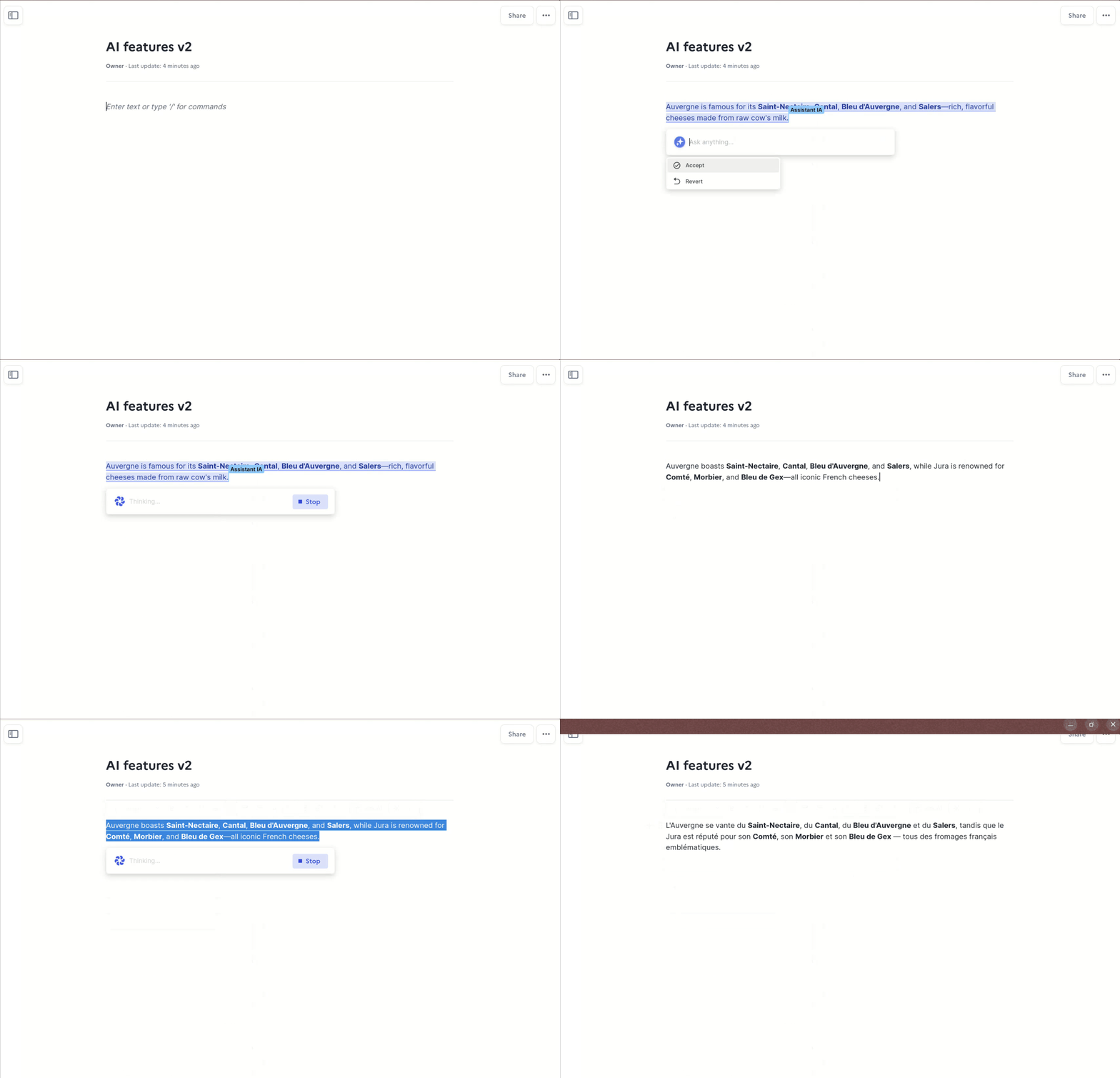
V2: AI toolbar, AI cursor (beta)
This version uses BlockNote AI integration. It features:
an AI toolbar at selection in which you can prompt, accept, reject and iterate AI feedback
an AI cursor, which interacts with the document, just as another collaborator in your document
document context is used on top of the selection
Interoperability
Docs comes with a resource server API and a server to server API which allows for awesome integrations.
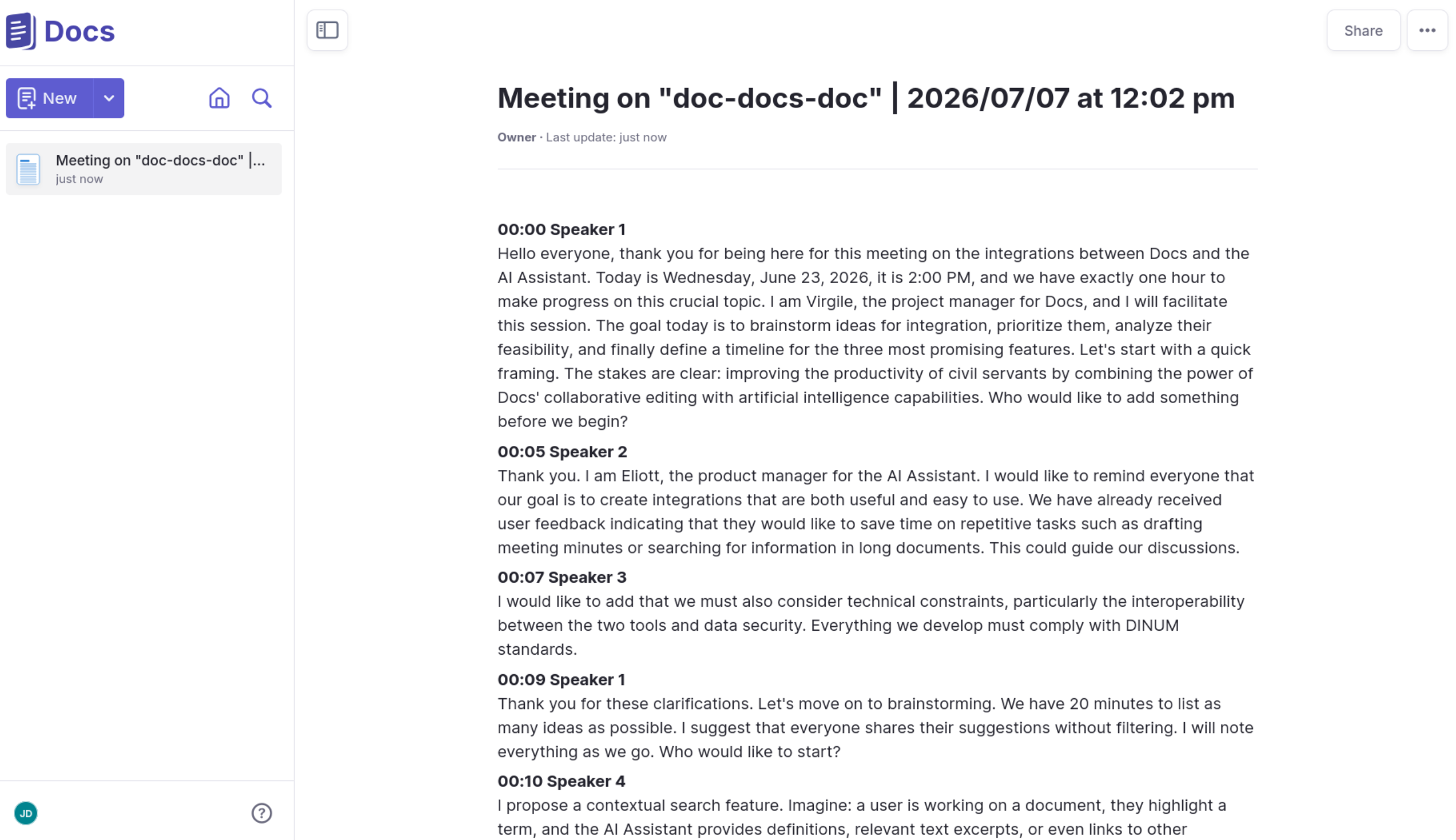
A concrete example: Meet's transcriptions
If you're running a Meet instance, with simple config (DJANGO_SERVER_TO_SERVER_API_TOKENS) you can push your meeting transcript to Docs and give access to the user who requested it.
Try Docs
Experience Docs instantly - no installation required.
🔗 Open a live demo document
🌍 Browse public instances
Self-hosting
Docs supports Kubernetes, Docker Compose, and community-provided methods such as Nix and YunoHost.
Get started with self-hosting: Installation guide
[!WARNING]
Some advanced features (for example: Export as PDF) rely on XL packages from Blocknote.
These packages are licensed under GPL and are not MIT-compatible
You can run Docs without these packages by building with:
PUBLISH_AS_MIT=true
This builds an image of Docs without non-MIT features.
More details can be found in environment variables
Local Development (for contributors)
Run Docs locally for development and testing.
[!WARNING]
This setup is intended for development and testing only.
It uses Minio as an S3-compatible storage backend, but any S3-compatible service can be used.
Prerequisites
Docker
Docker Compose
GNU Make
Verify installation:
docker -v
docker compose version
If you encounter permission errors, you may need to use sudo, or add your user to the docker group.
Bootstrap the project
The easiest way to start is using GNU Make:
make bootstrap FLUSH_ARGS='--no-input'
This builds the app-dev and frontend-dev containers, installs dependencies, runs database migrations, and compiles translations.
It is recommended to run this command after pulling new code.
Start services:
make run
Open https://localhost:3000
Default credentials (development only):
username: impress
password: impress
Frontend development mode
For frontend work, running outside Docker is often more convenient:
make frontend-development-install
make run-frontend-development
Backend only
Starting all services except the frontend container:
make run-backend
Tests & Linting
make frontend-test
make frontend-lint
Backend tests can be run without docker. This is useful to configure PyCharm or VSCode to do it.
Removing docker for testing requires to overwrite some URL and port values that are different in and out of
Docker. env.d/development/common contains all variables, some of them having to be overwritten by those in
env.d/development/common.test.
Demo content
Create a basic demo site:
make demo
More Make targets
To check all available Make rules:
make help
Django admin
Create a superuser:
make superuser
Admin UI: http://localhost:8071/admin
Contributing
This project is community-driven and PRs are welcome.
Contribution guide
Translations
Chat with us!
Roadmap
Curious where Docs is headed?
Explore upcoming features, priorities and long-term direction on our public roadmap.
License 📝
This work is released under the MIT License (see LICENSE).
While Docs is a public-driven initiative, our license choice is an invitation for private sector actors to use, sell and contribute to the project.
Credits ❤️
Stack
Docs is built on top of Django Rest Framework, Next.js, ProseMirror, BlockNote.js, HocusPocus, and Yjs. We thank the contributors of all these projects for their awesome work!
We are proud sponsors of BlockNotejs and Yjs.
Gov ❤️ open source
Docs is the result of a joint initiative led by the French 🇫🇷 (DINUM) Government and German 🇩🇪 government (ZenDiS).
We are always looking for new public partners (we are currently onboarding the Netherlands 🇳🇱), feel free to contact us if you are interested in using or contributing to Docs.
The most recent commit recorded on suitenumerique/docs was 1 day ago, based on the GitHub push timestamp. The repository has 615 forks — one of the better signals of community interest.
Is suitenumerique/docs open source?
Yes — suitenumerique/docs ships under the MIT license, which makes its source code freely readable (and, depending on license terms, forkable and reusable). Source: github.com/suitenumerique/docs.
What license does suitenumerique/docs use?
suitenumerique/docs is released under the MIT license. Always verify the LICENSE file directly on GitHub for the authoritative terms — license strings can be edited out of sync with a project's actual stance.
What topics is suitenumerique/docs associated with?
The project maintains a homepage at https://docs.la-suite.eu/. The README tab on this page also usually contains screenshots and a quickstart.
Where do I read more about suitenumerique/docs?
This TopGit page is a snapshot — the READ ME tab shows the project's own README content (links stripped, images preserved). The GitHub repository at github.com/suitenumerique/docs is the definitive source.
Read full README in the tab above.
Still deciding about docs?
One click hands the question to an AI along with this page — see what it says about docs.
 /docs
/docs