Indexed by TopGit from live GitHub metadata: transitive-bullshit/nextjs-notion-starter-kit has 7.0k stars, written primarily in TypeScript. Deploy your own Notion-powered website in minutes with Next.js and Vercel.
Snapshot summary built from the project's own GitHub metadata — there's no written TopGit review yet. The page will update automatically when a full review is published.
WHY NO REVIEW YET
TopGit writes full reviews for the most-starred, most-requested repositories. This page is a snapshot until then — see the READ ME tab for the original README in full.
The perfect starter kit for building websites with Next.js and Notion.
Intro
Features
Demos
Setup
Vercel Configuration
URL Paths
Preview Images
Redis
Styles
Dark Mode
Automatic Social Images
Automatic Table of Contents
Responsive
Analytics
Fathom Analytics
PostHog Analytics
Environment Variables
Contributing
License
Intro
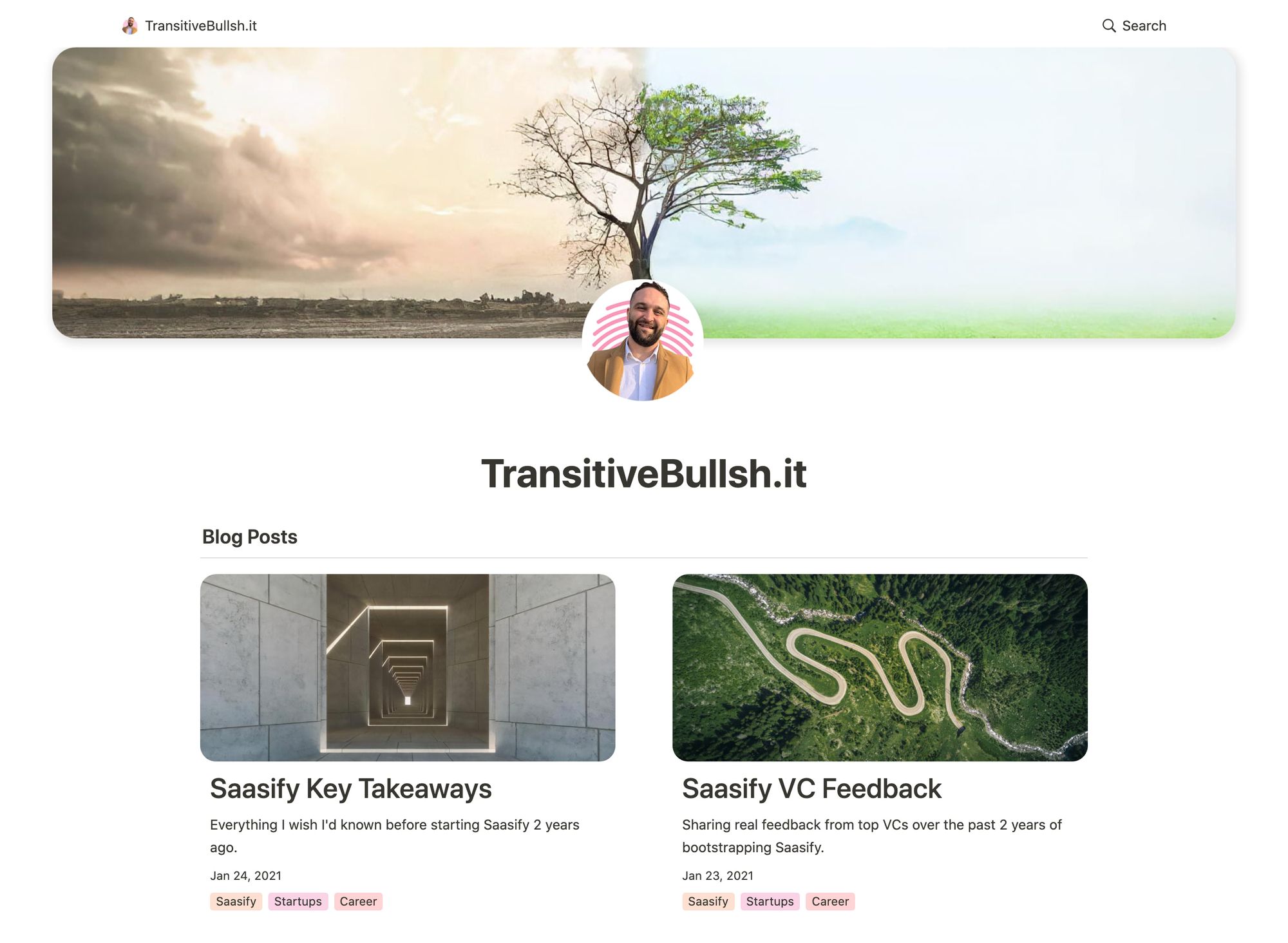
This repo is what I use to power my personal blog and portfolio site transitivebullsh.it.
It uses Notion as a CMS, react-notion-x, Next.js, and Vercel.
Features
Setup only takes a few minutes (single config file) 💪
Robust support for Notion content via react-notion-x
Built using Next.js, TS, and React
Excellent page speeds
Smooth image previews
Automatic social images
Automatic pretty URLs
Automatic table of contents
Full support for dark mode
Quick search via CMD+K / CMD+P
Responsive for different devices
Optimized for Next.js and Vercel
Demos
Default demo - Deployed from the main branch
My site - Deployed from the transitive-bullshit branch
Setup
All config is defined in site.config.ts.
This project requires Node.js 22 or newer.
Fork / clone this repo
Change a few values in site.config.ts
pnpm install
pnpm dev to test locally
pnpm deploy to deploy to Vercel 💪
Double check your Vercel project settings
I tried to make configuration as easy as possible — All you really need to do to get started is edit rootNotionPageId.
We recommend duplicating the default page as a starting point, but you can use any public notion page you want.
Make sure your root Notion page is public and then copy the link to your clipboard. Extract the last part of the URL that looks like 7875426197cf461698809def95960ebf, which is your page's Notion ID.
In order to find your Notion workspace ID (optional), just load any of your site's pages into your browser and open up the developer console. There will be a global variable that you can access called block which is the Notion data for the current page. If you enter block.space_id, it will print out your page's workspace ID.
I recommend setting up a collection on your home page that contains all of your articles / projects / content. There are no structural constraints on your Notion workspace, however, so feel free to add content as you normally would in Notion.
Vercel Configuration
Social media preview images won't work by default on Vercel. You'll need to ensure that your site doesn't require auth.
From your Vercel project settings, you'll want to disable Vercel Authentication from Project -> Settings -> Deployment Protection.
💡 If you forget to do this your site will return 401 Unauthorized responses when crawlers are trying to retrieve the images.
URL Paths
The app defaults to slightly different URL paths in dev vs prod (though pasting any dev pathname into prod will work and vice-versa).
In development, it will use /nextjs-notion-blog-d1b5dcf8b9ff425b8aef5ce6f0730202 which is a slugified version of the page's title suffixed with its Notion ID. I've found that it's really useful to always have the Notion Page ID front and center during local development.
In production, it will use /nextjs-notion-blog which is a bit nicer as it gets rid of the extra ID clutter.
The mapping of Notion ID to slugified page titles is done automatically as part of the build process. Just keep in mind that if you plan on changing page titles over time, you probably want to make sure old links will still work, and we don't currently provide a solution for detecting old links aside from Next.js's built-in support for redirects.
See mapPageUrl and getCanonicalPageId for more details.
You can override the default slug generation on a per-page basis by adding a Slug text property to your database. Any page which has a Slug property will use that as its slug.
NOTE: if you have multiple pages in your workspace with the same slugified name, the app will throw an error letting you know that there are duplicate URL pathnames.
Preview Images
We use next/image to serve images efficiently, with preview images optionally generated via lqip-modern. This gives us extremely optimized image support for sexy smooth images.
Preview images are enabled by default, but they can be slow to generate, so if you want to disable them, set isPreviewImageSupportEnabled to false in site.config.ts.
Redis
If you want to cache generated preview images to speed up subsequent builds, you'll need to first set up an external Redis data store. To enable redis caching, set isRedisEnabled to true in site.config.ts and then set REDIS_HOST and REDIS_PASSWORD environment variables to point to your redis instance.
You can do this locally by adding a .env file:
REDIS_HOST='TODO'
REDIS_PASSWORD='TODO'
If you're not sure which Redis provider to use, we recommend Redis Labs, which provides a free plan.
Note that preview images and redis caching are both optional features. If you’d rather not deal with them, just disable them in your site config.
Styles
All CSS styles that customize Notion content are located in styles/notion.css. They mainly target global CSS classes exported by react-notion-x styles.css.
Every notion block gets its own unique classname, so you can target individual blocks like this:
Dark mode is fully supported and can be toggled via the sun / moon icon in the footer.
Automatic Social Images
All Open Graph and social meta tags are generated from your Notion content, which makes social sharing look professional by default.
Social images are generated automatically using Vercel OG Image Generation. You can tweak the default React template for social images by editing route.tsx.
You can view an example social image live in production here.
Automatic Table of Contents
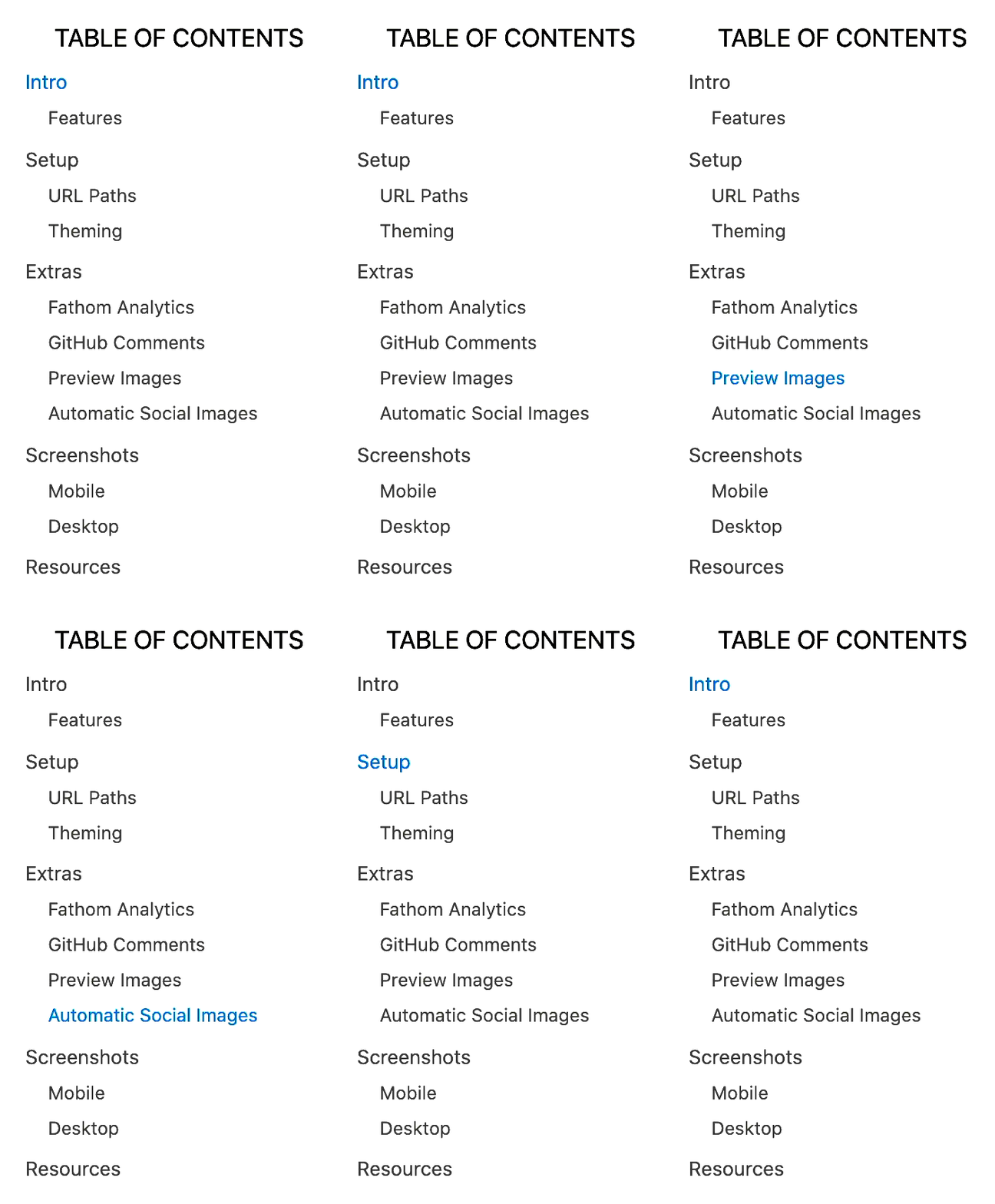
By default, every article page will have a table of contents displayed as an aside on desktop. It uses scrollspy logic to automatically update the current section as the user scrolls through your document, and makes it really easy to jump between different sections.
If a page has less than minTableOfContentsItems (default 3), the table of contents will be hidden. It is also hidden on the index page and if the browser window is too small.
This table of contents uses the same logic that Notion uses for its built-in Table of Contents block (see getPageTableOfContents for the underlying logic).
Responsive
All pages are designed to be responsive across common device sizes.
Analytics
Analytics are an optional feature that are easy to enable if you want.
Fathom Analytics
Fathom provides a lightweight alternative to Google Analytics.
To enable, just add a NEXT_PUBLIC_FATHOM_ID environment variable, which will only be used in production.
PostHog Analytics
PostHog provides a lightweight, open source alternative to Google Analytics.
To enable, just add a NEXT_PUBLIC_POSTHOG_ID environment variable, which will only be used in production.
Environment Variables
If you're using Redis, analytics, or any other feature which requires environment variables, then you'll need to add them to your Vercel project.
If you want to test your redis builds with GitHub Actions, then you'll need to edit the default build action to add REDIS_HOST and REDIS_PASSWORD. Here is an example from my personal branch. You'll also need to add these environment variables to your GitHub repo as repository secrets.
Contributing
See the contribution guide and join our amazing list of contributors!
How active is development on transitive-bullshit/nextjs-notion-starter-kit?
The most recent commit recorded on transitive-bullshit/nextjs-notion-starter-kit was 8 months ago, based on the GitHub push timestamp. The repository has 5.6k forks — one of the better signals of community interest.
How many stars does transitive-bullshit/nextjs-notion-starter-kit have?
transitive-bullshit/nextjs-notion-starter-kit has 7.0k GitHub stars — refresh the page for the live number, or check github.com/transitive-bullshit/nextjs-notion-starter-kit. TopGit mirrors GitHub's count but does not claim minute-by-minute accuracy.
What language is transitive-bullshit/nextjs-notion-starter-kit written in?
transitive-bullshit/nextjs-notion-starter-kit is written primarily in TypeScript. GitHub's language field is based on the largest share of bytes in the default branch.
What license does transitive-bullshit/nextjs-notion-starter-kit use?
transitive-bullshit/nextjs-notion-starter-kit is released under the MIT license. Always verify the LICENSE file directly on GitHub for the authoritative terms — license strings can be edited out of sync with a project's actual stance.
What topics is transitive-bullshit/nextjs-notion-starter-kit associated with?
GitHub's repository topics for transitive-bullshit/nextjs-notion-starter-kit: "blog", "nextjs", "notion", "portfolio", "react", "react-notion-x". TopGit's editorial category is Frontend.
Where can I see transitive-bullshit/nextjs-notion-starter-kit in action?
The project maintains a homepage at https://transitivebullsh.it/nextjs-notion-starter-kit. The README tab on this page also usually contains screenshots and a quickstart.
Where do I read more about transitive-bullshit/nextjs-notion-starter-kit?
This TopGit page is a snapshot — the READ ME tab shows the project's own README content (links stripped, images preserved). The GitHub repository at github.com/transitive-bullshit/nextjs-notion-starter-kit is the definitive source.
Read full README in the tab above.
Want a second opinion on nextjs-notion-starter-kit?
Ask an AI that can read this page — one click and you get its take on nextjs-notion-starter-kit.

 /nextjs-notion-starter-kit