A look at ultralytics/xview-yolov3: 345 stars on GitHub, written primarily in Python, tracked under the AI Tools category. YOLOv3 training, preprocessing, validation, and inference for object detection in xView satellite imagery and the xView detection challenge.
Snapshot summary built from the project's own GitHub metadata — there's no written TopGit review yet. The page will update automatically when a full review is published.
WHY NO REVIEW YET
TopGit writes full reviews for the most-starred, most-requested repositories. This page is a snapshot until then — see the READ ME tab for the original README in full.
Welcome to the Ultralytics xview-yolov3 repository! This project provides the necessary code and instructions to train the powerful Ultralytics YOLOv3 object detection model on the challenging xView dataset. The primary goal is to support participants in the xView Challenge, which focuses on advancing the state-of-the-art in detecting objects within satellite imagery, a critical application of computer vision in remote sensing.
📦 Requirements
To successfully run this project, ensure your environment meets the following prerequisites:
Python: Version 3.6 or later. You can download Python from the official Python website.
Dependencies: Install the required packages using pip. It's recommended to use a virtual environment.
pip3 install -U -r requirements.txt
Key dependencies include:
numpy: Essential for numerical operations in Python.
scipy: Provides algorithms for scientific and technical computing.
torch: The core PyTorch library for deep learning.
opencv-python: The OpenCV library for computer vision tasks.
h5py: Enables interaction with data stored in HDF5 format.
tqdm: A utility for displaying progress bars in loops and command-line interfaces.
📥 Download Data
Begin by downloading the necessary xView dataset files. You can obtain the data directly from the xView Challenge data download page. Ensure you have sufficient storage space, as satellite imagery datasets can be quite large.
🏋️♂️ Training
Training the YOLOv3 model on the xView dataset involves preprocessing the data and then running the training script.
Preprocessing Steps
Before initiating the training process, we perform several preprocessing steps on the target labels to enhance model performance:
Outlier Removal: Outliers in the dataset are identified and removed using sigma-rejection to clean the data.
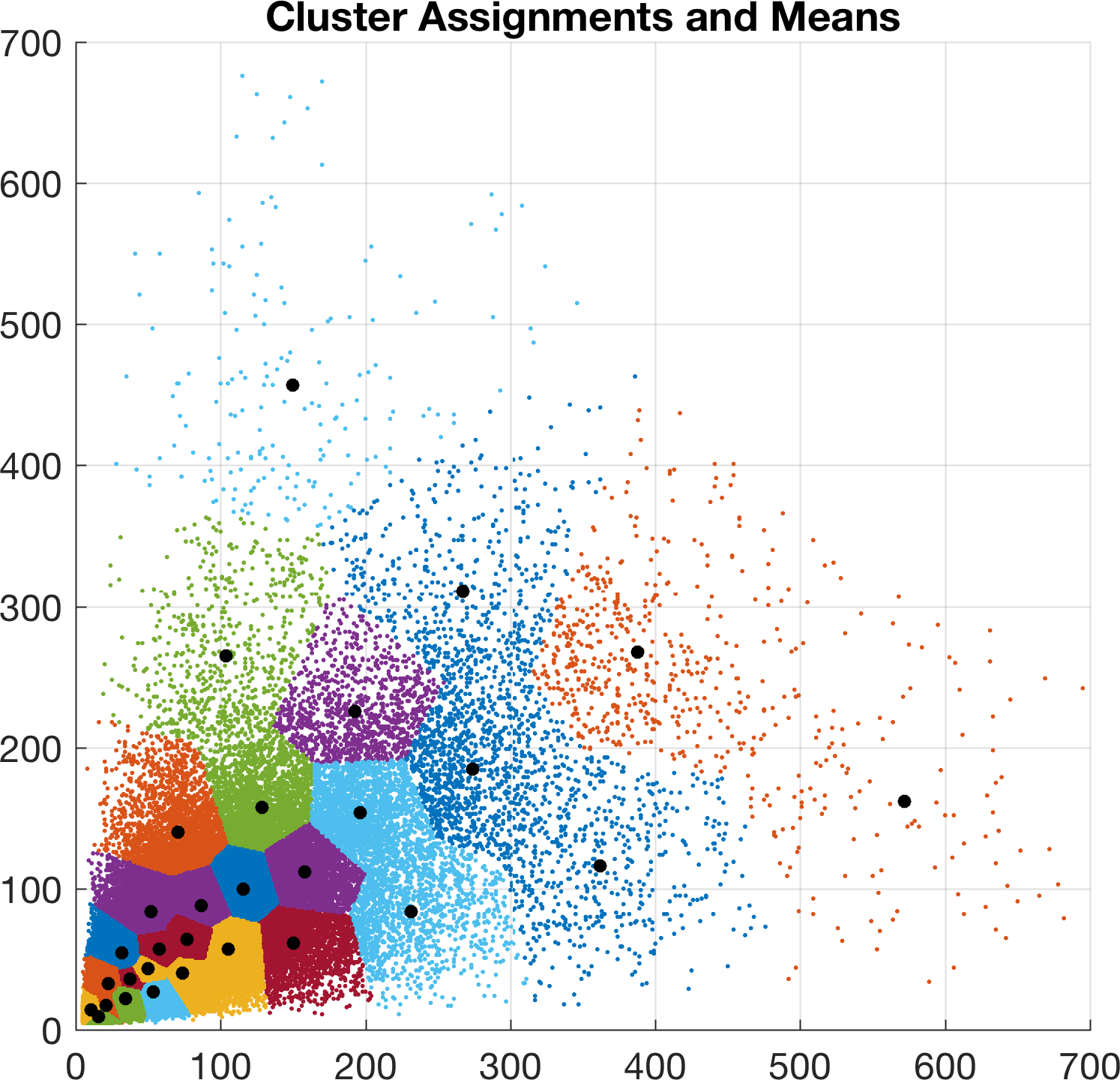
Anchor Generation: A new set of 30 k-means anchors are generated specifically tailored for the c60_a30symmetric.cfg configuration file. This process utilizes the MATLAB script utils/analysis.m. The generated anchors help the model better predict bounding boxes of various sizes and aspect ratios present in the xView dataset.
Starting the Training
Once the xView data is downloaded and placed in the expected directory, you can start training by executing the train.py script. Configure the train_path values in train.py for your local machine or cloud environment, such as Google Colab or Kaggle.
python train.py
Resuming Training
If your training session is interrupted, you can easily resume training from the last saved checkpoint. Use the -resume flag as shown below:
python train.py -resume 1
The script will automatically load the weights from the weights/latest.pt file and continue the training process.
Training Details
During each training epoch, the system processes 8 randomly sampled 800x800 pixel chips extracted from each full-resolution image in the dataset (-img_size defaults to 32 x 25 = 800). On hardware like an Nvidia GTX 1080 Ti, you can typically complete around 100 epochs per day.
Be mindful of overfitting, which can become a significant issue after approximately 200 epochs. Monitoring validation metrics is crucial. The best observed validation mean Average Precision (mAP) in experiments was 0.16 after 300 epochs (roughly 3 days of training), corresponding to a training mAP of 0.30.
Monitor the training progress by observing the loss plots for bounding box regression, objectness, and class confidence. These plots should ideally show decreasing trends, similar to the example below:
Image Augmentation 📸
To improve model robustness and generalization, the datasets.py script applies various data augmentations to the full-resolution input images during training using OpenCV. The specific augmentations and their parameters are:
Augmentation
Description
Translation
+/- 1% (vertical and horizontal)
Rotation
+/- 20 degrees
Shear
+/- 3 degrees (vertical and horizontal)
Scale
+/- 30%
Reflection
50% probability (vertical and horizontal)
HSV Saturation
+/- 50%
HSV Intensity
+/- 50%
Note: Augmentation is applied only during the training phase. During inference or validation, the original, unaugmented images are used. The corresponding bounding box coordinates are automatically adjusted to match the transformations applied to the images. Explore more augmentation techniques with Albumentations.
🔍 Inference
After training completes, the model checkpoints (.pt files) containing the learned weights are saved in the weights/ directory. You can use the detect.py script to perform inference on new or existing xView images using your trained model.
For example, download the default lightweight xView weights and run detection on a directory of xView images:
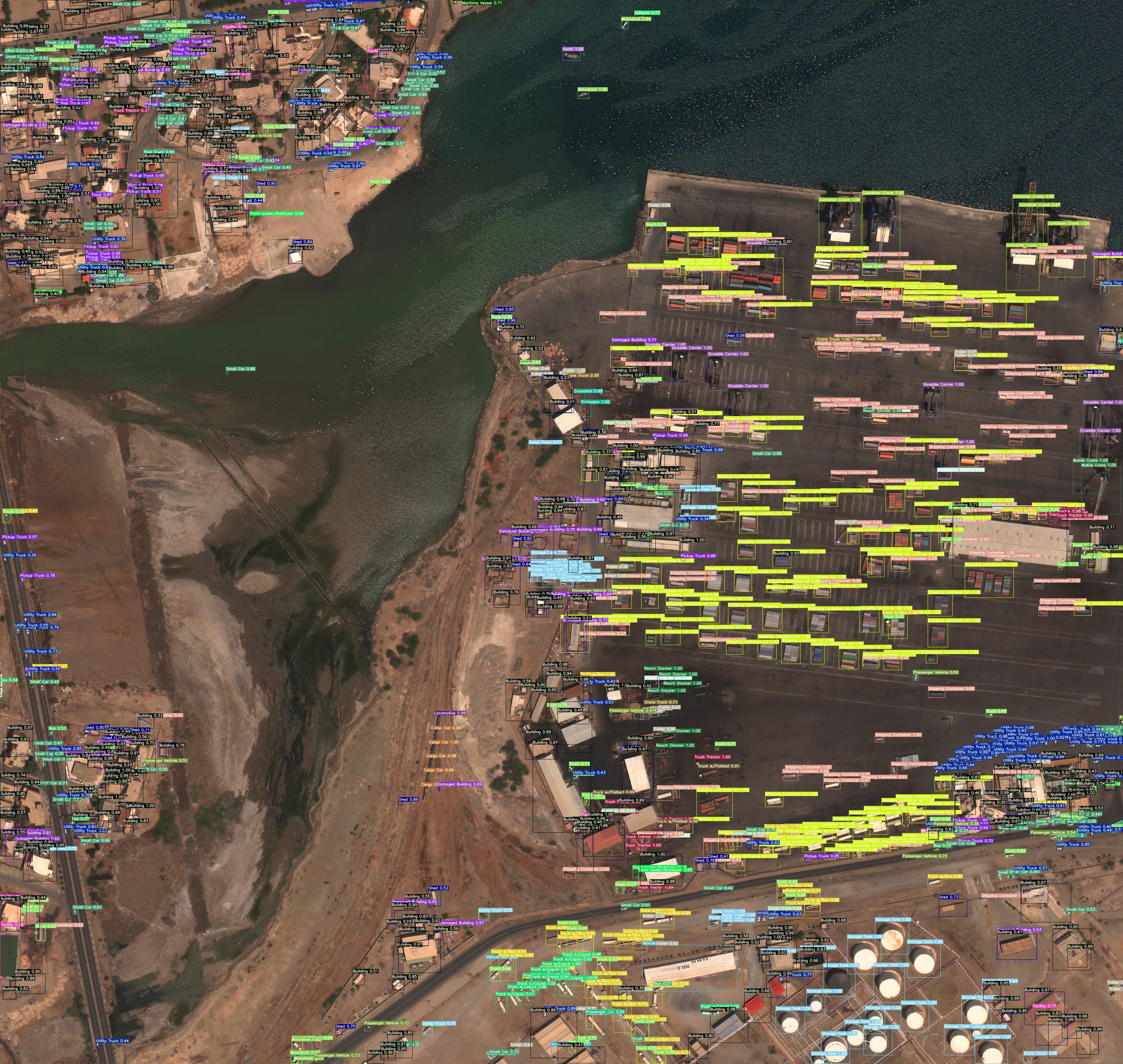
The script will process the image, detect objects, draw bounding boxes, and save the output image. An example output might look like this:
📝 Citation
If you find this repository, the associated tools, or the xView dataset useful in your research or work, please consider citing the relevant sources:
For the xView dataset itself, please refer to the citation guidelines provided on the xView Challenge website.
👥 Contribute
🤝 We thrive on community contributions! Open-source projects like this benefit greatly from your input. Whether it's fixing bugs, adding features, or improving documentation, your help is valuable. Please see our Contributing Guide for more details on how to get started.
We also invite you to share your feedback through our Survey. Your insights help shape the future of Ultralytics projects.
A huge thank you 🙏 to all our contributors for making our community vibrant and innovative!
📜 License
Ultralytics offers two licensing options to accommodate different needs:
AGPL-3.0 License: Ideal for students, researchers, and enthusiasts, this OSI-approved open-source license promotes open collaboration and knowledge sharing. See the LICENSE file for full details.
Enterprise License: Designed for commercial use, this license allows integration of Ultralytics software and AI models into commercial products and services without the open-source requirements of AGPL-3.0. If your project requires an Enterprise License, please contact us via Ultralytics Licensing.
📬 Contact
For bug reports, feature requests, or suggestions, please use the GitHub Issues page. For general questions, discussions, and community interaction, join our Discord server!
How active is development on ultralytics/xview-yolov3?
The most recent commit recorded on ultralytics/xview-yolov3 was 1 month ago, based on the GitHub push timestamp. The repository has 59 forks — one of the better signals of community interest.
How many stars does ultralytics/xview-yolov3 have?
ultralytics/xview-yolov3 has 345 GitHub stars — refresh the page for the live number, or check github.com/ultralytics/xview-yolov3. TopGit mirrors GitHub's count but does not claim minute-by-minute accuracy.
Is ultralytics/xview-yolov3 open source?
Yes — ultralytics/xview-yolov3 ships under the AGPL-3.0 license, which makes its source code freely readable (and, depending on license terms, forkable and reusable). Source: github.com/ultralytics/xview-yolov3.
What else is in the AI Tools space?
ultralytics/xview-yolov3 is tracked by TopGit under the AI Tools category, alongside 11 GitHub-tagged topics. Trending and Topics pages list peer repositories of comparable stars and language.
What topics is ultralytics/xview-yolov3 associated with?
GitHub's repository topics for ultralytics/xview-yolov3: "challenge", "computer-vision", "inference", "model-training", "object-detection", "pytorch", "remote-sensing", "satellite-imagery", "ultralytics", "xview", "yolov3". TopGit's editorial category is AI Tools.
Where can I see ultralytics/xview-yolov3 in action?
The project maintains a homepage at https://docs.ultralytics.com. The README tab on this page also usually contains screenshots and a quickstart.
Where do I read more about ultralytics/xview-yolov3?
This TopGit page is a snapshot — the READ ME tab shows the project's own README content (links stripped, images preserved). The GitHub repository at github.com/ultralytics/xview-yolov3 is the definitive source.
Read full README in the tab above.
Still deciding about xview-yolov3?
One click hands the question to an AI along with this page — see what it says about xview-yolov3.
 /xview-yolov3