vimwiki/vimwiki — 9.5k★ on GitHub (Vim Script). Personal Wiki for Vim
Snapshot summary built from the project's own GitHub metadata — there's no written TopGit review yet. The page will update automatically when a full review is published.
WHY NO REVIEW YET
TopGit writes full reviews for the most-starred, most-requested repositories. This page is a snapshot until then — see the READ ME tab for the original README in full.
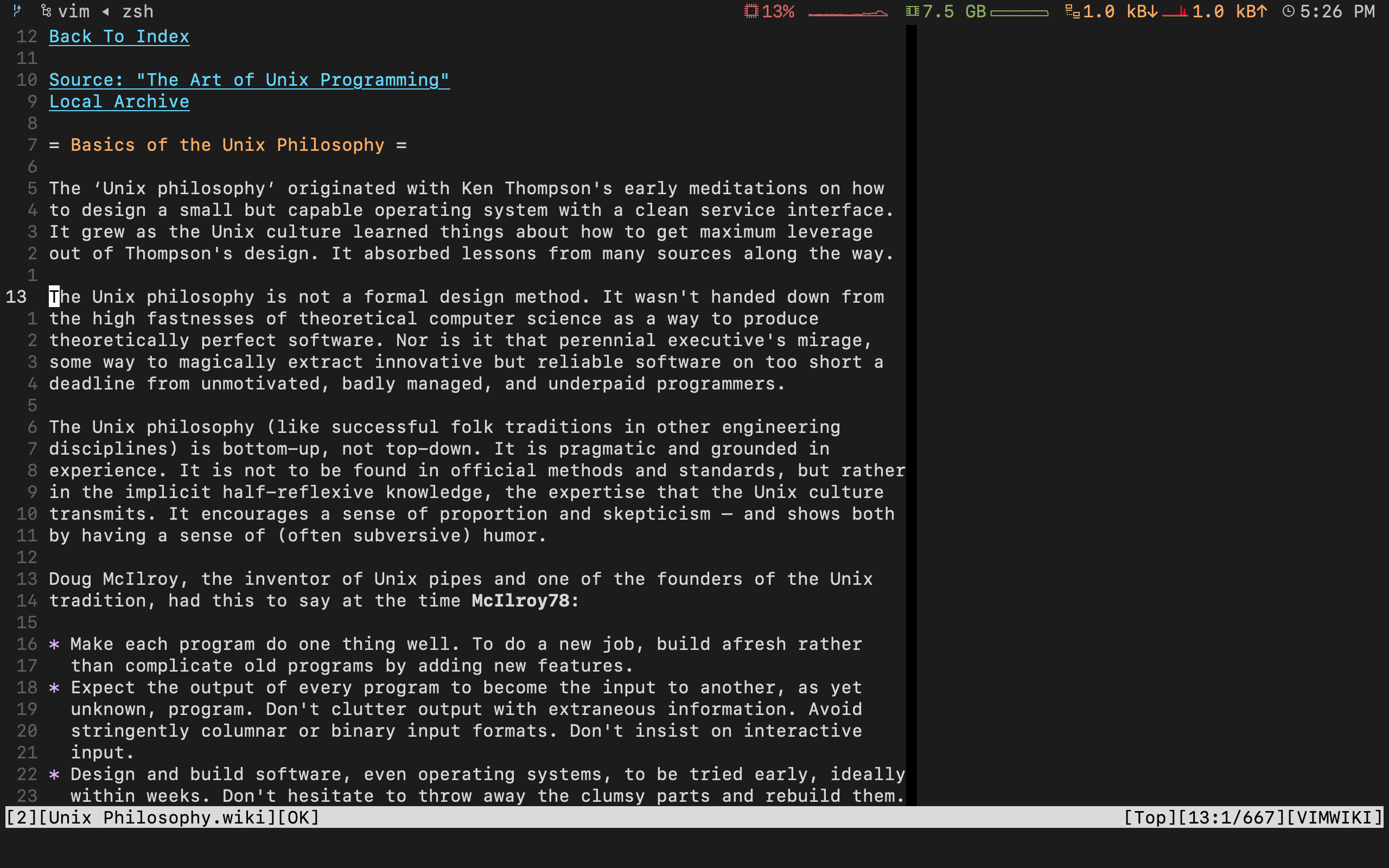
VimWiki is a personal wiki for Vim -- a number of linked text files that have
their own syntax highlighting. See the VimWiki Wiki
for an example website built with VimWiki!
If you are interested in contributing see this section.
With VimWiki, you can:
Organize notes and ideas
Manage to-do lists
Write documentation
Maintain a diary
Export everything to HTML
To do a quick start, press <Leader>ww (default is \ww) to go to your index
wiki file. By default, it is located in ~/vimwiki/index.wiki. See
:h vimwiki_list for registering a different path/wiki.
Feed it with the following example:
= My knowledge base =
    * Tasks -- things to be done _yesterday_!!!
    * Project Gutenberg -- good books are power.
    * Scratchpad -- various temporary stuff.
Place your cursor on Tasks and press Enter to create a link. Once pressed,
Tasks will become [[Tasks]] -- a VimWiki link. Press Enter again to
open it. Edit the file, save it, and then press Backspace to jump back to your
index.
A VimWiki link can be constructed from more than one word. Just visually
select the words to be linked and press Enter. Try it, with Project Gutenberg.
The result should look something like:
= My knowledge base =
    * [[Tasks]] -- things to be done _yesterday_!!!
    * [[Project Gutenberg]] -- good books are power.
    * Scratchpad -- various temporary stuff.
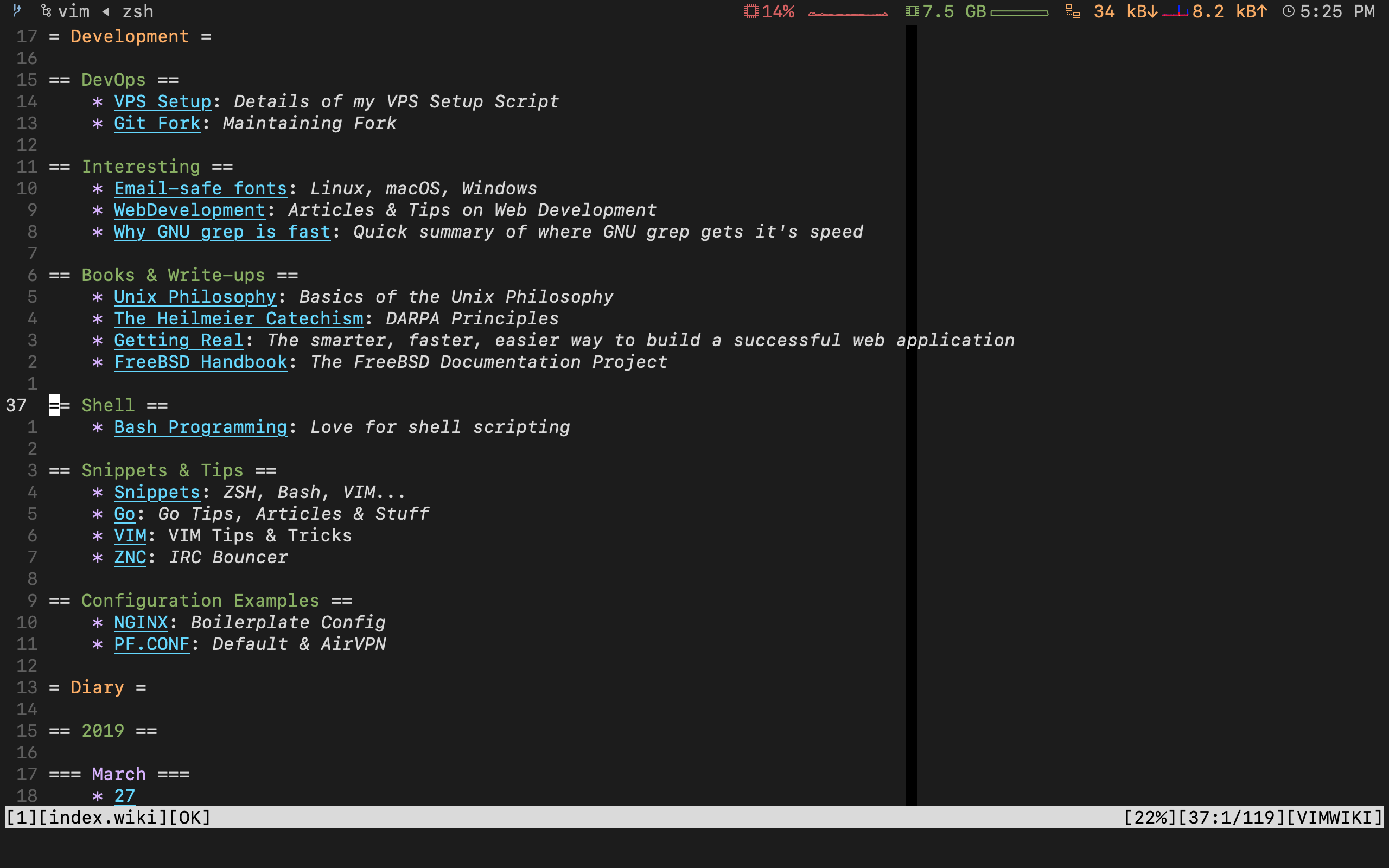
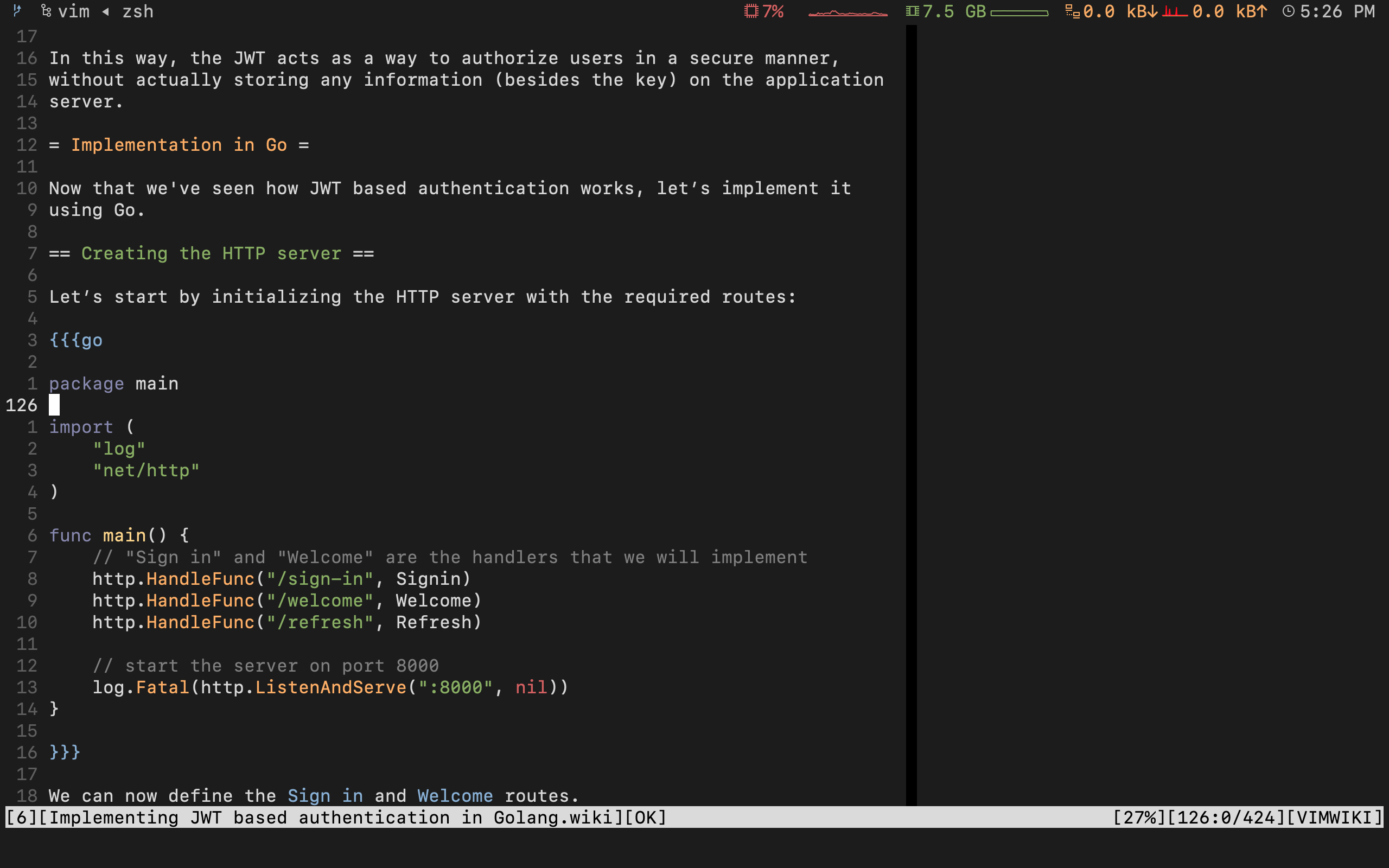
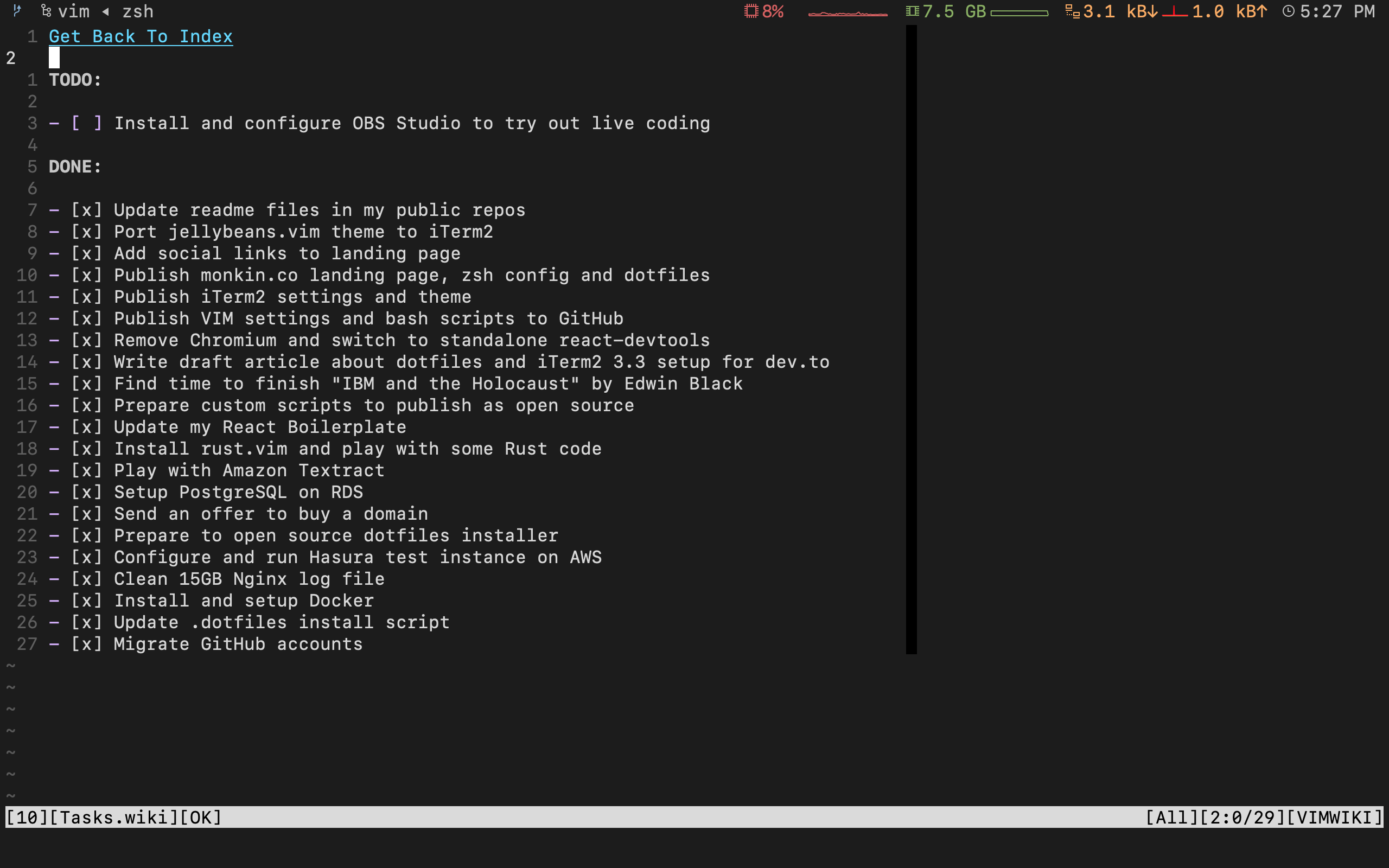
Screenshots
Installation
VimWiki has been tested on Vim >= 7.3. It may work on older versions but
will not be officially supported. It is known to work on NeoVim, although
it is likely to have
NeoVim-specific bugs.
Prerequisites
Make sure you have these settings in your vimrc file:
set nocompatible
filetype plugin on
syntax on
Without them, VimWiki will not work properly.
Installation using Vim packages (since Vim 7.4.1528)
git clone https://github.com/vimwiki/vimwiki.git ~/.vim/pack/plugins/start/vimwiki

# to generate documentation i.e. ':h vimwiki'
vim -c 'helptags ~/.vim/pack/plugins/start/vimwiki/doc' -c quit
Notes:
See :h helptags for issues with installing the documentation.
For general information on vim packages see :h packages.
Installation using Pathogen
cd ~/.vim
mkdir bundle
cd bundle
git clone https://github.com/vimwiki/vimwiki.git
Installation using Vim-Plug
Add the following to the plugin-configuration in your vimrc:
Plug 'vimwiki/vimwiki'
Then run :PlugInstall.
Installation using Vundle
Add Plugin 'vimwiki/vimwiki' to your vimrc file and run:
vim +PluginInstall +qall
Installation using Lazy
Add repository within require('lazy').setup call in your vimrc (or for plugins file ie. /lua/plugins/, do the same within a return{} statement).
If you are unfamiliar with lua, note that the brackets {, } need a closing comma (},) if you are adding this to an existing function like the .setup call.
Download the zip archive
and extract it in ~/.vim/bundle/
Then launch Vim, run :Helptags and then :help vimwiki to verify it was
installed.
Basic Markup
= Header1 =
== Header2 ==
=== Header3 ===


*bold* -- bold text
_italic_ -- italic text

[[wiki link]] -- wiki link
[[wiki link|description]] -- wiki link with description
Lists
* bullet list item 1
    - bullet list item 2
    - bullet list item 3
        * bullet list item 4
        * bullet list item 5
* bullet list item 6
* bullet list item 7
    - bullet list item 8
    - bullet list item 9

1. numbered list item 1
2. numbered list item 2
    a) numbered list item 3
    b) numbered list item 4
Note: your terminal may prevent capturing some of the default bindings
listed below. See :h vimwiki-local-mappings for suggestions for alternative
bindings if you encounter a problem.
Basic key bindings
<Leader>ww -- Open default wiki index file.
<Leader>wt -- Open default wiki index file in a new tab.
<Leader>ws -- Select and open wiki index file.
<Leader>wd -- Delete wiki file you are in.
<Leader>wr -- Rename wiki file you are in.
<Enter> -- Follow/Create wiki link.
<Shift-Enter> -- Split and follow/create wiki link.
<Ctrl-Enter> -- Vertical split and follow/create wiki link.
<Backspace> -- Go back to parent(previous) wiki link.
<Tab> -- Find next wiki link.
<Shift-Tab> -- Find previous wiki link.
Advanced key bindings
Refer to the complete documentation at :h vimwiki-mappings to see many
more bindings.
Commands
:Vimwiki2HTML -- Convert current wiki link to HTML.
:VimwikiAll2HTML -- Convert all your wiki links to HTML.
:help vimwiki-commands -- List all commands.
:help vimwiki -- General vimwiki help docs.
Changing Wiki Syntax
VimWiki currently ships with 3 syntaxes: VimWiki (default), Markdown
(markdown), and MediaWiki (media). Of these, the native VimWiki syntax is
best supported, followed by Markdown. No promises are made for MediaWiki.
NOTE: Only the default syntax ships with a built-in HTML converter. For
Markdown or MediaWiki see :h vimwiki-option-custom_wiki2html. Some examples
and 3rd party tools are available
here.
If you would prefer to use either Markdown or MediaWiki syntaxes, set the
following option in your .vimrc:
let g:vimwiki_list = [{'path': '~/vimwiki/',
                      \ 'syntax': 'markdown', 'ext': 'md'}]
This option will treat all markdown files in your system as part of vimwiki
(check set filetype?). Add
let g:vimwiki_global_ext = 0
to your .vimrc to restrict Vimwiki's operation to only those paths listed in
g:vimwiki_list. Other markdown files wouldn't be treated as wiki pages.
See g:vimwiki_global_ext.
if you want to turn off support for other extension(for example, disabling
accidently creating new wiki and link for normal markdown files), set the
following option in your .vimrc before packadd vimwiki:
let g:vimwiki_ext2syntax = {}
See g:vimiki_ext2syntax
Getting help
GitHub issues are the primary
method for raising bug reports or feature requests.
Additional resources:
The IRC channel #vimwiki on
irc.libera.chat is the "official" discussion and support channel
VimWiki has a lot of users but only very few recurring developers or people
helping the community. Your help is therefore appreciated. Everyone can help!
See #625 for information on how
you can help.
Also, take a look at CONTRIBUTING.md
and design_notes.md
License
MIT License
Copyright (c) 2008-2010 Maxim Kim
2013-2017 Daniel Schemala
Permission is hereby granted, free of charge, to any person obtaining a copy
of this software and associated documentation files (the "Software"), to deal
in the Software without restriction, including without limitation the rights
to use, copy, modify, merge, publish, distribute, sublicense, and/or sell
copies of the Software, and to permit persons to whom the Software is
furnished to do so, subject to the following conditions:
The above copyright notice and this permission notice shall be included in all
copies or substantial portions of the Software.
THE SOFTWARE IS PROVIDED "AS IS", WITHOUT WARRANTY OF ANY KIND, EXPRESS OR
IMPLIED, INCLUDING BUT NOT LIMITED TO THE WARRANTIES OF MERCHANTABILITY,
FITNESS FOR A PARTICULAR PURPOSE AND NONINFRINGEMENT. IN NO EVENT SHALL THE
AUTHORS OR COPYRIGHT HOLDERS BE LIABLE FOR ANY CLAIM, DAMAGES OR OTHER
LIABILITY, WHETHER IN AN ACTION OF CONTRACT, TORT OR OTHERWISE, ARISING FROM,
OUT OF OR IN CONNECTION WITH THE SOFTWARE OR THE USE OR OTHER DEALINGS IN THE
SOFTWARE.
The most recent commit recorded on vimwiki/vimwiki was 3 months ago, based on the GitHub push timestamp. The repository has 647 forks — one of the better signals of community interest.
How many stars does vimwiki/vimwiki have?
vimwiki/vimwiki has 9.5k GitHub stars — refresh the page for the live number, or check github.com/vimwiki/vimwiki. TopGit mirrors GitHub's count but does not claim minute-by-minute accuracy.
What language is vimwiki/vimwiki written in?
vimwiki/vimwiki is written primarily in Vim Script. GitHub's language field is based on the largest share of bytes in the default branch.
What topics is vimwiki/vimwiki associated with?
GitHub's repository topics for vimwiki/vimwiki: "hacktoberfest", "personal-organizer", "vim", "vim-plugin", "vimwiki", "wiki". TopGit's editorial category is Developer Tools.
Where can I see vimwiki/vimwiki in action?
The project maintains a homepage at http://vimwiki.github.io/. The README tab on this page also usually contains screenshots and a quickstart.
Where do I read more about vimwiki/vimwiki?
This TopGit page is a snapshot — the READ ME tab shows the project's own README content (links stripped, images preserved). The GitHub repository at github.com/vimwiki/vimwiki is the definitive source.
Read full README in the tab above.
Curious whether vimwiki is right for you?
Let ChatGPT, Claude, or Perplexity look into it — click below and see what AI actually says about vimwiki.
 /vimwiki