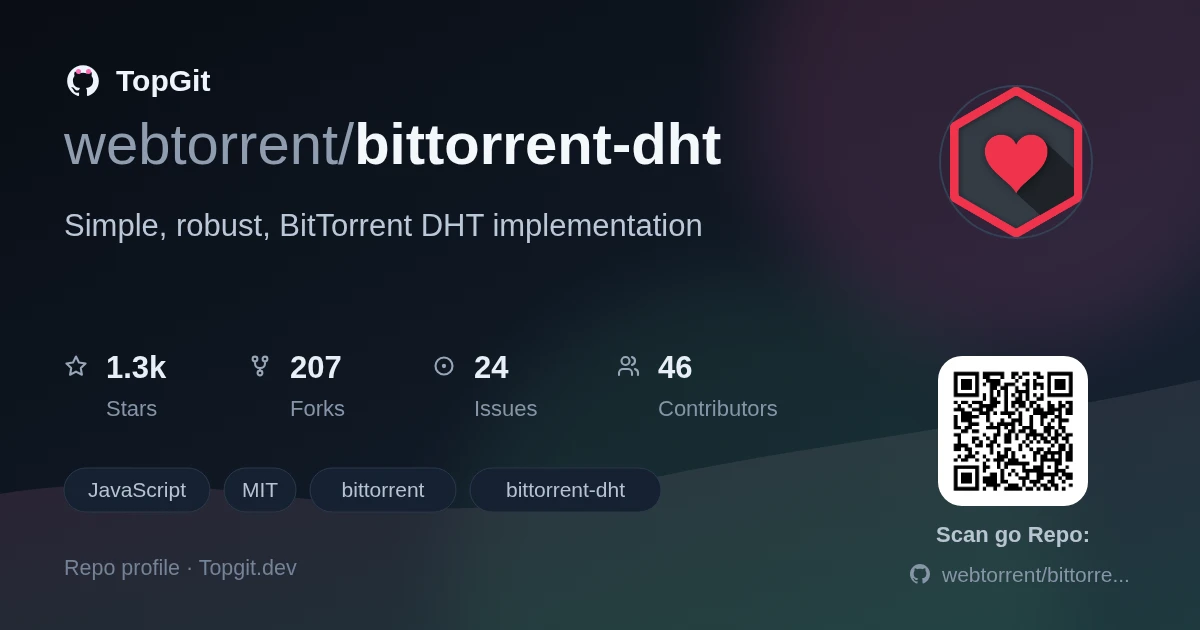
A UI-focused entry in TopGit's GitHub warehouse: webtorrent/bittorrent-dht, 1.3k stars, Frontend, JavaScript. 🕸 Simple, robust, BitTorrent DHT implementation
Snapshot summary built from the project's own GitHub metadata — there's no written TopGit review yet. The page will update automatically when a full review is published.
WHY NO REVIEW YET
TopGit writes full reviews for the most-starred, most-requested repositories. This page is a snapshot until then — see the READ ME tab for the original README in full.
Node.js implementation of the BitTorrent DHT protocol. BitTorrent DHT is the main peer discovery layer for BitTorrent, which allows for trackerless torrents. DHTs are awesome!
This module is used by WebTorrent.
features
complete implementation of the DHT protocol in JavaScript
follows the spec
supports BEP44 for storing arbitrary data in the DHT
supports multiple, concurrent lookups using the same routing table
Also see bittorrent-tracker.
install
npm install bittorrent-dht
example
npm install magnet-uri
import DHT from 'bittorrent-dht'
import magnet from 'magnet-uri'

const uri = 'magnet:?xt=urn:btih:e3811b9539cacff680e418124272177c47477157'
const parsed = magnet(uri)

console.log(parsed.infoHash) // 'e3811b9539cacff680e418124272177c47477157'

const dht = new DHT()

dht.listen(20000, function () {
  console.log('now listening')
})

dht.on('peer', function (peer, infoHash, from) {
  console.log('found potential peer ' + peer.host + ':' + peer.port + ' through ' + from.address + ':' + from.port)
})

// find peers for the given torrent info hash
dht.lookup(parsed.infoHash)
api
dht = new DHT([opts])
Create a new dht instance.
If opts is specified, then the default options (shown below) will be overridden.
{
  nodeId: '',      // 160-bit DHT node ID (Buffer or hex string, default: randomly generated)
  bootstrap: [],   // bootstrap servers (default: router.bittorrent.com:6881, router.utorrent.com:6881, dht.transmissionbt.com:6881)
  host: false,     // host of local peer, if specified then announces get added to local table (String, disabled by default)
  concurrency: 16, // k-rpc option to specify maximum concurrent UDP requests allowed (Number, 16 by default)
  hash: Function,  // custom hash function to use (Function, SHA1 by default),
  krpc: krpc(),     // optional k-rpc instance
  timeBucketOutdated: 900000, // check buckets every 15min
  maxAge: Infinity  // optional setting for announced peers to time out
}
To use dht_store, set opts.verify to an ed25519 supercop/ref10
implementation. opts.verify(signature, value, publicKey) should return a
boolean whether the signature and value buffers were generated by the
publicKey.
For example, for dht_store you can do:
import ed from 'ed25519-supercop'
const dht = new DHT({ verify: ed.verify })
dht.lookup(infoHash, [callback])
Find peers for the given info hash.
This does a recursive lookup in the DHT. Potential peers that are discovered are emitted
as peer events. See the peer event below for more info.
infoHash can be a string or Buffer. callback is called when the recursive lookup has
terminated, and is called with two paramaters. The first is an Error or null. The second
is the number of nodes found that had peers. You usually don't need to use this info and
can simply listen for peer events.
Returns an abort() function that would allow us to abort the query.
dht.listen([port], [address], [onlistening])
Make the DHT listen on the given port. If port is undefined, an available port is
automatically picked.
If address is undefined, the DHT will try to listen on all addresses.
If onlistening is defined, it is attached to the listening event.
dht.address()
Returns an object containing the address information for the listening socket of the DHT.
This object contains address, family and port properties.
dht.announce(infoHash, [port], [callback])
Announce that the peer, controlling the querying node, is downloading a torrent on a port.
If you omit port the implied port option will be set and other peers will use the public
dht port as your announced port.
If dht.announce is called soon (< 5 minutes) after dht.lookup, then the routing table
generated during the lookup can be re-used, because the "tokens" sent by each node will
still be valid.
If dht.announce is called and there is no cached routing table, then a dht.lookup will
first be performed to discover relevant nodes and get valid "tokens" from each of them.
This will take longer.
A "token" is an opaque value that must be presented for a node to announce that its
controlling peer is downloading a torrent. It must present the token received from the
same queried node in a recent query for peers. This is to prevent malicious hosts from
signing up other hosts for torrents. All token management is handled internally by this
module.
callback will be called when the announce operation has completed, and is called with
a single parameter that is an Error or null.
arr = dht.toJSON()
Returns the current state of the DHT, including DHT nodes and BEP44 values.
{
  "nodes": [],
  "values": {}
}
The DHT nodes, in particular, are useful for persisting the DHT to disk between restarts
of a BitTorrent client (as recommended by the spec). Each node in the array is an object
with host (string) and port (number) properties.
To restore the DHT nodes when instantiating a new DHT object, simply loop over the nodes in the array and add them with the addNode method.
const dht1 = new DHT()

// some time passes ...

// destroy the dht
const nodes = dht1.toJSON().nodes
dht1.destroy()

// some time passes ...

// initialize a new dht with the same routing table as the first
const dht2 = new DHT()

nodes.forEach(function (node) {
  dht2.addNode(node)
})
dht.addNode(node)
Manually add a node to the DHT routing table. If there is space in the routing table (or
an unresponsive node can be evicted to make space), the node will be added. If not, the
node will not be added. This is useful to call when a peer wire sends a PORT message to
share their DHT port.
A node should look like this:
{
  host: nodeHost,
  port: nodePort
}
dht.destroy([callback])
Destroy the DHT. Closes the socket and cleans up large data structure resources.
dht.put(opts, callback)
Write an arbitrary payload to the DHT.
(BEP 44).
For all requests, you must specify:
opts.v - a buffer payload to write, less than 1000 bytes
If you only specify opts.v, the content is considered immutable and the hash
will just be the hash of the content.
Here is a simple example of creating some immutable content on the dht:
import DHT from 'bittorrent-dht'
const dht = new DHT()
const value = Buffer.alloc(200).fill('abc')

dht.put({ v: value }, function (err, hash) {
  console.error('error=', err)
  console.log('hash=', hash)
})
For mutable content, the hash will be the hash of the public key, opts.k.
These options are available:
opts.k - ed25519 public key buffer (32 bytes) (REQUIRED)
opts.sign(buf) - function to generate an ed25519 signature buffer (64 bytes) corresponding to the opts.k public key (REQUIRED)
opts.seq - optional sequence (integer), must monotonically increase (REQUIRED)
opts.cas - optional previous sequence for compare-and-swap
opts.salt - optional salt buffer to include (<= 64 bytes) when calculating
the hash of the content. You can use a salt to have multiple mutable addresses
for the same public key opts.k.
Note that bittorrent bep44 uses ed25519. You can use the ed25519-supercop
package to generate the appropriate signatures,
bittorrent-dht-store-keypair,
bittorrent-dht-sodium or
for a more convenient version.
To make a mutable update, you will need to create an elliptic key and pack
values precisely according to the specification, like so:
import ed from 'bittorrent-dht-sodium'
const keypair = ed.keygen()

const value = Buffer.alloc(200).fill('whatever') // the payload you want to send
const opts = {
  k: keypair.pk,
  seq: 0,
  v: value,
  sign: function (buf) {
    return ed.sign(buf, keypair.sk)
  }
}

import DHT from 'bittorrent-dht'
const dht = new DHT()

dht.put(opts, function (err, hash) {
  console.error('error=', err)
  console.log('hash=', hash)
})
In either mutable or immutable forms, callback(error, hash, n) fires with an
error if no nodes were able to store the value. n is set the amount of peers
that accepted the put and hash, the location where the mutable or immutable
content can be retrieved (with dht.get(hash)).
Note that you should call .put() every hour for content that you want to keep
alive, since nodes may discard data nodes older than 2 hours.
If you receive a key/value pair and you want to re-add to the dht it to keep it
alive you can just put it again.
import ed from 'bittorrent-dht-sodium'
const dht = new DHT({ verify: ed.verify }) // you MUST specify the "verify" param if you want to get mutable content, otherwise null will be returned

dht.get(key, function (err, res) {
  dht.put(res, function () {
    // re-added the key/value pair
  })
})
dht.get(hash, opts, callback)
Read a data record (created with .put()) from the DHT.
(BEP 44)
Given hash, a hex string or buffer, lookup data content from the DHT, sending the
result in callback(err, res).
These options are available:
opts.verify - override the default ed25519 verification function supplied during DHT instantiation.
opts.salt - optional salt buffer (if any) that was used to calculate the hash. Must be specified if included in the hash.
opts.cache - use locally cached response value when available instead of performing a network lookup (defaults to true).
res objects are similar to the options objects written to the DHT with
.put():
res.v - the value put in
res.id - the node that returned the content
res.k - the public key (only present for mutable data)
res.sig - the signature (only present for mutable data)
res.seq - the sequence (optional, only present for mutable data)
events
dht.on('ready', function () { ... })
Emitted when the DHT is fully bootstrapped (i.e. the routing table is sufficiently
populated via the bootstrap nodes). Note that it is okay to do lookups before the 'ready'
event fires.
Note: If you initialize the DHT with the { bootstrap: false } option, then the 'ready'
event will fire on the next tick even if there are not any nodes in the routing table.
It is assumed that you will manually populate the routing table with dht.addNode if you
pass this option.
dht.on('listening', function () { ... })
Emitted when the DHT is listening.
dht.on('peer', function (peer, infoHash, from) { ... })
Emitted when a potential peer is found. peer is of the form {host, port}.
infoHash is the torrent info hash of the swarm that the peer belongs to. Emitted
in response to a lookup(infoHash) call.
dht.on('error', function (err) { ... })
Emitted when the DHT has a fatal error.
internal events
dht.on('node', function (node) { ... })
Emitted when the DHT finds a new node.
dht.on('announce', function (peer, infoHash) { ... })
Emitted when a peer announces itself in order to be stored in the DHT.
dht.on('warning', function (err) { ... })
Emitted when the DHT gets an unexpected message from another DHT node. This is purely
informational.
further reading
BitTorrent DHT protocol
Kademlia: A Peer-to-peer Information System Based on the XOR Metric
license
MIT. Copyright (c) Feross Aboukhadijeh, Mathias Buus, and WebTorrent, LLC.
How active is development on webtorrent/bittorrent-dht?
The most recent commit recorded on webtorrent/bittorrent-dht was 19 days ago, based on the GitHub push timestamp. The repository has 207 forks — one of the better signals of community interest.
How many stars does webtorrent/bittorrent-dht have?
webtorrent/bittorrent-dht has 1.3k GitHub stars — refresh the page for the live number, or check github.com/webtorrent/bittorrent-dht. TopGit mirrors GitHub's count but does not claim minute-by-minute accuracy.
What else is in the Frontend space?
webtorrent/bittorrent-dht is tracked by TopGit under the Frontend category, alongside 10 GitHub-tagged topics. Trending and Topics pages list peer repositories of comparable stars and language.
What language is webtorrent/bittorrent-dht written in?
webtorrent/bittorrent-dht is written primarily in JavaScript. GitHub's language field is based on the largest share of bytes in the default branch.
What topics is webtorrent/bittorrent-dht associated with?
GitHub's repository topics for webtorrent/bittorrent-dht: "bittorrent", "bittorrent-dht", "dht", "dht-protocol", "javascript", "nodejs", "p2p", "peer", "torrent", "webtorrent". TopGit's editorial category is Frontend.
Where do I read more about webtorrent/bittorrent-dht?
This TopGit page is a snapshot — the READ ME tab shows the project's own README content (links stripped, images preserved). The GitHub repository at github.com/webtorrent/bittorrent-dht is the definitive source.
Why is webtorrent/bittorrent-dht categorized under Frontend?
TopGit places webtorrent/bittorrent-dht in the Frontend category based on its GitHub topics and description (tagged: "bittorrent", "bittorrent-dht", "dht"). Categories are assigned from real repository metadata, not editorial guesswork.
Read full README in the tab above.
Want a second opinion on bittorrent-dht?
Ask an AI that can read this page — one click and you get its take on bittorrent-dht.
 /bittorrent-dht