Yomguithereal/react-blessed is one of the developer-focused repositories TopGit tracks, currently at 4.5k stars, written primarily in JavaScript. A react renderer for blessed.
Snapshot summary built from the project's own GitHub metadata — there's no written TopGit review yet. The page will update automatically when a full review is published.
WHY NO REVIEW YET
TopGit writes full reviews for the most-starred, most-requested repositories. This page is a snapshot until then — see the READ ME tab for the original README in full.
This renderer should currently be considered as experimental, is subject to change and will only work with React's latest version (17.x.x, using Fiber).
Summary
Installation
Demo
Usage
Rendering a basic application
Nodes & text nodes
Refs
Events
Classes
Using blessed forks
Using the devtools
Roadmap
FAQ
Contribution
License
Installation
You can install react-blessed through npm:
# Be sure to install react>=17.0.0 & blessed>=0.1.81 before
npm install blessed react

# Then just install `react-blessed`
npm install react-blessed
Demo
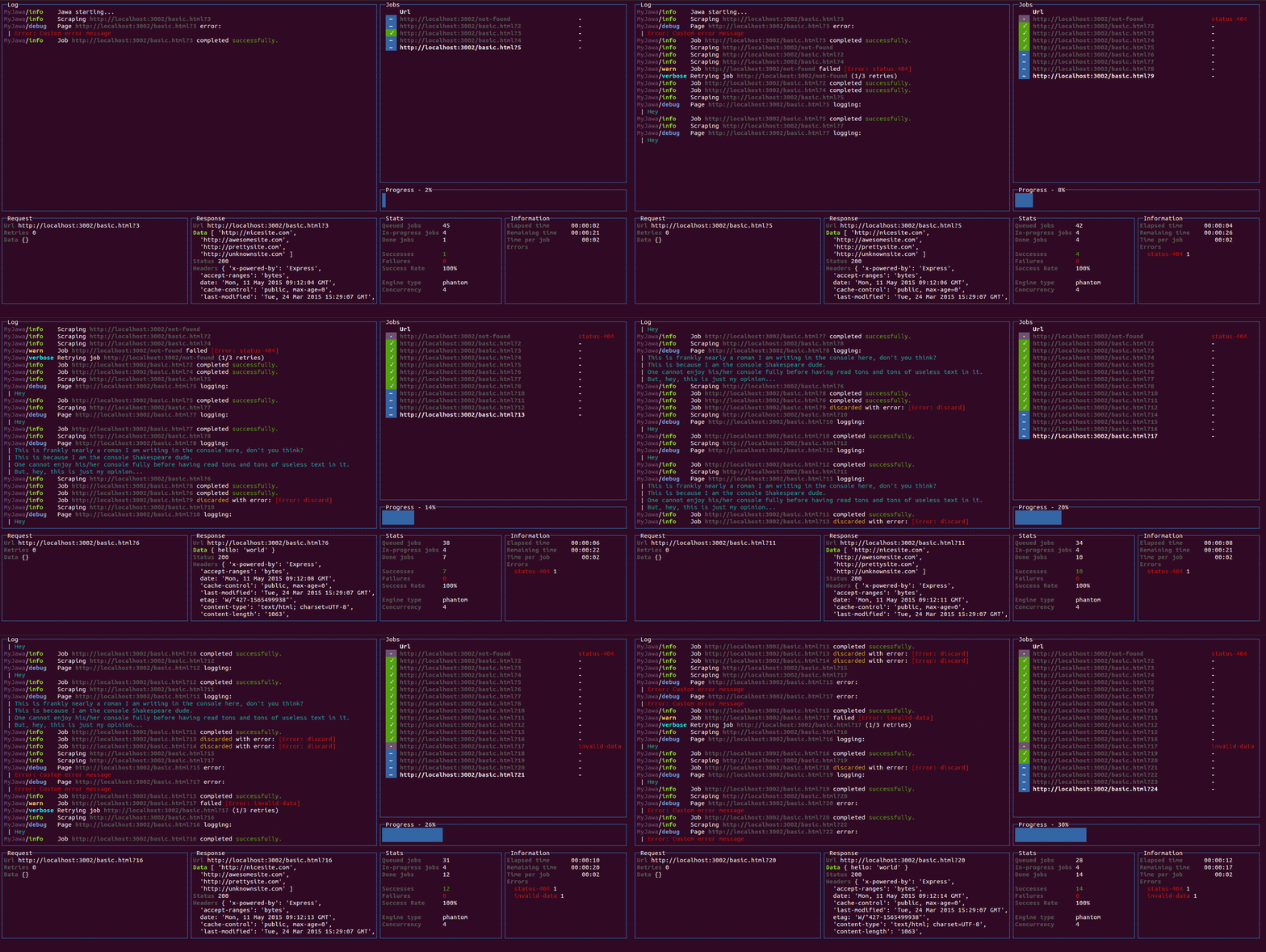
For a quick demo of what you could achieve with such a renderer you can clone this repository and check some of the examples:
git clone https://github.com/Yomguithereal/react-blessed
cd react-blessed
npm install

# To see which examples you can run:
npm run demo

# Then choose one to run:
npm run demo animation
Usage
Rendering a basic application
import React, {Component} from 'react';
import blessed from 'blessed';
import {render} from 'react-blessed';

// Rendering a simple centered box
class App extends Component {
  render() {
    return (
      <box top="center"
           left="center"
           width="50%"
           height="50%"
           border={{type: 'line'}}
           style={{border: {fg: 'blue'}}}>
        Hello World!
      </box>
    );
  }
}

// Creating our screen
const screen = blessed.screen({
  autoPadding: true,
  smartCSR: true,
  title: 'react-blessed hello world'
});

// Adding a way to quit the program
screen.key(['escape', 'q', 'C-c'], function(ch, key) {
  return process.exit(0);
});

// Rendering the React app using our screen
const component = render(<App />, screen);
Nodes & text nodes
Any of the blessed widgets can be rendered through react-blessed by using a lowercased tag title.
Text nodes, on the other hand, will be rendered by applying the setContent method with the given text on the parent node.
Refs
As with React's DOM renderer, react-blessed lets you handle the original blessed nodes, if you ever need them, through refs.
class CustomList extends Component {
  componentDidMount() {

    // Focus on the first box
    this.refs.first.focus();
  }

  render() {
    return (
      <element>
        <box ref="first">
          First box.
        </box>
        <box ref="second">
          Second box.
        </box>
      </element>
    );
  }
}
Events
Any blessed node event can be caught through a on-prefixed listener:
For convenience, react-blessed lets you handle classes looking like what react-native proposes.
Just pass object or an array of objects as the class of your components likewise:
// Let's say we want all our elements to have a fancy blue border
const stylesheet = {
  bordered: {
    border: {
      type: 'line'
    },
    style: {
      border: {
        fg: 'blue'
      }
    }
  }
};

class App extends Component {
  render() {
    return (
      <element>
        <box class={stylesheet.bordered}>
          First box.
        </box>
        <box class={stylesheet.bordered}>
          Second box.
        </box>
      </element>
    );
  }
}
You can of course combine classes (note that the given array of classes will be compacted):
// Let's say we want all our elements to have a fancy blue border
const stylesheet = {
  bordered: {
    border: {
      type: 'line'
    },
    style: {
      border: {
        fg: 'blue'
      }
    }
  },
  magentaBackground: {
    style: {
      bg: 'magenta'
    }
  }
};

class App extends Component {
  render() {

    // If this flag is false, then the class won't apply to the second box
    const backgroundForSecondBox = this.props.backgroundForSecondBox;

    return (
      <element>
        <box class={[stylesheet.bordered, stylesheet.magentaBackground]}>
          First box.
        </box>
        <box class={[
          stylesheet.bordered,
          backgroundForSecondBox && stylesheet.magentaBackground
        ]}>
          Second box.
        </box>
      </element>
    );
  }
}
Using blessed forks
Because blessed is not actively maintained in quite a while, you might want to use one of it's forks. To do that, import createBlessedRenderer function instead:
import React, {Component} from 'react';
import blessed from 'neo-blessed';
import {createBlessedRenderer} from 'react-blessed';

const render = createBlessedRenderer(blessed);
Using the devtools
react-blessed can be used along with React's own devtools for convenience. To do so, just install react-devtools in your project and all should work out of the box when running the Electron app, as soon as a react-blessed program is running on one of your shells.
Roadmap
Full support (meaning every tags and options should be handled by the renderer).
react-blessed-contrib to add some sugar over the blessed-contrib library (probably through full-fledged components).
How active is development on Yomguithereal/react-blessed?
The most recent commit recorded on Yomguithereal/react-blessed was 5.3 years ago, based on the GitHub push timestamp. The repository has 181 forks — one of the better signals of community interest.
How does Yomguithereal/react-blessed compare to other Developer Tools projects?
Yomguithereal/react-blessed is tracked by TopGit in the Developer Tools category, with 4.5k GitHub stars and written in JavaScript. Browse the Developer Tools topic page on TopGit to compare it against similar projects by stars and activity.
How many stars does Yomguithereal/react-blessed have?
Yomguithereal/react-blessed has 4.5k GitHub stars — refresh the page for the live number, or check github.com/Yomguithereal/react-blessed. TopGit mirrors GitHub's count but does not claim minute-by-minute accuracy.
Is Yomguithereal/react-blessed open source?
Yes — Yomguithereal/react-blessed ships under the MIT license, which makes its source code freely readable (and, depending on license terms, forkable and reusable). Source: github.com/Yomguithereal/react-blessed.
What is Yomguithereal/react-blessed?
Yomguithereal/react-blessed (Yomguithereal/react-blessed) is a JavaScript project on GitHub. From the project's own README: A react renderer for blessed.
Where do I read more about Yomguithereal/react-blessed?
This TopGit page is a snapshot — the READ ME tab shows the project's own README content (links stripped, images preserved). The GitHub repository at github.com/Yomguithereal/react-blessed is the definitive source.
Read full README in the tab above.
Curious whether react-blessed is right for you?
Let ChatGPT, Claude, or Perplexity look into it — click below and see what AI actually says about react-blessed.
 /react-blessed