Meetily: Privacy-First AI Meeting Assistant, 100% Local
 Zackriya-Solutions/meetily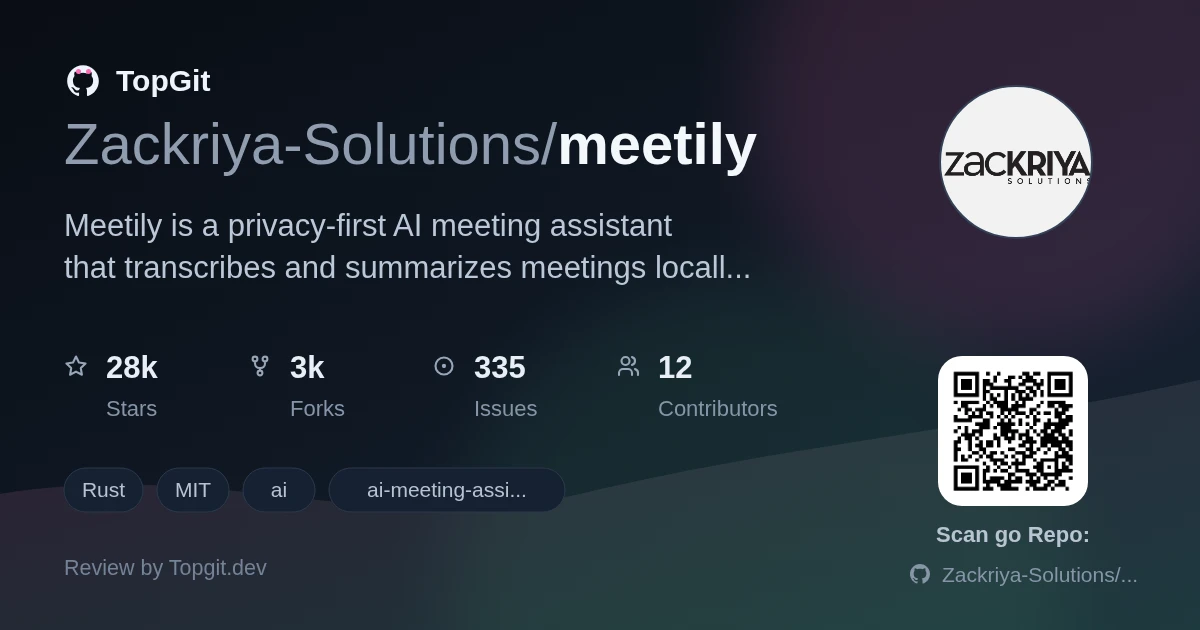
Reach for Meetily if you sit in sensitive calls and want transcripts and summaries that never leave your laptop — legal, healthcare, defense, or anyone under GDPR. Skip it if you need automatic speaker labels out of the box (the README puts diarization in the paid PRO tier), a hosted app with zero setup, or a native Linux installer, since Linux means building from source.
Cloud Meeting Notetakers Upload Your Audio
Cloud meeting-notes tools like Otter or Fireflies upload your audio to servers you don't control, which is a real compliance problem for anyone discussing patient data, legal matters, or contracts. Meetily exists so that the recording, the transcript, and the summary all stay on your device — you keep the meeting intelligence without shipping the conversation to a third party.
A Tauri App That Transcribes Entirely On-Device
Meetily is an open-source (MIT) privacy-first AI meeting assistant for macOS and Windows, built as a single Tauri app with a Rust backend and a Next.js frontend. It transcribes meetings on-device using Whisper.cpp or NVIDIA's Parakeet models, mixes microphone and system audio together, and produces summaries with a local Ollama model or a provider you plug in (Claude, Groq, OpenRouter, or any OpenAI-compatible endpoint). The repo has about 22.9k stars.
Whisper.cpp or Parakeet, Mic and System Audio Together
- ✓On-device transcription with Whisper.cpp or NVIDIA Parakeet — audio never leaves the machine
- ✓Captures microphone and system audio at once, with ducking and clipping prevention per the README
- ✓Summaries via a local Ollama model, or Claude, Groq, OpenRouter, or any OpenAI-compatible endpoint
- ✓Import & Enhance (beta): re-transcribe existing recordings with a different model or language
- ✓GPU acceleration — Metal/CoreML on Apple Silicon, CUDA or Vulkan on Windows and Linux, enabled at build time
- ✓Single self-contained Tauri app (Rust backend, Next.js UI) rather than a separate server to run
Positioned as the #1 Self-Hosted Meeting Notetaker
A self-hosted meeting notetaker that keeps audio off the cloud hits a nerve as more teams worry about where their call data ends up. Meetily leans hard into that: the README calls it the #1 self-hosted open-source meeting note taker for macOS and Windows, cites figures like a $4.4M average breach cost, and carries a Trendshift badge. At roughly 22.9k stars with a Rust-plus-Tauri build, it reads as a serious local-first alternative rather than a weekend project.
Legal, Healthcare, and GDPR-Bound Calls
- •Transcribing legal, healthcare, or client calls where audio can't be sent to a cloud vendor
- •Generating meeting summaries offline with a local Ollama model on your own hardware
- •Re-transcribing an old recording in a different language or with a more accurate model via Import & Enhance
- •Running a compliant notetaker under GDPR without vendor lock-in or unclear data storage
Installers for macOS and Windows
Windows: download the latest `x64-setup.exe` from the project's Releases page and run the installer. macOS: download the `.dmg` (e.g. `meetily_0.4.0_aarch64.dmg`), open it, and drag Meetily to Applications. Linux has no prebuilt installer — you build from source: ```bash git clone https://github.com/Zackriya-Solutions/meeting-minutes cd meeting-minutes/frontend pnpm install ./build-gpu.sh ``` Note that releases and build docs live under the related `Zackriya-Solutions/meeting-minutes` repository.
Recording, Transcribing, and Summarizing Locally
Launch the app, pick a transcription model (Whisper or Parakeet), and choose your microphone and system-audio devices. Meetily shows a live transcript as the meeting runs. When you're done, generate a summary using your configured provider — the README recommends local Ollama, with Claude, Groq, OpenRouter, or a custom OpenAI-compatible endpoint as options. To work with an existing recording, use the beta Import & Enhance flow to transcribe or re-transcribe it locally.
Audio That Never Leaves Your Machine
- ✓Recording, transcript, and summary all stay on-device — a genuine answer for privacy and compliance
- ✓Not tied to one LLM: local Ollama or your choice of Claude, Groq, OpenRouter, or an OpenAI-compatible endpoint
- ✓Prebuilt installers for macOS and Windows, so most users skip compiling anything
- ✓MIT-licensed and self-hostable, with no per-seat cloud subscription for the core features
Diarization Is Behind the Paid PRO Tier
- △Automatic speaker diarization isn't in the free Community edition — the README lists it as planned for the paid PRO tier, even though the repo's description and topics mention diarization
- △No native Linux installer; Linux users clone the repo and run a pnpm + build-gpu.sh build themselves
- △Local summaries need Ollama and a capable machine — quality and speed depend on your hardware and the model you pick
- △Several headline items (custom summary templates, PDF/DOCX exports, auto-join, calendar) are PRO or marked coming soon, not in the open-source build
- △Releases and much of the documentation live under a separate `meeting-minutes` repo, which is easy to trip over
Ollama, LocalAI, Whisper.cpp, Otter.ai
Who Actually Needs Meetily's Privacy Model
Meetily fits professionals and teams who record sensitive meetings and can't hand audio to a cloud service — legal, healthcare, consulting, and GDPR-bound orgs on macOS or Windows who are comfortable running a local model. It's a weaker fit if you need automatic speaker labels today, want a click-to-install Linux binary, or prefer a fully hosted product; for those, the paid Meetily PRO or a cloud tool like Otter may be closer.
Meetily Questions, Answered
Meetily is an open-source, privacy-first AI meeting assistant for macOS and Windows. It records, transcribes (with Whisper or Parakeet), and summarizes meetings entirely on your own device, with no cloud required by default.
Transcription runs on-device, and summaries can use a local Ollama model, so nothing has to leave your machine. If you choose to plug in Claude, Groq, or another remote provider for summaries, that specific step sends text to that provider.
Per the README, automatic speaker separation is planned for the paid PRO tier, not the free Community edition — despite the repo's topics mentioning diarization. Treat it as a PRO/roadmap feature, not something the open-source build ships today.
There's no prebuilt Linux installer. You clone the meeting-minutes repo, run pnpm install in the frontend folder, and build with ./build-gpu.sh. macOS and Windows have ready-made installers.