A look at zzzgydi/verge-browser: 28 stars on GitHub, written primarily in Python, tracked under the AI Tools category. A browser sandbox platform for agents.
Snapshot summary built from the project's own GitHub metadata — there's no written TopGit review yet. The page will update automatically when a full review is published.
WHY NO REVIEW YET
TopGit writes full reviews for the most-starred, most-requested repositories. This page is a snapshot until then — see the READ ME tab for the original README in full.
A browser sandbox platform for AI agents, combining CDP automation, GUI-level screenshots, shared files, and visual human handoff in one isolated runtime.
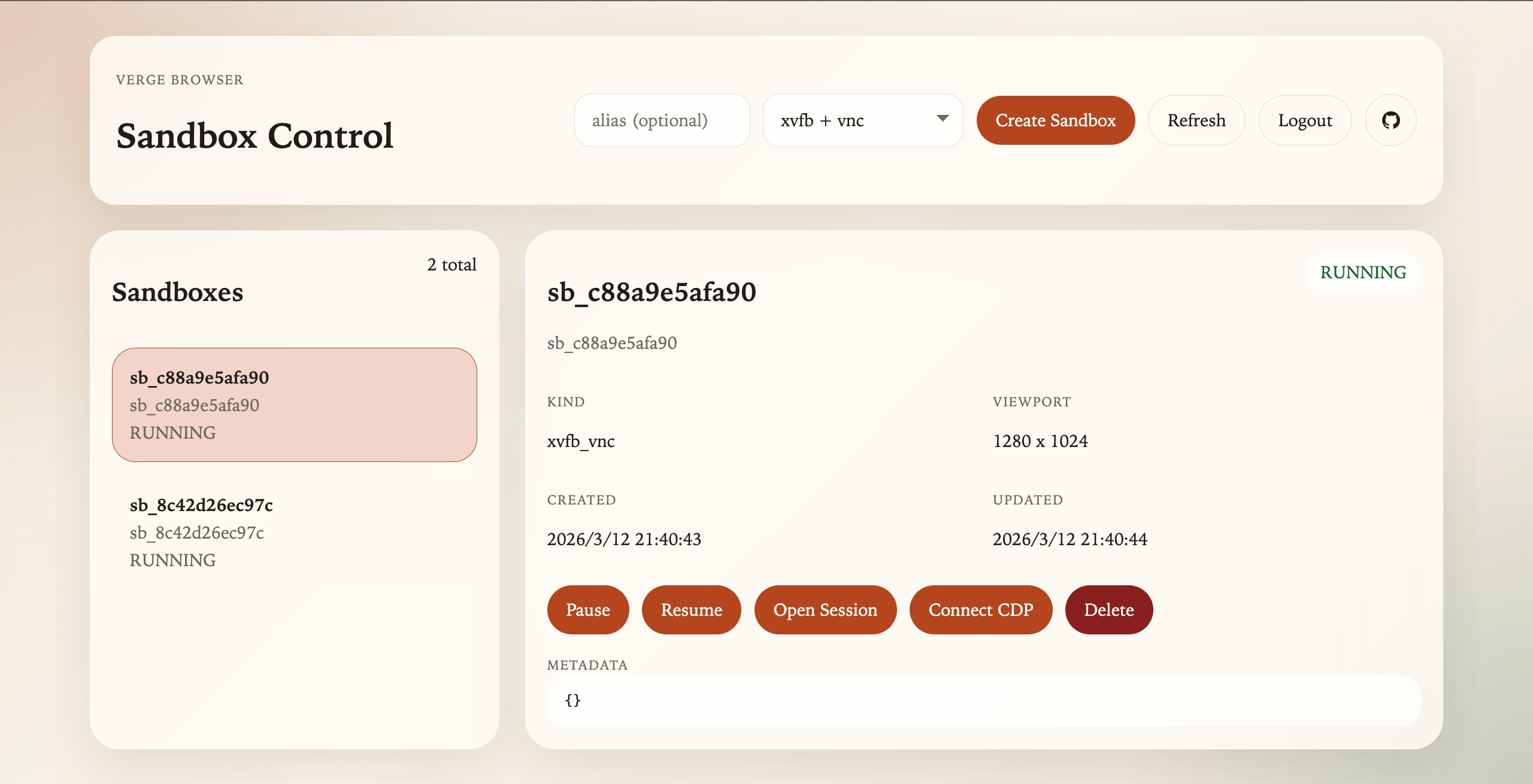
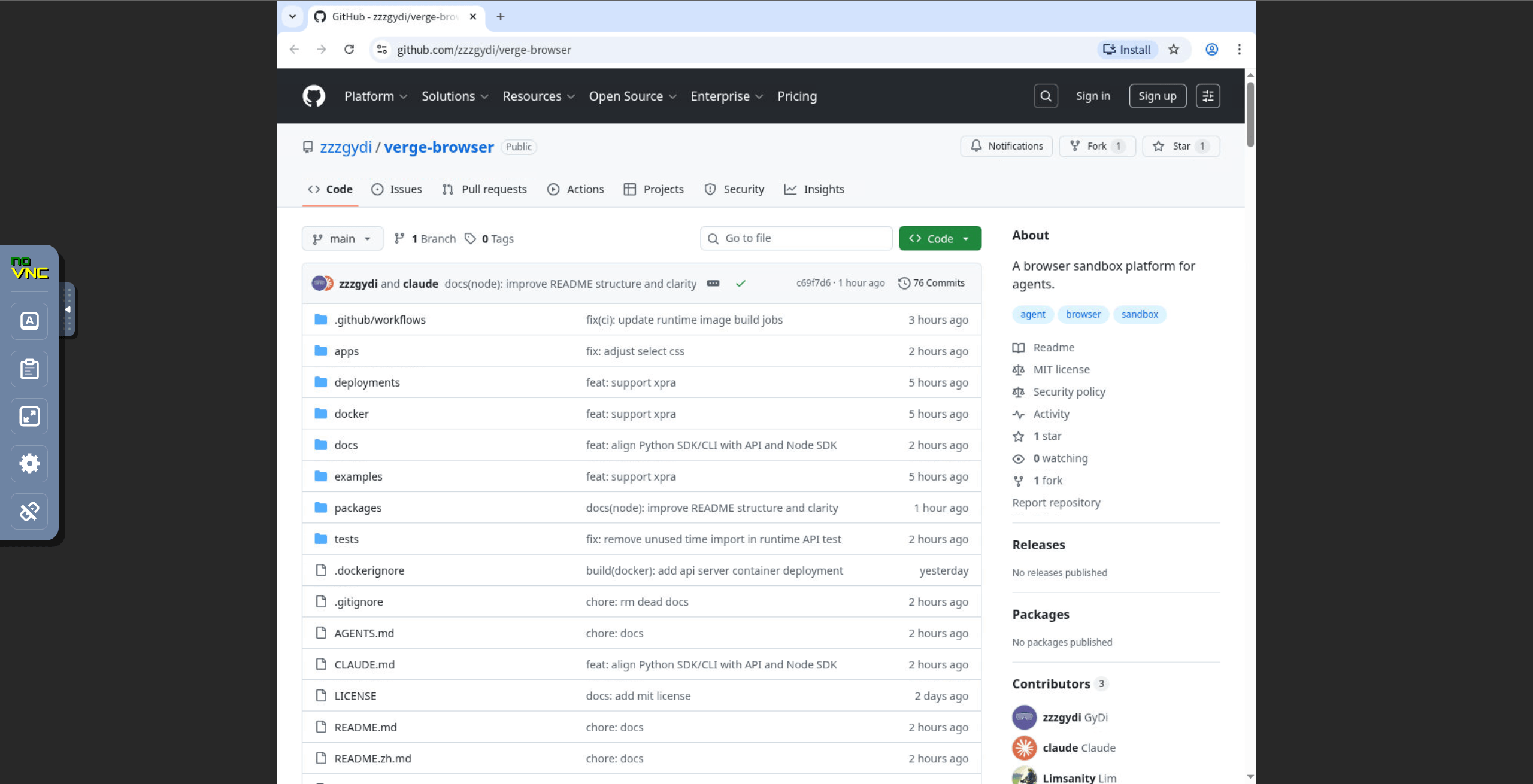
Sandbox Control | noVNC Session
Core Capabilities
Real GUI Chromium: not headless; supports multi-tabs, downloads, popups, and full browser behavior
CDP Automation: compatible with Playwright and Puppeteer through a WebSocket endpoint
GUI-Level Screenshots: capture the full browser window, not only page content
Human Handoff: unified session entry for both noVNC and Xpra
File Sharing: browser and APIs share /workspace for uploads, downloads, and artifacts
Why This Exists
Most browser automation systems focus on headless page control. That is not enough for agent workflows that need to combine:
browser automation through CDP
visual reasoning over the full browser window
human takeover when automation stalls
shared files inside the same environment
Verge Browser keeps browser, GUI, and files in one isolated sandbox so those workflows remain continuous instead of split across multiple tools.
Agent Skills
This repository now ships built-in skills for AI agents under skills/:
The API is available at http://127.0.0.1:8000, and the admin console is at http://127.0.0.1:8000/admin.
Option 3: Docker Deployment
Run the API server in Docker and let it manage runtime containers through the host Docker socket.
# Build runtime images
docker build -f docker/runtime-xvfb.Dockerfile -t verge-browser-runtime-xvfb:latest .
docker build -f docker/runtime-xpra.Dockerfile -t verge-browser-runtime-xpra:latest .
# Build API server image (also bundles the admin web)
docker build -f docker/api-server.Dockerfile -t verge-browser-api:latest .
# Create a directory for sandbox persistence
mkdir -p .local/sandboxes
# Set non-default auth secrets before exposing the service
export VERGE_ADMIN_AUTH_TOKEN="replace-with-a-long-random-token"
export VERGE_TICKET_SECRET="replace-with-a-long-random-ticket-secret"
# Run the API server container
docker run -d \
--name verge-api \
-p 8000:8000 \
-v /var/run/docker.sock:/var/run/docker.sock \
-v "$(pwd):$(pwd)" \
-e VERGE_SANDBOX_BASE_DIR="$(pwd)/.local/sandboxes" \
-e VERGE_ADMIN_AUTH_TOKEN="$VERGE_ADMIN_AUTH_TOKEN" \
-e VERGE_TICKET_SECRET="$VERGE_TICKET_SECRET" \
-w "$(pwd)" \
verge-browser-api:latest
Note: For Linux hosts requiring GPU acceleration, add the appropriate flag to the docker run command so the API container can detect the GPU device:
Intel / AMD: --device /dev/dri:/dev/dri
NVIDIA (requires nvidia-container-toolkit on the host): --gpus all
This mode expects the API container to see the same absolute project path as the host so it can mount sandbox workspaces into runtime containers correctly.
For a complete list of deployment env vars, see docs/env.md.
Basic Usage Examples
Install the CLI:
npm install -g verge-browser
Create a sandbox:
verge-browser sandbox create --alias test --width 1440 --height 900
Take a screenshot:
verge-browser browser screenshot test --output ./screenshot.png
Execute GUI actions:
verge-browser browser actions test --input ./actions.json
Get a human handoff URL:
verge-browser sandbox session test
For more commands, see docs/cli-sdk.md.
Development Guide
Admin Web Development
For admin UI development, run Vite separately:
pnpm --dir apps/admin-web dev
The dev server listens on http://127.0.0.1:5173.
Run Tests
Run the full unit suite:
PYTHONPATH=apps/api-server pytest
Run the expected local validation flow for runtime-backed changes:
docker compose -f deployments/docker-compose.yml down
docker compose -f deployments/docker-compose.yml down -v
Development Notes
The project targets Python 3.11+.
The API server is implemented with FastAPI.
WebSocket proxying is designed around CDP and session relay use cases.
File operations are constrained to the sandbox workspace root.
Containerized API deployment uses Docker-outside-of-Docker via /var/run/docker.sock.
The current implementation favors a practical MVP structure over premature multi-tenant orchestration.
API Reference
The current API follows the /sandbox/{sandbox_id}/... routing model.
Detailed endpoint documentation lives in docs/api.md.
SDK and CLI usage examples live in docs/cli-sdk.md.
Scope
Verge Browser focuses on browser control:
browser lifecycle: create, pause, resume, delete
browser automation via CDP
GUI screenshots and input actions
session-based human takeover with xvfb_vnc or xpra
file exchange through the sandbox workspace
Arbitrary command execution is intentionally excluded to keep the surface area minimal and the focus narrow.
Project Architecture
System Architecture
At a high level, the platform has two parts:
API server
Exposes REST and WebSocket endpoints for sandbox lifecycle, browser control, files, CDP proxying, and ticket-based session access.
Sandbox runtime
Runs Chromium, the desktop stack, and shared /workspace inside one isolated container.
Client / Agent / Human
        |
        v
+------------------------------+
| FastAPI Gateway / API Server |
| Auth + REST + WS + Tickets   |
+------------------------------+
        |
        v
+-----------------------------------------------+
| Sandbox Runtime Container                     |
| xvfb_vnc or xpra + Chromium + /workspace      |
+-----------------------------------------------+
Technical Notes
The platform is functional today for local development and single-node deployment.
The current codebase already includes:
runtime container boot with Chromium, Xvfb/Openbox or Xpra, and a CDP relay
sandbox creation through the API
persisted sandbox metadata with startup recovery into STOPPED
pause and resume lifecycle for reusing an existing workspace
real window screenshots
page screenshots through CDP
GUI action execution through xdotool
ticket-based session entry for noVNC and Xpra
workspace-scoped file list, read, write, upload, download, and delete operations
an admin web console built into static assets and served by the API at /admin
runtime Dockerfiles, supervisor configuration, startup scripts, and Docker-backed integration coverage
Current hardening work is focused on:
stronger Docker lifecycle management and health-driven state transitions
production-ready browser crash recovery and degraded-state handling
file and browser integration coverage
broader end-to-end and failure-mode coverage
Repository Layout
apps/
  api-server/         FastAPI application
  admin-web/          Vite + React admin console, built into API static assets
  runtime-xvfb/       Xvfb + VNC runtime assets
  runtime-xpra/       Xpra runtime assets
deployments/          Local deployment assets
docker/               Runtime and API container build files
tests/                Unit and integration tests
docs/                 Product, API, and technical docs
Runtime Images
The runtime images host:
Chromium
xdotool
supervisor
a small TCP relay so the platform can expose a stable CDP entrypoint even though Chromium itself listens on an internal debugging port
Mostly automation, with occasional human inspection: use xvfb_vnc
Frequent manual intervention or remote debugging: use xpra
License
The original source code in this repository is licensed under the MIT License. See LICENSE.
Built runtime artifacts may include third-party software under separate licenses. In particular, the runtime-xpra image installs Xpra, which is licensed under GPL v2 or later and remains subject to its own license terms.
See THIRD_PARTY_NOTICES.md and docs/open-source-compliance.md before distributing container images externally.
Does zzzgydi/verge-browser have a project website?
No homepage URL was recorded for zzzgydi/verge-browser in TopGit's last sync. The README tab above frequently contains screenshots and demo links, or check the repository description on GitHub.
How does zzzgydi/verge-browser compare to other AI Tools projects?
zzzgydi/verge-browser is tracked by TopGit in the AI Tools category, with 28 GitHub stars and written in Python. Browse the AI Tools topic page on TopGit to compare it against similar projects by stars and activity.
How many stars does zzzgydi/verge-browser have?
zzzgydi/verge-browser has 28 GitHub stars — refresh the page for the live number, or check github.com/zzzgydi/verge-browser. TopGit mirrors GitHub's count but does not claim minute-by-minute accuracy.
Is zzzgydi/verge-browser open source?
Yes — zzzgydi/verge-browser ships under the MIT license, which makes its source code freely readable (and, depending on license terms, forkable and reusable). Source: github.com/zzzgydi/verge-browser.
What else is in the AI Tools space?
zzzgydi/verge-browser is tracked by TopGit under the AI Tools category, alongside 3 GitHub-tagged topics. Trending and Topics pages list peer repositories of comparable stars and language.
What is zzzgydi/verge-browser?
zzzgydi/verge-browser (zzzgydi/verge-browser) is a Python project on GitHub. From the project's own README: A browser sandbox platform for agents.
Where do I read more about zzzgydi/verge-browser?
This TopGit page is a snapshot — the READ ME tab shows the project's own README content (links stripped, images preserved). The GitHub repository at github.com/zzzgydi/verge-browser is the definitive source.
Read full README in the tab above.
Is verge-browser worth your time?
ChatGPT, Claude and Perplexity can all read this page. Ask one of them what it makes of verge-browser.
 /verge-browser