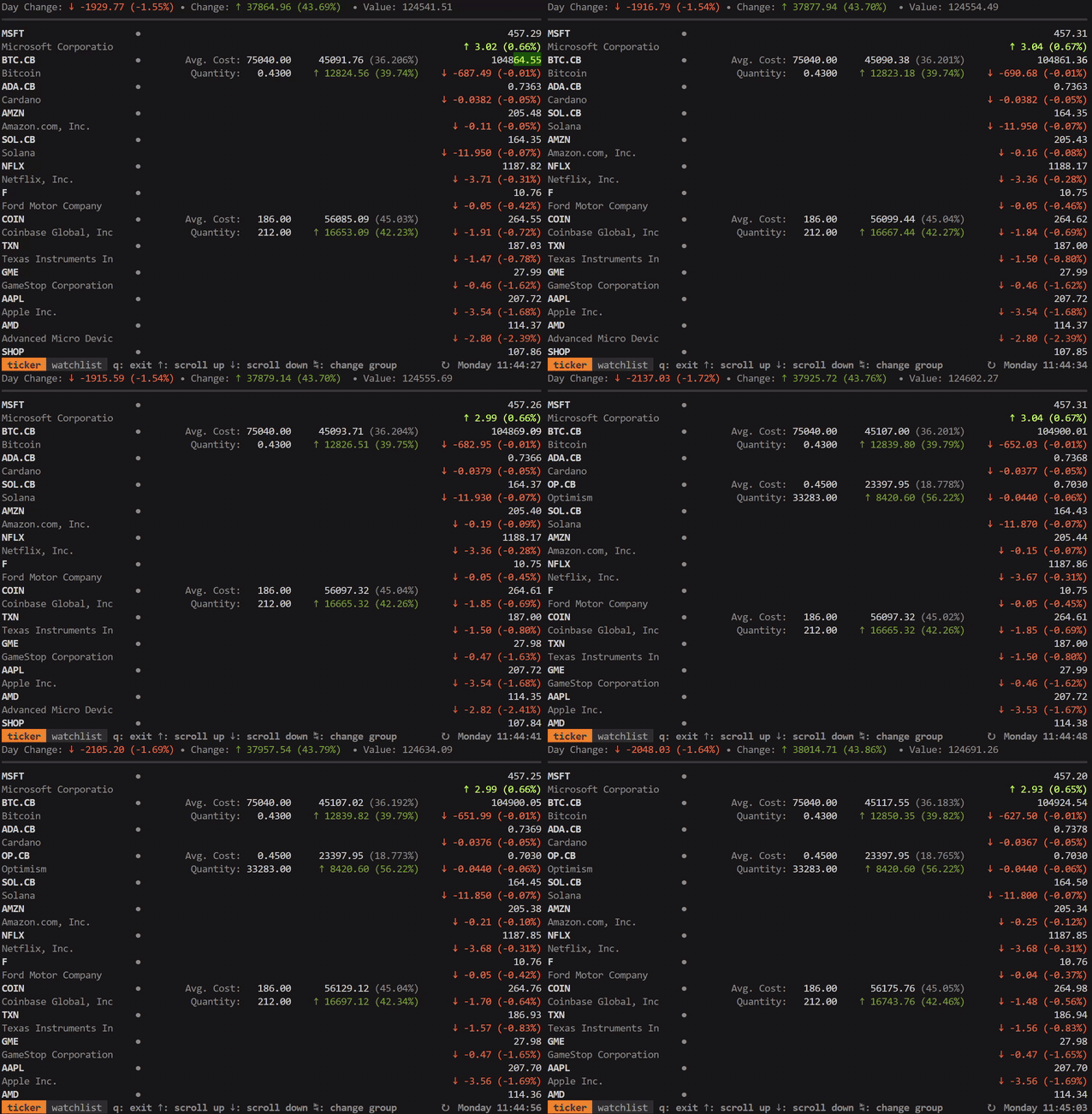
achannarasappa/ticker — dự án backend — đang có 6.3k sao GitHub trong nhóm Backend. Track stocks, crypto, and derivatives prices and positions in real time from your terminal
Tóm tắt dựng từ metadata GitHub của chính dự án — chưa có bài review TopGit. Trang sẽ tự động cập nhật khi bài review đầy đủ được xuất bản.
VÌ SAO CHƯA CÓ REVIEW
TopGit viết bài đầy đủ cho repo có nhiều sao nhất và được yêu cầu nhiều nhất. Trang này là snapshot trong thời gian chờ — xem README gốc ở tab READ ME.
Note: config file will need to be set with --config $HOME/ticker.yaml since Snap does not allow access to dotfiles
Third-party repositories
These repositories are maintained by a third-party and may not have the latest versions available
MacPorts
sudo port selfupdate
sudo port install ticker
Quick Start
ticker -w NET,AAPL,TSLA
Usage
Option Name
Alias
Flag
Default
Description
--config
~/.ticker.yaml
config file location with watchlist and positions
interval
-i
--interval
5
Refresh interval in seconds
watchlist
-w
--watchlist
comma separated list of symbols to watch
show-tags
--show-tags
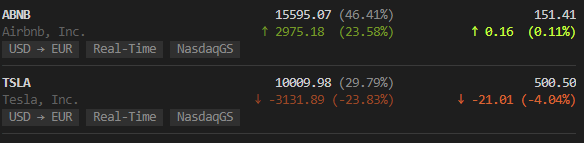
display currency, exchange name, and quote delay for each quote
show-fundamentals
--show-fundamentals
display open price, previous close, and day range
show-separator
--show-separator
layout with separators between each quote
show-summary
--show-summary
show total day change, total value, and total value change
show-positions
--show-positions
show positions including weight, average cost, and quantity
sort
--sort
sort quotes on the UI - options are change percent (default), alpha, value, and user
version
--version
print the current version number
cache
--no-cache
true
cache data retrieved at startup
debug
--debug
enable debug logging to ./ticker-log-<date>.log
Configuration
Configuration is not required to watch stock price but is helpful when always watching the same stocks. Configuration can also be used to set cost basis lots which will in turn be used to show total gain or loss on any position.
Symbols not on the watchlist that exists in lots are implicitly added to the watchlist
To add multiple cost basis lots (quantity, unit_cost) for the same symbol, include two or more entries - see ARKW example above
.ticker.yaml can be set in user home directory, the current directory, or XDG config home
Quantities can be negative to represent closed positions (position netting), short positions, borrowed assets, and other concepts
Display Options
With --show-summary, --show-tags, --show-fundamentals, --show-positions, and --show-separator options set, the layout and information displayed expands:
Sorting
It's possible to set a custom sort order with the --sort flag or sort: config option with these options:
Default - change percent with closed markets at the end
alpha to sort alphabetically by symbol
value to sort by position value
user to sort by the order defined in configuration with positions on first then watched symbols
Groups
Watchlists and lots can be grouped in .ticker.yml under the groups property. While running ticker, press TAB to cycle forward through groups or SHIFT+TAB to cycle backward.
If top level watchlist or lots properties are defined in the configuration file, the entries there will be added to a group named default which will always be shown first
Ordering is defined by order in the configuration file
Data Sources & Symbols
ticker pulls market data from a few different sources with Yahoo Finance as the default. Symbols for non default data sources follow the format <symbol>.<source> where <symbol> is the canonical symbol within that data source and <source> is the data source specifier. Below is a list of the supported data sources and their specifiers:
none - symbols with no suffix will default to Yahoo Finance as the data source
.X - symbols with this suffix are shorthand symbols that are specific to ticker and intended to provide more concise and familiar symbols for popular assets (e.g. using SOL.X rather than SOLANA.CG)
The full list of ticker symbols can be found here. Initial values are populated with the top cryptocurrencies by volume on Coinbase at the time of update
.CB - symbols with this suffix will use Coinbase as the data source. The symbol can be found by searching for the asset on Coinbase and finding the symbol for the asset. (e.g. for Starknet check the market page to find the symbol STRK and set the symbol to STRK.CB in ticker).
Note: Coincap (.CC) and CoinGecko (.CG) are no longer supported after v5.0.0
Currency Conversion
ticker supports converting from the exchange's currency to a local currency. This can be set by setting the currency property in .ticker.yaml to a ISO 4217 3-digit currency code.
When a currency is defined, all values are converted including summary, quote, and position
Add cost basis lots in the currency of the exchange - these will be converted automatically when currency is defined
If a currency is not set (default behavior) and the show-summary option is enabled, the summary will be calculated in USD regardless of the exchange currency to avoid mixing currencies
Currencies are retrieved only once at start time - currency exchange rates do fluctuate over time and thus converted values may vary depending on when ticker is started
If the currency-summary-only is set to true and a value is set for currency, only the summary values will be converted
If currency-disable-unit-cost-conversion flag to true, currency conversion will not be done when calculating the cost basis. This can be useful for users that purchase a non-US asset and want to use the currency exchange rate at the time of purchase by inputting the unit cost in their local currency (set in currency) rather than using the most recent currency exchange rate.
Minor currencies
ticker supports quotes returned in a currency's minor unit rather than its major unit (e.g. London Stock Exchange listings quoted in pence as GBp instead of pounds as GBP). Minor unit conversion to major unit behavior can be controlled similarly to the currency conversion feature.
These are the behaviors for a minor unit quote:
No currency set (or currency-summary-only: true) - per-position values, quote price, and the cost basis are all displayed in the minor unit and cost basis should be set in the minor unit
currency is set - all displayed values are converted to the major unit. Cost basis should still be entered in the minor unit
currency is set with currency-disable-unit-cost-conversion - displayed values are converted to the major unit and cost basis should be set in the major unit
Cache
ticker caches reference data to single local file shared between sessions and instances of ticker to speed up startup. The cache can be disabled with --no-cache flag or cache: false in .ticker.yaml.
Custom Color Schemes
ticker supports setting custom color schemes from the config file. Colors are represented by a hex triplet. Below is an annotated example config block from .ticker.yaml where custom colors are set:
Terminals supporting TrueColor will be able to represent the full color space and in other cases colors will be down sampled
Any omitted or invalid colors will revert to default color scheme values
Printing Positions
ticker supports printing positions to the terminal as text by using ticker print. Output defaults to JSON but CSV output can also be generated by passing the --format=csv flag.
Ensure there is at least one lot in the configuration file in order to generate output
A specific config file can be specified with the --config flag
Notes
Market data delay
Yahoo Finance - Market data pulled from Yahoo finance will have some lag (<~30s) introduced by intermediary systems and certain exchanges will impose intentional delays on data. NYSE and NASDAQ offer real-time market data but other exchanges may not. Consult the help article on exchange delays to determine which exchanges you can expect delays for or use the --show-tags flag to include timeliness of data alongside quotes in ticker. Yahoo Finance also relies on polling which introduces some delay (>=5s). interval determines the polling frequency.
Coinbase - Market data for spot assets on Coinbase is directly streamed from the exchange through a WebSocket connection and is available in near real-time. Derivatives assets (i.e. symbols with -CDE suffix) are polling based however Basis is updated in near real-time based on spot market data changes
Non-US Symbols, Forex, ETFs - The names for there may differ from their common name/symbols. Try searching the native name in Yahoo finance to determine the symbol to use in ticker
Terminal fonts - Font with support for the HORIZONTAL LINE SEPARATOR unicode character is required to properly render separators (--show-separator option)
Integrations
alpaca-ticker-config - Pull alpaca.markets positions into .ticker.yaml from the command line
Development
Running tests:
go tool ginkgo -cover ./...
Linting:
go tool golangci-lint run
Libraries ticker uses
bubbletea - terminal UI framework
termenv - color and styling for the terminal
term-grid - grid layout library terminal UIs
Related Tools
tickrs - real-time terminal stock ticker with support for graphing, options, and other analysis information
achannarasappa/ticker có 6.3k sao GitHub — tải lại trang để xem số mới nhất, hoặc xem trực tiếp github.com/achannarasappa/ticker. TopGit phản chiếu số sao của GitHub nhưng không cam kết đến từng phút.
Commit gần nhất trên achannarasappa/ticker là 4 tháng trước (theo timestamp GitHub). Repo có 346 fork — một chỉ báo về mức độ quan tâm của cộng đồng.
achannarasappa/ticker viết bằng ngôn ngữ gì?
achannarasappa/ticker chủ yếu viết bằng Go. Trường "language" của GitHub dựa trên phần lớn byte ở nhánh mặc định.
Cùng nhóm Backend còn repo nào?
achannarasappa/ticker thuộc nhóm Backend trên TopGit, cùng 17 topic GitHub. Trang Trending và Topics liệt kê các repo cùng số sao và cùng ngôn ngữ để so sánh.
Đọc thêm về achannarasappa/ticker ở đâu?
Trang TopGit này là một snapshot — tab "Readme" hiển thị nguyên văn README của repo (đã bỏ link, giữ ảnh). Repo GitHub ở github.com/achannarasappa/ticker là nguồn chính thức.
Vì sao achannarasappa/ticker được xếp vào nhóm Backend?
TopGit xếp achannarasappa/ticker vào nhóm Backend dựa trên GitHub topics và mô tả của repo (gắn thẻ: "bitcoin", "crypto-trading", "cryptocurrencies"). Việc phân loại dựa trên metadata thật của repo, không phải đoán theo cảm tính biên tập.
Đọc đầy đủ README ở tab phía trên.
Chưa chắc ticker có hợp với bạn?
Để ChatGPT, Claude hoặc Perplexity tìm hiểu giúp — bấm bên dưới và xem AI nói gì về ticker.

 /ticker