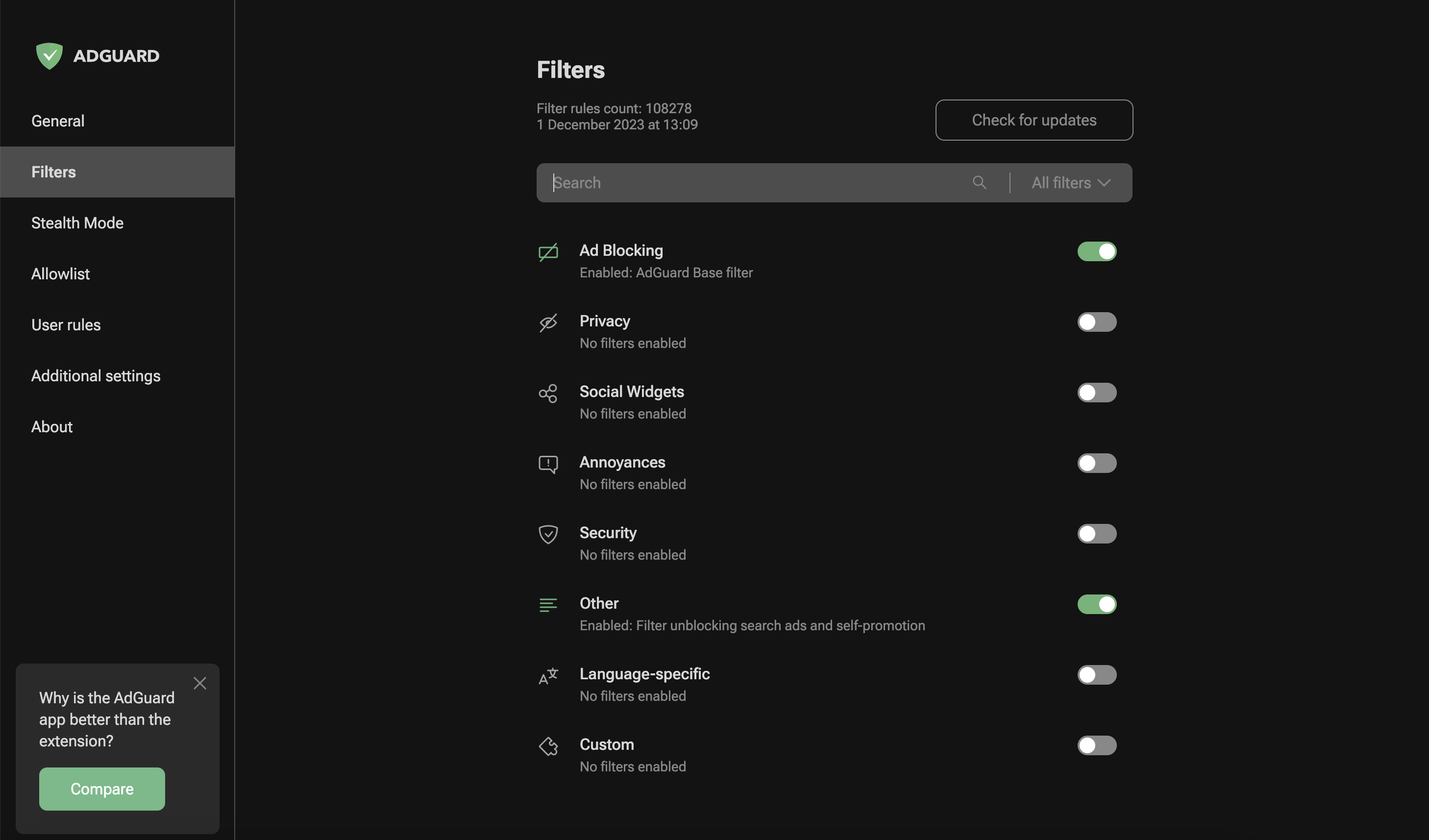
Điểm qua AdguardTeam/AdguardBrowserExtension: 4.3k sao trên GitHub, viết chủ yếu bằng TypeScript, thuộc nhóm Frontend. AdGuard browser extension
Tóm tắt dựng từ metadata GitHub của chính dự án — chưa có bài review TopGit. Trang sẽ tự động cập nhật khi bài review đầy đủ được xuất bản.
VÌ SAO CHƯA CÓ REVIEW
TopGit viết bài đầy đủ cho repo có nhiều sao nhất và được yêu cầu nhiều nhất. Trang này là snapshot trong thời gian chờ — xem README gốc ở tab READ ME.
Ad blocker with advanced privacy protection features
AdGuard is a fast and lightweight ad blocking browser extension that effectively blocks all types of ads and trackers.
AdGuard.com |
Reddit |
Twitter |
Telegram
AdGuard is a fast and lightweight ad blocking browser extension that effectively blocks all types of ads and trackers on all web pages. We focus on advanced privacy protection features to not just block known trackers, but prevent web sites from building your shadow profile. Unlike its standalone counterparts (AG for Windows, Mac), the browser extension is completely free and open source. You can learn more about the difference here.
AdGuard does not collect any information about you, and does not participate in any acceptable ads program. The only source of income we have is selling premium versions of our software, and we intend to keep it that way.
Installation
Chrome and Chromium-based browsers
Firefox
Opera
Microsoft Edge
Contribution
Translating AdGuard
Testing AdGuard
Reporting issues
Other options
Development
Deployment
Getting Started
Permissions
Auto-publish builds
Versioning Schema
Minimum supported browser versions
Documentation
Installation
Chrome and Chromium-based browsers
Install from the Chrome Web Store.
Firefox
Install from the Mozilla Add-ons website.
Opera
Install from the Opera Add-ons store.
Microsoft Edge
Install from the Microsoft Store.
Contribution
We are blessed to have a community that does not only love AdGuard, but also
gives back. A lot of people volunteer in various ways to make other users'
experience with AdGuard better, and you can join them!
We, on our part, can only be happy to reward the most active members of the
community. So, what can you do?
Translating AdGuard
If you want to help with AdGuard translations, please learn more about
translating our products here: https://adguard.com/kb/miscellaneous/contribute/translate/program/
Testing AdGuard
You can get a beta version of AdGuard Browser Extension for any browser.
All necessary information on this topic can be found on a
dedicated page on our website.
Reporting issues
GitHub can be used to report a bug or to submit a feature request. To do so, go
to this page
and click the New issue button.
[!NOTE]
For the filter-related issues (missed ads, false positives etc.) use
the dedicated repository.
Other options
Here is a dedicated page for those who
are willing to contribute.
Getting Started
After installing the extension from your browser's store:
Click the AdGuard icon in the browser toolbar to open the popup. Ad blocking is enabled by default with a recommended set of filter lists.
Toggle protection on or off for the current website using the main switch in the popup.
Open settings by clicking the gear icon in the popup to access the full options page.
Use the Assistant — click the AdGuard icon, then select "Block an element on this page" to visually pick and block unwanted page elements.
The extension works out of the box with sensible defaults.
Permissions required
Common permissions for all browsers and manifest versions
tabs - required to get the URL of the options page tab
webRequest - required to apply cosmetic rules, detect and remove tracking cookies, and count blocked resources
cookies - required to delete cookies from requests or change their lifetime
contextMenus - required to create a context menu
storage - required to save user settings, user rules, and custom filters
unlimitedStorage - required to save large filter lists
webNavigation - required to catch the moment for injecting scriptlets
privacy - allows access to browser privacy settings; required in Firefox, optional in Chrome/Edge/Opera
Permissions for MV2 only
<all_urls> - grants access to all websites to apply content scripts and filtering rules
webRequestBlocking - required to block or modify HTTP requests synchronously
Permissions for MV3 only
host_permissions - grants access to all websites (MV3 uses this instead of <all_urls>)
userScripts - required to let the user subscribe to custom filter lists and evaluate rules from these lists
scripting - required to inject the assistant script into pages
declarativeNetRequest - required to block, redirect, and modify URL requests
declarativeNetRequestFeedback - required to create a log of the blocked, redirected, or modified URL requests
Auto-publish builds
Due to the transition from MV2 to MV3, we cannot update our filters remotely. To keep the filters as fresh as possible, we have configured automated tasks in our CI plans. These tasks will build a new version of the extension with only the updated @adguard/dnr-rulesets package, which contains new static rulesets.
Auto-update cycle
We have set up an automated update cycle that regularly syncs with fresh releases from the @adguard/dnr-rulesets npm package. The update frequency is configured in our CI build schedule. This ensures our extension stays up-to-date with the latest filter rules.
To deploy new releases as soon as possible, we have implemented all the steps outlined in Chrome's Skip Review documentation. This allows us to publish updates to the Chrome Web Store without waiting for the full review cycle.
Skip review restrictions
However, there is an important restriction when using the "skip review" option: we cannot update the extension with skip review if it contains changes to filtering script rules. This is because all script rules are collected during build time into a file called local_script_rules.js (for safe use them with the scripting API).
Therefore, any updates that include changes to script rules will require the full review cycle in the Chrome Web Store as usual.
Build process
These automated tasks will run all necessary checks: unit tests, translation checks, and linter. After that, they will update resources, including filters and local script rules, create a build, and run integration tests to ensure the update is safe.
Finally, the new version of the extension will be published to the Chrome Web Store.
Versioning Schema
The extension uses the following versioning schema:
major.minor.patch: Standard semantic versioning for the extension codebase.
autoBuildIncrementVersion: An incrementing number used as the fourth part of the manifest version (e.g., 88 in 5.2.1.88).
buildTag: A delimiter indicating the build's readiness.
dnrRulesetsVersion: The patch version of the DNR rulesets, which includes the build date for those rulesets.
Example: 5.2.1+88.beta.20251014
But for build versions we will use following format: major.minor.patch.autoBuildIncrementVersion to comply with the browser requirements for version.
Minimum supported browser versions
The extension supports both Manifest V2 (MV2) and Manifest V3 (MV3) platforms. MV3 is the newer extension platform required by Chrome and other Chromium-based browsers going forward.
Browser
Version
Chromium-based browsers MV2
✅ 106
Chromium-based browsers MV3
✅ 121
Firefox
✅ 78
Firefox Mobile
✅ 113
Opera
✅ 67
Opera MV3
✅ 107
Edge Chromium
✅ 80
Edge Legacy
❌
Documentation
Development — development setup and build instructions
Changelog — version history
LLM agent rules — guidance for AI coding assistants
AdguardTeam/AdguardBrowserExtension có bao nhiêu sao?
AdguardTeam/AdguardBrowserExtension có 4.3k sao GitHub — tải lại trang để xem số mới nhất, hoặc xem trực tiếp github.com/AdguardTeam/AdguardBrowserExtension. TopGit phản chiếu số sao của GitHub nhưng không cam kết đến từng phút.
AdguardTeam/AdguardBrowserExtension có những chủ đề gì?
GitHub topics của AdguardTeam/AdguardBrowserExtension: "adblock", "adguard", "chrome", "firefox", "javascript", "open-source", "privacy". TopGit xếp repo vào nhóm Frontend.
AdguardTeam/AdguardBrowserExtension có trang demo không?
Dự án có trang chủ ở https://adguard.com/. Tab "Readme" ở trang này thường có ảnh chụp và hướng dẫn bắt đầu nhanh.
AdguardTeam/AdguardBrowserExtension còn đang phát triển không?
Commit gần nhất trên AdguardTeam/AdguardBrowserExtension là 17 ngày trước (theo timestamp GitHub). Repo có 442 fork — một chỉ báo về mức độ quan tâm của cộng đồng.
AdguardTeam/AdguardBrowserExtension dùng license gì?
AdguardTeam/AdguardBrowserExtension phát hành theo license GPL-3.0. Nên mở file LICENSE trên GitHub để xác nhận — license metadata đôi khi lệch với thực tế dự án.
AdguardTeam/AdguardBrowserExtension viết bằng ngôn ngữ gì?
AdguardTeam/AdguardBrowserExtension chủ yếu viết bằng TypeScript. Trường "language" của GitHub dựa trên phần lớn byte ở nhánh mặc định.
Đọc thêm về AdguardTeam/AdguardBrowserExtension ở đâu?
Trang TopGit này là một snapshot — tab "Readme" hiển thị nguyên văn README của repo (đã bỏ link, giữ ảnh). Repo GitHub ở github.com/AdguardTeam/AdguardBrowserExtension là nguồn chính thức.
Đọc đầy đủ README ở tab phía trên.
Chưa chắc AdguardBrowserExtension có hợp với bạn?
Để ChatGPT, Claude hoặc Perplexity tìm hiểu giúp — bấm bên dưới và xem AI nói gì về AdguardBrowserExtension.
 /AdguardBrowserExtension