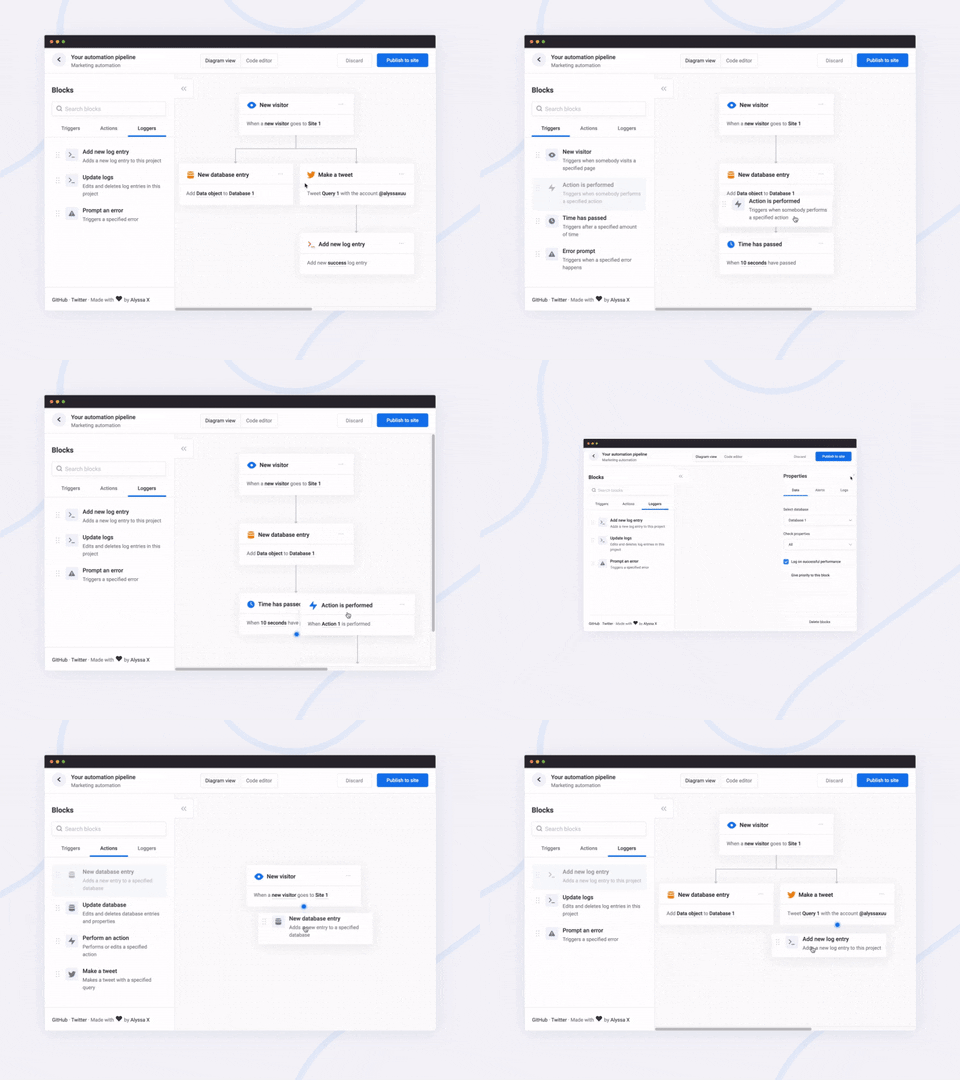
Snapshot của alyssaxuu/flowy: 12.1k★ · JavaScript · Frontend. The minimal javascript library to create flowcharts ✨
Tóm tắt dựng từ metadata GitHub của chính dự án — chưa có bài review TopGit. Trang sẽ tự động cập nhật khi bài review đầy đủ được xuất bản.
VÌ SAO CHƯA CÓ REVIEW
TopGit viết bài đầy đủ cho repo có nhiều sao nhất và được yêu cầu nhiều nhất. Trang này là snapshot trong thời gian chờ — xem README gốc ở tab READ ME.
A javascript library to create pretty flowcharts with ease ✨
Dribbble | Twitter | Live demo
Flowy makes creating WebApps with flowchart functionality an incredibly simple task. Build automation software, mind mapping tools, or simple programming platforms in minutes by implementing the library into your project.
You can support this project (and many others) through GitHub Sponsors! ❤️
Made by Alyssa X
Table of contents
Features
Installation
Running Flowy
Initialization
Example
Callbacks
On grab
On release
On snap
On rearrange
Methods
Get the flowchart data
Import the flowchart data
Delete all blocks
Features
Currently, Flowy supports the following:
Responsive drag and drop
Automatic snapping
Automatic scrolling
Block rearrangement
Delete blocks
Automatic block centering
Conditional snapping
Conditional block removal
Import saved files
Mobile support
Vanilla javascript (no dependencies)
npm install
You can suggest new features here
Installation
Adding Flowy to your WebApp is incredibly simple:
Link flowy.min.js and flowy.min.css to your project. Through jsDelivr:
Function that gets triggered when a block is dragged
onrelease
function (optional)
Function that gets triggered when a block is released
onsnap
function (optional)
Function that gets triggered when a block snaps with another one
onrearrange
function (optional)
Function that gets triggered when blocks are rearranged
spacing_x
integer (optional)
Horizontal spacing between blocks (default 20px)
spacing_y
integer (optional)
Vertical spacing between blocks (default 80px)
To define the blocks that can be dragged, you need to add the class .create-flowy
Example
HTML
<div class="create-flowy">The block to be dragged</div>
<div id="canvas"></div>
Javascript
var spacing_x = 40;
var spacing_y = 100;
// Initialize Flowy
flowy(document.getElementById("canvas"), onGrab, onRelease, onSnap, onRearrange, spacing_x, spacing_y);
function onGrab(block){
	// When the user grabs a block
}
function onRelease(){
	// When the user releases a block
}
function onSnap(block, first, parent){
	// When a block snaps with another one
}
function onRearrange(block, parent){
	// When a block is rearranged
}
Callbacks
In order to use callbacks, you need to add the functions when initializing Flowy, as explained before.
On grab
function onGrab(block){
	// When the user grabs a block
}
Gets triggered when a user grabs a block with the class create-flowy
Parameter
Type
Description
block
javascript DOM element
The block that has been grabbed
On release
function onRelease(){
	// When the user lets go of a block
}
Gets triggered when a user lets go of a block, regardless of whether it attaches or even gets released in the canvas.
On snap
function onSnap(block, first, parent){
	// When a block can attach to a parent
	return true;
}
Gets triggered when a block can attach to another parent block. You can either prevent the attachment, or allow it by using return true;
Parameter
Type
Description
block
javascript DOM element
The block that has been grabbed
first
boolean
If true, the block that has been dragged is the first one in the canvas
parent
javascript DOM element
The parent the block can attach to
On rearrange
function onRearrange(block, parent){
	// When a block is rearranged
	return true;
}
Gets triggered when blocks are rearranged and are dropped anywhere in the canvas, without a parent to attach to. You can either allow the blocks to be deleted, or prevent it and thus have them re-attach to their previous parent using return true;
Parameter
Type
Description
block
javascript DOM element
The block that has been grabbed
parent
javascript DOM element
The parent the block can attach to
Methods
Get the flowchart data
// As an object
flowy.output();
// As a JSON string
JSON.stringify(flowy.output());
The JSON object that gets outputted looks like this:
Contains the block array generated by the library (for import purposes)
blocks
array
Contains the readable block array
id
integer
Unique value that identifies a block
parent
integer
The id of the parent a block is attached to (-1 means the block has no parent)
data
array of objects
An array of all the inputs within a certain block
name
string
The name attribute of the input
value
string
The value attribute of the input
attr
array of objects
Contains all the data attributes of a certain block
Import the flowchart data
flowy.import(output)
Allows you to import entire flowcharts initially exported using the previous method, flowy.output()
Parameter
Type
Description
output
javascript DOM element
The data from flowy.output()
Warning
This method accepts raw HTML and does not sanitize it, therefore this method is vulnerable to XSS. The only safe use for this method is when the input is absolutely trusted, if the input is not to be trusted the use this method can introduce a vulnerability in your system.
Delete all blocks
To remove all blocks at once use:
flowy.deleteBlocks()
Currently there is no method to individually remove blocks. The only way to go about it is by splitting branches manually.
Feel free to reach out to me through email at [email protected] or on Twitter if you have any questions or feedback! Hope you find this useful 💜
alyssaxuu/flowy có 12.1k sao GitHub — tải lại trang để xem số mới nhất, hoặc xem trực tiếp github.com/alyssaxuu/flowy. TopGit phản chiếu số sao của GitHub nhưng không cam kết đến từng phút.
alyssaxuu/flowy có những chủ đề gì?
GitHub topics của alyssaxuu/flowy: "diagrams", "drag-and-drop", "engine", "flowchart", "javascript", "javascript-library", "marketing", "marketing-automation", "minimal", "zapier". TopGit xếp repo vào nhóm Frontend.
alyssaxuu/flowy có website riêng không?
TopGit chưa ghi nhận URL trang chủ cho alyssaxuu/flowy. Phần README ở tab phía trên thường có link demo, hoặc xem mô tả GitHub của repo.
alyssaxuu/flowy còn đang phát triển không?
Commit gần nhất trên alyssaxuu/flowy là 2.1 năm trước (theo timestamp GitHub). Repo có 1.0k fork — một chỉ báo về mức độ quan tâm của cộng đồng.
alyssaxuu/flowy dùng license gì?
alyssaxuu/flowy phát hành theo license MIT. Nên mở file LICENSE trên GitHub để xác nhận — license metadata đôi khi lệch với thực tế dự án.
alyssaxuu/flowy viết bằng ngôn ngữ gì?
alyssaxuu/flowy chủ yếu viết bằng JavaScript. Trường "language" của GitHub dựa trên phần lớn byte ở nhánh mặc định.
Đọc thêm về alyssaxuu/flowy ở đâu?
Trang TopGit này là một snapshot — tab "Readme" hiển thị nguyên văn README của repo (đã bỏ link, giữ ảnh). Repo GitHub ở github.com/alyssaxuu/flowy là nguồn chính thức.
Đọc đầy đủ README ở tab phía trên.
Chưa chắc flowy có hợp với bạn?
Để ChatGPT, Claude hoặc Perplexity tìm hiểu giúp — bấm bên dưới và xem AI nói gì về flowy.
 /flowy