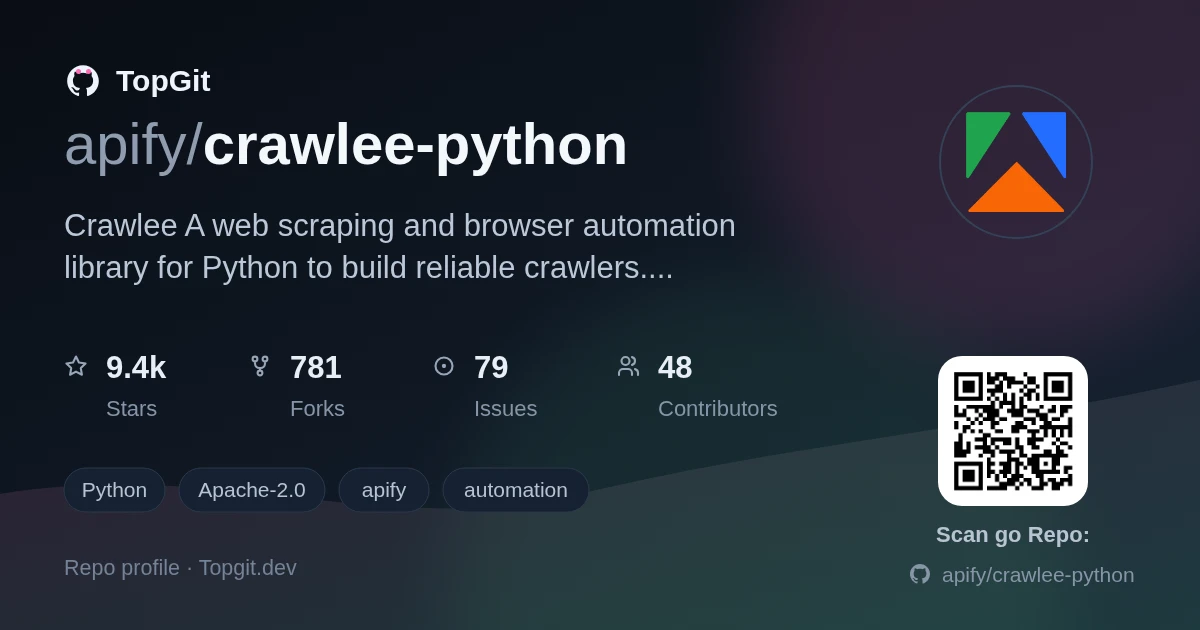
apify/crawlee-python — 9.6k★ trên GitHub (Python). Crawlee—A web scraping and browser automation library for Python to build reliable crawlers. Extract data for AI, LLMs, RAG, or GPTs. Download HTML, PDF, JPG, PNG, and other files from websites. Works with Parsel, BeautifulSoup, Playwright, and raw HTTP. Both headful and headless mode. With proxy rotation.
Tóm tắt dựng từ metadata GitHub của chính dự án — chưa có bài review TopGit. Trang sẽ tự động cập nhật khi bài review đầy đủ được xuất bản.
VÌ SAO CHƯA CÓ REVIEW
TopGit viết bài đầy đủ cho repo có nhiều sao nhất và được yêu cầu nhiều nhất. Trang này là snapshot trong thời gian chờ — xem README gốc ở tab READ ME.
Crawlee covers your crawling and scraping end-to-end and helps you build reliable scrapers. Fast.
Your crawlers will appear almost human-like and fly under the radar of modern bot protections even with the default configuration. Crawlee gives you the tools to crawl the web for links, scrape data and persistently store it in machine-readable formats, without having to worry about the technical details. And thanks to rich configuration options, you can tweak almost any aspect of Crawlee to suit your project's needs if the default settings don't cut it.
👉 View full documentation, guides and examples on the Crawlee project website 👈
We also have a TypeScript implementation of the Crawlee, which you can explore and utilize for your projects. Visit our GitHub repository for more information Crawlee for JS/TS on GitHub.
Installation
We recommend visiting the Introduction tutorial in Crawlee documentation for more information.
Crawlee is available as crawlee package on PyPI. This package includes the core functionality, while additional features are available as optional extras to keep dependencies and package size minimal.
To install Crawlee with all features, run the following command:
For detailed installation instructions see the Setting up documentation page.
With Crawlee CLI
The quickest way to get started with Crawlee is by using the Crawlee CLI and selecting one of the prepared templates. First, ensure you have uv installed:
uv --help
If uv is not installed, follow the official installation guide.
Then, run the CLI and choose from the available templates:
uvx 'crawlee[cli]' create my-crawler
If you already have crawlee installed, you can spin it up by running:
crawlee create my-crawler
Examples
Here are some practical examples to help you get started with different types of crawlers in Crawlee. Each example demonstrates how to set up and run a crawler for specific use cases, whether you need to handle simple HTML pages or interact with JavaScript-heavy sites. A crawler run will create a storage/ directory in your current working directory.
BeautifulSoupCrawler
The BeautifulSoupCrawler downloads web pages using an HTTP library and provides HTML-parsed content to the user. By default it uses ImpitHttpClient for HTTP communication and BeautifulSoup for parsing HTML. It is ideal for projects that require efficient extraction of data from HTML content. This crawler has very good performance since it does not use a browser. However, if you need to execute client-side JavaScript, to get your content, this is not going to be enough and you will need to use PlaywrightCrawler. Also if you want to use this crawler, make sure you install crawlee with beautifulsoup extra.
import asyncio

from crawlee.crawlers import BeautifulSoupCrawler, BeautifulSoupCrawlingContext


async def main() -> None:
    crawler = BeautifulSoupCrawler(
        # Limit the crawl to max requests. Remove or increase it for crawling all links.
        max_requests_per_crawl=10,
    )

    # Define the default request handler, which will be called for every request.
    @crawler.router.default_handler
    async def request_handler(context: BeautifulSoupCrawlingContext) -> None:
        context.log.info(f'Processing {context.request.url} ...')

        # Extract data from the page.
        data = {
            'url': context.request.url,
            'title': context.soup.title.string if context.soup.title else None,
        }

        # Push the extracted data to the default dataset.
        await context.push_data(data)

        # Enqueue all links found on the page.
        await context.enqueue_links()

    # Run the crawler with the initial list of URLs.
    await crawler.run(['https://crawlee.dev'])


if __name__ == '__main__':
    asyncio.run(main())
PlaywrightCrawler
The PlaywrightCrawler uses a headless browser to download web pages and provides an API for data extraction. It is built on Playwright, an automation library designed for managing headless browsers. It excels at retrieving web pages that rely on client-side JavaScript for content generation, or tasks requiring interaction with JavaScript-driven content. For scenarios where JavaScript execution is unnecessary or higher performance is required, consider using the BeautifulSoupCrawler. Also if you want to use this crawler, make sure you install crawlee with playwright extra.
import asyncio

from crawlee.crawlers import PlaywrightCrawler, PlaywrightCrawlingContext


async def main() -> None:
    crawler = PlaywrightCrawler(
        # Limit the crawl to max requests. Remove or increase it for crawling all links.
        max_requests_per_crawl=10,
    )

    # Define the default request handler, which will be called for every request.
    @crawler.router.default_handler
    async def request_handler(context: PlaywrightCrawlingContext) -> None:
        context.log.info(f'Processing {context.request.url} ...')

        # Extract data from the page.
        data = {
            'url': context.request.url,
            'title': await context.page.title(),
        }

        # Push the extracted data to the default dataset.
        await context.push_data(data)

        # Enqueue all links found on the page.
        await context.enqueue_links()

    # Run the crawler with the initial list of requests.
    await crawler.run(['https://crawlee.dev'])


if __name__ == '__main__':
    asyncio.run(main())
More examples
Explore our Examples page in the Crawlee documentation for a wide range of additional use cases and demonstrations.
Features
Why Crawlee is the preferred choice for web scraping and crawling?
Why use Crawlee instead of just a random HTTP library with an HTML parser?
Unified interface for HTTP & headless browser crawling.
Automatic parallel crawling based on available system resources.
Written in Python with type hints - enhances DX (IDE autocompletion) and reduces bugs (static type checking).
Automatic retries on errors or when you’re getting blocked.
Integrated proxy rotation and session management.
Configurable request routing - direct URLs to the appropriate handlers.
Persistent queue for URLs to crawl.
Pluggable storage of both tabular data and files.
Robust error handling.
Why to use Crawlee rather than Scrapy?
Asyncio-based – Leveraging the standard Asyncio library, Crawlee delivers better performance and seamless compatibility with other modern asynchronous libraries.
Type hints – Newer project built with modern Python, and complete type hint coverage for a better developer experience.
Simple integration – Crawlee crawlers are regular Python scripts, requiring no additional launcher executor. This flexibility allows to integrate a crawler directly into other applications.
State persistence – Supports state persistence during interruptions, saving time and costs by avoiding the need to restart scraping pipelines from scratch after an issue.
Organized data storages – Allows saving of multiple types of results in a single scraping run. Offers several storing options (see datasets & key-value stores).
Running on the Apify platform
Crawlee is open-source and runs anywhere, but since it's developed by Apify, it's easy to set up on the Apify platform and run in the cloud. Visit the Apify SDK website to learn more about deploying Crawlee to the Apify platform.
Support
If you find any bug or issue with Crawlee, please submit an issue on GitHub. For questions, you can ask on Stack Overflow, in GitHub Discussions or you can join our Discord server.
Contributing
Your code contributions are welcome, and you'll be praised for eternity! If you have any ideas for improvements, either submit an issue or create a pull request. For contribution guidelines and the code of conduct, see CONTRIBUTING.md.
License
This project is licensed under the Apache License 2.0 - see the LICENSE file for details.
apify/crawlee-python có 9.6k sao GitHub — tải lại trang để xem số mới nhất, hoặc xem trực tiếp github.com/apify/crawlee-python. TopGit phản chiếu số sao của GitHub nhưng không cam kết đến từng phút.
apify/crawlee-python có phải mã nguồn mở không?
Có — apify/crawlee-python phát hành theo license Apache-2.0, nghĩa là mã nguồn mở để đọc, fork và (tùy license) tái sử dụng. Mã: github.com/apify/crawlee-python.
apify/crawlee-python còn đang phát triển không?
Commit gần nhất trên apify/crawlee-python là 2 tháng trước (theo timestamp GitHub). Repo có 812 fork — một chỉ báo về mức độ quan tâm của cộng đồng.
apify/crawlee-python là gì?
apify/crawlee-python (apify/crawlee-python) là dự án Python trên GitHub. Theo mô tả gốc: Crawlee—A web scraping and browser automation library for Python to build reliable crawlers. Extract data for AI, LLMs, RAG, or GPTs. Download HTML, PDF, JPG, PNG, and other files from websites. Works with Parsel, BeautifulSoup, Playwright, and raw HTTP. Both headful and headless mode. With proxy rotation.
apify/crawlee-python so với các dự án Automation khác thế nào?
apify/crawlee-python được TopGit xếp vào nhóm Automation, với 9.6k sao GitHub và viết bằng Python. Xem trang chủ đề Automation trên TopGit để so sánh với các dự án tương tự theo số sao và mức độ hoạt động.
Đọc thêm về apify/crawlee-python ở đâu?
Trang TopGit này là một snapshot — tab "Readme" hiển thị nguyên văn README của repo (đã bỏ link, giữ ảnh). Repo GitHub ở github.com/apify/crawlee-python là nguồn chính thức.
Đọc đầy đủ README ở tab phía trên.
Muốn nghe thêm một ý kiến về crawlee-python?
Hỏi một AI đọc được trang này — một cú bấm là có ngay nhận định về crawlee-python.
 /crawlee-python