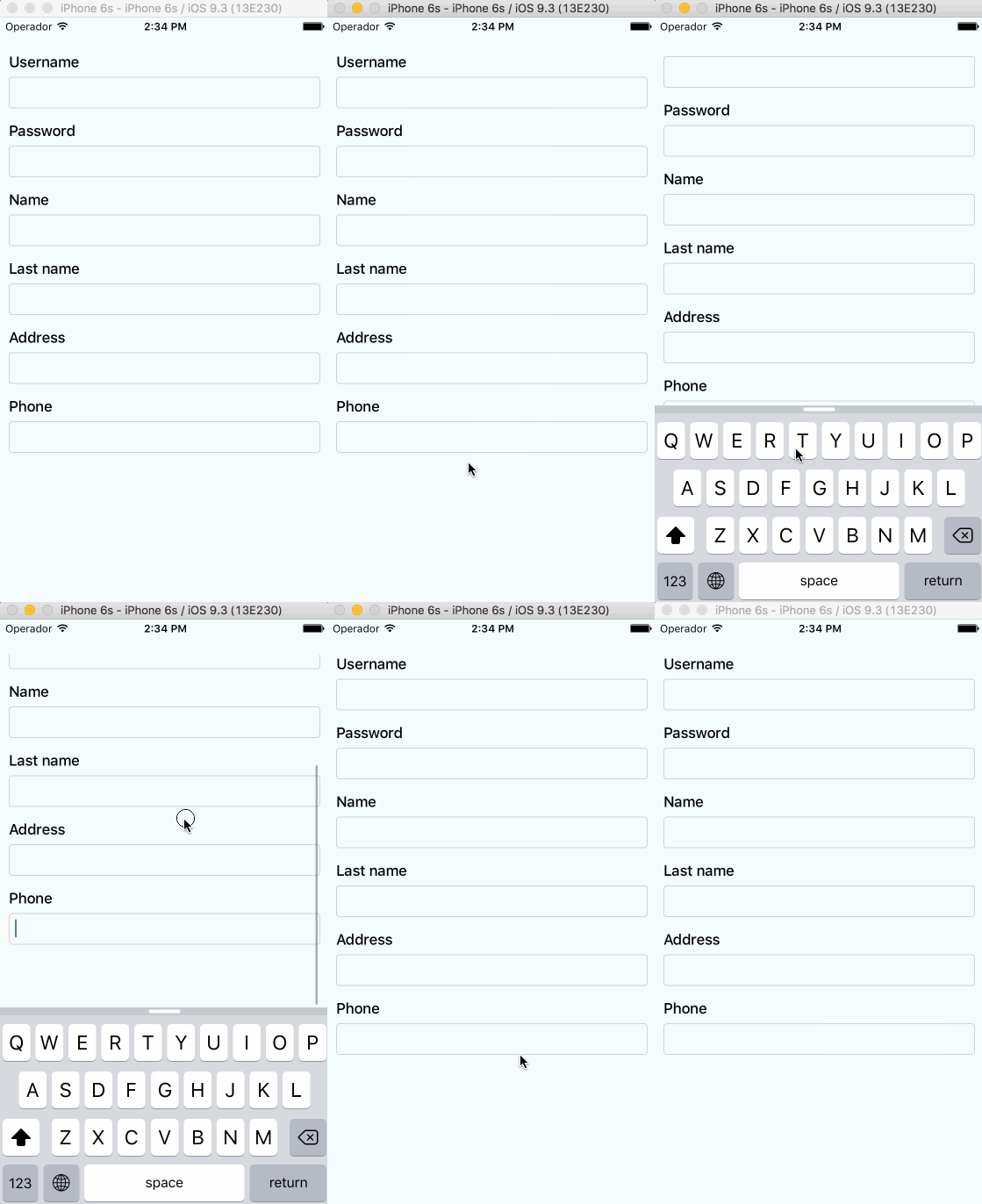
APSL/react-native-keyboard-aware-scroll-view là dự án Frontend trên GitHub, viết chủ yếu bằng JavaScript, với 5.4k sao. A ScrollView component that handles keyboard appearance and automatically scrolls to focused TextInput.
Tóm tắt dựng từ metadata GitHub của chính dự án — chưa có bài review TopGit. Trang sẽ tự động cập nhật khi bài review đầy đủ được xuất bản.
VÌ SAO CHƯA CÓ REVIEW
TopGit viết bài đầy đủ cho repo có nhiều sao nhất và được yêu cầu nhiều nhất. Trang này là snapshot trong thời gian chờ — xem README gốc ở tab READ ME.
A ScrollView component that handles keyboard appearance and automatically scrolls to focused TextInput.
Supported versions
v0.4.0 requires RN>=0.48
v0.2.0 requires RN>=0.32.0.
v0.1.2 requires RN>=0.27.2 but you should use 0.2.0 in order to make it work with multiple scroll views.
v0.0.7 requires react-native>=0.25.0.
Use v0.0.6 for older RN versions.
Installation
Installation can be done through npm or yarn:
npm i react-native-keyboard-aware-scroll-view --save
yarn add react-native-keyboard-aware-scroll-view
Usage
You can use the KeyboardAwareScrollView, KeyboardAwareSectionList or the KeyboardAwareFlatList
components. They accept ScrollView, SectionList and FlatList default props respectively and
implement a custom high order component called KeyboardAwareHOC to handle keyboard appearance.
The high order component is also available if you want to use it in any other component.
Import react-native-keyboard-aware-scroll-view and wrap your content inside
it:
import { KeyboardAwareScrollView } from 'react-native-keyboard-aware-scroll-view'
Scrolls an element inside a KeyboardAwareScrollView into view.
Using high order component
Enabling any component to be keyboard-aware is very easy. Take a look at the code of KeyboardAwareFlatList:
/* @flow */

import { FlatList } from 'react-native'
import listenToKeyboardEvents from './KeyboardAwareHOC'

export default listenToKeyboardEvents(FlatList)
The HOC can also be configured. Sometimes it's more convenient to provide a static config than configuring the behavior with props. This HOC config can be overriden with props.
APSL/react-native-keyboard-aware-scroll-view có bao nhiêu sao?
APSL/react-native-keyboard-aware-scroll-view có 5.4k sao GitHub — tải lại trang để xem số mới nhất, hoặc xem trực tiếp github.com/APSL/react-native-keyboard-aware-scroll-view. TopGit phản chiếu số sao của GitHub nhưng không cam kết đến từng phút.
APSL/react-native-keyboard-aware-scroll-view có những chủ đề gì?
GitHub topics của APSL/react-native-keyboard-aware-scroll-view: "keyboard", "react", "react-components", "react-native", "scroll-view", "scrollview-component". TopGit xếp repo vào nhóm Frontend.
APSL/react-native-keyboard-aware-scroll-view có website riêng không?
TopGit chưa ghi nhận URL trang chủ cho APSL/react-native-keyboard-aware-scroll-view. Phần README ở tab phía trên thường có link demo, hoặc xem mô tả GitHub của repo.
APSL/react-native-keyboard-aware-scroll-view còn đang phát triển không?
Commit gần nhất trên APSL/react-native-keyboard-aware-scroll-view là 2.4 năm trước (theo timestamp GitHub). Repo có 638 fork — một chỉ báo về mức độ quan tâm của cộng đồng.
APSL/react-native-keyboard-aware-scroll-view dùng license gì?
APSL/react-native-keyboard-aware-scroll-view phát hành theo license MIT. Nên mở file LICENSE trên GitHub để xác nhận — license metadata đôi khi lệch với thực tế dự án.
APSL/react-native-keyboard-aware-scroll-view viết bằng ngôn ngữ gì?
APSL/react-native-keyboard-aware-scroll-view chủ yếu viết bằng JavaScript. Trường "language" của GitHub dựa trên phần lớn byte ở nhánh mặc định.
Đọc thêm về APSL/react-native-keyboard-aware-scroll-view ở đâu?
Trang TopGit này là một snapshot — tab "Readme" hiển thị nguyên văn README của repo (đã bỏ link, giữ ảnh). Repo GitHub ở github.com/APSL/react-native-keyboard-aware-scroll-view là nguồn chính thức.
Đọc đầy đủ README ở tab phía trên.
react-native-keyboard-aware-scroll-view có đáng để bạn bỏ thời gian?
ChatGPT, Claude và Perplexity đều đọc được trang này. Hỏi thử xem họ nghĩ gì về react-native-keyboard-aware-scroll-view.

 /react-native-keyboard-aware-scroll-view