10.9k sao GitHub và vẫn tăng — ArthurSonzogni/FTXUI là dự án C++ mà TopGit đang theo dõi trên nền tảng. :computer: C++ Functional Terminal User Interface. :heart:
Tóm tắt dựng từ metadata GitHub của chính dự án — chưa có bài review TopGit. Trang sẽ tự động cập nhật khi bài review đầy đủ được xuất bản.
VÌ SAO CHƯA CÓ REVIEW
TopGit viết bài đầy đủ cho repo có nhiều sao nhất và được yêu cầu nhiều nhất. Trang này là snapshot trong thời gian chờ — xem README gốc ở tab READ ME.
Documentation ·
Report a Bug ·
Examples .
Request Feature ·
Send a Pull Request
Doc:
English |
Français |
Español |
繁體中文 |
简体中文 |
日本語 |
FTXUI
Functional Terminal (X) User interface
A simple cross-platform C++ library for terminal based user interfaces!
[!TIP]
Check out RTXUI, my other
project. It is a different, experimental TUI library based on reactive
HTML/CSS/C++: structure with semantic HTML, style with real CSS (flexbox,
grid, transitions), and bind plain C++ state.
Live demo.
Feature
Functional style. Inspired by
1
and React
Simple and elegant syntax (in my opinion)
Keyboard & mouse navigation.
Support for UTF8 and fullwidth chars (→ 测试)
Support for animations. Demo 1, Demo 2
Support for drawing. Demo
No dependencies.
C++20 Module support
Cross platform: Linux/MacOS (main target), WebAssembly, Windows (Thanks to contributors!).
dom: Layout and composition (hierarchical elements)
component: User interaction (widgets, events, main loop)
For most users, including everything at once is the simplest way to start:
Header: #include <ftxui/ftxui.hpp>
CMake target: ftxui::ftxui
Bazel target: @ftxui//:ftxui
DOM
This module defines a hierarchical set of Element. An Element manages layout and can be responsive to the terminal dimensions.
They are declared in <ftxui/dom/elements.hpp>
Layout
Element can be arranged together:
horizontally with hbox
vertically with vbox
inside a grid with gridbox
wrap along one direction using the flexbox.
Element can become flexible using the flex decorator.
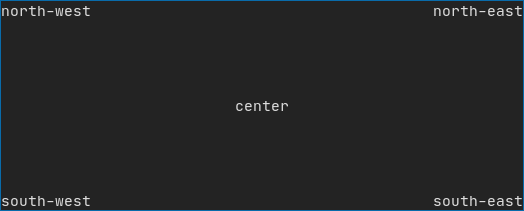
Example using hbox, vbox and filler.
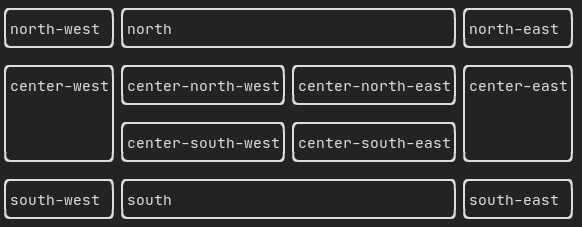
Example using gridbox:
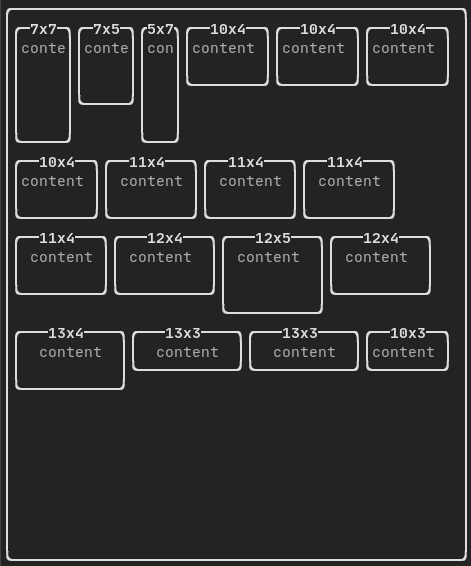
Example using flexbox:
See also this demo.
Style
An element can be decorated using the functions:
bold
italic
dim
inverted
underlined
underlinedDouble
blink
strikethrough
color
bgcolor
hyperlink
Example
FTXUI supports the pipe operator. It means: decorator1(decorator2(element)) and element | decorator1 | decorator2 can be used.
Colors
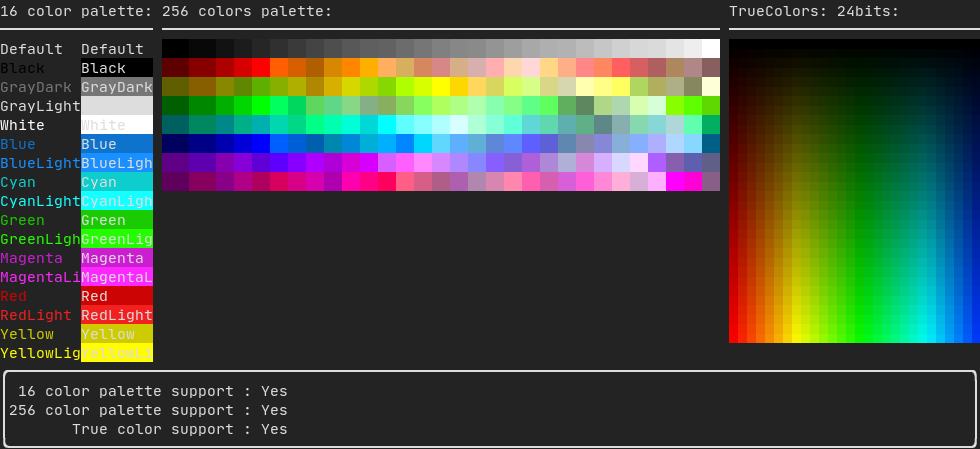
FTXUI supports every color palette:
Color gallery:
Border and separator
Use decorator border and element separator() to subdivide your UI:
Element document = vbox({
    text("top"),
    separator(),
    text("bottom"),
}) | border;
Demo:
Text and paragraph
A simple piece of text is represented using text("content").
To support text wrapping following spaces the following functions are provided:
Element paragraph(string text);
Element paragraphAlignLeft(string text);
Element paragraphAlignRight(string text);
Element paragraphAlignCenter(string text);
Element paragraphAlignJustify(string text);
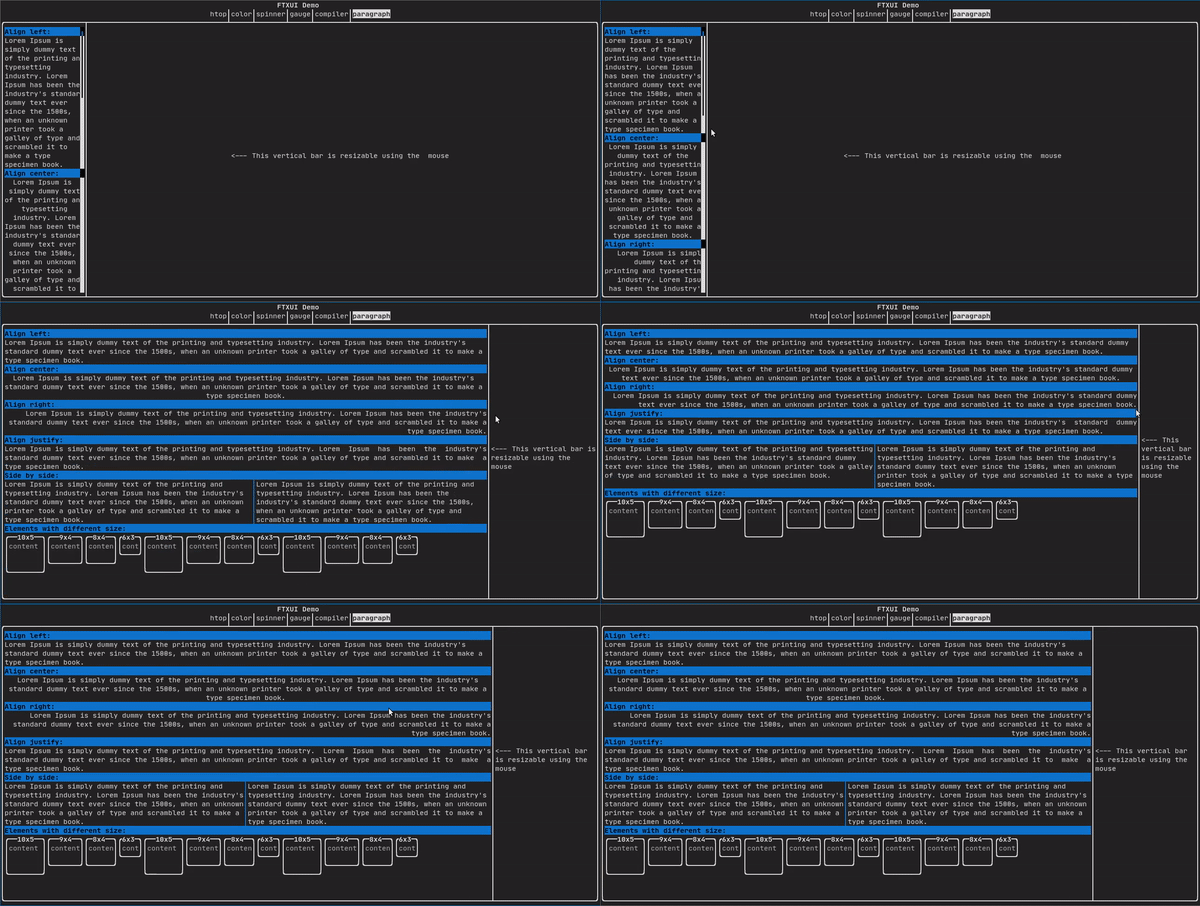
Paragraph example
Table
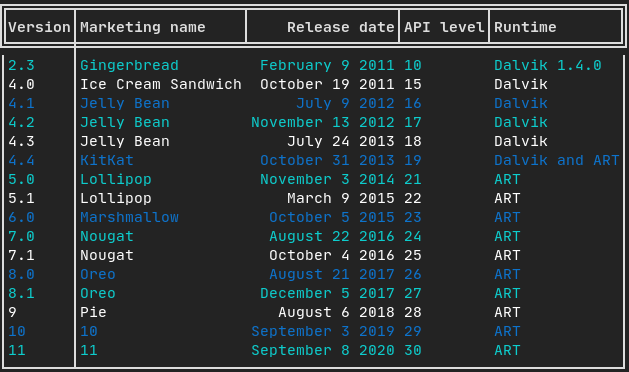
A class to easily style a table of data.
Example:
Canvas
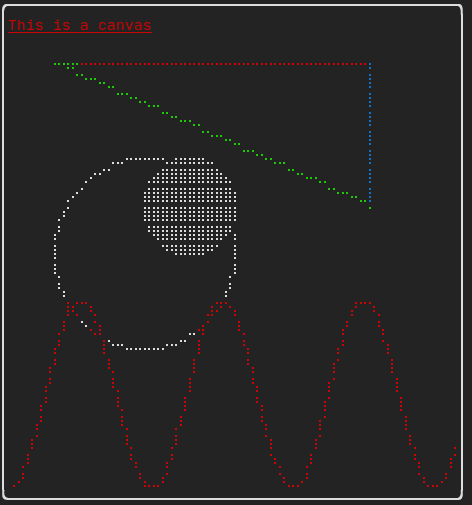
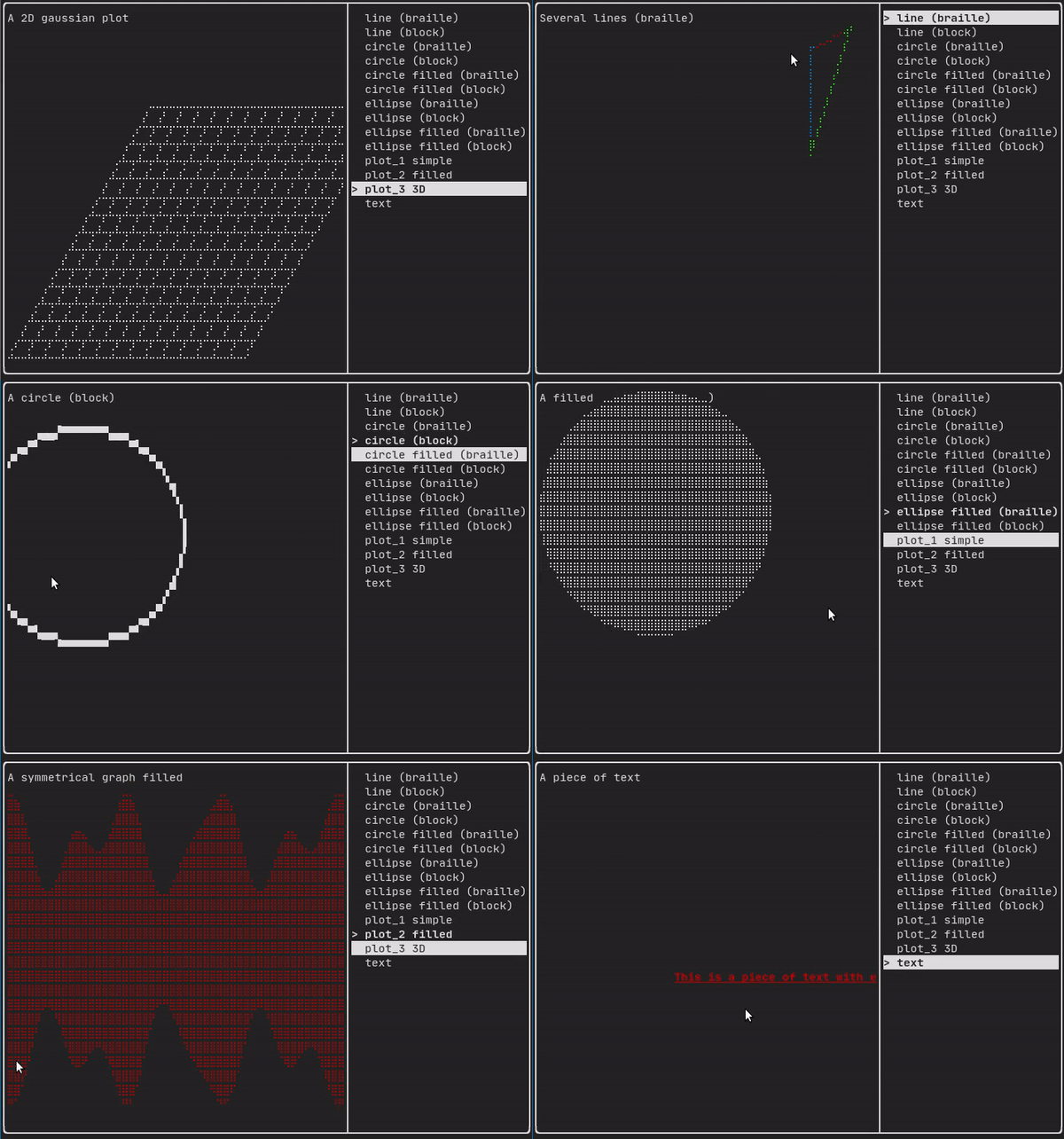
Drawing can be made on a Canvas, using braille, block, or simple characters:
Simple example:
Complex examples:
Component
ftxui/component produces dynamic UI, reactive to the user's input. It defines a set of ftxui::Component. A component reacts to Events (keyboard, mouse, resize, ...) and Renders as an Element (see previous section).
Prebuilt components are declared in <ftxui/component/component.hpp>
Gallery
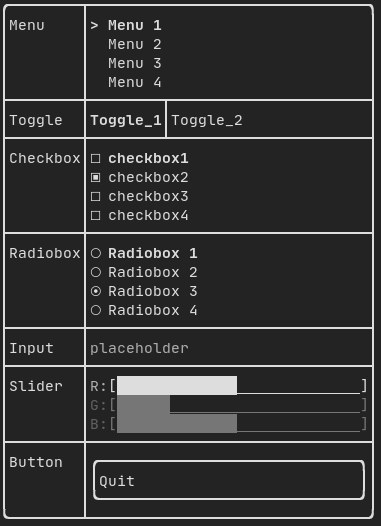
Gallery of multiple components. (demo)
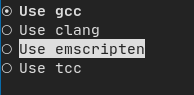
Radiobox
Example:
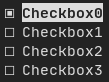
Checkbox
Example:
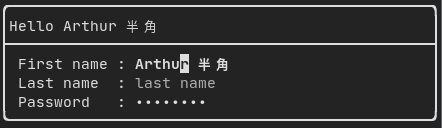
Input
Example:
Toggle
Example:
Slider
Example:
Menu
Example:
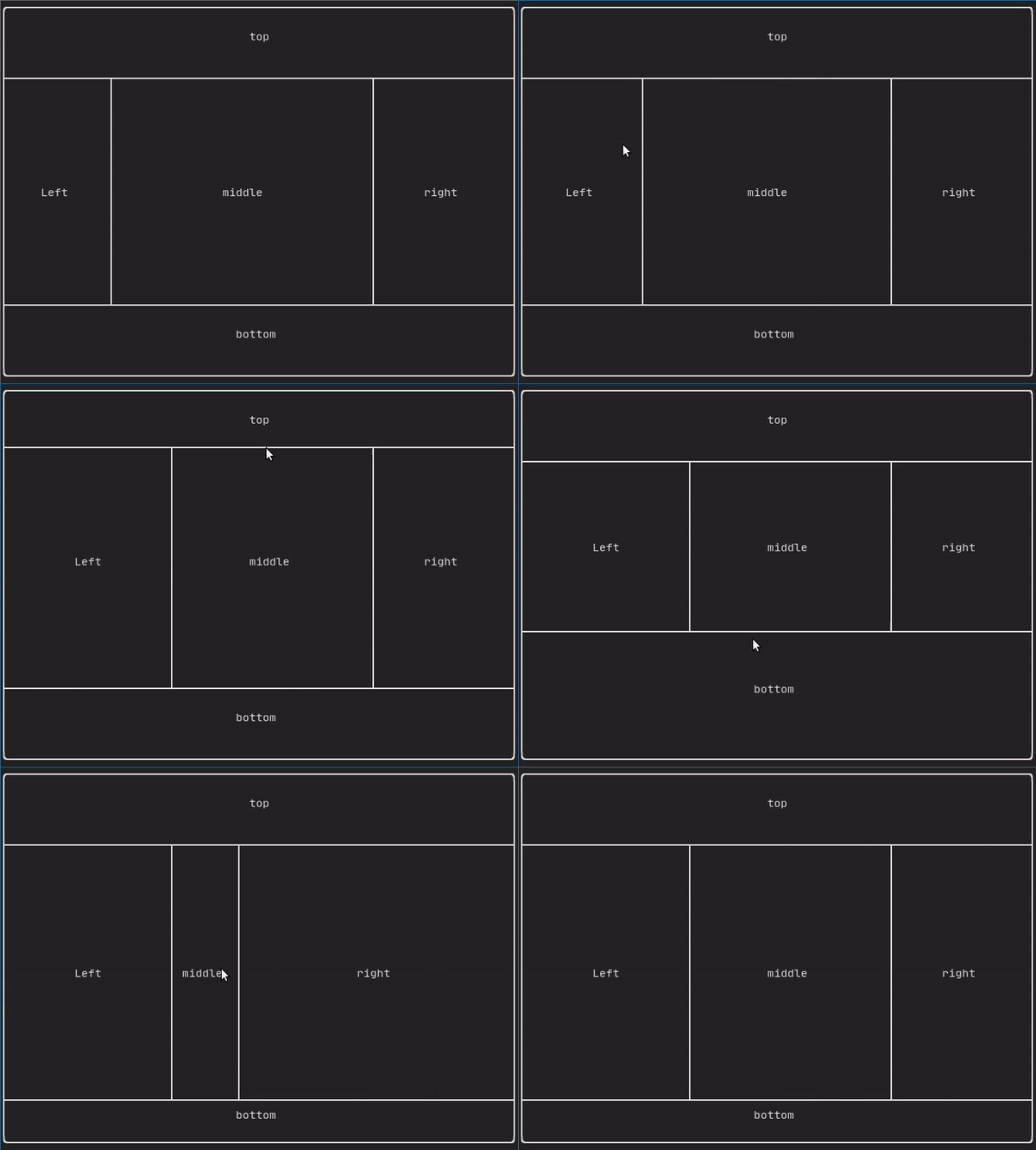
ResizableSplit
Example:
Dropdown
Example:
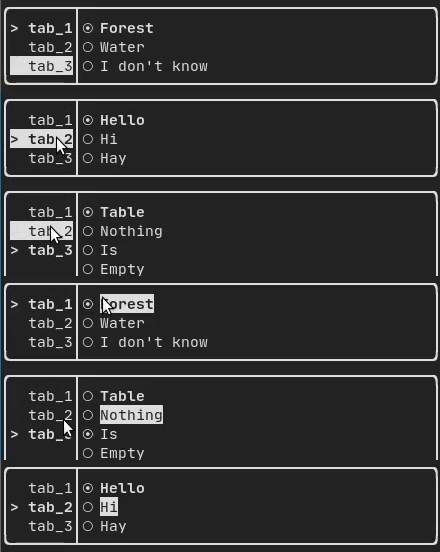
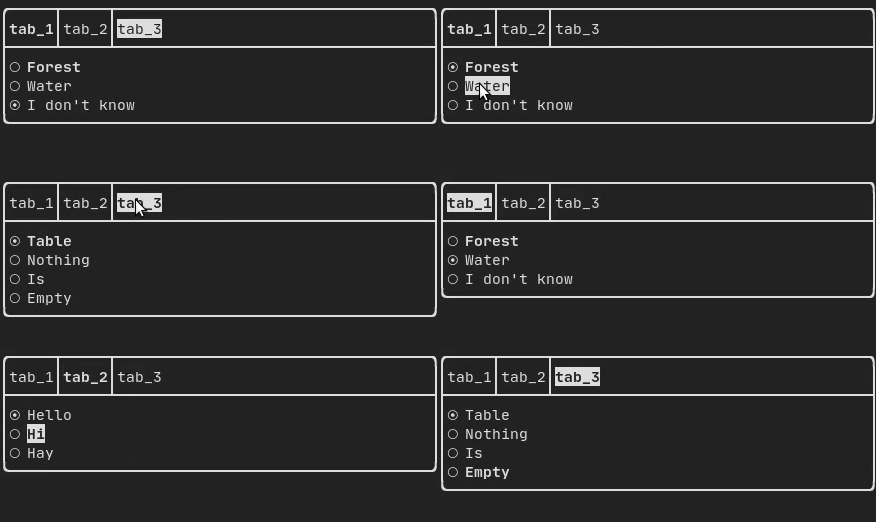
Tab
Vertical:
Horizontal:
Libraries for FTXUI
Want to share a useful Component for FTXUI? Feel free to add yours here
ftxui-grid-container
ftxui-ip-input
ftxui-image-view: For Image Display.
ftxui-image-view-async: Fork of the original, without image reloads and conversions on every frame redraw.
ftxui-navigation-tree
MarkdownFTXUI: Markdown Editor/Viewer for the terminal.
Project using FTXUI
Feel free to add your projects here:
json-tui
git-tui
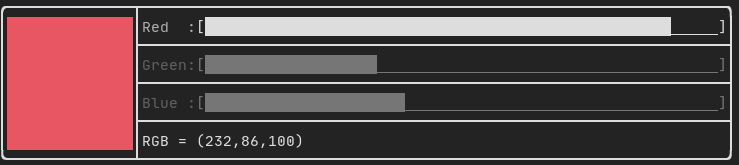
rgb-tui
chrome-log-beautifier
2048-cpp
BestEdrOfTheMarket
Captain's log
Caravan
CryptoCalculator
FTB - tertminal file browser
FTowerX
Fallout terminal hacking
Imza - Coding Agent
Lazylist
Memory game
nfolens
Path Finder
Pigeon ROS TUI
SHOOT!
StartUp
Step-Writer
TUISIC
Terminal Animation
TimeAccumulator
UDP chat
VerifySN (Fast Hash Tool)
XJ music
beagle-config
cachyos-cli-installer
eCAL monitor
ftxuiFileReader
ftxui_CPUMeter
hastur
i3-termdialogs
inLimbo
keywords (Play web version :heart:)
LookForward Calendar
ltuiny
openJuice
ostree-tui
OvenbirdBT
pciex
resource-monitor
rw-tui
simpPRU
sweeper (Play web version :heart:)
tabdeeli
terminal-rain
tic-tac-toe
tiles
todoman
turing_cmd
typing-speed-test
vantage
x86-64 CPU Architecture Simulation
C++ Process Manager
Baobab TUI Remake
Youtube Music Client
TUI_DB
Tpedia - Terminal Wikipedia
cpp-best-practices/game_jam
Several games using the FTXUI have been made during the Game Jam:
TermBreaker [Play web version]
Minesweeper Marathon [Play web version]
Grand Rounds
LightsRound
DanteO
Sumo
Drag Me aROUND
DisarmSelfDestruct
TheWorld
smoothlife
Consu
Build using CMake
It is highly recommended to use CMake FetchContent to depend on FTXUI so you may specify which commit you would like to depend on.
include(FetchContent)
FetchContent_Declare(ftxui
  GIT_REPOSITORY https://github.com/ArthurSonzogni/ftxui
  GIT_TAG v7.0.3
)
FetchContent_MakeAvailable(ftxui)

target_link_libraries(your_target PRIVATE
    # Use the umbrella target (recommended)
    ftxui::ftxui

    # Or chose a submodule
    # ftxui::component
    # ftxui::dom
    # ftxui::screen
)
Build using Bazel
MODULE.bazel
bazel_dep(
    name = "ftxui",
    version = "7.0.3",
)
BUILD.bazel
cc_binary(
    name = "your_target",
    srcs = ["your_source.cc"],
    deps = [
        # Choose submodules
        "@ftxui//:component",
        "@ftxui//:dom",
        "@ftxui//:screen",

        # Or use the single ftxui target (includes all modules)
        # "@ftxui//:ftxui",
    ],
)
Build using Meson
FTXUI can also be built using Meson. See doc/installation_meson.md for detailed instructions.
meson setup builddir
ninja -C builddir
To use FTXUI as a subproject in your Meson project, create a subprojects/ftxui.wrap file or use it as a dependency:
ftxui_dep = dependency('ftxui-component')
Build with something else:
If you don't, FTXUI may be used from the following packages:
CMake FetchContent (preferred),
Bazel,
vcpkg,
Conan
Debian package,
Ubuntu package,
Arch Linux,
OpenSUSE,
Nix,
If you choose to build and link FTXUI yourself, ftxui-component must be first in the linking order relative to the other FTXUI libraries, i.e.
Có — ArthurSonzogni/FTXUI phát hành theo license MIT, nghĩa là mã nguồn mở để đọc, fork và (tùy license) tái sử dụng. Mã: github.com/ArthurSonzogni/FTXUI.
ArthurSonzogni/FTXUI là gì?
ArthurSonzogni/FTXUI (ArthurSonzogni/FTXUI) là dự án C++ trên GitHub. Theo mô tả gốc: :computer: C++ Functional Terminal User Interface. :heart:
ArthurSonzogni/FTXUI so với các dự án Backend khác thế nào?
ArthurSonzogni/FTXUI được TopGit xếp vào nhóm Backend, với 10.9k sao GitHub và viết bằng C++. Xem trang chủ đề Backend trên TopGit để so sánh với các dự án tương tự theo số sao và mức độ hoạt động.
Cùng nhóm Backend còn repo nào?
ArthurSonzogni/FTXUI thuộc nhóm Backend trên TopGit, cùng 12 topic GitHub. Trang Trending và Topics liệt kê các repo cùng số sao và cùng ngôn ngữ để so sánh.
Đọc thêm về ArthurSonzogni/FTXUI ở đâu?
Trang TopGit này là một snapshot — tab "Readme" hiển thị nguyên văn README của repo (đã bỏ link, giữ ảnh). Repo GitHub ở github.com/ArthurSonzogni/FTXUI là nguồn chính thức.
Vì sao ArthurSonzogni/FTXUI được xếp vào nhóm Backend?
TopGit xếp ArthurSonzogni/FTXUI vào nhóm Backend dựa trên GitHub topics và mô tả của repo (gắn thẻ: "arthursonzogni", "ascii", "ascii-art"). Việc phân loại dựa trên metadata thật của repo, không phải đoán theo cảm tính biên tập.
Đọc đầy đủ README ở tab phía trên.
Muốn nghe thêm một ý kiến về FTXUI?
Hỏi một AI đọc được trang này — một cú bấm là có ngay nhận định về FTXUI.

 /FTXUI