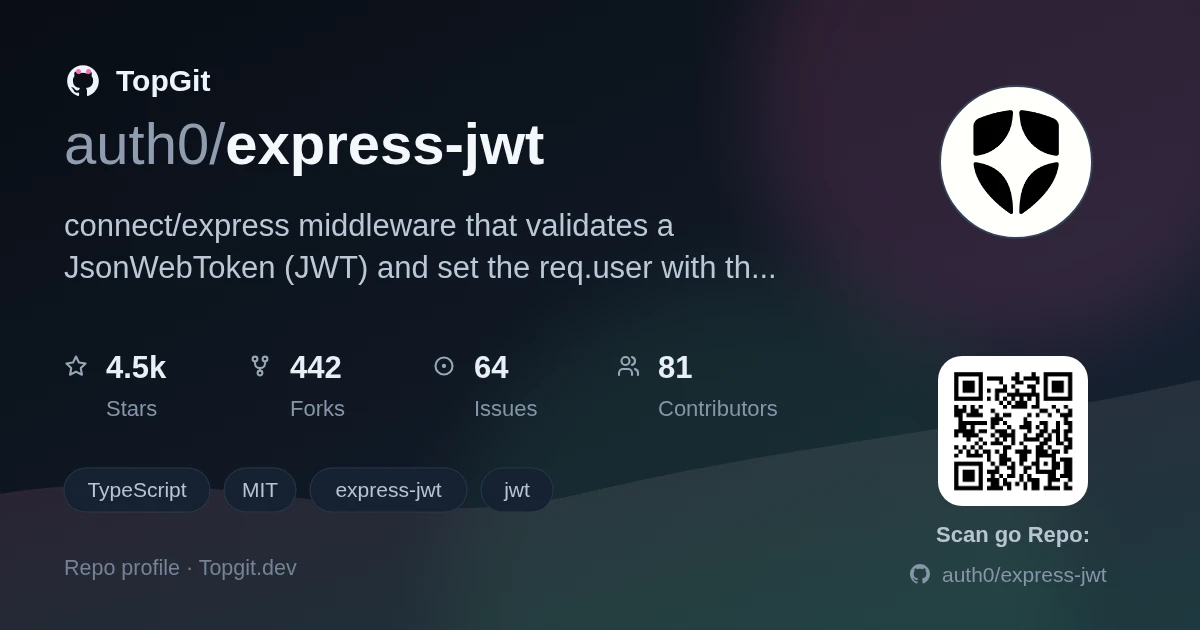
TopGit theo dõi auth0/express-jwt trên GitHub trong nhóm Security, đã đạt 4.5k sao. connect/express middleware that validates a JsonWebToken (JWT) and set the req.user with the attributes
Tóm tắt dựng từ metadata GitHub của chính dự án — chưa có bài review TopGit. Trang sẽ tự động cập nhật khi bài review đầy đủ được xuất bản.
VÌ SAO CHƯA CÓ REVIEW
TopGit viết bài đầy đủ cho repo có nhiều sao nhất và được yêu cầu nhiều nhất. Trang này là snapshot trong thời gian chờ — xem README gốc ở tab READ ME.
This module provides Express middleware for validating JWTs (JSON Web Tokens) through the jsonwebtoken module. The decoded JWT payload is available on the request object.
Install
$ npm install express-jwt
API
expressjwt(options)
Options has the following parameters:
secret: jwt.Secret | GetVerificationKey (required): The secret as a string or a function to retrieve the secret.
getToken?: TokenGetter (optional): A function that receives the express Request and returns the token, by default it looks in the Authorization header.
isRevoked?: IsRevoked (optional): A function to verify if a token is revoked.
onExpired?: ExpirationHandler (optional): A function to handle expired tokens.
credentialsRequired?: boolean (optional): If its false, continue to the next middleware if the request does not contain a token instead of failing, defaults to true.
requestProperty?: string (optional): Name of the property in the request object where the payload is set. Default to req.auth.
Plus... all the options available in the jsonwebtoken verify function.
The available functions have the following interface:
var { expressjwt: jwt } = require("express-jwt");
// or ES6
// import { expressjwt, ExpressJwtRequest } from "express-jwt";

app.get(
  "/protected",
  jwt({ secret: "shhhhhhared-secret", algorithms: ["HS256"] }),
  function (req, res) {
    if (!req.auth.admin) return res.sendStatus(401);
    res.sendStatus(200);
  }
);
The decoded JWT payload is available on the request via the auth property.
The default behavior of the module is to extract the JWT from the Authorization header as an OAuth2 Bearer token.
Required Parameters
The algorithms parameter is required to prevent potential downgrade attacks when providing third party libraries as secrets.
:warning: Do not mix symmetric and asymmetric (ie HS256/RS256) algorithms: Mixing algorithms without further validation can potentially result in downgrade vulnerabilities.
This is especially useful when applying to multiple routes. In the example above, path can be a string, a regexp, or an array of any of those.
For more details on the .unless syntax including additional options, please see express-unless.
This module also support tokens signed with public/private key pairs. Instead of a secret, you can specify a Buffer with the public key
var publicKey = fs.readFileSync("/path/to/public.pub");
jwt({ secret: publicKey, algorithms: ["RS256"] });
Customizing Token Location
A custom function for extracting the token from a request can be specified with
the getToken option. This is useful if you need to pass the token through a
query parameter or a cookie. You can throw an error in this function and it will
be handled by express-jwt.
If you need to obtain the key dynamically from other sources, you can pass a function in the secret parameter with the following parameters:
req (Object) - The express request object.
token (Object) - An object with the JWT payload and headers.
For example, if the secret varies based on the issuer:
var jwt = require("express-jwt");
var data = require("./data");
var utilities = require("./utilities");

var getSecret = async function (req, token) {
  const issuer = token.payload.iss;
  const tenant = await data.getTenantByIdentifier(issuer);
  if (!tenant) {
    throw new Error("missing_secret");
  }
  return utilities.decrypt(tenant.secret);
};

app.get(
  "/protected",
  jwt({ secret: getSecret, algorithms: ["HS256"] }),
  function (req, res) {
    if (!req.auth.admin) return res.sendStatus(401);
    res.sendStatus(200);
  }
);
Secret rotation
The getSecret callback could also be used in cases where the same issuer might issue tokens with different keys at certain point:
var getSecret = async function (req, token) {
  const { iss } = token.payload;
  const { kid } = token.header;
  // get the verification key by a given key-id and issuer.
  return verificationKey;
};
Revoked tokens
It is possible that some tokens will need to be revoked so they cannot be used any longer. You can provide a function as the isRevoked option. The signature of the function is function(req, payload, done):
req (Object) - The express request object.
token (Object) - An object with the JWT payload and headers.
For example, if the (iss, jti) claim pair is used to identify a JWT:
You might want to use this module to identify registered users while still providing access to unregistered users. You can do this by using the option credentialsRequired:
A Request type is provided from express-jwt, which extends express.Request with the auth property. It could be aliased, like how JWTRequest is below.
import { expressjwt, Request as JWTRequest } from "express-jwt";

app.get(
  "/protected",
  expressjwt({ secret: "shhhhhhared-secret", algorithms: ["HS256"] }),
  function (req: JWTRequest, res: express.Response) {
    if (!req.auth?.admin) return res.sendStatus(401);
    res.sendStatus(200);
  }
);
Migration from v6
The middleware function is now available as a named import rather than a default one: import { expressjwt } from 'express-jwt'
The decoded JWT payload is now available as req.auth rather than req.user
The secret function had (req, header, payload, cb), now it can return a promise and receives (req, token). token has header and payload.
The isRevoked function had (req, payload, cb), now it can return a promise and receives (req, token). token has header and payload.
Related Modules
jsonwebtoken — JSON Web Token sign and verification
express-jwt-permissions - Permissions middleware for JWT tokens
Tests
$ npm install
$ npm test
Contributors
Check them out here
Issue Reporting
If you have found a bug or if you have a feature request, please report them at this repository issues section. Please do not report security vulnerabilities on the public GitHub issue tracker. The Responsible Disclosure Program details the procedure for disclosing security issues.
Author
Auth0
License
This project is licensed under the MIT license. See the LICENSE file for more info.
auth0/express-jwt có 4.5k sao GitHub — tải lại trang để xem số mới nhất, hoặc xem trực tiếp github.com/auth0/express-jwt. TopGit phản chiếu số sao của GitHub nhưng không cam kết đến từng phút.
auth0/express-jwt có những chủ đề gì?
GitHub topics của auth0/express-jwt: "express-jwt", "jwt". TopGit xếp repo vào nhóm Security.
auth0/express-jwt có phải mã nguồn mở không?
Có — auth0/express-jwt phát hành theo license MIT, nghĩa là mã nguồn mở để đọc, fork và (tùy license) tái sử dụng. Mã: github.com/auth0/express-jwt.
auth0/express-jwt có website riêng không?
TopGit chưa ghi nhận URL trang chủ cho auth0/express-jwt. Phần README ở tab phía trên thường có link demo, hoặc xem mô tả GitHub của repo.
auth0/express-jwt còn đang phát triển không?
Commit gần nhất trên auth0/express-jwt là 2 tháng trước (theo timestamp GitHub). Repo có 443 fork — một chỉ báo về mức độ quan tâm của cộng đồng.
Cùng nhóm Security còn repo nào?
auth0/express-jwt thuộc nhóm Security trên TopGit, cùng 2 topic GitHub. Trang Trending và Topics liệt kê các repo cùng số sao và cùng ngôn ngữ để so sánh.
Đọc thêm về auth0/express-jwt ở đâu?
Trang TopGit này là một snapshot — tab "Readme" hiển thị nguyên văn README của repo (đã bỏ link, giữ ảnh). Repo GitHub ở github.com/auth0/express-jwt là nguồn chính thức.
Đọc đầy đủ README ở tab phía trên.
Chưa chắc express-jwt có hợp với bạn?
Để ChatGPT, Claude hoặc Perplexity tìm hiểu giúp — bấm bên dưới và xem AI nói gì về express-jwt.
 /express-jwt