Là một công cụ AI, Azure-Samples/AI-Gateway đã đạt 1.0k sao trên GitHub, ngôn ngữ Jupyter Notebook. Labs to explore AI Models, MCP servers, and Agents with the AI Gateway powered by Azure API Management and Microsoft Foundry 🚀
Tóm tắt dựng từ metadata GitHub của chính dự án — chưa có bài review TopGit. Trang sẽ tự động cập nhật khi bài review đầy đủ được xuất bản.
VÌ SAO CHƯA CÓ REVIEW
TopGit viết bài đầy đủ cho repo có nhiều sao nhất và được yêu cầu nhiều nhất. Trang này là snapshot trong thời gian chờ — xem README gốc ở tab READ ME.
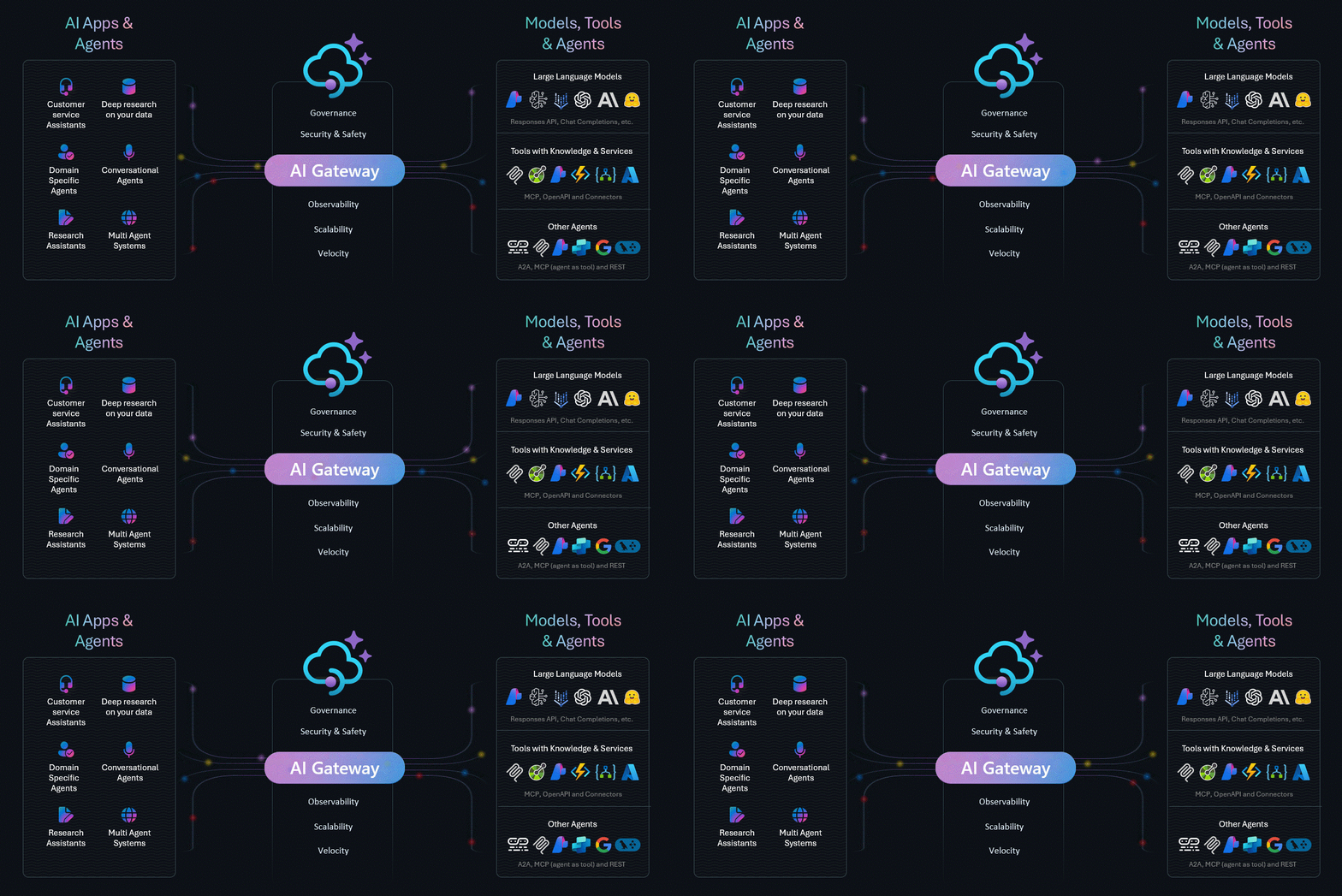
Explore the enterprise-grade gateway for managing AI Models, Tools, and Agents
📰 New! The AI Gateway Dev Portal is now live — A starting point for building your own developer portal on top of Azure API Management AI Gateway's. Fork it, open it in VS Code with GitHub Copilot (or any coding agent), and shape it to fit your needs!
Why AI Gateway?
Building production-ready AI applications requires more than just calling model APIs. You need security, reliability, observability, and cost control—without slowing down innovation.
AI Gateway powered by Azure API Management provides:
💰 Cost Control — Rate limiting, quota management, FinOps framework
🔌 Extensibility — MCP protocol support, function calling, multi-model routing
📚 Explore the Labs
🔗 Browse all 30+ labs at aka.ms/ai-gateway/labs
Each lab is a hands-on Jupyter notebook with step-by-step instructions, Bicep infrastructure templates, and APIM policies you can deploy to your Azure subscription.
🧠 AI Gateway for Models
Manage and control access to Large Language Models with enterprise-grade policies.
Lab
Description
Backend Pool Load Balancing
Distribute requests across multiple model endpoints
Token Rate Limiting
Control token consumption with rate limiting policies
Semantic Caching
Cache responses using vector similarity for faster, cheaper completions
Model Routing
Route requests to different backends based on model and version
FinOps Framework
Manage AI budgets with automated quota controls
🔧 AI Gateway for Tools
Enable secure tool access with MCP protocol and function calling capabilities.
Lab
Description
Model Context Protocol (MCP)
Plug & play tools with OAuth credential management
MCP Client Authorization
Implement MCP with the client authorization flow
Function Calling
Use OpenAI function calling with Azure Functions backend
Realtime Audio + MCP
Combine realtime voice API with MCP tools
🤖 AI Gateway for Agents
Build and control agentic applications with orchestration frameworks.
Lab
Description
AI Agent Service
Explore Foundry Agent Service with multi-service control
OpenAI Agents SDK
Use OpenAI Agents with Azure OpenAI and APIM-managed tools
Gemini MCP Agents
Integrate Google Gemini models with MCP tools
A2A Enabled Agents
A2A-enabled Agents with models and MCP plug & play tools
🚀 Quick Start
Prerequisites
Python 3.12+
uv (fast Python package manager) — install via curl -LsSf https://astral.sh/uv/install.sh | sh (Linux/macOS) or powershell -c "irm https://astral.sh/uv/install.ps1 | iex" (Windows)
VS Code with Jupyter extension
Azure Subscription with Contributor + RBAC Administrator roles
Azure CLI authenticated to your subscription
Get Started
# Clone the repository
git clone https://github.com/Azure-Samples/AI-Gateway.git
cd AI-Gateway

# Create the virtual environment and install dependencies
uv sync
uv pip install -r pyproject.toml

# Open VS Code and start with a lab
code .
When opening a notebook, select the .venv interpreter created by uv sync as the Jupyter kernel.
Or launch instantly with GitHub Codespaces ☁️
🔨 Developer Tools
The tools/ folder provides utilities for testing and development:
Tool
Description
Tracing
Invoke AI Foundry APIs with tracing enabled
Streaming
Test streaming responses from AI models
Rate Limit Tester
Validate rate limiting configurations
Mock Server
OpenAI API mock for local development and testing
OAuth Client
Test OAuth authentication flows
👩💻 Build Your Own Labs with AI
This repository includes Copilot Agent Skills that help you create new labs using AI-assisted development in VS Code.
Available Skills
Skill
Description
lab-creator
Scaffolds new labs with notebooks, Bicep, and policies
apim-bicep
Generates Azure Bicep templates for APIM resources
apim-terraform
Generates Terraform configurations for APIM
apim-policies
Creates APIM XML policies for AI gateway scenarios
apim-kql
Generates queries in KQL to control models, tools and agents
mcp-builder
Builds MCP servers for tool integration
Example: Create a New Lab
Open this repo in VS Code with GitHub Copilot and use this prompt:
Create a new lab called "multi-model-failover" that demonstrates how to
implement automatic failover between different AI models when the primary
model is unavailable or throttled. Include:
- A backend pool with priority-based routing
- Retry policy with exponential backoff
- Circuit breaker pattern for unhealthy backends
- Built-in LLM logging to track usage across all backends
- Test the model with a LangChain agent: https://docs.langchain.com/oss/python/langchain/agents
Use gpt-4.1-mini as primary and gpt-4.1-nano as fallback, deploy to Sweden Central.
Copilot will generate the complete lab structure including:
📓 Jupyter notebook with step-by-step instructions
🦾 Bicep infrastructure template
⚙️ APIM policy XML
📖 README documentation
🧹 Cleanup notebook
🏛️ Well-Architected Framework
Labs are designed following Azure Well-Architected Framework principles:
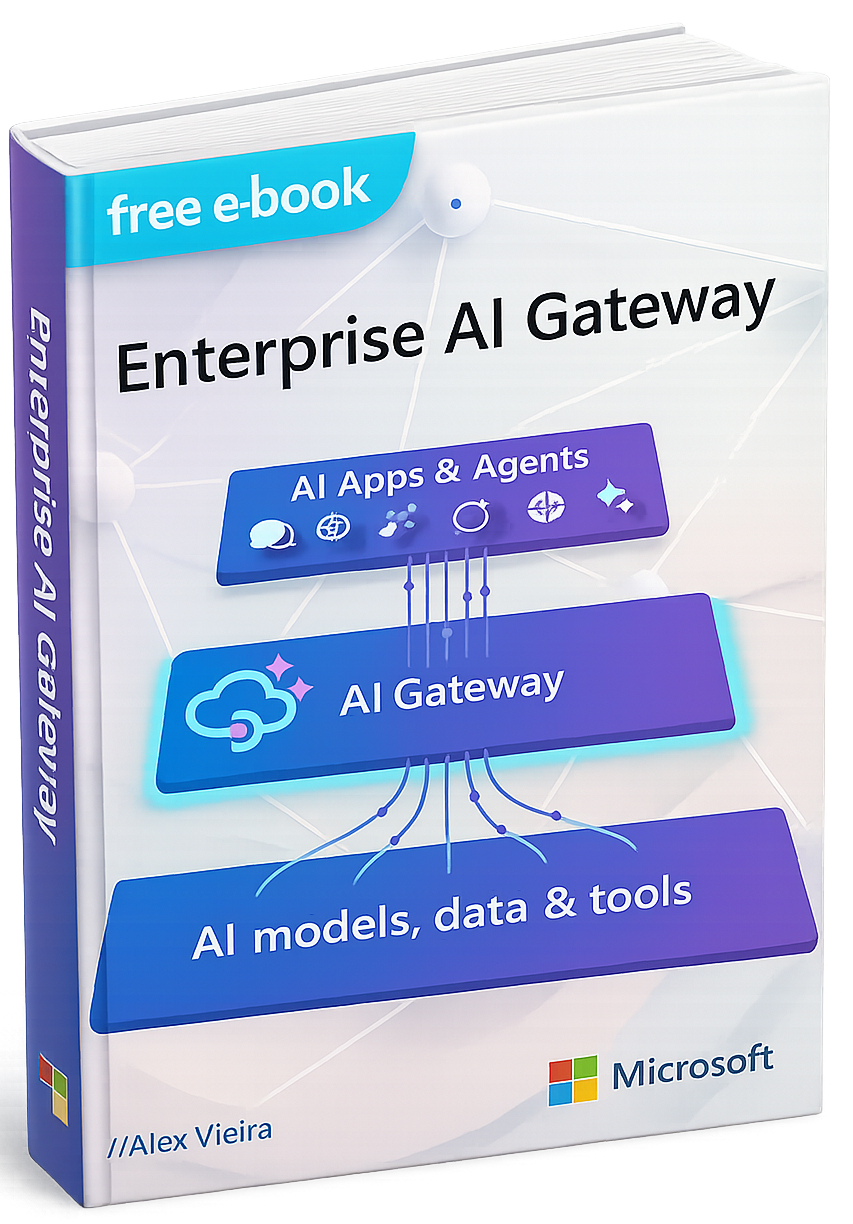
Download the Enterprise AI Gateway e-Book for comprehensive end-to-end view of the Enterprise AI Gateway pattern, explaining why a centralized governance layer is essential for organizations adopting AI at scale and how it can be practically implemented using Azure API Management and Microsoft Foundry.
It describes the AI Gateway as a control plane that mediates all interactions between AI apps and agents and the underlying models, data, and tools, enabling consistent enforcement of security, safety, cost controls, resiliency, scalability, observability, and governance. Overall, the e-Book positions the Enterprise AI Gateway as a foundational architectural component that allows enterprises to innovate rapidly with AI while maintaining trust, compliance, visibility, and control.
🎬 Conferences & Webcasts
Learn from experts through these videos covering AI Gateway concepts and implementations.
📖 Resources
📘 AI Gateway Documentation
🎓 AI Gateway Workshop
⚙️ APIM Samples
📚 APIM Learning Modules
💡 Landing Zone Accelerator
🏛️ Foundry Ctadel
📰 API Management News
🤝 Contributing
Contributions are welcome! Please read CONTRIBUTING.md for guidelines.
GitHub topics của Azure-Samples/AI-Gateway: "a2a", "agents", "apimanagement", "autogen", "azure", "foundry", "genai", "mcp", "mcp-server", "openai", "openai-api". TopGit xếp repo vào nhóm AI Tools.
Azure-Samples/AI-Gateway có phải mã nguồn mở không?
Có — Azure-Samples/AI-Gateway phát hành theo license MIT, nghĩa là mã nguồn mở để đọc, fork và (tùy license) tái sử dụng. Mã: github.com/Azure-Samples/AI-Gateway.
Azure-Samples/AI-Gateway có trang demo không?
Dự án có trang chủ ở https://aka.ms/ai-gateway/labs. Tab "Readme" ở trang này thường có ảnh chụp và hướng dẫn bắt đầu nhanh.
Azure-Samples/AI-Gateway còn đang phát triển không?
Commit gần nhất trên Azure-Samples/AI-Gateway là 2 tháng trước (theo timestamp GitHub). Repo có 520 fork — một chỉ báo về mức độ quan tâm của cộng đồng.
Azure-Samples/AI-Gateway dùng license gì?
Azure-Samples/AI-Gateway phát hành theo license MIT. Nên mở file LICENSE trên GitHub để xác nhận — license metadata đôi khi lệch với thực tế dự án.
Đọc thêm về Azure-Samples/AI-Gateway ở đâu?
Trang TopGit này là một snapshot — tab "Readme" hiển thị nguyên văn README của repo (đã bỏ link, giữ ảnh). Repo GitHub ở github.com/Azure-Samples/AI-Gateway là nguồn chính thức.
Đọc đầy đủ README ở tab phía trên.
Vẫn đang phân vân về AI-Gateway?
Một cú bấm sẽ gửi câu hỏi kèm trang này cho AI — xem AI nói gì về AI-Gateway.
 /AI-Gateway