Emacs Prelude


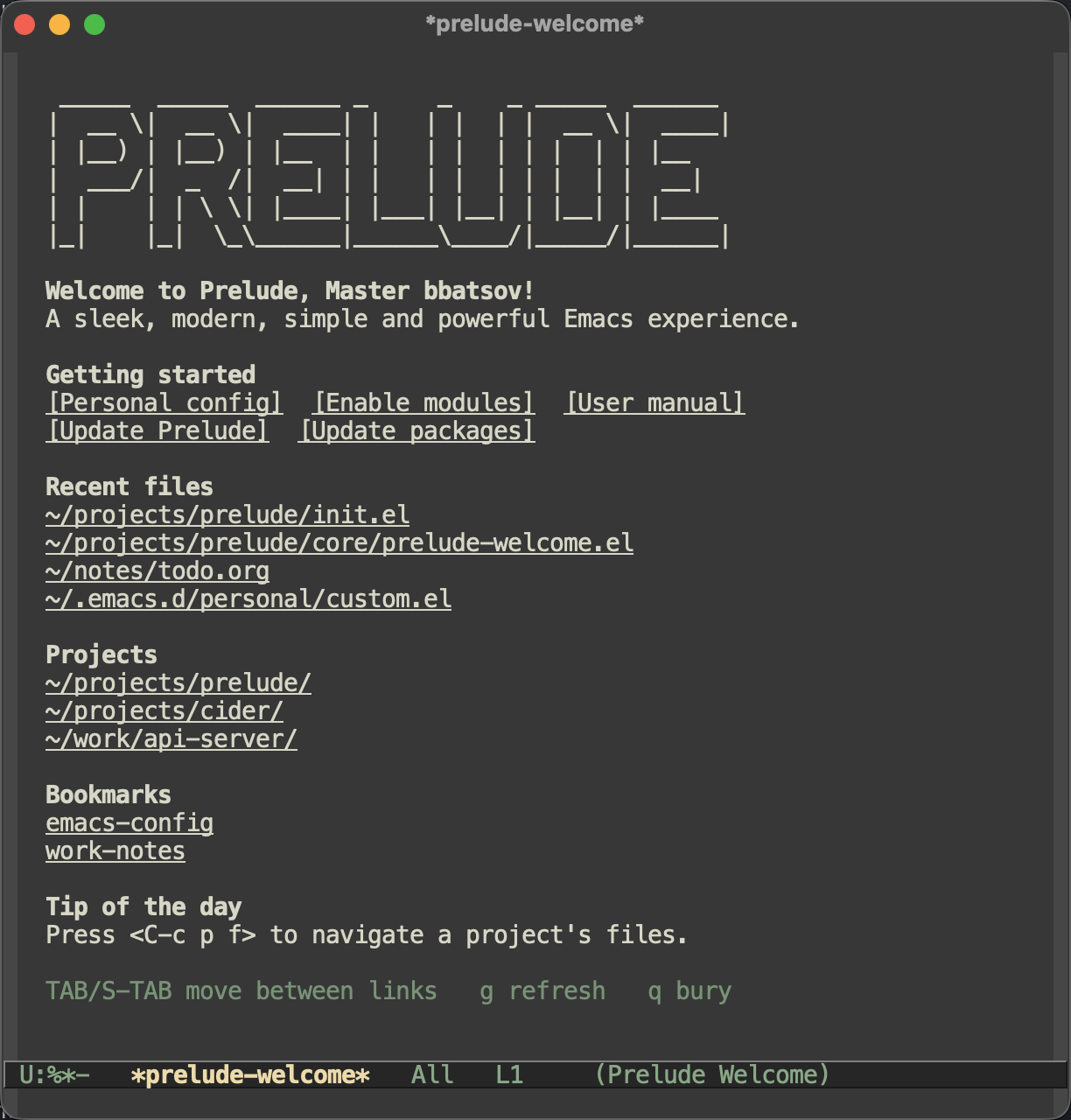
Prelude is an Emacs distribution that aims to enhance the default
Emacs experience. Prelude alters a lot of the default settings,
bundles a plethora of additional packages and adds its own core
library to the mix. The final product offers an easy to use Emacs
configuration for Emacs newcomers and lots of additional power for
Emacs power users.
Prelude is compatible ONLY with GNU Emacs 29.1+. In general
you're advised to always run Prelude with the latest stable
Emacs release.



I've been developing and maintaining Prelude in my free time for well over
a decade. That's a lot of work, and not all of it is fun!
Please consider supporting Prelude's ongoing development.
Features
- Improved UX, that's still in line with Emacs traditions
- Sane defaults of baseline Emacs functionality
- Automatic installation of many major programming modes on demand
- A curated set of 3rd party packages to enhance the base
functionality
- Simple modular architecture
- Easy customization
Check out our user manual
for more information.
Fast Forward
Assuming you're using an Unix-like OS (*BSD, GNU/Linux,
macOS, Solaris, etc), you already have a recent version of
Emacs installed, as well as git & curl you can skip the
whole manual and just type in your favorite shell the
following command:
curl -L https://git.io/epre | sh
You can now power up your Emacs, sit back and enjoy Prelude.
There are two environment variables you can use to control the
source repository and the installation directory. To change the
installation directory:
export PRELUDE_INSTALL_DIR="$HOME/.emacs.d" && \
  curl -L https://github.com/bbatsov/prelude/raw/master/utils/installer.sh | sh
To change the source repository:
export PRELUDE_URL="https://github.com/yourname/prelude.git" && \
  curl -L https://github.com/bbatsov/prelude/raw/master/utils/installer.sh | sh
Note that the installer will back up any existing .emacs file or
.emacs.d since it will unpack Prelude's code in .emacs.d. If
you're doing a manual install make sure you don't have a .emacs
file or back up your existing .emacs.d directory manually.
Important: Don't forget to adjust your
prelude-modules.el file in your personal directory
once the installation is done. By default most of the modules
that ship with Prelude are not loaded.
Try Before You "Buy"
If you're using Emacs 29+ there's a simple way to try Prelude
(or any other Emacs distro for that matter).
Just clone Prelude's repo somewhere and do the following:
emacs --init-dir ~/path/to/prelude
Philosophy
Prelude's philosophy is quite simple:
- simple
- easy to understand and extend
- stable
- a foundation for you to build upon, as opposed to some
end-user product
This means that it intentionally doesn't pack all the bells
and whistles that it could. Prelude aims to enhance the classic
Emacs experience without deviating a lot from it - e.g.
it would never enable something like evil-mode
(vim keybindings) by default and so on.
All the third-party packages that it bundles are carefully
vetted and are known to be of good quality and to have reliable
maintainers. That generally means that Prelude's unlikely
to immediate adopt some shiny new package, that has established
tried and true alternatives.
In practice this translates to the following:
- Prelude is less opinionated than distros like Spacemacs and
Doom Emacs (meaning it's closer to the standard Emacs
experience)
- Prelude installs relatively few additional packages by default
- Most modules in Prelude are opt-in instead of opt-out
(you'll notice the default config enables only a handful of
modules)
- Most modules (e.g. modules for programming languages) are
pretty short and feature setup only for essential packages
(in some cases that be just the major mode for the language
in question)
- You don't really need to track Prelude's upstream - you're
encouraged to just fork it and use it as the basis for your
own configuration.
Remember that the ultimate goal of every Emacs user is to
create an Emacs setup that reflects their own experience,
needs, goals and ideas. Just like Lisp, Emacs is nothing but a
raw building material for the perfect editing experience.
More installation options are discussed in the
installation guide.
User Manual
While Emacs Prelude is pretty simple at its core, it does have
some specifics that are worth learning - e.g. configuration
options, load order of modules and personal settings and so on.
Check out our user manual
for more information.
You can also find a lot of information about specific Prelude
features and the rationale behind them on my Emacs blog
Emacs Redux.
crux and super-save
A lot of utility commands that used to be part of Prelude were
eventually extracted to the crux package, so they'd
be easily available to more people.
These days Prelude simply depends on that package.
The super-save package also used to be part
of Prelude in the past.
Upgrading to Prelude 2.0
Prelude 2.0 is a major release that modernizes the entire
distribution around Emacs 29+ features. Here's what you need to know:
Emacs 29.1 is now required
Prelude no longer supports Emacs 28 or older. If you haven't
upgraded yet, now's the time. Emacs 29 brings built-in tree-sitter,
Eglot (LSP client), use-package, and many other improvements that
Prelude 2.0 takes full advantage of.
Tree-sitter support
For built-in modes that ship both classic and tree-sitter variants
(e.g., python-mode / python-ts-mode), Prelude automatically
selects the tree-sitter version when a grammar is available and falls
back to the classic mode when it isn't. Some modules use tree-sitter
modes unconditionally (e.g., prelude-ocaml uses neocaml which is
tree-sitter-only), though such modes typically auto-install their
grammars.
To install tree-sitter grammars, use
M-x treesit-install-language-grammar. See the
Emacs manual for details.
Built-in LSP via Eglot
Prelude 2.0 adds LSP support to most language modules using Eglot
(built-in since Emacs 29) as the default client. If you were
previously using prelude-lsp with lsp-mode, note that:
- The module has been renamed to
prelude-lsp-mode.
- Set
(setq prelude-lsp-client 'lsp-mode) in your personal
config to keep using lsp-mode.
- The default is now Eglot -- no extra packages needed.
- Eglot keybindings live under
C-c C-l (rename, code
actions, format, etc.).
Removed packages and modules
Several outdated packages have been replaced by built-in alternatives:
| Removed | Replacement |
|---|
nlinum | Built-in display-line-numbers-mode |
anzu | Built-in isearch-lazy-count |
epl | Built-in package-upgrade-all |
smex (binding) | execute-extended-command |
anaconda-mode | LSP (Eglot/lsp-mode) |
js2-mode | js-ts-mode + LSP |
tide | typescript-ts-mode + LSP |
alchemist | LSP |
go-projectile | Removed (unmaintained) |
prelude-selectrum | Use prelude-vertico instead |
Keybinding changes
C-x p no longer opens proced (reserved for project.el).C-x C-m runs execute-extended-command instead of smex.C-c c is bound to org-capture.C-c C-l prefix is used for Eglot commands in programming
modes.
What you should do
- Update Emacs to 29.1 or newer.
- Pull the latest Prelude and restart Emacs. Packages will
be updated automatically.
- Review your
prelude-modules.el -- if you had
prelude-lsp enabled, rename it to prelude-lsp-mode. If
you want Eglot (recommended), you don't need any LSP module
enabled.
- Install tree-sitter grammars for your languages of choice
(optional but recommended).
- Check your personal config for references to removed
packages (
nlinum, anzu, epl, anaconda-mode,
js2-mode, tide, alchemist).
Known issues
Check out the project's
issue list
a list of unresolved issues. By the way - feel free to fix any
of them and send me a pull request. :-)
Funding
While Prelude is free software and will always be, the project would
benefit immensely from some funding. If Prelude improves your daily Emacs
experience, please consider supporting its ongoing development.
You can support the development of Prelude via:
- GitHub Sponsors
- Patreon
- ko-fi
- PayPal
Support
Support is available via several channels:
Contributors
Here's a list
of all the people who have contributed to the development of
Emacs Prelude.
Bugs & Improvements
Bug reports and suggestions for improvements are always
welcome. GitHub pull requests are even better! :-)
License
Copyright © 2011-2026 Bozhidar Batsov and
contributors.
Distributed under the GNU General Public License, version 3