Flutter Foundations Course - eCommerce App
This is the official repo for this course:
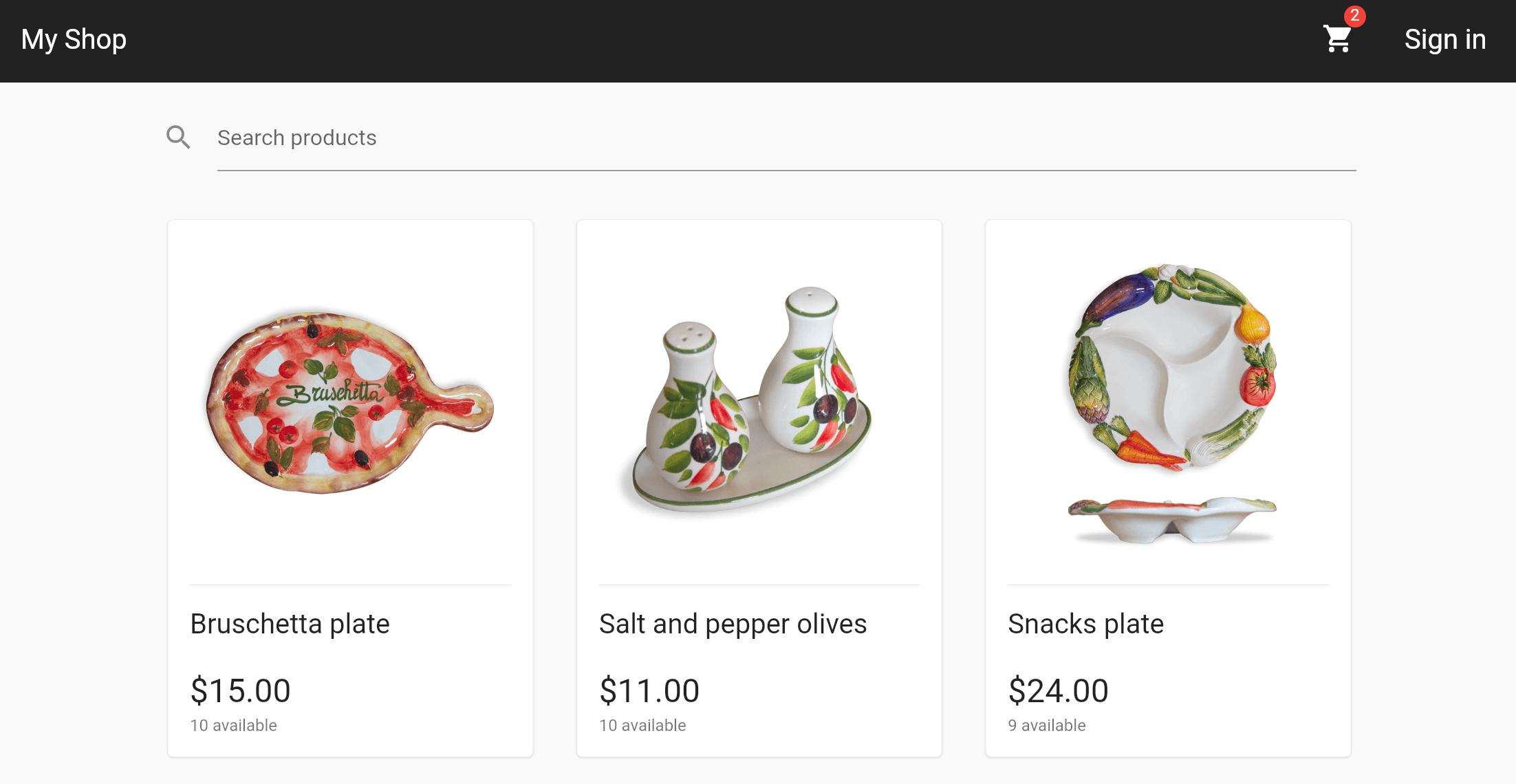
This will include a full-stack eCommerce app using Flutter & Firebase:
A Flutter web preview of the app can be found here:
Project Setup
To clone the repo for the first time and open it in VSCode, run this:
git clone https://github.com/bizz84/complete-flutter-course.git
cd complete-flutter-course
code .
This will checkout the main branch which contains the latest code .
But at various points in the course, I'll ask you to checkout a specific branch name , so you can follow along with the right code, at the right time.
And to prevent any conflicts, you may need to reset your local changes:
git reset --hard HEAD
git checkout <branch-name>
Troubleshooting
If the course project doesn't compile or run for you, there are a number of things to look out for.
I'm keeping a list of all the FAQs here:
List of Common Problems and Solutions
Flutter Foundations - Course Syllabus
1. Intro & Project Overview
What you will learn in this course
Section overview
VSCode Shortcuts, Extensions & Settings for Flutter development
Join the Slack Channel
Course Project on GitHub
Download the Starter Project & pubspec.yaml overview
eCommerce app overview
Code walkthrough: project structure
Exploring the codebase with the Widget Inspector (DevTools)
UI Design Principles: Composition & Reusable Widget Classes
Useful Widgets for Responsive Design
App Localization
2. Navigation with GoRouter
Section Intro
Limitations of Navigator 1.0
GoRouter installation & initial setup with MaterialApp.router
Routes, sub-routes and navigation
GoRouterHelper Extension and pageBuilderAdding some additional routes
Routing by path vs routing by name
Routing with parameters
GoRouter error handling
Navigating with go vs push
Adding the remaining routes
How to pop a route with GoRouter
Nested Navigation
Bug fix & wrap up
3. Flutter App Architecture
Section Intro
Popular App Architectures: MVC, MVP, MVVM, Clean Architecture, Bloc
Riverpod App Architecture with the Controller-Service-Repository Pattern
Project Structure: Feature-first vs Layer-first
The Repository Pattern and the Data Layer
Implementing the "fake" products repository as a singleton
Working with Future and Stream-based APIs
Wrap Up
4. State Management with Riverpod - Part 1 (Product Listings)
Section Intro
Introduction to Riverpod
Riverpod installation and setup
Creating our first provider
Reading providers with ConsumerWidget and Consumer
Working with FutureProvider, StreamProvider, and AsyncValue
Testing AsyncValue by adding a delay
The family modifier
The autoDispose modifier + advanced data caching options
Creating a reusable AsyncValueWidget helper
Wrap Up + Exercise
5. State Management with Riverpod - Part 2 (Authentication Flow)
Section intro
Implementing a fake authentication repository
Creating repositories using abstract classes (optional)
Intro: a reactive in-memory store with RxDart
Implementing the InMemoryStore with RxDart
Using the InMemoryStore in the FakeAuthRepository
Accessing the FakeAuthRepository with ref.read() in the AccountScreen
Creating our first controller using StateNotifier
Using the StateNotifier inside the AccountScreen widget
Listening to provider state changes with ref.listen()
Bug-fix for Navigator.pop
The AsyncValue.guard method
Adding an AsyncValue extension method
Using the authStateChangesProvider in HomeAppBar
Intro to the email & password sign-in screen
How to generate immutable state classes in Dart
Using AsyncValue inside EmailPasswordSignInState
Implementing the EmailPasswordSignInController
Using the EmailPasswordSignInController in the widget class
Bug fix + filtering state updates with select()
GoRouter redirects
GoRouter: the refreshListenable argument
Wrap Up
6. Automated Testing - Part 1
Section Intro
Introduction to Automated Testing and the Testing Pyramid
Getting started with automated testing
Writing the first unit test + adding toString() and equality implementations
Test matchers and working with methods that throw exceptions
Fixing the getProduct() method and updating the unit tests
Working with groups and testing Futures and Streams
Adding an optional delay to the FakeProductsRepository
How to generate a Flutter test coverage report in VSCode
Testing the FakeAuthRepository (part 1)
Testing the FakeAuthRepository (part 2) + advanced stream matchers
Mocks vs Fakes + installing the mocktail package
Testing the AccountScreenController (part 1) + AsyncValue subclasses
Testing the AccountScreenController (part 2) + working with mocks
Testing the AccountScreenController (part 3) + type matchers
Testing with Stream Matchers and Predicates
Testing lifecycle methods (setUp, tearDown, setUpAll, tearDownAll)
Testing the EmailPasswordSignInController with acceptance criteria
Testing the EmailPasswordSignInController (part 2)
Tip: setting custom test timeouts per-file
Adding a test workflow to automate testing with GitHub Actions
Wrap up
7. Automated Testing - Part 2
Section Intro
Introduction to widget tests + starter project
Writing our first widget test using pumpWidget()
Working with WidgetTester and finder
Robot testing
How to find widgets by key
Writing widget tests with mocks and provider overrides
Writing widget tests with Future.delayed() and runAsync()
Adding the email & password widget tests
Adding the email & password widget tests (part 2)
Test setup for the authentication flow + using pumpAndSettle()
Fixing the RenderFlex overflow error
Completing the authentication flow test
Integration tests
Golden image tests
Running golden image tests with size variants
How to deal with holden image tests failing on CI
Wrap Up
8. Feature: Shopping Cart
Section Intro
Overview of the shopping cart feature + technical requirements
App Architecture for the shopping cart feature
Starter project + overview of the data and domain layers
Local data persistence with Sembast: Initial setup
How to persist the shopping cart data with the SembastCartRepository
Implementing the CartService class
Updating the CartService class to read dependencies using Ref
Writing unit tests using ProviderContainer
Writing the unit tests for the CartService class
Implementing the AddToCartController
Updating the AddToCartWidget
Bug Fix: Adding autoDispose to the AddToCartController
Showing the cart items in the ShoppingCartScreen + AutoDispose vs AlwaysAlive error when combining providers
Implementing the ShoppingCartItemController
Updating the EditOrRemoveItemWidget and ShoppingCartScreen widgets
Calculating and showing the cart items count
Calculating and showing the cart total price
Limiting the available quantity when adding items to the shopping cart
Implementing the CartSyncService with a listener
Registering the CartSyncService with ProviderContainer when the app starts
Implementing the logic inside the CartSyncService
Implementing the logic inside the CartSyncService (part 2 - optional)
Unit tests for the CartSyncService
Unit-testing providers with dependencies using ProviderContainer
Updated widget and integration tests
Wrap up + exercise (implement a wish list feature)
9. Feature: Checkout Flows
Section intro
Starter project for the checkout flows
Updating the CheckoutScreen with the PageController initialization logic
Do we need a StateNotifier for the CheckoutScreen?
Updating the PaymentPage
Implementing the PaymentButtonController
Wrap Up
10. Error Handling
Intro
Errors vs exceptions
Starter project overview + defining custom exceptions with enums
Using sealed classes to define exception types
Using the AppException sealed class in the FakeAuthRepository
Adding an AsyncErrorLogger using ProviderObserver
Creating a reusable ErrorLogger to catch all exceptions
Completing the error handling system
Working with the Result type (Success and Error)
Drawbacks of the Result type (and when not to use it)
Wrap Up
11. Feature: Product Reviews
Section Intro
Starter project overview
Overview of the LeaveReviewScreen
Implemeting a LeaveReviewController and submitting form data
Testing the LeaveReviewForm and preventing an AssertionError
Dismissing the LeaveReviewScreen programmatically on success using a callback
How to prefill a form with data from a repository/backend
Optimization: only submit the form if the data has changed
Showing existing reviews in the ProductReviewsList
Updating the LeaveReviewAction by reading read data from the userPurchaseProvider
Calculating the average product ratings
Updated tests & wrap up
12. Feature: Products Search
Section Intro
Client-side vs server-side search
Adding a search method to the FakeProductsRepository
Implementing client-side search with StateProvider and FutureProvider
Riverpod caching with autoDispose, keepAlive() and Timer
Debouncing and cancelling network requests
13. New Riverpod 2.x APIs & Riverpod Generator
Introduction to Riverpod 2.x
Starter project and updated code walkthrough
Installing the Riverpod Generator package
Generating providers with the @riverpod syntax
Migrating some more providers to Riverpod Generator + the keepAlive syntax
Migrating the AccountScreenController from StateNotifier to AsyncNotifier
Converting the AccountScreenController to use Riverpod Generator
How to check if an AsyncNotifier is mounted
How to write unit tests for AsyncNotifier subclasses
Wrap Up
Conclusion & Next Steps
LICENSE: MIT 
 /complete-flutter-course