bloomberg/goldpinger là dự án Developer Tools trên GitHub, viết chủ yếu bằng JavaScript, với 2.7k sao. Debugging tool for Kubernetes which tests and displays connectivity between nodes in the cluster.
Tóm tắt dựng từ metadata GitHub của chính dự án — chưa có bài review TopGit. Trang sẽ tự động cập nhật khi bài review đầy đủ được xuất bản.
VÌ SAO CHƯA CÓ REVIEW
TopGit viết bài đầy đủ cho repo có nhiều sao nhất và được yêu cầu nhiều nhất. Trang này là snapshot trong thời gian chờ — xem README gốc ở tab READ ME.
Goldpinger makes calls between its instances to monitor your networking.
It runs as a DaemonSet on Kubernetes and produces Prometheus metrics that can be scraped, visualised and alerted on.
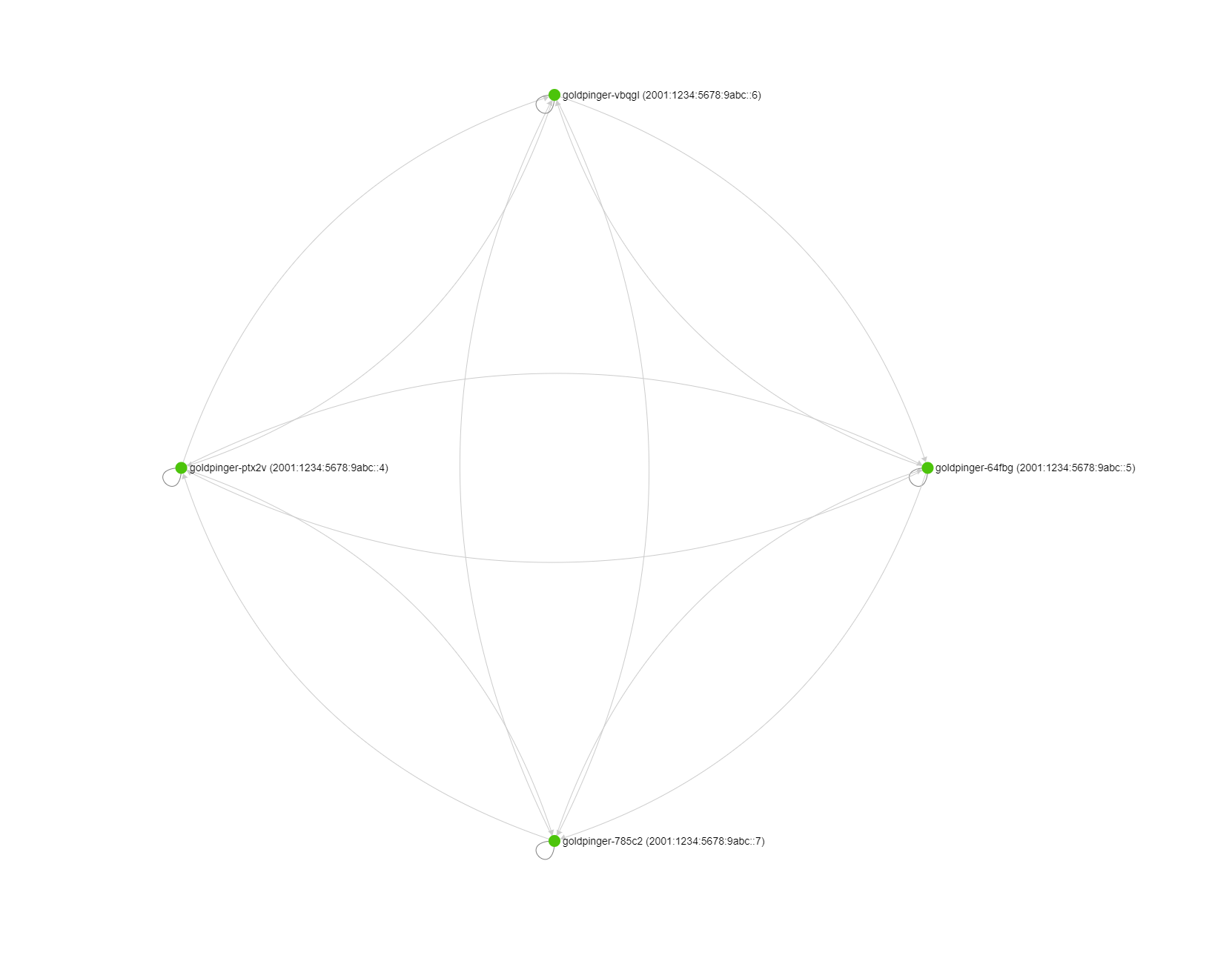
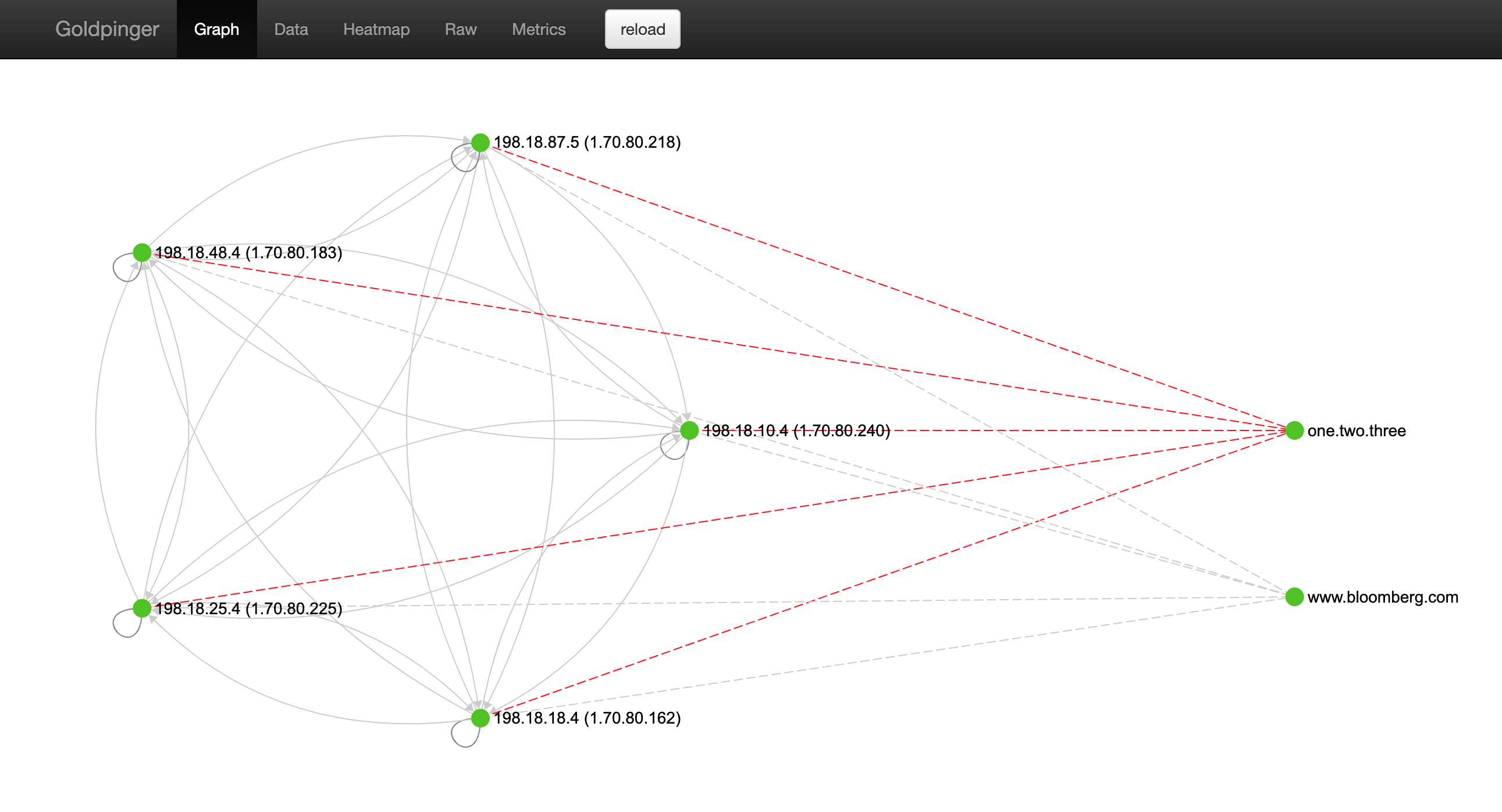
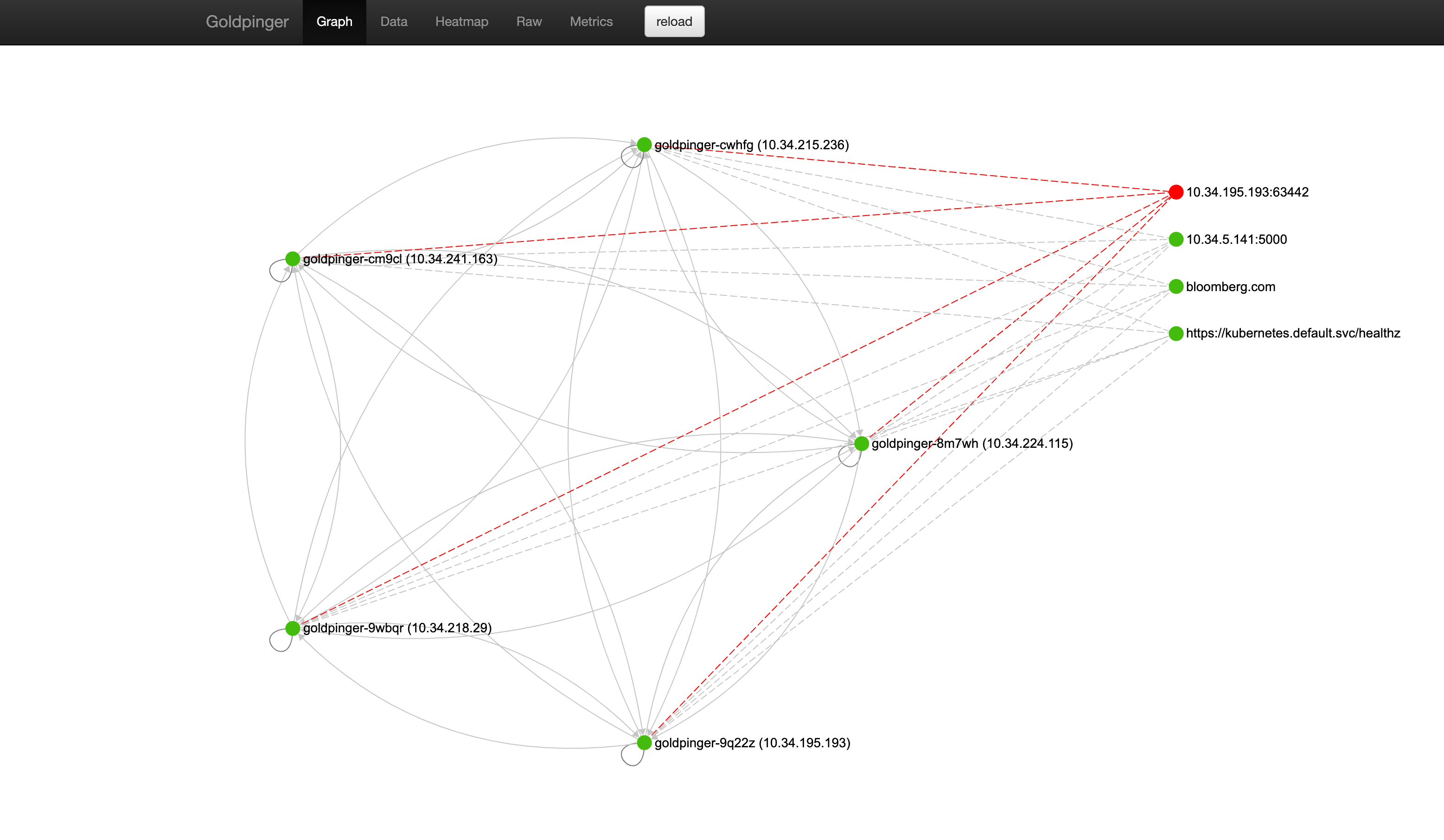
Oh, and it gives you the graph below for your cluster. Check out the video explainer.
:tada: 1M+ pulls from docker hub!
On the menu
Goldpinger
On the menu
Rationale
Quick start
Building
Compiling using a multi-stage Dockerfile
Compiling locally
Installation
Authentication with Kubernetes API
Example YAML
Note on DNS
UDP probe for packet loss, hop count, and RTT
Usage
UI
API
Prometheus
Grafana
Alert Manager
Chaos Engineering
Authors
Contributions
License
Rationale
We built Goldpinger to troubleshoot, visualise and alert on our networking layer while adopting Kubernetes at Bloomberg. It has since become the go-to tool to see connectivity and slowness issues.
It's small (~16MB), simple and you'll wonder why you hadn't had it before.
If you'd like to know more, you can watch our presentation at Kubecon 2018 Seattle.
Quick start
Getting from sources:
go get github.com/bloomberg/goldpinger/cmd/goldpinger
goldpinger --help
Getting from docker hub:
# get from docker hub
docker pull bloomberg/goldpinger:v3.0.0
Building
The repo comes with two ways of building a docker image: compiling locally, and compiling using a multi-stage Dockerfile image. :warning: Depending on your docker setup, you might need to prepend the commands below with sudo.
Compiling using a multi-stage Dockerfile
You will need docker version 17.05+ installed to support multi-stage builds.
# Build a local container without publishing
make build

# Build & push the image somewhere
namespace="docker.io/myhandle/" make build-release
This was contributed via @michiel - kudos !
Compiling locally
In order to build Goldpinger, you are going to need go version 1.15+ and docker.
Building from source code consists of compiling the binary and building a Docker image:
# step 0: check out the code
git clone https://github.com/bloomberg/goldpinger.git
cd goldpinger

# step 1: compile the binary for the desired architecture
make bin/goldpinger
# at this stage you should be able to run the binary
./bin/goldpinger --help

# step 2: build the docker image containing the binary
namespace="docker.io/myhandle/" make build

# step 3: push the image somewhere
docker push $(namespace="docker.io/myhandle/" make version)
Installation
Goldpinger works by asking Kubernetes for pods with particular labels (app=goldpinger). While you can deploy Goldpinger in a variety of ways, it works very nicely as a DaemonSet out of the box.
Helm Installation
Goldpinger can be installed via Helm using the following:
Note, that you will also need to add an RBAC rule to allow Goldpinger to list other pods. If you're just playing around, you can consider a view-all default rule:
You can also see an example of using kubeconfig in the ./extras.
Using with IPv4/IPv6 dual-stack
If your cluster IPv4/IPv6 dual-stack and you want to force IPv6, you can set the IP_VERSIONS environment variable to "6" (default is "4") which will use the IPv6 address on the pod and host.
Note on DNS
Note, that on top of resolving the other pods, all instances can also try to resolve arbitrary DNS. This allows you to test your DNS setup.
From --help:
--host-to-resolve= A host to attempt dns resolve on (space delimited) [$HOSTS_TO_RESOLVE]
So in order to test two domains, we could add an extra env var to the example above:
Instances can also be configured to do simple TCP or HTTP checks on external targets. This is useful for visualizing more nuanced connectivity flows.
      --tcp-targets=             A list of external targets(<host>:<port> or <ip>:<port>) to attempt a TCP check on (space delimited) [$TCP_TARGETS]
      --http-targets=            A  list of external targets(<http or https>://<url>) to attempt an HTTP{S} check on. A 200 HTTP code is considered successful. (space delimited) [$HTTP_TARGETS]
      --tcp-targets-timeout=  The timeout for a tcp check on the provided tcp-targets (default: 500) [$TCP_TARGETS_TIMEOUT]
      --dns-targets-timeout=  The timeout for a tcp check on the provided udp-targets (default: 500) [$DNS_TARGETS_TIMEOUT]
the timeouts for the TCP, DNS and HTTP checks can be configured via TCP_TARGETS_TIMEOUT, DNS_TARGETS_TIMEOUT and HTTP_TARGETS_TIMEOUT respectively.
UDP probe for packet loss, hop count, and RTT
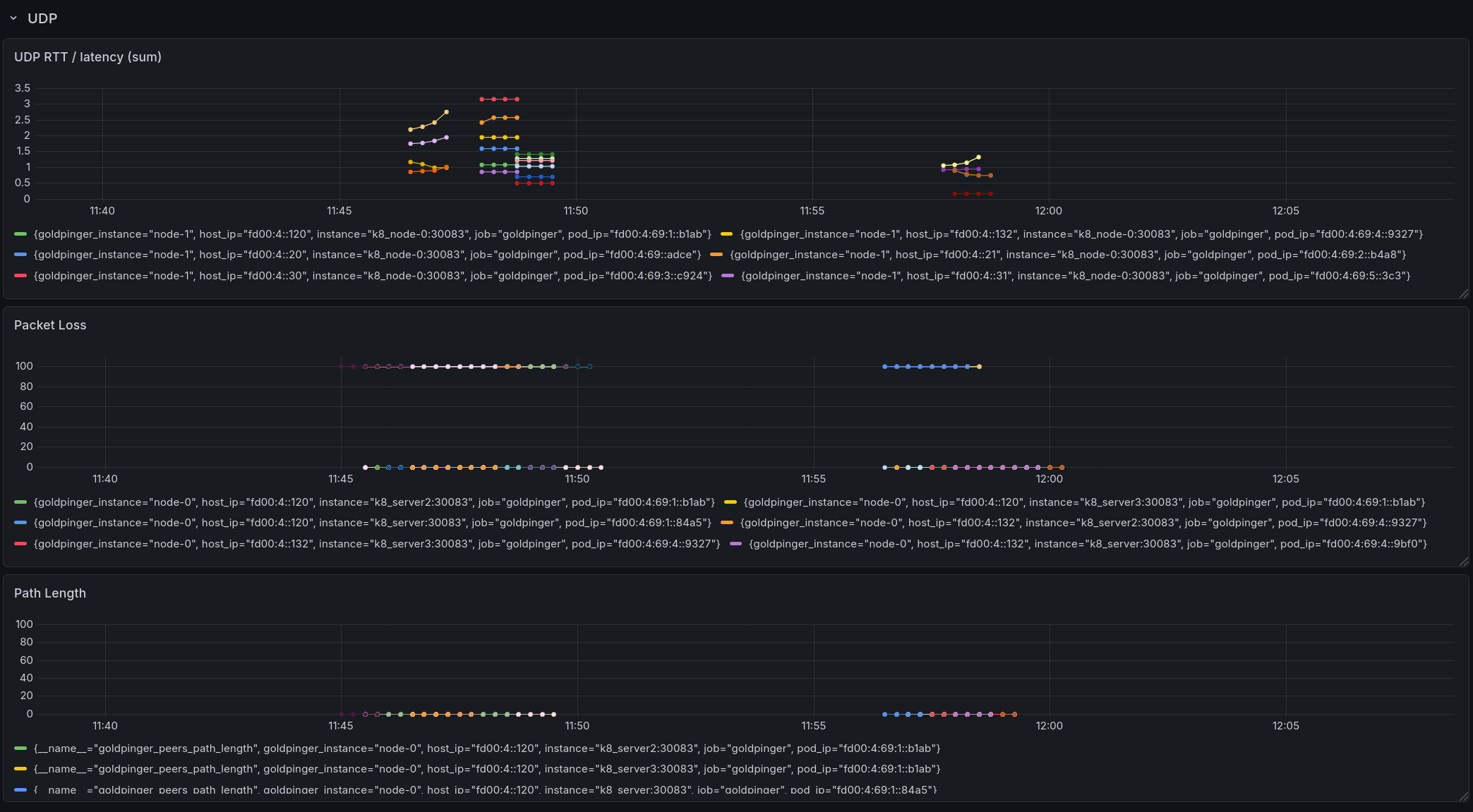
In natively routed Kubernetes environments (e.g. Cilium, Calico in BGP mode), the existing HTTP ping can mask network issues: TCP retransmits hide packet loss, and HTTP latency includes the 3-way handshake, TLS, and application overhead. The UDP probe gives you visibility into the actual network layer.
When enabled, each goldpinger pod runs a UDP echo listener. During each ping cycle, the prober sends a configurable number of sequenced UDP packets to each peer; the peer echoes them back. From the replies, goldpinger computes:
Packet loss — percentage of packets that were not returned, surfacing degraded links before they impact applications
Hop count — estimated from the IPv4 TTL or IPv6 HopLimit on received replies, useful for detecting asymmetric routing or unexpected topology changes
UDP RTT — average round-trip time with sub-millisecond precision, isolating network latency from TCP/HTTP overhead
The feature is disabled by default and can be enabled with the following environment variables:
UDP_ENABLED=true        # enable UDP probing and echo listener
UDP_PORT=6969           # listener port (default: 6969)
UDP_PACKET_COUNT=10     # packets per probe (default: 10)
UDP_PACKET_SIZE=64      # bytes per packet (default: 64)
UDP_TIMEOUT=1s          # probe timeout (default: 1s)
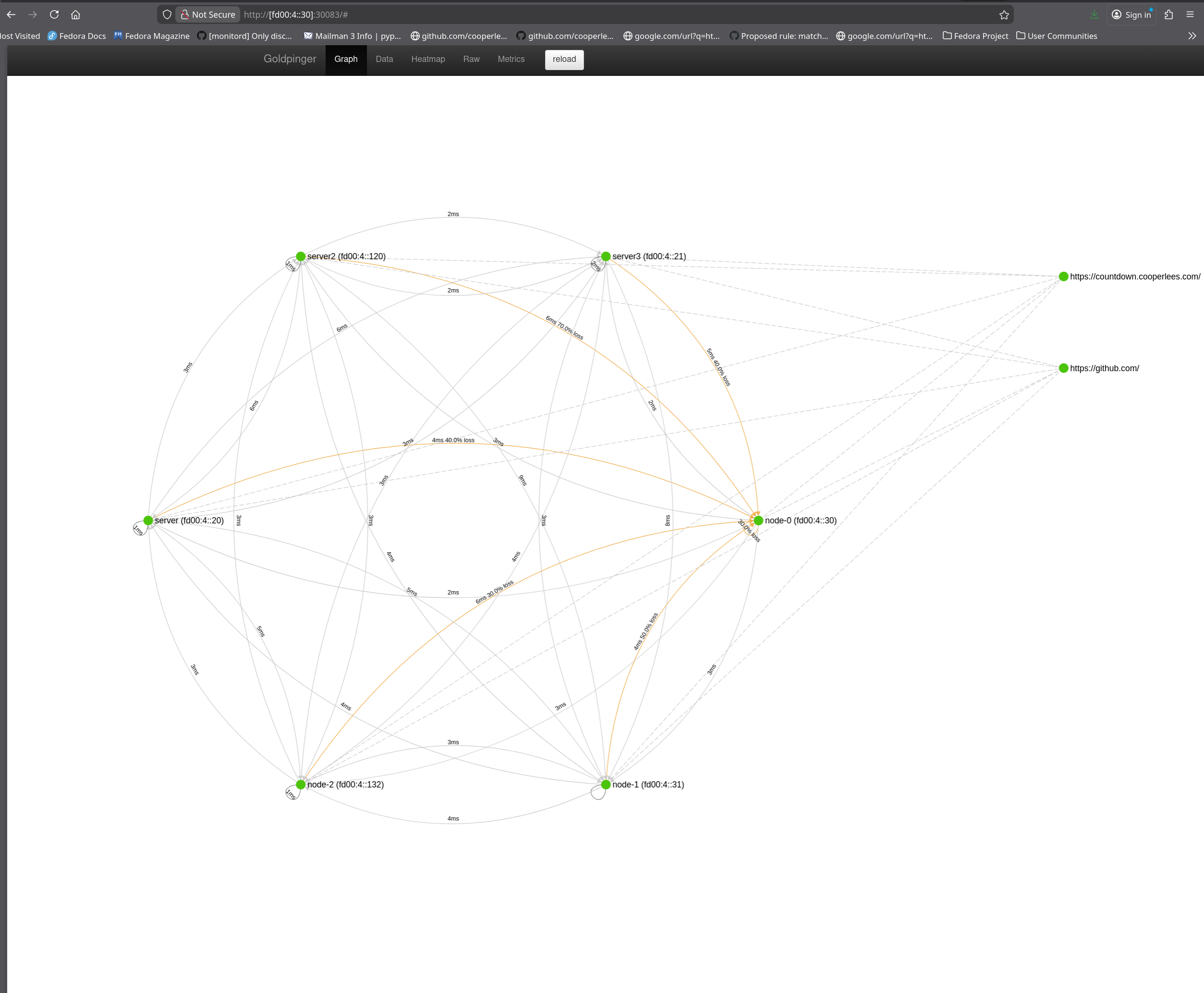
Links with partial loss are shown as yellow edges in the graph UI, and edge labels display the UDP RTT instead of HTTP latency when available.
No new dependencies are required (golang.org/x/net is already in go.mod), and no additional container capabilities are needed.
Usage
UI
Once you have it running, you can hit any of the nodes (port 30080 in the example above) and see the UI.
You can click on various nodes to gray out the clutter and see more information.
API
The API exposed is via a well-defined Swagger spec.
The spec is used to generate both the server and the client of Goldpinger. If you make changes, you can re-generate them using go-swagger via make swagger
Prometheus
Once running, Goldpinger exposes Prometheus metrics at /metrics. All the metrics are prefixed with goldpinger_ for easy identification.
You can see the metrics by doing a curl http://$POD_ID:80/metrics.
These are probably the droids you are looking for:
goldpinger_peers_response_time_s_*
goldpinger_nodes_health_total
goldpinger_stats_total
goldpinger_errors_total
goldpinger_peers_loss_pct           # (UDP probe, when enabled)
goldpinger_peers_hop_count          # (UDP probe, when enabled)
goldpinger_peers_udp_rtt_s_*        # (UDP probe, when enabled)
goldpinger_udp_duplicates_total     # (UDP probe, when enabled)
goldpinger_udp_out_of_order_total   # (UDP probe, when enabled)
Grafana
You can find an example of a Grafana dashboard that shows what's going on in your cluster in extras. This should get you started, and once you're on the roll, why not :heart: contribute some kickass dashboards for others to use ?
Alert Manager
Once you've gotten your metrics into Prometheus, you have all you need to set useful alerts.
To get you started, here's a rule that will trigger an alert if there are any nodes reported as unhealthy by any instance of Goldpinger.
alert: goldpinger_nodes_unhealthy
expr: sum(goldpinger_nodes_health_total{status="unhealthy"})
  BY (instance, goldpinger_instance) > 0
for: 5m
annotations:
  description: |
    Goldpinger instance {{ $labels.goldpinger_instance }} has been reporting unhealthy nodes for at least 5 minutes.
  summary: Instance {{ $labels.instance }} down
Similarly, why not :heart: contribute some amazing alerts for others to use ?
Chaos Engineering
Goldpinger also makes for a pretty good monitoring tool in when practicing Chaos Engineering. Check out PowerfulSeal, if you'd like to do some Chaos Engineering for Kubernetes.
Authors
Goldpinger was created by Mikolaj Pawlikowski and ported to Go by Chris Green.
Contributions
We :heart: contributions.
Have you had a good experience with Goldpinger ? Why not share some love and contribute code, dashboards and alerts ?
If you're thinking of making some code changes, please be aware that most of the code is auto-generated from the Swagger spec. The spec is used to generate both the server and the client of Goldpinger. If you make changes, you can re-generate them using go-swagger via make swagger.
Before you create that PR, please make sure you read CONTRIBUTING and DCO.
License
Please read the LICENSE file here.
For each version built by travis, there is also an additional version, appended with -vendor, which contains all source code of the dependencies used in goldpinger.
bloomberg/goldpinger có 2.7k sao GitHub — tải lại trang để xem số mới nhất, hoặc xem trực tiếp github.com/bloomberg/goldpinger. TopGit phản chiếu số sao của GitHub nhưng không cam kết đến từng phút.
bloomberg/goldpinger có phải mã nguồn mở không?
Có — bloomberg/goldpinger phát hành theo license Apache-2.0, nghĩa là mã nguồn mở để đọc, fork và (tùy license) tái sử dụng. Mã: github.com/bloomberg/goldpinger.
bloomberg/goldpinger còn đang phát triển không?
Commit gần nhất trên bloomberg/goldpinger là 1 tháng trước (theo timestamp GitHub). Repo có 191 fork — một chỉ báo về mức độ quan tâm của cộng đồng.
bloomberg/goldpinger dùng license gì?
bloomberg/goldpinger phát hành theo license Apache-2.0. Nên mở file LICENSE trên GitHub để xác nhận — license metadata đôi khi lệch với thực tế dự án.
bloomberg/goldpinger là gì?
bloomberg/goldpinger (bloomberg/goldpinger) là dự án JavaScript trên GitHub. Theo mô tả gốc: Debugging tool for Kubernetes which tests and displays connectivity between nodes in the cluster.
bloomberg/goldpinger viết bằng ngôn ngữ gì?
bloomberg/goldpinger chủ yếu viết bằng JavaScript. Trường "language" của GitHub dựa trên phần lớn byte ở nhánh mặc định.
Cùng nhóm Developer Tools còn repo nào?
bloomberg/goldpinger thuộc nhóm Developer Tools trên TopGit, cùng 3 topic GitHub. Trang Trending và Topics liệt kê các repo cùng số sao và cùng ngôn ngữ để so sánh.
Đọc thêm về bloomberg/goldpinger ở đâu?
Trang TopGit này là một snapshot — tab "Readme" hiển thị nguyên văn README của repo (đã bỏ link, giữ ảnh). Repo GitHub ở github.com/bloomberg/goldpinger là nguồn chính thức.
Đọc đầy đủ README ở tab phía trên.
Vẫn đang phân vân về goldpinger?
Một cú bấm sẽ gửi câu hỏi kèm trang này cho AI — xem AI nói gì về goldpinger.

 /goldpinger