Bogdan-Lyashenko/js-code-to-svg-flowchart là dự án Frontend trên GitHub, viết chủ yếu bằng JavaScript, với 7.1k sao. js2flowchart - a visualization library to convert any JavaScript code into beautiful SVG flowchart. Learn other’s code. Design your code. Refactor code. Document code. Explain code.
Tóm tắt dựng từ metadata GitHub của chính dự án — chưa có bài review TopGit. Trang sẽ tự động cập nhật khi bài review đầy đủ được xuất bản.
VÌ SAO CHƯA CÓ REVIEW
TopGit viết bài đầy đủ cho repo có nhiều sao nhất và được yêu cầu nhiều nhất. Trang này là snapshot trong thời gian chờ — xem README gốc ở tab READ ME.
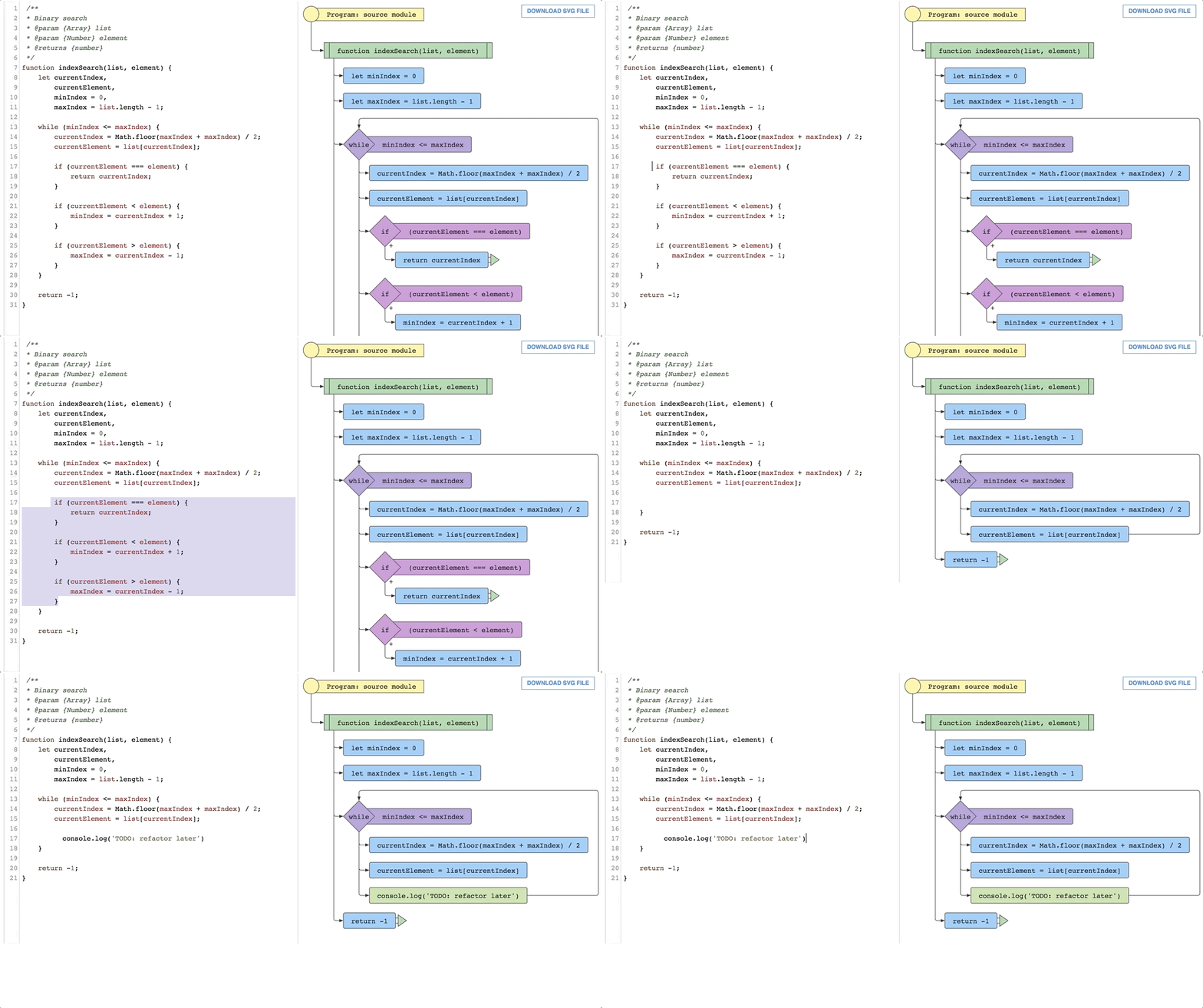
Why? While I've been working on Under-the-hood-ReactJS I spent enormous amount of time on creating schemes. Each change in code or flowchart affects all entire scheme instantly, forcing you to move and align 'broken pieces'. Just repeated manual work...
For multiple files support (and other cool features to simplify codebase learning and documentation) checkout Codecrumbs project I am building right now.
Imagine a library which takes any JS code and generate SVG flowchart from it, works on client and server. Allows you easily adjust styles scheme for your context or demonstrate your code logic from different abstractions levels. Highlighting, destructing whole blocks, custom modifiers for your needs etc.
js2flowchart.js
js2flowchart is a tool for generating beautiful SVG flowcharts™ from JavaScript code.
To get started install package from NPM
yarn add js2flowchart
or try it right away at codepen sample, or play with the demo below.
Demo
Check out live code editor, paste your code and download SVG file of flowchart!
What does js2flowchart do?
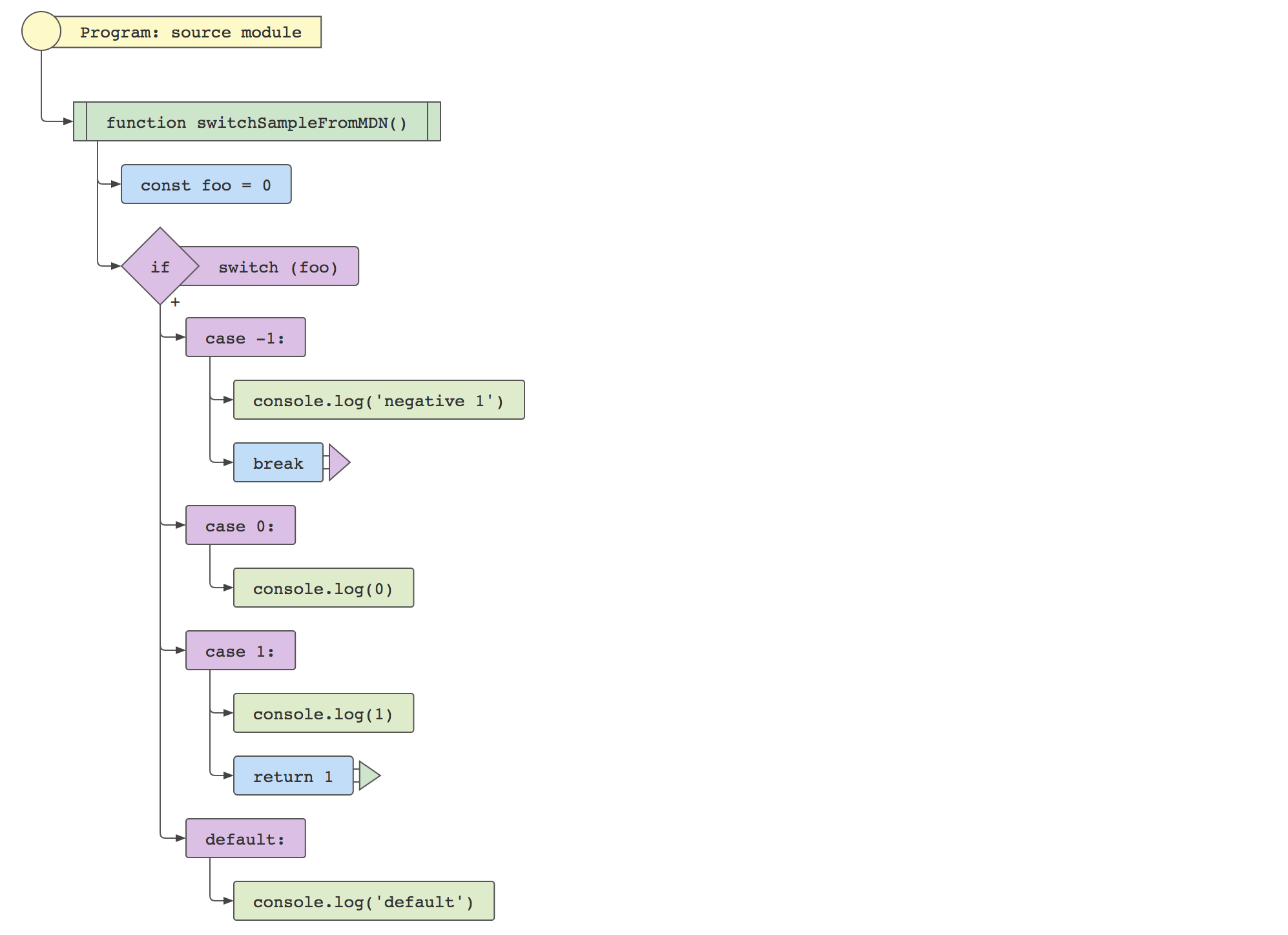
js2flowchart takes your JS code and returns SVG flowchart, works on client/server, support ES6.
Main features:
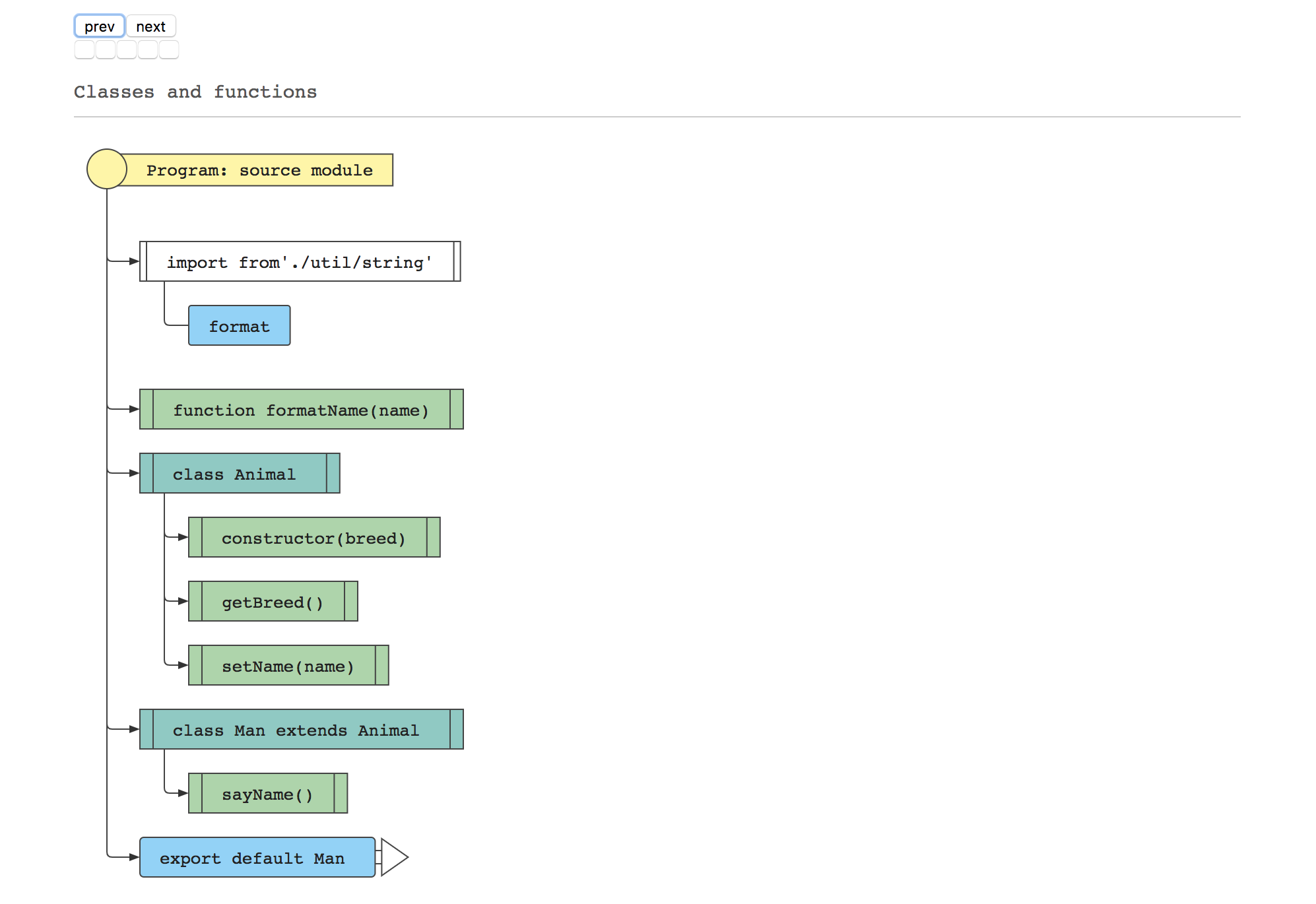
defined abstractions levels to render only import/exports, classes/function names, function dependencies to learn/explain the code step by step.
custom abstractions levels support create your own one
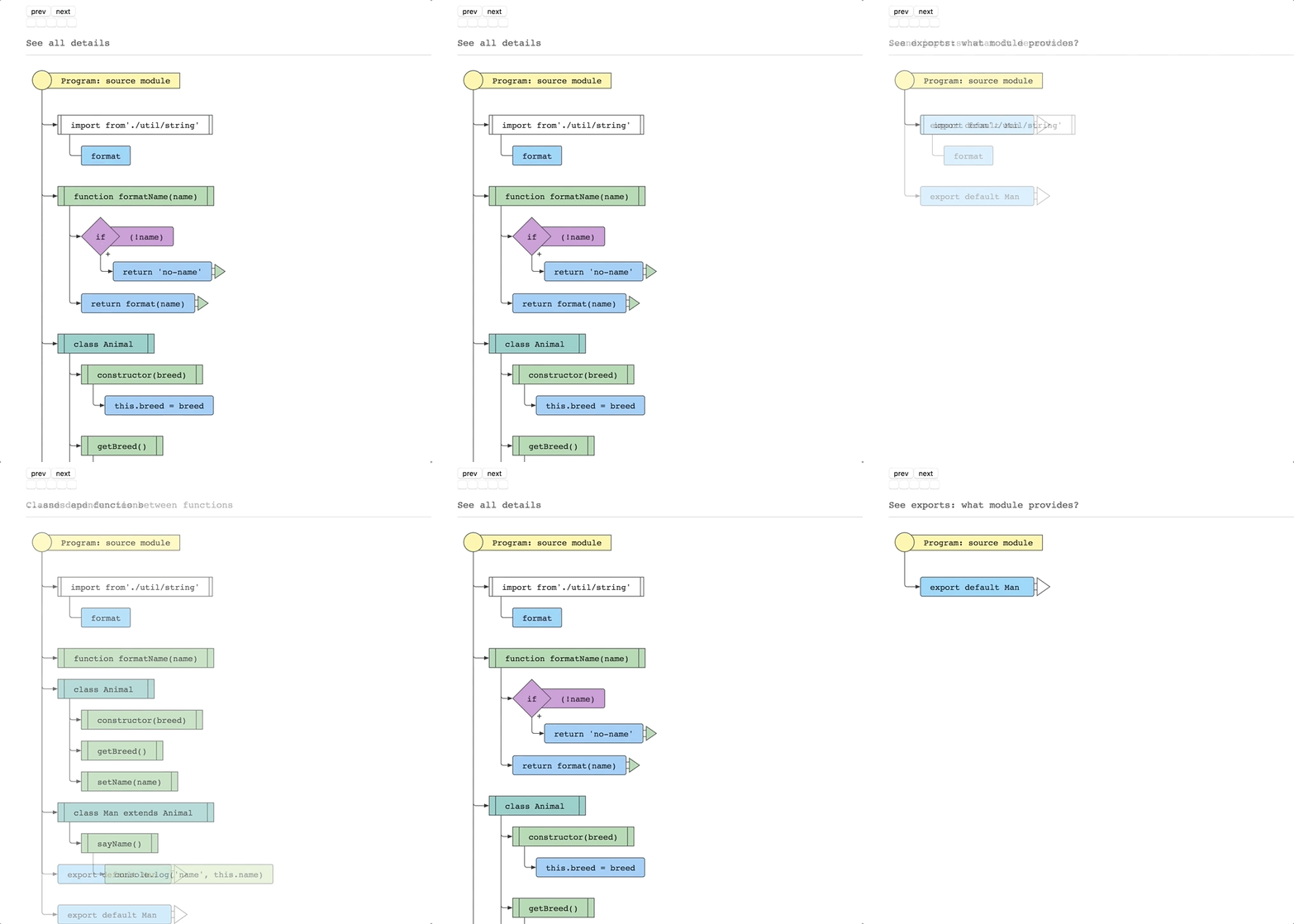
presentation generator to generate list of SVGs in order to different abstractions levels
defined flow tree modifiers to map well-known APIs like i.e. [].map, [].forEach, [].filter to Loop structure on scheme etc.
destruction modifier to replace block of code with one shape on scheme
custom flow tree modifiers support create your own one
flow tree ignore filter to omit some code nodes completely i.e. log lines
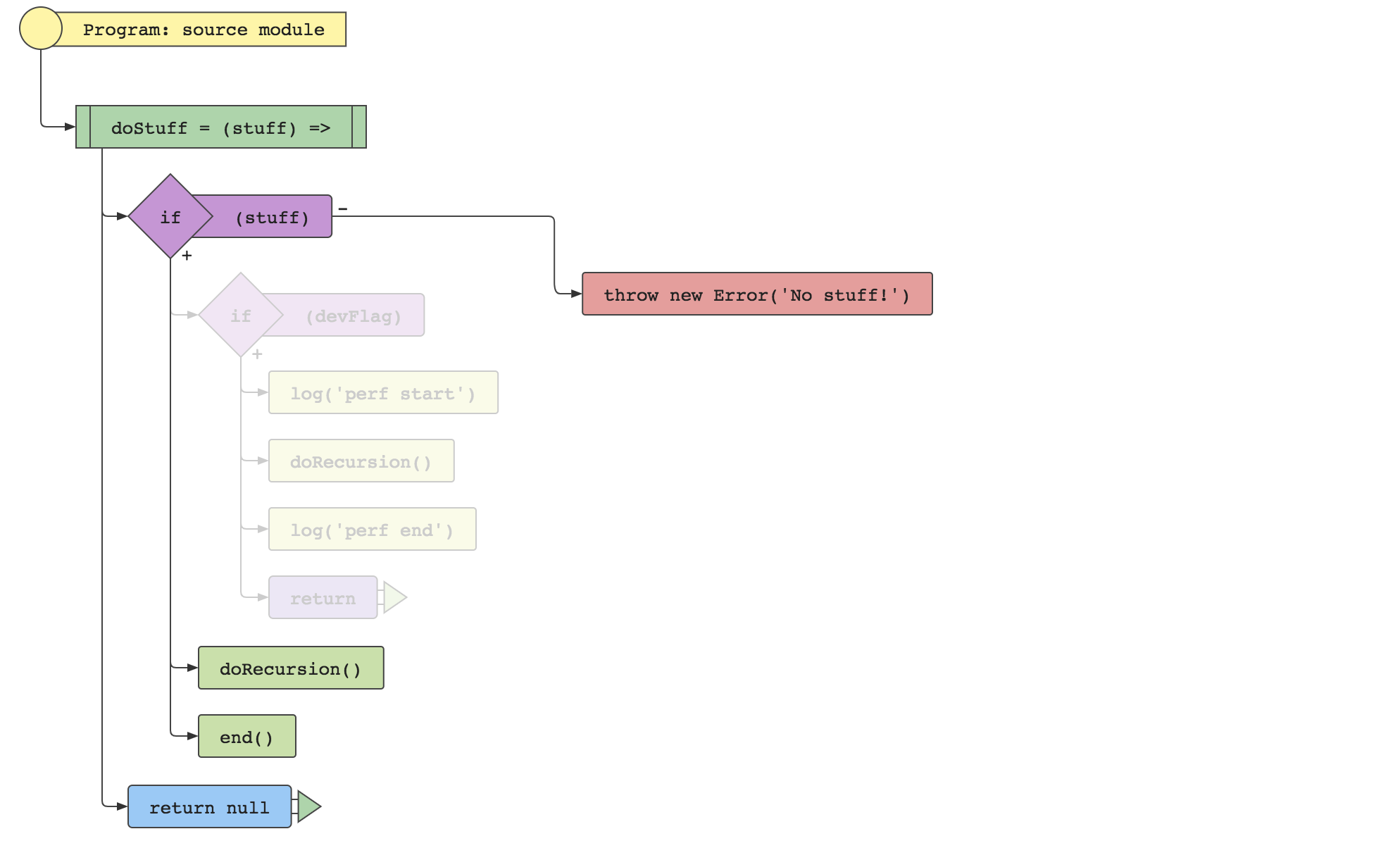
focus node or entire code logic branch to highlight important section on scheme
blur node or entire code logic branch to hide less-important stuff
defined styles themes supports choose one you like
custom themes support create your own one which fits your context colors better
custom colors and styles support provides handy API to change specific styles without boilerplate
Use cases:
explain/document your code by flowcharts
learn other's code by visual understanding
create flowcharts for any process simply described by valid JS syntax
CLI
You can simply generate SVG files from your local JS files using CLI tool.
Install js2flowchart globally by running:
yarn global add js2flowchart
Or in a project by running:
yarn add js2flowchart --dev
Open terminal and navigate to needed directory with JS file you want to visualize (e.g. './my-project/main.js').
Run the command (if you installed it globally)
js2flowchart main.js
Or add this to your package.json file:
{
  "scripts": {
    "js2flowchart": "js2flowchart"
  }
}
And run (with either npm or yarn):
yarn run js2flowchart main.js
After script is executed observe log SVG file was created: ./js2flowchart/main.js.svg. SVG file will be placed in new directory '/js2flowchart' near your JS file.
API and examples
You can find sources for examples explained below in docs directory.
In examples only js2flowchart library included explicitly, by <script> tag and accessed by global variable from windowto make it simpler to run for you without boilerplate. But feel free to use it through ES6 modules as well, when you have Babel&Webpack local server configured.
/**
* Access APIs when js2flowchart injected into HTML page
*/
const {convertCodeToFlowTree, convertFlowTreeToSvg} = window.js2flowchart;

/**
* or import from node_modules
*/
import {convertCodeToFlowTree, convertFlowTreeToSvg} from 'js2flowchart';//way 1
import * as js2flowchart from 'js2flowchart';//way 2
Default
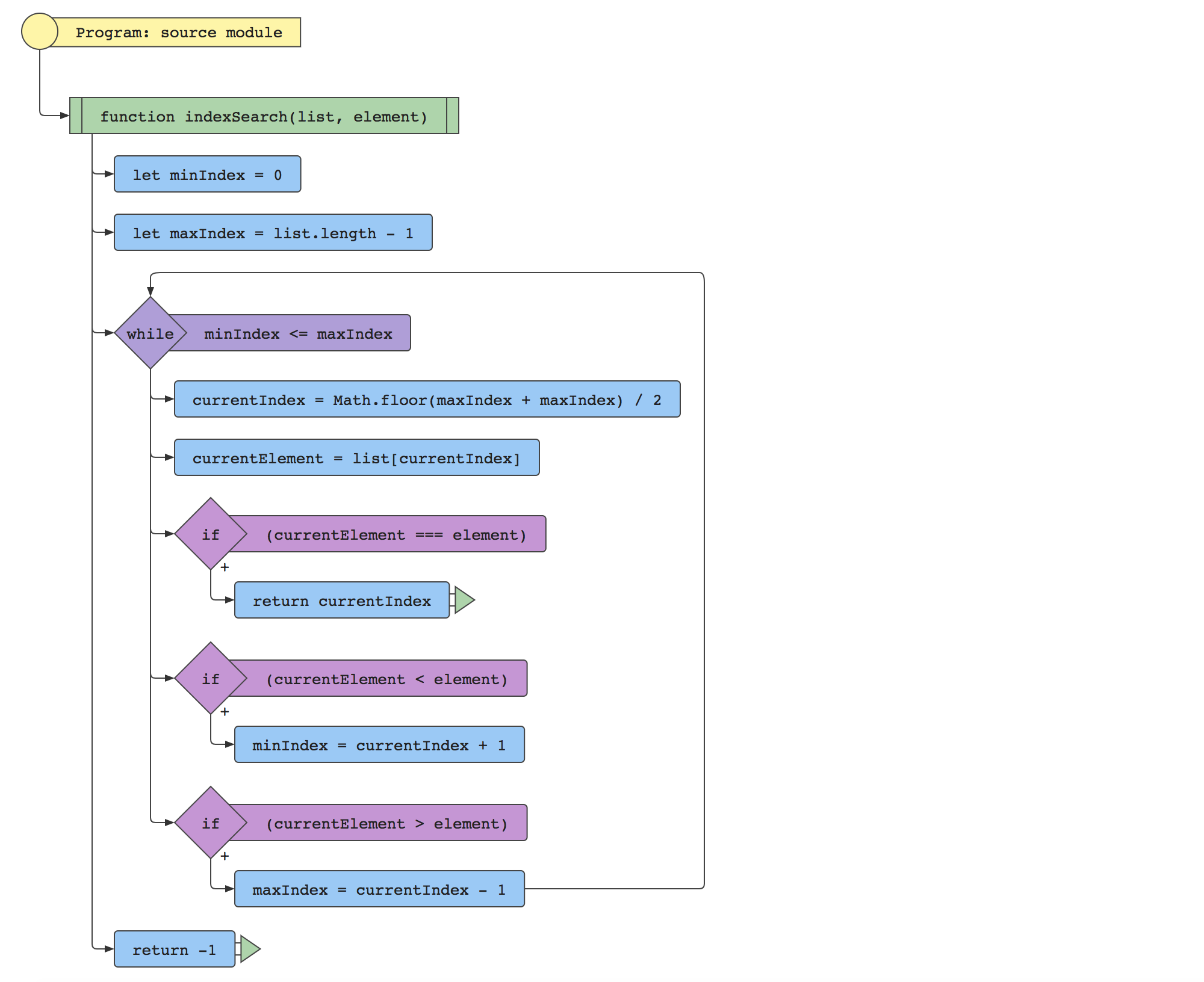
Here is a code function for classic case Binary search
See the example running here or check out complete source code of it.
Defined abstraction level
What is called 'abstraction level'? Let's say you would like to omit some details, like, e.g. for given module you are interested only in what the module exports, or, what classes it contains.
There is a list of defined levels you can do that with. Accessible by ABSTRACTION_LEVELS interface.
FUNCTION
FUNCTION_DEPENDENCIES
CLASS
IMPORT
EXPORT
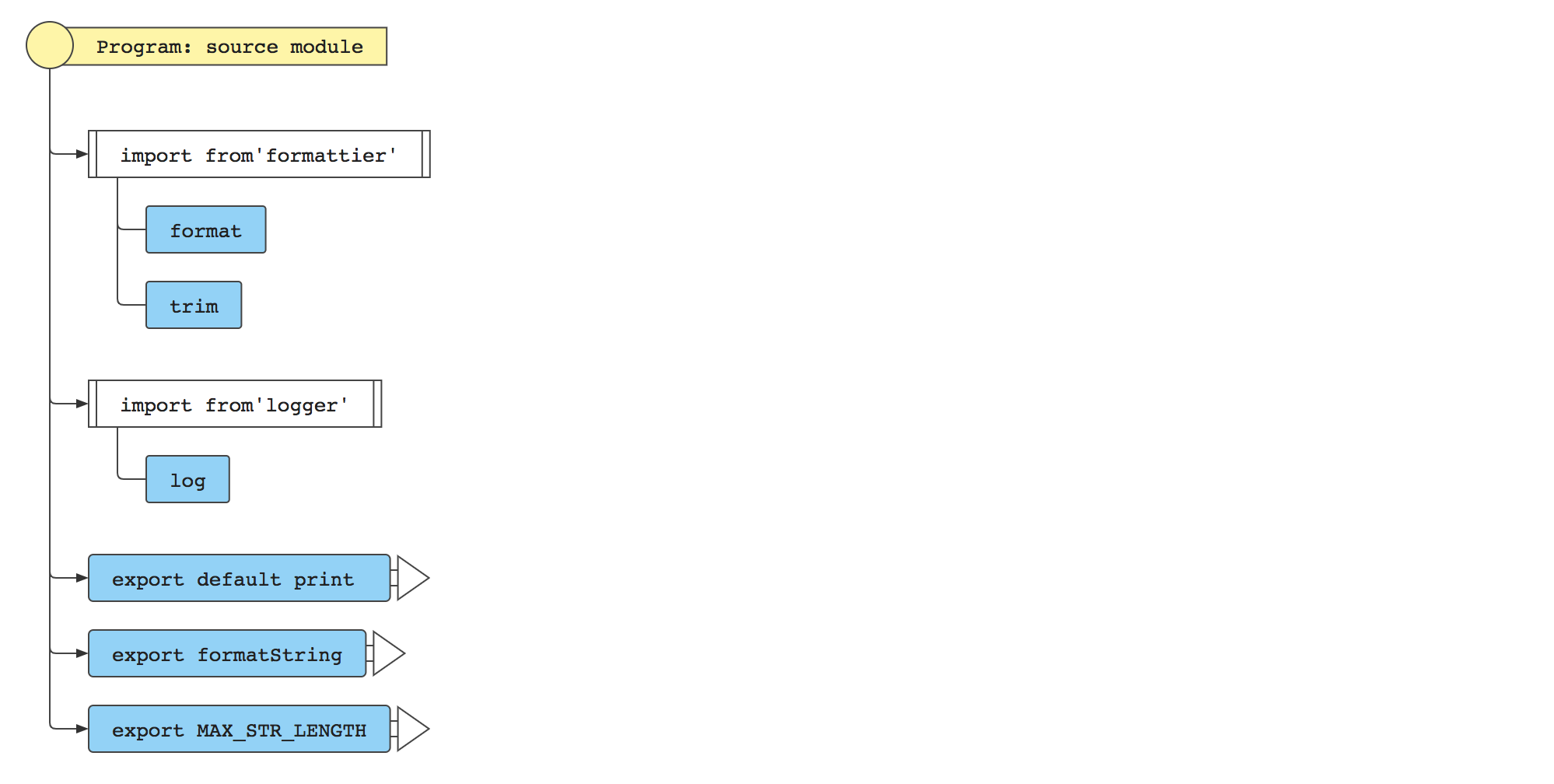
Let's take example with module imports&exports. Below is the code of some print-util.js.
See the example running here or check out complete source code of it.
Custom abstraction level (label:advanced)
What if you want your 'own' level? To the same API endpoint flowTreeBuilder.setAbstractionLevel you can provide configuration object.
For example, have a look at the code of function dependencies abstraction level.
Check out the export of it
And what is behind of getCustomAssignmentExpression for example?
There is a token parsing config.
{
    type: 'TokenType', /*see types in TOKEN_TYPES map*/
    getName: (path) => {/*extract name from token*/},
    ignore: (path) => {/*return true if want to omit entry*/}
    body: true /* should it contain nested blocks? */
}
Check out more token parsing configs from source code (entryDefinitionsMap.js)
Presentation generator
When you learn other's code it's good to go through it by different abstractions levels.
Take a look what module exports, which function and classes contains etc.
There is a sub-module createPresentationGenerator to generate list of SVGs in order to different abstractions levels.
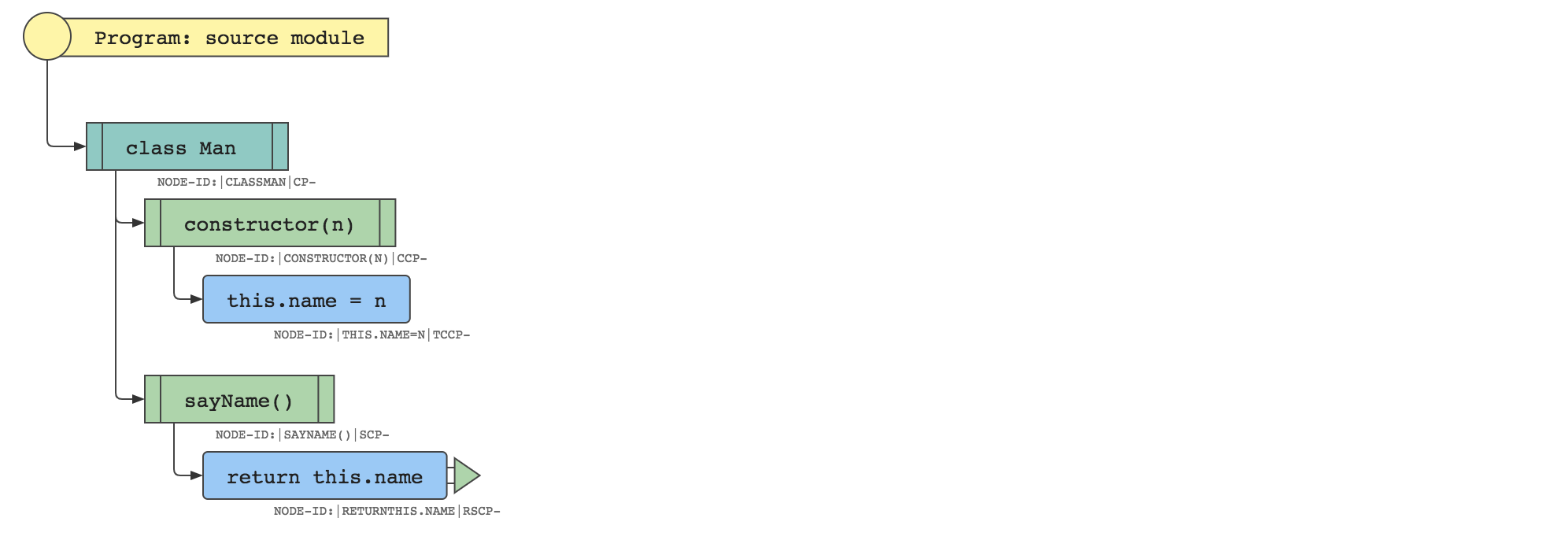
Let's take the next code for example:
const code = `
    import {format} from './util/string';

    function formatName(name) {
        if (!name) return 'no-name';

        return format(name);
    }

    class Animal {
        constructor(breed) {
            this.breed = breed;
        }

        getBreed() {
            return this.breed;
        }

        setName(name) {
            if (this.nameExist()) {
                return;
            }

            this.name = name;
        }
    }

    class Man extends Animal {
       sayName() {
            console.log('name', this.name);
       }
    }

    export default Man;
`;
What if you need different styles, not only colors? Here it's svgRender.applyTheme({}). You can apply styles above of current theme, overriding only that behaviour you need.
Let's take an example with Return statement.
See the example running here or check out complete source code of it.
Flow tree modifier
There is sub-module for modifying flow tree called 'FlowTreeModifier' which allows you to apply modifiers defined separately to your existing flow tree.
Let's take simple use-case: you want to change 'names'(titles) on tree-nodes, here it is, just define modifier for that. But, actually, there are some behaviours where we already know we need to modify flow tree.
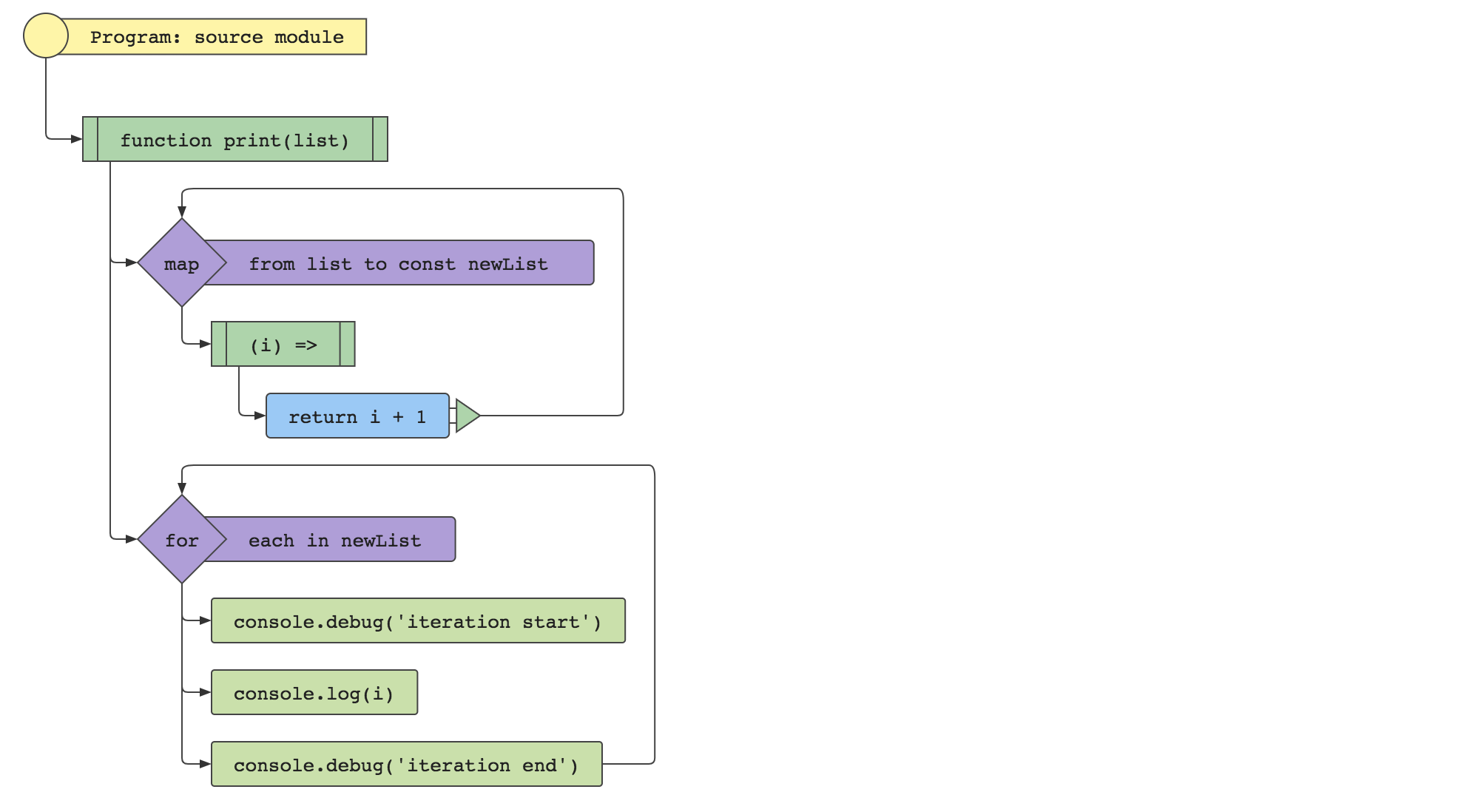
Let's have a look at ES5 Array iterators, like forEach, map and so on. We all know they behave like a loop, right? Let's treat them as a 'loop' then.
See the example running here or check out complete source code of it.
Tools
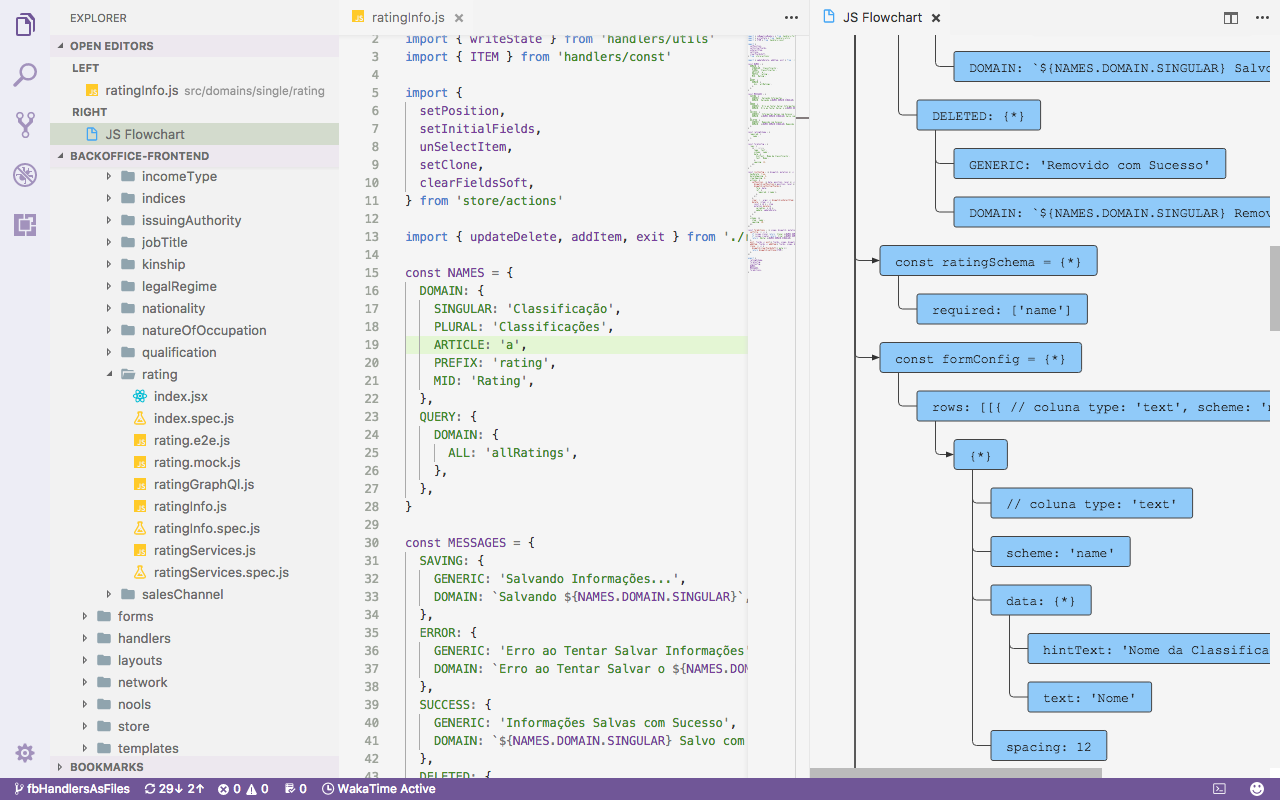
Thanks to @LucasBadico we got Visual Studio extension. Check it out.
Under the hood
Main stages:
get AST from code, Babylon parser is used (develops by Babel team)
convert AST to FlowTree, remove and combing nodes (FlowTreeBuilder)
apply modifiers (FlowTreeModifier)
create SVG objects based on FlowTree (SVGRender)
apply ShapesTreeEditor
apply theme (see themes)
print SVG objects to XML string
Things planned TODO
Full CLI support
JSX support
Flow support
TypeScript support
Multi files support
Webstorm plugin
Chrome extension for dev-tools
Contributing
Feel free to file an issue if it doesn't work for your code sample (please add 'breaking' lines of code if it's possible to identify) or for any other things you think can be improved.
Highly appreciated if you can join and help with any TODOs above. Thanks.
License
MIT license
Version
First shoot! Take it easy (check version number above in NPM badge)
Bogdan-Lyashenko/js-code-to-svg-flowchart có phải mã nguồn mở không?
Có — Bogdan-Lyashenko/js-code-to-svg-flowchart phát hành theo license MIT, nghĩa là mã nguồn mở để đọc, fork và (tùy license) tái sử dụng. Mã: github.com/Bogdan-Lyashenko/js-code-to-svg-flowchart.
Bogdan-Lyashenko/js-code-to-svg-flowchart là gì?
Bogdan-Lyashenko/js-code-to-svg-flowchart (Bogdan-Lyashenko/js-code-to-svg-flowchart) là dự án JavaScript trên GitHub. Theo mô tả gốc: js2flowchart - a visualization library to convert any JavaScript code into beautiful SVG flowchart. Learn other’s code. Design your code. Refactor code. Document code. Explain code.
Bogdan-Lyashenko/js-code-to-svg-flowchart so với các dự án Frontend khác thế nào?
Bogdan-Lyashenko/js-code-to-svg-flowchart được TopGit xếp vào nhóm Frontend, với 7.1k sao GitHub và viết bằng JavaScript. Xem trang chủ đề Frontend trên TopGit để so sánh với các dự án tương tự theo số sao và mức độ hoạt động.
Cùng nhóm Frontend còn repo nào?
Bogdan-Lyashenko/js-code-to-svg-flowchart thuộc nhóm Frontend trên TopGit, cùng 9 topic GitHub. Trang Trending và Topics liệt kê các repo cùng số sao và cùng ngôn ngữ để so sánh.
Đọc thêm về Bogdan-Lyashenko/js-code-to-svg-flowchart ở đâu?
Trang TopGit này là một snapshot — tab "Readme" hiển thị nguyên văn README của repo (đã bỏ link, giữ ảnh). Repo GitHub ở github.com/Bogdan-Lyashenko/js-code-to-svg-flowchart là nguồn chính thức.
Vì sao Bogdan-Lyashenko/js-code-to-svg-flowchart được xếp vào nhóm Frontend?
TopGit xếp Bogdan-Lyashenko/js-code-to-svg-flowchart vào nhóm Frontend dựa trên GitHub topics và mô tả của repo (gắn thẻ: "ast", "es6", "flowchart"). Việc phân loại dựa trên metadata thật của repo, không phải đoán theo cảm tính biên tập.
Đọc đầy đủ README ở tab phía trên.
Chưa chắc js-code-to-svg-flowchart có hợp với bạn?
Để ChatGPT, Claude hoặc Perplexity tìm hiểu giúp — bấm bên dưới và xem AI nói gì về js-code-to-svg-flowchart.

 /js-code-to-svg-flowchart