Là một công cụ AI, browser-use/video-use đã đạt 25.1k sao trên GitHub, ngôn ngữ Python. Edit videos with coding agents
Tóm tắt dựng từ metadata GitHub của chính dự án — chưa có bài review TopGit. Trang sẽ tự động cập nhật khi bài review đầy đủ được xuất bản.
VÌ SAO CHƯA CÓ REVIEW
TopGit viết bài đầy đủ cho repo có nhiều sao nhất và được yêu cầu nhiều nhất. Trang này là snapshot trong thời gian chờ — xem README gốc ở tab READ ME.
Introducing video-use — edit videos with Claude Code. 100% open source.
Drop raw footage in a folder, chat with Claude Code, get final.mp4 back. Works for any content — talking heads, montages, tutorials, travel, interviews — without presets or menus.
Try video-use in Browser Use Cloud.
What it does
Cuts out filler words (umm, uh, false starts) and dead space between takes
Auto color grades every segment (warm cinematic, neutral punch, or any custom ffmpeg chain)
30ms audio fades at every cut so you never hear a pop
Burns subtitles in your style — 2-word UPPERCASE chunks by default, fully customizable
Generates animation overlays via HyperFrames, Remotion, Manim, or PIL — spawned in parallel sub-agents, one per animation
Self-evaluates the rendered output at every cut boundary before showing you anything
Persists session memory in project.md so next week's session picks up where you left off
Setup prompt
Paste into Claude Code, Codex, Hermes, Openclaw, or any agent with shell access:
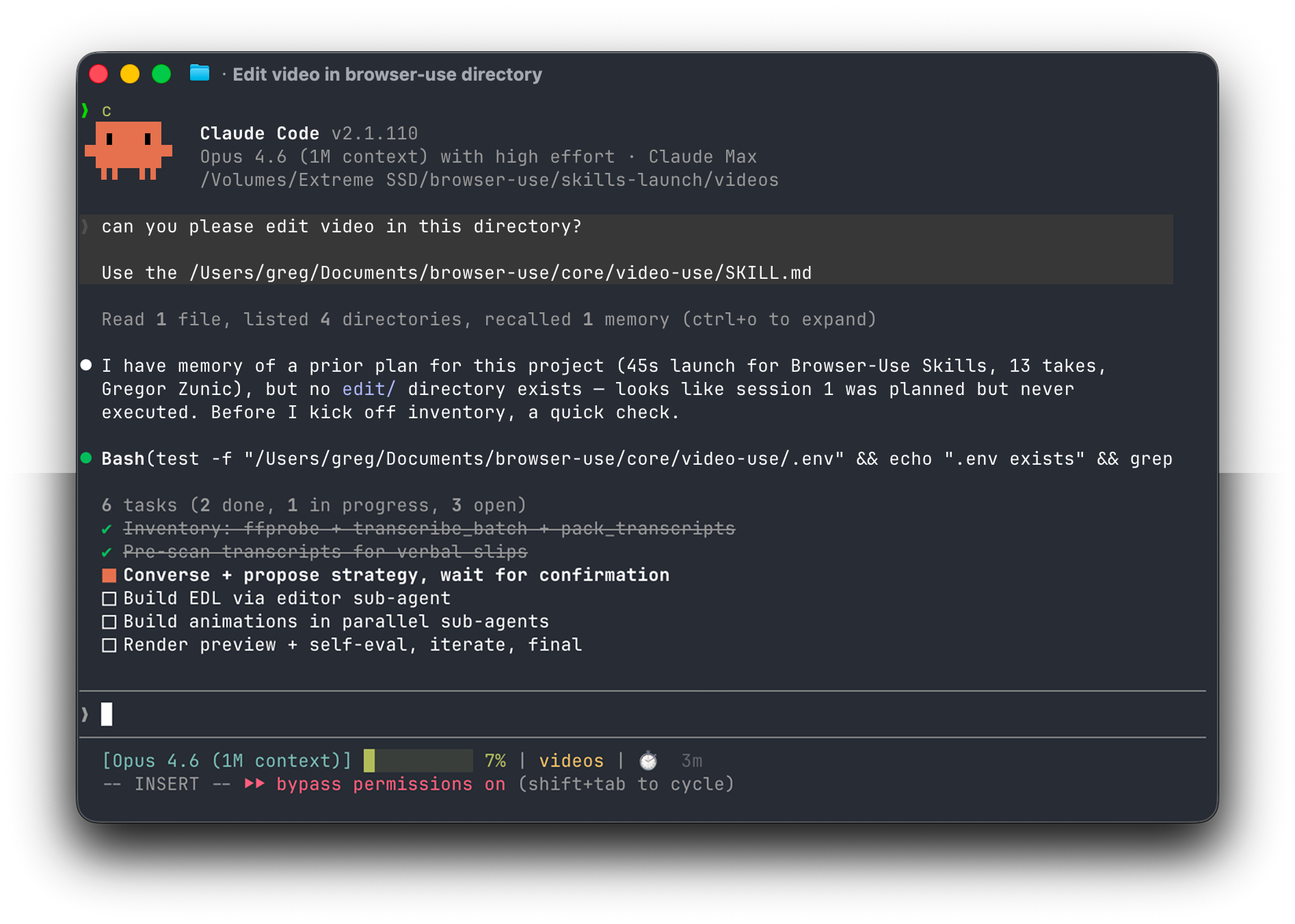
Set up https://github.com/browser-use/video-use for me.

Read install.md first to install this repo, wire up ffmpeg, register the skill with whichever agent you're running under, and set up the ElevenLabs API key — ask me to paste it when you need it. Then read SKILL.md for daily usage, and always read helpers/ because that's where the editing scripts live. After install, don't transcribe anything on your own — just tell me it's ready and wait for me to drop footage into a folder.
The agent handles the clone, dependencies, skill registration, and prompts you once for your ElevenLabs API key (grab one at elevenlabs.io/app/settings/api-keys).
Then point your agent at a folder of raw takes:
cd /path/to/your/videos
claude    # or codex, hermes, etc.
For always-on editing from your own VPS or Telegram, run the agent through Browser Use Box. Watch the 15-second demo.
And in the session:
edit these into a launch video
It inventories the sources, proposes a strategy, waits for your OK, then produces edit/final.mp4 next to your sources. All outputs live in <videos_dir>/edit/ — the skill directory stays clean.
Manual install
If you'd rather do it by hand:
# 1. Clone and symlink into your agent's skills directory
git clone https://github.com/browser-use/video-use ~/Developer/video-use
ln -sfn ~/Developer/video-use ~/.claude/skills/video-use        # Claude Code
# ln -sfn ~/Developer/video-use ~/.codex/skills/video-use       # Codex

# 2. Install deps
cd ~/Developer/video-use
uv sync                         # or: pip install -e .
brew install ffmpeg             # required
brew install yt-dlp             # optional, for downloading online sources

# 3. Add your ElevenLabs API key
cp .env.example .env
$EDITOR .env                    # ELEVENLABS_API_KEY=...
How it works
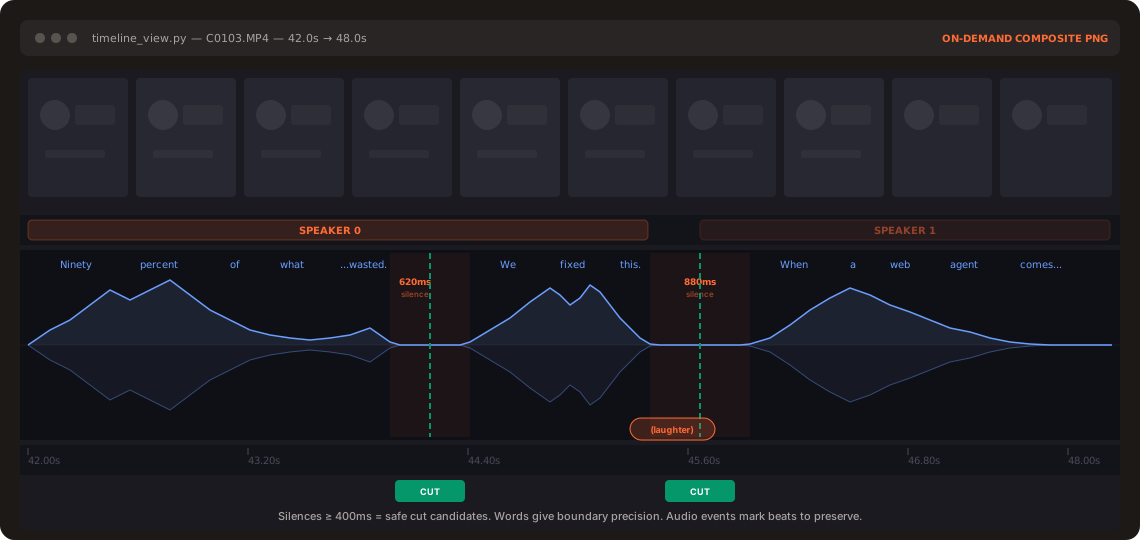
The LLM never watches the video. It reads it — through two layers that together give it everything it needs to cut with word-boundary precision.
Layer 1 — Audio transcript (always loaded). One ElevenLabs Scribe call per source gives word-level timestamps, speaker diarization, and audio events ((laughter), (applause), (sigh)). All takes pack into a single ~12KB takes_packed.md — the LLM's primary reading view.
## C0103  (duration: 43.0s, 8 phrases)
  [002.52-005.36] S0 Ninety percent of what a web agent does is completely wasted.
  [006.08-006.74] S0 We fixed this.
Layer 2 — Visual composite (on demand).timeline_view produces a filmstrip + waveform + word labels PNG for any time range. Called only at decision points — ambiguous pauses, retake comparisons, cut-point sanity checks.
Naive approach: 30,000 frames × 1,500 tokens = 45M tokens of noise.
Video Use: 12KB text + a handful of PNGs.
Same idea as browser-use giving an LLM a structured DOM instead of a screenshot — but for video.
The self-eval loop runs timeline_view on the rendered output at every cut boundary — catches visual jumps, audio pops, hidden subtitles. You see the preview only after it passes.
Design principles
Text + on-demand visuals. No frame-dumping. The transcript is the surface.
Audio is primary, visuals follow. Cuts come from speech boundaries and silence gaps.
Ask → confirm → execute → self-eval → persist. Never touch the cut without strategy approval.
Zero assumptions about content type. Look, ask, then edit.
12 hard rules, artistic freedom elsewhere. Production-correctness is non-negotiable. Taste isn't.
See SKILL.md for the full production rules and editing craft.
browser-use/video-use có 25.1k sao GitHub — tải lại trang để xem số mới nhất, hoặc xem trực tiếp github.com/browser-use/video-use. TopGit phản chiếu số sao của GitHub nhưng không cam kết đến từng phút.
browser-use/video-use có phải mã nguồn mở không?
Có — browser-use/video-use phát hành theo license MIT, nghĩa là mã nguồn mở để đọc, fork và (tùy license) tái sử dụng. Mã: github.com/browser-use/video-use.
browser-use/video-use có website riêng không?
TopGit chưa ghi nhận URL trang chủ cho browser-use/video-use. Phần README ở tab phía trên thường có link demo, hoặc xem mô tả GitHub của repo.
browser-use/video-use là gì?
browser-use/video-use (browser-use/video-use) là dự án Python trên GitHub. Theo mô tả gốc: Edit videos with coding agents
browser-use/video-use so với các dự án AI Tools khác thế nào?
browser-use/video-use được TopGit xếp vào nhóm AI Tools, với 25.1k sao GitHub và viết bằng Python. Xem trang chủ đề AI Tools trên TopGit để so sánh với các dự án tương tự theo số sao và mức độ hoạt động.
Cùng nhóm AI Tools còn repo nào?
browser-use/video-use thuộc nhóm AI Tools trên TopGit. Trang Trending và Topics liệt kê các repo cùng số sao và cùng ngôn ngữ để so sánh.
Đọc thêm về browser-use/video-use ở đâu?
Trang TopGit này là một snapshot — tab "Readme" hiển thị nguyên văn README của repo (đã bỏ link, giữ ảnh). Repo GitHub ở github.com/browser-use/video-use là nguồn chính thức.
Đọc đầy đủ README ở tab phía trên.
video-use có đáng để bạn bỏ thời gian?
ChatGPT, Claude và Perplexity đều đọc được trang này. Hỏi thử xem họ nghĩ gì về video-use.
 /video-use