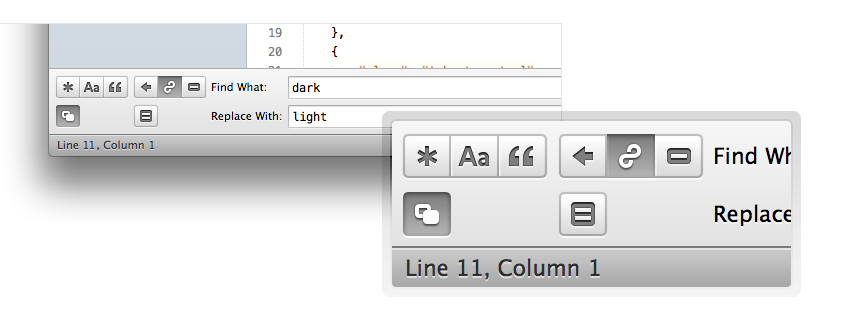
buymeasoda/soda-theme hiện có 4.3k sao trên GitHub. Dark and light custom UI themes for Sublime Text
Tóm tắt dựng từ metadata GitHub của chính dự án — chưa có bài review TopGit. Trang sẽ tự động cập nhật khi bài review đầy đủ được xuất bản.
VÌ SAO CHƯA CÓ REVIEW
TopGit viết bài đầy đủ cho repo có nhiều sao nhất và được yêu cầu nhiều nhất. Trang này là snapshot trong thời gian chờ — xem README gốc ở tab READ ME.
Soda theme is designed to work with the latest development builds of Sublime Text, including Sublime Text 2 and Sublime Text 3.
Using Sublime Package Control
If you are using Will Bond's excellent Sublime Package Control, you can easily install Soda Theme via the Package Control: Install Package menu item. The Soda Theme package is listed as Theme - Soda in the packages list.
Using Git
Alternatively, if you are a git user, you can install the theme and keep up to date by cloning the repo directly into your Packages directory in the Sublime Text application settings area.
You can locate your Sublime Text Packages directory by using the menu item Preferences -> Browse Packages....
While inside the Packages directory, clone the theme repository using the command below:
Download the files using the GitHub .zip download option
Unzip the files and rename the folder to Theme - Soda
Find your Packages directory using the menu item Preferences -> Browse Packages...
Copy the folder into your Sublime Text Packages directory
Activating the theme
To configure Sublime Text to use the theme, follow the instructions below for your specific version.
Sublime Text 2
Open your User Settings Preferences file Sublime Text 2 -> Preferences -> Settings - User
Add (or update) your theme entry to be "theme": "Soda Light.sublime-theme" or "theme": "Soda Dark.sublime-theme"
Example Sublime Text 2 User Settings
{
    "theme": "Soda Light.sublime-theme"
}
Sublime Text 3
Open your User Settings Preferences file Sublime Text -> Preferences -> Settings - User
Add (or update) your theme entry to be "theme": "Soda Light 3.sublime-theme" or "theme": "Soda Dark 3.sublime-theme"
Example Sublime Text 3 User Settings
{
    "theme": "Soda Light 3.sublime-theme"
}
Additional Features
Alternate Tab Styles
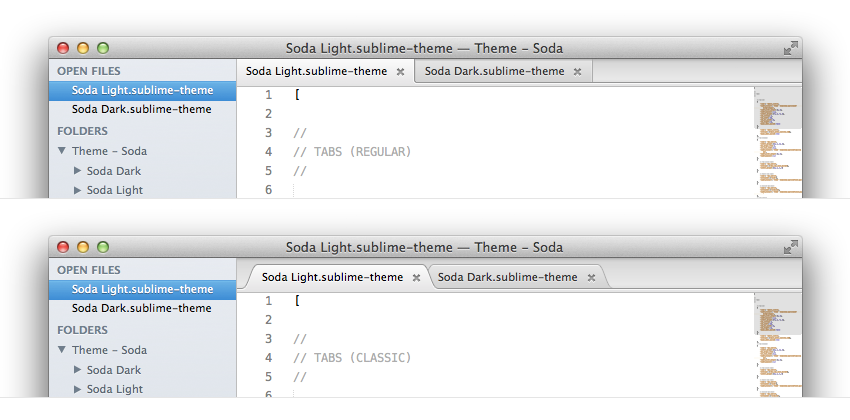
Soda Theme ships with two alternate UI tab styles.
By default, a square tab style is used. If you'd prefer to use the original curved tab style, add the following custom setting to your Settings - User file:
"soda_classic_tabs": true
Sidebar Folder Icons
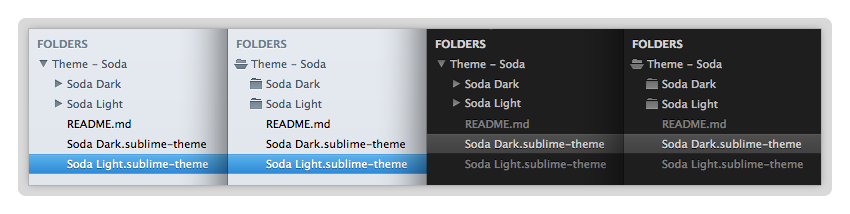
Soda Theme has folder icons by default with Sublime Text 3.
If you'd like to use folder icons in the Sublime Text 2 sidebar instead of the regular arrows, add the following custom setting to your Settings - User file:
"soda_folder_icons": true
Retina Resolution UI
Soda Theme has been designed to take advantage of retina resolution (high-dpi) displays. Both Soda Light and Soda Dark support retina displays.
Theme Customisation
Sublime Text provides an elegant way to tweak existing themes without having to duplicate or maintain a separate copy of the original theme. If there are aspects of Soda Theme that you would like to adjust, take a look at the theme customisation wiki page.
Bonus Options
Syntax Highlighting Colour Schemes
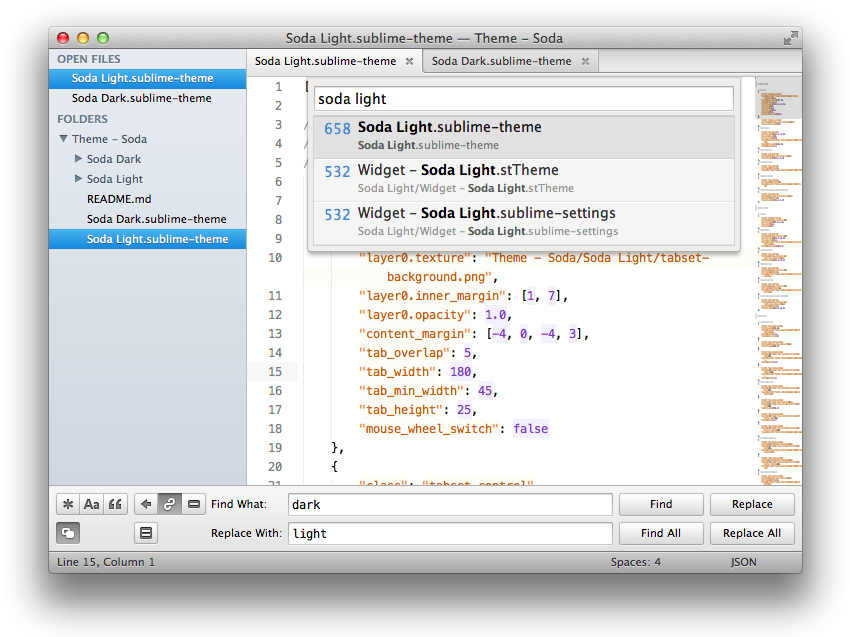
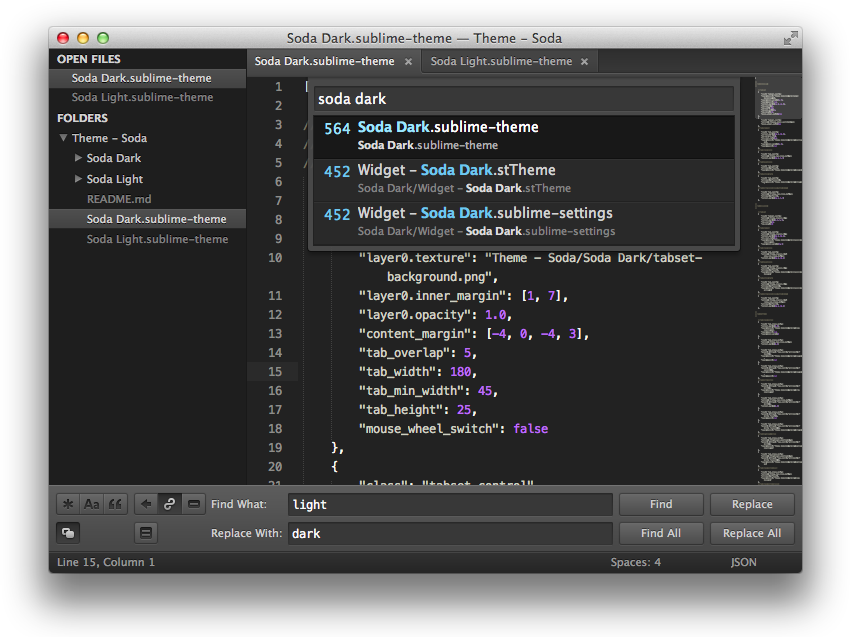
The Soda Light screenshot uses a modified version of Espresso Tutti Colori and the Soda Dark screenshot uses a modified version of Monokai.
If you'd like to use the syntax highlighting schemes shown in the screenshots:
Download colour-schemes.zip
Unzip and place the extracted tmtheme files in the Sublime Text Packages/User folder
Enable the colour scheme via Preferences -> Color Scheme -> User
Code Font
The code font shown in the screenshot is Menlo.
Development
Please note, Sublime Text dev builds move quickly and changes can occur with the theme API between releases, so there may be occasions where the theme doesn't quite work with a brand new dev release.
While developing the theme, I have documented some theme challenges and ideas encountered along the way.
License
Soda Theme is licensed under the Creative Commons Attribution-ShareAlike 3.0 License. You are free to share and remix the theme, however please abide by the license terms when doing so.
The following details apply to the Creative Commons license "author specified" components:
Attribution example: Based on Soda Theme by Ian Hill (http://buymeasoda.com/)
Naming guidelines: If you create and distribute a derivative theme, please give your theme a unique and original name that does not directly include "Soda Theme" (or a close variant) in the main project title, repo name or Package Control name.
buymeasoda/soda-theme có 4.3k sao GitHub — tải lại trang để xem số mới nhất, hoặc xem trực tiếp github.com/buymeasoda/soda-theme. TopGit phản chiếu số sao của GitHub nhưng không cam kết đến từng phút.
buymeasoda/soda-theme có tag gì không?
Bản đồng bộ chưa ghi nhận topic GitHub nào cho buymeasoda/soda-theme. GitHub topics hiển thị ở thanh bên phải trang repo — đó là nơi đáng kiểm tra nhất.
buymeasoda/soda-theme còn đang phát triển không?
Commit gần nhất trên buymeasoda/soda-theme là 5.8 năm trước (theo timestamp GitHub). Repo có 498 fork — một chỉ báo về mức độ quan tâm của cộng đồng.
buymeasoda/soda-theme là gì?
buymeasoda/soda-theme (buymeasoda/soda-theme) là dự án đa ngôn ngữ trên GitHub. Theo mô tả gốc: Dark and light custom UI themes for Sublime Text
buymeasoda/soda-theme viết bằng ngôn ngữ gì?
Dữ liệu TopGit chưa ghi nhận ngôn ngữ chính cho buymeasoda/soda-theme. Xem danh sách file trên GitHub để biết chi tiết.
Đọc đầy đủ README ở tab phía trên.
Vẫn đang phân vân về soda-theme?
Một cú bấm sẽ gửi câu hỏi kèm trang này cho AI — xem AI nói gì về soda-theme.

 /soda-theme